
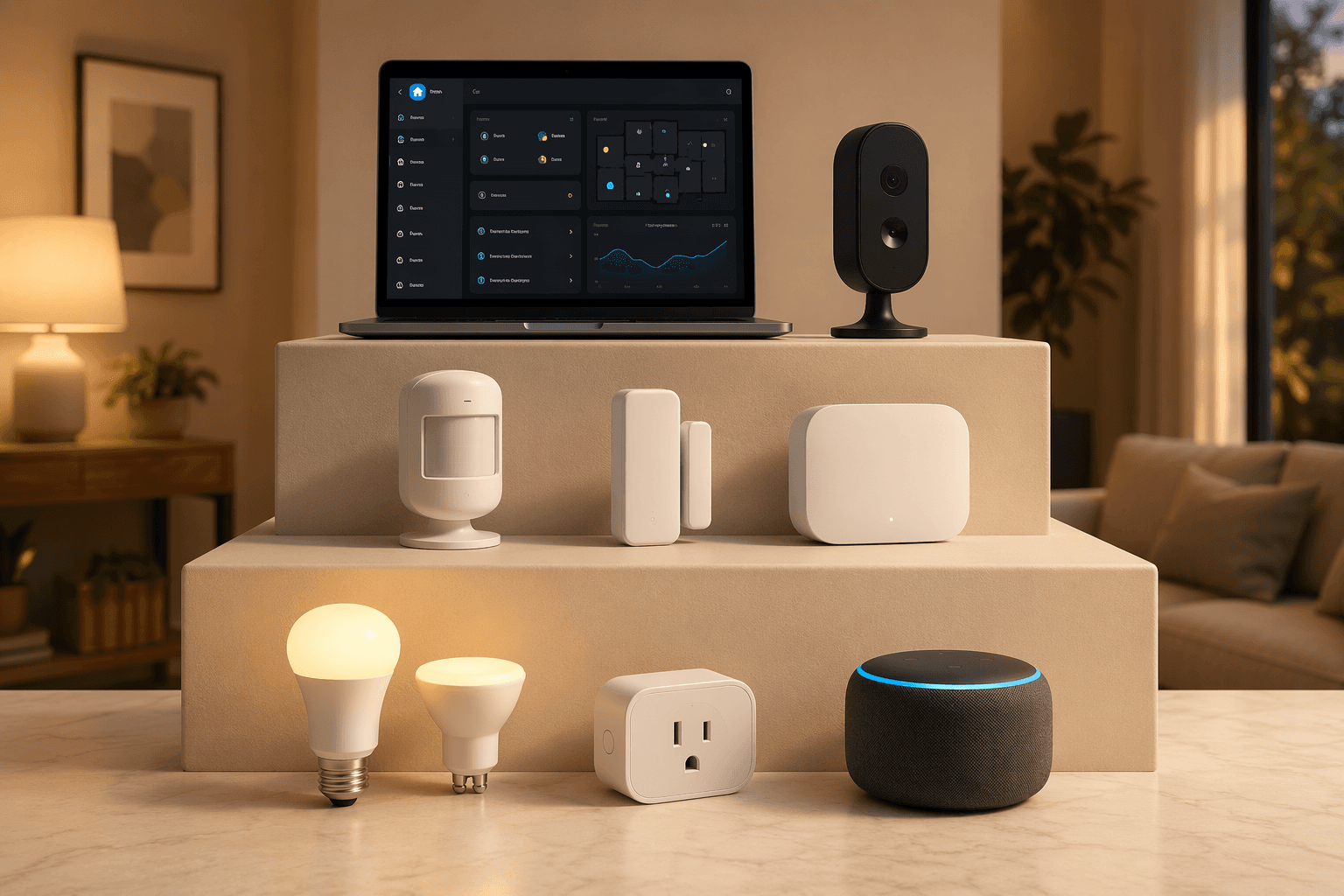
If your smart home can already obey a voice command but still does not do much on its own, the next move is not another giant shopping cart. It is one reliable routine. The most useful home automation ideas fall into a progression: start with platform-native routines that use the devices you already own, then add sensors or a hub when the trigger needs to be more specific, and only move into Home Assistant or custom logic when you actually need state tracking, conditions, and graceful recovery.
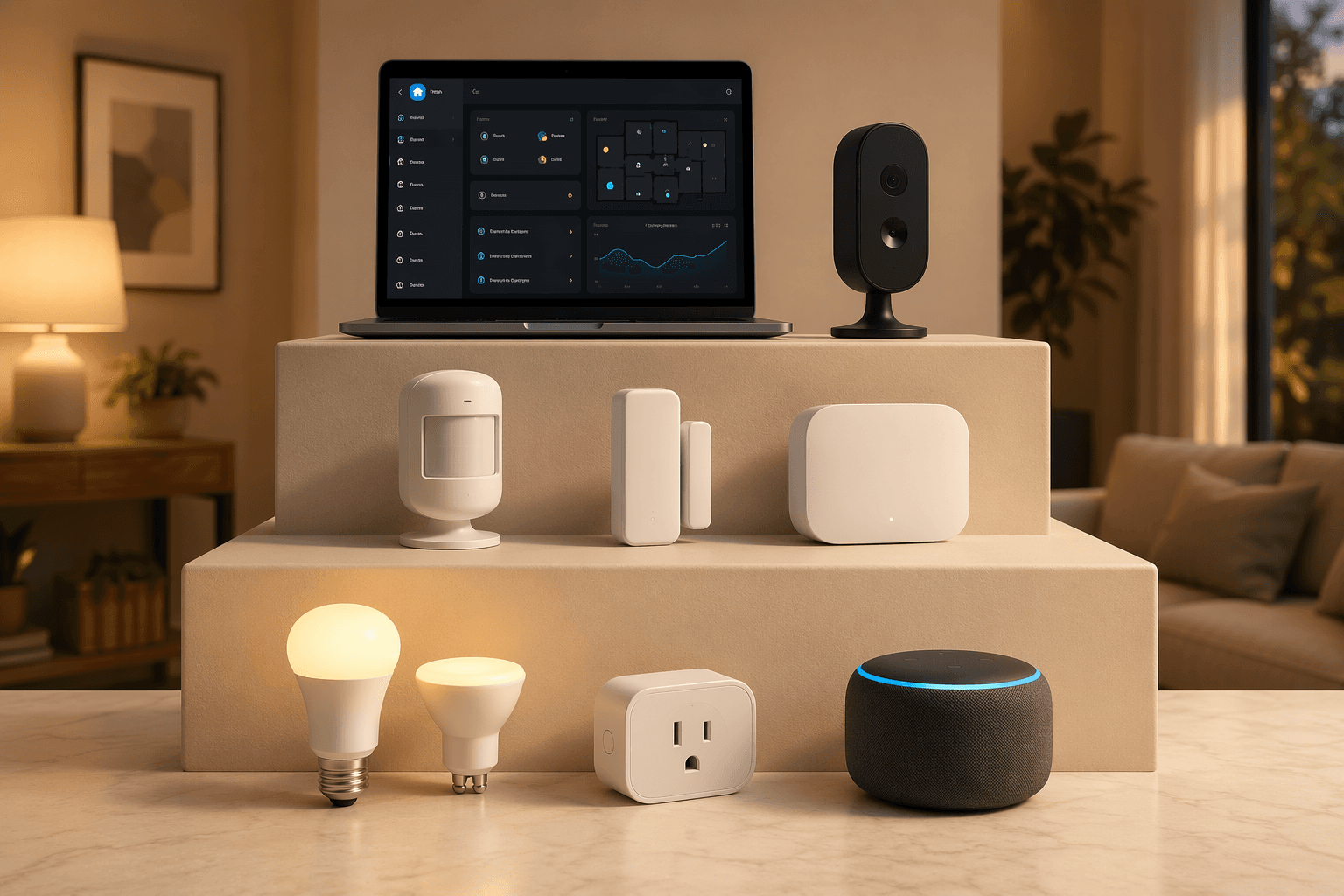
Here is the quick diagnostic. If you have smart bulbs, plugs, a speaker, a lock, or a thermostat, begin with routines in Alexa, Google Home, Apple Home, or the device maker’s app. If you have motion sensors, contact sensors, a bridge, or power-monitoring plugs, you are ready for conditional automations. If you are already running Home Assistant, or you want local logic that can remember what happened before and after a trigger, the advanced recipes start to make sense.
| Tier | Best for | Typical gear | Good first automation |
|---|---|---|---|
| Beginner: no hub required | You own a few smart devices and use voice commands | Smart bulb, smart plug, smart speaker, thermostat, phone location | Sunset outdoor lights or a gentle wake-up light |
| Intermediate: sensor or hub-assisted | You want the house to react without being asked | Motion sensor, contact sensor, bridge, hub, power-monitoring plug | Bathroom nightlight that only runs dimly at night |
| Advanced: Home Assistant or custom logic | You want local control, presence logic, recovery rules, and multi-step conditions | Home Assistant, mmWave presence sensors, templates, helpers, automations | Trail-of-lights or power-outage recovery |
That tier split is a teaching shortcut. Smart-home platforms and product lines do not divide themselves this neatly, and plenty of devices blur the boundaries. Still, the split prevents the classic hallway problem: three apps, two bulb brands, one impatient household, and no idea whether the next step is a hub, a bridge, Home Assistant, or simply a better routine.
Tier 1: Start with routines that do not need a hub
Beginner automations should feel almost boring to set up. That is a compliment. They use triggers your platform already understands: time, sunrise or sunset, phone location, a voice phrase, or a device state. Large idea lists from Power Moves and LazyAdmin include many more possibilities, but the best first routines are the ones that prove the house can act consistently before you complicate the trigger logic.[1][2]
If you are still choosing your first devices, the setup rabbit hole belongs elsewhere; start with a basic first smart home plan. If you already have a few devices, pick one of these and make it dependable.
Gentle wake-up light
Use a bedroom smart bulb or lamp to fade in before your alarm. In most native platforms, the routine is simple: at a chosen weekday time, set the bulb to a warm color at low brightness, then gradually increase it if your app supports fading. If not, use two or three scheduled brightness changes.
This is a good first automation because nobody has to remember a command, and failure is low-drama. If the light does not run, you still have your normal alarm. Keep the first version modest: one lamp, weekdays only, easy to disable during vacation.
Sunset outdoor lights
This is the routine that convinces many people automation is worth the trouble. Set porch, garage, balcony, or path lights to turn on at sunset and turn off at a fixed bedtime. If your platform allows offsets, start the routine 15 or 30 minutes before sunset so the entrance is already lit when dusk arrives.
Astronomical triggers are better than fixed clock times for this job because they follow seasonal daylight changes. You are not editing a 5:30 p.m. rule in winter and then wondering in June why the porch is glowing through dinner.
Geofence thermostat away and return
If your thermostat app supports phone-location routines, create a simple away mode when everyone leaves and a comfort mode when someone returns. Keep the temperature change conservative at first. The goal is not to prove a dramatic savings claim; it is to stop heating or cooling an empty house quite so enthusiastically.
Chariot Energy frames heating and cooling as roughly half of a typical home energy bill, which is a fair reason to pay attention to HVAC routines, but it is not proof that every smart thermostat automation will pay for itself in the same way.[3] Household schedules, insulation, climate, utility rates, and thermostat behavior all matter. If you want to compare thermostat features before building around one, see the Ecobee thermostat model guide.
Arrival lighting scene
Use your phone’s location to turn on entryway, mudroom, or living-room lights when you arrive after dark. Add the phrase “after dark” if your platform supports it; otherwise, make a second evening-only routine or use sunset as the schedule boundary.
The important restraint is to avoid lighting the whole house. A reliable arrival scene should help the person carrying bags through the door, not announce an airport runway.
Goodbye routine
A goodbye routine can turn off selected lights, adjust the thermostat, lock a compatible door lock, and arm a security system if your devices support it. Use a voice phrase such as “I’m leaving” or a button in your platform app before you trust full location-based execution.
Be conservative with locks and alarms. The routine should make leaving easier, not create a mystery state where someone is locked out or the alarm arms while a family member is still upstairs. If a Matter lock is part of your plan, compare options such as Kwikset Matter smart locks before relying on it for a daily routine.
The real upgrade: better triggers, not more gadgets
The jump from Tier 1 to Tier 2 is where a smart home starts to feel less like remote control and more like a home that notices useful things. The change is not magic. You are adding better evidence.
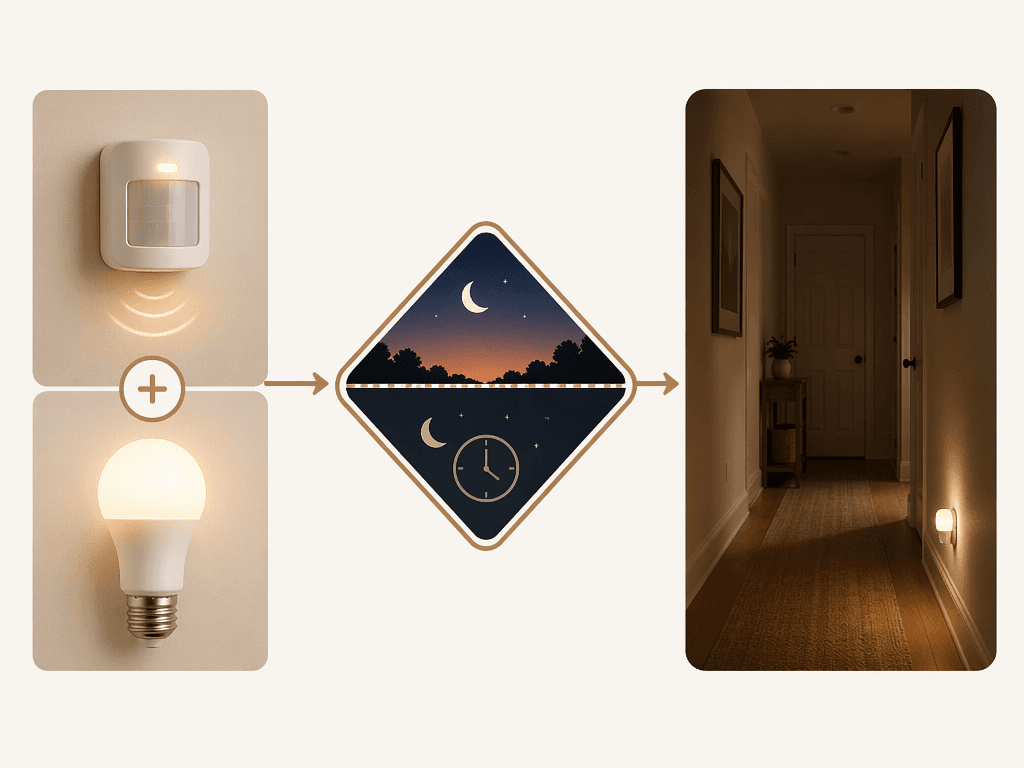
A schedule knows the time. A phone geofence guesses whether someone is home. A motion sensor knows something moved nearby. A contact sensor knows a door opened. A power-monitoring plug can notice when an appliance changes from running to idle. That is why sensor-assisted automations are usually more useful than another batch of voice commands.
This is also where hubs and bridges stop being abstract. You may need a Hue Bridge for certain lighting behavior, a Z-Wave hub for Z-Wave sensors, or a platform that supports conditions cleanly. If you are choosing between bridge and hub paths, use deeper guides like Philips Hue Bridge Pro vs. Bridge or the Z-Wave hub guide. Do not buy a hub because a forum thread made it sound inevitable. Buy one when a routine you actually want requires devices and conditions your current platform cannot handle.
Tier 2: Sensor-assisted automations worth building next
Bathroom nightlight with time-of-day dimming
Trigger a bathroom or hallway light from motion, but only during night hours, and set it to very low brightness. The condition matters as much as the trigger: motion at 2 p.m. should not behave like motion at 2 a.m.
The tidy version looks like this: if motion is detected during your chosen night window, turn on the light at a dim warm setting; after motion has been clear for a few minutes, turn it off. LazyAdmin documents this kind of trigger-condition-action structure across several home automation examples, and it is the basic grammar of most useful sensor routines.[2]
Closet light from a contact sensor
Put a contact sensor on the closet door and turn the closet light on when the door opens, off when it closes. This is cleaner than motion in a cramped closet because the door state is the thing you actually care about.
Add a fallback timer if your platform allows it. If the door is left open, turn the light off after a reasonable delay or send a notification. This is not glamorous, but it is the kind of small automation that survives real life.
Laundry-done notification from power monitoring
A power-monitoring smart plug can watch an appliance’s electrical draw and notify you when the cycle appears finished. The logic is usually: when power rises above a running threshold, mark the machine as active; when power drops below an idle threshold for long enough, send the alert.
This is where exact thresholds become household-specific. A washer, dryer, dehumidifier, and espresso machine will not behave the same way. Pick a plug suited to the load, and check device ratings before putting anything high-draw on a smart plug. For plug selection, compare options like a Thread smart plug or a Z-Wave smart plug before you build the rule around one.
Calendar busy light
Set a visible bulb or light strip to red during meeting blocks on your calendar, then return it to normal afterward. The automation is useful only if the signal is legible to the people around you, so place it where family members or roommates will actually see it before opening the door.
Keep the action narrow. Do not make the whole office flash, mute every speaker, and lock the door on the first attempt. Start with one visible status light. If your household respects it for a week, then consider adding more behavior.
Fan automation with temperature and motion
This is a good example of why conditions matter. A fan should not run just because the room is warm if nobody is there. It also should not run just because motion was detected if the room is already comfortable. Combine the two: if the room is above your chosen temperature and motion is detected, turn on the fan; when the room cools or motion has been absent for a while, turn it off.
Temperature sensors can live in thermostats, room sensors, hubs, or Home Assistant-connected devices. If you are adding one specifically for this kind of routine, the setup details matter more than the idea itself; see how to add a temperature sensor to Home Assistant if your platform is moving in that direction.
Tier 3: Advanced ideas that are powerful because they are fussier
Advanced automations are not just longer beginner routines. They depend on accurate state, conditional delays, device history, helper entities, local control, or integrations that can talk to each other without waiting for a cloud service to interpret the mood. They are delightful when stable and deeply annoying when rushed.
Smart Home Solver’s older walkthroughs are still useful for automation logic, including NFC triggers, phone-charger triggers, and more creative multi-step routines, but some product references from those 2019 and 2021 articles may be dated and should not be treated as current buying advice without checking availability and platform support.[4][5]
Trail-of-lights at night
The idea is lovely: as someone walks through the house at night, low lights come on ahead and fade behind them. It feels attentive without making the house perform a circus act. The hard part is that the automation needs to know where motion started, what light was turned on, whether the next sensor fired, and when to turn earlier lights off.
Smart Home Solver documented a trail-of-lights pattern using Home Assistant logic in 2021, and the concept remains a useful example of why advanced platforms matter.[5] Native Alexa or Google Home routines may handle a simple motion light, but sequential delays and conditional branching are where many platform-native routines become awkward.
Phone-off-charger morning sequence
A phone leaving its charger can be a better morning trigger than a fixed alarm time. The routine might open shades, start a gentle lighting scene, adjust the thermostat, or play a low-volume briefing. Smart Home Solver has shown phone-charger-triggered automations as part of creative smart-home setups, though the exact implementation depends on phone platform, app permissions, and current integrations.[4]
This one needs an escape hatch. If you unplug the phone at 3 a.m. to move rooms, the house should not launch the workday. Add conditions such as time window, weekday, alarm state, or a manual vacation mode.
mmWave room presence
Motion sensors are good at noticing movement. Presence sensors try to answer a harder question: is someone still in the room even if they are reading, working, or watching TV? Forbes’ Paul Lamkin highlighted mmWave presence sensing in a 2026 smart-home upgrade discussion, describing capabilities such as micro-movement detection and, in some products, more advanced occupancy awareness.[6]
Treat those claims as promising, not guaranteed. Performance depends on the device, placement, room shape, furniture, pets, and how the integration exposes presence states. When it works, mmWave can make room-level lighting and climate automations much less clumsy. When it is poorly placed, it can make a house insist someone is present in an empty room.
Power-outage recovery
A power outage can bring smart devices back in strange states. Some bulbs return on. Some plugs recover their previous state. Some devices reconnect slowly. A recovery automation can wait after the system comes back online, check whether it is nighttime, and restore known-safe states instead of letting random lights blast on at 3 a.m.
This is a classic advanced routine because it is mostly invisible until the day it saves you from a miserable surprise. It also requires the platform to understand startup events, device availability, and previous or desired states. That is Home Assistant territory for many households.
Visitor thermostat mode from a calendar event
If guests are staying over, a calendar event can toggle a more generous thermostat schedule, disable aggressive away logic, or keep a guest-room fan available. This is more polite than making visitors live inside your normal efficiency rules.
The risk is forgetting the mode exists. Build the routine with a clear end condition: when the calendar event ends, return to normal; if the event is extended, continue; if the thermostat is manually changed, do not immediately fight the human. Advanced automations should leave room for people to override them.
How to choose your next automation
Do not build ten routines this weekend. Build the easiest useful one that matches the devices you already own, then watch it for a few days. A smart home gets better when each layer proves itself before the next layer depends on it.
- If you only have bulbs, plugs, speakers, a lock, or a thermostat, choose one Tier 1 routine: sunset lights, wake-up lighting, arrival lighting, geofence thermostat mode, or goodbye.
- If you have sensors or a bridge, choose one Tier 2 routine that improves a real friction point: bathroom nightlight, closet light, laundry notification, busy light, or fan control.
- If you have Home Assistant or want local logic, choose one Tier 3 project only after you can explain the trigger, conditions, fallback, and manual override.
For more routine examples at a similar practical level, use these smart home automation recipes. For platform-specific conditions, presence, and media triggers, the Google Home automations guide is the better detour. If the question has turned into what to buy next, use a tiered device guide such as best home automation devices for every budget instead of letting one routine quietly become a cart full of unrelated gadgets.
The best next automation is usually not the most impressive one. It is the one your household will stop noticing because it works.
References
- 75+ Smart Home Automation Ideas For 2026, Power Moves, 2026.
- 50+ Home Automation Ideas, LazyAdmin, 2026.
- 9 Home Automation Ideas That Save Time And Money, Chariot Energy.
- 25 Smart Home Automation Ideas, Smart Home Solver, 2019.
- 10 Creative Home Automation Ideas, Smart Home Solver, 2021.
- How To Supercharge Your Smart Home In 2026, Forbes, Jan 2026.
Implementation Notes
Share platform-specific tips, report that a recipe no longer works after a platform update, or contribute variations for different device combinations.
Comments
Join the discussion with an anonymous comment.