
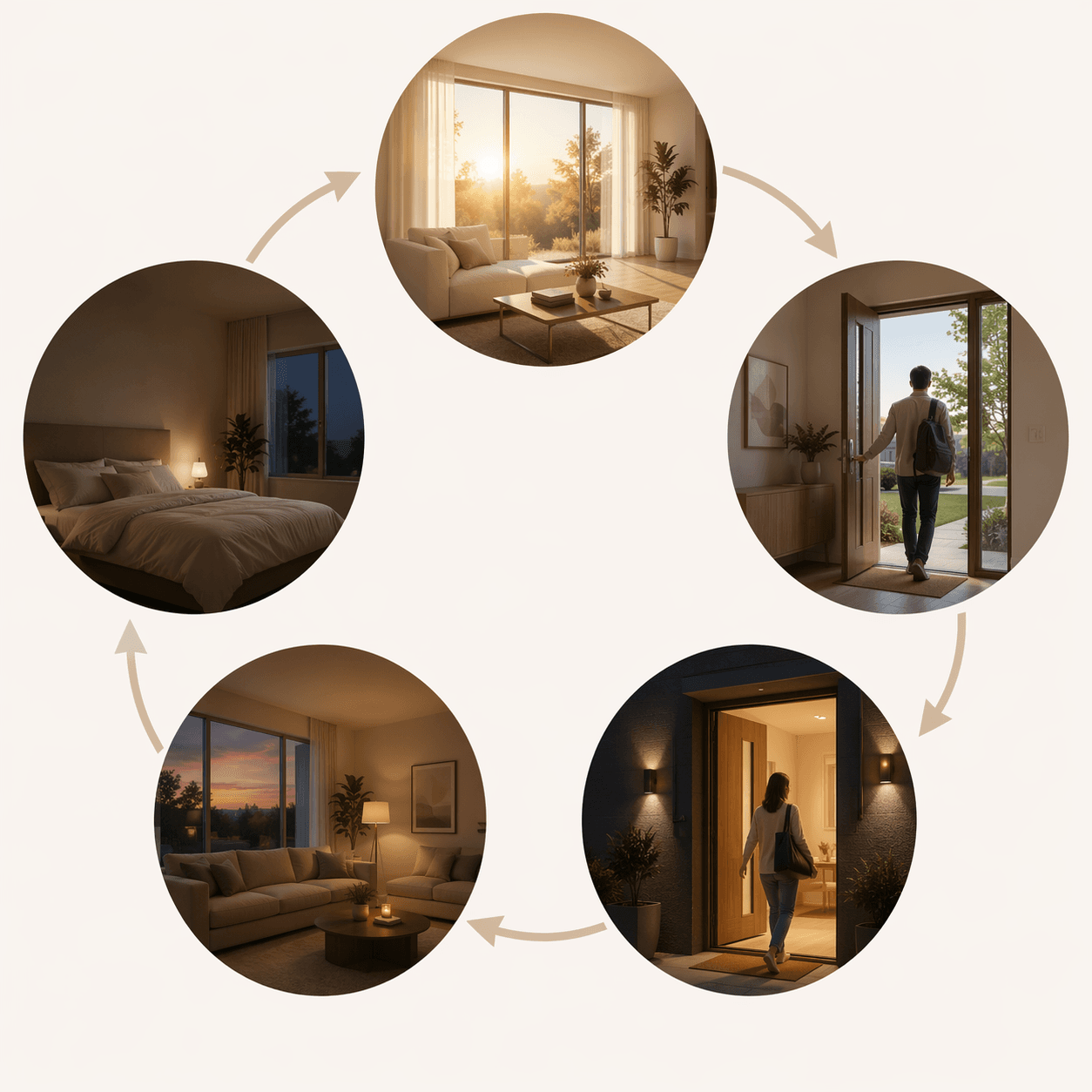
The best smart home automation ideas usually start at the front door. You are leaving, one hand on the knob, and the checklist starts: lights, thermostat, lock, camera, vacuum, maybe the garage. If each item still means opening a different app, the home is technically smart but the routine is still manual.
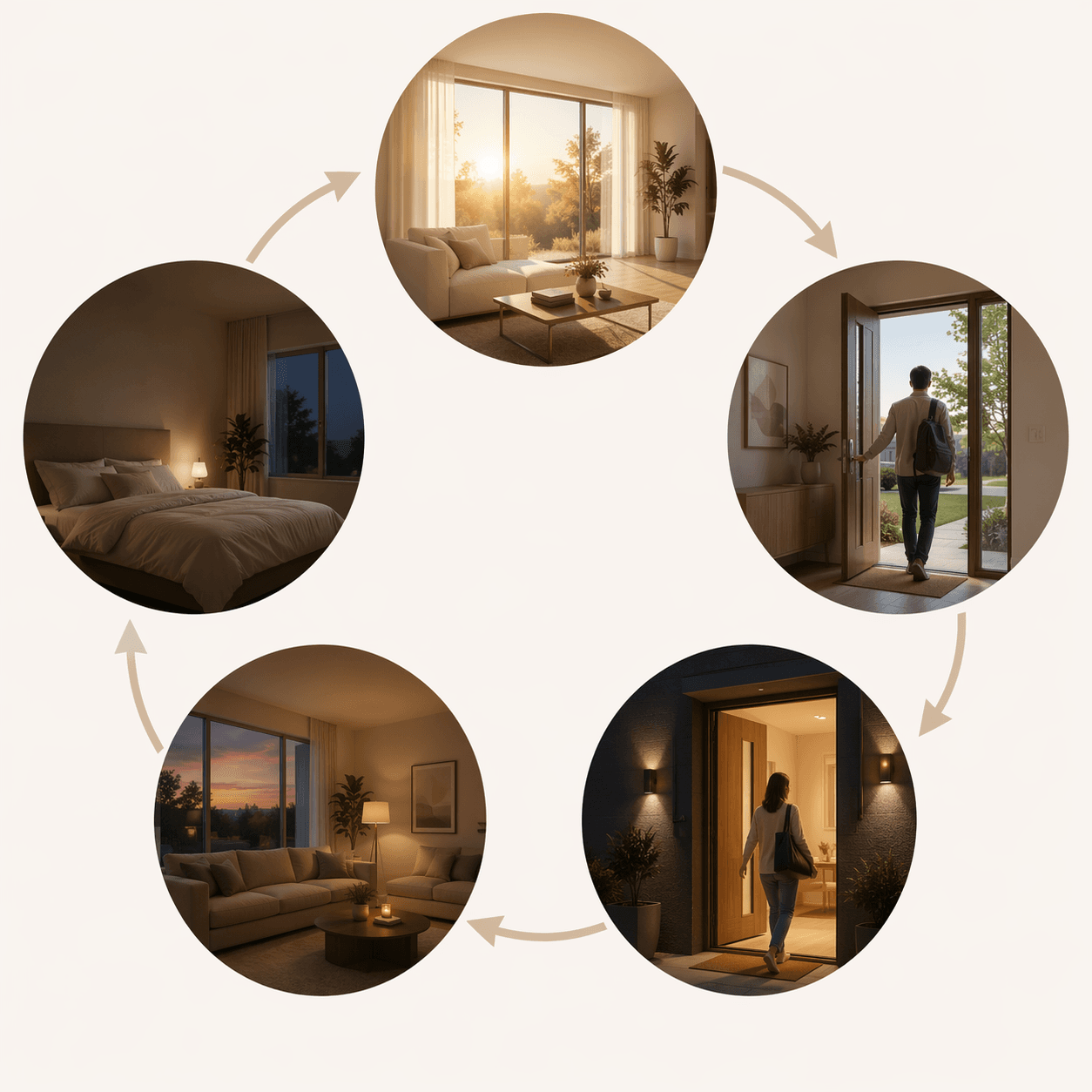
A better goal is to turn a daily transition into one household behavior. “Goodbye” should be a chain: lock what needs locking, turn off what should be off, set the thermostat back, arm the camera or alarm if you use one, and start the robot vacuum only when the house is empty. The same logic works for waking up, coming home, settling in for the evening, and going to bed.
That matters because many homes are already past the device-buying stage. TechRT’s aggregation of smart-home adoption data expects about 84.9 million U.S. households to use smart devices by 2026, while voice control accounts for about half of smart-home interactions in its reporting.[1] The gap is no longer whether people own smart devices. It is whether those devices are connected into routines that remove repeatable decisions.
If you are still setting up your first devices, start with a basic first smart home setup or a few beginner automation recipes. If you already have lights, a speaker, a thermostat, and maybe a lock, the useful work is mapping them to the parts of the day when you normally become the operator.
Build around transitions, not devices
A routine is just a trigger, a few conditions, and a sequence of actions. The platform names change — Alexa Routines, Google Home Automations, Apple Home scenes and automations, SmartThings routines, Home Assistant automations — but the structure is the same.
| Daily transition | Good trigger | Actions worth chaining | Condition that prevents annoyance |
|---|---|---|---|
| Morning | Voice command, alarm time, or schedule | Gradual lights, thermostat recovery, weather, coffee plug | Only on weekdays, or only if someone is home |
| Away | Last person leaves, voice command, button, or schedule | Lock doors, turn off lights, thermostat setback, arm security, start vacuum | Only if all household phones are away |
| Arrival | First person approaches or unlocks the door | Entry lights, thermostat recovery, selected disarming, music or hallway lighting | Only after sunset for lights; avoid auto-unlocking unless you trust the setup |
| Evening | Sunset, TV mode, room occupancy, or voice | Warmer lights, lower brightness, close shades, media scene | Only when the room is occupied |
| Bedtime | Voice command, button, or schedule | Lights off, doors locked, thermostat sleep setting, devices quieted | Delay or skip if motion is detected in key rooms |
You do not need to automate every possible moment. Start with the transition that currently makes someone in the home do the most checking. For many households, that is leaving.
Morning: one phrase, fewer first decisions
The simplest morning routine can be voice-triggered: “Good morning.” That one phrase can raise bedroom lights gradually, bring the thermostat out of its sleep setting, read the weather, start a news briefing, and turn on a coffee maker through a smart plug if the machine is safe to leave prepared.
- Trigger: “Good morning,” a wake-up alarm, or a weekday schedule.
- Lighting: fade bedroom or hallway lights up over several minutes instead of switching them on at full brightness.
- Climate: resume the daytime thermostat target before the kitchen fills up.
- Information: play weather, commute, calendar, or a short briefing.
- Appliance: turn on a smart plug for a coffee maker, kettle, or lamp only if that appliance is appropriate for plug control.
Voice is a good entry point here because it already matches how many people interact with smart homes. TechRT reports voice control at roughly half of smart-home interactions, which makes a spoken morning routine less of a power-user trick and more of a familiar bridge from single-device commands to chained automation.[1]
Do not overbuild the morning. A house that starts five audio streams, opens every shade, and announces every calendar event may impress once and annoy by Friday. The useful version does the few things that make the first ten minutes smoother. If sunrise-style lighting is the main goal, start with a reliable dimmable bulb or system; our Philips Hue smart lights guide covers that kind of setup in more depth.
Away: make “Goodbye” do the whole checklist
The away routine is where smart home automation stops feeling like remote control. Instead of tapping through lights, locks, climate, cameras, and vacuum settings, the home changes state because the household has left.
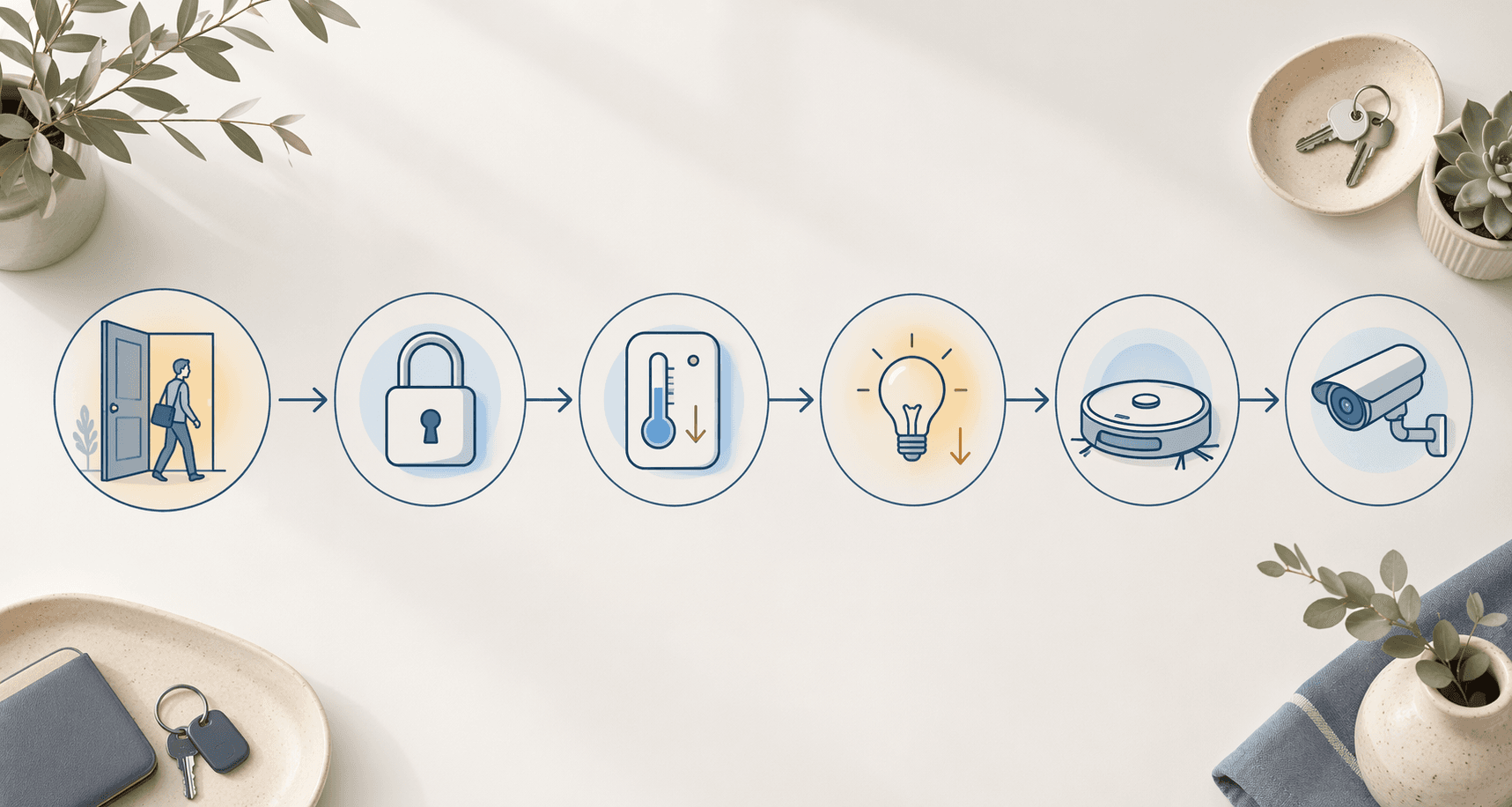
A practical Goodbye routine can look like this:
- Trigger the routine when the last household member leaves, or use a voice command such as “Goodbye” if geofencing is not reliable enough yet.
- Turn off interior lights and selected smart plugs.
- Set the thermostat to an away temperature.
- Lock supported exterior doors.
- Arm cameras or the security system if your platform supports it safely.
- Start the robot vacuum after a short delay, only if no one is home and pets will not be disturbed.
The order matters. Lights and plugs can switch off immediately. Door locks should report status back if your platform allows it. The vacuum is better delayed so it does not start while someone is still carrying bags to the car. Security actions should be conservative: arming is usually safer than automatically changing locks or disarming based on a weak location signal.
Lighting is the easy win. TechRT reports smart lighting energy reductions in the 7% to 27% range, with schedule- and occupancy-based routines doing more of the work than manual dimming.[1] Treat that as a range, not a promise. A small apartment with careful habits will not behave like a large house where hallway, kitchen, and basement lights are often left on.
The thermostat can matter even more, but only when the automation follows the way people actually come and go. Strategic Market Research summarizes smart thermostat heating and cooling savings in the 8% to 10% range and notes the value of geofencing models.[2] The practical lesson is narrow: a thermostat setback is useful when the home is truly empty and the recovery does not make people uncomfortable later. Climate, insulation, home size, and the household’s schedule all change the result.
For a multi-person household, do not let one phone leaving trigger away mode for everyone. Use “last person leaves” logic where your platform supports it. In Apple Home, Google Home, SmartThings, and Home Assistant, this usually means household presence or device-location conditions. In Alexa, you may combine location-based routines with device states or choose a manual voice/button trigger if household presence is too blunt for your setup.
If thermostat energy payback is the main reason you are building this routine, compare your climate and schedule against the assumptions in our smart home automation energy-payback guide. If you are choosing a thermostat before building routines, the Ecobee thermostat model guide is the better next stop.
A safer away-mode rule
Use geofencing to reduce work, not to make risky assumptions. A good away routine can turn off lights, set back climate, and arm cameras when everyone leaves. It should be more cautious with locks, garage doors, alarms, and anything that could create a security problem if a phone location is wrong.
One reliable pattern is: location detects that everyone has left, the routine waits a few minutes, checks that no indoor motion or presence is detected, then runs the away actions. That short pause catches the common cases: someone forgot a bag, a teenager stayed home, or a phone briefly misreported its location.
Arrival: reverse away mode without making the house too trusting
Coming home is not simply the Goodbye routine in reverse. Some actions are welcome before you arrive; others should wait until the door opens or a person is actually inside.
- Before arrival: start thermostat recovery when a household member is approaching, if your geofence is reliable and your HVAC system benefits from a head start.
- At the door: turn on porch, entry, or hallway lights after sunset.
- After entry: pause the robot vacuum, switch on a main living-area scene, and optionally play music or announcements.
- Security: avoid automatic unlocking unless you understand the platform’s safeguards and accept the tradeoff.
The thermostat is the one device that often benefits from an early signal. If the system waits until the front door opens, the house may be technically automated but still uncomfortable. If it starts recovery when the first household member crosses a location boundary, the home can be closer to normal by the time someone walks in. That is the same geofencing logic that makes away setbacks useful, and the same caveats apply: it is affected by climate, distance, phone settings, and household patterns.[2]
Lighting should be conditional. An arrival routine that turns on entry lights at noon is harmless, but it is also pointless. Add “after sunset” or a brightness condition where your platform allows it. Google Home users who want examples of condition-based routines can use our Google Home conditions recipes; the same idea translates to other platforms even when the menus differ.
Be especially careful with locks and alarms. Many people want “unlock when I arrive,” but location alone is a thin signal for a high-consequence action. A more measured setup turns on the porch light, sends a notification, and lets the person unlock with a keypad, phone, watch, or voice command once they are actually at the door.
Evening: refine the rooms people actually occupy
Evening automation is where a home can become either quietly helpful or needlessly fussy. Sunset is a decent trigger for outdoor lights, shades, and a warmer living-room scene. It is not enough for every indoor room, because people may be cooking, watching a movie, working late, or not home at all.
Start with one room where lighting changes every night. A living-room evening scene might set lamps to a warmer color temperature, dim overhead lights, close shades if you have motorized coverings, and turn on a media plug or TV backlight. A kitchen scene might keep task lighting brighter until a later cleanup time.
This is also where presence sensing becomes more useful than another list of clever scenes. Standard motion sensors work well for hallways, laundry rooms, pantries, and garages because people move through those spaces. They are less satisfying in rooms where people sit still. A motion sensor may decide the room is empty during a movie.
Newer mmWave presence sensors are designed to detect finer room-level presence rather than only motion. Forbes highlighted models such as Aqara FP2, Meross, and SwitchBot in early 2026 coverage of smart-home upgrades, describing their usefulness for room-level automation and avoiding false-off events in still-occupancy situations.[3] That does not make them the starting point for every home. It makes them a good refinement for the room where motion-based automation keeps getting the answer wrong.
| Room behavior | Better trigger | Why |
|---|---|---|
| People pass through quickly | Motion sensor | Simple on/off timing is usually enough |
| People sit still for long periods | Presence sensor or manual scene | Reduces false shutoffs during reading, work, or movies |
| Lighting changes at the same time daily | Sunset or schedule | Good for porch lights, shades, and general ambience |
| Room use varies by household member | Button, voice, or app scene | Manual intent may be cleaner than guessing |
The useful evening upgrade is not “more sensors everywhere.” It is choosing the trigger that matches the room. Hallway lights can be automatic. Movie mode may be better as a button or voice command. Kitchen lights may need a later shutoff because cleanup does not follow sunset.
Bedtime: let the house close down in a known order
A bedtime routine should not feel like a dramatic production. It should run the same small closing sequence the household already performs: turn off common-area lights, lock doors, lower or raise the thermostat to the sleep setting, quiet notifications where possible, and leave a low path light if someone needs it.
- Trigger it with “Good night,” a bedside button, or a scheduled reminder rather than a hard shutoff time.
- Turn off living-room, kitchen, office, and exterior accent lights.
- Lock supported doors and report if a lock fails.
- Set the thermostat to the sleep target.
- Dim bedroom lamps or turn on a short fade-out scene.
- Leave exceptions for guests, pets, late workers, or teenagers who do not follow the same schedule.
Voice works well at bedtime for the same reason it works in the morning: it does not require a phone. The person who already remembered the locks and lights can say one phrase instead of walking the house. If voice is awkward in your household, a bedside smart button may be better.
Keep one manual escape hatch. A bedtime routine that turns off the kitchen while someone is making tea will be disabled quickly. Use a delay, a room-presence condition, or a simple confirmation notification for the actions most likely to irritate someone.
Small physical triggers for routines that should not need a phone
Voice, schedules, and presence should carry the main daily routines. Physical triggers are still useful when the routine is intentional and local: a button by the door for Goodbye, a button under a desk for focus mode, an NFC tag near the washer to start a laundry reminder, or a tag by the pantry for a shopping-list shortcut.
Power Moves notes NFC sticker tags at roughly $10 for a 20-pack and describes smart buttons that can support single, double, and long presses, allowing one button to control multiple scenes.[4] Treat those as compact upgrades, not the foundation of the home. They are best when the person standing in that spot already knows what they want the house to do.
| Trigger | Best use | Avoid using it for |
|---|---|---|
| Voice phrase | Morning, bedtime, movie mode, guest-friendly routines | Actions that should happen silently without waking others |
| Schedule | Sunset lights, reminders, predictable weekdays | Rooms where occupancy changes often |
| Geofence | Away and arrival climate changes | High-risk security actions without confirmation |
| Motion sensor | Passing-through spaces | Rooms where people sit still |
| Presence sensor | Living rooms, offices, media rooms | Places where a simple timer already works |
| Smart button or NFC tag | Intentional local scenes | Routines that should happen automatically |
How to translate the same routine across platforms
Platform differences matter in the menus, but the recipe does not belong to one ecosystem. Write the routine in plain language first: when this happens, if these conditions are true, do these actions in this order. Then build it in the app you use.
| Plain-language piece | Alexa | Google Home | Apple Home | SmartThings / Home Assistant |
|---|---|---|---|---|
| Trigger | Routine trigger | Starter | Automation trigger | Trigger |
| Condition | Routine conditions where available | Household or device conditions | People, time, or accessory state | Condition |
| Actions | Routine actions | Actions | Scenes and accessory control | Actions / service calls |
| Manual scene | Voice phrase or button | Household routine or personal routine | Scene | Scene or script |
Google Home users who want platform-specific examples can use our Google Home automation recipes for 2026. If you are still deciding which ecosystem should hold the routines, start with the smart home buyers guide before rebuilding everything.
Once the routines are written this way, the device list becomes less important than the handoff between moments. Morning starts the house. Away protects energy and attention. Arrival restores comfort without pretending every signal is perfect. Evening adjusts the occupied rooms. Bedtime closes down the repeatable decisions. That is when a smart home starts to feel less like a collection of gadgets and more like a household system.
References
- Smart Home Device Adoption Statistics, TechRT
- Smart Home Statistics, Strategic Market Research
- How To Supercharge Your Smart Home In 2026, Forbes, January 1, 2026
- 75+ Smart Home Automation Ideas, Power Moves
Implementation Notes
Share platform-specific tips, report that a recipe no longer works after a platform update, or contribute variations for different device combinations.
Comments
Join the discussion with an anonymous comment.