
Smart Home in 2026: A Complete Buyer's Guide to Ecosystems, Networks, and Devices
This guide helps homeowners and renters plan a smart home in 2026 by explaining how to choose an ecosystem, build a reliable network, and prioritize devices by ROI to avoid fragmentation and save money.
Last updated
The smartest smart home purchase in 2026 is not a camera, a speaker, or a box of discounted Wi-Fi plugs. It is the architecture you choose before those devices arrive: the ecosystem that will run them, the amount of control that stays local, the network they will depend on, and the order in which you add them.
That sounds less fun than buying a smart lock on sale, but it is the difference between a home that quietly works and a collection of devices that each need their own app, cloud account, firmware mood, and household troubleshooting specialist. A practical starter smart home can still begin around $200–$500 if the first purchases are foundational devices rather than novelty gadgets.[1] The mistake is spending that same money on devices before deciding where the brain, the network, and the fallback controls will live.
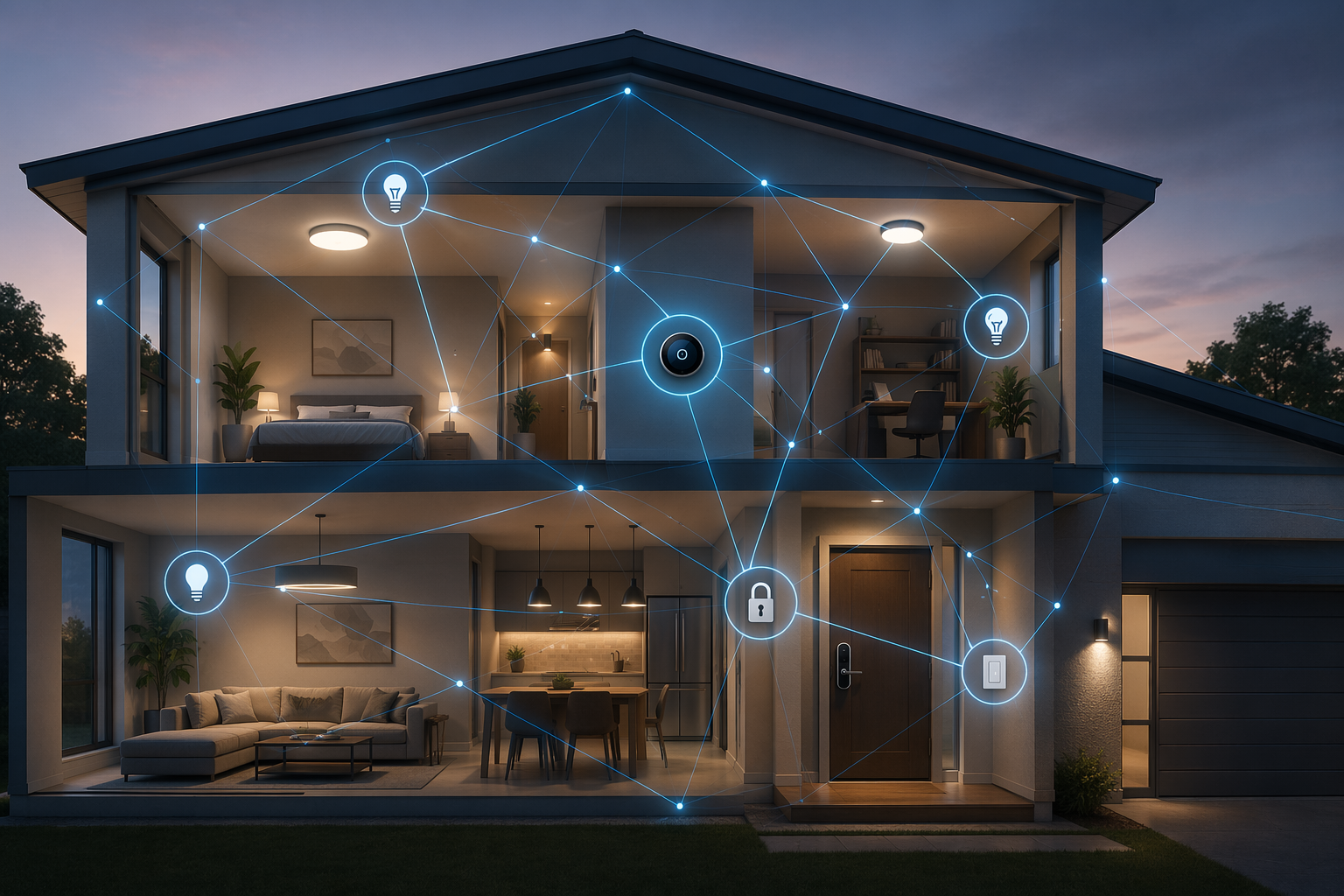
A good first setup is boring in the right places. Pick one main ecosystem. Make sure it can run important routines locally where possible. Build or clean up the Wi-Fi before adding more radios to it. Use Matter and Thread where they reduce lock-in, but verify the exact device type in the exact platform you plan to use. Then buy devices in an order that improves daily life and has a reasonable chance of paying for itself: thermostat, switches, essential sensors, locks, then cameras and extras.
What changed for smart homes in 2026
Smart home advice ages quickly because the weak point keeps moving. A few years ago, the obvious warning was “avoid cheap no-name Wi-Fi devices.” That is still fair, but it is no longer enough. In mid-2026, the bigger question is whether your devices can move cleanly across platforms, whether your low-power network forms one stable mesh instead of several islands, and whether automations can keep running when a cloud service is slow.
Matter 1.6 is the newest reason for cautious optimism. Released on June 17, 2026, it adds NFC-based commissioning and Joint Fabric, a multi-controller administration feature meant to make shared control across ecosystems less painful.[2] Those are exactly the kinds of improvements buyers have been waiting for, especially in homes where one person uses Apple Home, another uses Google Home, and a third just wants the wall switch to work. But this release is only days old as of this article’s date, so NFC commissioning and Joint Fabric should be treated as emerging capabilities to verify, not assumptions to build a whole purchase around.
Thread also matters more than it did in older guides. Thread 1.4 certification became mandatory for new border routers on January 1, 2026, and its key practical fix is credential sharing across brands, which helps prevent the old problem of separate Thread meshes forming around different border routers.[3] That one change is less flashy than a new app screen, but it directly affects whether sensors, locks, and switches remain responsive after you add a second speaker, hub, or router.
AI automation is the third shift, but it deserves the least magical framing. The useful version is not a house that guesses your entire life. It is automation that makes routines easier to create, spots patterns you approve, and reduces app-tapping for things you already do. The same old rule still applies: a clever automation is only as good as the devices, local controller, and network underneath it.
Start with the ecosystem, not the device
A smart home ecosystem is the place where devices become a household system instead of a pile of apps. It decides who can control the home, which automations are easy, which device categories are supported, how much depends on the cloud, and how gracefully the setup survives when you change phones, routers, or brands.
The cleanest choice is not the same for every home. Apple Home can be a sensible default for privacy-focused households already using iPhones and HomePods. SmartThings remains a strong middle path for people who want broad device compatibility without running a hobbyist server. Home Assistant is the most flexible local-control option, but it asks more from the person maintaining it. Google Home and Alexa can still be convenient front ends, especially for voice control and displays, but they should not be treated as automatically complete just because a box says Matter.
For a deeper platform-by-platform comparison, use The Smart Home Ecosystem Trap: Which Platform to Buy Into in 2026 as the companion decision guide. At this stage, the important question is simpler: can your chosen ecosystem control the devices you actually plan to buy, locally when possible, and with enough support that another person in the home can use it without learning your whole setup?
| Ecosystem path | Best fit | What to verify before buying |
|---|---|---|
| Apple Home | Privacy-focused homes already using Apple devices | Home hub availability, Matter device category support, Thread border router coverage |
| SmartThings | Mixed-device homes that want broad compatibility without a fully DIY controller | Matter support for each device category, hub model, local automation behavior |
| Home Assistant | Owners who value local control, flexibility, and long-term independence | Maintenance comfort, backup plan, radio hardware for Thread, Zigbee, or Z-Wave |
| Google Home or Alexa as the main interface | Homes that prioritize voice control, displays, and simple app control | Exact Matter device type support and whether critical routines depend on cloud services |
The reason to verify by device category is that Matter support is still uneven in practice. SmartThings led with early Matter 1.5 support, while Google Home still lacked generic switch support that had been promised in Matter 1.0, and Alexa lacked leak sensor support in the 2026 status review from Matter Smart Home.[3] That does not mean those platforms are bad choices. It means “Matter-compatible” is not a complete buying answer.
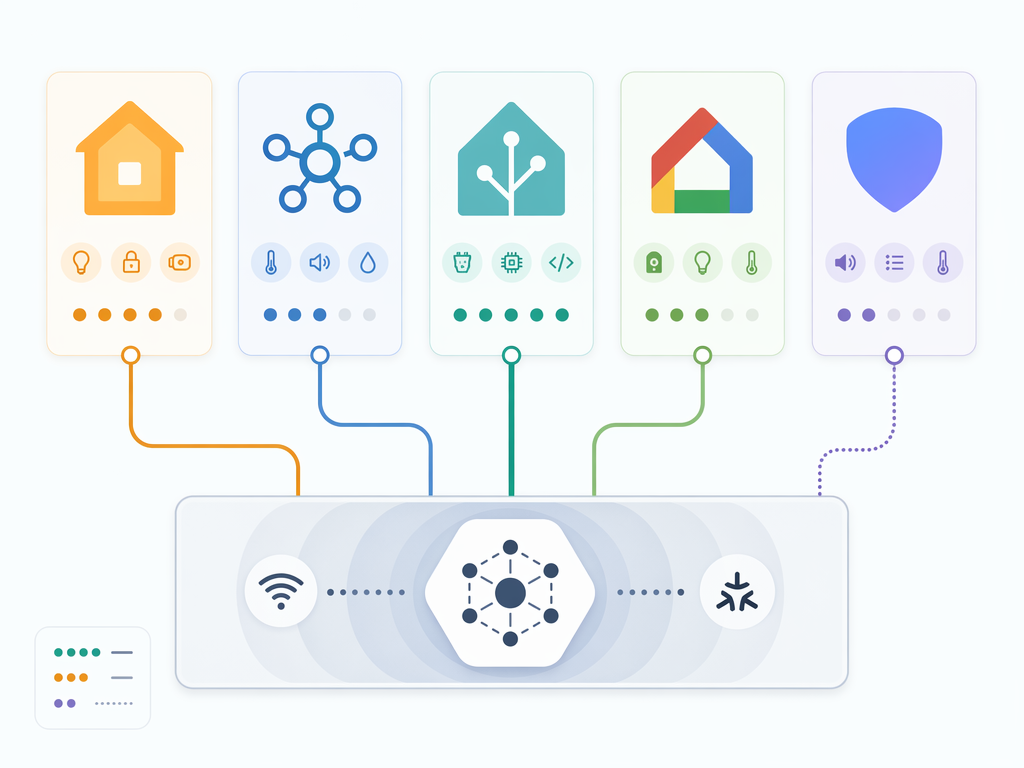
The safest way to shop is to make a short compatibility grid before you buy. Put your chosen ecosystem across the top, then list the device types you expect to install in the next year: switches, bulbs, thermostat, lock, motion sensor, leak sensor, camera, garage controller. For each one, check whether the platform supports that Matter device type today, whether the device needs a vendor hub for full features, and whether automations run locally or through a cloud handoff.
Local control deserves special weight because it changes who suffers when something breaks. If a hallway motion sensor talks to a local controller and a local switch, the light can still behave like part of the house rather than part of someone’s account. Industry guidance has also pushed buyers toward Zigbee, Z-Wave, and Thread as reliability upgrades because they keep more routine device traffic off fragile cloud paths and overloaded Wi-Fi networks.[4] For a fuller explanation of that tradeoff, see Local vs. Cloud Home Automation.
Plan the network before the devices
Most smart home failures look like device failures because the device is the thing you can see. The bulb is “offline.” The lock is “not responding.” The sensor missed motion. But in many homes, the real problem is the network: weak coverage at the edge of the house, a mesh node using poor wireless backhaul, too many chatty Wi-Fi devices, or a router that was fine for laptops and phones but not for dozens of always-on endpoints.
A 2026 smart home should begin with Wi-Fi 6 or Wi-Fi 6E mesh coverage where people and devices actually live. If you can hardwire mesh nodes with Ethernet backhaul, do it before you spend the same money on more devices. Wireless mesh can work, but every hop that carries both backhaul and device traffic is another place latency and dropouts can creep in. Hardwired backhaul is not glamorous; it is the part that makes the glamorous pieces feel normal.
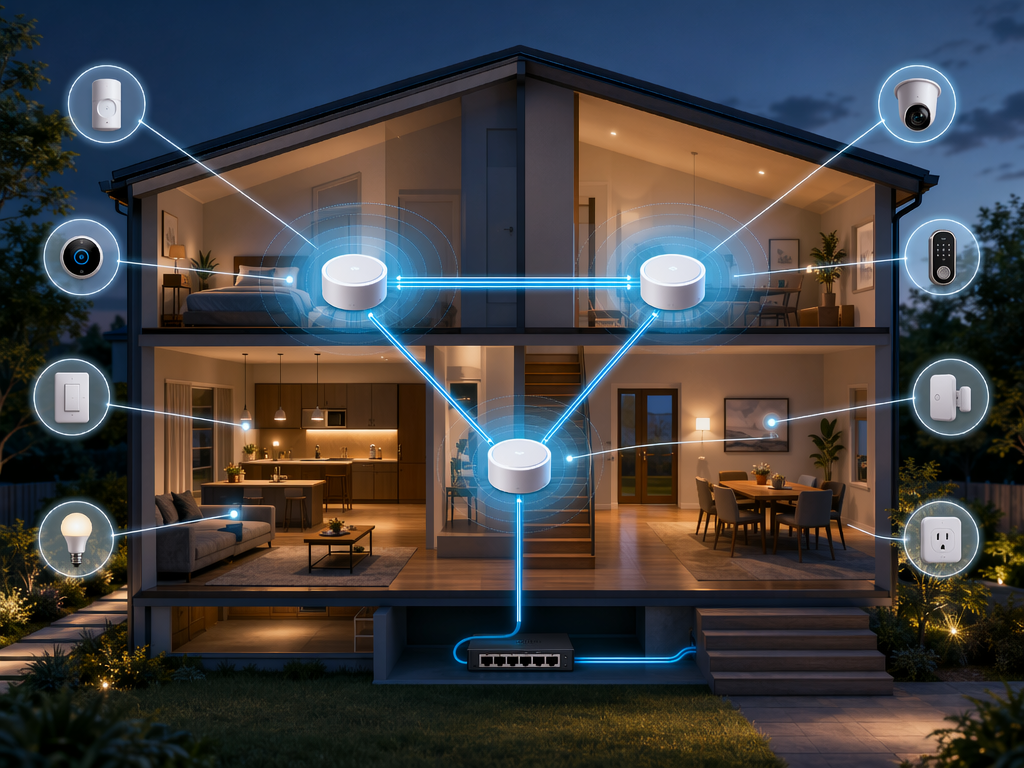
Walk the house before you shop. Note where the router sits, where a mesh node could be wired, where exterior locks and cameras will need coverage, and where low-power devices might use Thread, Zigbee, or Z-Wave instead of Wi-Fi. A lock on a detached garage, a leak sensor behind a water heater, and a camera under brick or stucco are not the same network problem. Treat them that way.
- Put the main router or gateway in a central, open location when possible, not buried in a cabinet behind metal and wiring.
- Use wired Ethernet backhaul for mesh nodes wherever feasible, especially between floors or across long layouts.
- Keep high-bandwidth devices such as cameras on strong Wi-Fi and use Thread, Zigbee, or Z-Wave for many low-power sensors and controls.
- Place Thread border routers or hubs so the low-power mesh reaches doors, bedrooms, hallways, and utility areas.
- Avoid buying ten Wi-Fi bulbs or plugs to solve problems that would be better handled by one switch or a stronger access point.
This is also where Thread 1.4 changes the buying conversation. In older Thread homes, adding border routers from different brands could create fragmented meshes that did not share credentials cleanly. With Thread 1.4 certification mandatory for new border routers as of January 1, 2026, buyers have a stronger reason to favor current-generation border routers and to avoid old stock when Thread reliability is central to the plan.[3]
If your current smart home already breaks in small, random ways, pause the device shopping and read Why Your Smart Home Keeps Breaking: The Network Is Usually the Problem. A better switch cannot compensate for a dead zone at the wall box, and a better sensor cannot fix a controller that is too far from the mesh it is supposed to manage.
Use Matter and Thread where they help, not as a magic label
Matter is a common application layer. Thread is a low-power wireless mesh protocol. They often appear together in product copy, but they solve different problems. Matter is about how devices expose themselves to ecosystems. Thread is about how certain low-power devices communicate across a mesh and reach the rest of your network through border routers.
Matter is most useful when it lets you buy a light, plug, lock, thermostat, or sensor without betting everything on one brand’s app. It is less settled as a blanket promise for more complex categories, and platform support still varies. Matter 1.6’s NFC commissioning could make setup easier, and Joint Fabric could make multi-controller homes less awkward, but both need real platform and device support before they should drive a purchase.[2]
The buying move is simple: check the logo last, not first. First check the device category. Then check your ecosystem’s support for that category. Then check whether the device’s best features require the manufacturer’s cloud or hub. Only then should the Matter badge help you decide between two otherwise suitable products. For readers who want the protocol details, Matter in 2026: An Honest Status Review is the better place to go deep.
There is still room for hubs. A hub is not automatically a failure of modern standards; sometimes it is the device that keeps automations local, bridges Zigbee or Z-Wave products, or gives a household one stable controller instead of five cloud integrations. The real question is whether the hub reduces complexity or merely hides another dependency. If you are trying to decide whether to avoid one, use Hub or No Hub before buying around that assumption.
Buy in ROI order
Once the ecosystem and network are settled, device shopping gets easier because every purchase has to earn its place. The first devices should either save energy, replace a daily annoyance, improve safety, or make later automations more stable. A smart home does not become better because it has more endpoints. It becomes better when fewer things need manual attention and the manual controls still make sense.
First: the thermostat, if your HVAC use justifies it
A smart thermostat is often the strongest first energy purchase for homes with meaningful heating or cooling costs. BKV Energy estimates smart thermostats can save 10–15% on HVAC, around $100 per year, with device costs from $100–$500 and a payback period of 1–5 years.[5] That range matters. A household with high summer cooling bills and a predictable schedule may see the value quickly; a small apartment with low HVAC costs may not.
Before buying, confirm HVAC compatibility, whether a C-wire is needed, and whether the thermostat works well inside your chosen ecosystem. The thermostat is also one place where app design matters because schedules, occupancy behavior, utility programs, and manual overrides all affect savings. If the least technical person in the home cannot raise the heat without opening a troubleshooting thread, the system has failed a basic test. For a narrower energy comparison, see Smart Thermostat vs Programmable Thermostat.
Second: switches before bulb-by-bulb experiments
Smart lighting can reduce electricity use significantly when paired with efficient bulbs and better control. BKV Energy cites smart lighting reductions of up to 75% versus traditional bulbs.[5] The buyer’s trap is assuming that every light should become a smart bulb. In many owner-occupied homes, smart switches are the better early purchase because they preserve the familiar wall control, keep fixtures usable for guests, and reduce the number of individual devices on the network.
Smart bulbs still make sense for lamps, rentals where switches cannot be changed, color scenes, and fixtures where independent bulb control matters. But for kitchens, hallways, exterior lights, and shared rooms, smart switches usually age better. They also avoid the classic household failure mode where someone turns off the dumb wall switch and the “smart” bulb disappears from the system.
Third: sensors that prevent damage or remove friction
Motion, contact, temperature, and leak sensors are small purchases that become valuable when they feed reliable automations. A hallway motion sensor that turns on a night light is convenience. A leak sensor near a water heater or under a sink is risk reduction. The catch is platform support: because Alexa lacked leak sensor support in the Matter status review, a buyer using Alexa as the main interface should verify that exact sensor path before assuming a Matter label solves it.[3]
Thread, Zigbee, and Z-Wave are all reasonable here because sensors need low power and dependable mesh behavior more than high bandwidth. If you are choosing between Zigbee and newer Thread options, Zigbee Protocol: Hub Requirements, Device Ecosystem, and When to Choose It can help sort the tradeoffs.
Fourth: locks, then cameras
Smart locks are worth buying once the network and ecosystem are stable, not before. A lock sits at the edge of the home, depends on battery life, and has real consequences when remote access fails. Favor models with a physical key or reliable fallback, strong local behavior, clear guest access controls, and compatibility with the platform your household actually uses. For device-level comparisons, use Best Smart Locks for Home in 2026 after you know which ecosystem will manage the door.
Cameras should usually come after network planning because they are bandwidth, placement, storage, and privacy decisions at the same time. They also tend to pull buyers back into brand-specific subscriptions. That may be acceptable, but it should be a conscious choice rather than the side effect of buying a doorbell before checking how video, alerts, and recordings work in your ecosystem.
A sensible $200–$500 starter plan
A starter smart home does not need to solve the whole house. It needs to prove that your ecosystem, network, and control philosophy work before you multiply devices. The most defensible first build is usually one controller path, one energy device, one lighting control pattern, and one or two sensors that serve a real purpose.
| Buy now | Why it belongs early | What to postpone |
|---|---|---|
| Local-control-capable ecosystem or controller path | Prevents app sprawl and determines what device support actually means | Buying devices for three ecosystems at once |
| Wi-Fi 6/6E mesh cleanup or wired backhaul work | Improves reliability before devices are blamed for network problems | Extra Wi-Fi plugs, bulbs, or cameras in weak coverage areas |
| Smart thermostat, if HVAC savings are plausible | Targets the largest routine energy load in many homes | Thermostat upgrades where HVAC compatibility or payback is weak |
| Smart switches for shared lighting zones | Keeps wall control intuitive and reduces device count | Whole-home smart bulb swaps without a switch plan |
| Leak, motion, or contact sensors with verified platform support | Adds safety and automation triggers without much visual clutter | Specialty sensors your platform only half-supports |
Renters can simplify this. If you cannot change switches or run Ethernet, a small Apple Home, SmartThings, or similar setup with a few Matter plugs, smart bulbs, and portable sensors may be the right compromise. The goal is not to win a protocol argument. The goal is to avoid buying devices that become stranded when you move, change routers, or discover that your preferred app cannot control the category you bought.
Homeowners have more reason to invest in the unglamorous layer: wired backhaul, smart switches, a stable controller, and carefully placed Thread border routers or hubs. That work pays off when the system grows. It is much easier to add a lock or sensor to a reliable foundation than to diagnose thirty devices after the fact.
The quick market reality check
The smart home category is mainstream enough that buyers no longer need to treat it as an experiment. Market estimates differ, though: Grand View Research’s cited 2026 figure is about $207 billion, while Fortune Business Insights places the market at $180.12 billion for 2025.[6][7] Those are not identical measurements, and they should not be blended into one clean number. The useful takeaway is narrower: the category is large, but size has not eliminated ecosystem inconsistency.
Adoption also varies by household. U.S. smart home penetration is projected at 28.8% by 2027, and one cited generational split puts millennial adoption at 47% and Gen X at 33%.[8] That helps explain why support, reviews, and product availability are improving. It does not guarantee that a device bought today will expose every feature in every platform tomorrow.
What to check before checkout
Before you buy a smart home device in mid-2026, check the boring details that determine whether it becomes part of the house or another app icon.
- Ecosystem: Confirm the device type is supported in your chosen platform, not just that the device has a Matter logo.
- Control path: Prefer devices and controllers that keep essential automations local where possible.
- Network fit: Decide whether the device should use Wi-Fi, Thread, Zigbee, or Z-Wave before adding it.
- Fallback: Make sure lights, locks, thermostats, and safety devices still have a usable manual path.
- Payback: For energy devices, compare the device cost with realistic household savings, not generic marketing claims.
- Household usability: Test whether someone else can use the control without knowing how the whole system was built.
After that, individual product picks matter. They just belong later in the process. Once the platform, protocol strategy, and first-room plan are clear, move to Best Smart Home Devices 2026 for category-by-category recommendations, then use Smart Home Automation in 2026 to build the first routines.
The best first purchase may be a thermostat. It may be a switch. It may be a controller or a mesh node. What it should not be is an isolated gadget bought before you know which system will still make sense six months from now.
References
- Vivint Smart Home Guide — Vivint.
- Matter 1.6 Release Announcement — Connectivity Standards Alliance, June 17, 2026.
- The Matter Standard in 2026: A Status Review — Matter Smart Home.
- How To Supercharge Your Smart Home In 2026 — Forbes, January 1, 2026.
- Do Smart Home Devices Actually Save Money? — BKV Energy.
- Smart Home Market Size, Share & Trends Analysis Report — Grand View Research.
- Smart Home Market Size, Share & Industry Analysis — Fortune Business Insights.
- Smart Home Statistics — Market.us Scoop.
Known issues with this device / protocol
Spec-version history
For active regressions on this protocol, see Update Watch.
No linked Update Watch entries yet.