
Smart Light Switch Comparison & Buyer's Guide: Which Switch Is Right for Your Home?
Choosing the right smart light switch depends on your home's wiring, preferred smart home ecosystem, budget, and need for dimming. This buyer's guide compares the top 2026 models to help you make the best choice for your situation.
Last updated
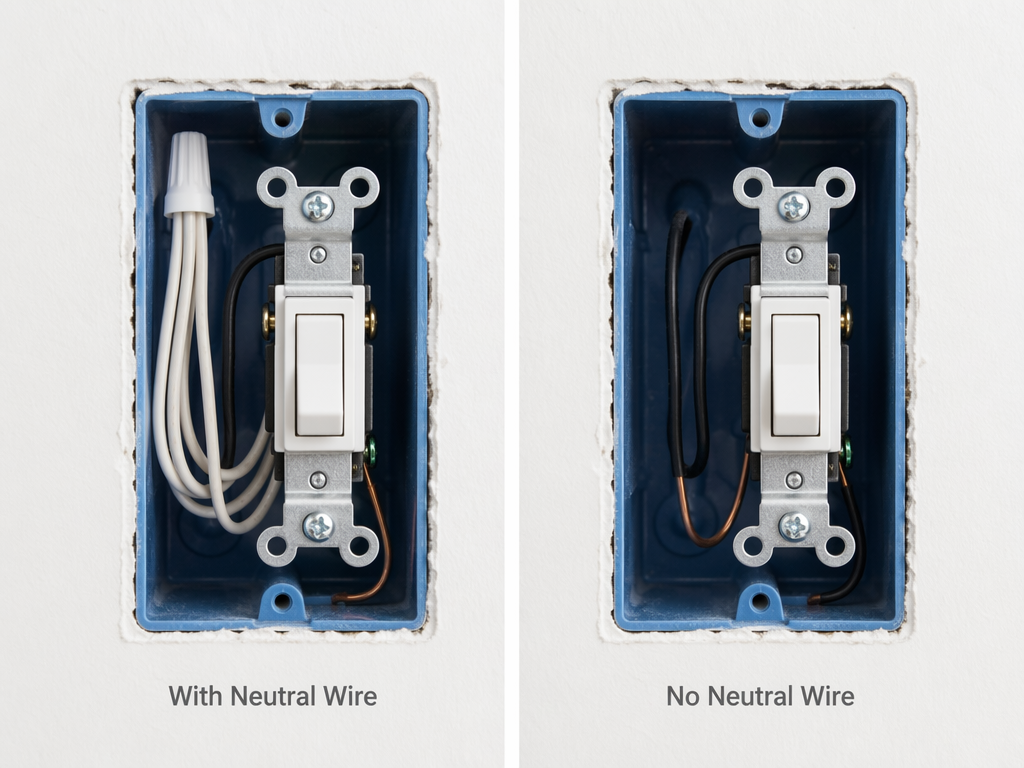
Open your switch box. If you see a bundle of white wires twisted together behind the switch, you have a neutral wire. If all you see are black and copper, you don't. That single difference cuts the field in half. Most homes built after the 1980s – and nearly all after 2011 when the National Electrical Code started requiring it – have neutral wires. Older houses often don't. If you aren't sure, check the back of a switch plate. If you see a white wire, you're likely set.
I've seen too many buyers grab a no-neutral switch without realizing they lose mesh routing and energy monitoring. The Inovelli Blue, for instance, is a great Thread/Matter dimmer that works without neutral – but in that mode it cannot route Thread traffic and its energy monitoring feature is disabled. Lutron Caséta remains the most reliable no-neutral option, as Wirecutter and PCWorld both confirm, but you're locked into its ecosystem and hub.
Which Ecosystem Do You Actually Use?
This sounds obvious, yet I still get emails from people who bought a Z‑Wave switch when their whole house runs on HomeKit. The protocol and platform support is what actually makes a switch respond to your voice or appear in your automations.
If you're in Apple HomeKit, the Kasa KS225 and Inovelli Blue both work natively through Matter. If you use Alexa or Google Home, nearly every Wi‑Fi or Matter switch will work – but check Google's support for generic switches: Google Home still lacks support for generic switches from the first Matter release (1.0), causing incompatibility with some devices. If you rely on SmartThings, you're in luck – it's the first platform to support Matter 1.5, while Amazon, Apple, and Google are still on 1.2 or 1.3.
Matter is supposed to simplify everything, and it does help, but the version fragmentation is real. A switch that works perfectly with HomeKit might have limited features on Google Home until the platform catches up. Before you buy a 'Matter-compatible' switch, check that your controller supports the specific Matter version the device requires. Our full status review covers which platforms are where.
Dimmer or On/Off?
If you only need on/off control, the cheapest switches start around $14.99 for the Tapo S505D. Dimmers cost more and add complexity. A smart dimmer paired with smart bulbs is a recipe for flickering and buzzing – never pair them together unless you know the exact compatibility. Most people are better off choosing one: either smart switch + dumb bulbs, or dumb switch + smart bulbs. For a fixture with multiple bulbs (like a chandelier), a single smart switch is far cheaper and more reliable than replacing every bulb.
Dimming without neutral is especially tricky. The Inovelli Blue and Lutron Caséta both handle it, but you may need a bypass capacitor to stop LED ghost glow. If you don't need dimming, you save money and avoid that headache.
2026 Smart Light Switch Comparison
| Model | Price Range | Neutral Required? | Protocol | Compatible Platforms | Hub Required? | Dimming | Notes |
|---|---|---|---|---|---|---|---|
| Kasa KS225 | $19–$21 | Yes | Wi‑Fi (Matter) | Alexa, Google, HomeKit, SmartThings | No | Yes | Best overall value with neutral |
| Lutron Caséta Diva | $60–$70 + hub | No | ClearConnect (proprietary) | Alexa, Google, HomeKit | Yes (Smart Hub required) | Yes | Gold standard for no-neutral; reliable but proprietary |
| Inovelli Blue Series | $39.95 | No (works without) | Thread (Matter) | Alexa, Google, HomeKit, SmartThings | No (needs Thread border router) | Yes | Only Thread dimmer that works without neutral; loses energy monitoring and mesh routing in that mode |
| Tapo S505D | $14.99 | Yes | Wi‑Fi (Matter) | Alexa, Google | No | No (on/off only) | Best budget switch |
| Leviton Decora Z‑Wave 800 | $45–$55 | Yes | Z‑Wave 800 | SmartThings, Hubitat, Home Assistant | Z‑Wave hub required | Yes | Best Z‑Wave option for established mesh |
| Leviton Decora No-Neutral | $35–$45 + bridge | No | Wi‑Fi (with bridge) | Alexa, Google, HomeKit, SmartThings | Yes ($14 bridge required) | Yes | Requires Wi‑Fi bridge; good no-neutral alternative |
| Brilliant Smart Home Control | $399–$499 | Yes | Wi‑Fi | Alexa, Google, HomeKit | No | Yes | Touchscreen panel with built-in camera; overkill for most users |
Here are the quick picks for each common scenario. No single winner — your wall and your phone decide.
Neutral + budget dimming: Kasa KS225 at $19–$21. Wi‑Fi, works with all major platforms via Matter, no hub. Caveat: some users report pairing failures with Apple Home over Matter – Thurrott.com's anecdotal experience matches similar reports I've seen; retries usually fix it.
Neutral + Thread/Matter innovation: Inovelli Blue Series at $39.95. Only Thread dimmer with a multicolor LED notification bar. With neutral you get full energy monitoring and mesh routing.
No neutral + maximum reliability: Lutron Caséta Diva. No flickering, no ghost glow, works with every major platform through its hub. Downsides: you need the Caséta hub (~$80) and it doesn't support Matter natively.
No neutral + want Matter/Thread: Inovelli Blue, but know the trade-offs. You lose energy monitoring, the switch cannot route Thread traffic, and you might need a bypass capacitor for LED compatibility. It's the only Thread/Matter dimmer that works without neutral, so it's worth the trade if you're committed to an open ecosystem.
Z‑Wave user: Leviton Decora Z‑Wave 800. Reliable, latest chipset, works with any Z‑Wave hub. The Brilliant panel at $400+ is a different product category — whole-wall touch screen with camera and Alexa built in. Overkill for most.
Installation: The $100+ Hidden Cost
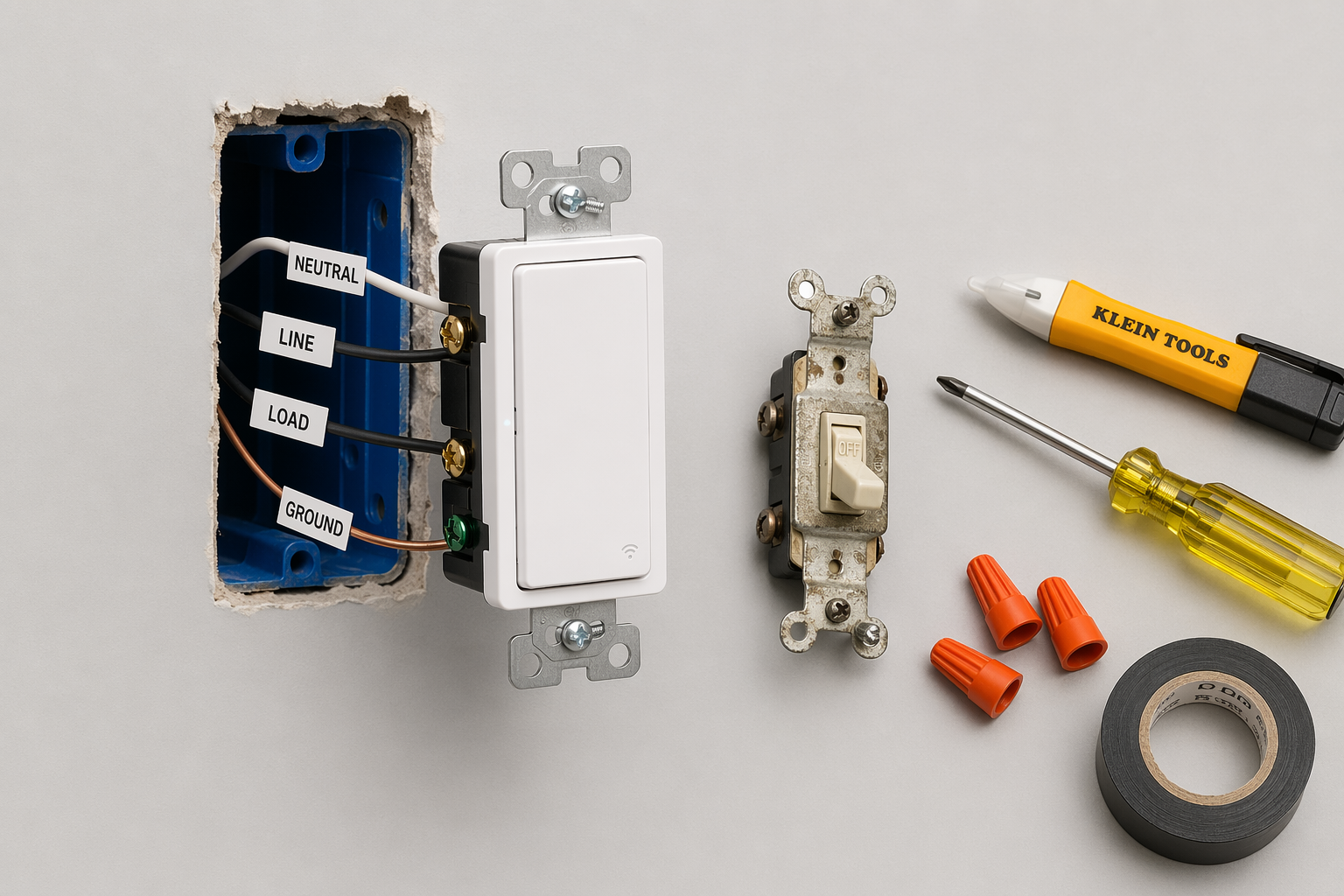
The price tag on the switch isn't the total cost. If you hire an electrician, you'll pay $75 to $200 per switch. A $20 Kasa switch becomes $100+. That makes the Lutron Caséta, which costs around $150 all-in with its hub, suddenly competitive – especially since it's easier to install without neutral wiring. If you're comfortable working with line voltage, the DIY route is safe as long as you turn off the breaker and use a voltage tester. Our guide walks through each step.
The 0.2–0.5W standby draw of smart bulbs vs. zero from switches is a nice bonus, but it's a small energy saving – not a primary reason to choose switches over bulbs. A switch lasts decades; a smart bulb lasts 15,000–25,000 hours. For a fixture with multiple bulbs, the switch wins on total cost of ownership, but it's a modest difference.
Caveats You Shouldn't Ignore
- Matter version fragmentation: 'Matter-compatible' doesn't mean equal features on every platform. SmartThings 1.5 supports more device types than Google Home 1.2/1.3. Always check which version your controller runs.
- No-neutral vs neutral: No-neutral switches lose energy monitoring and mesh routing. If you have neutral, don't choose a no-neutral switch just for the lower price – you're giving up real capabilities.
- LED flickering and ghost glow: Common with no-neutral dimmers. Often fixable with a bypass capacitor, but that adds complexity. Lutron Caséta is the exception – it handles no-neutral dimming without issues.
- Safety: Line voltage is dangerous. If you're unsure about your electrical skills, hire a licensed electrician. No smart switch is worth a shock or a fire.
Here's a four-step decision. Write it on a sticky note if you need to. First, open your switch box and check for a neutral wire – eliminates half the models. Second, write down which smart home platform you actually use every day. Third, decide dimmer or on/off – if you don't need dimming, you save money and complexity. Fourth, pick from the comparison table above. That's it.
If you're still unsure, our 2026 category buyer's guide covers thermostats, locks, cameras, and more alongside switches. But for now, start with your wall.
Known issues with this device / protocol
Spec-version history
For active regressions on this protocol, see Update Watch.
No linked Update Watch entries yet.