
Philips Hue Bridge Pro vs Bridge: Which Hub Do You Need?
Compare the standard Hue Bridge v2 ($69.99) with the Bridge Pro ($139.99) to decide if the $70 premium is worth it for your home. This guide breaks down device limits, MotionAware support, and connectivity differences for existing Hue owners and new buyers.
Last updated
Buy the Philips Hue Bridge Pro only if your philips hue smart lights setup is already large, clearly headed that way, or physically awkward to wire. The standard Hue Bridge v2 is $69.99, supports up to 50 lights and 12 accessories, and remains the sensible hub for most apartments and medium-size homes. The Bridge Pro is $139.99, raises that ceiling to 150+ lights and 50+ accessories, adds Wi-Fi, and unlocks MotionAware presence detection using Hue lights themselves rather than separate motion sensors.[1]
That $70 hub difference is real, but it is not the whole buying decision. If you are starting from scratch, the price gap can feel much sharper: a standard Bridge bundle with 4 White and Color Ambiance A19 bulbs is listed at $119.99, while the comparable Bridge Pro bundle with 4 bulbs is $289.99.[1] For a first living room, that difference buys a lot of bulbs, switches, or a dimmer you will touch every day.
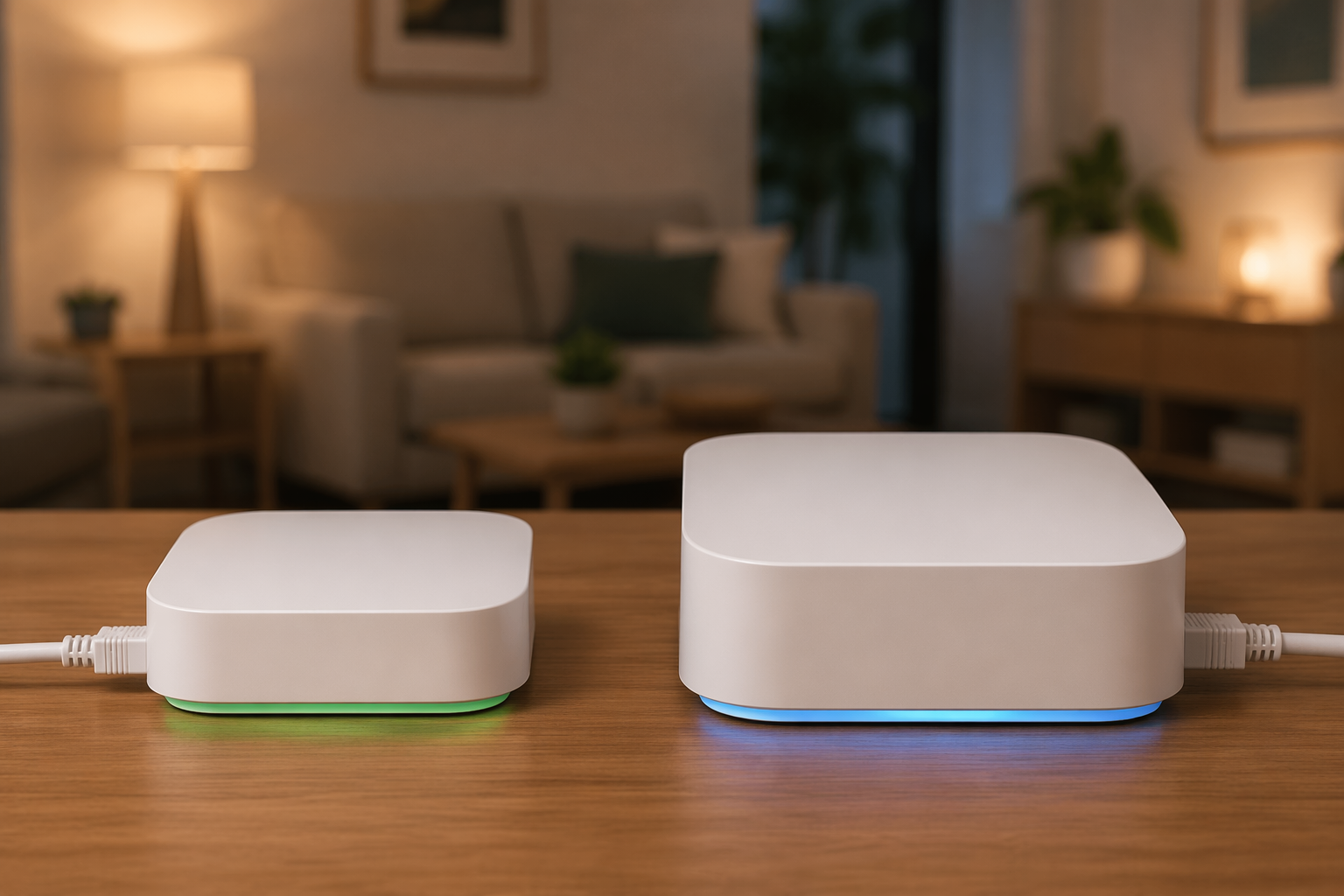
The short version: Bridge Pro is the right hub for homes with more than 30 lights, systems that are starting to crowd the Bridge v2 limit, households that want MotionAware automations without buying separate $39.99 motion sensors, or rooms where the router is in the wrong place for Ethernet. If your setup is a bedroom, office, apartment, or a few main rooms under 30 lights, Bridge v2 is still the better use of money.
Bridge v2 vs Bridge Pro: the practical differences
| What matters at home | Hue Bridge v2 | Hue Bridge Pro |
|---|---|---|
| Price | $69.99 MSRP | $139.99 MSRP |
| Light capacity | Up to 50 lights | 150+ lights |
| Accessory capacity | Up to 12 accessories | 50+ accessories |
| Connection to router | Ethernet only | Wi-Fi 2.4/5 GHz or Ethernet |
| MotionAware | Not supported | Supported |
| Processor and memory | Older 2016-era hardware revision | Quad-core 1.7 GHz processor, 8 GB RAM |
| Saved scenes | Lower official cap not published by Signify | 500 saved scenes |
| Core Hue features | Bulbs, accessories, schedules, scenes, remote control, voice assistants | Bulbs, accessories, schedules, scenes, remote control, voice assistants |
| Subscription for core lighting | No subscription required | No subscription required |
The Bridge Pro’s quad-core 1.7 GHz processor and 8 GB RAM matter because they support a much larger Hue installation, not because a normal two-room setup needs to admire the spec sheet.[1] In day-to-day use, the more important question is whether you are running out of places to put lights, switches, dimmers, motion triggers, and scenes without splitting your home across multiple bridges.
Both hubs still handle the core Hue experience: bulbs, lamps, accessories, schedules, scenes, remote control, and voice assistant control. Both keep core lighting features subscription-free. That is why the cheaper Bridge v2 is not a compromised hub for most people; it is the same basic Hue system with lower ceilings and no MotionAware.
Who actually needs the Bridge Pro
The first group is easy to identify: existing Hue households that have moved past “a few smart bulbs” and into whole-home lighting. Once a setup has color bulbs in bedrooms, white bulbs in closets, lightstrips in a kitchen, Play lights behind a TV, outdoor fixtures, dimmers, tap switches, and motion sensors, the 50-light and 12-accessory limits of Bridge v2 stop being theoretical.
I would start paying attention well before the 50-light line. Around 30 lights, every “just one more” decision becomes less casual. A hallway needs two bulbs. A ceiling fixture takes four. A pair of bedside lamps adds two more. Then someone wants a switch that guests can understand. The Bridge v2 can still be fine there, but you are close enough that the growth path matters.
Bridge Pro also makes sense when it replaces hardware rather than merely adding polish. A single $139.99 Bridge Pro can cover a Hue system that would otherwise need multiple $69.99 Bridge v2 units to get past the standard bridge’s light capacity.[1] That does not make the Pro cheap; it makes it cleaner for a large household. One bridge means one primary system to manage, fewer weird room-boundaries in the app, and less explaining to everyone else why the kitchen lights live on one bridge while the upstairs hallway lives on another.
The second group is people who specifically want presence-based automations and are willing to build around MotionAware. Hue’s separate motion sensors cost about $39.99 each, so a home that would otherwise need several sensors can make the Pro’s premium feel less wasteful. That math only works if MotionAware fits the rooms you care about and you were actually going to automate those spaces.
The third group is less glamorous but very real: homes where the router is in a closet, basement, utility panel, or another bad spot for a lighting bridge. Bridge v2 must be connected by Ethernet. Bridge Pro can use Wi-Fi on 2.4 GHz or 5 GHz, or Ethernet if you have it.[1] If Ethernet forces the hub into a weak location for the Zigbee mesh, Wi-Fi can solve an installation problem instead of just adding a checkbox.
MotionAware is useful, but do not treat it as guaranteed magic
MotionAware is the Bridge Pro feature most likely to be overbought. It uses changes in Zigbee signal behavior between compatible Hue products to infer presence, so lights can help detect motion without a separate physical sensor in the room. Signify says MotionAware is compatible with up to 95% of existing Hue products, and the feature requires the Bridge Pro.[1]
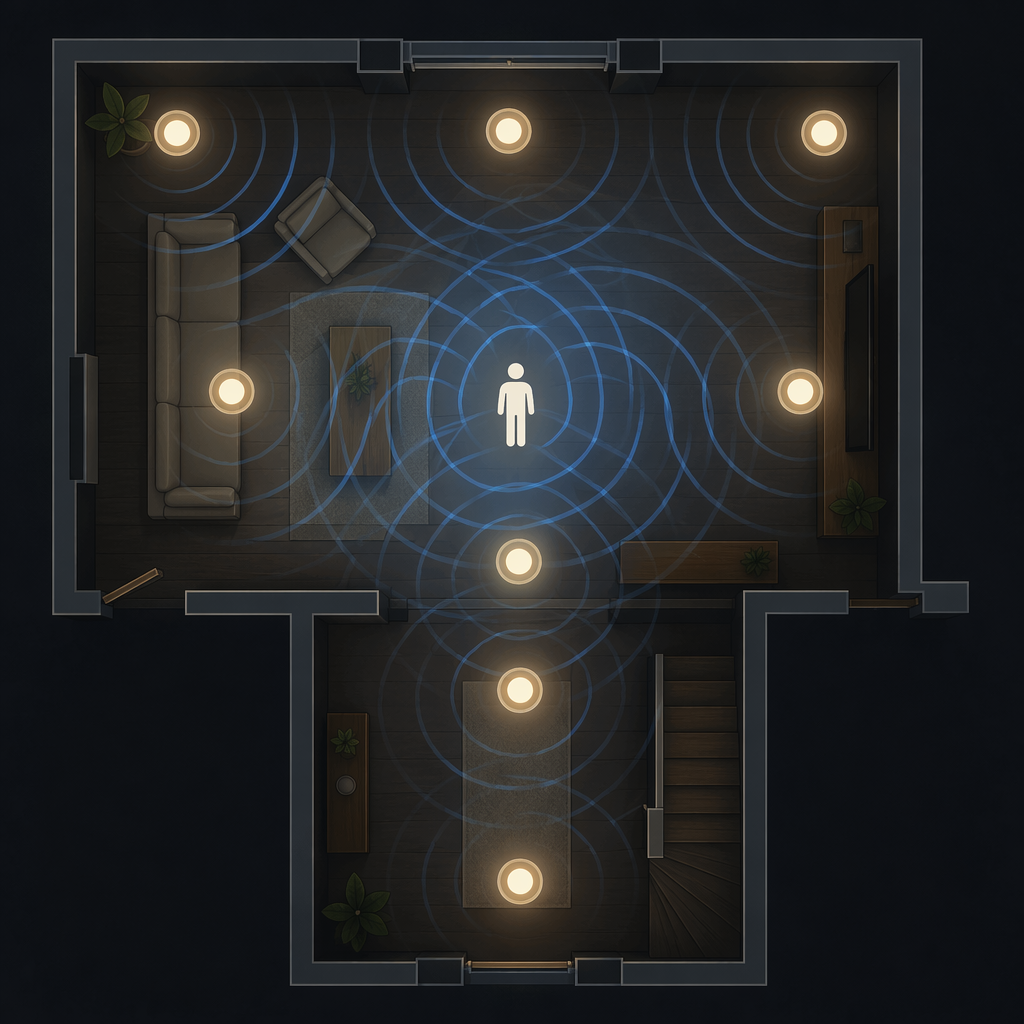
That is promising, especially in spaces where a wall-mounted sensor looks clumsy or cannot see the right angle. A hallway, landing, or open living area can be annoying to cover with one traditional sensor. If existing bulbs can do enough of that work, the installation gets tidier.
The caution is just as important: the strongest compatibility and performance framing available here is manufacturer-supplied, and independent long-term performance data was not available. Real homes have odd layouts, thick walls, metal appliances, mirrors, stairwells, and rooms where the bulb placement is good for lighting but not ideal for sensing. MotionAware may reduce the need for separate sensors, but it should not be treated as a universal replacement before you know how your rooms behave.
For a new buyer, that means the Bridge Pro starter kit is hard to justify only because MotionAware sounds neat. For an existing Hue owner with a lot of compatible bulbs already spread through the home, it is a much more interesting upgrade because the sensing network is partly there already.
Ethernet is fine until it puts the bridge in the wrong place
Bridge v2’s Ethernet requirement is not automatically a problem. If your router sits in a central living room, office, or media cabinet, plugging in the bridge is boring in the best possible way. It works, it stays out of sight, and there is no reason to pay $70 extra just to avoid a short cable.
It becomes a problem when the router location is hostile to the lighting system. A router in a basement rack may be great for the network and poor for a Hue mesh that needs to reach upstairs bulbs. A router tucked into a metal utility cabinet or a far corner closet can make the bridge placement feel dictated by the internet provider rather than by the house. Bridge Pro’s Wi-Fi is valuable in those cases because it lets the hub live where the lighting network makes more sense.[1]
That is a practical upgrade, not a luxury one. If Wi-Fi placement avoids adding a second bridge, moving a router, or running Ethernet to a better spot, the Pro is solving a real constraint.
Existing Hue owner: upgrade only if the pain is already visible
If you already own a Bridge v2 and your lights respond reliably, the Bridge Pro is not an automatic upgrade. A home with 12 bulbs, two dimmers, a motion sensor, and a few scenes does not become meaningfully better just because the hub has more headroom. The current bridge is still actively sold and supported as of June 2026, and Signify has made no end-of-life announcement.
Upgrade when one of these is true:
- You are near or past 30 Hue lights and still adding rooms.
- You are approaching the Bridge v2 limit of 50 lights or 12 accessories.
- You are already using, or planning, enough motion-based automations that MotionAware could reduce the number of separate sensors.
- Your Ethernet-only bridge location is hurting placement, coverage, or basic convenience.
- You are managing multiple Hue Bridges and want to consolidate into one larger hub.
For existing owners, consolidation is the cleanest argument. If the Pro lets you retire multiple standard bridges, simplify rooms, and keep accessories under one roof, the $139.99 price has a job to do. If it only replaces a working bridge in a modest setup, the upgrade is mostly unused capacity.
One long-term caveat belongs here: Bridge v2 is based on a 2016-era hardware revision, so future firmware support beyond the next few years is uncertain. That is a consideration for someone buying a hub they plan to keep for a long time, but it is not the same as an announced cutoff.
New buyer: the starter-kit gap changes the recommendation
For new buyers, the standard Bridge kit is usually the better first purchase. The official pricing cited here puts the Bridge plus 4 White and Color Ambiance A19 bulbs at $119.99, compared with $289.99 for the Bridge Pro plus 4 bulbs.[1] That is not a small “future-proofing” surcharge for someone who has not learned which rooms they actually want automated.
A four-bulb starter setup rarely needs 150+ light capacity. It needs good bulb placement, a couple of useful scenes, and maybe a physical switch so visitors and sleepy household members are not forced into an app. In that situation, the money saved by choosing Bridge v2 is better spent on another bulb, a dimmer, or the first accessory that makes the system feel less like a gadget and more like part of the room.
There are exceptions. If you are moving into a house and already know the plan includes kitchen cans, bedrooms, hallways, exterior lights, and switches from the start, buying the Pro first can avoid a hub swap later. If the router lives in a basement and Ethernet placement would start the system in the wrong spot, the Pro’s Wi-Fi may also be worth paying for immediately. But for a first apartment, bedroom, office, or living-room kit, Bridge v2 is the safer default.
What about new Hue lights and accessories in 2026?
The Bridge Pro is not required just because Hue keeps releasing new hardware. Signify’s June 2026 announcement added wired wall switch modules, Play lamps, and next-generation candle bulbs to the Philips Hue portfolio, and the useful takeaway for this decision is simple: these products remain part of the Hue ecosystem rather than forcing a Bridge Pro-only path.[2]
That matters because product-news anxiety is a bad reason to overspend on a hub. If a new switch module or candle bulb fits your room, the question is still whether your bridge has the capacity, placement, and feature support you need. For most smaller systems, Bridge v2 continues to cover the normal Hue experience.
The buying recommendation
Choose the Hue Bridge Pro if you have a large Hue home, are consolidating multiple bridges, want to build around MotionAware, or need Wi-Fi because Ethernet would put the hub in the wrong place. Its higher limits, Wi-Fi, 500-scene capacity, and MotionAware support are meaningful when they remove an actual household constraint.[1]
Choose the standard Hue Bridge v2 if you are under 30 lights, setting up an apartment or medium-size home, or already have a stable Hue system that is not close to its limits. It remains the cost-effective choice for most buyers, especially when the alternative is paying the much larger Pro starter-kit price before you know your setup needs it.
If you have decided Bridge v2 is enough, the Hue Bridge v2 device profile is the better place to check detailed specs. After choosing a hub, use the Philips Hue smart lighting setup guide to plan the installation path.
References
- Hue Bridge Pro — Philips Hue.
- Philips Hue expands smart home lighting portfolio with new wired switches, Play lamps and next-generation candle bulbs — Signify, June 16, 2026.
Known issues with this device / protocol
Spec-version history
For active regressions on this protocol, see Update Watch.
No linked Update Watch entries yet.