
Aeotec Smart Home Hub V3 vs V4: Choosing the Right SmartThings Hub for Your Setup
This comparison helps you decide between the legacy Aeotec Smart Home Hub V3 and the newer V4, covering the critical Z-Wave omission, hardware differences, and advice for Z-Wave users, new Matter-first builders, and current V3 owners.
Last updated
If you are choosing an aeotec smart home hub in mid-2026, start with the radio list, not the newer box. Buy the Aeotec Smart Home Hub V3 if Z-Wave matters in your home. Buy the Smart Home Hub 2, commonly treated as the V4, if you are building around Matter, Thread, Zigbee, and Wi-Fi and can live without Z-Wave. If you already own a V3, do not upgrade just because the V4 is newer unless your setup no longer depends on Z-Wave.
That one missing radio changes the whole comparison. The V3 includes Z-Wave Plus; the newer Smart Home Hub 2 drops Z-Wave entirely while adding Bluetooth Low Energy and improving its Thread story, as reported when the new Samsung SmartThings hub was announced at IFA 2025.[1] A faster processor can help a hub feel less cramped. It cannot make an unsupported lock, leak sensor, wall switch, or door sensor join the network.
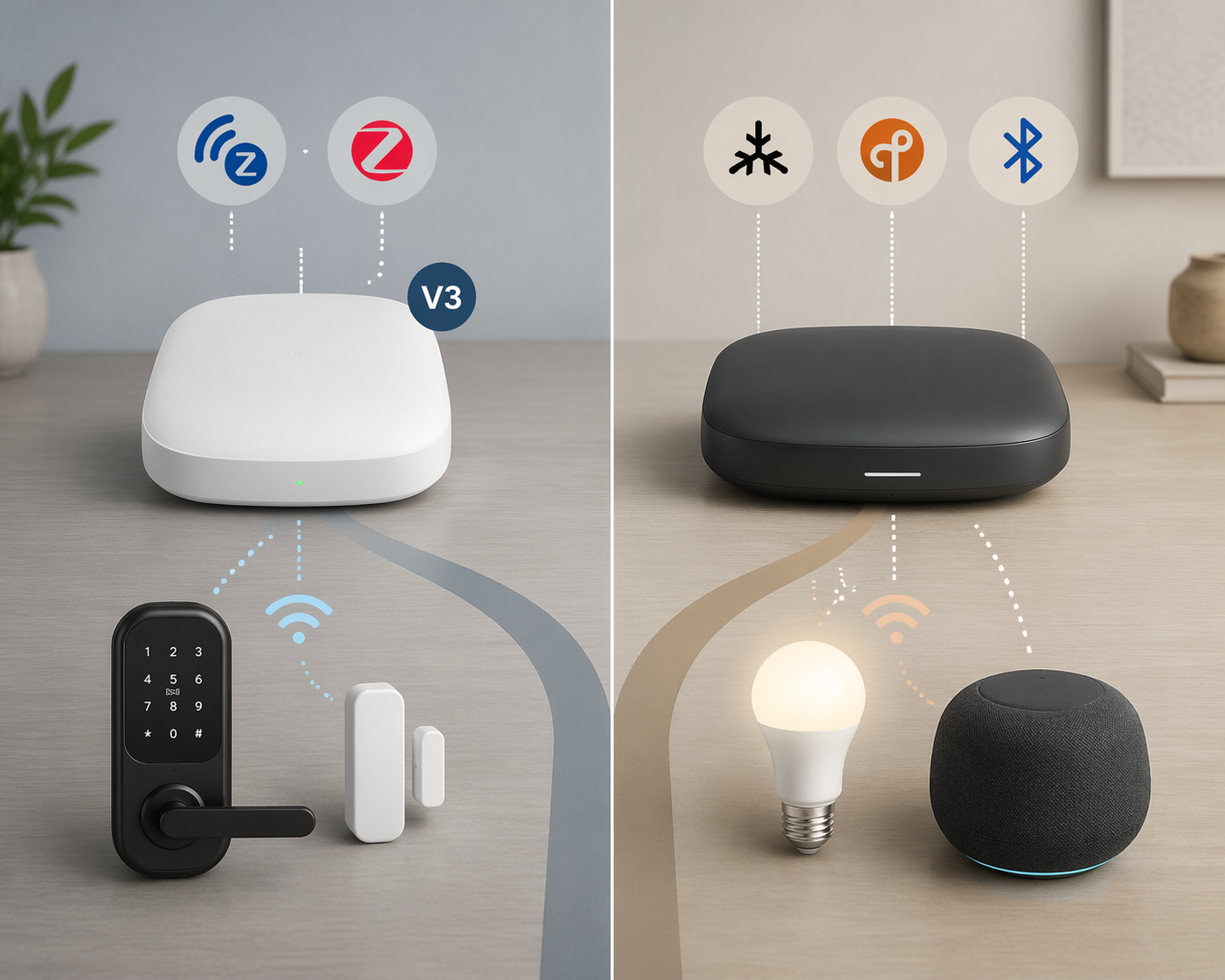
| Decision point | Aeotec Smart Home Hub V3 | Smart Home Hub 2 / V4 |
|---|---|---|
| Best fit | Existing SmartThings homes with Z-Wave or mixed legacy devices | New SmartThings builds centered on Matter, Thread, Zigbee, and Wi-Fi |
| Z-Wave | Yes, Z-Wave Plus, with Aeotec listing up to 100 ft indoor range | No Z-Wave support |
| Zigbee | Yes | Yes, with Aeotec claiming support for up to 150 Zigbee devices |
| Matter | Supported through SmartThings platform updates, with limits depending on device and driver support | Matter-focused, with Aeotec claiming compatibility with 1,000+ Matter-certified devices from 270+ brands |
| Thread | Supported in the SmartThings ecosystem, but not the newer hub’s main hardware pitch | Built-in Thread border router |
| CPU / RAM | 528MHz CPU and 256MB DDR RAM in Aeotec’s official technical specs | 900MHz CPU and 512MB RAM |
| Performance claim | Older hardware, still capable of local SmartThings Edge automations | Vendor-side claims describe 70% faster processing; that should not be read as a guaranteed 70% better daily experience |
| Local processing | Runs SmartThings Edge drivers locally for supported devices and automations | Runs SmartThings Edge locally with more memory and newer hardware headroom |
| Migration support | Source hub for SmartThings Hub Replace & Backup | Can use SmartThings Hub Replace & Backup, but migrated Z-Wave devices still need a Z-Wave-capable destination |
| Expansion | Older port and power design | USB-C and newer accessory/expandability direction |
| Price and availability | Discontinued / tightening inventory; street prices have been volatile | Launched at $119.99 in the US; regional availability can vary |
| Main risk | Paying more for older hardware as stock dries up | Buying a newer hub that cannot carry an existing Z-Wave network |
One naming note before going further: Aeotec’s older SmartThings-compatible hub is the Smart Home Hub V3. The newer product is officially sold as Smart Home Hub 2, but in practical buying discussions it is often treated as the V4 because it follows the V3-era hub. In this article, V4 means Smart Home Hub 2.
The Real Split Is Z-Wave
Z-Wave is not an abstract checkbox if your house already uses it. It is often the protocol behind the devices people least enjoy re-pairing: door locks, contact sensors, leak detectors, hardwired switches, dimmers, repeaters, and older security-adjacent accessories. Those devices may be boring when everything works. They become painfully visible when the new hub cannot talk to them.
The V3 has Z-Wave Plus and Aeotec’s own technical specifications list Z-Wave operating at 908.42MHz in the US, alongside Zigbee, Wi-Fi, and Bluetooth Low Energy; the same official spec sheet lists a 528MHz CPU and 256MB DDR RAM.[2] The V4 moves the SmartThings hub line toward newer protocols and drops Z-Wave entirely.[1] That is not a small downgrade for a Z-Wave household. It is a compatibility boundary.
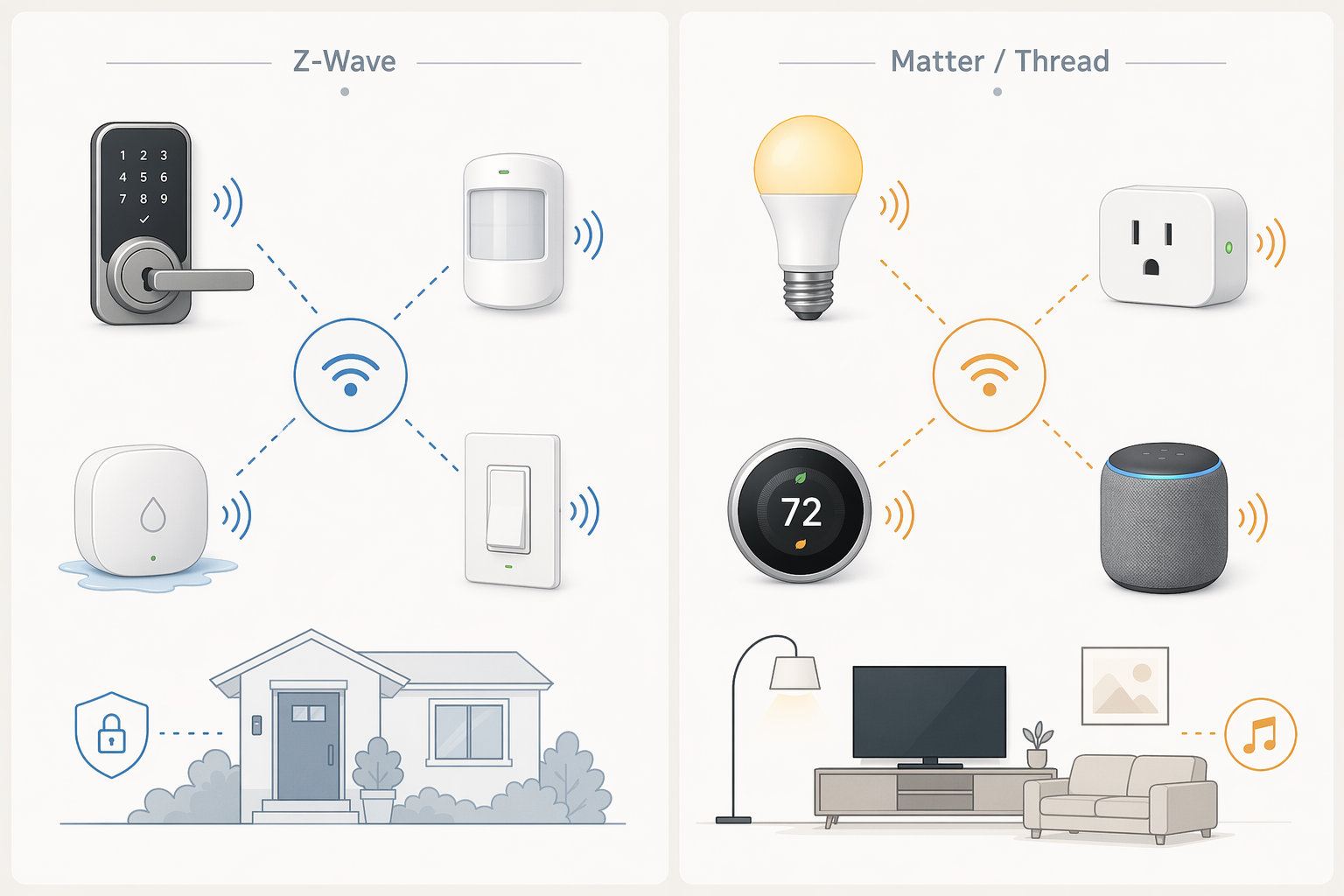
For a fresh home, that boundary may be acceptable. Matter and Thread are easier to recommend for someone buying new bulbs, plugs, thermostats, and sensors today, especially if they want a hub that fits the direction Samsung and Aeotec are now emphasizing. For an existing home, the same boundary can turn a normal hub replacement into a device-by-device audit.
A simple inventory decides more than any processor comparison. Open your SmartThings device list and mark every Z-Wave device. If the list includes core devices you still use, the V3 remains the safer official SmartThings hub path. If the list is empty, the V4 becomes much easier to justify.
| Your device mix | What the Z-Wave omission means | Practical recommendation |
|---|---|---|
| Several Z-Wave locks, sensors, switches, or leak detectors | The V4 cannot directly carry those devices | Choose V3 while stock remains |
| One or two nonessential Z-Wave devices | You can replace those devices, but the real cost is time and troubleshooting | Choose V3 if you want continuity; choose V4 only if you planned to replace them anyway |
| No Z-Wave devices | The V4’s missing radio does not remove anything you use | Choose V4 unless you have a specific legacy requirement |
| New Matter-first setup | Z-Wave is not part of the plan | Choose V4 |
Matter And Thread Make V4 Cleaner For New Builds
The case for the V4 is strongest when there is no old network to protect. Aeotec presents the Smart Home Hub 2 as a Matter- and Thread-ready hub with a built-in Thread border router, support for up to 150 Zigbee devices, and compatibility claims covering 1,000+ Matter-certified devices from 270+ brands.[3] Those are manufacturer claims, not independent proof that any specific device will behave perfectly in your home, but they do show where the newer hub is aimed.
That direction matters. A first-time SmartThings buyer in 2026 is less likely to be starting with a drawer full of Z-Wave modules and more likely to be choosing Matter plugs, Thread sensors, Zigbee lighting, or Wi-Fi appliances that already advertise SmartThings support. In that situation, the V4 is the tidier purchase: newer hardware, USB-C, better alignment with current device packaging, and no need to pay a premium for a legacy radio you will not use.
The caution is that ecosystem numbers are not the same as tested household compatibility. Aeotec’s V4 page also says SmartThings connects with 4,400+ devices and serves 410+ million users.[3] Useful context, yes. A guarantee that your exact thermostat, lock, light strip, and sensor firmware combination will work without irritation, no. If you are still deciding whether SmartThings is the right platform at all, it is worth stepping back to a broader smart home ecosystem comparison before choosing a hub.
Hardware: V4 Is Faster, But Compatibility Still Comes First
On paper, the V4 is the better piece of hardware. Vesternet’s Smart Home Hub 2 overview lists a 900MHz CPU and 512MB RAM, and describes the new hub as offering 70% faster processing than the prior generation.[4] The V3’s official Aeotec technical specification lists a 528MHz CPU and 256MB DDR RAM.[2] That is a meaningful increase in headroom, especially as local automations and driver workloads grow.
The RAM detail is worth being fussy about because hub spec sheets are exactly where buyers get misled. Some older review coverage has conflicted on the V3 memory figure, with Tom’s Guide listing 256MB DDR while PCWorld reported a much higher figure.[5][6] Aeotec’s own technical specification is the cleaner source here, so 256MB is the number to use for the V3.[2]
The performance claim also needs the right translation. A 70% faster processing claim does not mean lights turn on 70% faster, automations finish 70% sooner, or every household sees a dramatic difference. Real smart-home latency depends on device protocol, mesh quality, driver behavior, cloud involvement, Wi-Fi conditions, and the device itself. Faster silicon is still good; it just belongs behind protocol compatibility in the buying order.
Local SmartThings Edge Processing
Both hubs matter because SmartThings no longer depends on the old Groovy cloud model in the same way. SmartThings Edge drivers let supported devices and automations run locally on the hub, which is why processor and memory headroom are not irrelevant. PCWorld and Tom’s Guide both reviewed the V3 as a capable SmartThings hub for local control within the limits of supported devices and integrations.[5][6]
For a new setup with many Matter, Thread, and Zigbee devices, the V4’s extra memory is the cleaner long-term choice. For an existing Z-Wave setup, local processing on the V4 does not rescue the unsupported devices. The hub cannot locally process a device it cannot join.
Migration Helps, But It Does Not Change The Radio Problem
Aeotec’s Smart Home Hub 2 user guide points users to SmartThings Hub Replace & Backup for moving from an existing hub to the new one, including devices and automations where supported.[7] That is a welcome feature. Nobody should be sentimental about manually excluding and re-including devices at midnight if a supported migration path exists.
Still, migration is not magic. It can move supported hub data into a new hub path; it cannot give the V4 a Z-Wave radio. If your current V3 is carrying Z-Wave devices, treat Hub Replace & Backup as a convenience for compatible parts of the move, not as permission to ignore the protocol list.
Price And Availability In Mid-2026
The V4 has the cleaner retail story. Samsung listed the Aeotec Smart Home Hub 2 at $119.99 for its US launch in late October 2025.[8] Availability has been more region-dependent outside North America, but the direction is clear: this is the current hub.
The V3 is messier because it is the compatibility buy and the disappearing buy at the same time. Retail pricing has fluctuated as inventory tightens, with listings seen around the $127 to $220 range and current street pricing around $170+ as of June 2026.[9] That does not make the V3 a bargain. It makes it the official SmartThings path for buyers who still need Z-Wave.
Paying more for older hardware feels wrong until the alternative is replacing multiple working devices. If your Z-Wave network includes only one noncritical plug, buying the V4 and replacing the plug may be cheaper. If your Z-Wave network includes locks, leak sensors, and in-wall switches, the hub price is only one line in the real migration cost.
Which One Should You Buy?
If You Already Use Z-Wave: Buy V3 While You Can
This is the easiest recommendation. If your SmartThings home has Z-Wave locks, sensors, switches, dimmers, or leak detectors that you plan to keep, the V3 is the right Aeotec hub. The V4 is not a drop-in replacement for that network.
Before buying, check the return policy and confirm that the listing is actually for the V3 Smart Home Hub, not the Smart Home Hub 2. The naming is close enough that a rushed purchase can land the wrong hub. Also avoid assuming every old device will migrate cleanly just because the hub supports Z-Wave. Battery health, device age, Edge driver availability, and previous pairing state can still make an upgrade weekend longer than planned.
If You Are Building A New Matter-First Home: Buy V4
If you do not own Z-Wave devices and your shopping list is mostly Matter, Thread, Zigbee, and Wi-Fi, the V4 is the better fit. It is newer, cheaper at its official launch price, has more memory, uses USB-C, and lines up with the protocol direction Aeotec and Samsung are now selling.[3][8]
This is also the cleaner recommendation for someone who wants fewer legacy decisions. You still need to check individual device compatibility, especially with Matter products whose features can vary by platform, but you are not starting your smart home around a radio the current hub line has already dropped.
If You Own A V3 Today: Usually Stay Put
A working V3 does not become obsolete just because the V4 exists. If it is stable, your automations run, and you have Z-Wave devices attached, keeping it is the sensible choice. The upgrade only becomes attractive if you have no Z-Wave gear, want the newer hardware headroom, and are willing to treat the move as a controlled migration rather than a casual swap.
- Stay on V3 if any important Z-Wave device remains in daily use.
- Consider V4 if your V3 is only serving Zigbee, Matter-compatible devices, and cloud integrations.
- Use Hub Replace & Backup where supported, but audit device protocols first.
- Do not upgrade for a processor claim alone unless you are actually hitting hub performance limits.
Bottom Line For 2026
The Aeotec Smart Home Hub V3 is the compatibility buy. It is older, increasingly scarce, and often more expensive than buyers expect, but it remains the practical choice for SmartThings homes that depend on Z-Wave.
The Smart Home Hub 2 / V4 is the cleaner new-build hub. It is the better pick for Matter-first buyers who want Thread, newer hardware, USB-C, and a current retail path without carrying Z-Wave forward.
The time-sensitive part is simple: once V3 inventory is gone, SmartThings buyers with Z-Wave gear lose the straightforward official Aeotec hub option. If Z-Wave is in your house, buy for the devices you already own. If it is not, buy for the protocols you are actually going to use next.
References
- The newest Samsung SmartThings hub ditches Z-Wave — The Verge
- Smart Home Hub technical specifications — Aeotec Help Desk
- Smart Home Hub 2 - Aeotec — Aeotec
- Introducing the Aeotec Smart Home Hub 2 (V4) — Vesternet
- Aeotec Smart Home Hub review — Tom's Guide
- Aeotec Smart Home Hub review: The hub that does it all — PCWorld
- Smart Home Hub 2 - User Guide — Aeotec Help Desk
- Aeotec Smart Home Hub 2 — Samsung US
- Aeotec Smart Home Hub — Amazon
Known issues with this device / protocol
Spec-version history
For active regressions on this protocol, see Update Watch.
No linked Update Watch entries yet.