
Honeywell Smart Thermostat Comparison: Which Model Is Right for Your Home?
Choosing between Honeywell's five smart thermostat models? This comparison breaks down the X2S, RTH9585WF, T9, T10 Pro, and X8S by price, features, and compatibility to help you pick the right one for your home's setup and budget.
Last updated
The shortest answer is this: buy the Honeywell Home T9 if your main problem is uneven room comfort, buy the X8S if you want the newest premium screen with indoor air quality and intercom features, buy the X2S if you want the cheapest Matter-friendly option, keep the RTH9585WF on your list for a simple single-zone home, and look at the T10 Pro when an installer is already involved or you need HVAC accessory control. That sounds tidy, but the wall plate usually makes the real decision. A Honeywell smart thermostat that looks like a bargain can stop being one if you need wiring work, and a premium model can be worth it only if its extra sensors, screen, or accessory controls solve a problem you actually have.
One naming note before the model comparison: Honeywell Home smart thermostats are part of Resideo’s Honeywell Home portfolio, so you will often see both names attached to the same thermostat family. For shoppers, that mostly matters because product pages, app references, and pro-installer materials may use Resideo language even when the thermostat face or retail listing says Honeywell Home.
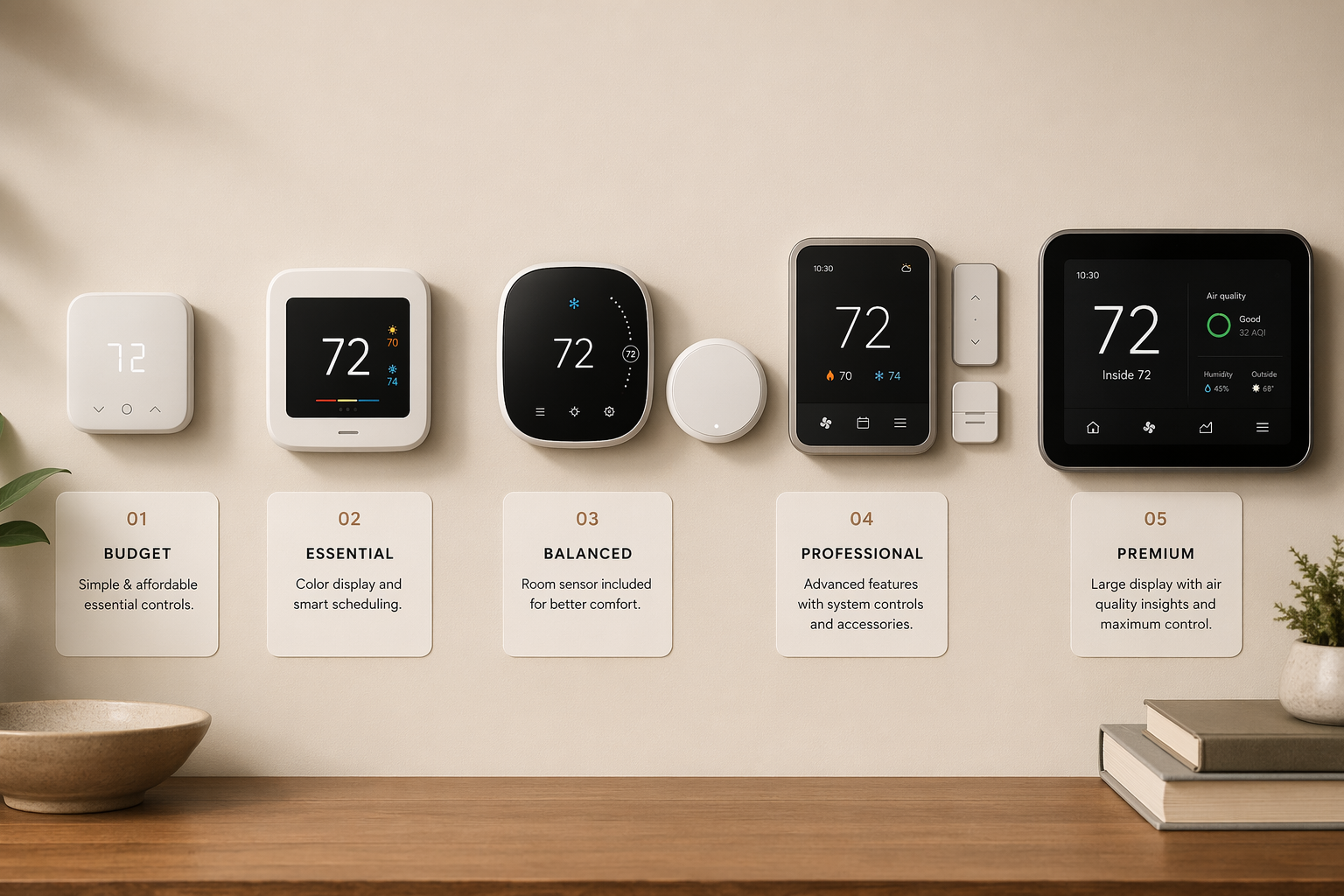
Honeywell Smart Thermostat Models Compared
| Model | Typical mid-2026 price | C-wire requirement | Remote sensor support | Smart-home platform support | Standout feature | Best-fit home |
|---|---|---|---|---|---|---|
| X2S | $50-80 | Requires C-wire | No remote sensor focus in available materials | Matter-certified; supports Alexa, Google, and Apple Home | Low-cost Matter support with button-driven controls | Budget households that already have a C-wire and want multi-platform control [1] |
| RTH9585WF | $80-120 | No C-wire needed | No remote sensors | WiFi smart thermostat support; more limited than newer Matter models | Color touchscreen without the newer sensor ecosystem | Simple single-zone homes where the thermostat is centrally located [2][3] |
| T9 | $170-200 | Requires C-wire; adapter kit included | Includes one room sensor; supports up to 20 | Works with major smart-home platforms through supported integrations | Room prioritization by time of day | Most homes trying to fix hot bedrooms, cold offices, or uneven floors [1][2] |
| T10 Pro | $180-220 | Requires C-wire | Same sensor system as T9 | Pro-oriented Honeywell Home / Resideo setup | Installer menus plus humidifier and dehumidifier control | Homes with advanced HVAC accessories or an installer-led setup [4] |
| X8S | $220-250 | Requires C-wire; adapter kit included | Remote-sensor details are newer and less field-proven than T9 | Designed for modern connected-home use | 5-inch customizable touchscreen, IAQ monitoring, and Ring / First Alert intercom | Premium homes where display, indoor air data, and front-door intercom matter [1][2] |
Prices here are mid-2026 retail ranges, not permanent list prices. Rebates, utility programs, and retailer promotions can move the actual checkout price enough that two models swap places. Still, the table shows the practical shape of the lineup: the X2S is the low-cost platform play, the T9 is the comfort problem-solver, the X8S is the premium new arrival, and the RTH9585WF and T10 Pro sit at narrower ends of the decision.
Start With the Room That Never Feels Right
If the upstairs bedroom runs warm at night or the home office is always colder than the hallway, the T9 is the model I would look at first. Its value is not that it is the fanciest Honeywell smart thermostat. It is that the box includes one remote room sensor, the system supports up to 20 sensors, and scheduling can prioritize different rooms at different times of day: bedrooms at night, living areas during the day, or whichever room is occupied when comfort matters most [1][2].
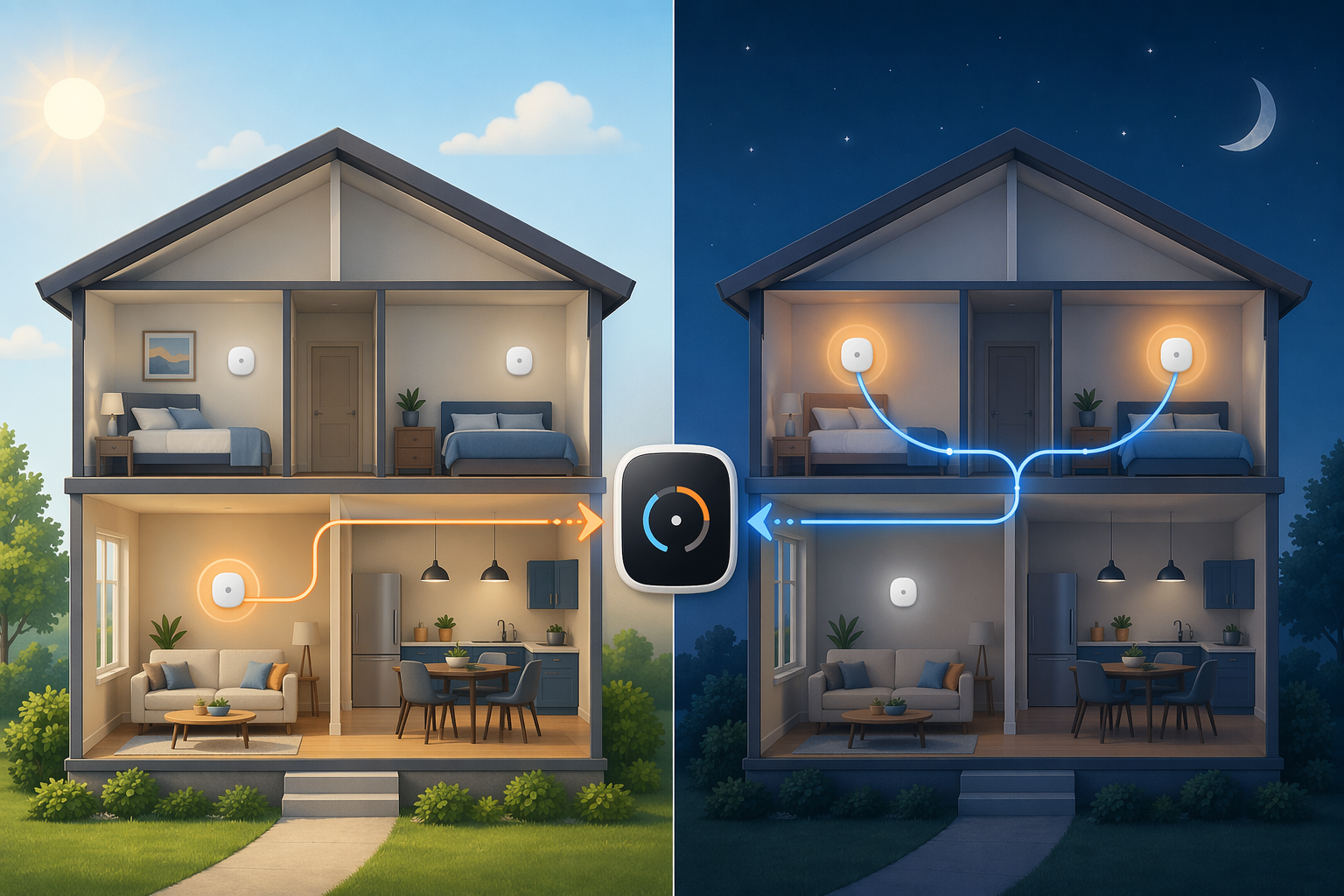
That sensor system is the reason the T9 beats the cheaper RTH9585WF for many real homes. A thermostat mounted in a central hallway can only measure that hallway. If the hallway is comfortable while the nursery, bedroom, or office is not, a nicer touchscreen on the wall does not fix the underlying measurement problem. The T9 gives the thermostat more places to listen.
The comparison with Nest and Ecobee is useful only to frame expectations. The Honeywell T9 supports up to 20 sensors; Ecobee supports up to 32, while the reviewed Nest and Ecobee packages each include one sensor in the comparison material. Honeywell’s useful difference is the room-prioritization scheduling, which is why Reviewed named the T9 the best smart thermostat for multi-room comfort [1]. That does not make it the universal best thermostat, but it makes it the cleanest Honeywell pick for homes where the comfort problem is located somewhere other than the thermostat.
Where the X8S Earns Its Premium
The X8S is the model that looks most like a 2026 flagship. It has a 5-inch customizable touchscreen, monitors indoor air quality signals including VOCs, CO2, humidity, and PM2.5, and supports video doorbell intercom features with Ring and First Alert devices [1][2]. Those are not cosmetic upgrades if your thermostat is in a visible part of the home and you actually want air-quality information or front-door communication from the same wall control.
The caution is that newness cuts both ways. The X8S is new for 2026, so there is less long-term owner feedback than there is for the established T9. I would not treat that as a reason to avoid it, but I would treat it as a reason to buy it for the features it clearly offers now, not for an assumption that it will automatically be the safer comfort pick over the T9. If remote-room comfort is the main problem, the T9 has the more proven case in the available testing and model comparisons. If the thermostat is becoming a wall control for air quality and doorbell interaction, the X8S is the one that justifies the higher price.
The X2S Is the Interesting Cheap One, With One Hard Stop
The X2S is easy to underestimate because it does not have the big premium display. That would be a mistake for the right buyer. At roughly $50-80, it is positioned as a very affordable Matter-certified smart thermostat, with support for Alexa, Google, and Apple Home at the same time [1]. For a household that has mixed phones, speakers, or smart-home hubs, Matter support is not a spec-sheet decoration; it reduces the chance that the thermostat becomes stranded in one ecosystem.
The tradeoff is physical and immediate: the X2S requires a C-wire [1]. It is a button-driven thermostat rather than a touchscreen model, so the appeal is platform flexibility and price, not a luxury wall interface. If your existing wiring supports it, the X2S is the budget Honeywell smart thermostat I would take seriously. If it does not, the installation cost can erase the reason you were choosing the cheap model in the first place.
When the RTH9585WF Still Makes Sense
The RTH9585WF is the model that gets unfairly flattened in many comparisons because it lacks the newer sensor story. It is a basic color-touchscreen WiFi thermostat, typically priced around $80-120, with no remote sensors and more limited scheduling than the newer models [2][3]. That sounds like a dismissal only if your home needs remote sensing.
For a simple single-zone home where the thermostat is centrally located and the rooms heat and cool evenly enough, the RTH9585WF can be the right amount of smart. It also has a practical wiring advantage: among the models compared here, it is the exception that does not need a C-wire [3]. If your goal is basic WiFi control and a familiar touchscreen without opening the furnace panel, that matters more than another row of premium features.
Why the T10 Pro Is Not Just a More Expensive T9
The T10 Pro uses the same room-sensor idea as the T9, but it is aimed more at professional installation and advanced HVAC setup. Resideo’s pro materials position the T Series around installer setup, and the T10 Pro adds enhanced installer menus plus humidifier and dehumidifier control [4]. That makes it less of an impulse retail upgrade and more of a good fit when the HVAC system has accessories that need proper control.
If you are replacing a straightforward thermostat on a standard forced-air system, the T9 is usually the cleaner buy. If an installer is already configuring a humidifier, dehumidifier, or more complex system behavior, the T10 Pro’s extra setup depth can be worth the narrower retail appeal.
The C-Wire Check Can Change the Whole Price
Before choosing between the X2S, T9, T10 Pro, and X8S, take the thermostat off the wall and check the wiring labels. In this lineup, all models except the RTH9585WF require a C-wire. The T9 and X8S include adapter kits for homes without one, but an adapter kit is not the same as a guaranteed painless Saturday project. CNET and Bob Vila both flag C-wire and installation requirements as part of the smart-thermostat buying decision, and professional installation can add about $100-150 [3][5].
That cost changes the math. A $50-80 X2S is still a terrific deal if the wiring is ready. If it takes a service visit to make it work, it may land closer to the real cost of a more capable model. The same is true in the other direction: a $220-250 X8S may feel easier to justify if the included adapter kit works cleanly, but less so if the installation gets complicated. Compatibility is not the boring prelude to the purchase; it is part of the purchase.
Energy Savings Should Be Context, Not the Whole Pitch
Honeywell and Resideo have a stronger savings story than many thermostat brands can point to: a Resideo study of more than 6,000 users found 22% heating savings and 17% cooling savings, averaging $204 per year, when users consistently followed scheduling [6]. That last condition is doing real work. The claim is not that every buyer gets that amount by mounting a smart thermostat and forgetting about it.
For a more conservative expectation, ENERGY STAR and Consumer Reports point shoppers toward roughly 8% savings, or about $50 per year in typical use [7][8]. That range is a better way to think about the purchase. Smart scheduling, occupancy behavior, climate, utility rates, insulation, and how disciplined the household is all affect the outcome. If energy savings are your only reason to jump from an RTH9585WF to an X8S, the payback argument may be thin. If the upgrade also fixes bedroom comfort, platform compatibility, or HVAC accessory control, the savings become a helpful bonus rather than the entire case.
The Right Honeywell Pick by Situation
Choose the T9 if your home has uneven temperatures and you want the best balance of price, sensor support, and practical comfort control. It is the model that most directly solves the problem many homeowners are actually trying to fix: the thermostat is comfortable, but the room you care about is not.
Choose the X8S if you want a premium wall interface, indoor air quality monitoring, and Ring or First Alert intercom integration enough to pay flagship pricing. Choose the X2S if you have a C-wire, care about Matter, and want Apple Home, Google, and Alexa support without spending T9 money. Choose the RTH9585WF if your home is simple, your thermostat location works well, and you do not need remote sensors. Choose the T10 Pro when installer setup, humidifier control, dehumidifier control, or a more advanced HVAC configuration justifies moving beyond the retail-focused T9.
References
- Reviewed — 10 Best Smart Thermostats of 2026
- PCMag — The Best Smart Thermostats We've Tested for 2026
- Bob Vila — The Best Smart Thermostats of 2026
- Resideo — T Series Thermostats (Pro)
- CNET — The Best Smart Thermostats of 2026
- Resideo — Honeywell Home Energy Claim
- ENERGY STAR — Certified Connected Thermostats
- Consumer Reports — Thermostat Buying Guide
Known issues with this device / protocol
Spec-version history
For active regressions on this protocol, see Update Watch.
No linked Update Watch entries yet.