
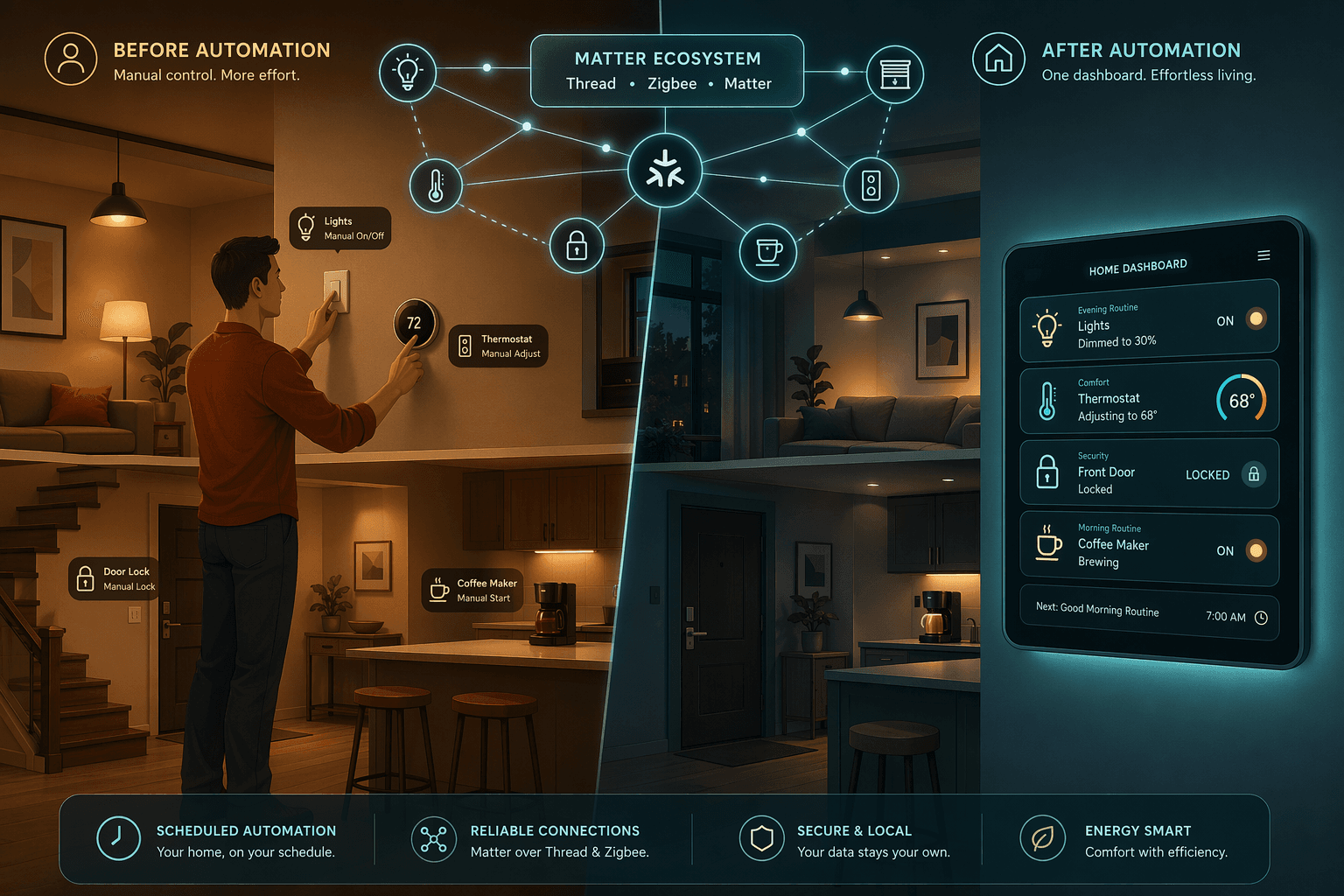
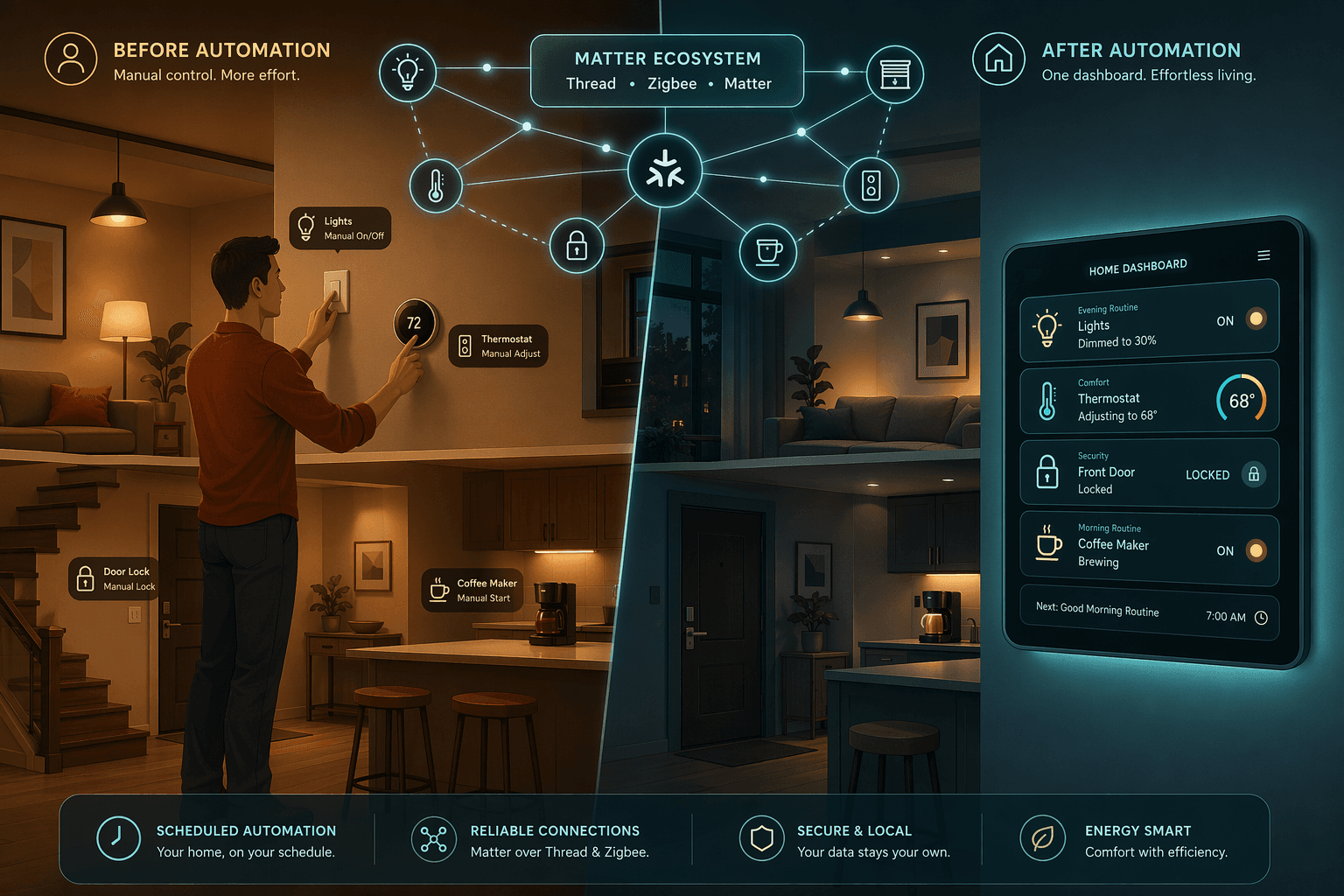
Why Automation Recipes Matter More Than Gadgets
Owning a smart thermostat, a few smart bulbs, and a video doorbell is a start. But the daily payoff — the time saved, the energy not wasted, the moment you walk into a lit, comfortable home without touching a switch — comes from connecting those devices into routines that act on your behalf. Individual gadgets are components; automation recipes are the finished product.
In 2026, the tools for building these recipes have matured significantly. mmWave presence sensors like the Aqara FP2 can detect micro-movements, count how many people are in a room, and pinpoint where they are — so a light no longer turns off just because you sat still for five minutes. Matter is breaking down the wall between ecosystems, allowing a Zigbee sensor to trigger a Wi-Fi light without a custom bridge. Platforms like Home Assistant and SmartThings act as the backbone, orchestrating devices from different manufacturers into a single, reliable automation layer.
The 10 recipes below are designed for homeowners who already own some smart devices. Each recipe includes the trigger, the action sequence, the devices you will need, and notes on how to adapt it for your specific ecosystem. None of them require a complete system overhaul — most can be built with devices you may already have.
Recipe 1: Arrival / Departure Routine
This is the highest-impact recipe for most households. It eliminates the friction of arriving to a dark, cold house and the nagging uncertainty of whether you left the door unlocked.
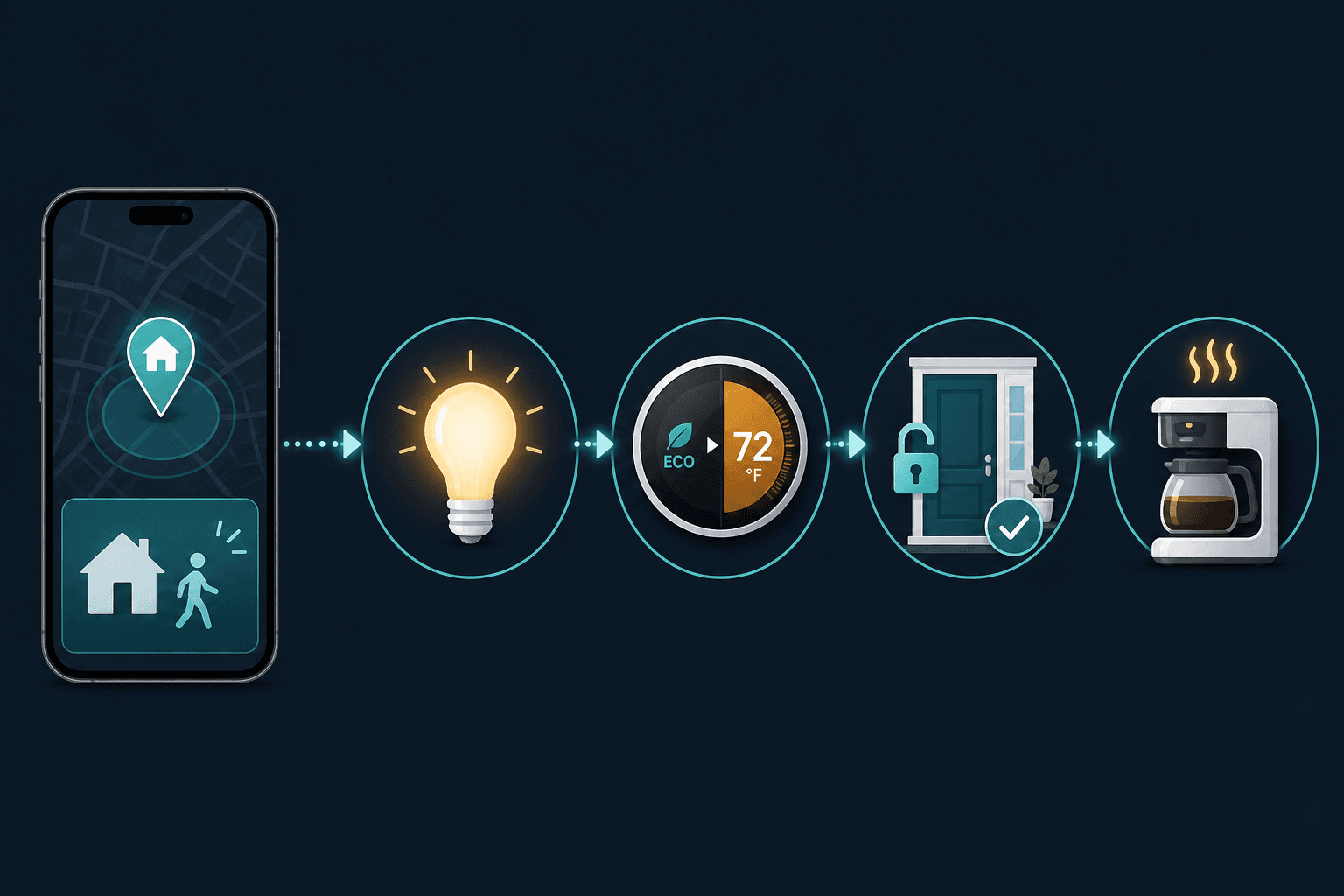
Arrival Sequence
- Trigger: Geofence — when your phone enters a defined radius (typically 100–500 meters) around your home.
- Actions: Unlock the front door (smart lock). Set thermostat from Eco to Comfort. Turn on entryway and living room lights to a preset brightness. Disarm the security system.
Departure Sequence
- Trigger: Geofence — when your phone leaves the defined radius.
- Actions: Lock all doors. Set thermostat to Eco. Turn off all lights. Arm the security system (Away mode). Turn off non-essential smart plugs (e.g., entertainment systems, space heaters).
Recipe 2: Goodnight Routine
A goodnight routine is the most commonly built automation, and for good reason: it consolidates a dozen small actions into a single voice command or a scheduled trigger.
Full Version (Requires Smart Lock, Thermostat, and Smart Lights)
- Trigger: Voice command ("Alexa, goodnight" / "Hey Siri, goodnight") or a scheduled time (e.g., 10:30 PM).
- Actions: Turn off all lights. Lock all exterior doors. Set thermostat to Sleep schedule (typically 62–65°F in winter, 78–80°F in summer). Arm security cameras to record on motion. Set smart plugs with non-essential devices (TV, gaming console) to off. Dim any remaining night lights to 1%.
Simpler Version (No Smart Lock Required)
- Trigger: Voice command or scheduled time.
- Actions: Turn off all lights. Set thermostat to Sleep schedule. Turn off entertainment smart plugs. Optionally, play a white noise track on a smart speaker.
If you use an Ecobee thermostat, the Sleep comfort setting can be configured in the app to match your preferred overnight temperature. The Ecobee SmartThermostat Premium setup guide covers how to integrate it with HomeKit, Alexa, Google Assistant, and SmartThings.
Recipe 3: Morning Wake-Up Routine
A gradual morning routine can replace the jarring sound of an alarm clock with a gentle transition from sleep to wakefulness.
- Trigger: Scheduled time (e.g., 6:30 AM) or sunrise offset (30 minutes before sunrise).
- Actions: Smart lights in the bedroom gradually brighten from 0% to 80% over 15 minutes, using a warm white color temperature (2700K). Motorized shades open. Thermostat adjusts from Sleep to Daytime comfort setting. Smart plug turns on the coffee maker. A smart speaker plays a news briefing or your morning playlist.
Sunrise-sunset triggers are available in most platforms (HomeKit, Google Home, SmartThings) and are more natural than a fixed time, especially as the seasons change. If you do not have motorized shades, a simple alternative is to open the blinds manually and let the light-brightening routine handle the rest.
Recipe 4: Movie Night Routine
A single command or button press can transform your living room into a theater-like environment.
- Trigger: Voice command ("Alexa, movie time"), a physical smart button (Flic, Lutron Pico), or a scheduled time (e.g., Friday 8 PM).
- Actions: Dim all lights to 10% or off. Close motorized shades. Turn on the soundbar or AV receiver and switch to the correct input. Set thermostat to a comfortable temperature (slightly cooler for coziness). Optionally, set a smart plug to turn on a popcorn maker or a lamp with a dim bulb for ambient light.
This recipe works well with a physical button placed near the seating area, so you do not have to reach for your phone or shout over the pre-movie chatter.
Recipe 5: Away Mode (Security + Energy)
Away mode differs from the departure routine in one key way: it is designed for extended absences — a workday, a weekend trip, or a vacation — and includes randomized lighting to simulate occupancy.
- Trigger: Manual activation (voice command or app) or automatic detection when all family members' phones have left the geofence for more than 30 minutes.
- Actions: Arm security cameras and motion sensors. Set thermostat to Eco mode. Turn off all non-essential smart plugs. Activate randomized lighting schedule: lights in different rooms turn on and off at varying times during the evening to mimic natural occupancy patterns. Close motorized shades to prevent heat gain and prying eyes. Enable smart lock vacation mode (disables keypad codes for guests).
For security system integration, the DIY Home Security System Buyer Guide 2026 provides a decision framework for choosing between professional monitoring and self-monitoring, which affects how your away mode interacts with alarm triggers.
Recipe 6: Motion-Triggered Night Light
A motion-triggered night light is one of the simplest automations, but the choice of sensor determines whether it feels magical or frustrating.
With a mmWave Presence Sensor (Recommended)
- Trigger: mmWave sensor (e.g., Aqara FP2) detects presence in a hallway, bathroom, or kitchen during nighttime hours (e.g., 10 PM – 6 AM).
- Actions: Turn on a dim, warm light (1–5% brightness, 2200K–2700K) in the detected zone. Turn off the light when the sensor reports no presence for 2 minutes.
The key advantage of mmWave over traditional PIR (passive infrared) sensors is that it detects micro-movements like breathing or typing. A PIR sensor will turn the light off if you sit still on the toilet or read in bed, which is why the mmWave sensor is considered a game-changer for occupancy-based lighting.
Simpler Alternative (Using a Basic PIR Sensor)
- Trigger: PIR motion sensor detects movement during nighttime hours.
- Actions: Turn on a smart plug connected to a small lamp with a dimmable bulb. Set a longer off-delay (5–10 minutes) to avoid the light cutting out during brief stillness.
Recipe 7: Leak Detection and Auto Shutoff
Water damage is one of the most expensive and common home insurance claims. A leak detection recipe can prevent thousands of dollars in damage by catching a leak early and shutting off the water supply automatically.
- Trigger: Water sensor (e.g., Aqara Water Leak Sensor, Samsung SmartThings Water Leak Sensor) detects moisture near a water heater, washing machine, under a sink, or near the main water line.
- Actions: Send a push notification and/or email alert to all household members. Activate a smart water valve controller (e.g., Moen Flo, Phyn Plus) to shut off the main water supply. Optionally, flash all smart lights red to alert anyone at home.
Some insurance providers are beginning to require or offer discounts for water monitoring systems. The ListenUp 2026 guide notes that water sensors are a growing priority in new smart home installations, and the trend is accelerating as insurers recognize the loss-prevention value.
Recipe 8: Energy-Saving Routine (Presence + HVAC + Blinds)
Heating and cooling account for roughly half of a typical home's energy use. Combining occupancy sensors with a smart thermostat and motorized blinds can reduce that load significantly without sacrificing comfort.
- Trigger: Occupancy sensor (mmWave or PIR) reports no presence in a zone for a set period (e.g., 30 minutes).
- Actions: Adjust the thermostat to a setback temperature for that zone (if using a multi-zone system) or switch the whole home to Eco mode. Close motorized blinds on sun-exposed windows to reduce solar heat gain in summer or retain heat in winter. Turn off lights and fans in the unoccupied zone.
ENERGY STAR-certified smart thermostats can reduce HVAC energy use by an average of 30% per month, according to SafeHome.org. When combined with occupancy-based zone control and automated blinds, the savings compound. The Ecobee SmartThermostat Premium setup guide includes instructions for integrating with occupancy sensors and configuring comfort settings.
Recipe 9: Pet Monitoring and Automation
For pet owners, a few automations can provide peace of mind during the workday and keep pets comfortable.
- Trigger: Smart camera (e.g., Eufy, Reolink) detects motion in a specific zone (e.g., the pet's bed area) during a scheduled time window (e.g., 9 AM – 5 PM).
- Actions: Send a push notification with a snapshot to your phone. Turn on a smart plug connected to a fan or air purifier in the pet's room if the temperature exceeds a threshold (requires a temperature sensor). Optionally, trigger a smart feeder to dispense a scheduled meal.
A simpler version requires only a smart camera with motion alerts and a scheduled smart plug for a fan. This avoids the complexity of temperature-based triggers while still addressing the most common concern: is the pet comfortable while I am away?
Recipe 10: Vacation Mode (Comprehensive)
Vacation mode is the most complex recipe in this list because it coordinates security, energy, lighting, and water management into a single, extended-duration automation. It is best built on a platform that supports advanced logic, such as Home Assistant or SmartThings.
- Trigger: Manual activation (voice command, app, or a physical switch) at least 30 minutes before departure.
- Actions: Arm all security cameras and sensors to record on motion. Set thermostat to Vacation mode (typically 55°F in winter to prevent freezing, 85°F in summer). Close all motorized shades. Activate randomized lighting schedule for the entire absence period. Shut off the main water valve via a smart valve controller. Turn off all non-essential smart plugs. Enable a scheduled check-in notification: send a daily summary at 8 PM showing camera snapshots, thermostat status, and any sensor alerts.
The scheduled check-in notification is the component most often overlooked. Without it, you may find yourself opening the security app multiple times a day to verify everything is fine. A single daily digest reduces that anxiety.
How to Build These Recipes Across Ecosystems
Each platform has its own approach to creating routines and automations. The table below summarizes the key differences and limitations for the five major ecosystems.
| Platform | Routine / Automation Builder | Geofencing | Local Processing | Best For |
|---|---|---|---|---|
| Apple HomeKit | Home app > Automation tab | Requires Apple TV/HomePod hub; uses all family iPhones | Yes (via Home Hub) | Privacy-focused users; households already in Apple ecosystem |
| Amazon Alexa | Alexa app > Routines | Alexa app location; less reliable if app is backgrounded | No (cloud-dependent) | Broadest device compatibility; voice-first households |
| Google Home | Home app > Automations | Home app location; supports multiple household members | Partial (some routines process locally) | Users with Android phones; Google services integration |
| Samsung SmartThings | SmartThings app > Routines | SmartThings app location; reliable with hub | Yes (via SmartThings Hub v3) | Zigbee/Z-Wave device users; multi-protocol households |
| Home Assistant | Automations > Blueprints or YAML | Via companion app or external integration | Yes (fully local) | Advanced users; cross-ecosystem bridging; maximum flexibility |
Implementation Notes
Share platform-specific tips, report that a recipe no longer works after a platform update, or contribute variations for different device combinations.
Comments
Join the discussion with an anonymous comment.