
What Is a Home Automation Controller? (And How It Differs From a Hub or Bridge)
The smart home industry has a terminology problem. Manufacturers use "hub," "bridge," and "controller" interchangeably, but they describe three distinct pieces of hardware with different jobs. Understanding the difference is the first step toward buying the right device.
A bridge is the simplest of the three. It translates one protocol into another, usually Wi-Fi, so that a single brand's devices can talk to your phone or voice assistant. The Philips Hue Bridge is the textbook example: it converts Zigbee light bulb signals into something your home network understands, but it cannot control a Z-Wave lock or execute a cross-brand automation on its own.
A hub is a step up. It speaks multiple protocols and acts as a central meeting point for devices from different manufacturers. Samsung SmartThings and Hubitat Elevation are hubs. They can receive a signal from a Zigbee motion sensor and tell a Z-Wave light switch to turn on, but their ability to run complex, conditional logic is limited by their onboard processor and software.
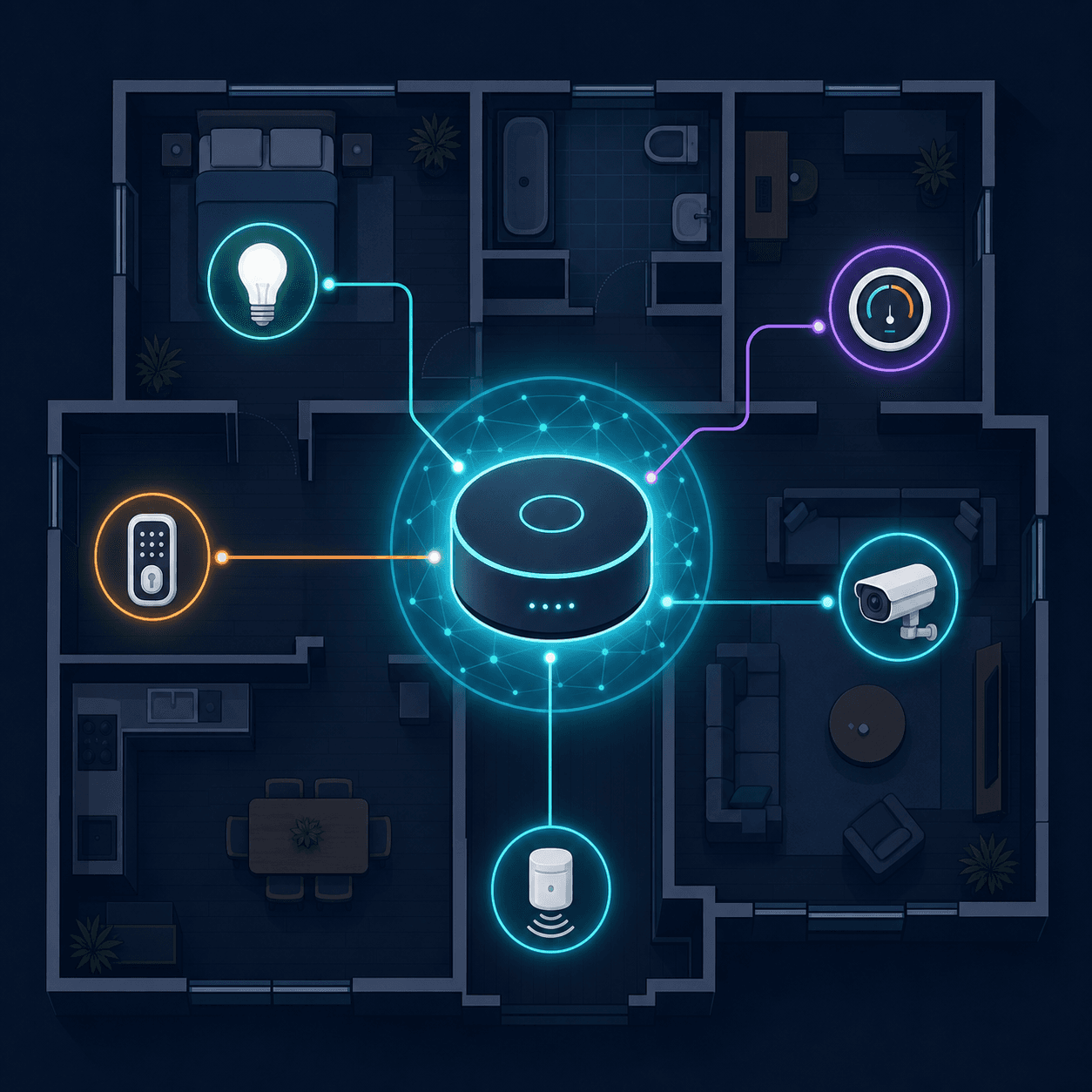
A home automation controller is the full-brain version. It handles protocol translation like a hub, but it also runs automation logic locally, stores your device database, processes sensor data, and executes multi-step routines without phoning home to a cloud server. According to the Custom Electronic Design and Installation Association (CEDIA), a true controller enables sophisticated scenarios like "fading lights and turning on the radio at 7 a.m. for a gentle wake-up" — logic that a simple bridge or a voice assistant cannot reliably execute.
Three Foundation Decisions Before You Buy
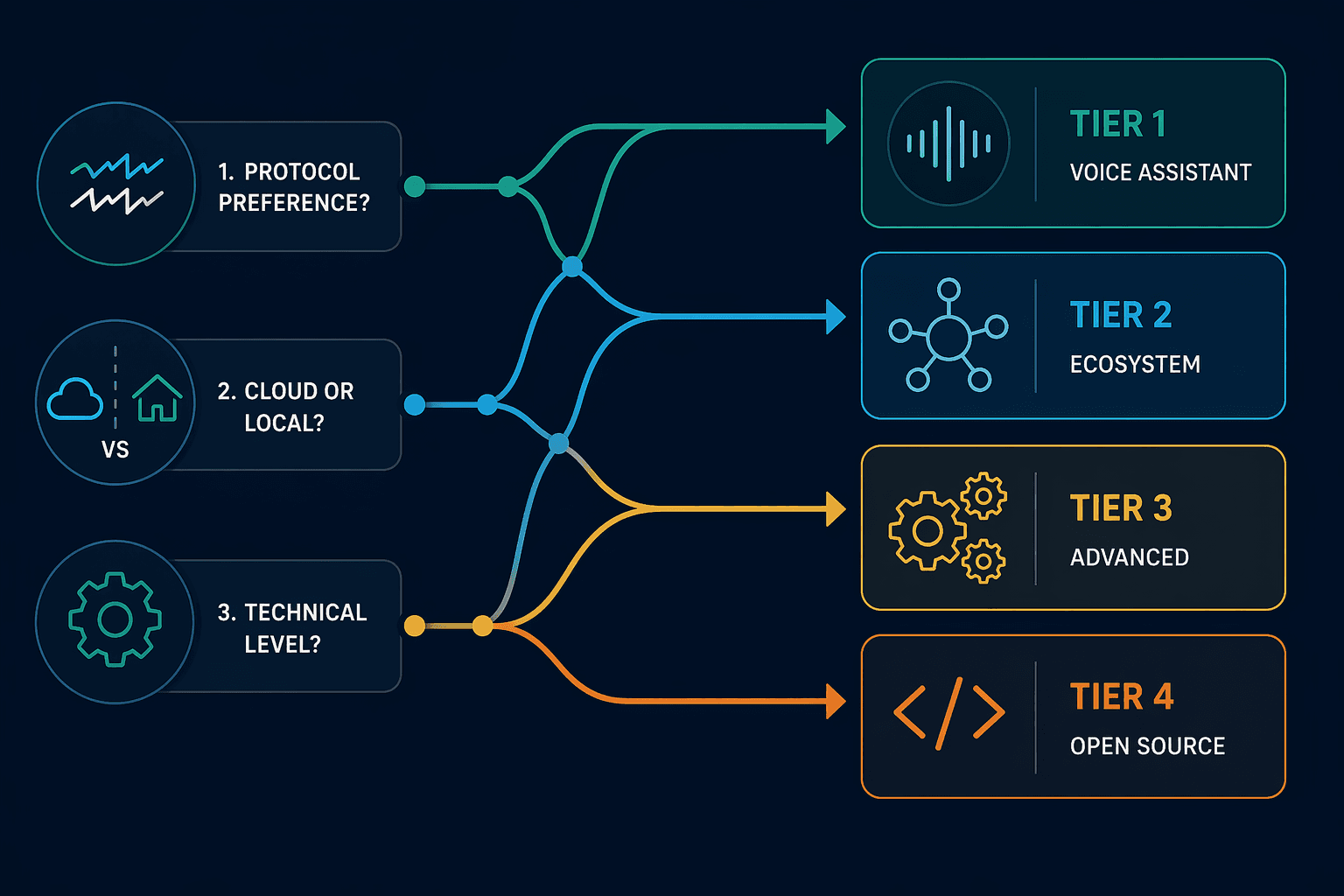
Rather than starting with a list of products, begin with three questions that define your requirements. The answers will narrow the market to a single tier.
1. What protocols do your devices use?
Every smart home device communicates over one or more wireless protocols. Your controller must speak the same languages as your devices — or be able to bridge them. The four major protocols in 2026 are:
- Zigbee: A low-power mesh protocol used by thousands of devices from Philips Hue, Aqara, IKEA, and many others. Zigbee networks can support hundreds of devices on a single coordinator.
- Z-Wave: A proprietary mesh protocol that requires a certified Z-Wave controller. It is highly reliable and less prone to Wi-Fi interference, but networks are capped at 232 devices per controller according to Vesternet's hardware guide.
- Matter: The cross-ecosystem standard backed by Apple, Google, Amazon, and Samsung. A Matter controller can onboard devices via QR codes and share them across ecosystems using multi-admin.
- Thread: A low-power mesh IP protocol that serves as the transport layer for many Matter devices. Thread networks are self-healing and do not require a dedicated hub — the controller acts as a Thread Border Router.
If you already own Zigbee bulbs and a Z-Wave deadbolt, you need a controller that supports both. If you are starting from scratch with Matter-certified devices, a newer voice assistant or ecosystem hub may suffice. For deeper dives, see our Zigbee explainer and Z-Wave explainer.
2. Local processing or cloud convenience?
This is the most consequential decision you will make. Cloud-dependent controllers send your automation logic to a remote server for processing. When your internet goes down, your automations stop. When the cloud service shuts down — as Insteon did in 2022, leaving customers with bricked devices — your hardware becomes useless.
Local controllers process everything on the hardware in your home. User-reported benchmarks from the Home Assistant community show local response times of 0.5–1 second for common automations, compared to 2–15 seconds for cloud-dependent systems. That gap matters for time-sensitive actions like turning on lights when a motion sensor triggers or locking the door when you leave.
3. How much tinkering are you willing to do?
Controllers range from plug-and-play voice assistants to open-source platforms that require YAML configuration files. Be honest about your technical appetite:
- Zero setup: Choose a voice-assistant controller (Tier 1).
- App-based setup, no coding: Choose an ecosystem hub (Tier 2).
- Web-based dashboard, some configuration: Choose a prosumer hub (Tier 3).
- Full control, willing to learn: Choose an open-source platform (Tier 4).
There is no wrong answer, but mismatching your technical appetite to a controller tier is the most common reason smart home projects stall halfway through.
Tier 1: Voice-Assistant Controllers (Amazon Echo, Google Nest Hub)
If you want to control a handful of lights, a thermostat, and a plug with your voice, and you have no interest in configuring automation logic, a voice-assistant controller is the right starting point.
Amazon has added Matter controller support to over 100 million Echo devices via software updates, according to Gearbrain's 2026 guide. That means a 4th-generation Echo Dot or an Echo Show 15 can onboard Matter devices, manage them locally, and share them with other ecosystems using multi-admin. Google's Nest Hub (2nd Gen) and Nest Hub Max offer similar Matter controller capabilities.
However, voice assistants have a hard ceiling on complexity. As Vesternet notes, they "will struggle to carry out more complicated scenarios such as 'turn the lights on at 6 p.m., but only if nobody is home and the alarm system is armed in away mode'." If your automation ambitions extend beyond single-trigger, single-action routines, you will outgrow this tier.
Tier 2: Ecosystem Hubs (Samsung SmartThings, Apple HomeKit)
Ecosystem hubs are for users who are committed to a single smart home platform and want a more capable controller than a voice assistant, but are not ready for prosumer or open-source hardware.
Samsung SmartThings supports Z-Wave, Zigbee, Bluetooth, and Wi-Fi out of the box, and integrates with Alexa and Google Assistant. Its app-based setup is straightforward, and the platform has a large library of compatible devices. Note that the current SmartThings hub hardware is manufactured by Aeotec, not Samsung — the transition happened in 2021, and retail stock may vary.
Apple HomeKit takes a different approach. It does not sell a dedicated hub; instead, an Apple TV 4K (3rd Gen), HomePod mini, or HomePod (2nd Gen) acts as the HomeKit controller. HomeKit's strength is privacy — all communication is end-to-end encrypted, and automations run locally on the hub. Its weakness is device selection: you need HomeKit-certified accessories, which are fewer than Zigbee or Z-Wave options, though Matter is expanding the pool.
| Feature | Samsung SmartThings | Apple HomeKit |
|---|---|---|
| Hub hardware | Aeotec SmartThings Hub | Apple TV 4K / HomePod |
| Protocols | Z-Wave, Zigbee, Wi-Fi, Bluetooth | Wi-Fi, Thread, Bluetooth (Matter via update) |
| Local processing | Partial (some automations local) | Full (all automations local) |
| Voice assistant | Alexa, Google Assistant | Siri |
| Device ecosystem size | Large (Z-Wave + Zigbee + Matter) | Medium (HomeKit + Matter) |
| Setup difficulty | App-based, beginner-friendly | App-based, beginner-friendly |
For a detailed comparison of all three major voice ecosystems, see our Alexa vs. Google Home vs. Apple HomeKit comparison.
Tier 3: Prosumer Hubs (Hubitat Elevation, Homey Pro, HomeSeer HomeTroller)
Prosumer hubs are for users who want local processing, broad protocol support, no subscription fees, and the ability to write custom automation logic — without diving into Linux configuration files.
These devices are built on more powerful hardware than voice assistants or ecosystem hubs. Vesternet's detailed comparison provides the following specs:
| Model | CPU | RAM | Protocols | Key Differentiator |
|---|---|---|---|---|
| Hubitat Elevation | Quad-core Cortex-A53 1.5 GHz | 1 GB | Z-Wave, Zigbee, LAN | First certified Z-Wave 700 Series controller; 200m+ range |
| Homey Pro | Dual-core IMX6 1 GHz | 1 GB | 8 protocols (Z-Wave, Zigbee, Matter, Thread, 433 MHz, IR, Wi-Fi, Bluetooth) | 50,000+ supported devices |
| Fibaro HC3 | Quad-core Cortex-A53 1.2 GHz | 2 GB | Z-Wave, Zigbee, LAN | 2 GB RAM for complex scenes |
Hubitat Elevation runs all automations locally with no cloud dependency. It was one of the first controllers certified for Z-Wave 700 Series, which offers over 200 meters of range and improved battery life for sensors. The trade-off is a web-based interface that requires more configuration than SmartThings or HomeKit.
Homey Pro supports eight protocols out of the box, including 433 MHz and infrared — making it the best option for integrating older RF devices like motorized blinds or RF outlets. Homey claims compatibility with over 50,000 devices, though that figure comes from the manufacturer's own wiki and should be treated as an estimate rather than a verified count.
Tier 4: Open-Source Platforms (Home Assistant Green / Raspberry Pi)
Open-source platforms are for users who want maximum flexibility, zero vendor lock-in, and full local control — and are willing to invest time in setup and maintenance.
Home Assistant is the dominant open-source platform, with over 2 million active installations as of 2024. It processes over 2,500 integrations locally, according to community data, and ZDNET named it the "best overall home automation system" in its December 2025 comparison, calling it "the most versatile smart home automation system" that works with over a thousand integrations including Matter.
You can run Home Assistant on a dedicated Home Assistant Green for $159, a Raspberry Pi 4 or 5, or repurposed PC hardware. The Green is the easiest entry point — it comes pre-loaded with Home Assistant OS and requires no Linux knowledge to get started.
The platform's local-first architecture delivers the fastest response times in this comparison. User-reported benchmarks show 0.5–1 second latency for local automations, compared to 2–15 seconds for cloud-dependent systems. The Home Assistant community averages 24 automations and 74 integrations per installation, indicating that users tend to build increasingly complex setups over time.
- Pros: No subscription fees, full local control, 2,500+ integrations, active community (second-most active project on GitHub), supports Matter and Thread via add-ons.
- Cons: Steeper learning curve, requires periodic maintenance, some integrations depend on community-developed code that may break after updates.
Quick-Decision Table: Which Controller Fits Your Profile?
Use the table below to match your situation to a controller tier. If you are still deciding between voice assistant ecosystems, our Alexa vs. Google Home vs. Apple HomeKit comparison can help narrow the choice.
| Your Profile | Recommended Tier | Example Product | Protocol Support | Local Processing | Difficulty | Starting Price |
|---|---|---|---|---|---|---|
| Renter with 3–5 smart plugs and lights | Tier 1: Voice Assistant | Amazon Echo (4th Gen) | Wi-Fi, Matter | Partial | Zero | $50 |
| Apple household with HomeKit devices | Tier 2: Ecosystem Hub | Apple TV 4K + HomePod | Wi-Fi, Thread, Matter | Full | Low | $130 |
| Homeowner with Z-Wave locks and Zigbee sensors | Tier 3: Prosumer Hub | Hubitat Elevation | Z-Wave, Zigbee, LAN | Full | Medium | $150 |
| Multi-protocol household (Z-Wave, Zigbee, 433 MHz) | Tier 3: Prosumer Hub | Homey Pro | 8 protocols including IR and 433 MHz | Full | Medium | $399 |
| Techie wanting full local control and no subscriptions | Tier 4: Open Source | Home Assistant Green | Any (via USB dongles) | Full | High | $159 |
| Android user with Google Nest devices | Tier 1: Voice Assistant | Nest Hub (2nd Gen) | Wi-Fi, Thread, Matter | Partial | Zero | $100 |
| Large home with 100+ devices across protocols | Tier 4: Open Source | Home Assistant on NUC | Any (via USB dongles) | Full | High | $300+ |
What to Buy in 2026: Matter and Thread Considerations
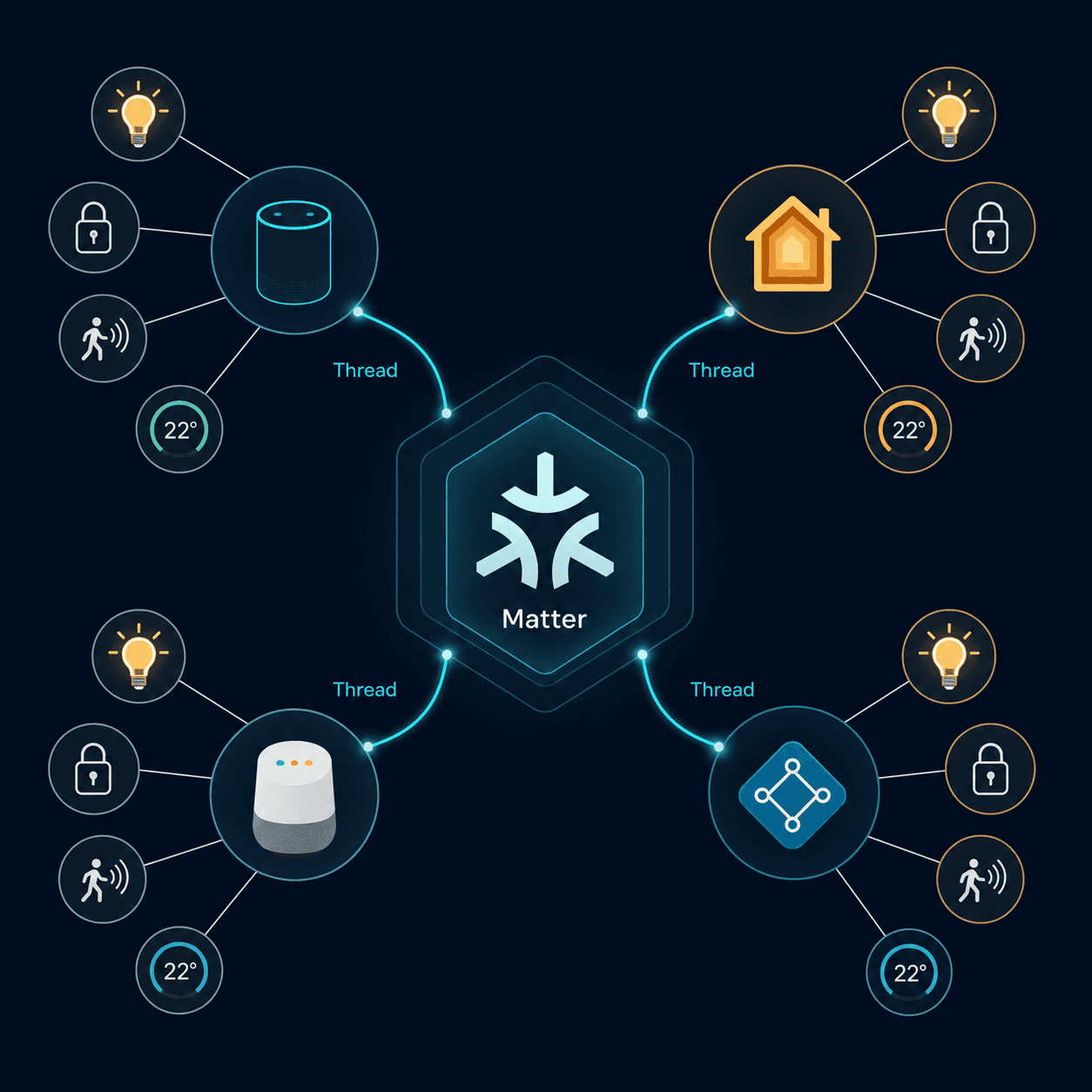
Matter and Thread are reshaping the controller landscape in 2026. Here is what you need to know before buying.
Matter controllers are everywhere now
Amazon, Google, Apple, and Samsung all support Matter. A Matter controller can onboard devices by scanning a QR code, authenticate them securely, maintain encrypted communication, and enable multi-admin sharing — meaning you can add a device to Alexa and then share it with Apple HomeKit without re-pairing. Gearbrain's 2026 guide lists Matter controllers across all major ecosystems, including Amazon Echo (4th Gen and newer), Google Nest Hub (2nd Gen), Apple TV 4K (3rd Gen), SmartThings, and Homey Pro.
If you are buying new devices in 2026, prioritize Matter-certified products. They will work with any Matter controller, reducing the risk of ecosystem lock-in.
Thread provides the mesh backbone
Many Matter devices use Thread as their network transport layer. Thread is a low-power, self-healing mesh protocol that does not require a dedicated hub — the controller acts as a Thread Border Router. Apple TV 4K, HomePod mini, Google Nest Hub (2nd Gen), and the Homey Pro all include Thread Border Router functionality.
Thread's advantage over Wi-Fi is reliability: if one device goes offline, the mesh reroutes through another. Its advantage over Zigbee and Z-Wave is that it is IP-based, meaning devices can communicate directly with the internet without a proprietary bridge.
Legacy protocols still matter
Matter and Thread do not replace Zigbee and Z-Wave overnight. Millions of existing devices use those protocols, and they remain excellent choices for reliability and battery life. A controller that supports both Matter/Thread and legacy protocols — like Hubitat Elevation, Homey Pro, or Home Assistant with USB dongles — gives you the best of both worlds.
Implementation Notes
Share platform-specific tips, report that a recipe no longer works after a platform update, or contribute variations for different device combinations.
Comments
Join the discussion with an anonymous comment.