
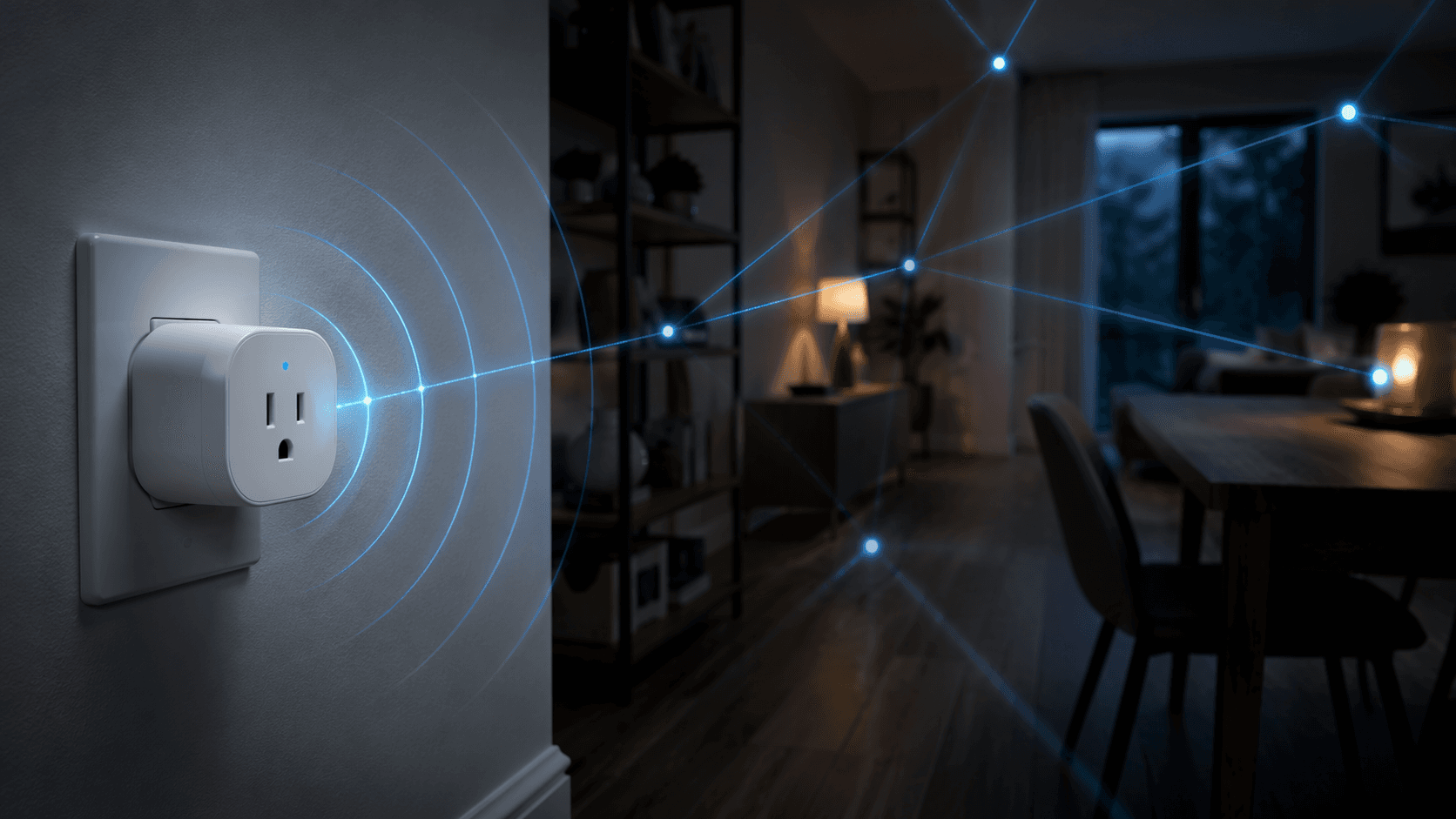
A Z-Wave smart plug is a plug-in outlet module that needs a Z-Wave hub. It can switch power on and off, report energy use if the hub exposes that data, and act as a Z-Wave mesh repeater when it is joined in normal mesh mode. That last condition matters: if the same plug is joined in Z-Wave Long Range mode, it can reach farther back to the hub, but it no longer repeats for nearby Z-Wave devices.
That is the purchase decision in miniature. You are not buying a Wi-Fi plug with a different radio inside. There is no direct Bluetooth control, no standalone Wi-Fi app, and no useful “I’ll just pair it to my phone later” fallback. The plug’s real value depends on the hub, the inclusion mode, the driver, and whether your platform actually shows the features printed on the product page.
What the 800-series generation changes
For a 2026 buyer, the practical dividing line is the move from older 700-series plugs to current 800-series models. Modern 800-series Z-Wave smart plugs are sold around longer range, S2 authenticated security, and Long Range support; in Long Range mode, the stated maximum range reaches up to 1,300 feet under ideal conditions.[1] That number is useful as a technology marker, not as a promise that a basement plug will talk through every wall, appliance, and metal panel in a real house.
The more interesting choice is not simply “newer is better.” In mesh mode, a powered Z-Wave smart plug can repeat traffic for other Z-Wave devices. That is one of the best reasons to use Z-Wave plugs instead of battery sensors alone: they can fill gaps in the network. In Long Range mode, the plug talks directly to the hub over a longer link, but it does not serve as a repeater.[1]
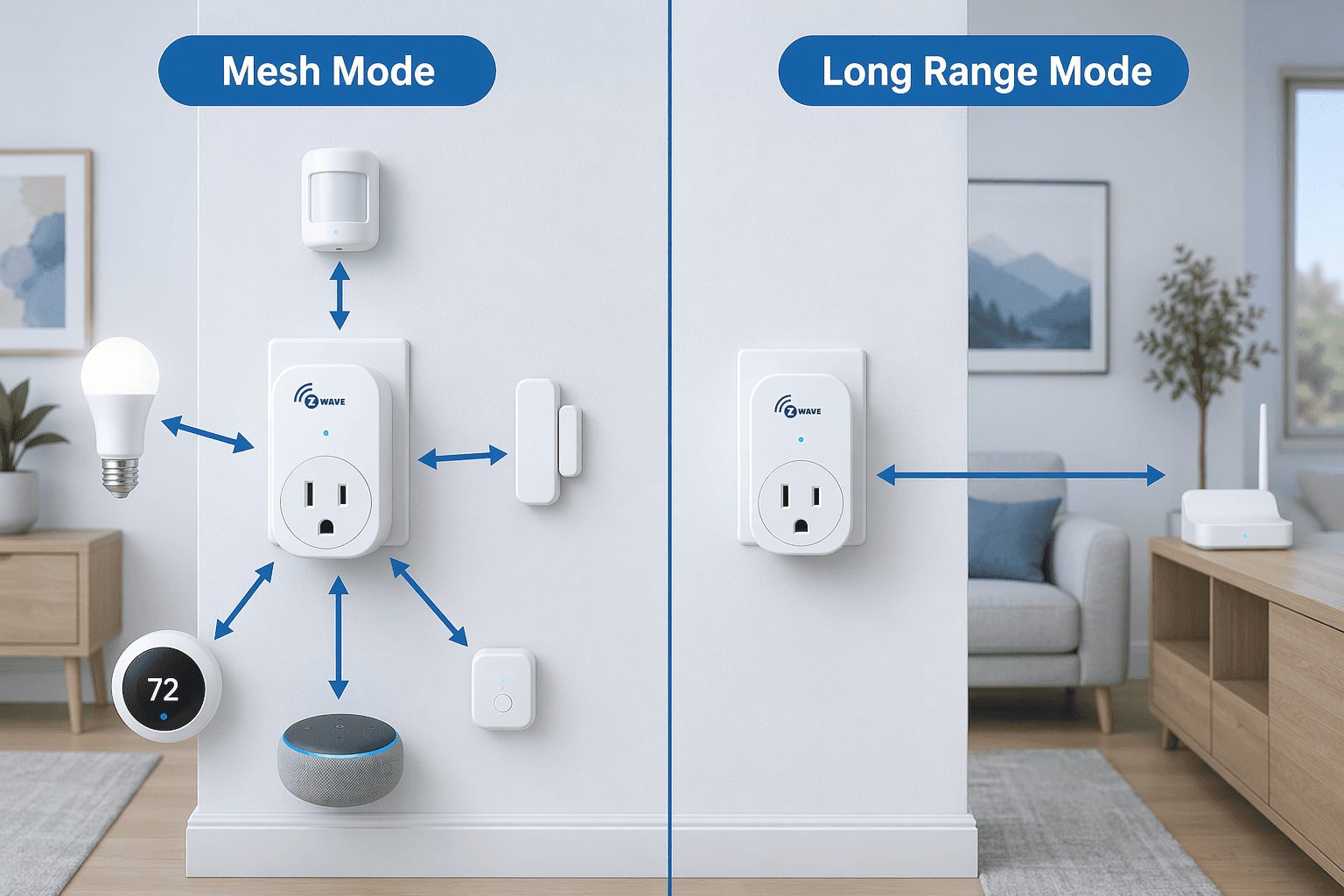
So the better mode depends on what problem you are solving. A detached garage device that barely reaches the hub may benefit from Long Range. A hallway plug between the hub and a set of switches may be more valuable as a mesh repeater. Treating Long Range as a universal upgrade is how a useful network node turns into an isolated endpoint.
Energy monitoring is useful, but the claims need labels
Energy monitoring is one of the reasons to pay attention to model choice. A basic on/off plug can automate a lamp. A metering plug can show whether a dehumidifier, entertainment rack, network cabinet, or PC is quietly becoming one of the larger loads in the house.
The concrete example from Poc Network’s Minoston MP21ZP review is a good reminder of why this feature is not just dashboard decoration: a gaming PC measured through the plug consumed 5–6 kWh per day, placing it among the top four household energy users in that test environment.[2] That does not mean every gaming PC will land there. It does show what a plug-level meter can reveal that a monthly utility bill hides.
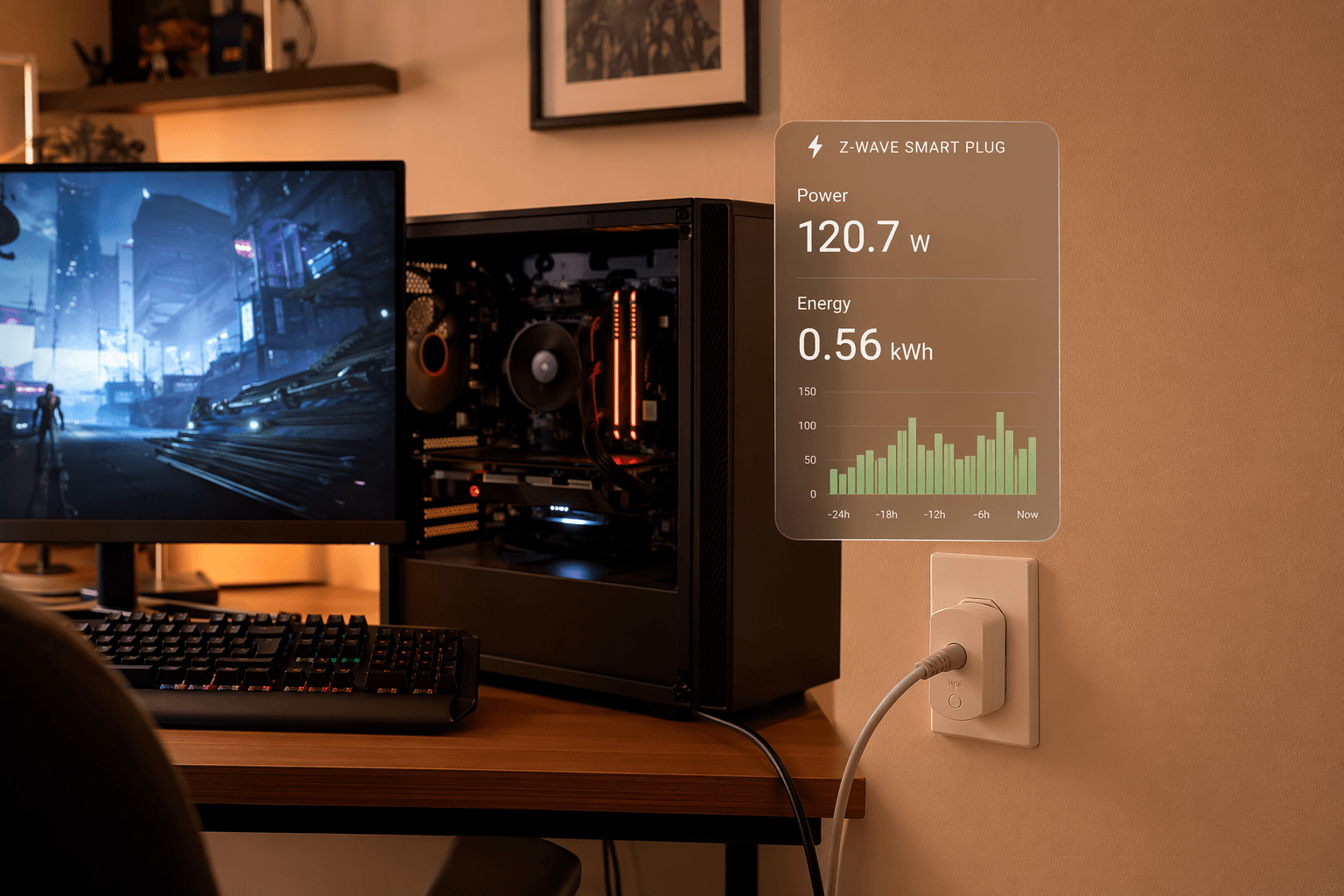
Accuracy language needs more care. Shelly claims 1% power measurement precision for the Wave Plug US, and Aeotec claims 99% energy monitoring accuracy for the Smart Switch 7.[3][4] Those are manufacturer claims, not independent lab results across every load type a homeowner might plug in. Resistive loads, switching power supplies, motors, and low-watt standby electronics do not all behave the same way. The claims are still useful, but they should be read as vendor-stated specifications rather than settled comparative rankings.
The reporting settings matter as much as the sensor. Zooz warns that setting reporting intervals below 30 seconds or enabling both threshold-based and frequency-based reports at the same time can contribute to Z-Wave network congestion.[5] That is exactly the sort of setting that looks harmless in a device page and becomes annoying when several plugs start chattering on the same network.
The current plug set worth comparing
Indoor 800-series Z-Wave smart plugs with energy monitoring generally sit in a $25–$40 retail band as of June 2026, with the usual caveats for sales, multi-packs, and regional pricing.[1] Most are built around the common 15A / 1875W resistive load class.[1] That load rating is a guardrail, not a reason to plug in whatever has a cord; motors, heaters, and appliances deserve more caution than a table lamp.
| Model | Best reason to consider it | Decision caveat |
|---|---|---|
| Zooz ZEN04 800LR | Configurable energy reporting and useful mesh repeating when included in mesh mode | Verify the exact SKU, because product-page wording can blur 700-series and 800-series variants |
| Minoston MP21ZP | Lower-cost metering plug with configurable reporting; a real review showed it identifying a gaming PC as a major household load | Treat it as a practical visibility tool, not a certified whole-home energy audit device |
| Shelly Wave Plug US | Manufacturer-claimed 1% power measurement precision, low standby power, and support for both mesh and Long Range modes | Mesh and Long Range are different network roles; Long Range does not repeat |
| Aeotec Smart Switch 7 | Manufacturer-claimed 99% energy monitoring accuracy from an established Z-Wave accessory brand | The accuracy claim is vendor-stated and should not be treated as independently verified across all load types |
Zooz ZEN04 800LR: the one to buy when you want the knobs
The Zooz ZEN04 800LR is the plug I would look at first for a system where reporting behavior matters. It is sold at roughly $28, supports configurable threshold and frequency reporting, and works as a solid Z-Wave mesh repeater when used in mesh mode.[1][5] That combination is more valuable than it looks: the plug can be tuned so it reports enough to be useful without flooding the network with tiny updates.
The catch is the SKU. The Zooz product page URL refers to “700-series,” while the product title says “800 Series.”[1] That does not make the plug bad; it makes the final checkout step important. If you are buying specifically for 800-series and Long Range support, confirm the exact variant with the seller before treating a product title, marketplace listing, or old bookmark as enough evidence.
Minoston MP21ZP: the budget metering example that makes the feature real
The Minoston MP21ZP sits around $26 and belongs in the comparison because it shows how inexpensive energy monitoring can still change what you know about a room.[1] The Poc Network gaming-PC example is the point: once the plug made daily consumption visible, the PC was no longer just “computer stuff” on the bill; it became a measurable load competing with other household users.[2]
That is the right expectation for this class of device. Use it to discover patterns, compare standby draw, spot unusually long run times, and automate around real consumption. Do not confuse it with utility-grade metering.
Shelly Wave Plug US: precision claim plus a clear mesh/LR split
The Shelly Wave Plug US is the premium-priced model in this group at about $39, and its spec sheet makes two claims buyers will notice: 1% power measurement precision and standby power below 0.3W.[1][3] It also gives more explicit range figures than most plug listings: 131 feet indoors in mesh mode and 262 feet indoors in Long Range mode.[3]
The useful thing about those numbers is not that every house will reproduce them. It is that they force the right question. If you need the plug to help other Z-Wave devices, use mesh mode. If you need the plug itself to reach farther back to the hub, Long Range may be the better fit. Those are different jobs.
Aeotec Smart Switch 7: the accuracy-focused option
Aeotec’s Smart Switch 7 is the comparison point for buyers who want an established plug with a strong metering claim. Aeotec states 99% energy monitoring accuracy for the device.[4] That may be persuasive if you already use Aeotec hardware or want a plug positioned around measurement confidence.
The same caution applies here as with Shelly: the claim comes from the manufacturer. Without independent testing across varied loads, it should not be used to declare the Aeotec universally more accurate than every competing plug. It is a vendor-stated specification to weigh alongside hub support, price, and reporting controls.
Hub compatibility is not a logo row
This is where Z-Wave smart plug buying goes wrong most often. “Z-Wave compatible” can mean the hub includes the device, switches it on and off, exposes energy data, lets you change parameters, supports Long Range, or only does some of that. Those are different purchase outcomes.
If the hub part is still fuzzy, start with the hub rather than the plug. A Z-Wave plug is not useful by itself; it needs a controller, and the controller decides how much of the device you actually get to use. For a broader primer, see What Is a Home Automation Controller? or compare platforms in Best Smart Home Controller 2026.
| Hub platform | What to verify before buying |
|---|---|
| Ring Alarm | Ring can pair with Z-Wave plugs, but power monitoring is stripped out; buy for control, not energy data |
| SmartThings | Z-Wave plug control requires an Edge driver; confirm the specific model has driver support |
| Hubitat | Strong choice when you want parameter-level control over reporting and behavior |
| Home Assistant | Strong choice for direct parameter control, assuming the Z-Wave setup is already healthy |
| Homey | Supports Z-Wave, but driver maturity varies by device; check the exact app/driver path |
Ring is the easy trap. A plug can pair and still lose the feature that made you choose that plug. Ring Alarm hubs pair with Z-Wave plugs but strip power monitoring functionality.[1] If your main reason for buying an energy-monitoring plug is to see watts or kWh in the app, Ring changes the value proposition.
SmartThings is more conditional. The platform can be a fine home for Z-Wave devices, but Z-Wave plug control depends on Edge driver support.[1] Before buying, look for the device model and driver path, not just a forum post saying the brand worked once.
Hubitat and Home Assistant are the better fit for buyers who care about reporting thresholds, intervals, association behavior, and other parameters.[1] That does not make them mandatory for everyone. If all you want is reliable on/off control and occasional energy visibility, deep parameter control may be more setup surface than benefit. But if you are tuning a Z-Wave network, the ability to see and adjust device behavior is not a luxury.
Homey sits in the middle: it supports Z-Wave, but driver maturity varies.[1] With Homey, the question is not “does Homey support Z-Wave?” It is whether this exact plug has the driver support you need for switching, metering, configuration, and the inclusion mode you plan to use.
How to choose without overbuying
Start with the hub, then the job. If the plug is going behind a couch to strengthen the mesh for nearby switches, prioritize stable mesh repeating and sane reporting defaults. If it is going in a far corner of the property where no other Z-Wave devices need help, Long Range may matter more. If it is going on a PC, dehumidifier, media cabinet, or appliance you suspect is expensive to run, energy data deserves more weight.
- Choose Zooz ZEN04 800LR if you want configurable reporting and are willing to verify the exact 800-series SKU.
- Choose Minoston MP21ZP if you want a low-cost energy-monitoring plug and mainly need practical consumption visibility.
- Choose Shelly Wave Plug US if its claimed measurement precision, very low standby draw, and explicit mesh/LR range figures fit your setup.
- Choose Aeotec Smart Switch 7 if you value Aeotec’s stated 99% metering accuracy and the device fits your hub’s driver support.
The cheapest plug is not automatically the best one. The most configurable plug is not automatically the best one either. A living-room lamp does not need a lab instrument, and a network-tuning plug should not hide every parameter behind a simplified app. The right buy is the one whose hub support, network role, and reporting behavior match the place it will actually occupy.
Pre-purchase verification checklist
- Confirm your hub first. A Z-Wave smart plug needs a Z-Wave controller; it is not a standalone Wi-Fi or Bluetooth plug.
- Confirm the feature path, not just pairing. Check whether your hub exposes on/off control, energy data, configuration parameters, and Long Range support for the exact model.
- Decide whether this plug should repeat for the mesh or reach farther in Long Range mode. It generally cannot do both at the same time.
- Verify the exact 800-series SKU when product wording is ambiguous, especially with listings that mix old URLs, new titles, and marketplace variants.
- Treat 1% precision and 99% accuracy claims as manufacturer claims unless you have independent test data for the kind of load you plan to monitor.
- Avoid overly aggressive energy-reporting settings. Very short intervals and overlapping report triggers can create unnecessary Z-Wave traffic.
- Check the load rating and the load type. The common 15A / 1875W resistive class is not a blanket approval for every motor, heater, or appliance.
A Z-Wave smart plug is small, but it is not a casual accessory. It is worth buying when the hub will expose the features you paid for, the reporting settings will not pollute the network, and the plug’s role—mesh repeater or Long Range endpoint—fits the home it is joining.
References
- Z-Wave Smart Plug Buyer's Guide Device Profile — user-provided research brief, June 26, 2026
- Minoston MP21ZP review — Poc Network
- Shelly Wave Plug US product specifications — Shelly
- Aeotec Smart Switch 7 product specifications — Aeotec
- Zooz ZEN04 reporting and configuration documentation — Zooz / The Smartest House
Corrections & Community Notes
Spotted an outdated spec, changed compatibility, or new firmware behavior? Submit a correction below to help keep this profile current. For formal editorial updates, use the contact page.
Comments
Join the discussion with an anonymous comment.