
A Red Flag Warning is not an app notification with a dramatic name. It is an official National Weather Service warning for weather conditions that can support rapid fire spread; NPR’s explanation of NWS criteria describes conditions such as relative humidity at or below 15% and sustained winds of at least 25 mph for at least three hours in some regions.[1] Your smart home can respond to that warning, but it should not reinterpret it. The first source of truth is still the NWS, your local fire authority, and any evacuation order.
The useful way to handle your smart-home checklist is by time, not by device. A thermostat setting that makes sense a week ahead may be the wrong thing during evacuation. A smart lock code is helpful only if the physical key is still available. A camera is useful if it records after you leave, but it is not a reason to stay behind.
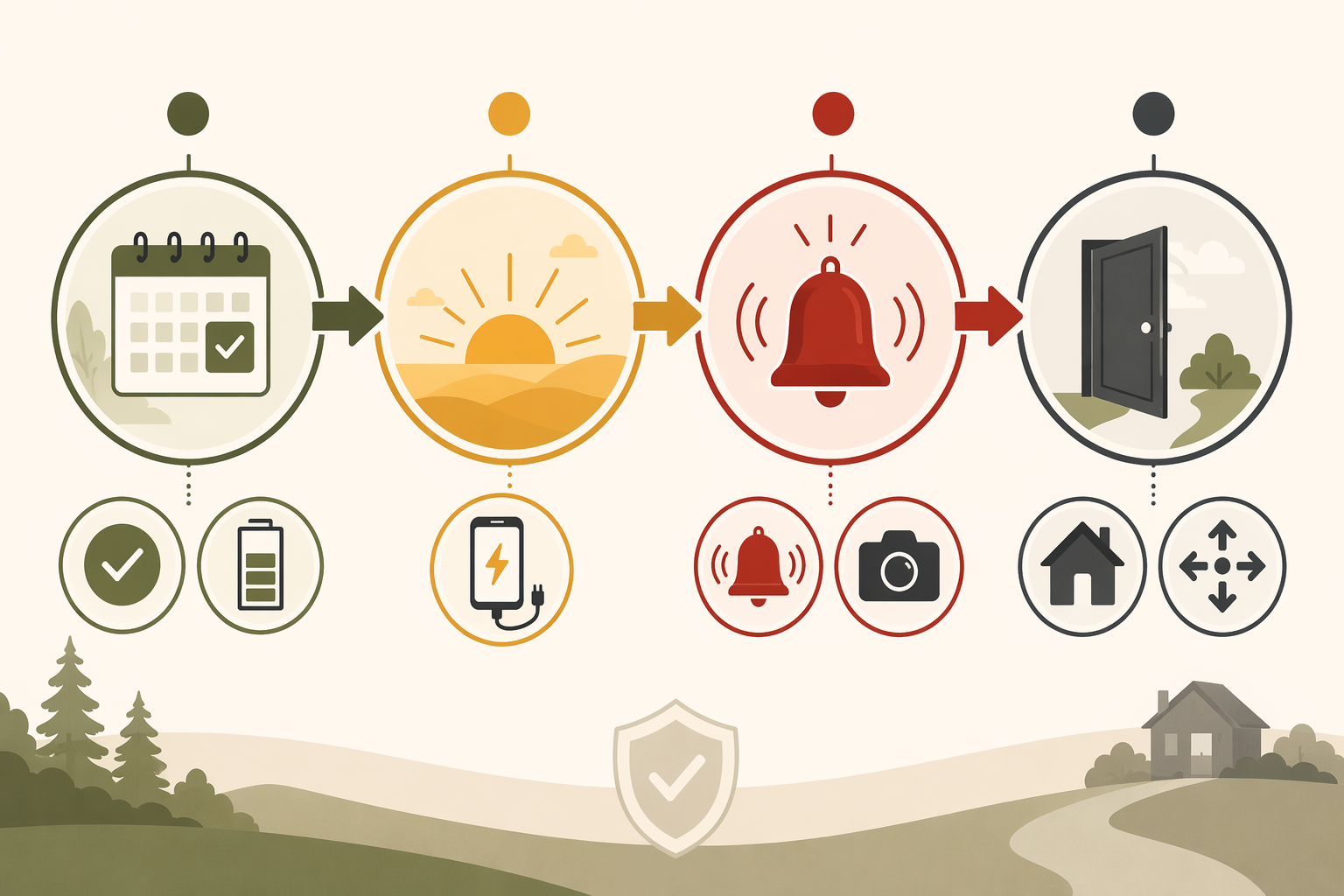
The Four-Phase Smart Home Plan
Official red flag guidance is plain about behavior: avoid outdoor burning, avoid spark-producing work, secure tow chains, follow local restrictions, and prepare to leave if conditions worsen.[2] Local fire departments add the practical household layer: monitor official alerts, move combustible items away from the home, review evacuation routes, and be ready before the road outside fills with smoke and cars.[3][4] The smart-home layer belongs underneath that guidance.
| Phase | What the smart home should do | What still needs a manual fallback |
|---|---|---|
| Week before or seasonal verification | Test alarms, update alert integrations, confirm batteries, check lock and garage access, label routines | Physical keys, printed contacts, hand-operated garage release, NOAA radio |
| Morning of the warning | Charge devices, top off backup power, pre-cool if appropriate, close vents and windows, set camera and alert behavior | Go-bag, evacuation route, vehicle fuel or charge, charger cables |
| During the warning | Monitor official alerts, air quality, cameras, power status, and household presence without creating noise fatigue | Local fire authority instructions, radio alerts, neighbor check-ins where safe |
| Evacuation execution | Run one-tap mode for lights, HVAC, cameras, locks, garage, and water shutoff | Leave when told, take people and pets, do not delay for devices |
Week Before: Verify the Pieces You Will Not Want to Debug Later
The week-before phase may happen at the start of fire season, after a device change, or whenever your local forecast starts to look ugly. This is the slow work: open the app, test the device, find the key, read the battery indicator, and prove that the routine does what its name says.
Test smoke and CO alarms like you expect them to be boring
Press the test button on every smoke and carbon monoxide alarm. Confirm that interconnected alarms sound where expected and that phone notifications arrive on every adult’s device. If you use smart smoke alarms or listeners, verify both the alarm function and the app alert path. Travelers describes smart smoke detection as useful because alerts can reach homeowners remotely and, in some systems, can connect to other devices such as HVAC controls.[7] That is helpful only after the basic alarm test succeeds.
If you are still sorting out which alarms work with your ecosystem, use a compatibility reference such as the Smart Smoke Detector Compatibility Guide. A wildfire warning day is the wrong time to discover that an alarm is visible in one app but cannot trigger the routine you planned.
Check the official alert path before checking the automation
Make sure every phone receives Wireless Emergency Alerts and local county notifications. Add your local NWS forecast office, county emergency management, and fire authority pages to a place you can reach quickly. Weather.gov’s red flag safety page emphasizes staying informed through NWS forecasts and local officials, which should sit above any private smart-home notification.[2]
If you use Home Assistant, Hubitat, SmartThings, Apple Home, Google Home, Alexa, or another platform to react to weather alerts, treat the integration as a convenience layer. Community-documented NWS alert integrations can be useful, but do not build a household rule that depends on an untested event name, attribute, or third-party cloud call. Trigger a test routine if your platform allows it, or create a clearly labeled manual scene called something like “Red Flag Prep” that does not depend on the integration firing perfectly.
For readers still deciding which ecosystem can support alert-based routines, a smart home platforms comparison is more useful here than a recipe copied from someone else’s house.
Prove your backup power plan
Open the battery app, generator status page, or inverter display. Confirm charge level, output mode, and what is actually plugged into backup circuits. Wildfire season can bring utility shutoffs in some regions, and commercial battery vendors discuss home backup systems in that context, but a vendor sizing article should not be treated as a universal rule for your home.[11] Your loads, medical needs, utility program, and local codes decide what matters.
- Confirm the router, modem, smart hub, and alarm bridge are either on backup power or not required for life-safety alerts.
- Charge portable power stations and power banks before the warning, not after the utility texts about a possible shutoff.
- Check generator fuel, outdoor placement rules, extension cords, and carbon monoxide safety before anyone is tired or hurried.
- Label which outlets or circuits stay live on backup power so no one guesses under stress.
Make locks and garage doors boringly accessible
Smart locks are useful during evacuation because you can assign codes, confirm status, or avoid leaving a door accidentally unlocked. Wirecutter’s disaster-prep discussion points to remote monitoring and smart locks as practical smart-home advantages when people cannot stay at the property.[8] But a smart lock is not prepared until the mechanical key exists, works, and is known to the people who may need it.
Verify at least one trusted access path that does not require your phone, your cloud account, or your home internet. That may be a physical key, a lockbox, a keypad code stored with a trusted person, or another locally approved method. If you are replacing hardware, check a Matter-compatible smart lock guide or a broader smart lock buyer’s guide, but do not let protocol support distract from the physical override.
For the garage, test the opener, wall button, battery backup, and manual release. Ready for Wildfire / CAL FIRE includes garage door battery backup in its preparedness guidance, which is exactly the kind of detail that becomes important when power fails and a vehicle is still inside.[6] If your garage controller is integrated into your smart home, confirm that “close garage” means closed, not merely command sent. For compatibility planning, see Matter garage door compatibility.
Morning Of: Configure the House While You Still Have Time
On the morning a Red Flag Warning is in effect, the smart home should reduce decisions. It should not start improvising. This is when you charge, close, simplify, and stage.
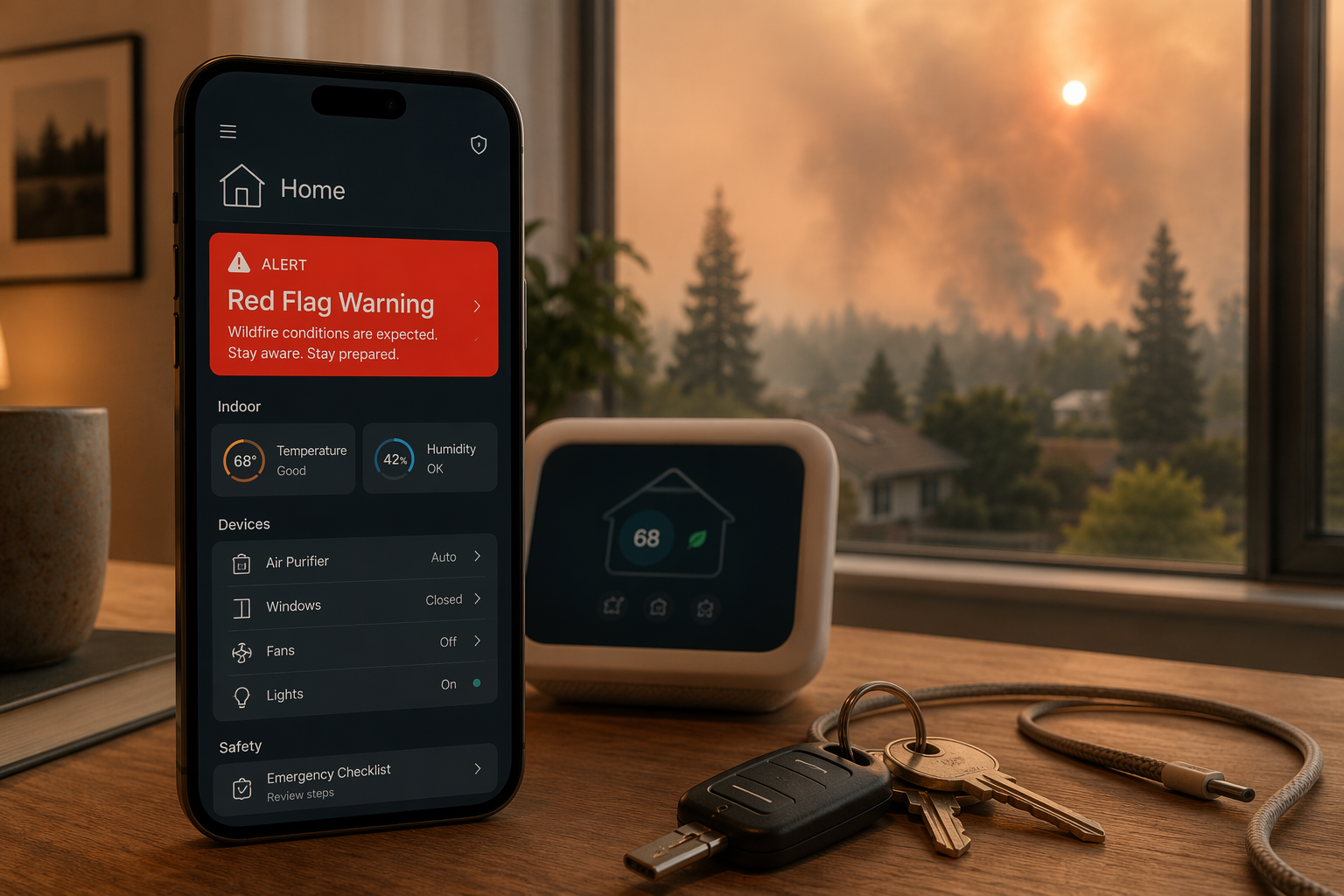
- Charge every phone, watch, tablet, hotspot, laptop, power bank, flashlight, portable radio, and medical device battery.
- Top off the EV or fuel vehicle early enough that you are not competing with everyone else when conditions worsen.
- Move charger cables into the go-bag or car, not just near the outlet.
- Confirm the NOAA weather radio works and has battery power; the Red Cross includes NOAA weather radio and backup phone chargers in emergency supply guidance.[9]
- Open each emergency app once so login, location permissions, and notifications are not waiting for attention later.
Now close the weak points that smart devices can help you notice: smart windows, motorized shades if your fire authority recommends it for your situation, smart vents, pet doors, and garage doors. Vista Fire Rescue’s red flag checklist includes preparation steps such as securing outdoor items and being ready to evacuate, while WFCA’s evacuation guidance includes closing windows and garage doors before leaving when there is time to do so safely.[4][5]
If your thermostat supports it, pre-cool the home early in the day before any utility constraint or evacuation pressure arrives, then prepare a separate evacuation behavior that shuts the system down. The two actions are different. Pre-cooling is for comfort and resilience while you are still sheltering at home; HVAC shutdown is for departure when fire guidance calls for reducing ember and smoke movement through the system. If you are configuring that behavior from scratch, start with a thermostat guide such as the Best Smart Thermostat Comparison or the Ecobee vs. Nest comparison, then test the actual routine in your own house.
Set a Red Flag Prep scene, not a dozen clever routines
A good morning-of scene is modest. It can raise the thermostat setpoint after pre-cooling, turn on critical device charging reminders, set cameras to a higher-alert profile, check lock and garage status, and send a household notification that the warning day routine is active. It should not lock people out, open gates, disable comfort systems, or create alarms that everyone learns to ignore.
For automation structure, adapt ideas from general routines rather than copying a wildfire recipe blindly. Pages like 8 Home Automation Ideas for Your 2026 Starter Stack, Daily Smart Home Automation Ideas, and Home Automation Ideas by Skill Level are useful for learning how to group actions, add confirmations, and avoid fragile dependencies.
During the Warning: Monitor Without Pretending the House Is Protected
During a Red Flag Warning, monitoring has one job: help the household act sooner and with less confusion. It does not certify safety. It does not outrank a sheriff’s alert, fire department instruction, evacuation warning, or evacuation order.
Useful automations during this phase are simple and visible. When an official alert is detected, the system can flash selected lights, announce the alert on speakers, send a push notification to household members, and display a dashboard with links to local emergency pages. If your system cannot reliably distinguish a Red Flag Warning from other weather messages, keep the automation broader and require human confirmation before it changes the house state.
| Device or signal | Good use during warning | What not to assume |
|---|---|---|
| Weather alert integration | Notify the household and open official sources | That the integration will fire faster than county alerts |
| Exterior cameras | Record approaches, gates, driveway, and visible smoke conditions | That camera footage means it is safe to stay |
| Air quality sensor | Show indoor trend changes and remind people to close openings | That consumer readings replace official smoke or evacuation guidance |
| Smart speakers | Broadcast household reminders while people pack or move pets | That everyone will hear them over wind, fans, or stress |
| Power monitoring | Confirm whether router, hub, and chargers remain powered | That cloud devices will keep working through an outage |
IoT smoke, heat, gas, and environmental sensors can support earlier awareness in some wildfire-related situations, and TSI describes these systems as part of broader early-warning and monitoring efforts.[10] That is a monitoring claim, not a guarantee that a consumer sensor will protect a specific home. Put the sensor reading next to official alerts, camera views, and a human decision about leaving.
Evacuation Mode: The One-Tap Routine That Must Stay Subordinate
Evacuation mode is the routine worth building carefully. It should be obvious, hard to trigger by accident, and easy to run from more than one phone. It should also have a paper version: if the hub is down, someone should still know which lights to turn on, which doors to close, where the key is, and whether the HVAC is off.
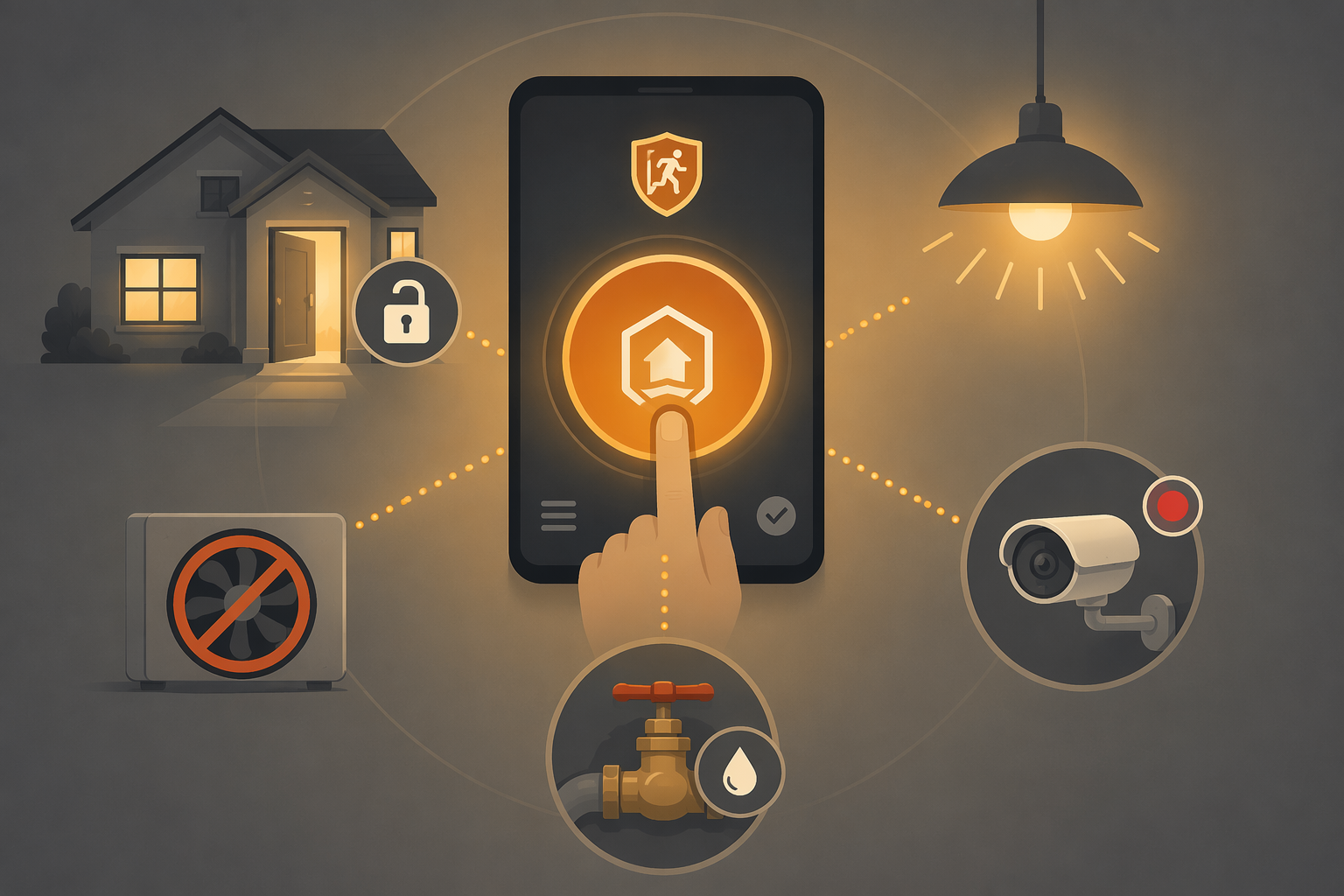
WFCA’s evacuation guidance includes actions such as turning on interior and exterior lights so firefighters can see through smoke, closing windows and doors, closing garage doors, and turning off HVAC systems before leaving when time and conditions allow.[5] Ready for Wildfire / CAL FIRE also emphasizes go-bags, evacuation planning, and home preparation before wildfire threatens.[6] Those are the anchors. The smart-home routine is just a way to perform some of those actions consistently.
What the evacuation routine should do
- Turn on key interior lights, porch lights, garage lights, and path lights for visibility if doing so is safe and power is available.
- Close smart garage doors and confirm closed status; if confirmation fails, assign a person to check only if conditions allow.
- Set the thermostat to off or run the HVAC shutdown action you tested, matching fire authority guidance for your area.
- Arm exterior cameras or switch them to continuous recording if your storage, power, and network can support it.
- Set locks and gates according to your local guidance and access plan: do not create a barrier for people leaving, pets being retrieved, or firefighters needing access.
- Shut off a smart water valve only if that matches your local preparation plan and will not interfere with fire authority expectations, irrigation plans, or household safety needs.
The lock and gate part deserves restraint. Some households want doors locked after departure; others need a gate open for emergency access or animal evacuation. A smart lock routine that blindly secures every opening can create the wrong outcome. Decide in advance who may need access, how they get it, and what happens if the cloud service is offline.
The camera part also needs a limit. Recording after departure can help you check whether the garage closed, whether power is out, or whether smoke is visible. It should not become a live feed that keeps someone in the driveway for one more minute. If the evacuation order is active, the best camera angle is the one you are no longer standing there to watch.
Add confirmations where they matter
A dependable evacuation mode reports results in plain language. “Garage close command sent” is not the same as “garage closed.” “Thermostat set to off” is different from “thermostat unreachable.” Build the notification so a person can act on it quickly.
| Routine result | Useful confirmation | Manual fallback |
|---|---|---|
| Lights | Critical lights on | Turn on switches while exiting if safe |
| Garage | Closed sensor reports closed | Use wall button or manual release |
| HVAC | System mode reports off | Use thermostat or breaker only if safe and appropriate |
| Locks | Chosen doors or gates report intended state | Use physical key, keypad, or prearranged access |
| Cameras | Recording mode active | Leave anyway if recording fails |
| Water valve | Valve reports intended position | Use manual valve only if it does not delay evacuation |
The Go-Bag Tech Layer
The smart home ends at the front door. After that, preparedness is what you can carry, charge, hear, and prove without your home network. The Red Cross emergency supply guidance includes items such as a battery-powered or hand-crank radio, NOAA Weather Radio access where available, extra batteries, cell phone chargers, and backup power.[9]
- Power banks charged and labeled, with cables for every phone type in the household.
- A portable radio or NOAA weather radio with batteries installed or packed beside it.
- A printed list of emergency contacts, insurance contacts, utility outage pages, and local alert sources.
- A spare phone, hotspot, or SIM plan only if your household already maintains one and knows how to use it.
- Photos or offline copies of IDs, insurance documents, prescriptions, pet records, and access codes stored securely.
Run the evacuation routine before you pack the last bag if conditions allow; run it manually if the hub fails; skip it if stopping would put anyone in danger. The point of a smart home on a Red Flag Warning day is not to make the house feel managed from a distance. It is to remove a few avoidable mistakes before people leave.
References
- What is a red flag warning? What to know as fire weather watch hits Northeast, NPR, April 14, 2023.
- Red Flag Warning Safety Tips, National Weather Service.
- Red Flag Warnings, Woodside Fire Protection District.
- Red Flag Warning, Vista Fire Rescue.
- How to Prepare Your Home for a Wildfire Evacuation, Western Fire Chiefs Association.
- Ready for Wildfire, CAL FIRE.
- Smart Home Technology in Fire Prevention and Detection, Travelers.
- How Smart-Home Technology Can Help During a Natural Disaster, Wirecutter, The New York Times.
- Survival Kit Supplies, American Red Cross.
- IoT and Wildfires: What Smart Devices Can Do to Protect People in Wildfire Events, TSI.
- Home Battery Backup for Wildfire Season, EcoFlow, 2026.
Community Tips
Share platform-specific variations, steps that have changed after app updates, or tips that helped your installation succeed.
Comments
Join the discussion with an anonymous comment.