
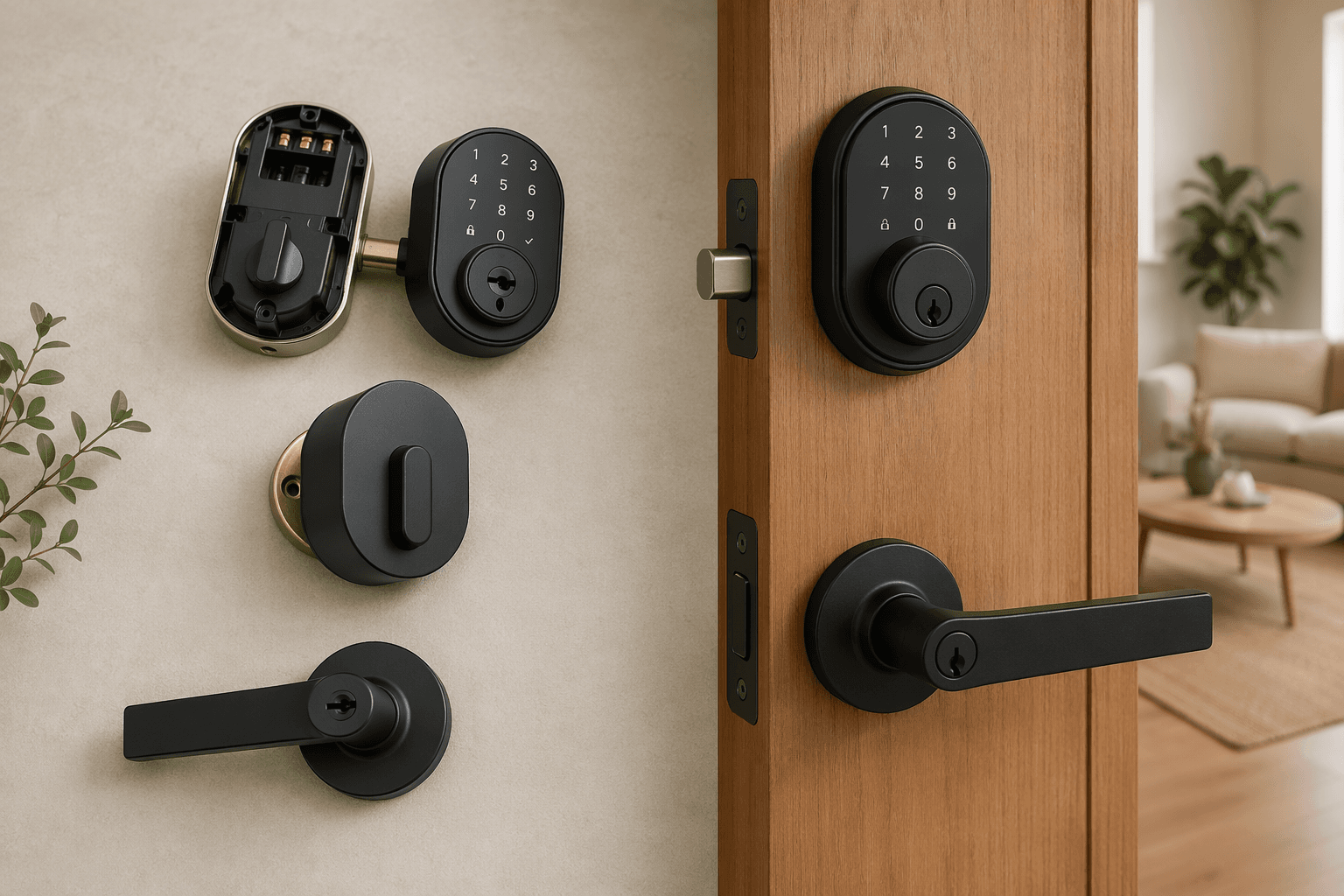
If you are searching for the best smart locks for home use, the first useful answer is a little annoying: there is no single winner that makes sense for every front door. That is why credible reviewers can point in different directions — Ultraloq in one roundup, Yale or Schlage in another, Level in another — without necessarily being careless. They are weighting different doors, ecosystems, access habits, and trade-offs.[1][2][3][4]
A smart lock is not just a gadget you stick on a door. It is a mechanical lock, a small networked device, a battery-powered appliance, and a permissions system for everyone who comes and goes. Before a model recommendation means anything, seven questions need answers about your door, household, platform, and budget.
| Factor | The question to answer before shopping |
|---|---|
| Installation type | Are you replacing the whole deadbolt, fitting over the inside thumb turn, or replacing a lever? |
| Access methods | Who needs keypad, fingerprint, app, voice, auto-unlock, Home Key, physical key, or temporary codes? |
| Platform compatibility | Does the lock work with your actual smart home system without losing the features you care about? |
| Security rating | Is the lock BHMA Certified, and what ANSI/BHMA grade does it meet? |
| Battery life | How often will you realistically be changing or charging batteries, and what happens when they die? |
| Subscription costs | Which features are free after installation, and which require a monthly plan? |
| Future-proofing | Do Matter, Thread, UWB, Home Key, or Aliro matter for your setup now, or are they watchlist features? |
Start with the door, not the app
The cleanest app in the world will not help if the lock binds against the strike plate, the deadbolt does not throw smoothly, or the hardware you bought is not allowed on your rented door. Installation type is the first decision because it decides what physically changes.
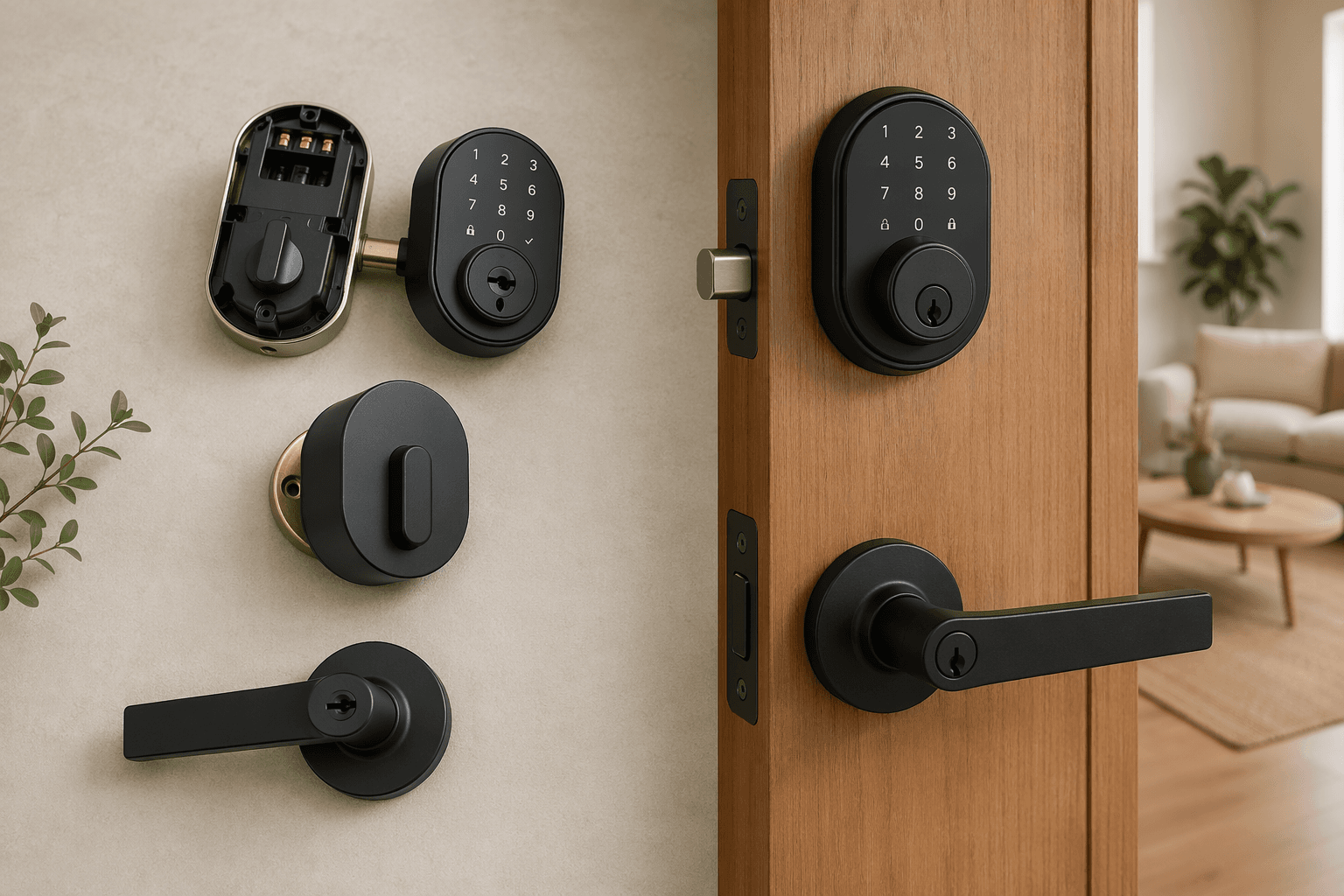
A full deadbolt replacement removes the existing exterior key cylinder, interior thumb turn, and often the whole interior assembly. This is the category most people picture when they think of a smart lock: a keypad or fingerprint reader outside, a motorized thumb turn inside, and a new deadbolt mechanism in the door. It can look integrated and give you the broadest feature set, but it also asks the most from the door. If the existing bore hole, backset, door thickness, or strike alignment is off, the installation can turn from a short project into a Saturday of filing, adjusting, and muttering at tiny screws.
A retrofit smart lock keeps the outside of your existing deadbolt and replaces only the interior thumb-turn side. For renters, condo owners with exterior-hardware rules, or homeowners who like their current keyway, this design is often the safer first stop. From the hallway or street, the door can look unchanged. Inside, the motor turns the existing deadbolt. The catch is that retrofit locks are only as happy as the deadbolt underneath them. If you currently have to push the door with your hip while turning the thumb turn, adding a motor will not magically fix the alignment.
Lever-style smart locks are a different animal. They replace a knob or lever, not a deadbolt, and they are common on interior rooms, side entries, offices, garages, and doors where there is no separate deadbolt. Some are excellent for controlled access inside a home. For a main exterior entry, look carefully at whether the product is meant to provide primary deadbolt-level security or simply convenience on a latch.
Before buying, check four ordinary things: whether the deadbolt can extend and retract with the door closed using one finger; whether the strike plate is properly aligned and securely fastened; whether your lease, HOA, condo board, or property manager allows hardware changes; and whether you need the exterior side to remain unchanged. If you are already close to purchase, a step-by-step smart lock installation guide for renters and homeowners is more useful at this stage than another product ranking.
Choose access methods around people, not feature lists
Access method is where buyers often overbuy. A lock can offer an app, keypad, fingerprint reader, physical key, voice assistant control, NFC, Apple Home Key, auto-unlock, temporary codes, and remote unlock. You probably do not need all of them. You need the right few for the people who actually use the door.
- A keypad is still the most universally useful feature for families, dog walkers, cleaners, guests, and anyone whose phone is dead.
- A fingerprint reader is excellent for quick daily entry, especially for kids or adults who do not want to open an app.
- A physical key is not glamorous, but many buyers still want one as a mechanical fallback.
- Phone-based credentials are convenient, but they should be tested against the household’s real habits: shared phones, dead batteries, older relatives, guests, and people who do not want another app.
- Remote unlock matters most if you regularly let people in while away from home; otherwise, it may add radios, hubs, or subscriptions you do not need.
For Apple households, Apple Home Key can be a deciding feature because it turns an iPhone or Apple Watch into a tap-to-unlock credential. But it is not present on every Apple Home-compatible lock, and it should be treated as a specific feature, not assumed from a vague “works with Apple” label. If that is the access method you want, use an Apple Home Key smart lock guide before narrowing your list.
Platform compatibility is where labels get slippery
“Works with Alexa,” “works with Google Home,” “Apple Home compatible,” “Z-Wave,” “Matter,” and “Thread” are not interchangeable badges. They answer different questions: which app can control the lock, whether remote access needs a hub, which automations are available, how much battery the radio may use, and whether all features survive outside the manufacturer’s native app.
Matter deserves extra caution because it is both genuinely useful and easy to misunderstand. Matter can make devices easier to bring into multi-platform homes, but Matter support does not automatically mean every feature from the lock maker’s own app will appear in Apple Home, Google Home, Alexa, or SmartThings. In PCWorld testing, switching the Kwikset Halo Select into Matter mode disabled geofencing, door-sense, and intrusion alerts.[5]
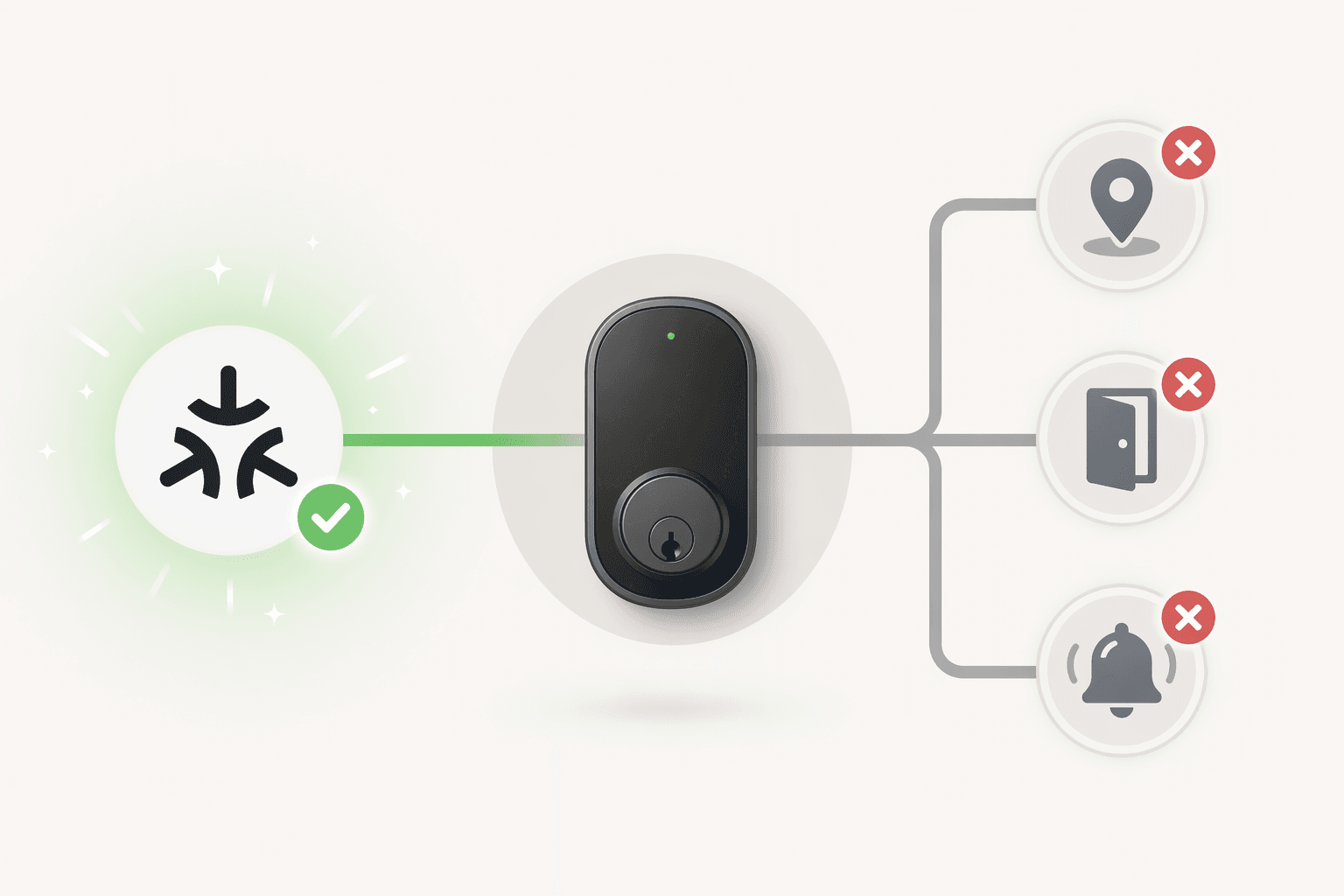
That is not a reason to avoid Matter. It is a reason to read the fine print before treating Matter as a magic compatibility stamp. Wirecutter also found during Aqara U100 testing that the lock appeared as two devices in Apple Home when detected through Matter, a reminder that platform behavior can be messier than the box suggests.[3]
A better compatibility check is more specific:
- Which platform do you actually use daily — Apple Home, Alexa, Google Home, SmartThings, Home Assistant, or none?
- Do you need remote locking and unlocking when away from home?
- Does that remote access require a hub, bridge, Wi-Fi module, Matter controller, Thread border router, or Z-Wave hub?
- Which features remain available in your chosen platform, and which only work in the manufacturer’s app?
- If you care about automations, can the platform actually use the lock state, door state, presence, or code events you want?
If Matter is central to your plan, check the current Matter smart home status before buying, because lock support, firmware, and hub requirements are still moving. For a concrete example of the trade-offs, the Kwikset Matter smart locks deep dive is worth reading. If the bigger problem is choosing an ecosystem at all, start with a smart home platforms comparison rather than forcing a lock purchase to decide it for you.
Look for real lock certification, not security theater
Smart lock security discussions drift too quickly into hacking scenarios and too slowly into the metal in the door. The more immediate question is whether the lock is mechanically credible. PCWorld’s security standards comparison cites BHMA director Anthony Gambrall saying only about one-third of locks at big-box retailers carry BHMA certification, which makes the logo worth looking for instead of relying on vague “meets standards” language.[6]
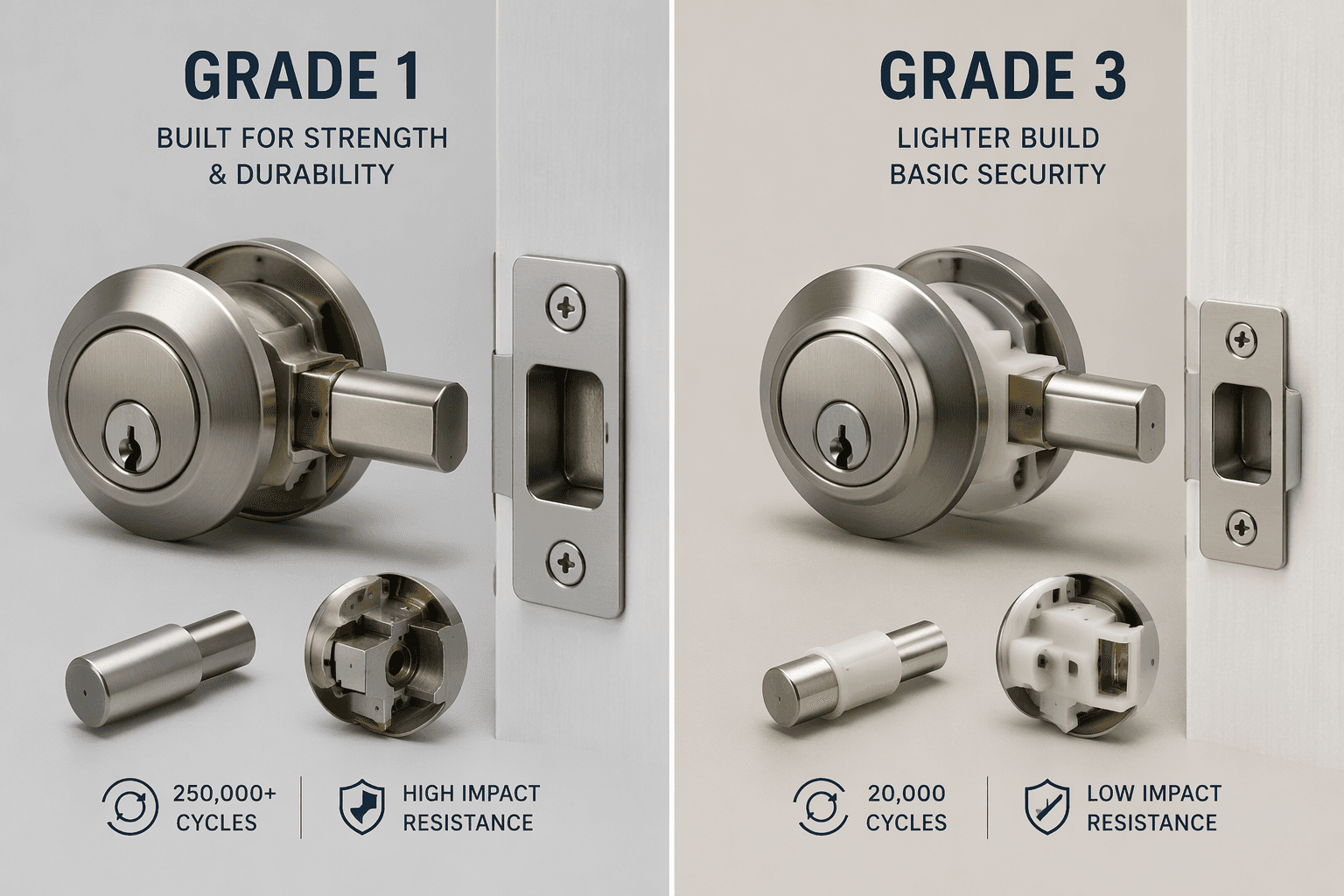
The ANSI/BHMA grade is not a tiny spec-sheet nuance. Grade 1 locks are tested for 250,000 open-and-close cycles and 10 hammer blows at 75 foot-pounds, while Grade 3 locks are tested for 100,000 cycles and 2 blows.[6] That gap does not mean every Grade 3 lock is junk or that every home needs a Grade 1 lock. It does mean a buyer should understand what is being traded away when a cheaper smart lock looks similar on a product page.
Also look at the parts around the lock. A reinforced strike plate, long screws into the framing, a smooth deadbolt throw, and a door that closes squarely matter. A motorized lock fighting a misaligned door is less reliable, drains batteries faster, and makes every auto-lock feature feel worse.
Battery life is a maintenance promise, not a trophy spec
Battery life varies widely because smart locks do not all use the same radios or do the same work. Wi-Fi is convenient because it can connect directly to your home network, but it tends to draw more power. Lower-power designs using Z-Wave, Bluetooth, Thread, or hub-assisted approaches can last longer, depending on the lock and household use.
The range is large enough that buyers should plan around it. Reviews have found roughly three months of battery life on the August Wi-Fi retrofit design, while Yale Assure Lock 2 Z-Wave and Nest x Yale examples are reported around 12 months in CNET and Wirecutter coverage.[2][3][7] PCMag’s review of the Eufy FamiLock S3 Max reports about six months from its rechargeable 15,000mAh pack, with AA backup available.[8]
Do not stop at the optimistic number on the box. Check what battery type it uses, whether replacements are easy to buy, whether the app gives clear low-battery warnings, whether there is a 9-volt jump contact or USB emergency power option, and whether a physical key remains available. If the lock is on a vacation home, rental, detached garage, or door used by someone who will ignore app alerts, backup access is not a footnote.
A subscription should be a choice, not a surprise
Smart locks do not need a monthly fee to be useful. As of June 2026 retail pricing, subscription-free options exist from budget to premium tiers, including the $80 Wyze Lock Bolt v2 and the $280 Eufy FamiLock S3 Max; many mid-range locks also keep fingerprint unlock, keypad access, app unlock, and local event logs free.[8][9] Prices can move with sales, but the important point holds: paying monthly is not the default price of owning a smart lock.
Where subscriptions appear, they often attach to cloud video, longer event history, package detection, advanced alerts, or integration bundles rather than the basic act of unlocking the door. That may be worth it if the lock is part of a larger security system. It is much less charming when the fee is discovered after the old deadbolt is already in a parts tray.
Before checkout, confirm which features work locally, which require the manufacturer’s cloud, and which require a paid plan. For a broader view of recurring costs across devices, use the smart home products cost guide while you are still comparing, not after installation.
Future-proofing: buy for today, keep an eye on what is coming
Future-proofing matters, but it should not scare you into waiting forever. Matter and Thread may matter now if you are building a multi-platform smart home or trying to reduce dependence on single-vendor integrations. They are current buying considerations, with the earlier caveat that Matter support can still involve missing features, firmware requirements, or specific controller hardware.
Ultra-wideband, or UWB, is more of a watchlist feature for most buyers. Its appeal is precise hands-free unlocking — the lock can better understand that your phone is actually at the door rather than merely nearby. PCWorld and CES coverage have pointed to Aqara U400 and the announced Schlage Sense Pro as examples of sub-meter precision auto-unlock ambitions, but Schlage Sense Pro is still a forward-looking note rather than a shipping recommendation as of June 2026.[10][11]
Aliro belongs in the same watchlist lane. The emerging standard is meant to let users tap a phone with a digital wallet credential, and CES coverage identifies Aqara U400 as the first supporting lock.[10] That is interesting. It is not a reason for a first-time buyer to ignore today’s installation fit, access needs, platform behavior, security grade, battery plan, or subscription terms.
When a recommendation finally makes sense
Once you know the installation type your door can accept, the access methods your household will use, the platform features you need, the security grade you are comfortable with, the battery maintenance you can tolerate, the subscription line you will not cross, and the future-facing features that actually matter to you, model comparisons become much clearer.
That is the point where a ranked list becomes useful. For specific model recommendations by use case, move to our best smart locks for home comparison. If you are closer to setup than shopping, keep the installation guide and the smart lock troubleshooting guide nearby.
References
- Ultraloq Bolt Fingerprint review, PCMag
- Best Smart Locks, CNET
- Best Smart Locks, Wirecutter
- Best Smart Locks, Forbes
- Kwikset Halo Select smart lock review, PCWorld
- Smart lock security standards comparison, PCWorld
- August Wi-Fi Smart Lock reviews
- Eufy FamiLock S3 Max review, PCMag
- Subscription-free smart lock roundup, The Gadgeteer
- CES 2025/2026 smart lock coverage
- Schlage Sense Pro CES announcement coverage
Reader Feedback
Share your purchase experience, flag outdated picks, or ask clarifying questions about the checklist items.
Comments
Join the discussion with an anonymous comment.