
Which Smart Lock Actually Wins?
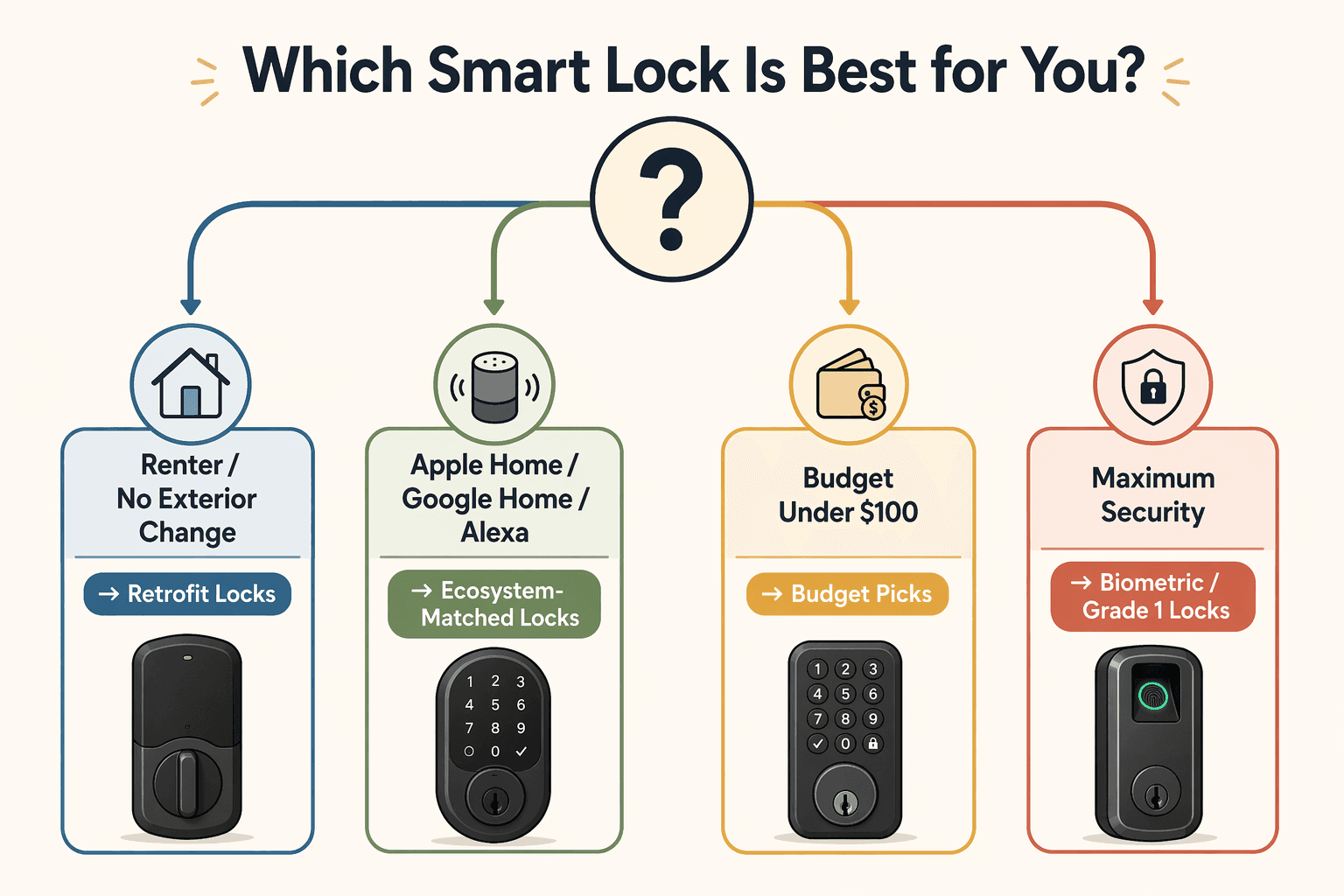
Three major review sites each name a different smart lock as the best overall for 2026. CNET picks the Yale Assure Lock 2 at $240. PCMag goes with the Ultraloq Bolt Fingerprint at $169.99. Wirecutter chooses the Schlage Arrive Smart WiFi Deadbolt with an ANSI Grade 1 rating. That divergence is the starting point: there is no single winner, only the lock that fits your door, ecosystem, budget, and whether you rent. In 2026, even affordable options can deliver reliable performance – but you need to know what you're trading off.
Each review site weighted different factors. Wirecutter gave more importance to physical security – the Schlage Arrive carries ANSI Grade 1, the highest residential rating. PCMag favored price and fingerprint convenience. CNET looked for a balanced combination of features, battery life, and platform support. The result: three different recommendations that make sense only once you know what each reviewer valued – and what you value.
The following table compares eight of the most recommended smart locks across the dimensions that matter most. Pay special attention to the battery life column – the gap between marketing claims and real-world testing is wide enough to change a purchase decision.
| Model | Price | ANSI Grade | Battery Life (claimed / tested) | Unlock Methods | Matter | Platforms |
|---|---|---|---|---|---|---|
| Yale Assure Lock 2 | $240 | Grade 2 | 9–12 mo / 6–7 mo | Keypad, app, voice | Yes | Apple Home, Google, Alexa |
| Schlage Arrive (Wirecutter pick) | ~$250 | Grade 1 | Not specified / likely 12+ mo | Keypad, app, voice | No | Wi-Fi only |
| Schlage Encode Plus | $250 | Grade 1 | 12+ mo / 12+ mo | Keypad, app, voice, built-in alarm | No | Apple Home, Alexa, Google |
| Ultraloq Bolt Fingerprint | $169.99 | Not specified | Not specified / ~4 mo | Fingerprint, keypad, app, key | No | Alexa, Google, HomeKit |
| Ultraloq U-Bolt Pro | $190 | Grade 1 | 3–6 mo / 3–4 mo | 6 methods (fingerprint, keypad, app, etc.) | No | Alexa, Google, HomeKit |
| August Wi-Fi Smart Lock | $129–146 | Grade 3 | 3 mo / 4–5 mo | App, auto-lock, voice | No | Apple Home, Alexa, Google |
| Level Lock Pro | $350 | Grade 3 | Not specified / >12 mo | Fob, app, voice | Yes | Apple Home, Matter |
| Eufy Smart Lock C34 | $80 | Grade 3 | Not specified / ~6 mo | Touchscreen, app, voice | Yes (requires hub) | Alexa, Google |
| Wyze Lock Bolt v2 | $79.98 | Grade 3 | 6–9 mo / not tested | Fingerprint, keypad, app | No | Alexa, Google |
The most telling column is battery life. Marketing claims and real-world testing differ dramatically – and the gap is large enough to swing a purchase decision. Wi-Fi radios consume more power than Thread or Z-Wave, and real-world usage patterns (more unlocks, weaker Wi-Fi signal, temperature swings) drain batteries faster than the lab conditions manufacturers use.
Battery Life: Marketing vs. Reality
CNET reports the Yale Assure Lock 2 lasts 9–12 months under typical conditions. Independent testing by SmartLockMfg found an average of 6–7 months – about 30–40% less. The reason is not a conspiracy. Wi-Fi radios consume more power than Thread or Z-Wave, and real-world usage patterns (more unlocks, weaker Wi-Fi signal, temperature swings) drain batteries faster than the lab conditions manufacturers use. The Schlage Encode Plus, which uses Wi-Fi but benefits from larger battery compartments, tested above 12 months – one of the few cases where the claim held up. The Level Lock+ also exceeded 12 months; it uses a different approach (no keypad) and runs on a CR2450 coin cell that can last over a year if the lock is used infrequently. The takeaway: when a lock claims 9–12 months, expect 6–7 months if it uses Wi-Fi. If it uses Thread or has no always-on radio, the real number may be closer to the claim. Check whether the lock supports Matter over Thread – it usually means lower battery draw.
The Subscription Trap
A smart lock that requires a monthly subscription for remote access or activity logs is not truly a $150 lock – it is a $150 lock plus $5–$10 a month. Several popular locks hide key features behind a paywall. For example, some August models gate remote unlock and history behind the August Connect subscription. The Wyze Lock Bolt v2, by contrast, keeps fingerprint, keypad, app unlock, and built-in Wi-Fi entirely free.
The Gadgeteer’s roundup of subscription-free smart locks lists the Wyze Lock Bolt v2 ($79.98), Eufy Video Smart Lock E330 ($299.99, stores video locally), Yale Smart Lock with Matter ($149.98, works with Google Home, Apple Home, SmartThings without subscription), and Aqara Smart Lock U300 ($229.99, local log storage). If you are cost-sensitive or privacy-conscious, these are the ones to prioritize.
The Two Real Contenders
After comparing the data, two locks stand out as consensus contenders: the Yale Assure Lock 2 and the Schlage Arrive (or its near-identical cousin, the Schlage Encode Plus). The Yale Assure Lock 2 hits a sweet spot of Matter compatibility, good battery life (even using the real-world 6–7 months), and broad platform support. The Schlage Arrive offers higher physical security with ANSI Grade 1 and a solid 12+ month battery, but lacks Matter – you need to verify it works with your ecosystem.
| Category | Yale Assure Lock 2 | Schlage Arrive / Encode Plus |
|---|---|---|
| Price | $240 | $250 |
| ANSI Grade | Grade 2 | Grade 1 |
| Battery life (tested) | 6–7 months | 12+ months |
| Matter support | Yes | No |
| Platforms | Apple Home, Google, Alexa | Wi-Fi (Schlage app); Encode Plus adds HomeKit |
If physical security matters most and you can live without Matter, the Schlage Encode Plus is the safer choice. If you want Matter for cross-platform use and are willing to trade one security grade, the Yale Assure Lock 2 wins.
Budget Picks: What You Really Give Up
Two locks dominate the under-$100 category: the Wyze Lock Bolt v2 ($79.98) and the Eufy Smart Lock C34 ($80). Both are ANSI Grade 3 – fine for a secondary door or low-traffic entry, but not as resistant to physical attack as Grade 2 or 1. The Eufy C34 requires a separate hub for Matter; without it, you lose some smart home integration. The Wyze Bolt v2 has no subscription and a built-in fingerprint reader, but its battery life is quoted at 6–9 months – expect 4–5 in real use. Then there is the Ultraloq U-Bolt Pro ($190, Grade 1), which seems like a bargain for Grade 1 security, but its battery life is the worst of the bunch – tested at 3–4 months. If you use a lock frequently, that means changing batteries every three months. That is a real trade-off most roundups skip.
For Renters: Retrofits That Leave No Trace
If you rent, you likely cannot replace the landlord’s deadbolt. Retrofit locks replace only the interior thumb turn, leaving the exterior key cylinder intact. The August Wi-Fi Smart Lock ($129–$146) is the standout here: it installs in about 22 minutes according to SmartLockMfg (though that’s one tester – your mileage will vary). It’s Grade 3 and battery life is 4–5 months, but the convenience of leaving no trace when you move out is hard to beat. The Yale Approach Lock ($180) works similarly and includes a DoorSense sensor so you know if the door is actually closed. The Level Bolt is another retrofit option, but installation took over an hour in testing and requires precise drilling.
For more installation guidance, see our Smart Lock Installation Guide for Renters and DIY Homeowners.
Ecosystem Picks: Apple, Google, Alexa
If you live in the Apple ecosystem, support for Home Key (tap-to-unlock with iPhone or Apple Watch) and Thread (low-power, low-latency mesh) can make a big difference. Wirecutter’s pick for Apple Home is the Aqara Smart Lock U100, which regularly drops to $125 on sale. It packs a fingerprint reader, Matter, and Apple Home Key. CNET recommends the Level Lock Pro ($350, ANSI Grade 3, Matter) for its contactless fob and Thread support – but the price is steep for what you get. The Yale Assure Lock 2 also works with Apple Home, though without Home Key. For Google Home and Alexa households, a lock with native integration is the easiest path. The Yale Smart Lock with Matter ($149.98) works with Google Home, Alexa, and Apple Home without any extra subscription, and its battery life is up to 12 months (tested closer to 8–9). The Schlage Encode Plus works with Alexa and Google, offers Grade 1 physical security, and has a built-in alarm – but it’s Wi-Fi-only and lacks Matter. If you need a lever-handle lock (for interior doors where a deadbolt won’t fit), the Schlage Encode Smart WiFi Lever ($240) supports up to 100 codes and works with both platforms.
Biometrics and Video: More Than a Key
Some buyers want to unlock with a fingerprint or face, or have a built-in camera at the door. The Ultraloq Bolt Fingerprint ($169.99) is PCMag’s highest-rated biometric smart lock – fingerprint, keypad, and voice control – and it works with Alexa, Google, and HomeKit. For facial recognition, the Lockly Visage Zeno Series ($349) is the first tested lock with integrated face unlock, though it’s expensive and battery life is claimed at 8 months. If you want video, the Eufy Video Smart Lock E330 ($280 street price) packs a 2K camera, 8GB onboard storage, and a 10,000 mAh rechargeable battery rated at up to 120 days – no cloud subscription required. That combination is rare in 2026. The trade-off? It’s bulkier than most locks, and video drains the battery faster (real-world closer to 60–90 days with heavy activity).
How to Choose
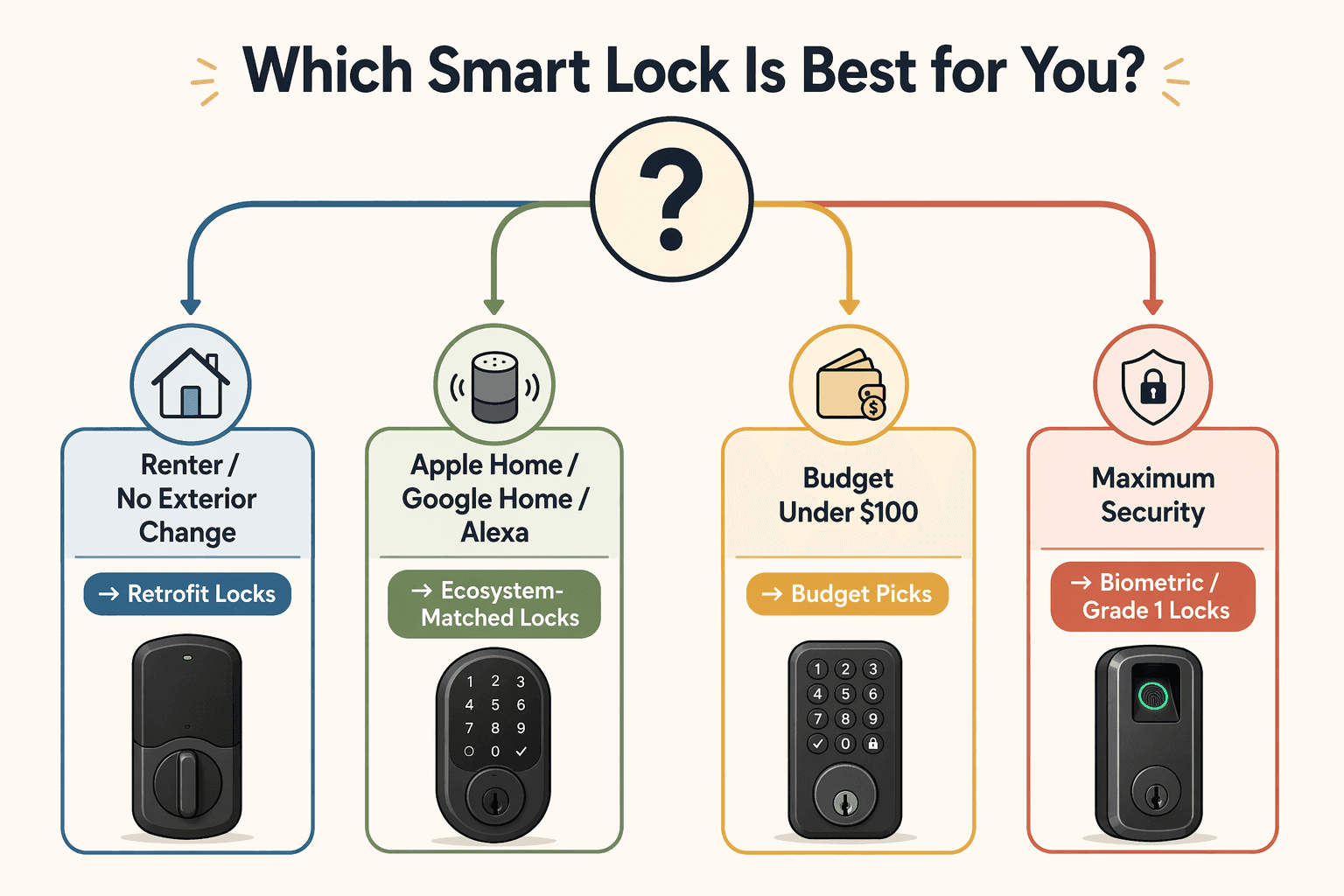
Start with your rental status. If you can’t change the exterior, look at August, Yale Approach, or Level Bolt. Then consider your ecosystem: Apple users should check Aqara U100 or Level Lock Pro; Google/Alexa users can go with Yale Smart Lock with Matter or Schlage Encode. Budget under $100? Wyze Bolt v2 or Eufy C34, but accept Grade 3 security. Need maximum physical security? Schlage Encode Plus (Grade 1) – and budget for slightly more money.
For a deeper dive into installation types, protocols, and ecosystem specifics, see our Best Smart Lock Buyer Guide 2026 and the DIY-Friendly Picks for Renters and Homeowners. If you are still unsure about Matter, read our Matter Protocol Explained.
Discussion
Share your experience with the compared products, flag outdated pricing or specs, or ask clarifying questions about the comparison verdict.
Comments
Join the discussion with an anonymous comment.