
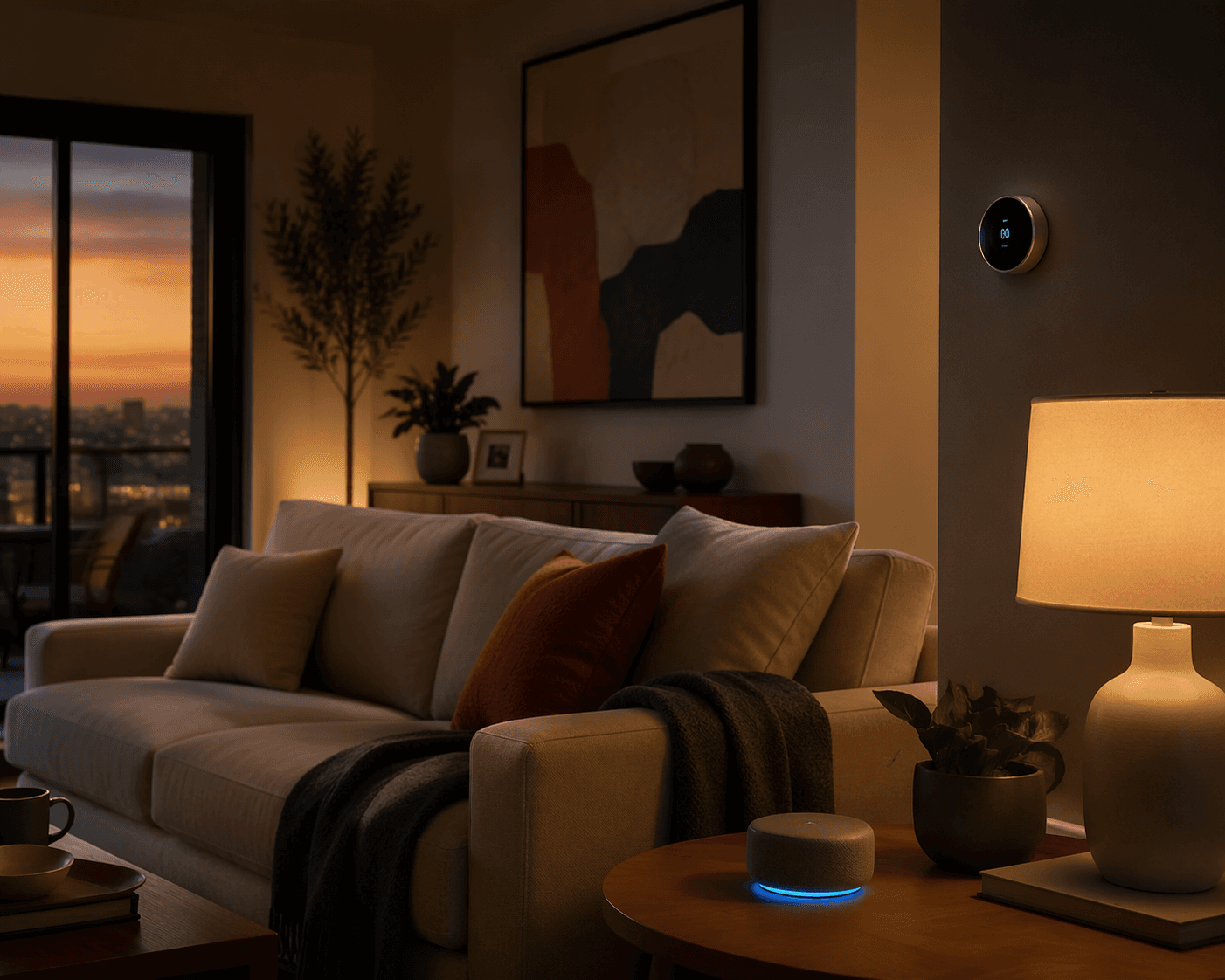
The best home automation ideas for a 2026 starter smart home are not the flashiest ones. They are the routines that quietly handle the things a household repeats every day: adjusting the thermostat, turning on safe lighting, locking up, making arrivals less clumsy, and making departures less forgetful.
The practical change in 2026 is that a beginner no longer has to treat Apple Home, Google Home, and Alexa as separate buying traps. Matter-compatible devices are now the safer default when you want cross-platform support, and Thread is worth preferring for small always-on devices because it builds a low-power mesh instead of putting every sensor and switch on Wi-Fi.[1][2] That does not mean every logo on every box deserves blind trust. It means the starting point is finally sane.
Smart homes are no longer a niche experiment. One market estimate cited by Clearly Automated puts the global smart home market at $230.76 billion in 2026, with an 11.8% compound annual growth rate.[3] That scale is useful context, but it does not solve the kitchen-table problem: which devices should someone actually buy first, and what should those devices do before the household loses patience?
The Starter Stack: Eight Buys, Eight Jobs
Start with a small stack that can be maintained. A 2025 Parks Associates figure, cited by Clearly Automated, found that 52% of DIY smart home owners reported difficulty during installation.[3] That number explains why the first build should not include ten clever extras, three experimental brands, and a weekend of troubleshooting. Buy the device because it will perform a clear household job.
| Rank | Buy first | First automation | Why it earns the slot |
|---|---|---|---|
| 1 | Matter-compatible smart thermostat | Use household presence to switch between Home and Away temperature targets | Comfort and energy use change without someone remembering to adjust the HVAC |
| 2 | Outdoor-rated smart switch, bulb, or plug for porch lighting | Turn on at sunset or when someone arrives after dark | The entry is lit before anyone reaches the door |
| 3 | Matter-compatible smart lock | Lock at bedtime and unlock on trusted approach where supported | The door stops being a nightly memory test |
| 4 | A hub or speaker/display that works as your controller and Thread border router | Run bedtime: lights off, doors locked, thermostat setback | One routine closes the house down |
| 5 | Thread motion sensor plus dimmable hallway or bathroom light | After midnight, motion turns on a low, warm path light | Night movement becomes safer without waking the house |
| 6 | Presence-capable phone setup or occupancy sensor | Arriving home turns on entry lights and restores comfort settings | The house is ready before bags, kids, or groceries are involved |
| 7 | Door/window sensor or security keypad mode | Leaving home turns off lights, sets Away temperature, and arms monitoring if used | The exit routine catches the things people forget |
| 8 | Video doorbell and smart display or compatible light | A ring shows the camera feed and flashes selected lights | Visitors are visible and noticeable without everyone checking a phone |
If you are still choosing the controller, use a hub or display that supports your preferred voice assistant and acts as a Thread border router. The practical question is not which brand wins a spec sheet; it is whether your thermostat, lock, sensors, lights, and switches can keep basic routines running locally when the internet is flaky. For a deeper compatibility pass, use the Matter status guide and the hub selection guide before buying the core hardware.
Check Compatibility Before You Build Around a Badge
Matter reduces ecosystem risk, but it does not erase feature differences. A device can be Matter-certified and still expose fewer controls than its native app, especially if it was certified under an earlier version of the standard. Brilliant’s 2026 smart home trends coverage describes the Matter 1.4 to 1.6 trajectory, including newer capabilities such as Thermostat Suggestions, which older Matter thermostats may not support.[4]
The buying discipline is simple: look for Matter support, prefer Thread for sensors, buttons, plugs, bulbs, and other small always-on devices, and verify the exact feature you need before you buy. If the routine depends on auto-unlock, adaptive thermostat behavior, doorbell display pop-ups, or local execution, confirm that those features work in the platform you actually use.
1. Geofence the Thermostat
The thermostat is the first automation I would set up in most homes because it changes both comfort and operating cost without asking anyone to care about the system every day. When the last household member leaves, the thermostat moves to an Away target. When someone is on the way back, it returns toward the normal Home setting before the house feels stale, cold, or overheated.
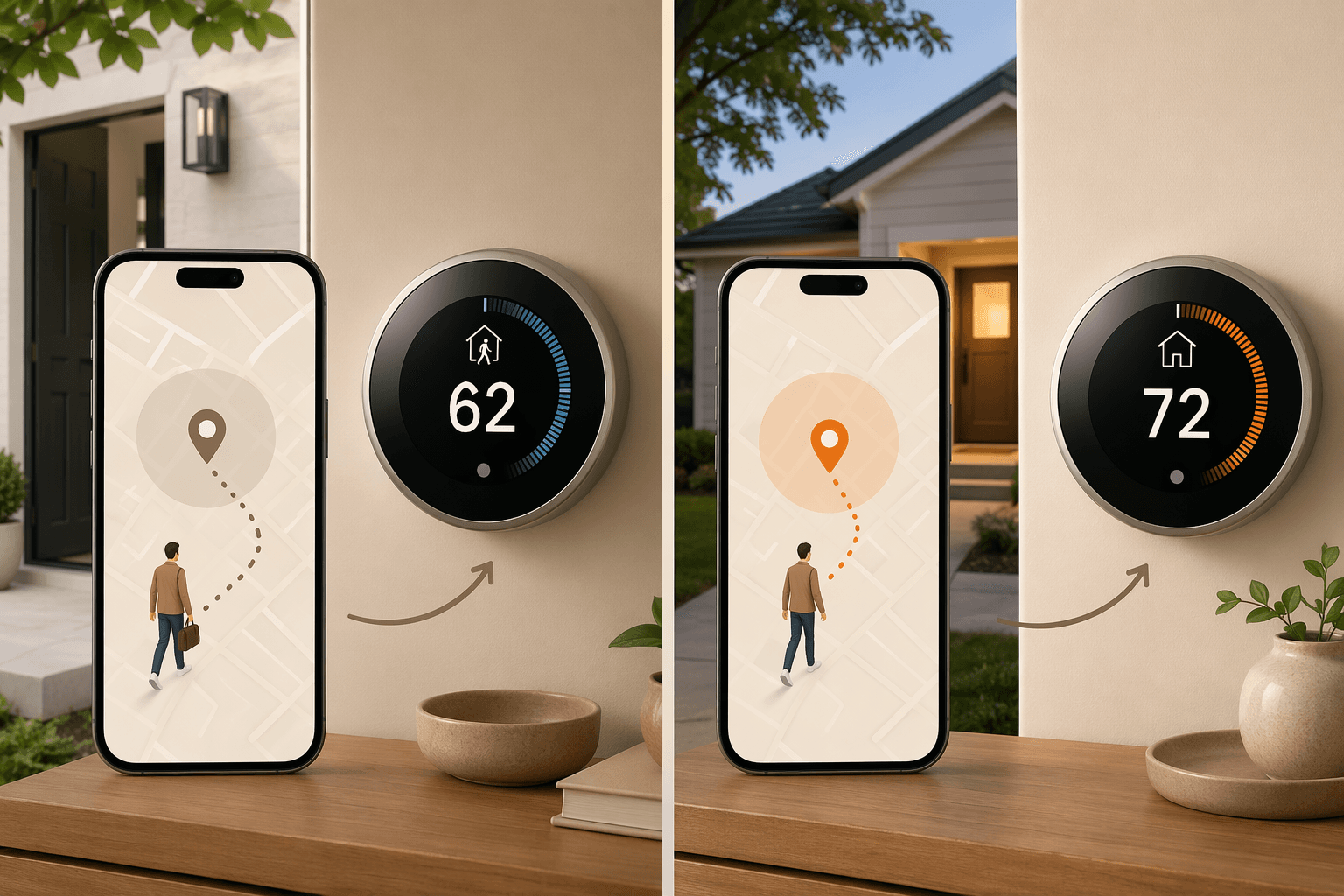
Vesternet’s analysis reports 12% to 15% HVAC savings from smart thermostat geofencing and a 1.7-year payback period.[5] Treat that as a useful directional benchmark, not a guaranteed U.S. utility-bill promise. The source is based on UK energy-price assumptions, and the result in a Phoenix summer, a Maine winter, or a mild coastal climate will not be identical.
The setup deserves a little care. Use household presence, not one person’s phone, unless that person is always the last to leave and first to return. Set a reasonable setback instead of turning the system into a punishment machine. A house that takes too long to recover will train people to override the automation, and once that starts, the smart thermostat becomes another manual thermostat with a nicer screen.
2. Turn On Porch and Entry Lights at the Right Time
Porch lighting is a small automation with an outsized effect because it solves a real arrival problem. Use sunset as the basic trigger, then add presence if your platform supports it cleanly: after dark, when someone arrives, turn on the porch light, entry lamp, or mudroom light for a defined period.
This is where Thread lights, switches, and plugs make sense. Each new Thread device can strengthen the mesh, so the porch switch near the edge of the house is not just another Wi-Fi device competing with laptops, TVs, and cameras.[2] Still, put the automation on a switch or fixture that other people can use normally. If a guest or child turns the light off at the wall and the automation collapses, the wrong part of the system was made smart.
3. Lock the Door at Bedtime, Then Be Careful With Auto-Unlock
A bedtime auto-lock is one of the cleanest smart lock uses: at a set time, or when the bedtime scene runs, the lock checks its state and locks if needed. Nobody has to get out of bed to settle the question. Nobody has to ask the person who always gets blamed for the front door.
Auto-unlock on approach can be excellent, but it needs stricter standards than a light bulb. Use it only if your lock, phone, and platform support it reliably in your household’s layout. Apartment buildings, shared driveways, detached garages, and weak entryway signal can all make approach detection less obvious than the demo suggests. If the household is not comfortable with auto-unlock, keep the bedtime lock and use phone, keypad, fingerprint, or watch unlock instead.
For lock-specific trade-offs, including what Matter changes and what it may not expose, the Kwikset Matter smart lock guide is the kind of reading to do before putting a lock on the door everyone uses.
4. Make Bedtime One Routine, Not a House Walk
The bedtime scene should be boring: turn off common-area lights, lock exterior doors, set the thermostat back, and optionally arm whatever monitoring mode your household already uses. Do not pack it with every dramatic lighting change the app offers. The routine is there to replace a house walk, not to create a nightly performance.
Give the routine one obvious trigger: a voice phrase, a button by the bedroom, a scheduled prompt, or a control on a smart display. A physical button is often better than voice in a shared home because it works when someone is carrying laundry, whispering near a sleeping child, or simply tired of talking to the house.
5. Add a Dim Night Path
A Thread motion sensor in a hallway, landing, or bathroom can turn on a low, warm light after midnight and turn it off again after no motion is detected. The important settings are brightness, color temperature, and timeout. Keep the light dim enough that it does not wake the room, but bright enough that nobody is navigating stairs or tile in the dark.
This is also a good test of local reliability. Motion lighting feels broken faster than almost any other automation because people notice the delay with their feet. If the light takes several seconds or fails when the internet is down, move the sensor, strengthen the Thread mesh, or simplify the path before adding more motion rules.
6. Let the House Recognize Arrival
The arriving-home routine can share pieces with the thermostat and porch-light automations. After dark, turn on entry lighting. Restore the thermostat if it is still in Away. If the garage or side door is the real family entrance, build around that path instead of the front door shown in product photos.
Keep arrival modest at first. Do not turn on every lamp, start music, open shades, and announce the weather unless the household has asked for that. A good arrival routine removes friction at the door. It should not make the first minute at home feel like clearing notifications.
7. Build a Leaving-Home Check
Leaving-home automation should reduce the number of open loops. Turn off selected lights, move the thermostat to Away, lock compatible doors if that is safe for your household, and arm monitoring if you use it. If a door sensor shows something open, the routine should notify rather than pretending the house is secured.
Presence detection is the piece to test slowly. Start with notifications before automatic lock or alarm actions. Watch what happens when one person leaves and another stays home, when a phone battery dies, or when someone walks the dog without taking their phone. A leaving routine that falsely flips the house into Away once will be distrusted for months.
8. Send the Doorbell to a Display and Flash a Light
The doorbell recipe is useful because it reaches people who do not have a phone in hand. When the doorbell rings, show the camera feed on a smart display and flash a selected light in the kitchen, office, or living room. For people wearing headphones, cooking, working upstairs, or avoiding phone alerts, the light flash can be the part that matters.
This one is more platform-dependent than the thermostat or lighting routines. Some combinations handle camera pop-ups smoothly; others rely on app behavior, cloud processing, or limited device support. Buy the doorbell after checking the exact display and automation behavior in your ecosystem, not just after seeing that both products advertise smart home compatibility.
Where to Stop Before Expanding
Once these eight routines are running, live with them before adding more. Check whether they still work when the internet is unstable. Check whether the least technical person in the house can override them without opening three apps. Check whether guests, kids, house sitters, or visiting relatives can still use the lights, lock, and thermostat in normal ways.
If installation itself is the hard part, start with the first smart home setup guide. If even this list feels like too much, use the beginner automation cookbook and build fewer routines first. If the household has lived with the starter stack and wants to scale, move on to the broader smart home system guide.
The right 2026 starter smart home is not the one with the most devices. It is the one whose first automations quietly handle comfort, lighting, access, and presence without tying the household to one brand or requiring the cloud for every ordinary moment.
References
- How To Supercharge Your Smart Home In 2026, Forbes, Jan 2026
- 75+ Smart Home Automation Ideas For 2026, powermoves.blog
- 38 Smart Home Automation Market Statistics (2026 Data), Clearly Automated
- Smart Home Trends for 2026, Brilliant
- Smart Home Energy Savings: A Complete Guide, Vesternet
Implementation Notes
Share platform-specific tips, report that a recipe no longer works after a platform update, or contribute variations for different device combinations.
Comments
Join the discussion with an anonymous comment.