
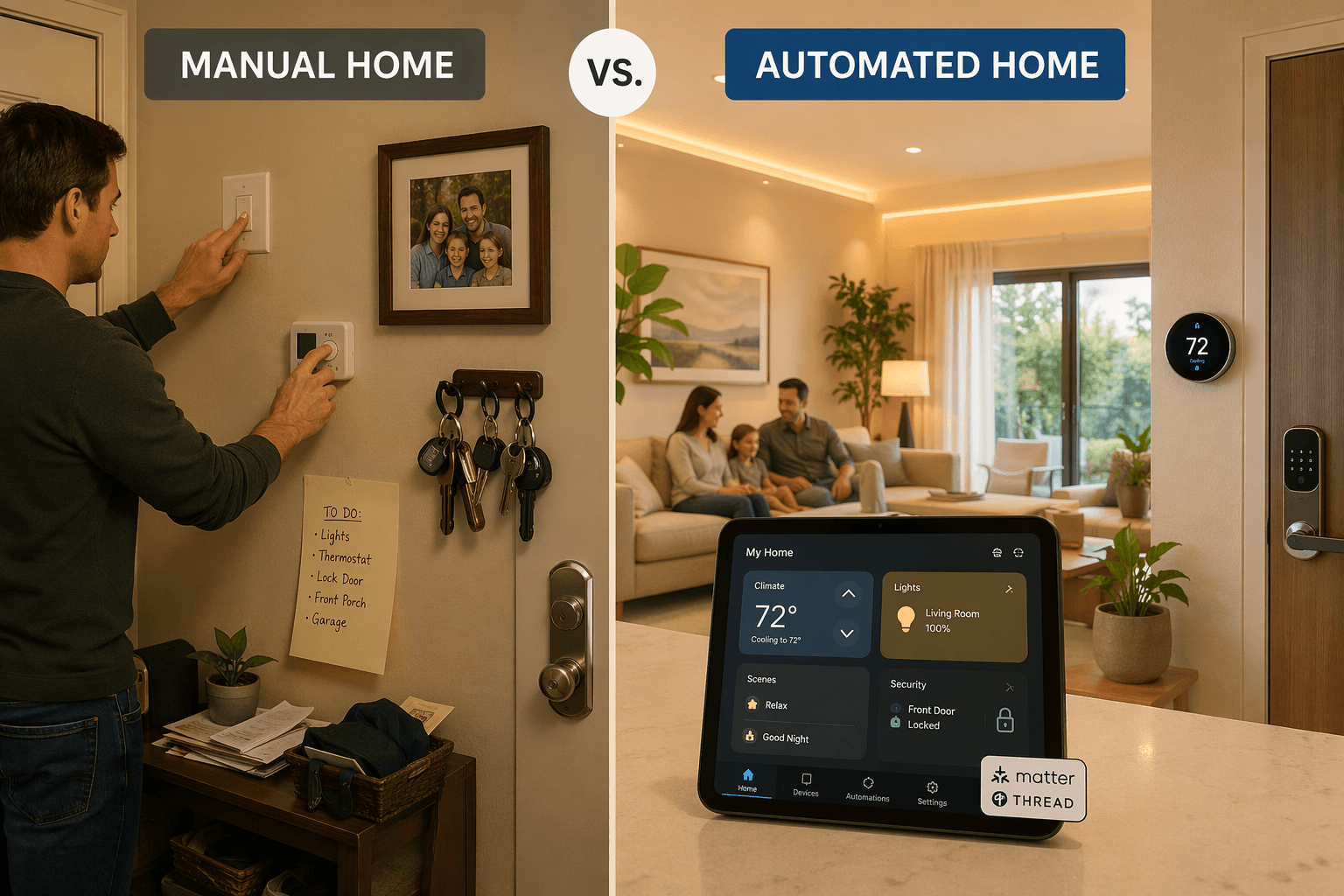
Can Your System Handle One Simple Arrival?
I want you to imagine a routine you have probably thought about: you pull into the driveway, the front door unlocks, the alarm disarms, the thermostat moves from eco to 72, and the entry light turns on. All four actions, triggered by one event — your phone crossing the geofence. That is not a complicated ask. It is four straight-ahead device commands, sequenced by a single condition. Now go look at the automation editor on most consumer platforms and see how many steps it actually allows you to chain.
You will find that Alexa Routines max out at a certain number of actions — fine for three or four, but not if you also want to include a random delay or a conditional check. Google Home automations are even more limited in the conditions they can evaluate. Apple Home lets you trigger scenes from an arrival, but the geofencing reliability has been touchy for years. The point is not that no platform can do this arrival routine. The point is that many give up before you even get to the fourth step. And that is where the real comparison between home automation systems starts.
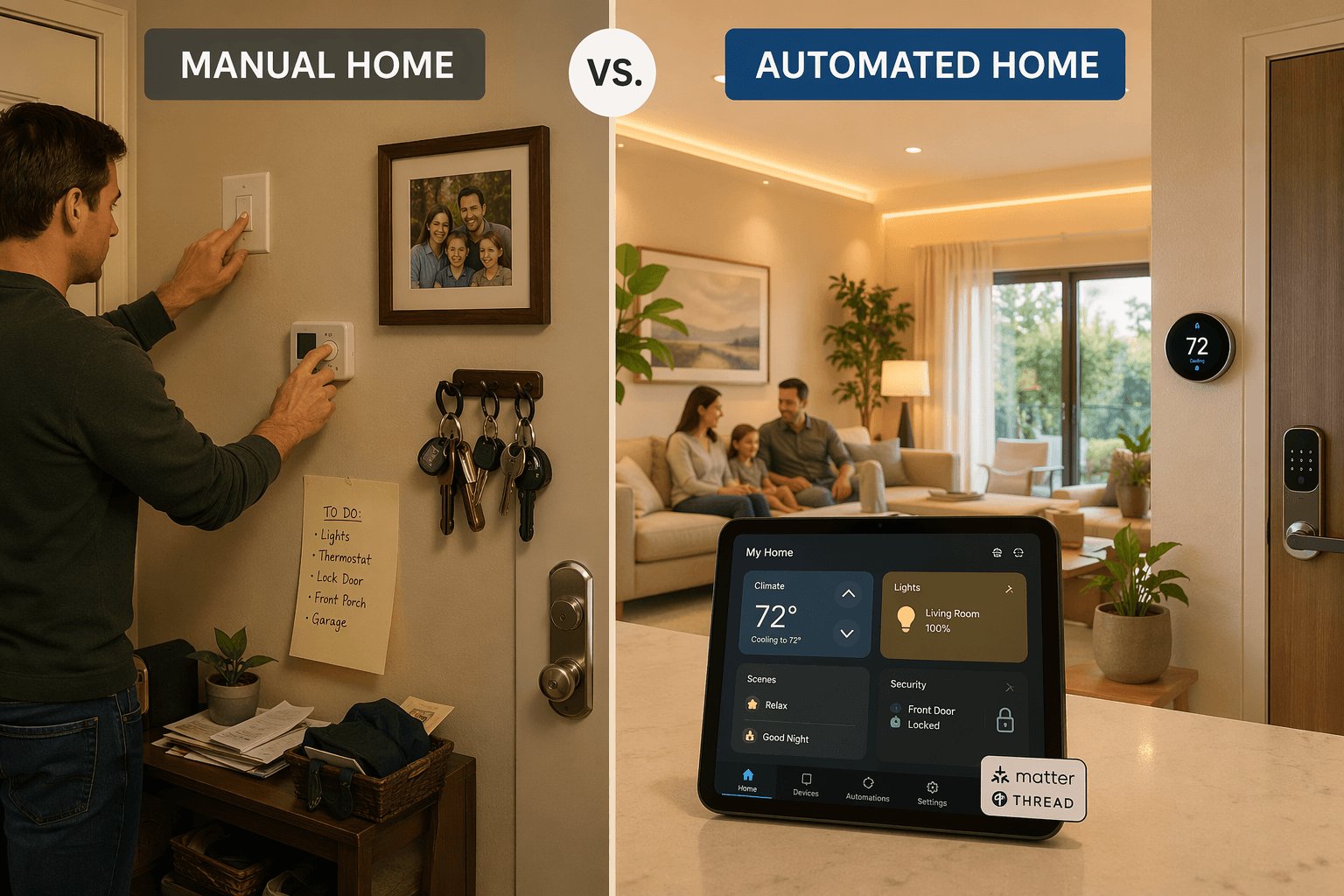
The Only Test That Matters
When I test a system, I do not start by counting devices in its catalog. I open the automation editor and try to build a multi-step sequence that includes a geofence trigger, a time condition, and a device state check. That weeds out most platforms in five minutes.
Home Assistant is the clear winner on raw capability. It runs locally, supports over 3,000 integrations (depending on whether you count the Treasure Valley Solutions figure of 3,000+ or ZDNET’s 1,000+, it is still way ahead of any consumer platform), and you can write YAML automations with as many conditions, delays, and service calls as you need. But it asks for setup time that many people do not have.
Amazon Alexa has the widest device compatibility for voice-triggered routines and supports Zigbee natively on select Echo models (ZDNET), but its routine complexity is limited. You cannot combine a geofence trigger with a sensor condition and a time check inside a single routine. Google Home offers an easy app experience but its automations are simpler (ZDNET). Apple Home is strong on privacy — end-to-end encryption and local processing — but device selection is limited to HomeKit-certified and Matter products. These trade-offs matter when you move beyond turning a light on and off.
The takeaway: if your dream automation involves three different conditions running in sequence, you are probably looking at Home Assistant or a professional system. If you mostly want voice control and simple schedules, Alexa or Google Home will do fine. But you need to know which camp you fall into before you buy.
Ten Recipes That Show the Real Difference
Here are ten automation recipes that cover the range of what most people actually want. I have mapped them across seven major platforms so you can see at a glance where the green checks run out.
- Arrival: unlock door, disarm alarm, set thermostat, turn on entry light.
- Departure: lock door, arm alarm, set thermostat to eco, turn off all lights.
- Good Morning: turn on bedroom lights gradually, set thermostat to daytime, start coffee maker.
- Good Night: turn off all lights, lock door, set thermostat to sleep temperature.
- Security Response: if smoke detector triggers, unlock child’s bedroom door, turn on all lights, send push notification.
- Energy Optimization: turn off lights and lower thermostat when no motion for 30 minutes.
- Vacation Mode: randomize lights, arm alarm, adjust thermostat to away, monitor water leak sensor.
- Media Scene: dim lights, close blinds, turn on TV and soundbar.
- Voice Routine: respond to a voice command with multiple device actions (e.g., “movie time”).
- Multi-Condition Trigger: e.g., if door opens AND it is after sunset AND motion detected, then turn on porch light and send alert.
The table below shows which platforms support each recipe. A green check means the platform can execute that full sequence natively. A dimmed mark means it can do part of it but with significant limitations. A dash means it cannot do it at all without workarounds or third-party services.
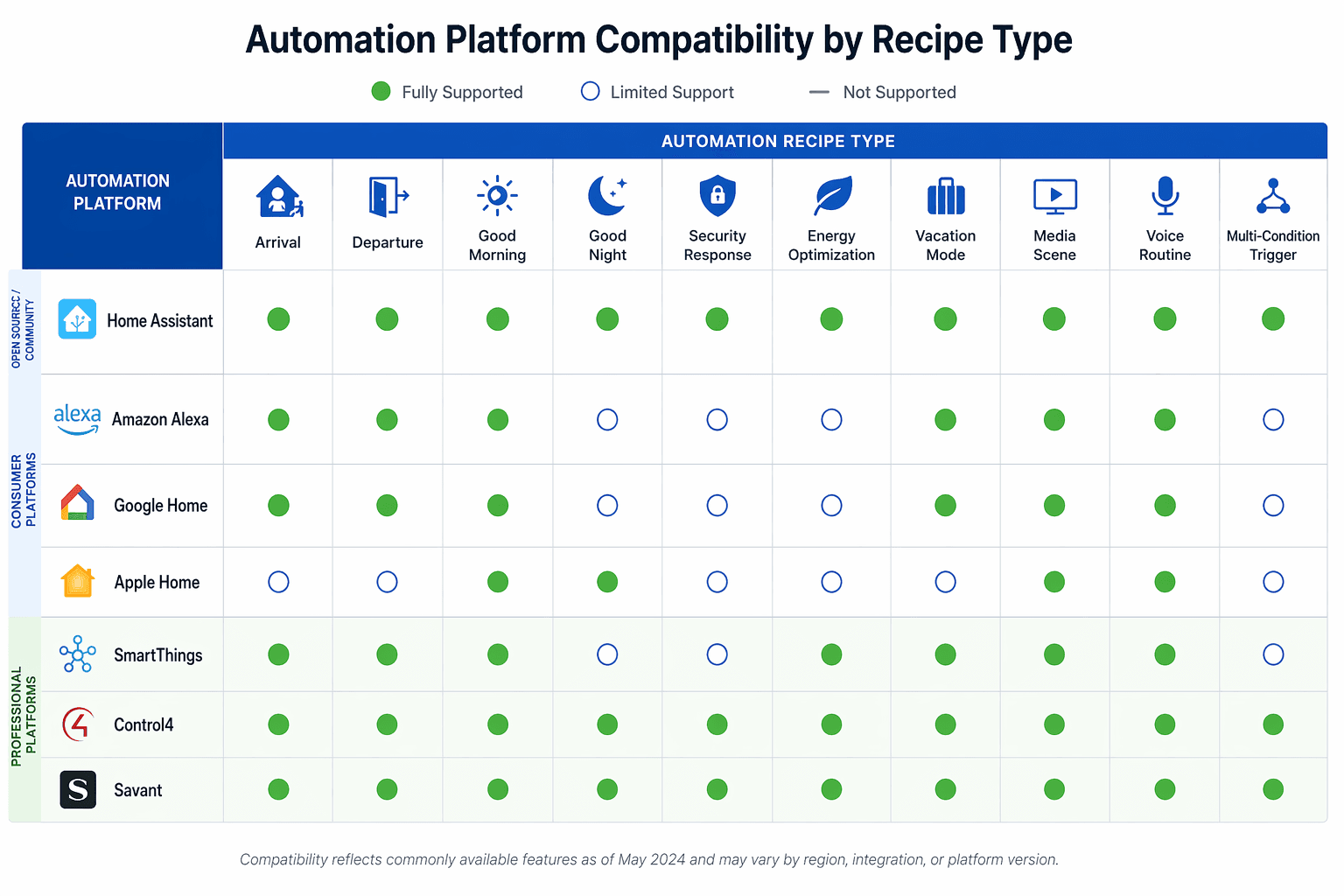
| Recipe | Home Assistant | Alexa | Google Home | Apple Home | SmartThings | Control4 | Savant |
|---|---|---|---|---|---|---|---|
| Arrival | ✓ | ✓ (limited) | ✓ (limited) | ✓ | ✓ | ✓ | ✓ |
| Departure | ✓ | ✓ | ✓ | ✓ | ✓ | ✓ | ✓ |
| Good Morning | ✓ | ✓ | ✓ | ✓ | ✓ | ✓ (dealer) | ✓ (dealer) |
| Good Night | ✓ | ✓ | ✓ | ✓ | ✓ | ✓ (dealer) | ✓ (dealer) |
| Security Response | ✓ | – | – | – | – | ✓ | ✓ |
| Energy Optimization | ✓ | – | – | – | ✓ (basic) | ✓ | ✓ |
| Vacation Mode | ✓ | ✓ (partial) | ✓ (partial) | ✓ (partial) | ✓ (partial) | ✓ | ✓ |
| Media Scene | ✓ | ✓ | ✓ | ✓ | ✓ (limited) | ✓ (dealer) | ✓ (dealer) |
| Voice Routine | ✓ (needs integration) | ✓ | ✓ | ✓ (Siri Shortcuts) | ✓ (Bixby) | ✓ | ✓ |
| Multi-Condition Trigger | ✓ | – | – | – | – | ✓ (dealer) | ✓ (dealer) |
Why They Fail: Three Hard Limits
The gaps in the matrix are not random. They come from three specific limitations in the automation engines of consumer platforms.
- Trigger hierarchy: Most consumer platforms let you set one primary trigger (time, location, device state) but do not allow combining multiple condition types in a single “if” statement. For example, you cannot say “if door opens AND after sunset AND no one is home” in one Alexa routine.
- Geofencing reliability: Apple Home geofencing depends on a home hub (HomePod or Apple TV) and has historically been inconsistent. Google Home geofencing works better but cannot be combined with sensor triggers in the same automation.
- Multi-step branching: The arrival recipe requires four distinct device commands executed sequentially. Alexa can do up to a certain number, but if you want to add a delay or a conditional gate, you hit the limit. Home Assistant has no such limit because you write the sequence as code.
These are not edge cases. They are the recipes that separate a system that occasionally works from one that actually handles your life.
Matter and Thread: The Fix That Still Has Gaps
You have probably heard that Matter and Thread solve the cross-platform problem. The hype is half right. Matter Multi-Admin mode allows a device set up on one platform to be integrated into another platform’s fabric using a new setup code (matter-smarthome.de). That means you can buy a Matter smart lock, pair it with Apple Home, and then share it with Alexa. In theory, that should let you run automations across ecosystems.
In practice, sharing a device still requires scanning a new setup code, and the process is not seamless. More importantly, Matter does not define a standard for cross-platform automations. It only handles device control and status. Your arrival routine that spans four devices — even if all four are Matter-certified — still needs to be configured separately on each platform. The automation logic itself does not travel with the device.
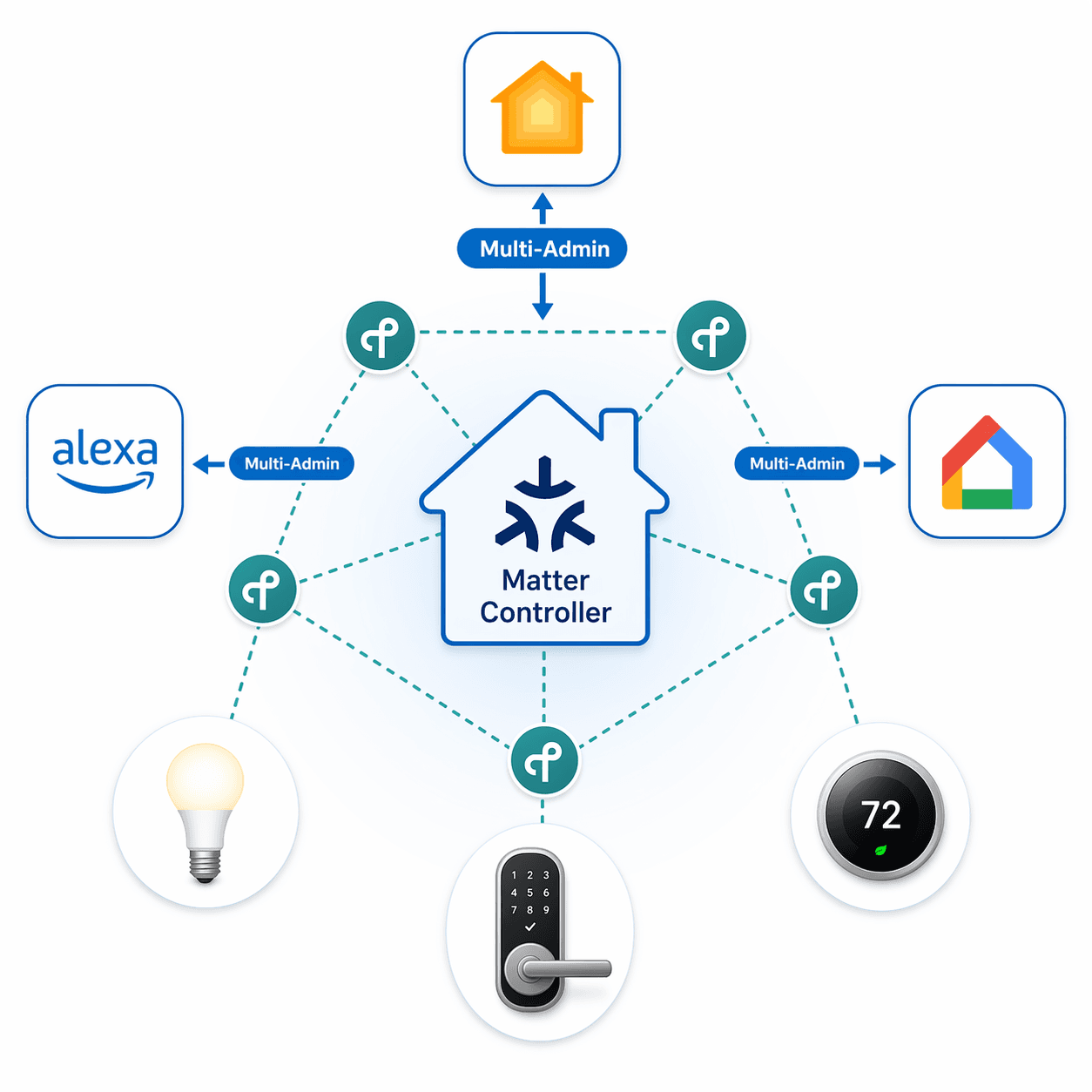
Thread 1.4, presented in September 2024, aims to solve the problem of competing Thread mesh networks — border routers can now join existing networks rather than creating separate meshes. That is a real improvement. But it does not change the fact that your automations are still limited by the platform you chose to author them on.
Where Each System Lands
- Home Assistant: The most capable automation engine. 3,000+ integrations, local execution, full scripting. But you need to invest time in YAML or visual automation setup. Hub cost $95–$159 depending on model (Treasure Valley Solutions, ZDNET). Best for: complex multi-condition recipes and anyone who wants no cloud dependency.
- Amazon Alexa: Best voice control and widest device support. Echo Dot from $22, native Zigbee on some models (Treasure Valley Solutions, ZDNET). Routines are easy but limited in logic depth. Best for: voice-triggered scenes and basic schedules.
- Google Home: Excellent app and voice experience. Nest Mini from $29. Automations remain simpler than Alexa and cannot chain geofence + sensor triggers. Best for: users who prioritize a clean interface and basic routines. See our Google Home automation recipes for specific examples.
- Apple Home: Privacy-first with local processing and end-to-end encryption (Treasure Valley Solutions, ZDNET). HomePod mini $99. Device selection limited to HomeKit and Matter, but automation quality is solid for standard routines. Best for: privacy-conscious households already in the Apple ecosystem.
- SmartThings: Good entry-level hub at $65 (PCWorld). Supports Wi-Fi, Zigbee, Thread, and Matter. Automation capabilities are moderate — it can handle basic multi-step recipes but falls short on complex condition chains. Best for: beginners who want a cheap, versatile hub.
- Control4 / Savant / Crestron: Professional dealer-installed systems. Full whole-home automation with custom programming. Starting costs $5,000–$30,000+ (Treasure Valley Solutions). They can run any recipe in the matrix, but you depend on a dealer for changes. Best for: new construction or major renovations with a budget for ongoing support.
I am not going to pretend that one of these is universally superior. If you need a multi-condition security response that triggers lights and locks at 2 AM, Home Assistant or a professional system is your only real option. If you want to say “Alexa, good night” and have the lights go off, the Echo Dot on your nightstand is perfectly capable.
Start With Your Own Routines
Write down the three automations you most want to run. Then look at the matrix. If your list includes a multi-condition trigger (like security response or energy optimization), you are looking at Home Assistant or a professional system. If your list is mostly voice-controlled scenes and simple schedules, Alexa or Google Home will serve you well.
For a more structured approach, walk through our decision framework for choosing a home automation controller. It will help you match your actual automations to the right platform without getting distracted by device counts or marketing claims.
Implementation Notes
Share platform-specific tips, report that a recipe no longer works after a platform update, or contribute variations for different device combinations.
Comments
Join the discussion with an anonymous comment.