
Roku Smart Home makes the most sense from the couch. If you already watch TV through a Roku TV or Roku streaming stick, the pitch is obvious: put a cheap camera on the porch, press a button on the remote, and see what is happening without opening another app. Doorbell alerts can appear on the TV, live camera feeds can be viewed through the Roku Cameras channel, and Roku voice commands can pull up cameras, control lights, or arm and disarm the home monitoring system.[1][2]
That TV layer is the reason Roku Smart Home deserves a separate look in 2026. Plenty of companies sell inexpensive indoor cameras and smart plugs. Very few make them feel native to the screen already sitting in the living room. For a renter, a small apartment, or a household that only wants a porch camera and a couple of bulbs, that can be genuinely useful.
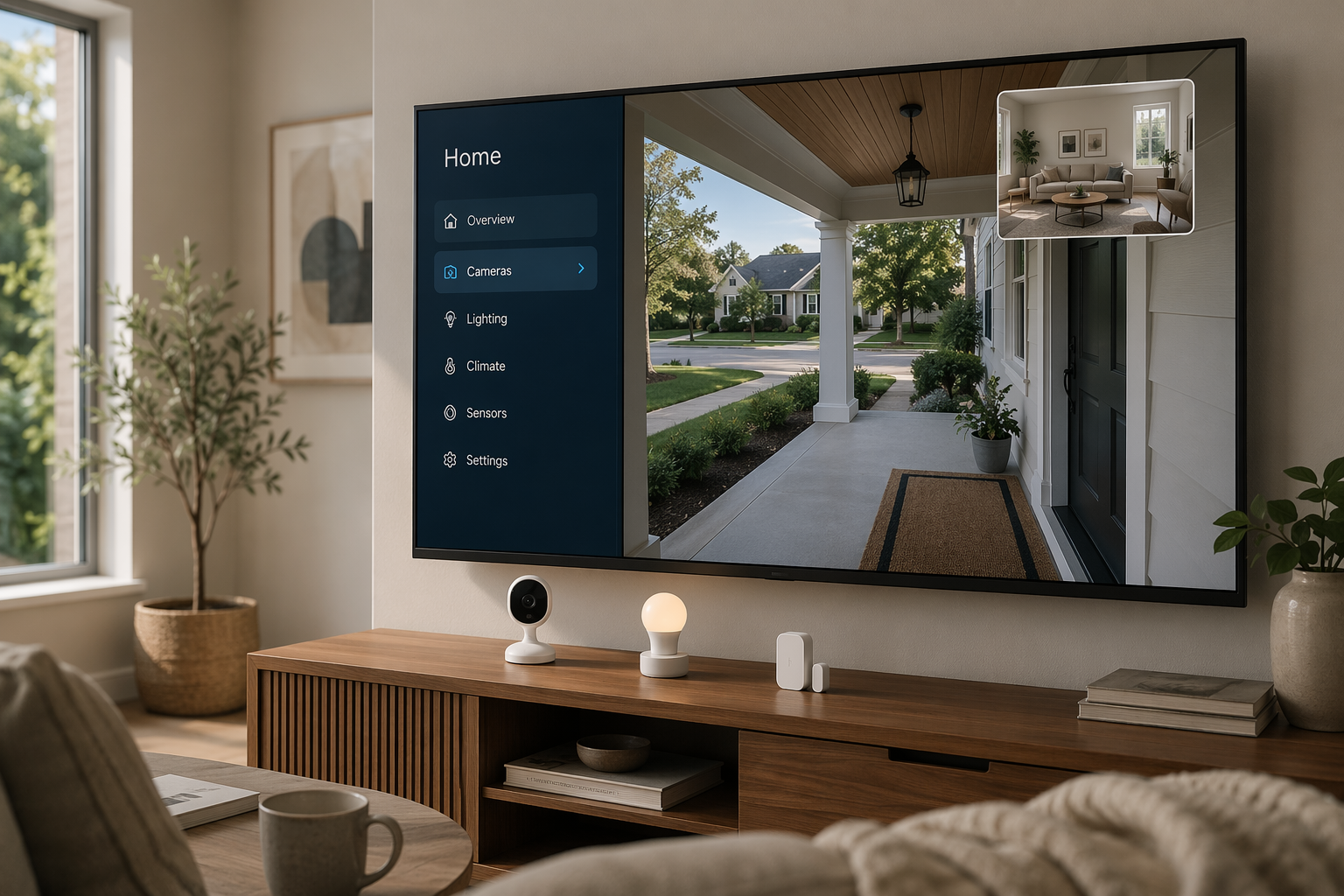
It is not, however, a full smart home platform hiding behind low prices. Roku does not offer a TV-based smart home dashboard, sensor alerts only appear on the TV when the security system is armed, and one July 2023 review found that camera feeds could take 20 to 30 seconds to load on the TV.[3] That last point may not describe every 2026 setup, and Roku OS updates may have improved the experience since then. But it is still the right warning sign: “view on TV” is only great if it feels quick enough to use in the moment.
What Roku Smart Home Actually Sells
The Roku catalog is strongest where the smart home usually starts: cameras, doorbells, simple lighting, plugs, and a basic security kit. Most of the line sits under $50, which is exactly why it is tempting. The Indoor Camera SE is listed at $19.99, the Indoor Camera 360° at $34.99, the Outdoor Wired Camera at $39.99, and the Floodlight Camera at $79.99. Roku also sells a Battery Camera for $49 with a claimed six-month battery life and a Battery Camera Plus for $59 with a claimed two-year battery life.[4]
The doorbell choices stay in the same budget lane: $59.99 for the wired Video Doorbell and $49.99 for the wire-free version. Lighting is similarly inexpensive, with a Smart Bulbs White 4-pack at $14.99, Smart Bulbs Color 2-pack at $17.99, Smart Plugs 2-pack at $14.99, and Light Strips ranging from $24.99 to $49.99. The Home Monitoring System SE starter kit is $99.99.[4]
| Category | Roku devices | Approximate price |
|---|---|---|
| Indoor cameras | Indoor Camera SE; Indoor Camera 360° | $19.99; $34.99 |
| Outdoor cameras | Outdoor Wired Camera; Floodlight Camera | $39.99; $79.99 |
| Battery cameras | Battery Camera; Battery Camera Plus | $49; $59 |
| Doorbells | Wired Video Doorbell; Wire-Free Video Doorbell | $59.99; $49.99 |
| Security | Home Monitoring System SE starter kit | $99.99 |
| Lighting and power | White bulbs, color bulbs, smart plugs, light strips | $14.99–$49.99 |
Those prices are the best argument for Roku. A person can buy an indoor camera, a doorbell, a plug pack, and a few bulbs without feeling like they have committed to a permanent platform. The $99.99 Home Monitoring System SE starter kit is also roughly half the price of comparable Ring or SimpliSafe starter kits that sit above $200.[4]
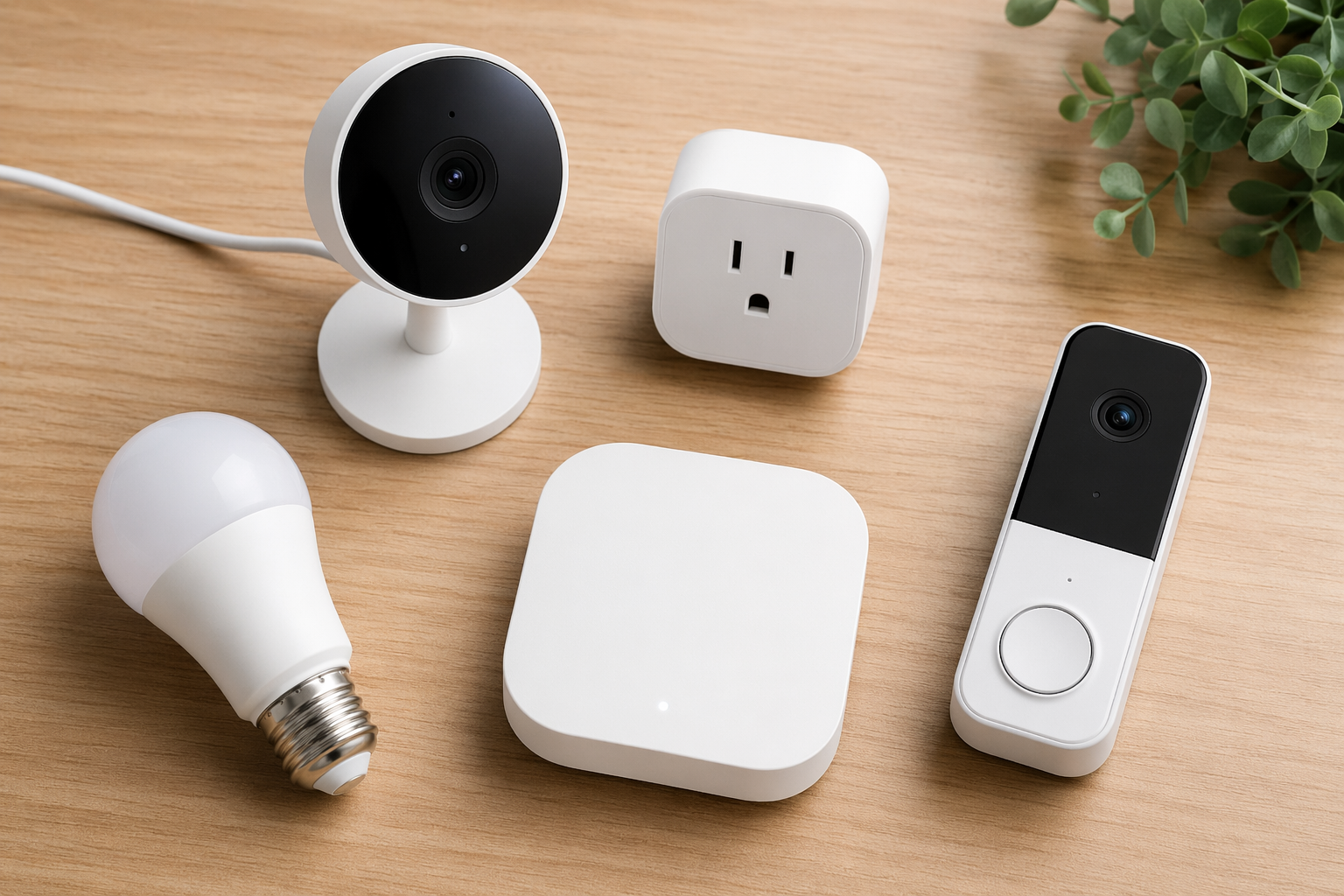
The missing categories matter just as much. Roku does not sell smart locks, thermostats, garage door controllers, smoke detectors, or water leak sensors.[4] That is not a small omission if the plan is to build a whole-home system over time. It means Roku can cover “I want to see and be alerted,” but not “I want the house to react across doors, climate, leaks, and safety sensors.”
If the shopping list is mostly cameras and a few lights, Roku looks lean in a good way. If the shopping list includes a door lock, thermostat, leak sensor, or garage controller, the low entry price starts to look like the beginning of a second ecosystem rather than the start of one complete system. For broader platform planning, it is worth comparing Roku against the larger ecosystems in Smart Home Systems Compared: Navigating Platform Trade-Offs in 2026 before buying the first camera.
The TV Advantage Is Real, Just Narrow
The best Roku Smart Home moment is not in a spec sheet. It is the doorbell notification that pops up while someone is watching a show, or the ability to say into the Roku remote that you want to see the front door camera. That is a different kind of convenience than checking an app from a phone across the room.
Roku supports live camera viewing on Roku TVs and streaming devices through the Roku Cameras channel, doorbell notifications on screen, and voice control through the Roku remote for camera viewing, lights, and arming or disarming the security system.[1][2] For an existing Roku household, that means the TV becomes a casual monitoring surface without buying a separate display.
But Roku has not turned the TV into a control center. There is no full on-screen dashboard for lights, sensors, cameras, and automations. Sensor alerts are limited on the TV and only show when the system is armed.[1] The result is closer to “camera viewer plus useful pop-ups” than “smart home command center.” That distinction matters because the living-room screen is Roku’s one unique advantage. If that advantage sounds secondary to you, the rest of the ecosystem has to compete mostly on price.
The reported 20-to-30-second camera loading delay from July 2023 is also worth treating carefully.[3] It is not proof that every current Roku camera feed will be slow in every home. Wi-Fi quality, device generation, camera model, Roku hardware, and software updates can all affect the experience. Still, a delay in that range changes the use case. It is acceptable for checking whether a package is still outside. It is frustrating if someone rang the bell and you are trying to decide whether to get up.
A Cheap Starter Setup Can Stay Cheap, Until Video History Matters
A basic Roku setup can be almost absurdly inexpensive. One indoor camera, a wire-free doorbell, and a plug pack can land well below what many established brands charge for a starter security kit. Add the Home Monitoring System SE, and the upfront cost is still low enough to feel like a test rather than a renovation.
| Example setup | What it covers | Approximate hardware cost |
|---|---|---|
| Apartment camera starter | Indoor Camera SE plus Smart Plugs 2-pack | $34.98 |
| Porch check setup | Wire-Free Video Doorbell plus Indoor Camera SE | $69.98 |
| Small-home monitoring setup | Home Monitoring System SE plus Indoor Camera SE | $119.98 |
| Camera-heavy budget setup | Indoor Camera SE, Outdoor Wired Camera, and Wire-Free Video Doorbell | $109.97 |
Those examples use listed device prices and are meant as practical shopping scenarios, not official bundles.[4] They show why Roku is hard to dismiss for a small space. The problem is that camera systems are rarely judged only by the day-one receipt. They are judged when the user needs to see what happened yesterday, when alerts become too delayed or too frequent, or when a camera is installed where microSD access is inconvenient.
The Subscription Part Deserves Attention Before Checkout
Roku’s free camera tier is not useless. It includes live view, local microSD recording, motion alerts with a five-minute cooldown, and still-image storage.[5] For a camera pointed at a pet, a driveway, or a hallway where live viewing is the main job, that may be enough.
The first landmine is the cooldown. A five-minute gap between motion alerts can be fine for casual notifications and wrong for anything that feels security-adjacent. If a delivery, a person, and a second movement all happen inside that window, the alert behavior may not match the buyer’s mental picture of “security camera.” The second landmine is video history. Still images and local microSD recording help, but 14-day cloud recording requires Camera Plus.[5]
Camera Plus costs $3.99 per camera per month or $9.99 per month for unlimited cameras, and it adds 14-day cloud recording while removing the motion-alert cooldown.[5] The math changes quickly. One $19.99 camera with a $3.99 monthly plan is no longer just a $19.99 camera after a few months. A multi-camera household may be pushed toward the unlimited plan, at which point the hardware savings still matter, but the system starts to look like every other subscription-based camera ecosystem.
The Home Monitoring System SE has its own subscription path. Professional monitoring is available through Noonlight for $9.99 per month.[5] That price is low compared with many traditional security systems, but the practical question is not just monthly cost. It is whether Roku’s limited device catalog gives the monitoring service enough sensors and device types to match the kind of system the buyer actually wants.
This is where cheap gear needs a longer receipt. If the plan is one camera with live view, Roku can stay inexpensive. If the plan is several cameras with cloud history, unlimited alerts, and professional monitoring, the monthly fees become part of the product. Anyone comparing platforms mainly on price should check a running subscription comparison such as Smart Home Subscription Costs Tracker 2026 or the broader Smart Home Products Cost Guide before treating Roku as automatically cheaper.
Platform Limits: Wi-Fi Only, No Matter, No HomeKit
Roku Smart Home is not built like a hub-based system. Its devices use 2.4 GHz Wi-Fi, and the platform does not support Matter, Thread, Zigbee, or Z-Wave as of June 2026.[2][6] Roku also does not provide smart home hub functionality.[2][6]
That has two practical consequences. First, the home Wi-Fi network carries the device load. A few cameras and plugs are one thing; a larger system with many Wi-Fi accessories can become more dependent on router placement, congestion, and signal quality. Second, Roku does not give you the escape hatch that Matter, Thread, Zigbee, or Z-Wave ecosystems can provide when you want to mix brands.
Voice assistant support helps, but only to a point. Roku works with Alexa and Google Assistant, but it does not support Apple HomeKit.[6] For an iPhone household that has already built routines around Apple Home, that is a serious mismatch. For a household already using Alexa or Google mainly for voice commands, it is less of a problem, as long as expectations stay modest.
There is no confirmed Roku Matter or Thread roadmap as of June 2026. Roku’s current limitation is therefore not “wait a few months and it becomes universal.” It is “buy it for what it does now.” For readers still choosing the underlying ecosystem, Smart Home Platforms Compared: Which Ecosystem Should You Choose in 2026? and How to Choose a Smart Home System are better starting points than a single cheap camera.
Roku Versus Ring, SimpliSafe, and Wyze
Roku undercuts Ring and SimpliSafe on starter-kit pricing. Its $99.99 Home Monitoring System SE is roughly half the price of comparable Ring or SimpliSafe starter kits above $200.[4] That matters for someone who wants basic entry sensors and a monitoring option without spending security-system money upfront.
Ring and SimpliSafe still look stronger for buyers who think of this as home security first and TV convenience second. They have more mature security identities, broader hardware paths, and clearer roles in professional monitoring comparisons. If the shortlist is really Ring, SimpliSafe, ADT, Abode, and Roku, the better next read is Smart Home Security Systems in 2026: A Head-to-Head Comparison.
Wyze is the more awkward comparison because Roku’s early smart home lineup was white-labeled Wyze hardware running custom firmware.[4][7] That history explains why Roku’s early devices can feel familiar to anyone who has used Wyze gear. It also creates a buyer-confidence question: are you buying into a Roku-designed ecosystem, or a Roku-branded branch of someone else’s device family?
The answer is starting to change, but not enough to overstate it. Roku announced the Battery Camera and Battery Camera Plus in June 2025 as its first in-house-designed smart home products, with different industrial design and claimed battery life of six months and two years respectively.[7] That suggests Roku may be moving away from simple rebranding, but it does not prove that every future product will be fully independent or that the long-term catalog will expand quickly.
The Roku-Wyze overlap does not mean the ecosystems can be mixed freely. Roku and Wyze devices remain mutually exclusive; buying one does not give you a shared device pool inside the other app or platform.[7] If Wyze has the devices you want and Roku only has the TV integration you like, that trade has to be made deliberately.
Where Roku Fits Best
Roku Smart Home is easiest to recommend when the home is small, the needs are specific, and the TV integration will actually be used. A Roku TV owner who wants to see the porch from the couch, check an indoor camera without grabbing a phone, or get a doorbell alert while watching a show is the buyer Roku is serving best.
- Good fit: existing Roku TV or Roku streamer owners who value camera viewing on the TV.
- Good fit: renters, apartment dwellers, and small-home owners who want inexpensive cameras, lights, plugs, or basic monitoring.
- Good fit: buyers who can live with Wi-Fi devices, app-based setup, and a limited catalog.
- Good fit: households that only need live view or are comfortable paying for Camera Plus when cloud history matters.
It is harder to recommend for anyone who is already thinking beyond cameras and simple sensors. If the plan includes locks, thermostats, leak detection, garage control, smoke detection, HomeKit, Matter, Thread, or a true TV dashboard, Roku starts to run out of road. The same is true for buyers who want a professional-grade security system rather than a budget monitoring setup.
- Skip Roku if you want a broad smart home ecosystem with locks, thermostats, leak sensors, and garage control.
- Skip Roku if Apple HomeKit, Matter, Thread, Zigbee, or Z-Wave support is part of your buying criteria.
- Skip Roku if you expect the TV to act as a full smart home dashboard.
- Skip Roku if cloud recording and unlimited alerts are must-haves but you are trying to avoid subscriptions.
The cleanest verdict is this: Roku Smart Home is worth considering if you already live with Roku, want cheap cameras and simple monitoring, and care more about couch-based viewing than ecosystem depth. It is not the system to buy because it is the cheapest box on the shelf. It is the system to buy only if the TV integration solves a real daily annoyance and the missing device categories will not become your next purchase.
If the answer is “not Roku,” the next step is not necessarily the most expensive platform. It is matching the ecosystem to the job. Camera-focused buyers can start with How to Choose a Smart Security Camera. Security-first buyers should compare systems in The Best Smart Home Security System for Your Ecosystem. Budget buyers who still like the under-$50 idea can use Best Smart Home Devices Under $50 without locking themselves into Roku by accident.
References
- Roku Smart Home TV integration coverage, Consumer Reports
- Roku Smart Home platform coverage, PCWorld
- Roku smart home camera review, Stacey on IoT, July 2023
- Roku Smart Home device and pricing comparison, AFTVnews and Roku product pages
- Roku Smart Home subscription and support information, Digital Trends and Roku Support
- Roku Smart Home compatibility and platform support, Roku Support
- Roku Battery Camera and Battery Camera Plus announcement coverage, PCWorld and AFTVnews, June 2025
Updates & Corrections
Protocol specifications and platform features change rapidly — especially with Matter version evolution. Report version changes, certification count updates, or platform policy changes that have occurred since the last editorial review.
Comments
Join the discussion with an anonymous comment.