
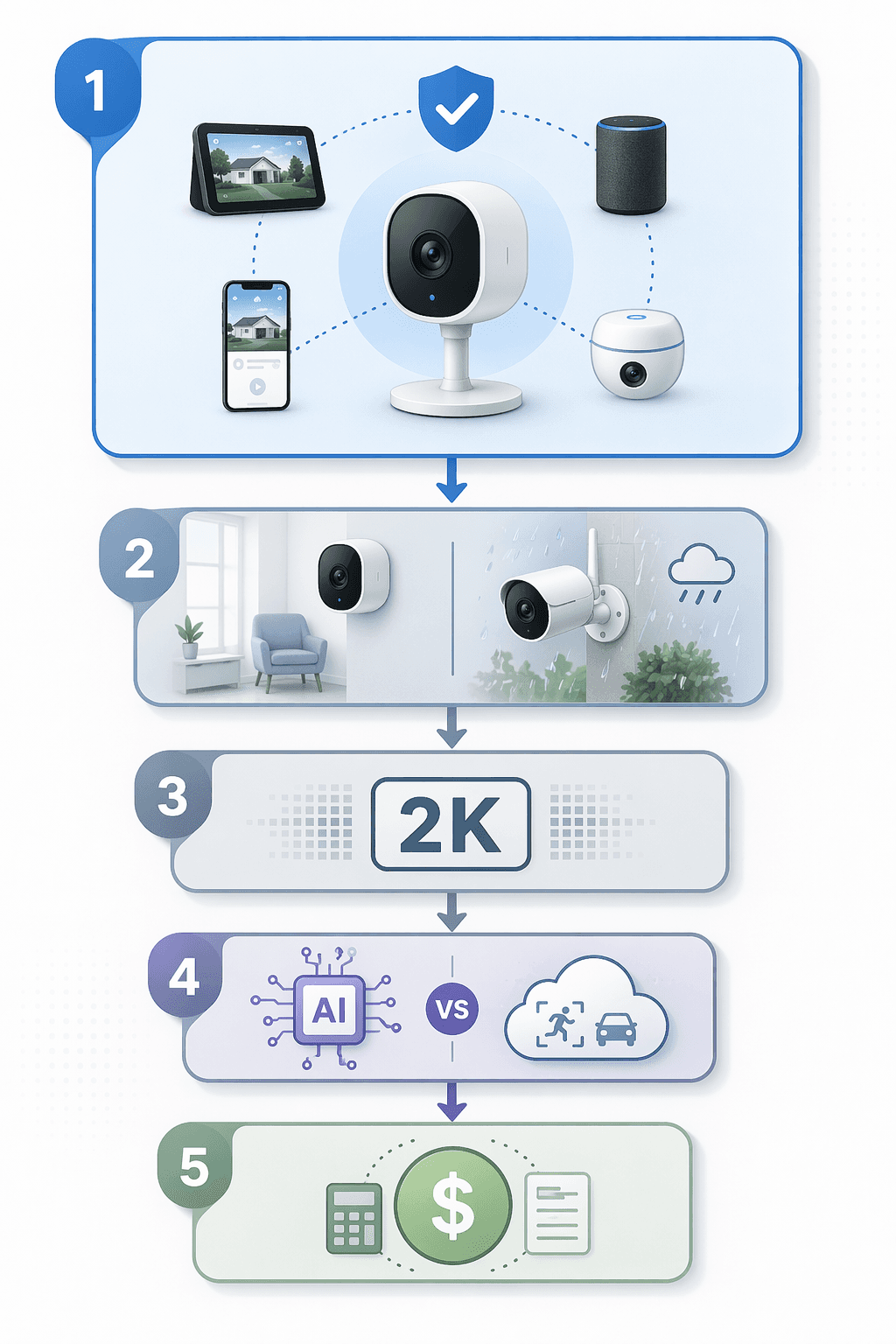
Before comparing smart security cameras by resolution, night vision, or whatever “AI-powered” phrase is on the box this month, start with the boring question that saves the most grief: where is this camera supposed to live in your smart home? If your household already uses Alexa routines, Google Home displays, Apple HomeKit, SmartThings, Ring Alarm, or an ADT system, the camera should fit there first. Otherwise, you are not buying one more smart-home device. You are buying one more app to babysit.
The practical order is simple: pick the ecosystem, then decide where the camera goes, how it gets power, what video quality is enough, which AI features are worth trusting, and what storage will cost after the first year. That order matters because a camera with beautiful 4K footage is still annoying if it will not show up on the screen you actually use, cannot trigger the automation you expected, or locks yesterday’s clip behind a plan you forgot to price.
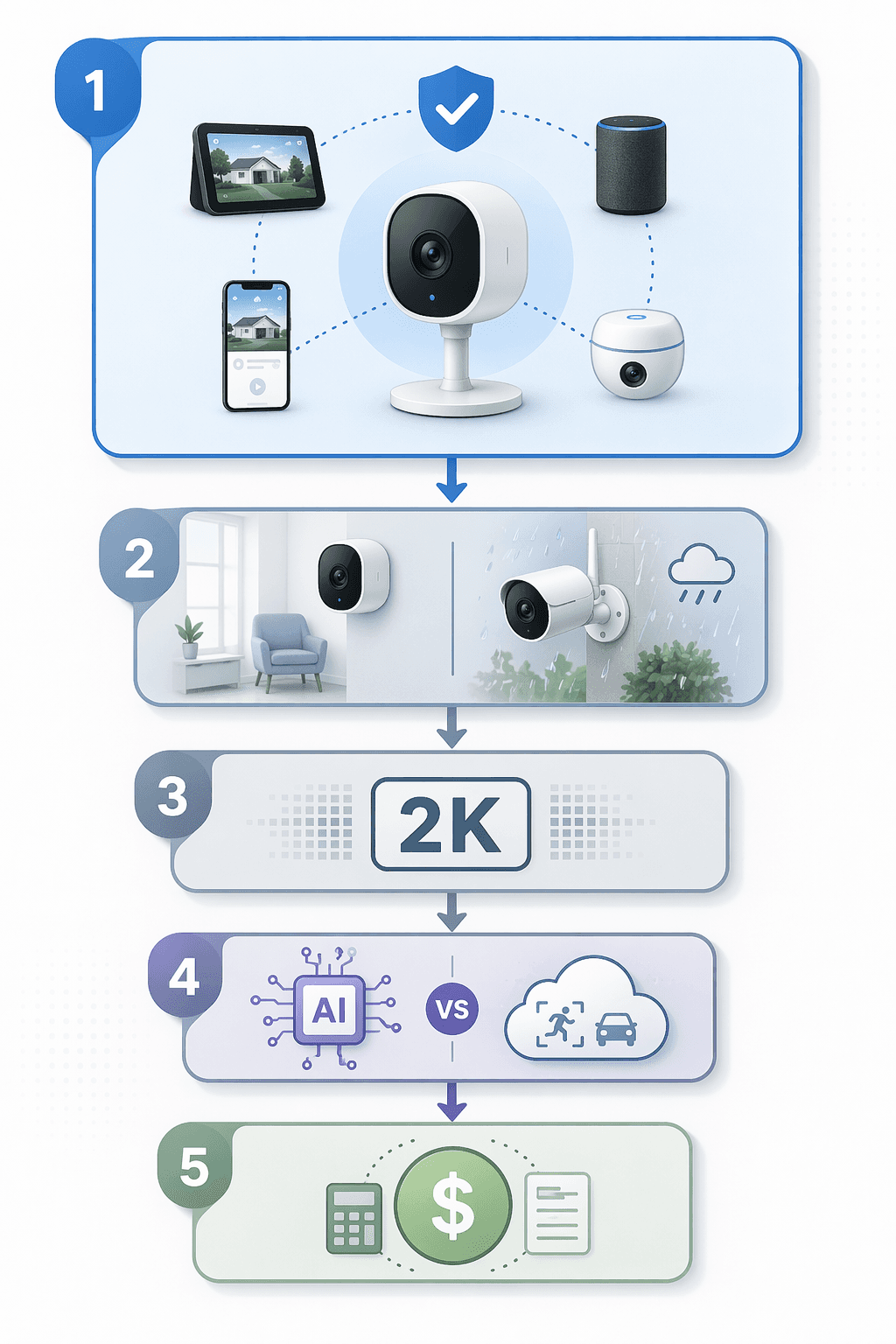
This is not a small corner of the smart-home market anymore. SafeHome.org’s 2026 survey of 2,435 U.S. adults found that 61% of U.S. households now have at least one security camera, up from 52% in 2024, with Ring reported as the primary brand by 43% of camera users, followed by ADT at 10%, Google Nest at 7%, Wyze at 6%, and SimpliSafe at 5%.[1] Those are self-reported brand shares, not unit-sales data, but they do explain why so many buying decisions now begin with an existing platform rather than a blank slate.
Renters are also pushing the category toward easier installs. Battery-powered cameras now dominate the rental market, and renter adoption rose 12 percentage points in one year to 54%; DIY installation has also overtaken professional installation for alarm systems, 49% to 42%.[1] That is good news if you cannot drill into brick or run low-voltage wiring. It is less good if you buy a “wire-free” camera and discover later that charging it every few months means getting a ladder out in February.
Start with the platform you already use
A smart security camera is only partly a camera. It is also a notification source, a storage service, a doorbell chime, a motion sensor, a live feed for a display, and sometimes the thing that triggers lights or alarms. That is why ecosystem compatibility should come before the spec sheet.
If you live in Alexa, Ring and Blink tend to feel native. If you use Google displays and Nest speakers, Nest cameras are less likely to feel bolted on. If you are deep into Apple Home, HomeKit Secure Video support and hub requirements matter more than an extra megapixel. If SmartThings or a security-system platform runs the house, check camera support there before falling for a discount bundle. The platform determines where alerts appear, whether clips are easy to review, and whether the camera can participate in automations without a workaround.
This is also where Matter needs a little cold water. Matter has helped clean up parts of the smart-home mess, but camera support remains limited in 2026. Most cameras are still optimized around one primary ecosystem. The Aqara Camera Hub G5 Pro stands out because it is positioned with Matter, Thread, and Zigbee support for broader cross-platform use, but that makes it the exception worth noticing, not proof that every camera is now plug-and-play everywhere.[2]
If you are not sure where your household sits, compare the major platforms before shopping. The differences between Alexa, Google Home, Apple Home, and SmartThings are not just branding; they affect camera feeds, routines, voice control, and privacy defaults. Our smart home platforms comparison is the better place to sort that out before picking hardware.
| If your home already runs on… | Camera choice should prioritize… | Watch out for… |
|---|---|---|
| Amazon Alexa / Ring | Ring or Alexa-friendly camera support, doorbell chimes, Echo Show live view | Cloud plan costs if you want recording history |
| Google Home / Nest | Nest integration, Google display support, familiar app controls | AI features that may still be inconsistent in practice |
| Apple Home | HomeKit Secure Video support, Apple hub compatibility, privacy controls | Limited model selection compared with Alexa and Google |
| SmartThings or mixed-device homes | Cross-platform support and automation compatibility | Cameras that work only as a separate app feed |
| Security-system-first homes | ADT, SimpliSafe, Ring Alarm, or similar system integration | Paying for overlapping monitoring and camera subscriptions |
Place the camera before you choose the camera
Once the platform is settled, placement becomes the next real constraint. Indoor cameras, outdoor cameras, and video doorbells solve different problems. Buying the wrong type usually means living with an awkward angle, too many alerts, or a device that spends more time disabled than useful.
- Indoor cameras are best for entryways, nurseries, pet areas, garages, and rooms where you actually want a live feed. They are easier to power, easier to reposition, and more likely to raise privacy concerns inside the household.
- Outdoor cameras are for driveways, side gates, backyards, sheds, and dark approach paths. Weather resistance, mounting height, Wi-Fi reach, and lighting matter more than tiny differences in app design.
- Video doorbells are for the front approach, packages, visitors, and deliveries. They are not a substitute for a driveway camera unless the driveway happens to be in the doorbell’s field of view.
A doorbell camera pointed at a porch cannot reliably watch a detached garage. A wide-angle outdoor camera mounted too high may capture plenty of sidewalk and not enough face detail. An indoor camera aimed across a living room may be technically useful and socially hated. Placement is not glamorous, but it is where half the “bad camera” complaints are born.
Wired, battery, or solar
Wired cameras are still the least fussy once installed. They can record more consistently, avoid battery anxiety, and make sense for homeowners who are willing to mount something permanently. The catch is obvious: wiring takes effort, and in a rental it may not be allowed.
Battery cameras are the renter-friendly answer. They go where wiring does not, and they explain much of the rental-market growth. But battery life depends on motion frequency, recording settings, weather, Wi-Fi strength, and how often you open the live view. If the camera is watching a busy sidewalk, do not assume the cheerful battery estimate on the box describes your house.
Solar can help outdoor battery cameras, especially in sunny placements, but it is not magic. Shade, winter light, and poor panel angles still matter. Treat solar as a maintenance reducer, not a promise that you will never touch the camera again.
| Power type | Best fit | Main trade-off |
|---|---|---|
| Wired | Permanent outdoor installs, doorbells with existing wiring, high-traffic areas | Harder installation and less renter-friendly |
| Battery | Rentals, apartments, temporary placements, low-drill setups | Charging, battery degradation, and possible recording limits |
| Solar-assisted battery | Outdoor spots with reliable sun exposure | Still depends on weather, placement, and motion volume |
Resolution: 2K is usually the sensible middle
Camera makers would like resolution to feel like the whole decision. It is not. For most homes, 1080p is the baseline, 2K is the useful sweet spot, and 4K is for larger properties or situations where you genuinely need more detail across distance. For standard doorbell use, 4K can be overkill because it increases bandwidth and storage demands without necessarily improving the thing you care about most: seeing who is at the door.
A small apartment entryway, a nursery, or a pet camera does not need 4K. A driveway camera watching vehicles from farther away may benefit from the extra detail. A porch camera needs good exposure handling and a useful field of view as much as raw pixels. If a cheaper 4K camera has worse storage terms, weaker platform support, or unreliable alerts, the resolution upgrade is not a bargain.
AI features are useful only when you know where the processing happens
Person detection, package detection, pet detection, vehicle alerts, and facial recognition can make a camera less annoying. They can also make the camera more expensive, more cloud-dependent, and occasionally confidently wrong. SafeHome.org found that 28% of users already run AI person or package detection, while 39% want facial recognition.[1] Interest is real. So are the trade-offs.
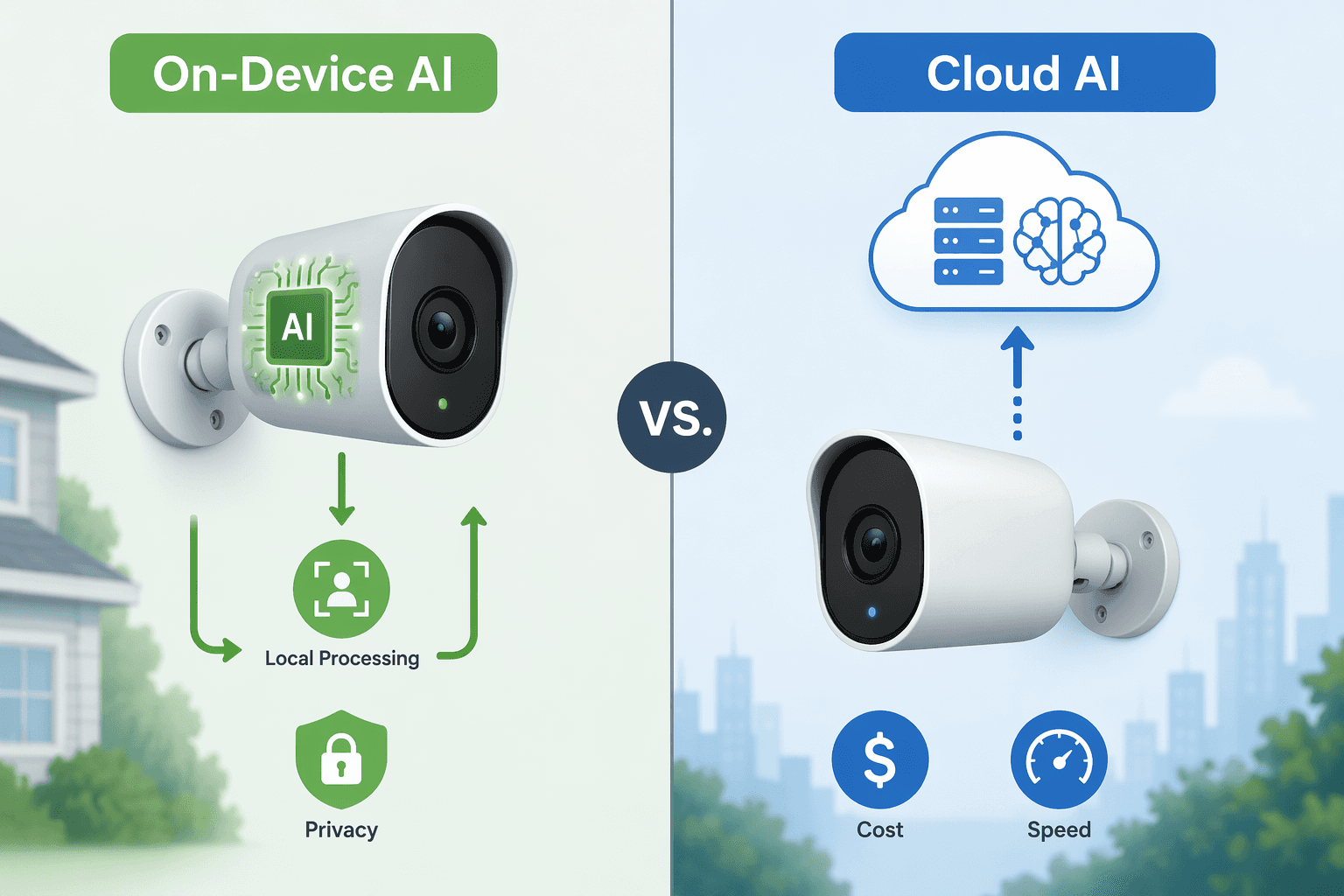
On-device AI, used by brands such as Eufy, Reolink, and some TP-Link cameras, processes more of the detection locally. That can reduce cloud dependence and may avoid some subscription requirements, but local models may update more slowly. Cloud AI, common with Ring, Google, and Arlo, can support richer detection and faster feature updates, but it usually means sending more activity through the vendor’s cloud and paying recurring fees.
The word “AI” does not guarantee accuracy. Wirecutter’s 2026 outdoor camera review noted that Google’s Gemini AI features for Nest cameras were still in beta and found them “consistently inaccurate” in testing.[3] That does not make every AI alert useless. It does mean you should treat new recognition features as conveniences to verify, not as a replacement for sensible placement and recording.
Facial recognition deserves extra caution. It can reduce nuisance alerts in a household where the same people come and go, but it also raises the privacy stakes. Package detection is less sensitive, but it depends heavily on camera angle and porch layout. Person detection is usually the most broadly useful feature because it cuts down alerts from cars, branches, and pets — assuming the camera’s detection is actually good.
Storage is where the cheap camera gets expensive
The sticker price is the part you see. Storage is the part that keeps charging the card. Cloud storage subscriptions commonly add $40 to $180 per year per camera, which can make the three-year cost much higher than the hardware price.[1] If you are comparing two cameras and only one needs a subscription for basic recording history, they are not really the same price.
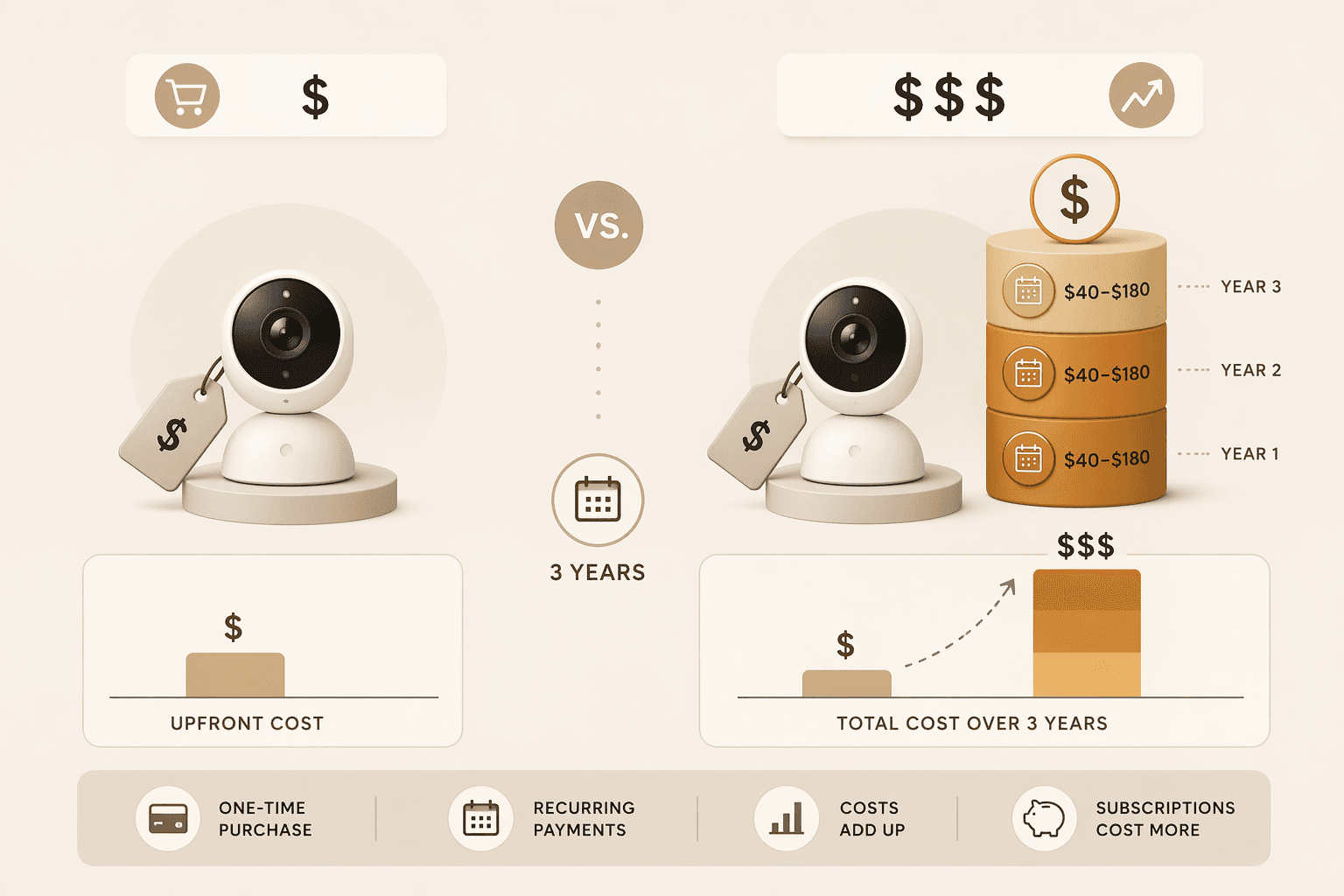
SafeHome.org found that 32% of users rely solely on cloud storage, meaning footage can be lost if the subscription lapses. It also found that 6% canceled or downgraded a subscription in the past year because of rising costs, with that behavior concentrated among renters.[1] That is the part people discover after the return window: the camera still works, but the useful history, smarter alerts, or clip sharing may not.
There are three storage patterns to understand before buying:
- Cloud-first cameras: easiest to use across phones and locations, but most likely to require a paid plan for recording history and advanced detection.
- Local-storage cameras: better for avoiding monthly fees and keeping footage closer to home, but setup, backup, and remote access can be less polished.
- Hybrid cameras: useful when they offer local fallback plus optional cloud features, though the best features may still sit behind a plan.
Consumer Reports’ 2026 testing specifically separates cameras that work well without a subscription, which is worth checking if your main goal is to avoid recurring fees.[4] That does not mean every no-subscription camera is better. It means the subscription question belongs near the beginning of the purchase, not buried in the app after installation.
For current plan pricing, use a live tracker rather than trusting an old review. We maintain a smart home subscription costs tracker and a camera-specific comparison of Ring, Arlo, and Google Home Premium subscription costs. Prices and tiers can shift quickly, so any exact model pricing should be treated as current only as of mid-2026.
Privacy is not a side setting
Security cameras record the most sensitive parts of home life: who comes to the door, when people leave, which rooms are occupied, and sometimes what family members say near the device. SafeHome.org found that 37% of users worry about who might access their footage.[1] That concern should affect the kind of camera you choose, not just which toggle you flip later.
If privacy is a high priority, look harder at local storage, on-device detection, physical privacy shutters for indoor cameras, two-factor authentication, and clear data-retention controls. If convenience is the priority, cloud storage and cloud AI may be acceptable, but at least know what you are trading. Our guides to what smart home security systems know about you and camera data retention and privacy go deeper into the brand-by-brand differences.
A practical buying filter for 2026
Use this order when narrowing smart security cameras. It is less exciting than a top-ten list, but it is how you avoid buying something that looks good in a review and feels wrong on your wall.
- Choose the ecosystem first. Decide whether the camera needs to work best with Alexa, Google Home, Apple Home, SmartThings, Ring Alarm, ADT, SimpliSafe, or another system.
- Pick the camera type by location. Indoor, outdoor, and doorbell cameras are not interchangeable just because they all stream video.
- Match the power source to the home. Renters and temporary installs lean battery; permanent high-traffic spots usually deserve wired power if possible.
- Stop overbuying resolution. Use 1080p for small spaces, 2K for most homes, and 4K only where distance or property size justifies the storage and bandwidth.
- Separate useful AI from expensive AI. Person detection is often practical; facial recognition and package alerts depend more on privacy tolerance, camera angle, and accuracy.
- Calculate three-year cost. Add the subscription you actually need, not the free trial you get on day one.
A renter in a Google Home apartment may sensibly choose a battery camera with good Google integration and a modest cloud plan. A homeowner with Apple Home and privacy concerns may accept a shorter list of HomeKit-compatible cameras to keep storage and access tighter. A large-property owner may care more about wired outdoor placement and 4K coverage than someone watching a six-foot porch. None of those buyers is wrong; they are solving different problems.
Once you can describe the class of camera you need — platform, location, power, resolution, AI tolerance, and storage model — then product picks become useful. If you want specific models after using this filter, see our Best Smart Security Camera 2026 guide.
References
- 2026 Home Security Market Report — SafeHome.org
- Best Smart Security Cameras Buying Guide (2026) — Gearbrain
- The 3 Best Outdoor Security Cameras of 2026 | Reviews by Wirecutter — Wirecutter
- Best Home Security Cameras Without a Subscription, Tested — Consumer Reports
Policy Updates & Reader Notes
Privacy policies, monitoring plan prices, and security disclosures change frequently. Report new data retention terms, updated plan pricing, or new vulnerability disclosures below. For formal editorial corrections, use the contact page.
Comments
Join the discussion with an anonymous comment.