
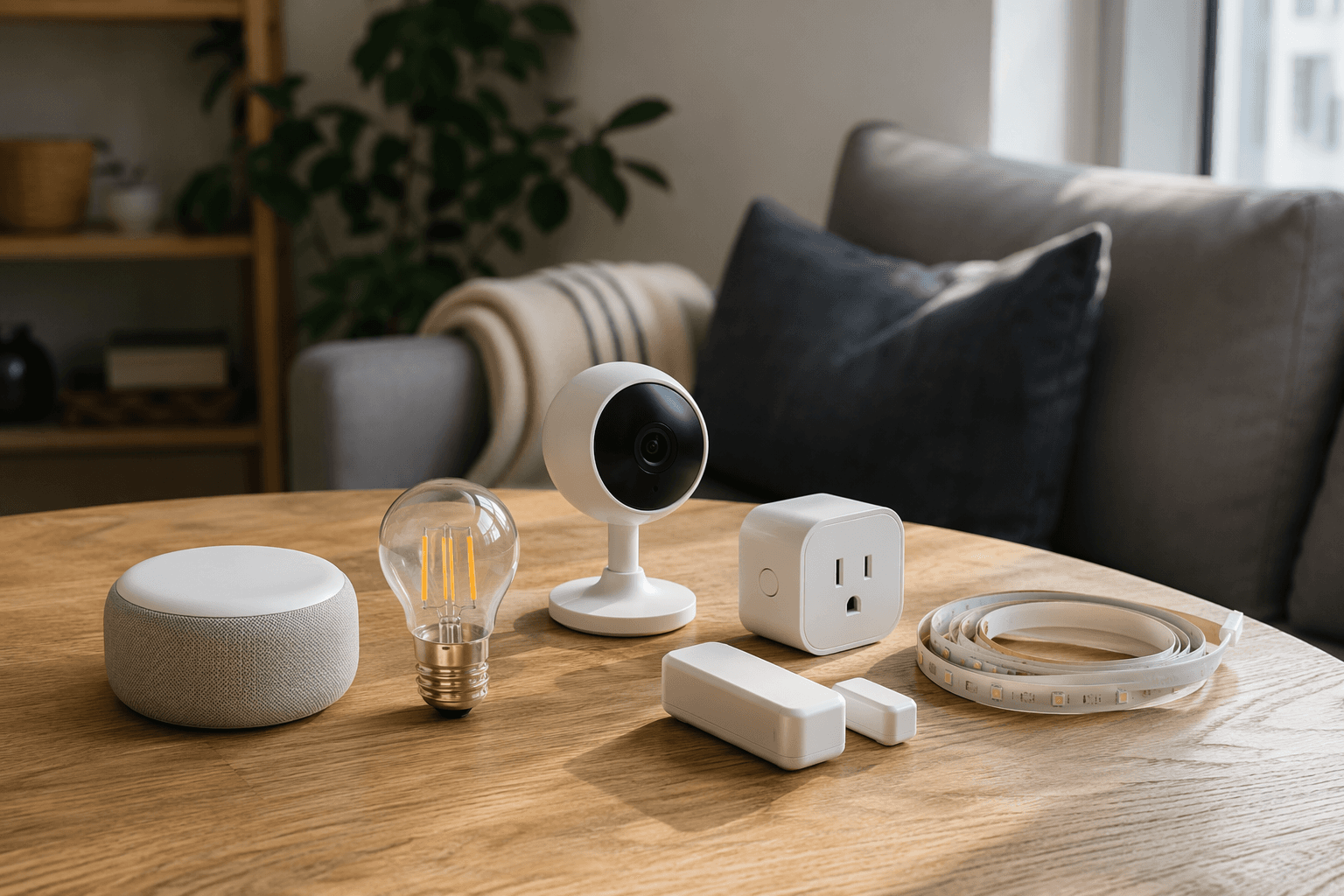
A useful starter smart home under $50 per device is no longer a stunt build in mid-2026. The important change is not that one cheap bulb exists; it is that several categories now have credible budget picks at the same time: voice control, lighting, plugs, cameras, door sensors, retrofit button-pushers, and accent lighting. That makes a real apartment setup possible without buying a premium thermostat, a $300 doorbell, or a contractor-installed hub on day one.
Prices are the fragile part of that claim. The figures below reflect late-June 2026 U.S. pricing and launch information from the cited source; Prime Day, back-to-school promotions, and Black Friday can move these devices above or below the line. Treat the $50 ceiling as a checkout rule, not a permanent label printed on the box.
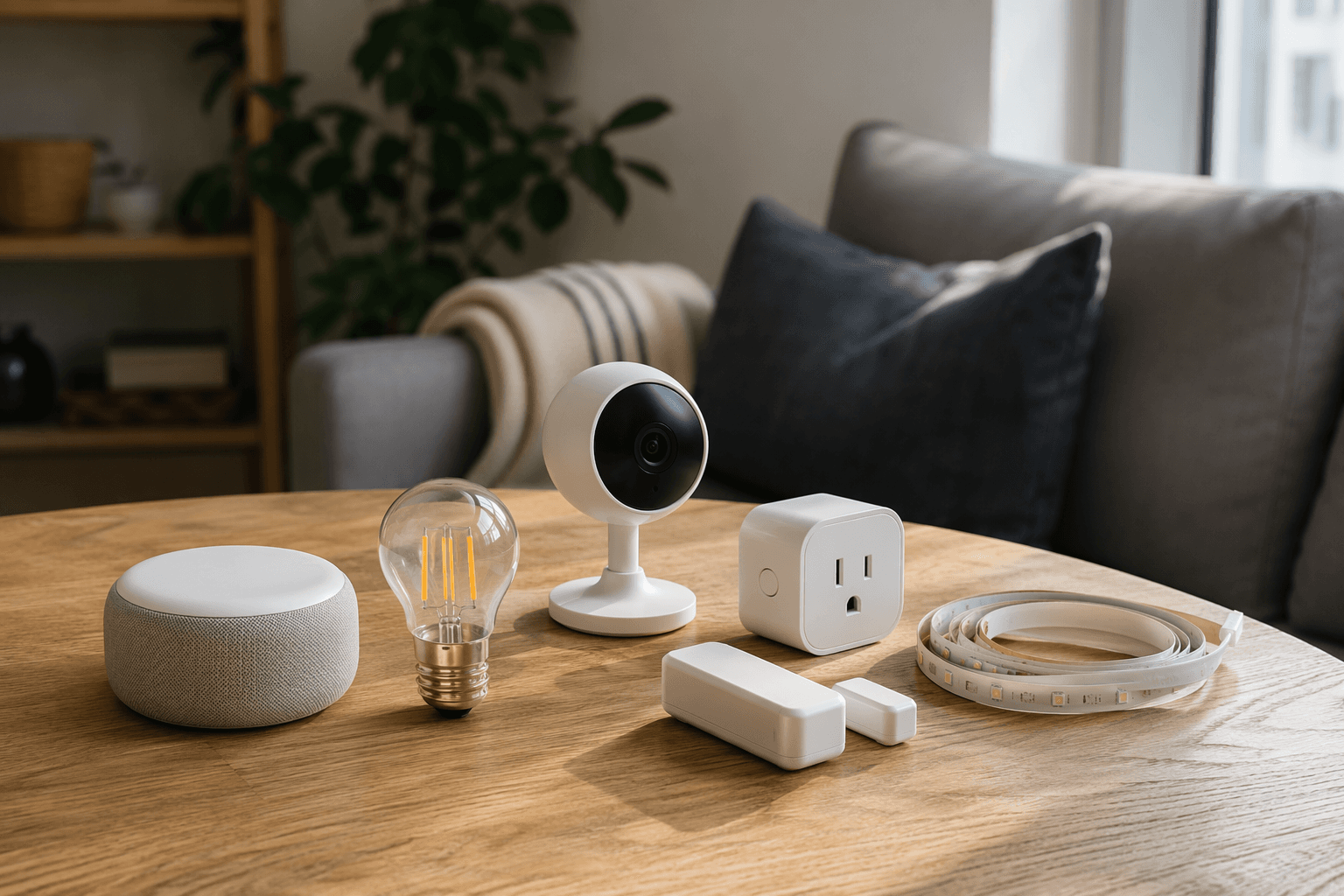
The under-$50 starter kit that actually covers a home
| Role in the setup | Budget pick | Why it belongs | Hidden check before buying |
|---|---|---|---|
| Voice control | Echo Dot 5th Gen — $49.99 | A compact speaker that gives the setup a voice interface and keeps Alexa-friendly devices easy to control. | Do not treat it as a universal bridge for every Matter, Thread, Zigbee, or Wi-Fi device. Check the exact connectivity path for each product. |
| Main lighting | IKEA Matter-over-Thread bulbs — from $6.99 | The price changes the entry point: you can cover several lamps before one premium bulb would have emptied the budget. | Matter support helps with cross-platform setup, but it does not guarantee every advanced feature behaves the same in every app. |
| Lamps and small appliances | TP-Link Kasa EP25 smart plug 4-pack — about $42.99 | A practical first layer for renters because it needs no wiring and works with Apple HomeKit, Alexa, and Google Home without a separate hub. | It is a Wi-Fi plug. Count outlets and avoid using it for devices that exceed the plug’s rating. |
| Indoor or sheltered camera | Wyze Cam v4 — about $35.98 | A low-cost 2.5K QHD camera with IP65 weatherproofing, color night vision, and local microSD recording. | No mandatory cloud plan is good; AI features and cloud storage can still cost extra. |
| Front door video | Blink Wired Doorbell 2K+ — $49.99 | A sub-$50 2K video doorbell from a major brand. | It is wired. Renters without existing doorbell wiring should usually skip it. |
| Door/window trigger | Aqara Door and Window Sensor P2 — $29.99 | A Matter-over-Thread contact sensor that can trigger routines across major platforms. | You need the right Thread/Matter controller path already in the home or in the shopping cart. |
| Retrofit control | SwitchBot Bot — $29–$39 | A renter-friendly way to press a physical button on an older device. | It solves one button at a time; placement and mechanical fit matter more than the app description. |
| Ambient lighting | Govee RGBIC light strip — $19.99 | Cheap accent lighting for shelves, desks, or behind a TV. | Fun and visible, but rarely the first device that makes the home smarter. |
That table is the difference between buying gadgets and building a small system. A bulb gives you one nice trick. A bulb plus a plug plus a sensor gives you a routine. Add a camera where it fits, and now the setup can cover lighting, basic security, schedules, and voice control across more than one room.
What changed in 2026
The budget market used to have a lopsided problem: you could find cheap bulbs and plugs, but the moment you wanted a doorbell, a camera with local recording, or multi-platform sensors, the total cost jumped. May and June 2026 made that less true. Blink put a wired 2K doorbell at $49.99, IKEA relaunched a Matter-over-Thread lighting line with bulbs starting at $6.99, Kasa’s EP25 four-pack sat around $42.99, Wyze Cam v4 stayed near $35.98, and Aqara’s P2 contact sensor came in under $30.[1]
The more useful shift is compatibility. IKEA’s relaunch matters because the bulbs use Matter over Thread and do not require an IKEA hub; they can pair through a compatible Thread border router instead.[1] That does not magically make every app identical. It does mean a first-time buyer has a better chance of choosing a lamp today and not having to throw it away after switching from Alexa to Apple Home, or adding Google Home later.
Buy lighting and plugs first, unless security is the reason you started
For most apartments, the safest first purchase is not a camera. It is lighting and plugs. They are reversible, visible every day, and hard to regret. A smart bulb in a bedside lamp, a smart plug on a living-room lamp, and another plug on a fan or coffee maker can make the home feel meaningfully different without touching wiring or asking a landlord for permission.
The IKEA bulbs are the most interesting 2026 lighting pick because of the starting price. At $6.99, a buyer can put smart lighting in several ordinary lamps instead of treating one color bulb as a novelty.[1] The catch is where it usually is with Matter: basic controls such as on/off and dimming are the reason to buy them; any brand-specific effects or app-only features should be treated as a bonus, not a promise across every ecosystem.
The Kasa EP25 plug pack is the less glamorous but more useful purchase. At about $42.99 for four plugs, the per-outlet cost is low enough to automate a living-room lamp, a bedroom lamp, a fan, and a holiday or accent light without repeating checkout four times.[1] It also avoids one of the worst beginner traps: buying a plug that works only with the voice assistant you happen to own this month. The EP25 works with Apple HomeKit, Alexa, and Google Home without a separate hub.[1]
There is still a plain electrical limit. A smart plug is for plug-in devices that fit its rating, not for hardwired fixtures, built-in heaters, or anything where a surprise power cycle would be dangerous. If that sounds obvious, good; it is exactly the kind of obvious detail that gets buried when a product page is busy showing a lamp turning purple.
If you are still deciding where to begin, a broader first-install walkthrough such as Your First Smart Home: Where to Start, What to Buy, and How to Set It Up is the better next step than adding five more devices to the cart.
Cameras and doorbells are where the under-$50 label gets slippery
A $35.98 Wyze Cam v4 and a $49.99 Blink Wired Doorbell 2K+ both fit the price rule, but they are not the same kind of budget buy.[1] The Wyze camera can sit on a shelf, watch an entryway, or move to a new apartment. The Blink doorbell depends on existing wiring. That one difference matters more than another line about resolution.
The Wyze Cam v4 is the cleaner starter camera for renters because it offers 2.5K QHD video, IP65 weatherproofing, color night vision, and local microSD recording without forcing a cloud subscription before the camera becomes useful.[1] That does not mean the camera is subscription-free in every practical sense. Cloud storage and AI features such as person detection can sit behind a plan. The right way to price it is: camera plus microSD card if local recording is enough, or camera plus recurring plan if you want the cloud and detection features.
The Blink Wired Doorbell 2K+ is impressive for a different buyer: someone with compatible doorbell wiring who wants a front-door camera without crossing $50 on the device itself.[1] It is less friendly to renters, and local storage is not included in that sticker price. Blink local storage requires a Sync Module, while cloud recording requires a subscription.[1] If you are in a rental with no wired chime, that is not a bargain waiting to be unlocked; it is probably the wrong category.
If security is the reason you are building the system, buy one camera or doorbell thoughtfully instead of scattering cheap cameras everywhere. Decide first whether you need indoor monitoring, a front-door view, local recording, or cloud alerts. Those answers will do more for the budget than comparing 2K and 2.5K footage on a phone screen.
Readers who already know they want more advanced detection, battery doorbells, or a larger camera system should treat this kit as the floor and move to a dedicated Best Smart Security Camera 2026 guide before buying.
Matter, Thread, Wi-Fi, and the hub question
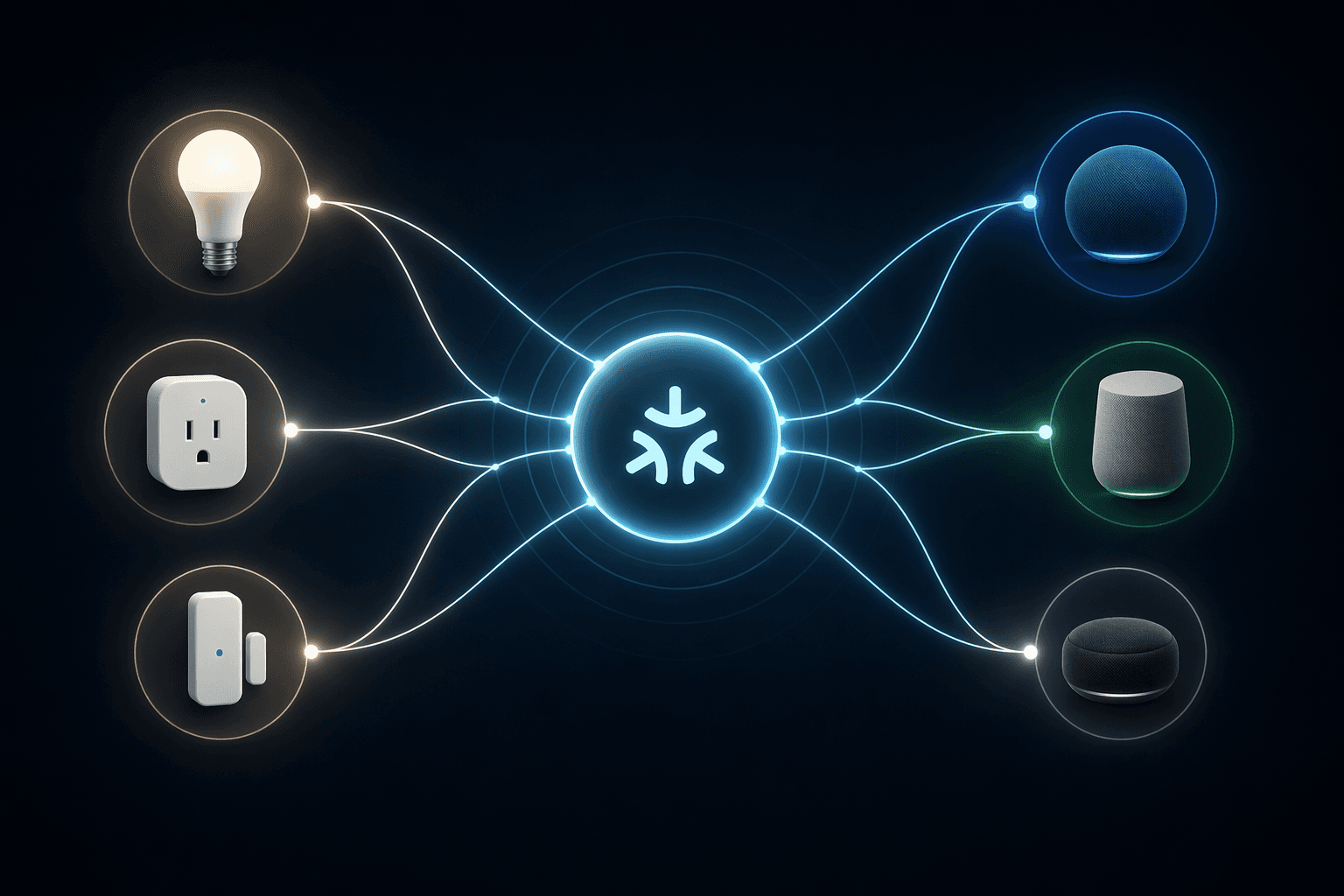
The easiest way to overspend on budget smart home devices is to ignore how they connect. “Works with Alexa,” “Matter,” “Thread,” “Wi-Fi,” and “no hub required” are not interchangeable labels. They describe different pieces of the path from device to app to automation.
| Label on the product | What it usually means for this kit | What to check |
|---|---|---|
| Wi-Fi | Connects directly to the home router, as with the Kasa EP25 plugs. | Too many Wi-Fi devices can clutter a weak router; no separate smart hub is normally needed. |
| Matter-over-Thread | Uses Matter for common control and Thread for the low-power mesh connection, as with the IKEA bulbs and Aqara P2 sensor. | You still need a compatible Thread border router or controller path. |
| Alexa-friendly | Easy to control with an Echo speaker or Alexa app. | This is not the same as full Apple Home or Google Home compatibility. |
| Local recording | Video can be stored on a card or local module instead of only in the cloud. | The storage card or module may be a separate purchase. |
| No mandatory subscription | The device has useful functions without a monthly plan. | AI alerts, cloud history, or extended recording may still require a plan. |
This is why the Echo Dot 5th Gen is useful but should not be overcredited. At $49.99, it gives a budget setup a voice controller and a convenient Alexa command center.[1] Buy it for that. Do not assume one small speaker makes every Thread sensor, Matter bulb, Zigbee accessory, and Wi-Fi camera behave as one perfect family. In a budget build, the hub question should be answered device by device.
The Aqara Door and Window Sensor P2 is the most important small device in the kit because it turns the setup from remote control into automation. Open the front door, turn on the entry lamp. Open a window, pause an air purifier connected to a plug. Close the bedroom door after 10 p.m., dim the lamp. The P2 is a $29.99 Matter-over-Thread sensor built for cross-platform use, which makes it a better long-term buy than many single-ecosystem contact sensors.[1]
Even there, Matter is not a magic word. A Matter device can expose common functions across major platforms, but brand-specific features may stay inside the manufacturer’s app or appear differently from one ecosystem to another. If compatibility doubts are the thing slowing you down, read a current Matter status guide such as Matter in Mid-2026: What Works, What Doesn’t, and What to Buy before choosing your sensor and lighting platform.
A practical buying order for a first apartment setup
The best smart home devices under $50 are not the same for every apartment, but the buying order is fairly predictable. Start with devices that are easy to remove, useful daily, and unlikely to create recurring costs.
- Buy one voice controller if you do not already have one. The Echo Dot 5th Gen fits the $49.99 ceiling and is the obvious choice for an Alexa-first home.
- Cover two or three everyday lights. Use IKEA Matter-over-Thread bulbs where you want the bulb itself to be smart, and Kasa plugs where the lamp is more important than the bulb.
- Add one trigger. The Aqara P2 door/window sensor is a better second-week purchase than another decorative light because it can start routines automatically.
- Add one camera only where it answers a real concern. Choose Wyze Cam v4 for flexible placement and local microSD recording; choose Blink Wired Doorbell 2K+ only if wiring and storage costs make sense.
- Use SwitchBot Bot for the one dumb device you cannot replace. A physical button-pusher is not elegant, but in rentals it can be the difference between automation and giving up.
- Add Govee RGBIC lighting after the useful layer is working. Accent lighting is a good reward, not the foundation.
That order keeps the first system boring in the right places. You get voice control, scheduled lamps, a door-triggered routine, and one security view before the setup turns into a drawer of unpaired devices.
How the devices cooperate in daily use
Picture a simple evening routine, not a showroom demo. A living-room lamp is on a Kasa plug. A bedside lamp uses an IKEA bulb. The front door has an Aqara P2 sensor. An Echo Dot sits where voice commands are actually heard. A Wyze Cam v4 watches the entryway from a shelf.
When the door opens after sunset, the sensor can trigger the entry or living-room light. A voice command can turn off the common-room lights from bed. A plug can put the fan on a schedule. The camera can record locally if you chose that setup. None of this requires opening a wall, replacing a switch, or buying a premium control panel.
The better routines come after installation, when you know which lights are annoying to reach and which alerts are useful instead of noisy. Once the devices are installed, a guide such as Smart Home Automation in 2026: What’s Changed and How to Build Your First 5 Automations is more valuable than another product roundup.
Where the $50 ceiling should bend
The under-$50 rule is a discipline, not a religion. It works well for bulbs, plugs, contact sensors, basic cameras, small speakers, button-pushers, and LED strips. It is much less convincing for devices that touch locks, HVAC, whole-home security, or electrical wiring. Those categories have higher consequences when they fail, and the cheaper device is not always the cheaper ownership cost.
Thermostats are the obvious upgrade path. A budget starter kit can make lights and plugs smarter, but it does not replace a proper thermostat with remote sensors, scheduling, HVAC safeguards, or room-by-room temperature strategy. If comfort and energy management become the next project, move to a dedicated Smart Thermostat Remote Sensor Guide instead of trying to force that job into the under-$50 basket.
Locks deserve the same caution. A cheap light failing is irritating. A cheap lock failing is a different afternoon. The fact that a starter smart home can be capable under $50 per device does not mean every smart home category has been solved at that price.
The budget kit to copy
For a first purchase, copy this shape rather than obsessing over a perfect brand stack: one Echo Dot 5th Gen if you want Alexa voice control, two or three IKEA bulbs, the Kasa EP25 four-pack, one Aqara P2 sensor, and either a Wyze Cam v4 or a Blink Wired Doorbell 2K+ depending on whether you need flexible placement or a wired front-door view. Add SwitchBot Bot only for a specific legacy button, and add the Govee strip after the useful parts are working.
That setup can produce a real multi-room smart home: voice-controlled lights, scheduled lamps, simple entry triggers, and one camera or doorbell where it makes sense. It does not pretend to replace premium thermostats, smart locks, or advanced security systems. In 2026, the win is narrower and better than that: a disciplined buyer can build a genuinely capable starter smart home under $50 per device by choosing the categories in the right order and checking the hidden costs before checkout.
References
- 10 Best Smart Home Devices Under $50 (2026), The Gadgeteer, June 1, 2026.
Reader Feedback
Share your purchase experience, flag outdated picks, or ask clarifying questions about the checklist items.
Comments
Join the discussion with an anonymous comment.