
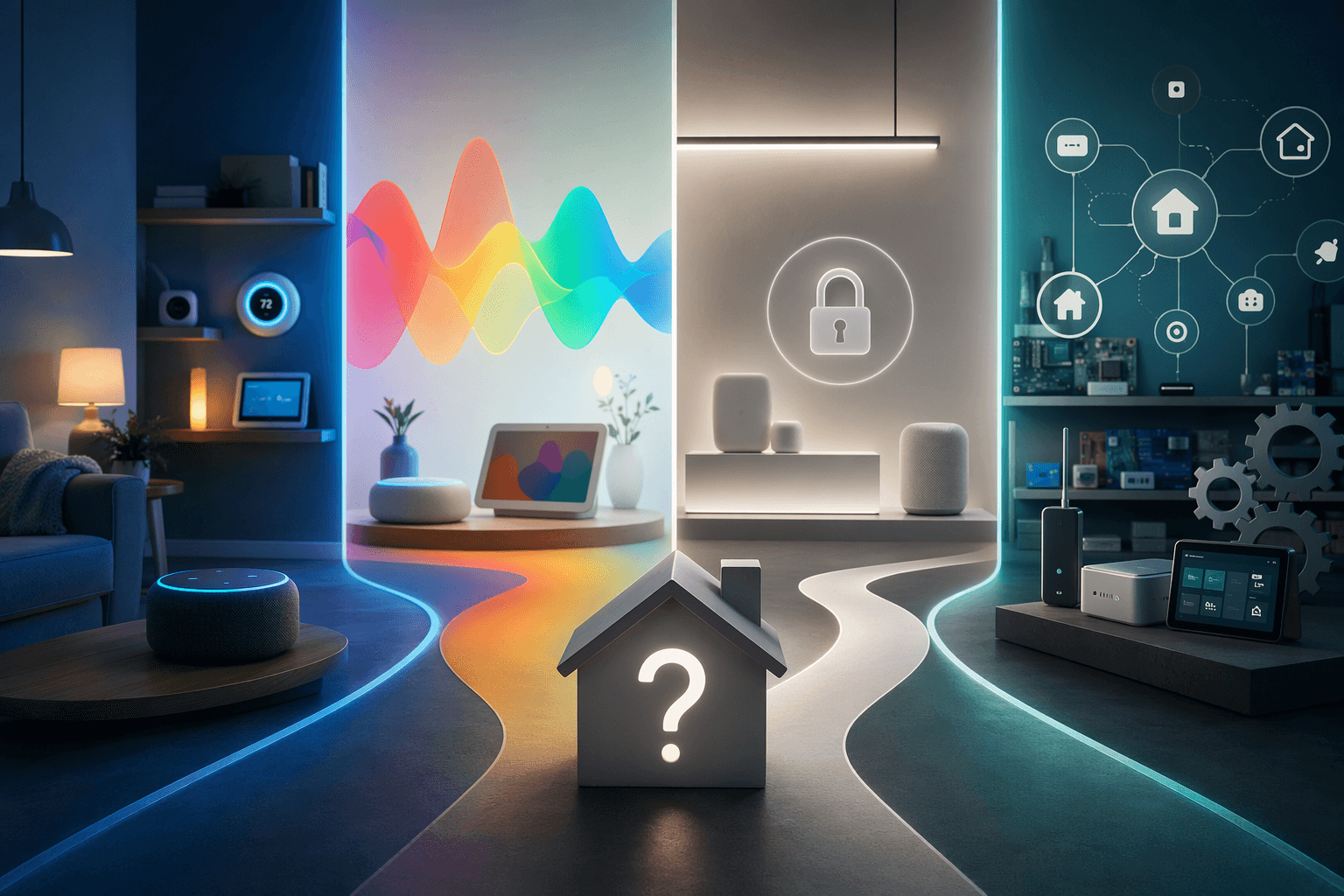
If you are searching for the best smart home system in 2026, the tempting mistake is to start with hub specs: Matter, Thread, Zigbee, Z-Wave, Ethernet, Wi-Fi, border router, bridge mode, local automations. That looks responsible. It also has a way of turning a simple light-and-lock purchase into a Saturday afternoon spreadsheet.
The more useful first question is simpler: which ecosystem do you want your home to orbit? The-Gadgeteer’s 2026 smart hub guide puts it bluntly: “Pick by ecosystem, not by spec sheet, because the spec sheets all look similar in 2026.” [1]
That is the permission slip many buyers need. You do not have to crown a winner by comparing tiny differences between boxes before anyone has asked what phone you use, whether you already pay for Prime or iCloud, how much you trust cloud voice assistants, or whether you want to spend weekends editing automations.
A good smart home system is the one the household can live with after the unboxing. It should let the person at the door unlock the door, the spouse turn off the lights, the renter avoid permanent installs, and the parent spot the subscription before it hits the card.
Start with the daily-life questions, not the hub box
Before comparing controllers, answer these six questions. They will eliminate more bad purchases than another hour of protocol research.
- What phones are actually in the house — iPhone, Android, or both?
- Which voice assistant do people already use without being reminded?
- Are you comfortable with cloud-dependent control, or do you want as much as possible to run locally?
- Do you already pay for Prime, iCloud, Ring, Google storage, or another subscription that changes the real cost?
- Do you want the widest possible device-brand choice, or are you fine buying from a shorter certified list?
- Will someone in the house enjoy troubleshooting integrations, or will that become unpaid family tech support?
Once those answers are honest, the ecosystem choice usually becomes obvious. Hub specs still matter, but later. If you are not sure whether you need a dedicated controller at all, start with this hub-or-no-hub guide before buying extra hardware.
The quick ecosystem fit
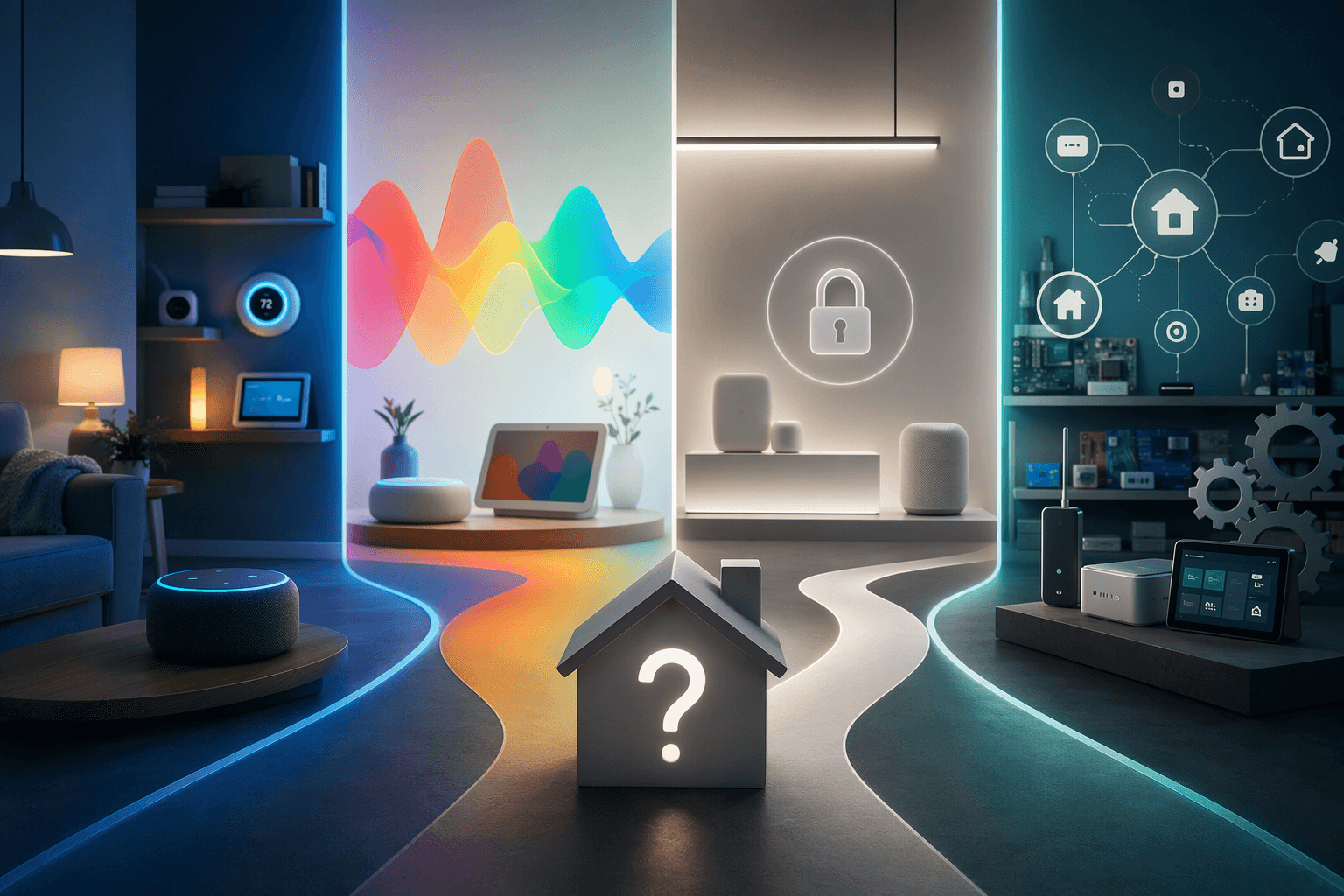
| If this sounds like your household | Start with | What to watch |
|---|---|---|
| You buy mixed brands, already use Amazon devices, or have Ring cameras and doorbells | Amazon Alexa | Cloud dependence, Alexa+ cost, and Amazon lock-in |
| You want the best voice-first experience and already use Android or Google services | Google Home | Hardware roadmap uncertainty and paid premium features |
| Your home is mostly iPhone, you care about privacy defaults, and you are willing to buy compatible devices carefully | Apple HomeKit | Smaller certified catalog and hub requirements |
| You want local control, deep customization, and do not mind setup work | Home Assistant | Learning curve and extra hardware |
| You want something more open than Alexa or Google but less DIY than Home Assistant | SmartThings | Narrower depth than Home Assistant |
This is not a personality quiz. It is a way to avoid buying a technically impressive system that irritates everyone who has to use it.
Alexa: the broadest mixed-brand path, with Amazon strings attached
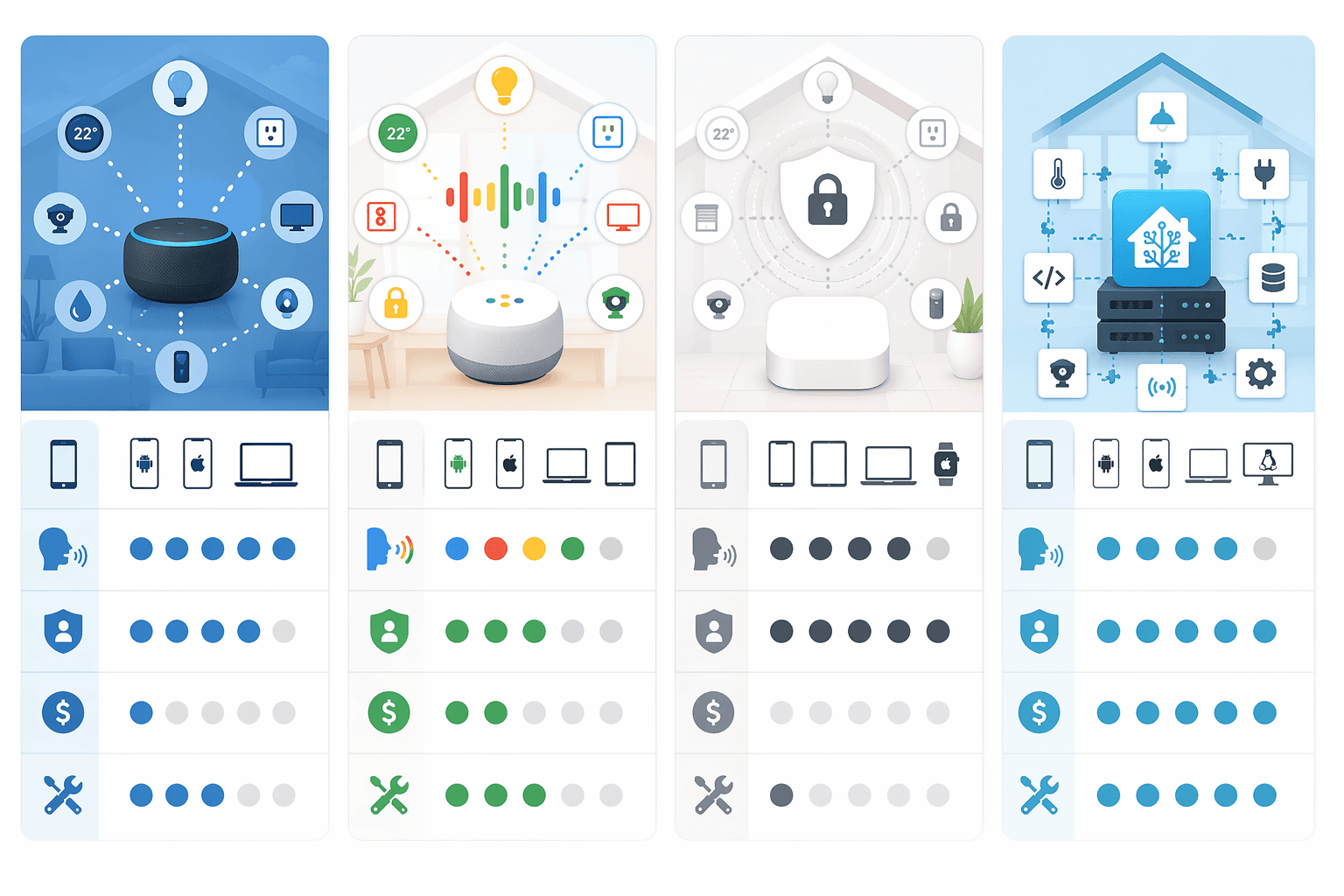
Alexa is often the easiest recommendation for households that already have Echo speakers, Ring gear, Fire TV, or a grab bag of smart plugs and bulbs from different brands. Security.org cites Alexa support for more than 400,000 smart home devices, which makes it the broadest catalog in this group by a wide margin. Treat that number as directional rather than surgical; device catalogs can include skills, integrations, regions, and overlapping product families. Still, the practical point holds: Alexa is usually the safest bet when the shopping list is mixed-brand and convenience matters. [2]
The trade-off is that Alexa’s best experience is deeply tied to Amazon’s cloud and services. Alexa+ is listed at $20 per month or included with Prime, and Ring plans add another possible subscription layer depending on the devices and features you use. [2] That may be perfectly acceptable if your household already lives in Amazon’s world. It is less charming when the “cheap” smart home starts asking for monthly payments after the cameras and displays are mounted.
For an Alexa-first home, the Echo Hub is the obvious dedicated control panel. It is priced at $179 and is purpose-built around Alexa and Ring households. [1] That focus is the point and the catch. It makes sense if Amazon is already the center of gravity. It is not the controller to buy because you think it keeps every future door open.
Choose Alexa if you want broad compatibility, easy shopping, strong Ring integration, and familiar voice control. Pause if your biggest concern is minimizing cloud dependence or avoiding subscription creep.
Google Home: best for voice-first homes, less comforting for long-term hardware planners
Google Home is the system I would look at first for a household that talks to its home more than it taps dashboards. In head-to-head testing cited by Security.org, Google Assistant answered 93% of questions correctly, making it the strongest voice performer among these platforms. [2] If the daily routine is “turn on the kitchen lights,” “what time is soccer practice,” and “show me the front door,” that voice quality matters more than whether a hub spec sheet has one more radio.
The caveats are real. Google has scaled back parts of its own smart home hardware line and shifted more toward partnerships, after discontinuing products including Nest Protect and smart displays. [2] That does not make Google Home a bad choice, but it does make the recommendation narrower: choose it because you value Google’s assistant and services, not because you expect Google-branded hardware to fill every category forever.
Google’s full-feature experience also carries paid-service considerations. Google Home Premium is listed at $10 to $20 per month for full features. [2] For some buyers that is normal household software spending. For others, it is the moment the system stops feeling like a one-time purchase.
If voice assistant quality is a deciding factor, compare the platforms in more depth in this smart home platform AI comparison. Google is a strong choice for voice-first households, especially Android-heavy ones, but it asks you to be comfortable with both cloud services and a less settled hardware story.
Apple HomeKit: the cleanest fit for Apple households that will buy carefully
HomeKit is strongest when the household is already Apple-shaped: iPhones, iPads, Apple TVs, iCloud, and people who expect things to be controlled from Control Center or the Home app. Its privacy posture is the clearest of the major consumer ecosystems, with end-to-end encryption and local processing. [2]
That does not automatically make Apple the best smart home system for everyone. HomeKit’s certified device catalog is much smaller than Alexa’s, at roughly 1,000-plus devices in the research. [2] In real shopping terms, that means you need to check compatibility before falling in love with a bargain camera, lock, or sensor. Apple homes can be wonderfully calm when the buying discipline is there. They can also become annoying when someone assumes every cheap accessory will behave like a first-party Apple product.
HomeKit also requires a home hub for key remote and automation features. The research brief identifies the $99 HomePod mini as the entry hub example. [2] If the difference between a hub, a bridge, and a HomePod mini is already making your eyes cross, this Apple HomeKit hub vs. bridge explainer is worth reading before you buy accessories.
Choose HomeKit if your house is mostly iPhone, privacy defaults matter, and you are willing to shop from a shorter compatibility list. Do not choose it because someone told you “Apple is best” without asking what devices you actually want to connect.
Home Assistant: the local-control power route that makes you earn it
Home Assistant is the most capable route for people who want local control, deep automations, and freedom from a single big-tech ecosystem. Available 2026 guidance cites 2,500 to 3,000-plus integrations and fully local control, which explains why enthusiasts keep coming back to it. [1] It can tie together devices that would otherwise live in separate apps, and it lets a patient owner build automations that the mass-market platforms either hide or do not support.
The part that sometimes gets underplayed is the labor. Home Assistant is better than it used to be, but it is still the route for someone willing to own the system. The dedicated Home Assistant Green is listed at $159, and Zigbee or Z-Wave typically requires an additional $30 to $50 dongle. [1] Nabu Casa, the optional cloud service that simplifies remote access and voice assistant integration, is listed at $6.50 per month. [1]
That optional word matters. Base Home Assistant does not require the same kind of subscription model as some cloud-first platforms, but the no-subscription path can require more setup. This is the classic trade: you can pay with money, or you can pay with time and responsibility.
Choose Home Assistant if local control is a priority and someone in the home will enjoy maintaining the system. Do not choose it as a moral badge of seriousness if the rest of the household just wants lights that turn on the first time.
SmartThings: the middle path when you want openness without a hobby project
SmartThings sits in a useful middle lane. It is Samsung-backed, Matter-compatible, and generally less locked into one voice-assistant universe than Alexa or Google. The SmartThings Station is listed at $65, making it one of the less expensive ways into a more hub-centered setup. [3]
The ceiling is lower than Home Assistant. If your plan is unusual sensors, elaborate local logic, and maximum integration depth, SmartThings is not the deepest toolbox. But for buyers who want broader openness than a single-brand voice ecosystem and do not want to become the system administrator of their house, it deserves a serious look.
Matter helps, but it does not erase the ecosystem decision
Matter is useful because it reduces the penalty for choosing wrong. A Matter-certified device can work across major platforms simultaneously, which makes it easier to buy a lock, bulb, plug, or sensor without betting everything on one app. That is a real improvement over the older smart home, where every purchase felt like joining another tiny island.

But Matter is a safety net, not a magic eraser. Matter 1.5 added cameras and energy management in November 2025, but adoption is not universal, and not every hub or platform exposes the same features at the same time. [1][3] Some device categories still sit outside Matter coverage or behave better through a manufacturer’s own bridge.
So the smart way to use Matter is not “buy anything and hope.” It is: choose your main ecosystem, prefer Matter-certified devices where they fit, and still check the exact feature support for the platform you will use every day. For a deeper look at what Matter does and does not solve right now, read the Matter in 2026 status review. If you need the basics first, start with this Matter protocol explainer.
Where hub examples fit after the ecosystem choice
Once you know the ecosystem, hub shopping becomes far less dramatic. The controller is no longer the protagonist; it is the tool that supports the choice you already made.
- Alexa and Ring households should look at Echo Hub first, understanding that it is designed around Amazon’s ecosystem.
- Apple households should budget for a HomePod mini or another valid Apple home hub before assuming automations and remote control will work the way they expect.
- Home Assistant buyers should price the HA Green plus any needed Zigbee or Z-Wave dongles, not just the main box.
- SmartThings buyers can consider the SmartThings Station as an affordable middle-ground controller.
- Budget-conscious Matter shoppers can look at Ikea Dirigera, listed at $70 to $109, as a low-cost Matter bridge and Thread border router.
- Mixed-platform households can look at Aqara Hub M3, listed at $160, because it can bridge Apple Home, Google Home, Alexa, and SmartThings through Matter.
Those prices and roles come from the 2026 hub guidance cited here. [1][3] They are useful only after the ecosystem decision. Otherwise, you end up comparing hardware features without knowing whose app, assistant, privacy model, and subscription plan will run the house.
If you are ready for that layer, use a detailed smart home controller comparison. If you are still planning the entire home — lights, locks, sensors, cameras, speakers, and automations — the broader smart home buyer’s guide is the better next stop.
The buying order that prevents most regret
The cleanest buying order in 2026 is this:
- Choose the ecosystem your household will tolerate every day: Alexa, Google Home, HomeKit, Home Assistant, or SmartThings.
- Check the subscription model before buying devices, especially for voice upgrades, cameras, security features, and cloud storage.
- Confirm whether you need a hub, bridge, Thread border router, or extra dongle for the devices you actually plan to use.
- Prefer Matter-certified devices where they genuinely support the features you need.
- Only then compare controller specs, prices, and ports.
There is no single best smart home system in 2026. There is usually a best ecosystem for a specific household. Alexa is the broad mixed-brand convenience pick. Google is the voice-first pick with service and roadmap caveats. HomeKit is the privacy-forward Apple-home pick if you will shop carefully. Home Assistant is the local-control power pick for people who accept the work. SmartThings is the middle route when you want more openness without going full DIY.
Pick that ecosystem first, use Matter as a compatibility cushion where possible, check subscription and hub requirements before buying devices, and then compare specific controllers. If you are worried about switching costs later, read about smart home hub ecosystem lock-in before you commit.
References
- 5 Best Smart Home Hubs in 2026: Matter and Thread Compared, The-Gadgeteer
- The Best Smart Home Devices of 2026, Security.org
- Best smart home systems 2026, PCWorld
Reader Feedback
Share your purchase experience, flag outdated picks, or ask clarifying questions about the checklist items.
Comments
Join the discussion with an anonymous comment.