
Grid Emergency Affects 17 States — Prepare Your Smart Home
With a DOE grid-emergency order active across 17 states, this tiered prep plan keeps your smart home's core (modem, router, hub) running through an outage: UPS sizing by runtime, outage-detection automations, extended power options, and a clean recovery sequence.
As of July 31, 2026, the grid-emergency order to pay attention to is DOE Section 202(c) Emergency Order No. 202-26-37. It applies to Southwest Power Pool operations from July 26 through 11:59 PM CDT on August 3, 2026, unless extended, and covers all or parts of 17 states: Texas, Louisiana, Arkansas, Missouri, Iowa, North Dakota, South Dakota, Nebraska, Oklahoma, Kansas, Colorado, Wyoming, Montana, New Mexico, Arizona, Minnesota, and Utah. DOE said the order is meant to let SPP dispatch generation and use backup resources before or during an Energy Emergency Alert 3 across a region serving about 20 million people, with more than 35 GW of idle backup generation available in the footprint.[1]
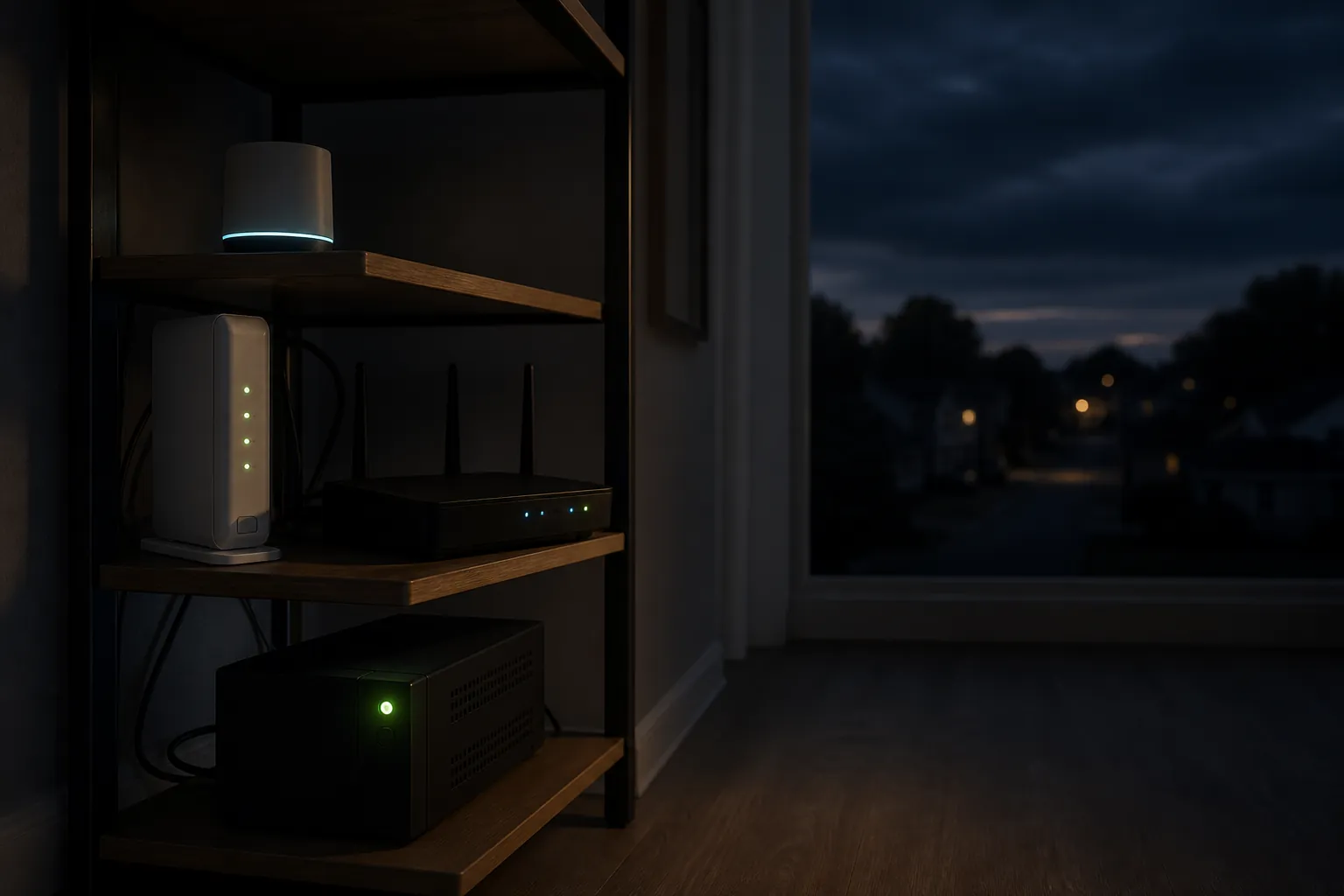
If you are in one of those states, the useful question for today is not “can I keep my whole smart home running?” It is much smaller: can your modem, router, primary smart-home hub, and any required network switch stay on for long enough that the house remains controllable and comes back cleanly?
That smaller target is usually the difference between an outage that is merely annoying and one that turns into a post-restoration cleanup. A smart lock with batteries may still be fine. A thermostat may still hold its setpoint. A local Zigbee or Z-Wave automation may still be capable of running. But if the network shelf goes dark first, the rest of the system starts looking much dumber than it really is.
What the affected-states order means for smart-home prep
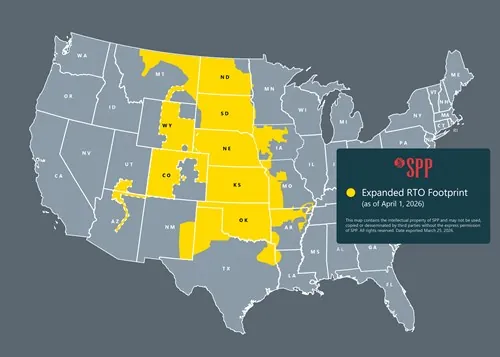
The DOE order is not a prediction that every home in the 17-state footprint will lose power. It is an emergency authority that lets SPP use specified generation resources when grid conditions become tight. That distinction matters because the right smart-home response is preparation, not panic-buying a giant battery on the assumption that a blackout is guaranteed.
The alert ladder is worth knowing only to the point that it changes your behavior. EEA 1 means the grid operator is seeing constrained conditions and asking resources to be ready. EEA 2 means emergency procedures deepen. EEA 3 is the level where the operator may need emergency actions that can include firm load interruption; in ERCOT’s published framework, EEA 3 is associated with operating reserves falling below about 1,000 MW, though thresholds and procedures vary by grid operator.[2]
Do not mix this SPP event with every other grid headline. PJM, ERCOT, and CAISO can have their own alerts, conservation requests, or emergency orders, and those may affect neighboring readers differently. For this recipe, the live news hook is the SPP 17-state order active as of July 31, 2026. If your utility is outside that footprint, the same smart-home prep still works, but the affected-state list above is not your operator’s map.
| Prep layer | When it matters | What to do today |
|---|---|---|
| Network-core UPS | Minutes to a few hours | Put the modem, router, hub, and required switch on a runtime-sized UPS |
| Outage detection | Any home with Home Assistant or similar local control | Detect UPS on-battery status, notify, and shift the home into a reduced-power mode |
| Extended power | Hours to days | Consider generator, whole-home battery, or cellular failover only after the network core is solved |
Start with the 25–100W core, not the whole house
The network-core UPS should carry only the devices that keep control paths alive. In most homes, that means the ISP modem or fiber ONT, the main router, the primary smart-home hub, and sometimes a small switch or one access point. Cameras, NAS boxes, NVRs, speakers, displays, decorative lighting, and extra mesh nodes are where a tidy runtime plan turns into a ten-minute science experiment.
Published smart-home power estimates put a modem around 8–12W, a router around 10–15W, an access point around 8–12W, a hub around 3–6W, and a small switch around 10–25W. The same estimate set puts an NVR around 10–30W and a NAS around 20–60W, which is why those devices should not quietly sneak onto the same UPS unless you have sized for them.[3]
| Device | Usually belongs on the core UPS? | Why |
|---|---|---|
| Modem or fiber ONT | Yes | Internet link or local network handoff dies without it |
| Main router | Yes | Wi-Fi, DHCP, local routing, and many integrations depend on it |
| Primary smart-home hub | Yes | Keeps local Zigbee, Z-Wave, Thread, or automation control alive |
| Small switch | Only if required | Needed if the router, hub, or access point depends on wired Ethernet through it |
| One access point | Maybe | Useful if the main router is not the main Wi-Fi radio |
| NAS or NVR | Usually no | Adds a large continuous load and can cut runtime sharply |
| Cameras | Usually no | Multiple cameras turn a network UPS into a short-runtime camera UPS |
| Smart lamps, speakers, displays | No | Nice to have, not core infrastructure |

Write the load down before buying anything. If your core is a modem, router, hub, and small switch, you may be somewhere around the 25–40W range in a modest setup, with 100W still a useful upper boundary for a more network-heavy shelf.[3] If you add a NAS, NVR, PoE switch, or several access points, you are no longer sizing the same problem.
This is also where VA ratings mislead people. A UPS box can look large and still give poor runtime if the load is large. Runtime is a battery-and-load question, not a sticker-size question.
Measured UPS runtimes show the trap
Wirecutter’s 2026 UPS testing is useful because it gives measured runtime at different loads. At 20W, the tested units below ran for hours. At 300W, the same general class of device ran for minutes.[4]
| UPS tested by Wirecutter | Measured runtime at 20W | Measured runtime at 300W |
|---|---|---|
| CyberPower LE1000DG | 3 hours | 12 minutes |
| CyberPower CP1350AVRLCD3 | 4.5 hours | 21 minutes |
| Amazon Basics 800VA | 1.5 hours | 6 minutes |
Those numbers are the whole lesson. A UPS that is generous for the network core can be disappointing when it is asked to carry cameras, recording hardware, a NAS, a PoE switch, and half the office. If the goal is ninety minutes of graceful control, do not build a 300W load and then act surprised when the UPS behaves like a short bridge instead of a battery bank.
For a basic smart-home core, start with a UPS rated at 600VA or higher, with enough battery-backed outlets for the actual devices, a power cord of at least 5 feet if your shelf needs placement flexibility, automatic voltage regulation preferred, a user-replaceable battery preferred, and transfer time under 10 milliseconds. Wirecutter also gives the safety rule that gets ignored far too often: do not plug a UPS into an extension cord or surge protector.[4]
Place the UPS where the network already lives. Label the plugs. Leave one outlet unused if you can. Put the modem and router where they will boot before the hub if everything has to restart. This is boring work, which is exactly why it pays off when the lights blink and no one wants to trace black wall warts by flashlight.
If you already have a larger outage plan, keep the small UPS anyway. Whole-home batteries and generators can have startup delays, transfer events, maintenance issues, or human steps. The little UPS under the network shelf is the bridge that keeps the control plane alive while the bigger system decides what kind of day it is going to have.
Teach the house to notice when the UPS is on battery
Once the network core has backup power, the next useful layer is detection. Home Assistant users can do this neatly with Network UPS Tools. The practical trigger is simple: when the UPS status changes from OL, meaning online, to OB, meaning on battery, the home knows grid power has failed or the UPS input has dropped. Home Assistant’s NUT integration exposes UPS data for automations, and the common OL-to-OB pattern is also used in published Home Assistant outage automation examples.[6][7]
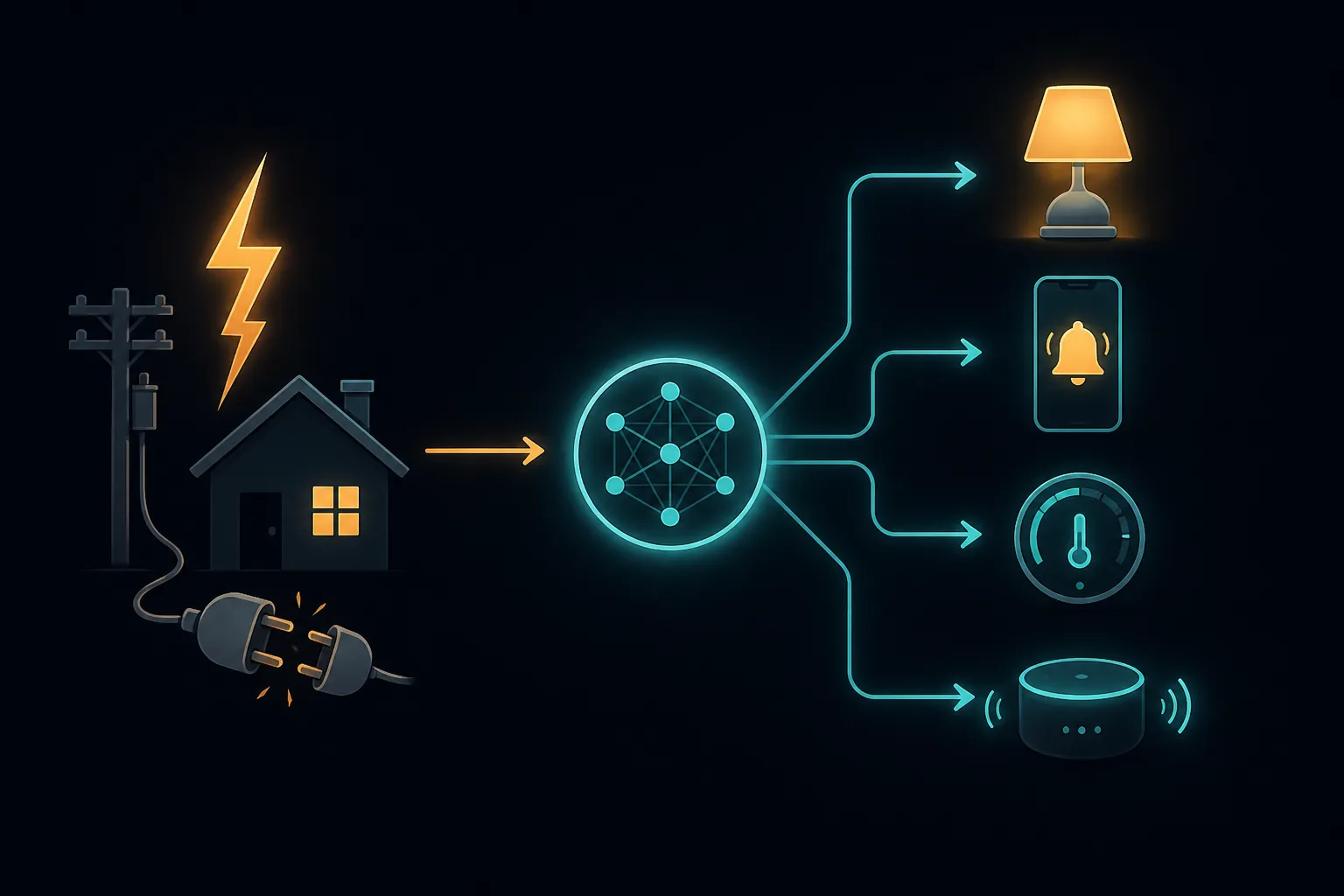
Beginners do not need a complicated automation tree on day one. A single boolean such as “grid outage active” is enough. When the UPS goes on battery, turn that boolean on, send a phone notification, turn on one critical lamp if it has backup power or is on a backed-up circuit, and stop nonessential routines. When the UPS returns online and stays stable, clear the boolean and let normal automations resume.
alias: Grid outage detected from UPS
mode: single
trigger:
  - platform: state
    entity_id: sensor.network_ups_status
    from: "OL"
    to: "OB"
action:
  - service: input_boolean.turn_on
    target:
      entity_id: input_boolean.grid_outage_active
  - service: notify.mobile_app_your_phone
    data:
      message: "Network UPS is on battery. Grid outage mode is active."
  - service: light.turn_on
    target:
      entity_id: light.critical_hallway_lamp
Treat the entity names above as placeholders, not a universal paste-and-run file. If you want the fuller YAML version, use the dedicated Home Assistant power-outage automation recipe. If you already run seasonal load-shedding or comfort tiers, fold the same boolean into a heat-wave blackout automation or a broader extreme-weather mode instead of inventing a second emergency state.
The useful automations are usually quiet ones: pause robot vacuums, stop decorative lighting scenes, avoid cloud-only routines, keep one path light available, and notify the person who will actually troubleshoot the system. Do not build an outage mode that depends on a cloud service staying reachable unless you have tested that assumption with your own gear.
When minutes become hours, add power in the right order
A network-core UPS is the first move because it is cheap, local, and testable. It is not a substitute for extended backup when the expected outage grows from minutes toward hours or days. At that point, the question changes from “can the hub stay online?” to “what parts of the home must be powered safely for the duration?”
| Extended option | Best use | Smart-home note |
|---|---|---|
| Portable generator | Longer outage where selected loads need power | Use proper transfer equipment; let the UPS bridge startup and refueling interruptions |
| Standby generator | Automatic backup for selected circuits or whole-home loads | Still keep the network UPS to ride through transfer and restart events |
| Whole-home battery | Quiet backup for circuits, solar integration, or time-shifting | Define which circuits actually carry the network shelf, hub, and internet gear |
| Cellular failover | Internet outage or ISP equipment failure during a power event | Useful only if the router, failover modem, and antennas are also powered |
Generator safety is not optional. Ready.gov says generators should be used outdoors, at least 20 feet away from windows, doors, and attached garages, and homes should have carbon monoxide detectors on every level.[5] A generator that keeps the router alive while creating a carbon monoxide hazard is not resilience; it is a bad trade.
For most smart homes, the extended-power layer should be designed around circuits and recovery order, not around the fantasy of every device continuing as if nothing happened. If the refrigerator, HVAC, medical equipment, sump pump, or well pump needs backup, solve that as a household power problem. Then make sure the network shelf is on a backed-up circuit and still has its own UPS.
For device behavior during storms and utility interruptions, the practical split is battery versus mains power, and local control versus cloud control. A battery sensor on a local hub has a much better chance of remaining useful than a cloud Wi-Fi device that needs the internet, vendor servers, and household Wi-Fi all at once. The deeper protocol-by-protocol preparation is covered in smart-home devices that survive storm outages and storm preparation tips for smart homes.
Run the drill before the outage runs it for you
The test is simple and a little uncomfortable, which is why many people skip it. Do it while the house is calm.
- Charge the UPS fully and write down what is plugged into each battery-backed outlet.
- Confirm that only the core network gear is on the UPS: modem or ONT, router, primary hub, and required switch or access point.
- Unplug the UPS from the wall, not from the devices, and verify that the modem, router, and hub stay powered.
- Check Home Assistant or your controller to confirm the UPS status changes to on battery and the outage automation fires.
- Walk the house: test a lock, one important light, the thermostat interface, and any local dashboard you expect to use.
- Plug the UPS back into the wall and watch the recovery order instead of immediately rebooting everything.
The clean restore order is usually utility power first, UPS charging second, modem or ONT stable third, router stable fourth, switches and access points fifth, hub sixth, and then nonessential smart devices. If something misbehaves, troubleshoot in layers instead of power-cycling the whole shelf at once. The longer power-outage restoration preparation guide goes deeper on post-outage behavior, and the smart-home automation troubleshooting playbook is the right place to go if a device, integration, or cloud dependency does not come back cleanly.
If you use cellular failover, include it in the same drill. A failover router that works during normal internet maintenance but is plugged into an unprotected outlet is not a failover plan. The same applies to any surge or storm automation; if it is part of the recovery sequence, test it alongside the UPS. For more aggressive sequencing around storms, see the storm-damage protection recipes.
Once the drill works, leave the labels in place and put a calendar reminder on the UPS battery. The next outage should not require remembering which black adapter belongs to the router while the house is already dark.
References
- Energy Secretary Secures Grid Across 17 States Amid Period of Hot Weather — U.S. Department of Energy
- What Are Energy Emergency Alerts? — Electric Choice
- Smart Home Power Consumption Estimates — HomeTechHacker
- The 3 Best Uninterruptible Power Supplies (UPS) of 2026 — Wirecutter
- Power Outages — Ready.gov
- Network UPS Tools (NUT) — Home Assistant
- Home-Assistant-Power-Outage-Automation — GitHub