
Three Home Assistant automations for power outage backup
Three copyable Home Assistant YAML automations that use a UPS-connected NUT sensor to detect a power outage, turn on critical lighting, and restore devices in the correct order to prevent mesh fragmentation.
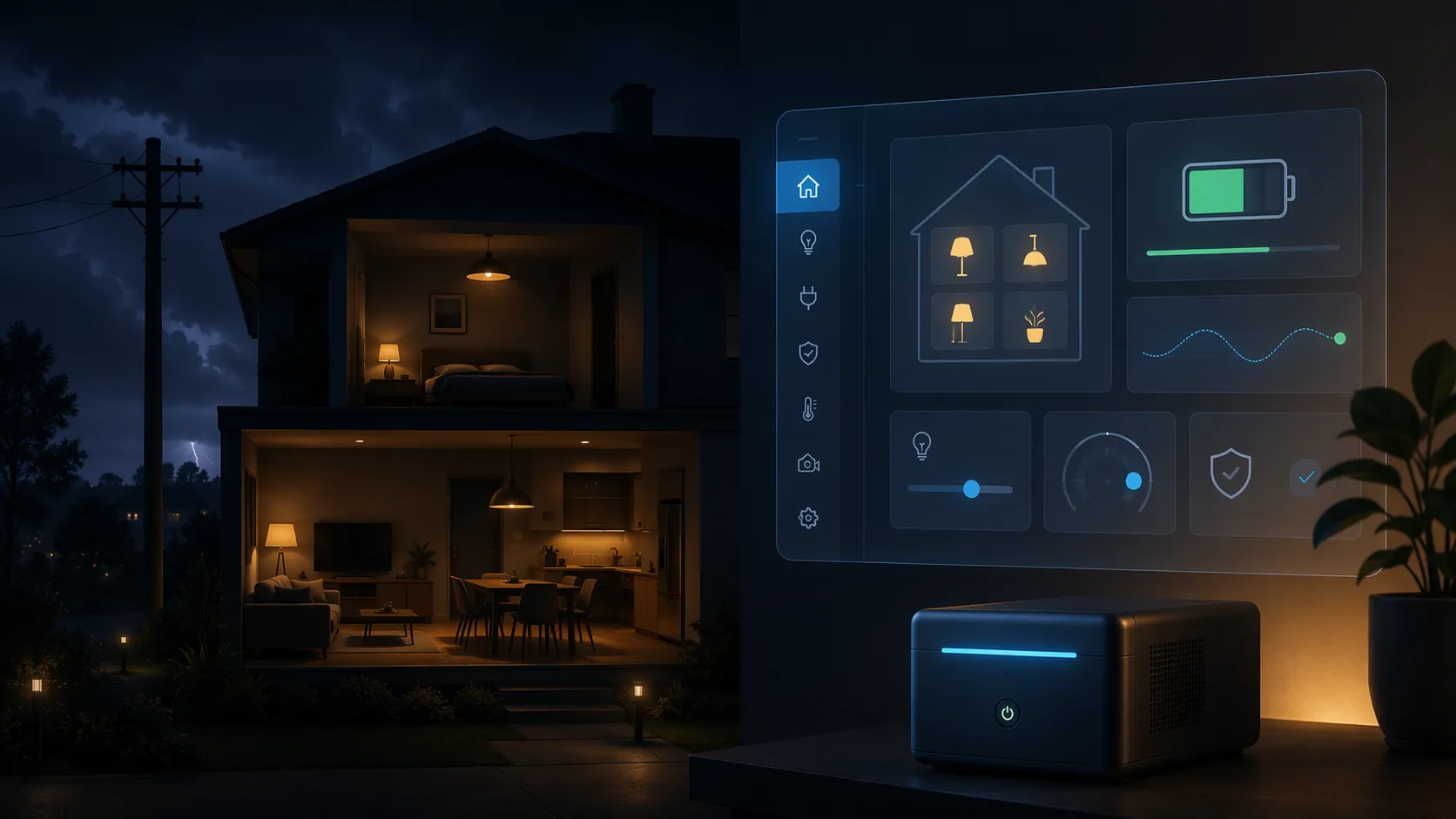
The outage automation that matters is the one that runs before the house starts guessing. Power drops, the UPS flips to On Battery, Home Assistant sees the NUT status change, and a real lamp turns on while the router, hub, and mesh still have a chance to behave. That is the useful end of smart home backup planning: not a shelf full of emergency gear, but a sequence that survives the first few minutes.
This recipe assumes Home Assistant already has the NUT integration working, or that you are ready to configure it. The YAML below expects a UPS status entity that exposes the NUT ups.status value as OB for On Battery and OL for On Line. The GitHub project this recipe is based on publishes MIT-licensed Home Assistant YAML patterns for outage detection, lighting, and notification using that NUT signal.[1]
The entities to customize before pasting
Change the placeholder entities first. Most failed outage automations are not logically wrong; they point at one old phone notifier, one renamed lamp, or one smart plug that is unreachable when the router is still booting.
| Placeholder | Replace with | Used for |
|---|---|---|
| sensor.ups_status | Your NUT UPS status sensor that reports OL/OB | Outage and restoration trigger |
| light.outage_lamp | A locally controlled lamp or critical light | Turns on during the outage |
| notify.mobile_app_your_phone | Your Home Assistant notification service | Outage and restore alerts |
| input_boolean.power_outage_active | Helper you create in Home Assistant | Tracks whether the outage workflow is active |
| input_datetime.power_outage_started | Helper you create in Home Assistant | Stores outage start time |
| input_datetime.power_outage_restored | Helper you create in Home Assistant | Stores restoration time |
| switch.router_power | Local switch or relay feeding modem/router gear | First stage after power returns |
| switch.smart_hub_power | Local switch or relay feeding your hub/coordinator | Second stage after network gear |
| group.mesh_peripheral_power | Group of plugs, repeaters, or peripheral device power switches | Last stage after backbone and hub are awake |
If your NUT integration already creates sensor.ups_status with OL and OB states, use it directly. If your UPS status appears as an attribute on another NUT entity, create a template sensor and point the automations at that. Keep the final state short and boring: OL when utility power is present, OB when the UPS is carrying the load.
# Optional helper if your NUT status is exposed as an attribute instead of a state.
# Replace sensor.your_ups_entity with the entity created by your NUT integration.

template:
  - sensor:
      - name: UPS Status
        unique_id: ups_status_ol_ob
        state: >
          {{ state_attr('sensor.your_ups_entity', 'ups.status') | default(states('sensor.your_ups_entity'), true) }}
The UPS size still matters, but only as a boundary condition. HomeTechHacker’s runtime table estimates that a 650VA UPS can run a modem, router, and Raspberry Pi running Home Assistant at roughly 20–30W for about 40–60 minutes, enough to cover many short flickers and outages.[2] Treat that as a planning estimate, not a promise. Battery age, room temperature, and the real load on the UPS can move that number, and lead-acid UPS batteries commonly become suspect after a few years of service.[2]
Automation 1: when the UPS goes On Battery, turn on the critical light
This is the automation that should fire fast. It does not wait for a Zigbee plug to disappear or for a cloud integration to admit something is wrong. The UPS tells Home Assistant that it is on battery, and Home Assistant turns on one dependable light.
alias: Power outage - critical light and notification
description: Turn on a local lamp as soon as the UPS reports On Battery.
mode: single

trigger:
  - platform: state
    entity_id: sensor.ups_status
    to: 'OB'

condition:
  # Ignore startup weirdness or unsupported UPS states.
  - condition: template
    value_template: >
      {{ trigger.from_state is not none and trigger.to_state.state == 'OB' }}

action:
  # Mark the outage workflow as active so the restore automation knows this was real.
  - service: input_boolean.turn_on
    target:
      entity_id: input_boolean.power_outage_active

  # Store the start time for the restore notification and logbook entry.
  - service: input_datetime.set_datetime
    target:
      entity_id: input_datetime.power_outage_started
    data:
      datetime: "{{ now().strftime('%Y-%m-%d %H:%M:%S') }}"

  # Use a lamp that still works when the network is stressed.
  # A locally controlled Zigbee, Z-Wave, or wired smart switch is better than a cloud Wi-Fi bulb.
  - service: light.turn_on
    target:
      entity_id: light.outage_lamp
    data:
      brightness_pct: 60
      color_temp_kelvin: 2700

  - service: notify.mobile_app_your_phone
    data:
      title: Power outage detected
      message: >
        UPS is on battery. Critical lighting has been turned on.

  # Optional: add a persistent notification so the next person opening HA sees the state.
  - service: persistent_notification.create
    data:
      title: Power outage active
      message: >
        The UPS reported OB at {{ now().strftime('%H:%M:%S') }}.
Keep this first action small. If the house is dark, the job is to make one known-good light useful, not to run a theatrical all-lights scene that wakes up every weak radio at once. If your critical light is on a smart bulb, test what happens when power is cut and restored. A wall switch, smart relay, or locally controlled lamp usually makes a better emergency target than a cloud bulb that needs the router before it can listen.
If you want to notify more than one person, duplicate the notify action or use a notify group. If you want a different lighting behavior after sunset, add a sun condition around the light action, but do not put the whole automation behind a sunset condition. An outage at noon still deserves a timestamp and a notification.
Automation 2: when utility power returns, log the outage and restore normal lighting
Power restoration is not the same as full recovery. The UPS going back to OL means utility power is back at the UPS input. It does not mean every router, coordinator, bridge, and repeater has finished booting. This automation keeps its job narrow: record the outage, tell the household what happened, and return the emergency lamp to normal behavior.
alias: Power restored - log duration and restore lighting
description: Record outage duration and clear the emergency lighting state.
mode: single

trigger:
  - platform: state
    entity_id: sensor.ups_status
    to: 'OL'

condition:
  # Only run the restore workflow if the outage automation marked an outage active.
  - condition: state
    entity_id: input_boolean.power_outage_active
    state: 'on'

variables:
  started_state: "{{ states('input_datetime.power_outage_started') }}"
  started_ts: >
    {% if started_state not in ['unknown', 'unavailable', 'none', ''] %}
      {{ as_timestamp(started_state) }}
    {% else %}
      {{ none }}
    {% endif %}
  outage_minutes: >
    {% if started_ts not in [none, 'none', ''] %}
      {{ ((as_timestamp(now()) - started_ts | float) / 60) | round(1) }}
    {% else %}
      unknown
    {% endif %}

action:
  - service: input_datetime.set_datetime
    target:
      entity_id: input_datetime.power_outage_restored
    data:
      datetime: "{{ now().strftime('%Y-%m-%d %H:%M:%S') }}"

  # Replace this with scene.turn_on if you keep a normal evening/daytime lighting scene.
  - service: light.turn_off
    target:
      entity_id: light.outage_lamp

  - service: notify.mobile_app_your_phone
    data:
      title: Power restored
      message: >
        UPS is back online. Outage duration: {{ outage_minutes }} minutes.

  - service: logbook.log
    data:
      name: Power outage
      message: >
        Restored at {{ now().strftime('%H:%M:%S') }}. Duration: {{ outage_minutes }} minutes.
      entity_id: sensor.ups_status

  # Clear the flag after logging. The staged reconnection automation triggers from UPS status,
  # so it does not depend on this flag remaining on.
  - service: input_boolean.turn_off
    target:
      entity_id: input_boolean.power_outage_active
The duration is mostly for diagnosis. If you keep seeing five-minute outages but the house behaves like it was down for an hour, the timeline tells you to look at boot order, weak repeaters, or the UPS battery rather than blaming the first automation. If your family prefers the lamp to stay on after restoration, remove the light.turn_off action or replace it with a scene that matches your normal lighting.
Automation 3: reconnect in the order the house actually needs
This is where a smart home either comes back cleanly or turns into remedial work. If repeaters, bridges, and peripheral devices all wake before the network and hub are ready, some of them will pick poor routes, fail pairing checks, or sit offline until someone power-cycles them. Home Assistant and Hubitat community threads repeatedly point to boot order as a common cause of post-outage dropout, especially around mesh devices recovering unevenly after power returns.[3][4]
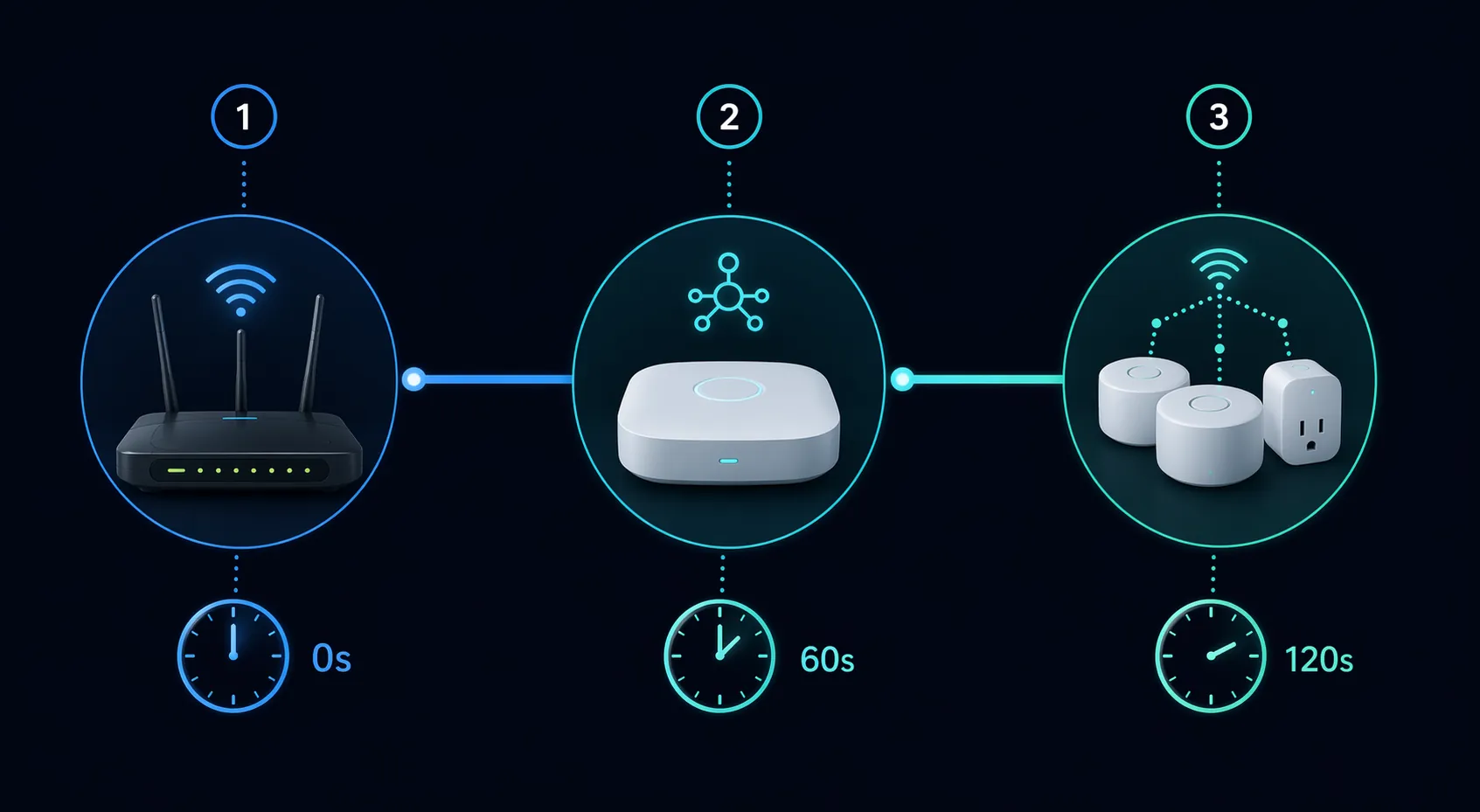
The sequence below is deliberately plain: network backbone first, hub second, mesh peripherals last. The 60-second and 120-second delays are not magic constants. They are recovery buffers long enough for many home routers and hubs to stop being half-awake before the next layer asks for service.
alias: Power restored - staged smart home reconnection
description: Bring back network, hub, and mesh devices in order after UPS returns to On Line.
mode: single

trigger:
  - platform: state
    entity_id: sensor.ups_status
    from: 'OB'
    to: 'OL'
    for: '00:00:10'

condition: []

action:
  # Stage 1: backbone first.
  # Use only locally controllable power switches here.
  # Do not put the router behind a cloud Wi-Fi plug that needs the router to receive commands.
  - service: switch.turn_on
    target:
      entity_id:
        - switch.router_power
        # - switch.modem_power
        # - switch.primary_network_switch

  - service: notify.mobile_app_your_phone
    data:
      title: Recovery stage 1 started
      message: Network backbone power has been requested. Waiting 60 seconds before hub power.

  - delay: '00:01:00'

  # Stage 2: hub or radio coordinator.
  # Examples: Home Assistant Yellow, Zigbee coordinator power, Z-Wave hub, Hue bridge, Hubitat hub.
  - service: switch.turn_on
    target:
      entity_id:
        - switch.smart_hub_power

  - service: notify.mobile_app_your_phone
    data:
      title: Recovery stage 2 started
      message: Hub power has been requested. Waiting 120 seconds before mesh peripherals.

  - delay: '00:02:00'

  # Stage 3: mesh peripherals and repeaters.
  # Put repeaters and always-powered routing devices here, not battery sensors.
  - service: homeassistant.turn_on
    target:
      entity_id:
        - group.mesh_peripheral_power

  - service: notify.mobile_app_your_phone
    data:
      title: Recovery sequence complete
      message: Mesh peripheral power has been restored after staged delays.
The important constraint is not the exact brand of switch. It is reachability. A smart plug controlling the router must be controllable when the router is not ready, which usually means a local relay, a managed UPS outlet, or a device on a control path that does not depend on the very network it is powering. If that sentence describes none of your hardware, leave the router on the UPS permanently and start the staged automation at the hub.
For Zigbee and Z-Wave, put mains-powered repeaters in the last group only if you can actually power-control them. Battery sensors do not belong there. If you use Hue, Hubitat, or another bridge beside Home Assistant, give that bridge the hub-stage delay rather than waking every plug and bulb while the bridge is still negotiating its own startup.
If your devices default to on automatically when power returns, the same idea still applies. You may not be able to prevent every device from energizing, but you can delay the automations that depend on them. Move any “resume normal mode,” “turn on exterior lights,” or “restart presence routines” automations behind the same 60/120-second recovery window so they do not hammer the mesh during route repair.
If you do not have a NUT-compatible UPS
A NUT-backed UPS is the cleaner trigger because it reports the power state directly instead of inferring it from failures. Home Assistant community discussions include fallback patterns such as watching a Zigbee device drop offline, but that is a weaker signal: it may mean a dead repeater, a routing problem, a firmware update, or a real outage.[3] Use that only when you cannot get a direct UPS signal.
Whole-home voltage-monitoring boards, including Watchman- or Buddha-style approaches discussed in smart home circles, can also detect utility loss. They are useful when you want panel-level awareness, but they are a different project from this recipe. For the three automations above, the shortest path is still: UPS that supports NUT, Home Assistant reading ups.status, and recovery actions that respect boot order.
If your mesh still fragments after the staged automation runs, work through the device recovery path in satellite outage smart home recovery. If you want more YAML patterns to adapt, the Home Assistant smart plug recipes are a natural next stop, and the tropical depression alerts recipe shows another event-driven Home Assistant pattern. For help drafting or debugging more automations around your own entity names, use the Gemini Gem Home Assistant coach.
References
- Home Assistant Power Outage Automation — GitHub repository — GitHub
- How to Choose the Right UPS for a Smart Home — HomeTechHacker
- Simple way to recognize a power outage — Home Assistant Community
- Device Recovery After Power Outage — Hubitat Community