
4 Home Assistant Automations to Keep Your Bedroom Cool During a Heat Wave
Copyable YAML recipes for four automations — forecast-triggered pre-cool, temperature-threshold fan with bed-presence gating, solar-position smart blinds, and a coordinated goodnight scene — that work together to keep your bedroom cool enough to sleep through a heat wave without wasting energy.
A heat-wave sleep setup has to start before the room feels unbearable. If your bedroom is already 78°F at 11 p.m., the automation is late. The better Home Assistant stack pre-cools before bedtime, blocks solar heat before it enters, runs the fan only when the room is hot and someone is actually in bed, then uses a goodnight scene to shut down the devices quietly adding heat.
For the target, do not pretend there is one magic number. Amerisleep places the ideal sleep temperature at 60–67°F, while Northwell Health gives 60–68°F and cites Gallup data saying 57% of adults report being too hot while sleeping.[1][2] In Home Assistant terms, that makes 64–66°F a reasonable heat-wave pre-cool target for many bedrooms, with a wider fallback band if your AC, insulation, or household tolerance will not support that without an ugly bill.
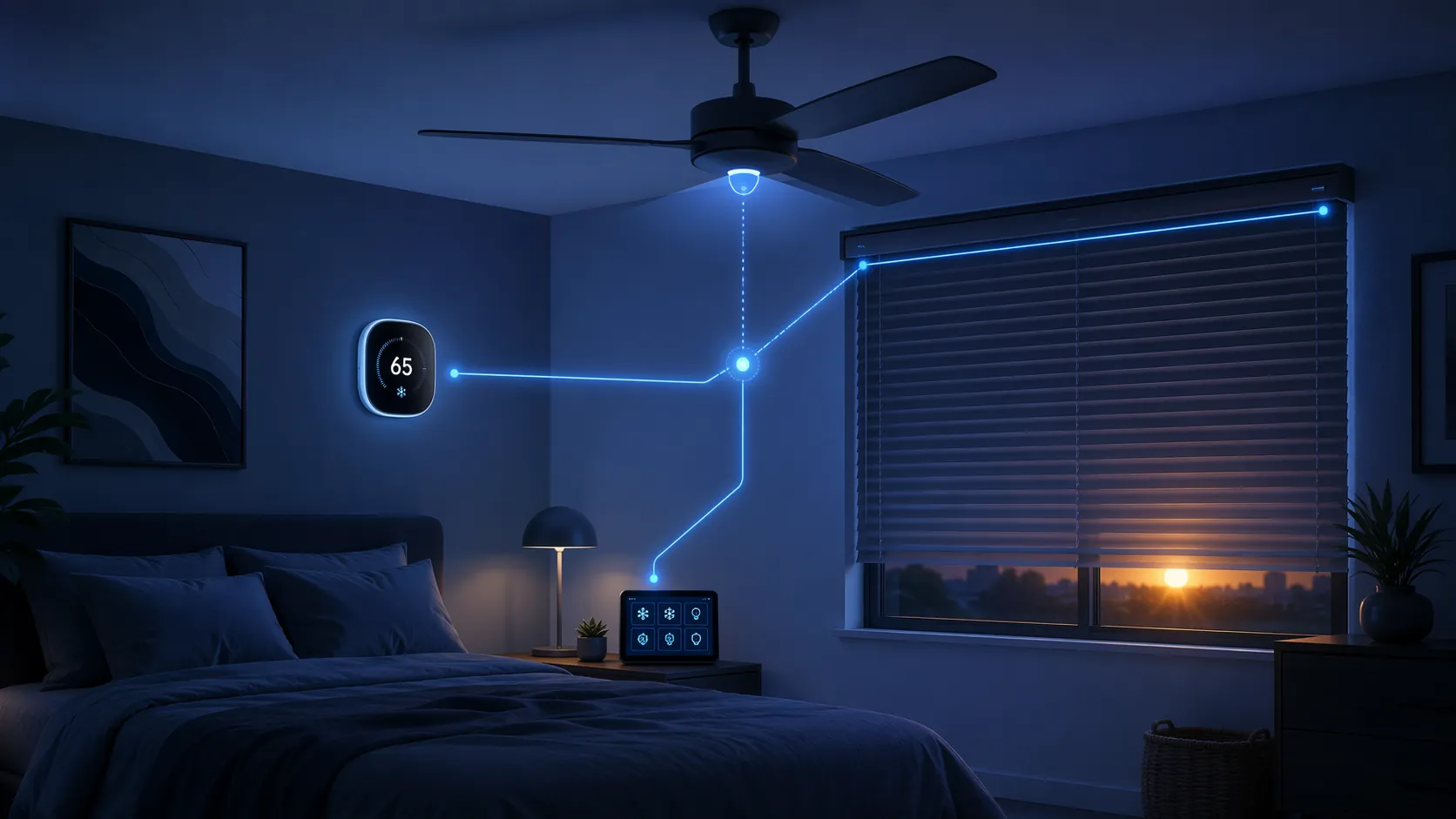
What the stack needs before the YAML
The recipes below assume Home Assistant is already controlling the bedroom’s cooling path. The entity names are placeholders; swap them for your own before saving anything.
| Layer | Home Assistant entity example | Why it matters during a heat wave |
|---|---|---|
| Weather forecast | weather.home | Starts cooling before the bedroom stores the day’s heat. |
| Climate device | climate.bedroom | Sets the overnight temperature target. |
| Bedroom temperature sensor | sensor.bedroom_temperature | Prevents the fan from running just because it is bedtime. |
| Controllable fan | fan.bedroom_fan | Moves air only when the room and occupancy justify it. |
| Bed-presence signal | binary_sensor.bed_occupied | Stops the classic empty-room fan problem. |
| Motorized blinds or shades | cover.bedroom_blinds | Blocks heat gain before the AC has to fight it. |
| Switches for heat-producing electronics | switch.av_receiver, switch.monitor | Removes hidden heat sources in the goodnight scene. |
If you are using a Nest thermostat, check the control path before you build the automation. Some thermostat integrations expose clean setpoint control, while others make fan-only behavior awkward. A separate smart plug, fan controller, Bond bridge, Lutron Caséta fan controller, or Z-Wave fan controller can be cleaner than trying to force every action through the thermostat.
Automation 1: Forecast-triggered pre-cool
This is the automation that prevents the worst bedtime failure: waiting until the room is hot, then asking the AC to recover while you are already trying to sleep. CNET’s July 2026 cooling guide recommends pre-cooling the bedroom 30–60 minutes before bedtime when the forecast calls for serious heat, tied to the body’s natural temperature drop before sleep onset.[3]
Use the forecast high as the permission check, not as the only signal. The automation below starts at 9:00 p.m., pulls the daily forecast, and only sets the bedroom climate device to 65°F if tomorrow’s high is above 90°F. If your bedtime is earlier, move the trigger earlier; the point is to give the system a 30–60 minute head start.
alias: Heat wave bedroom pre-cool
mode: single
trigger:
  - platform: time
    at: "21:00:00"
action:
  - service: weather.get_forecasts
    target:
      entity_id: weather.home
    data:
      type: daily
    response_variable: daily_forecast
  - variables:
      tomorrow_high: >-
        {{ daily_forecast['weather.home'].forecast[0].temperature | float(0) }}
  - condition: template
    value_template: "{{ tomorrow_high > 90 }}"
  - service: climate.set_hvac_mode
    target:
      entity_id: climate.bedroom
    data:
      hvac_mode: cool
  - service: climate.set_temperature
    target:
      entity_id: climate.bedroom
    data:
      temperature: 65
A few adjustments are worth making before you trust it overnight. If the bedroom temperature sensor is independent from the thermostat, add a condition that skips pre-cool when the room is already below your target. If your utility plan punishes evening demand, raise the setpoint to 66–68°F and let the fan automation do more of the comfort work after bed occupancy is confirmed.
# Optional condition to add before climate.set_hvac_mode
- condition: numeric_state
  entity_id: sensor.bedroom_temperature
  above: 66
Ecobee users may be able to accomplish part of this with native scheduling or Eco+ behavior, but the Home Assistant version keeps the logic visible: forecast threshold, time window, setpoint, and room-temperature override are all in one place. That matters when someone asks why the AC ran before anyone went upstairs.
Automation 2: Close blinds by solar position, not after the room heats up
Blinds are the prevention layer. Wirecutter’s 2026 smart-blind testing highlights SmartWings Matter-over-Thread blinds and describes a solar-position workflow that closes shades around solar noon and reopens them at sunset; it also notes that light-colored blackout fabric reflects rather than absorbs heat.[4] That fabric choice is not decoration during a heat wave. It changes how much heat your cooling automation has to remove later.
The exact azimuth values depend on your window direction. For a west-facing bedroom, closing once the sun is high and moving into the western sky is usually more useful than closing every shade in the house at dawn. Start broad, watch the room temperature graph for a few hot days, then tighten the numbers.
alias: Heat wave bedroom blinds by sun position
mode: single
trigger:
  - platform: numeric_state
    entity_id: sun.sun
    attribute: elevation
    above: 45
  - platform: sun
    event: sunset
    id: sunset
condition: []
action:
  - choose:
      - conditions:
          - condition: trigger
            id: sunset
        sequence:
          - service: cover.open_cover
            target:
              entity_id: cover.bedroom_blinds
      - conditions:
          - condition: numeric_state
            entity_id: sensor.outdoor_temperature
            above: 85
          - condition: template
            value_template: >-
              {% set az = state_attr('sun.sun', 'azimuth') | float(0) %}
              {{ 180 <= az <= 285 }}
        sequence:
          - service: cover.close_cover
            target:
              entity_id: cover.bedroom_blinds
Matter-over-Thread blinds also bring a setup requirement that is easy to miss in a shopping page: you need a Thread border router, such as a compatible Echo, HomePod Mini, or Nest Hub Max, for Thread devices to join the network. Zigbee, RF, and Bluetooth-to-Wi-Fi bridge options can work too, but the automation should not assume a protocol your room does not actually have.
Automation 3: Turn the fan on only when the room is hot and the bed is occupied
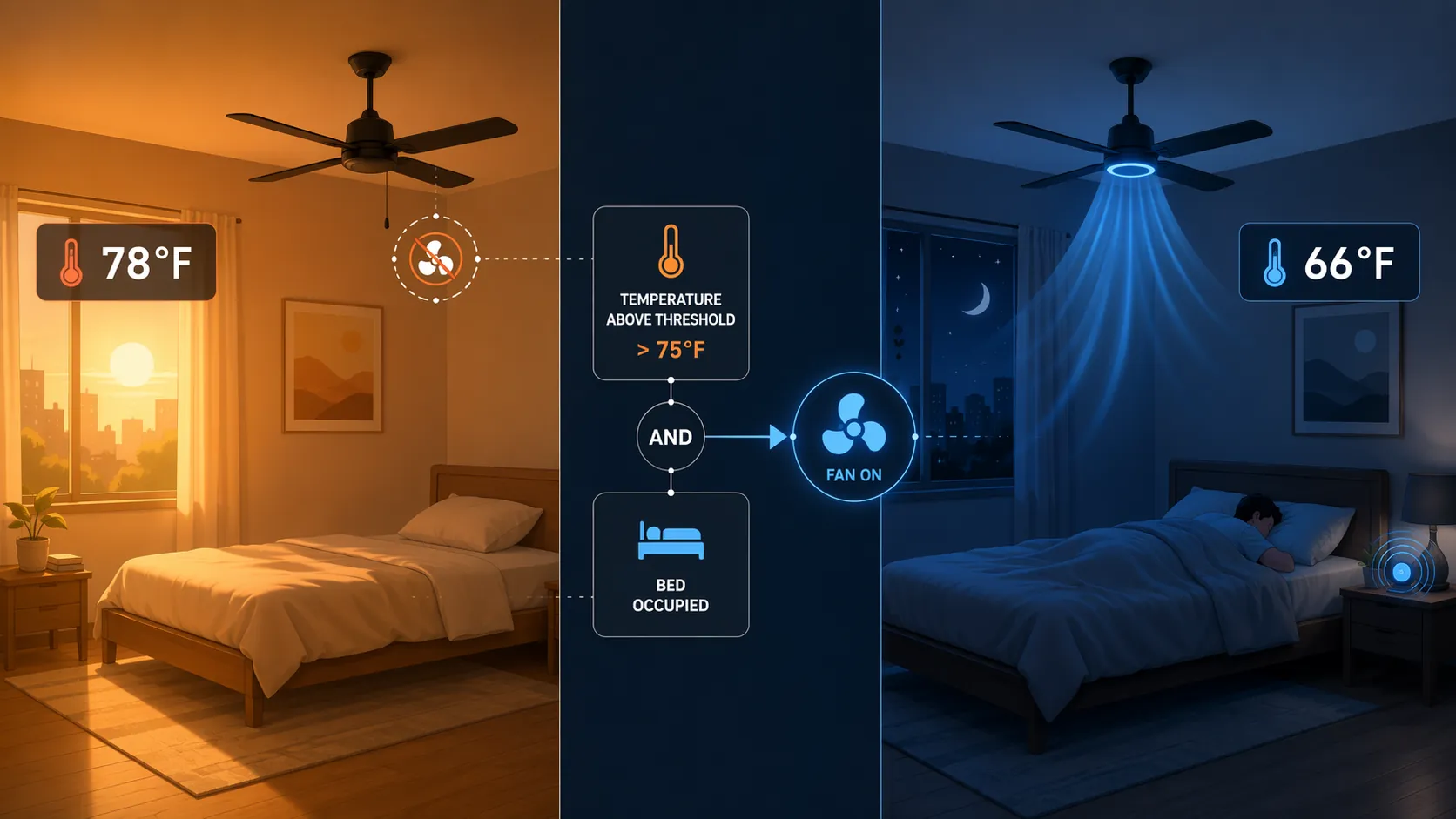
The fan rule is where a lot of otherwise clever bedrooms become annoying. A temperature-only fan automation runs in an empty room. A bedtime-only fan automation keeps blowing at 3 a.m. after the room has cooled. Smart Home Solver’s May 2025 Home Assistant cooling setup used bed-presence gating with an Aqara mmWave presence sensor and a Dreo fan, including YAML that only runs the fan when occupancy and heat conditions are both true.[5]
This version uses 75°F as the fan-on threshold, then turns the fan off when the bed has been empty for 10 minutes or the room drops below 73°F. Those are comfort thresholds, not sleep-temperature targets. The fan is there to bridge the gap between “the room is still too warm” and “the AC has pulled the room into the overnight band.”
alias: Heat wave bed-gated fan
mode: restart
trigger:
  - platform: numeric_state
    entity_id: sensor.bedroom_temperature
    above: 75
    id: room_hot
  - platform: state
    entity_id: binary_sensor.bed_occupied
    to: "on"
    id: bed_occupied
  - platform: numeric_state
    entity_id: sensor.bedroom_temperature
    below: 73
    id: room_cooled
  - platform: state
    entity_id: binary_sensor.bed_occupied
    to: "off"
    for: "00:10:00"
    id: bed_empty
action:
  - choose:
      - conditions:
          - condition: numeric_state
            entity_id: sensor.bedroom_temperature
            above: 75
          - condition: state
            entity_id: binary_sensor.bed_occupied
            state: "on"
        sequence:
          - service: fan.turn_on
            target:
              entity_id: fan.bedroom_fan
          - service: fan.set_percentage
            target:
              entity_id: fan.bedroom_fan
            data:
              percentage: 55
      - conditions:
          - condition: or
            conditions:
              - condition: trigger
                id: room_cooled
              - condition: trigger
                id: bed_empty
        sequence:
          - service: fan.turn_off
            target:
              entity_id: fan.bedroom_fan
Bed presence can come from a pressure mat, mmWave sensor, load cells, or another reliable occupancy signal. The important part is that it detects the bed, not just the room. A general bedroom motion sensor can turn the fan on when someone walks in to grab laundry, then leave it running after they leave.
Treat Dreo compatibility carefully. Smart Home Solver’s published May 2025 setup used a Google Assistant SDK workaround for Dreo control, and the native HACS integration may have changed since then.[5] If your fan entity exposes normal Home Assistant fan services, the YAML above is the clean path. If it only exposes remote commands, replace the fan service calls with the specific script or service your integration provides.
Automation 4: One goodnight scene that coordinates the room
The goodnight scene should not be a decorative bedtime routine with twenty fragile actions. Its job here is narrower: put the bedroom into heat-wave sleep mode, close the loop on anything the earlier automations missed, and shut off electronics that add heat while you are trying to cool the room.
Amerisleep notes that LED smart bulbs produce negligible heat compared with incandescent bulbs, so do not spend your attention pretending every tiny LED is the enemy. The bigger wins are A/V receivers, game consoles, monitors, older lamps, and other electronics that sit warm in standby or remain on after bedtime.[1]
alias: Goodnight heat wave bedroom
mode: single
sequence:
  - service: climate.set_hvac_mode
    target:
      entity_id: climate.bedroom
    data:
      hvac_mode: cool
  - service: climate.set_temperature
    target:
      entity_id: climate.bedroom
    data:
      temperature: 65
  - service: cover.close_cover
    target:
      entity_id: cover.bedroom_blinds
  - service: switch.turn_off
    target:
      entity_id:
        - switch.av_receiver
        - switch.game_console
        - switch.desk_monitor
        - switch.non_led_bedroom_lamp
  - choose:
      - conditions:
          - condition: numeric_state
            entity_id: sensor.bedroom_temperature
            above: 75
          - condition: state
            entity_id: binary_sensor.bed_occupied
            state: "on"
        sequence:
          - service: fan.turn_on
            target:
              entity_id: fan.bedroom_fan
          - service: fan.set_percentage
            target:
              entity_id: fan.bedroom_fan
            data:
              percentage: 55
Expose this as a dashboard button, a voice-triggered script, or a scheduled script that runs at your normal bedtime. The manual trigger is still useful because heat waves do not care about your usual schedule, and guests or shift workers may not want the room to decide bedtime for them.
Make the automations maintainable
After the YAML is saved, create helpers for the values you will actually tune: pre-cool target, fan-on temperature, fan-off temperature, and forecast threshold. Hard-coded numbers are fine for a first night. They become irritating when the first complaint is “the fan is too strong” and you have to edit YAML from bed.
# Example helper-style variables inside an automation
variables:
  precool_target: "{{ states('input_number.bedroom_precool_target') | float(65) }}"
  fan_on_temp: "{{ states('input_number.bedroom_fan_on_temp') | float(75) }}"
  fan_off_temp: "{{ states('input_number.bedroom_fan_off_temp') | float(73) }}"
Also add a notification for the first few nights if the room never reaches the target range. That is not a failure of Home Assistant; it is useful evidence. It may mean the blinds need to close earlier, the forecast threshold is too high, the AC needs a longer pre-cool window, or the bedroom sensor is sitting in the wrong place.
- If the room is hot before bedtime, lengthen the pre-cool window before lowering the setpoint.
- If the room heats up during the afternoon, tune the blind azimuth and outdoor-temperature threshold.
- If the fan annoys someone overnight, raise the fan-on threshold or lower the fan percentage.
- If the fan runs in an empty room, fix bed presence before changing temperature logic.
- If the AC short-cycles, widen the target band instead of chasing a single exact sleep number.
The four automations work because each one owns a different part of the heat problem: forecast before bedtime, sun exposure during the day, temperature plus bed presence overnight, and a goodnight state that turns off hidden heat sources. During a heat wave, the survivable bedroom is usually not the one with the fanciest single device. It is the one where forecast, temperature, presence, solar position, and bedtime state stop fighting each other.
References
- Can Smart Home Devices Improve Sleep? — Amerisleep
- Sleep Gadgets To Help You Cool Down — Northwell Health
- 10 Smart Home Tricks That Keep Your House Cool Without Spiking Your Energy Bill — CNET, July 2026
- The Best Smart Blinds and Shades — Wirecutter, 2026
- How I Set Up Home Automations To Keep Me Cool — Smart Home Solver, May 2025