
The first thing to fix is the name. Home Assistant can run smart home weather alerts for tropical depression conditions, tropical storm watches, tropical storm warnings, and NHC advisory language. What it should not do is wait for a clean, standalone NWS event called “Tropical Depression Warning,” because that is not the event model you can count on.
In practice, the safe recipe is broader: watch the NWS active-alert feed for your point, match tropical depression advisory events where they appear, also match tropical storm watch and warning events, then let severity decide how loud the house gets. A dashboard card can show everything. Push notifications can carry the headline. Voice announcements can wake people only when the timing and severity justify it. Lights should flash only when the alert is Severe or Extreme, because a house that flashes for every coastal statement will teach everyone to ignore it.
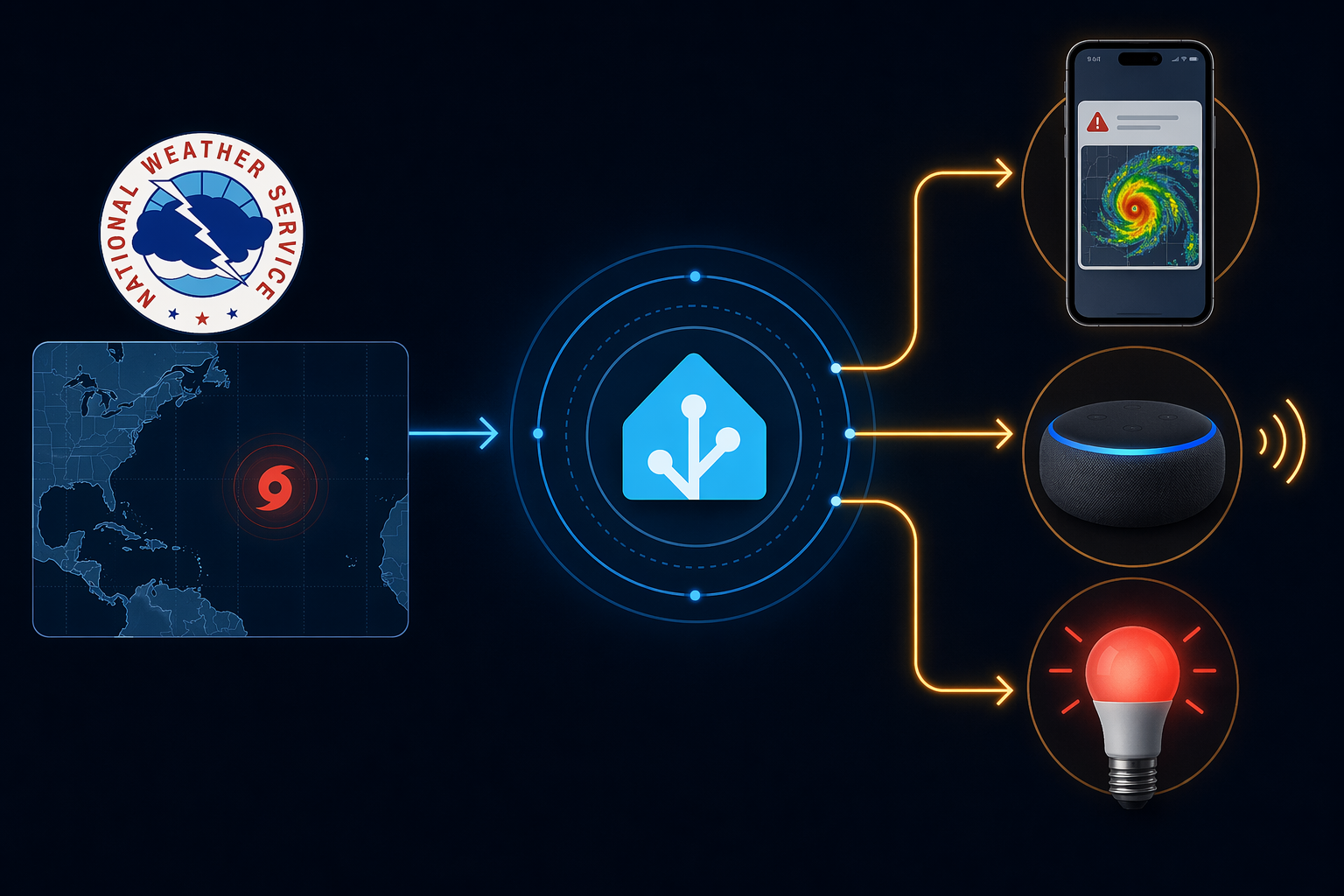
Start With the Alert Source, Not the Siren
The most direct source is the NWS active-alert endpoint for a latitude and longitude: https://api.weather.gov/alerts/active?point={lat},{lon}. It returns active alerts as GeoJSON for the point you provide, and it is the right fallback when you want the alert text, event name, severity, headline, expiration, and description in a predictable place. The NWS API requires a User-Agent header, so do not treat that line as optional in Home Assistant YAML.[1]
There are three reasonable ingestion paths, and they are not equal for this job.
| Path | What it is good for | Where it gets awkward |
|---|---|---|
| NWS Alerts HACS integration | Exposes an alert-count sensor plus attributes such as Event, Severity, Headline, Expires, and Description for automations | Community integration dependency; install and update through HACS |
| Core Home Assistant NWS integration | Provides baseline NWS weather data inside Home Assistant | Does not expose alert-specific attributes as cleanly for this recipe |
| RESTful sensor against alerts.weather.gov | Zero community dependency and full control over the active-alert JSON | You must template the attributes yourself and include the User-Agent header |
The NWS Alerts custom integration is the comfortable route if you use HACS. It creates a numeric sensor whose state is the number of active alerts, while the useful text lives in attributes that automations can inspect. That distinction matters: the count tells you that something exists, but the Event and Severity attributes tell you whether the household should hear about it at 2:00 a.m.[2][3]
The built-in NWS integration still belongs in many setups, especially if you already use it for weather entities, but the core documentation describes the baseline weather integration rather than the richer alert-attribute workflow this recipe needs.[4] For tropical alerting, I would either use the HACS NWS Alerts integration as the primary path or keep the RESTful sensor below as the control path so the alert payload is visible and testable.
RESTful Sensor Fallback for Active NWS Alerts
Replace the latitude, longitude, and contact address before pasting this into your configuration. The email address in the User-Agent is not decoration; it gives the NWS API a responsible client identifier if something goes wrong.
rest:
  - resource: "https://api.weather.gov/alerts/active?point=28.4,-85.3"
    method: GET
    headers:
      User-Agent: "HomeAssistant Tropical Alert Recipe [email protected]"
      Accept: "application/geo+json"
    scan_interval: 300
    sensor:
      - name: "NWS Active Alerts Raw"
        value_template: "{{ value_json.features | count }}"
        json_attributes:
          - features
The coordinates above use the reported position of Tropical Depression Two in the Atlantic as of July 20, 2026, at 28.4°N, 85.3°W, with 30 mph sustained winds.[5] That makes it a useful dated test signal if you are building this during the same window, but it is not a permanent location to leave in your config. Use your home’s latitude and longitude for the automation you expect to trust.
After Home Assistant restarts or reloads REST entities, inspect sensor.nws_active_alerts_raw in Developer Tools. Do not build the voice announcement yet. First confirm that the state is a count and that the features attribute contains alert objects when alerts are active.
Extract the Tropical Alert You Actually Care About
This template sensor narrows the raw feed to the first matching tropical event. It deliberately matches more than “Tropical Depression,” because local actionable alerts may arrive as tropical storm watches or warnings rather than as a depression-specific warning.
template:
  - sensor:
      - name: "Tropical Weather Alert Event"
        state: >-
          {% set alerts = state_attr('sensor.nws_active_alerts_raw', 'features') or [] %}
          {% set matches = alerts
            | selectattr('properties.event', 'defined')
            | selectattr('properties.event', 'search', 'Tropical Depression|Tropical Storm Watch|Tropical Storm Warning|Hurricane Watch|Hurricane Warning')
            | list %}
          {{ matches[0].properties.event if matches | count > 0 else 'None' }}
        attributes:
          severity: >-
            {% set alerts = state_attr('sensor.nws_active_alerts_raw', 'features') or [] %}
            {% set matches = alerts
              | selectattr('properties.event', 'defined')
              | selectattr('properties.event', 'search', 'Tropical Depression|Tropical Storm Watch|Tropical Storm Warning|Hurricane Watch|Hurricane Warning')
              | list %}
            {{ matches[0].properties.severity if matches | count > 0 else 'None' }}
          headline: >-
            {% set alerts = state_attr('sensor.nws_active_alerts_raw', 'features') or [] %}
            {% set matches = alerts
              | selectattr('properties.event', 'defined')
              | selectattr('properties.event', 'search', 'Tropical Depression|Tropical Storm Watch|Tropical Storm Warning|Hurricane Watch|Hurricane Warning')
              | list %}
            {{ matches[0].properties.headline if matches | count > 0 else '' }}
          expires: >-
            {% set alerts = state_attr('sensor.nws_active_alerts_raw', 'features') or [] %}
            {% set matches = alerts
              | selectattr('properties.event', 'defined')
              | selectattr('properties.event', 'search', 'Tropical Depression|Tropical Storm Watch|Tropical Storm Warning|Hurricane Watch|Hurricane Warning')
              | list %}
            {{ matches[0].properties.expires if matches | count > 0 else '' }}
          description: >-
            {% set alerts = state_attr('sensor.nws_active_alerts_raw', 'features') or [] %}
            {% set matches = alerts
              | selectattr('properties.event', 'defined')
              | selectattr('properties.event', 'search', 'Tropical Depression|Tropical Storm Watch|Tropical Storm Warning|Hurricane Watch|Hurricane Warning')
              | list %}
            {{ matches[0].properties.description if matches | count > 0 else '' }}
If you use the NWS Alerts HACS integration instead, keep the same idea but point the template at that integration’s sensor attributes. The important part is not the entity name; it is that the automation has access to Event, Severity, Headline, Expires, and Description rather than only a numeric count.[3]
Put the Alert on the Dashboard Before It Talks
A persistent Lovelace surface is the least dramatic and most useful first action. It gives the household a place to check what Home Assistant thinks is active, and it gives you a way to catch bad matching before an automation starts waking people.
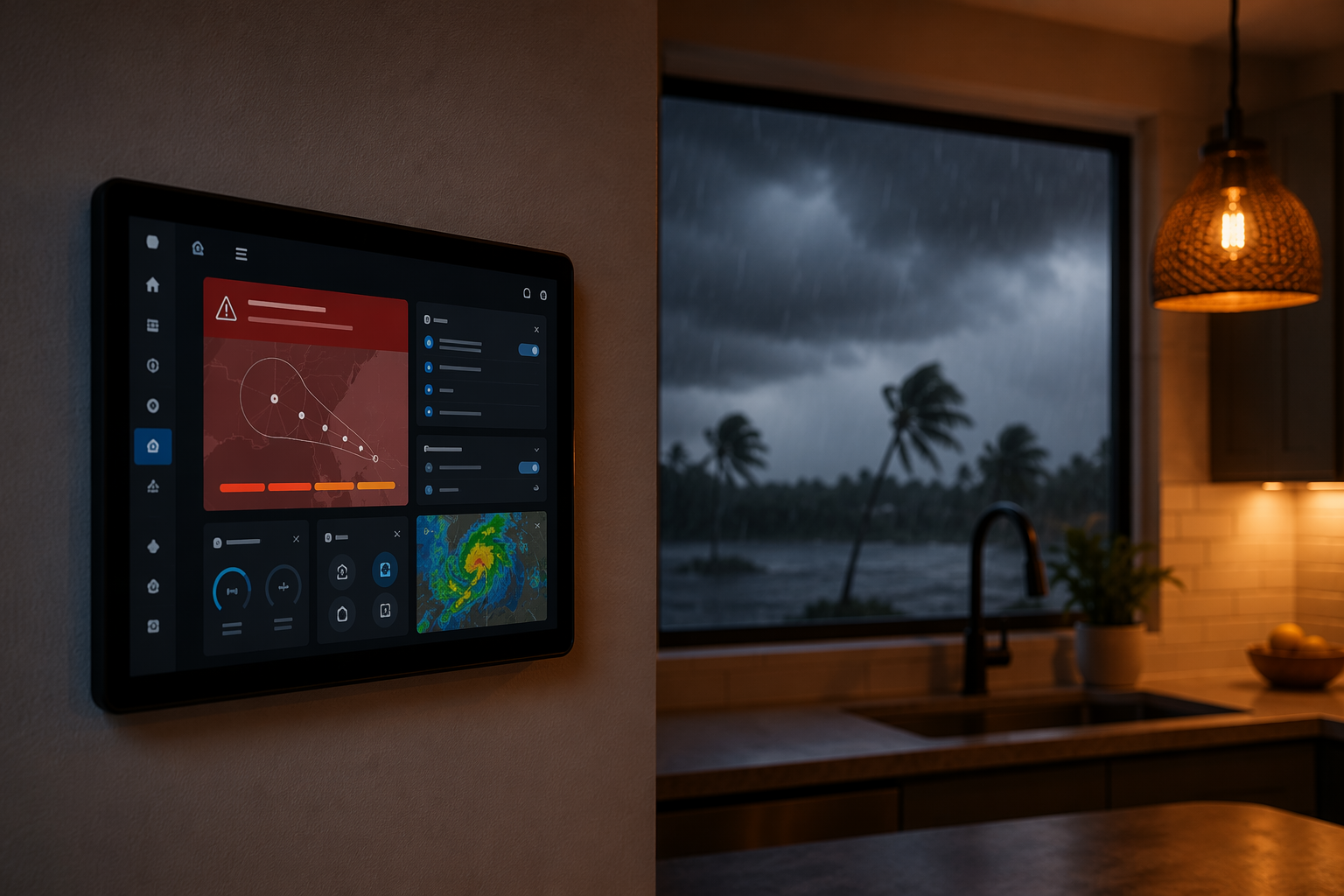
The Weather Alerts Card is a HACS-installed community card, not a built-in Lovelace card. Version 3.2 and later supports NWS event-color themes, severity sorting, and hideNoAlerts, which keeps the dashboard from becoming permanent red wallpaper when there are no active alerts.[6]
type: custom:weather-alerts-card
entity: sensor.nws_alerts
sort_by: severity
hideNoAlerts: true
show_expiration: true
show_description: true
If your entity comes from the RESTful template path instead of the HACS NWS Alerts integration, use a standard entities or markdown card first. The goal is the same: the dashboard should show the event, severity, headline, and expiration before you trust any downstream action.
Trigger Once, Then Branch by Urgency
A tropical alert automation should trigger on a real state change from None to a matching event, then branch. Push notifications can be broad. TTS needs time-of-day guards. Lights need severity constraints. That split keeps the house informative without becoming theatrical.
alias: Tropical Weather Alert - Notify Household
mode: single
trigger:
  - platform: state
    entity_id: sensor.tropical_weather_alert_event
condition:
  - condition: template
    value_template: "{{ trigger.to_state.state not in ['None', 'unknown', 'unavailable'] }}"
action:
  - variables:
      event: "{{ states('sensor.tropical_weather_alert_event') }}"
      severity: "{{ state_attr('sensor.tropical_weather_alert_event', 'severity') }}"
      headline: "{{ state_attr('sensor.tropical_weather_alert_event', 'headline') }}"
      expires: "{{ state_attr('sensor.tropical_weather_alert_event', 'expires') }}"
  - service: notify.mobile_app_iphone
    data:
      title: "{{ event }}"
      message: "{{ headline }} Expires: {{ expires }}"
      data:
        attachment:
          url: "https://radar.weather.gov/ridge/standard/CONUS_loop.gif"
          content-type: gif
  - choose:
      - conditions:
          - condition: time
            after: "07:00:00"
            before: "22:30:00"
        sequence:
          - service: tts.cloud_say
            target:
              entity_id:
                - media_player.kitchen_display
                - media_player.living_room_speaker
            data:
              message: "Weather alert: {{ headline }}"
      - conditions:
          - condition: template
            value_template: "{{ severity in ['Severe', 'Extreme'] }}"
        sequence:
          - service: tts.cloud_say
            target:
              entity_id:
                - media_player.bedroom_speaker
            data:
              message: "Urgent weather alert: {{ headline }}"
  - choose:
      - conditions:
          - condition: template
            value_template: "{{ severity in ['Severe', 'Extreme'] }}"
        sequence:
          - repeat:
              count: 5
              sequence:
                - service: light.turn_on
                  target:
                    entity_id:
                      - light.entry_lamp
                      - light.hallway_lamp
                  data:
                    color_name: red
                    brightness_pct: 100
                - delay: "00:00:02"
                - service: light.turn_on
                  target:
                    entity_id:
                      - light.entry_lamp
                      - light.hallway_lamp
                  data:
                    color_name: orange
                    brightness_pct: 80
                - delay: "00:00:02"
The radar GIF in the iOS notification is useful context, not the safety-critical part of the system. If the attachment fails or loads slowly, the title and message still carry the alert. The household actions should depend on the NWS alert attributes, not on whether a phone can fetch an image at that moment.
Google Cast, Sonos, Bluetooth speakers exposed as media_player entities, Hue bulbs, and Zigbee2MQTT lights all fit this same pattern. Swap the service calls and entity IDs for your hardware, but keep the severity gate. A Tropical Depression advisory may deserve a dashboard and phone alert; a Severe or Extreme warning is a different household interruption.
If You Want Amber for Watch and Red for Warning
Some homes make better use of color than flashing. This shorter branch turns selected lights amber for watch-level language and red for warning-level language, while still avoiding any light action when the event is only informational.
- choose:
    - conditions:
        - condition: template
          value_template: "{{ 'Warning' in states('sensor.tropical_weather_alert_event') }}"
      sequence:
        - service: light.turn_on
          target:
            entity_id: light.weather_alert_group
          data:
            color_name: red
            brightness_pct: 100
    - conditions:
        - condition: template
          value_template: "{{ 'Watch' in states('sensor.tropical_weather_alert_event') }}"
      sequence:
        - service: light.turn_on
          target:
            entity_id: light.weather_alert_group
          data:
            color_name: orange
            brightness_pct: 70
Testing Without Training Everyone to Ignore It
Before storm season, test the pieces in this order: the raw NWS count, the extracted event sensor, the dashboard card, the push notification, the daytime TTS branch, and finally the severe-only light branch. Do not start by manually firing the whole automation at full volume. That proves Home Assistant can make noise; it does not prove the matching logic is right.
- Confirm the RESTful sensor or NWS Alerts integration shows active attributes when an alert exists.
- Temporarily point the template at a known active alert only while testing, then restore your home coordinates.
- Use Developer Tools to inspect Event, Severity, Headline, Expires, and Description before enabling actions.
- Run the TTS action during waking hours first, with a low speaker volume.
- Keep flashing lights limited to Severe or Extreme conditions unless your household has explicitly agreed otherwise.
This is also where expectations matter. A tropical depression has maximum sustained winds below tropical storm strength, so some locations will see few or no local alerts that justify intrusive automation. That does not mean the recipe failed. It means the local alerting framework did not produce an actionable event for your point.
Where This Fits With Other Home Assistant Weather Recipes
Once this tropical recipe is working, the closest companion pattern is a tornado-specific NWS alert setup. The matching is narrower and the household response is usually more urgent, but the same discipline applies: prove the alert attributes before triggering the house. See How to Set Up Home Assistant for Tornado Warning Alerts if you want to extend the same NWS Alerts pattern beyond tropical systems.
If you are mainly here to get more comfortable with YAML branching, service calls, and practical automation structure, the smart-plug examples in 5 Home Assistant Automation Recipes for Energy-Monitoring Smart Plugs are a lower-stakes place to practice the same habits.
The Practical Boundary
A reliable Home Assistant setup can surface NWS and NHC tropical alert information inside the home, keep the warning visible on a dashboard, send the headline to phones, announce serious alerts over speakers, and use lights when severity justifies the interruption. It is still not official emergency guidance, and it cannot guarantee that every tropical depression will create a local alert for your exact point.
Date the automation, recheck the entity names and API response before peak storm season, and keep the event matching broader than the phrase “Tropical Depression Warning.” That small bit of restraint is what makes the rest of the automation worth trusting.
References
- National Weather Service API Web Service, National Weather Service
- NWS Alerts, GitHub
- NWS Alerts - How To Get Alert Text, Not Just Count, Home Assistant Community
- National Weather Service (NWS), Home Assistant
- National Hurricane Center Active Storms, National Hurricane Center
- Weather Alerts Card, Home Assistant Community