
5 Smart Home Automation Recipes for Storm Damage Protection
This guide walks through five automation recipes for storm damage protection — water leak auto-shutoff, freeze prevention thermostat override, weather-alert storm mode, power outage backup sequencing, and surge event alerts — all designed to run locally so they stay reliable when Wi-Fi and internet go down.
Storm damage is often less cinematic than the smart-home demos built around it. A pipe starts leaking behind a washer while nobody is looking. A crawlspace sensor gets too cold to report reliably. The internet drops before the notification leaves the cloud. A UPS keeps the router alive for a while, but the NAS is still writing when the battery falls through its last few minutes.
That is the first rule for smart home storm damage protection: the automation that matters has to run locally. A phone alert is useful only after the house has already taken the first action it can take by itself. For critical routines, that usually means Z-Wave, Zigbee, or Thread devices connected to a local hub such as Home Assistant, Hubitat, or another controller that can process trigger-condition-action logic without waiting on Alexa, Google Home, a vendor cloud, or the home internet connection. Home Assistant users have been making the same practical distinction for years: Wi-Fi and internet service are common failure points during storms, so cloud-dependent routines are a poor foundation for emergency behavior.[1]
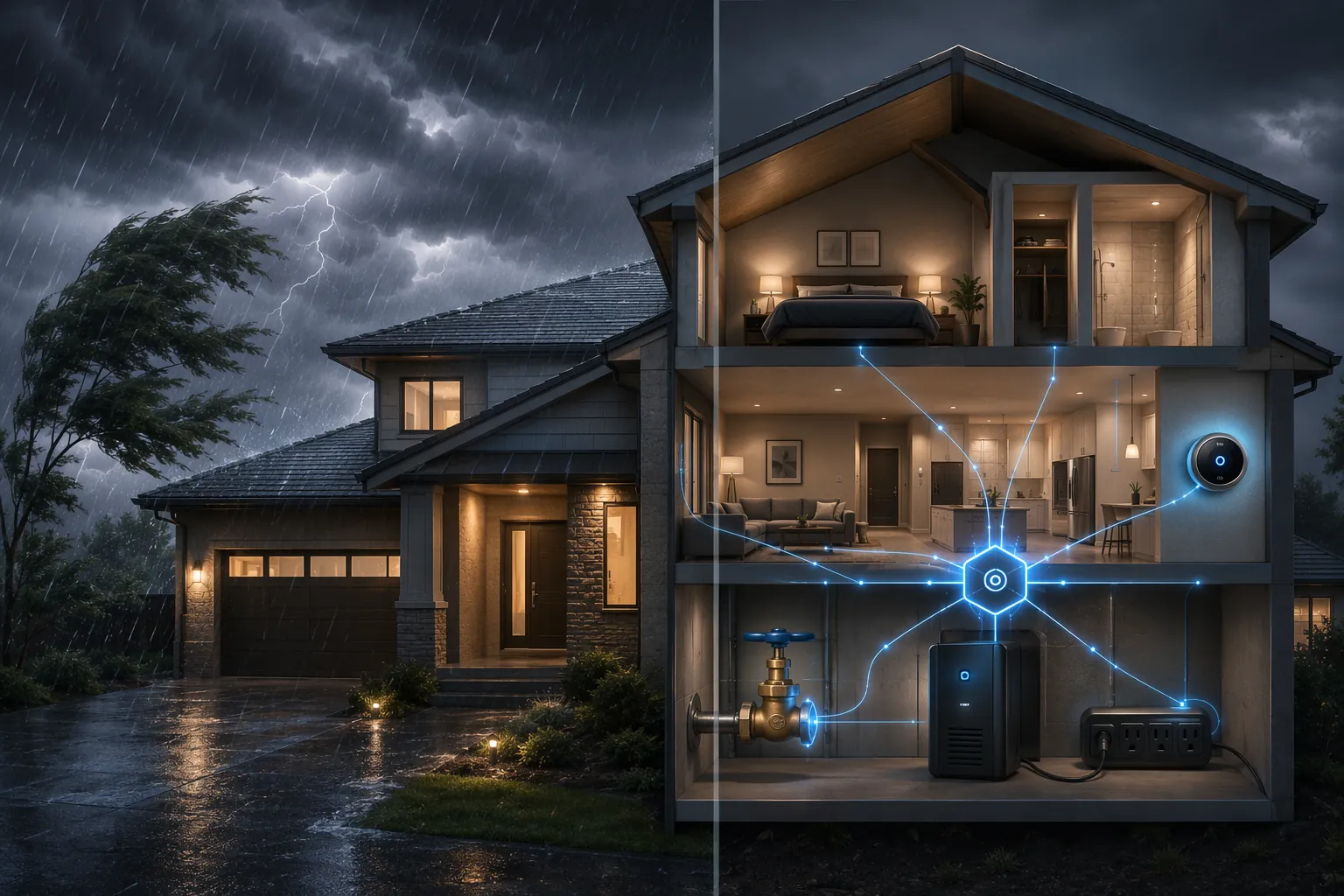
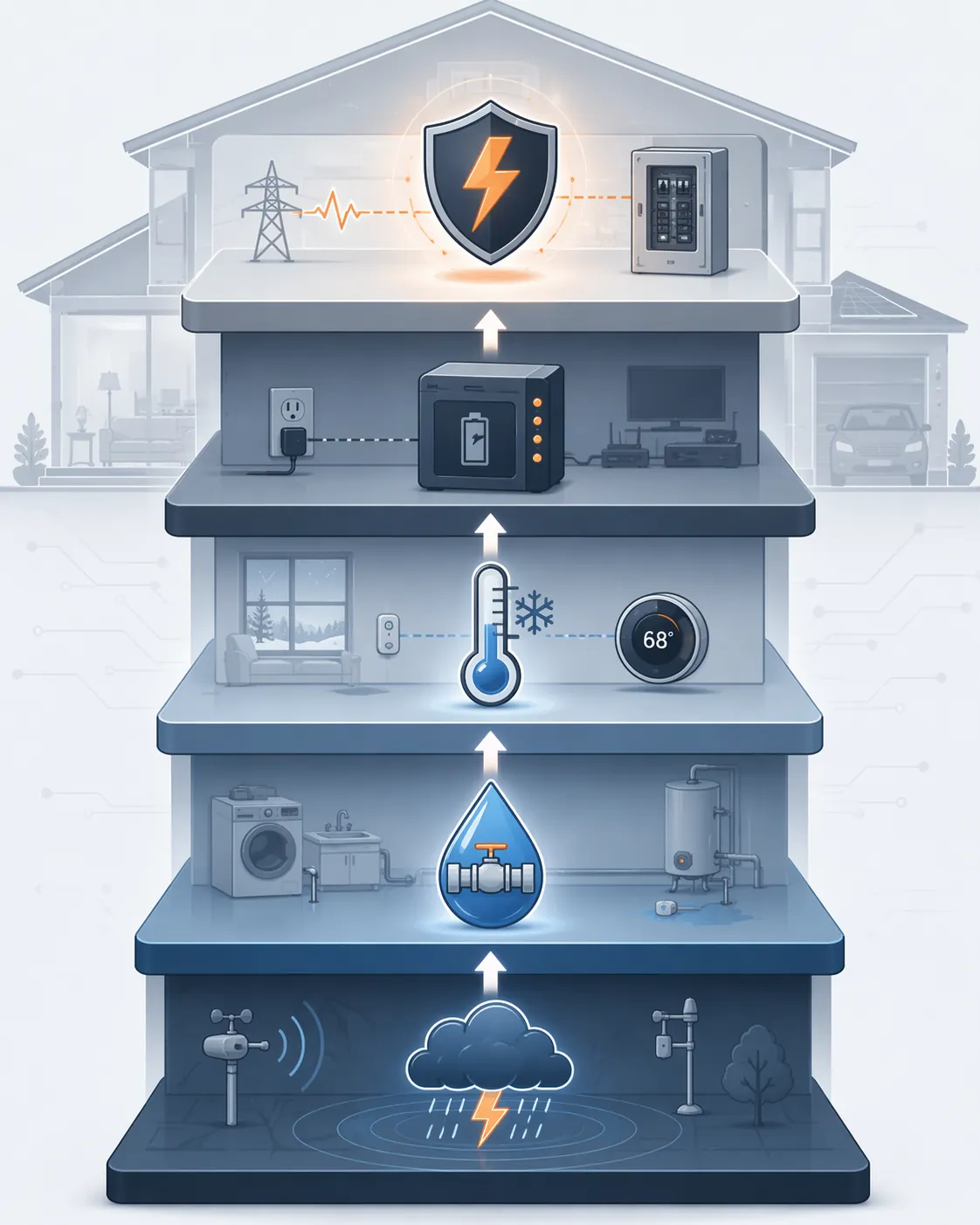
The five recipes below are not five equal gadgets. They work better as a defensive stack. Water shutoff and freeze override handle the most mechanical, expensive failures. Weather-alert storm mode prepares the house before the worst moment. Backup sequencing keeps the local brain and selected loads alive long enough to shut down cleanly. Surge-event follow-up does not stop lightning; it reminds you to inspect the devices that took the hit.
| Priority | Recipe | Main job | Minimum hardware | Skill level |
|---|---|---|---|---|
| 1 | Water-leak auto-shutoff | Detect water and close the main valve locally | Leak sensors, smart water shutoff valve, local hub | Beginner to intermediate |
| 2 | Freeze-prevention thermostat override | Raise heat before pipes freeze | Flood/freeze sensors, smart thermostat, local hub | Beginner |
| 3 | Weather-alert storm mode | Prepare lighting, shutters, charging, and notifications before impact | Home Assistant or local hub, weather alert source, controllable devices | Intermediate |
| 4 | Power-outage backup sequencing | Prioritize UPS-backed loads and shut down sensitive systems cleanly | UPS with status reporting, local hub, smart plugs or integrations | Intermediate to advanced |
| 5 | Surge-event alert and post-storm check | Prompt inspection after surge exposure and track protection layers | Whole-home SPD, point-of-use SPD, power monitoring or manual event input | Intermediate |
Start With The Leak That Does Not Wait For You
Only about 10% of homeowners own a smart water-leak sensor, even though a leak is one of the few storm-adjacent failures a smart home can actually act on without a person being present.[2] That gap is hard to defend. A sensor under a water heater, behind a washing machine, near a sump pump, or under a sink is not glamorous, but it can trigger the one action that changes the outcome: closing the water.
The insurance-industry partnered Nationwide and Resideo study is worth treating carefully. It analyzed 3.6 million policies and 86,000 installed devices, and Resideo reported that connected water-leak detection and shutoff were associated with a $4,000 reduction in average claim severity.[3] That is not a universal promise for every house, every valve, or every insurer. It is still a useful signal: automatic shutoff belongs near the top of the storm-protection list because it does something physical before anyone reads a message.
Recipe: Water-Leak Auto-Shutoff
| Part | Automation choice |
|---|---|
| Trigger | Any critical leak sensor changes to wet |
| Conditions | System is armed; optional delay is 0-10 seconds; optional exception for maintenance mode |
| Actions | Close smart main shutoff valve; turn off water heater if supported; send local and mobile alerts; turn on utility-room lights |
| Minimum hardware | Z-Wave, Zigbee, or Thread leak sensors; smart main shutoff valve; local hub |
| Best first locations | Water heater pan, washing machine, dishwasher, refrigerator water line, sump area, under sinks, basement low points |
A beginner version can be simple: pair a leak sensor and a shutoff valve to the same local hub, create one automation, and test it with a damp cloth. The important part is not the dashboard card. The important part is watching the valve close when the sensor gets wet while the automation controller still has local power.
Sensor placement decides whether the recipe works early or late. A puck placed on the wrong side of a sloped floor may stay dry while water runs past it. Under appliances, put the sensor where the first water would collect, not where it looks neat. Near a sump or floor drain, use a probe-style sensor if the puck would be easy to knock out of position.
Outdoor, garage, crawlspace, and unconditioned-space monitoring need a stricter filter. Indoor sensors can fail from condensation cycles, and cold weather can shorten battery life. A 2026 TechTimes report described IoT sensor accuracy as degrading below 50°F and noted that batteries rated for long service can fall to much shorter practical life in extreme cold; those ranges should be read as manufacturer-dependent, not as a universal specification.[2] For damp or exposed areas, look for devices rated for the space, including IP67 or IP68 where the sensor may face water exposure or repeated condensation.[2]
Add maintenance mode only if you will actually use it. A simple helper switch named something like “plumbing maintenance” can prevent the valve from closing while you replace a filter or drain a line. It should auto-expire after a short window. A permanent bypass switch is how a good automation becomes a decoration.
- Test monthly with water on each sensor, not just by checking that the device appears online.
- Keep the shutoff valve on backup power if the valve requires power to actuate.
- Label the manual valve and make sure the smart valve does not block access to it.
- Send alerts after the shutoff action, not instead of it.
Freeze Override Is A Pipe-Protection Rule, Not A Comfort Setting
Frozen-pipe damage is the other recipe that deserves weekend-project status. TechTimes cited frozen-pipe damage at more than $12,000 per claim on average, which makes a local freeze override a better use of automation time than another holiday lighting scene.[2] The automation is also easy to understand: when a sensor near vulnerable plumbing reports dangerous cold, the thermostat stops optimizing for comfort and raises the floor.
Home Controls describes the common Z-Wave flood/freeze sensor plus smart-thermostat pattern with a 55°F minimum override.[4] That number is not magic for every house. It is a practical minimum setpoint pattern: high enough to reduce freeze risk in many conditioned areas, low enough not to turn the house into a sauna because one basement sensor dipped. The right threshold depends on where pipes run, how well the space is insulated, and how fast the temperature falls in your house.
Recipe: Freeze-Prevention Thermostat Override
| Part | Automation choice |
|---|---|
| Trigger | Any freeze sensor near plumbing reports low temperature or freeze alarm |
| Conditions | Home is in heat mode or heat-capable mode; thermostat setpoint is below the protection floor; no maintenance override is active |
| Actions | Set thermostat heat to at least 55°F; notify household; optionally turn on a smart plug for a listed heat tape or circulation device if installed safely |
| Minimum hardware | Z-Wave flood/freeze sensors, smart thermostat with local control, local hub |
| Good sensor locations | Basement rim joists, crawlspace pipe runs, cabinets on exterior walls, utility room, garage-adjacent plumbing |
The clean version uses two temperature bands. The first band warns early, before a pipe is in danger. The second band forces action. For example, a hypothetical setup might notify the household when a crawlspace sensor falls into a caution range, then raise the thermostat when that same sensor crosses the freeze-protection threshold. The exact numbers should come from the sensor, the space, and your own testing, not from copying someone else’s climate.
Do not bury the sensor in warm air and expect it to protect cold plumbing. If the vulnerable pipe sits inside an exterior-wall cabinet, put the sensor in that cabinet. If the problem is a crawlspace, use a device rated for that environment and assume battery replacement will be more frequent in cold weather. The cold-weather sensor and battery limitations reported by TechTimes are a warning to verify the device class, not a reason to skip the automation.[2]
This recipe also needs a hard boundary: a thermostat override cannot fix bad insulation, open vents, unsafe heat sources, or pipes routed through spaces that should never have held plumbing. Automation buys reaction time. Plumbing and envelope work remove the risk.
Storm Mode Should Prepare The House Before The Wi-Fi Gets Bad
Weather-alert storm mode is where Home Assistant users can build something elegant, but it should not be treated as the first line of physical protection. Its job is preparation: charge devices, close controllable coverings if they are safe to operate, turn on selected lights, pause irrigation, and send warnings while communication is still available.
The documented Home Assistant Weather Alerts integration uses National Weather Service data and has attracted more than 160 GitHub stars. It should be treated as a documented trigger option rather than a verified installation recommendation.[5] The broader pattern is what matters: a reliable alert entity changes state, Home Assistant evaluates severity and location, and local actions run before the storm reaches the house.
Recipe: Weather-Alert Storm Mode
| Part | Automation choice |
|---|---|
| Trigger | Weather alert changes to severe thunderstorm warning, tornado warning, flood warning, winter storm warning, or another selected alert |
| Conditions | Alert area matches home; storm mode is not already active; optional quiet-hours rule does not suppress safety actions |
| Actions | Enable storm mode helper; turn on key interior lights; pause irrigation; charge or wake selected battery devices; close supported shades only where safe; send alerts |
| Minimum hardware | Home Assistant or comparable local hub, weather alert entity, local lights/plugs/shades where used |
| Skill level | Intermediate |
The useful version separates alerts by consequence. A flood warning might arm leak monitoring, pause irrigation, and remind someone to check the sump. A winter storm warning might pre-heat vulnerable zones within a safe range and confirm that freeze sensors are online. A severe thunderstorm warning might turn on hallway lights and switch nonessential automations into a conservative mode.
Avoid anything that creates a new hazard. Do not close a motorized exterior shutter if wind conditions or manufacturer instructions make operation unsafe. Do not automate garage doors during a storm unless you have a very specific, tested reason. Do not let a weather alert disable smoke, CO, water, or freeze notifications because the house is “in storm mode.”
Backup Sequencing Protects The Local Brain
A local automation system still needs electricity. The point of backup sequencing is not to keep the whole smart home alive indefinitely; it is to keep the controller, network core, and selected devices alive long enough to act, notify, and shut down cleanly.
Recipe: Power-Outage Backup Sequencing
| Part | Automation choice |
|---|---|
| Trigger | UPS switches to battery, battery charge falls below selected thresholds, or line power is restored |
| Conditions | Outage duration exceeds a short debounce period; critical devices are reachable; nonessential loads are controllable |
| Actions | Turn off nonessential smart plugs; keep hub/router/modem or local network core powered; gracefully shut down NAS or server when battery is low; notify when power returns |
| Minimum hardware | UPS with local or LAN status reporting, Home Assistant or local hub, controllable nonessential loads |
| Skill level | Intermediate to advanced |
The first threshold can be gentle: line power is gone, so turn off decorative lights, media gear, and anything plugged into the UPS that does not help the house respond. The second threshold is protective: the NAS, server, or NVR gets a graceful shutdown command. The last threshold is for silence and preservation, not heroics. If the battery is nearly empty, the system should stop pretending it can keep everything alive.
This is also where cloud routines quietly fall apart. If your outage automation requires a vendor server to notice the UPS state, process a rule, and call back into a smart plug, it is not an outage automation. Keep the hub and network path local for the devices that must respond.
Surge Automation Starts After Real Surge Protection
Surges are not only a lightning problem. The NEMA Surge Protection Institute cites the industry estimate that roughly 80% of surges originate inside the home, often from large loads switching on and off.[6] Treat that as an industry estimate, not a precisely measured law of nature. It still changes the practical view: protecting smart-home gear is not just about the dramatic strike down the street.
The protection layer is electrical work first. ASHI describes a Type 2 whole-home surge protective device as a service-panel layer, with typical installed costs in the $200-$700 range.[7] Schneider Electric describes the complementary role of Type 3 point-of-use surge protectors and notes that surge protective devices have a finite lifespan, often discussed in the 3-5 year range depending on exposure and device condition.[8] A smart-home automation can help track and inspect that protection; it cannot substitute for it.
Recipe: Surge-Event Alert And Post-Storm Device Check
| Part | Automation choice |
|---|---|
| Trigger | Power monitor reports abnormal event, UPS logs transfer or fault, storm mode ends, or manual surge-event helper is turned on |
| Conditions | Recent severe weather, power flicker, UPS event, or known nearby surge exposure |
| Actions | Create inspection task; notify household to check SPD indicators; verify hub, router, cameras, valves, leak sensors, and thermostats; log date for future SPD review |
| Minimum hardware | Type 2 SPD, Type 3 point-of-use protection, UPS or power monitor if available, local hub for reminders |
| Skill level | Intermediate |
This recipe is deliberately humble. After a storm or power event, it tells you to look. Check the indicator on the whole-home SPD if it has one. Check point-of-use protectors that guard the network rack, automation hub, modem, TV, and office equipment. Confirm the water valve still responds. Confirm leak and freeze sensors still report. A fried hub discovered during the next storm is not a surprise; it is a missed inspection.
Direct lightning is outside this recipe. Surge protective devices are part of a layered electrical defense, but they are not a direct-strike lightning protection system. For direct-strike scenarios, NFPA 780 lightning protection systems sit in a separate category and require specialist design and installation.[9]
The Readiness Test
A storm-ready smart home is not the one with the most impressive dashboard. It is the one where the critical recipes still have a path to act when conditions are ugly. Pull the internet connection during a test. Put a damp cloth on a leak sensor. Lower a freeze sensor’s reported temperature in a safe test. Switch the UPS to battery. End storm mode and run the inspection reminder.
The answers matter more than the device count. If the internet is down, does the valve still close? If the house is cold, does the thermostat override happen locally? If power flickers, does the hub stay up and do the nonessential loads drop? If a surge event is likely, does someone get prompted to inspect the protection layer before the next storm? That is where smart home storm damage protection becomes more than a notification habit.
References
- Home Assistant Community discussion on local control and storm reliability, Home Assistant Community.
- Winter storm smart home sensor and frozen-pipe damage article, TechTimes, January 2026.
- Nationwide and Resideo connected water leak detection study press release, Resideo.
- Z-Wave flood/freeze sensor and smart thermostat automation pattern, Home Controls Blog.
- Home Assistant Weather Alerts integration, GitHub.
- NEMA Surge Protection Institute white paper on surge origins, NEMA Surge Protection Institute.
- Whole-home surge protective device cost and inspection guidance, ASHI Reporter.
- Point-of-use surge protection and SPD lifespan guidance, Schneider Electric Blog.
- Lightning protection and NFPA 780 explainer, ClickOrlando.