
6 Smart Home Automations for Extreme Heat Safety
Set up six copyable smart home automations — from pre-cooling thermostats to heat emergency alerts — to keep your home safer and reduce energy waste during a heat wave. Each recipe includes trigger conditions, device lists, and platform-specific instructions for Home Assistant, Apple Home, and more.
The useful time to automate for extreme heat is before the alert banner turns red and everyone starts changing settings by hand. The six recipes here assume you already have some mix of thermostat, temperature sensors, humidity sensors, smart plugs or relays, blinds, fans, and notifications. They are written as rules you can build, not as a shopping list.
If you want a broader heat-wave mode that coordinates several of these automations, pair this with NestGrid’s unified extreme-weather mode. If the house has no central A/C, the nighttime and shade rules also fit naturally with the survive a heat wave without A/C setup.
Before You Build the Rules
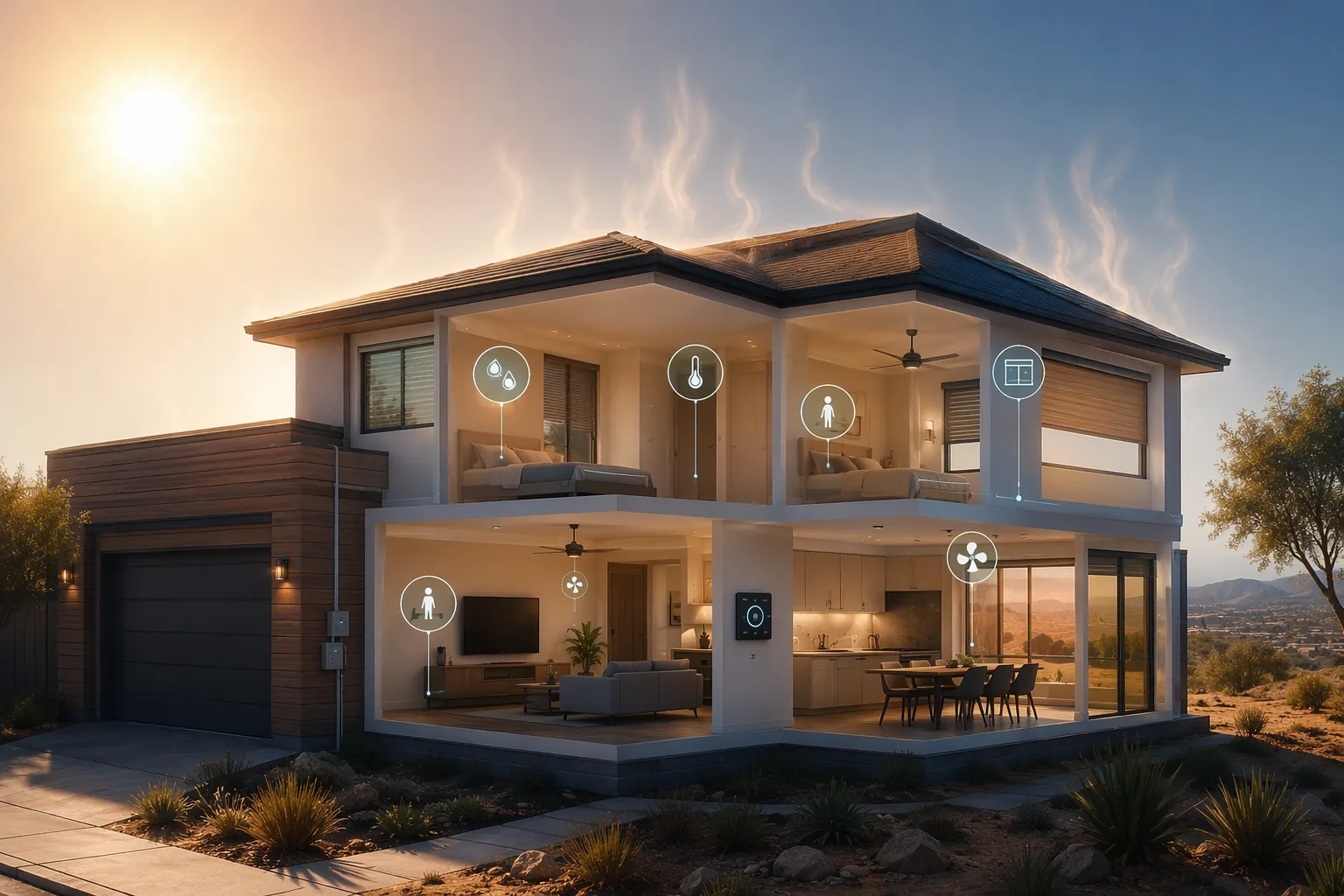
The thermostat in the hallway is not the house. During a heat wave, a west bedroom, upstairs nursery, finished attic, sunroom, or closed-off office can become the room that matters. Put at least one independent temperature sensor where a person or pet actually spends time, and avoid mounting it in direct sun, above electronics, beside a vent, or on an exterior wall that bakes in the afternoon.
Humidity sensors deserve the same suspicion. A bathroom sensor can drive an exhaust fan, but it should not be used as a whole-home comfort sensor. A basement sensor can tell you if moisture is accumulating, but it will not tell you whether an upstairs bedroom is safe. For heat-wave automations, sensor placement is not a cosmetic detail; it decides whether the rule fires.
- Use room sensors for occupied rooms, especially bedrooms, nurseries, elder-care rooms, pet areas, and home offices.
- Treat thermostat averages as comfort guidance, not as proof that every room is safe.
- Make fan rules conditional. Fans can help comfort or ventilation, but the wrong fan at the wrong time can pull in hotter air or create combustion-appliance risks.
- Test emergency notifications before the first heat event. A brilliant rule that alerts a muted tablet is not an alert system.
| Recipe | Main trigger | Main action | Best first platform |
|---|---|---|---|
| Thermostat pre-cool and away schedule | Time, forecast, occupancy, utility peak window | Cool earlier, relax setpoint when empty | Thermostat app, Apple Home, Home Assistant |
| Humidity-triggered bathroom exhaust | Bathroom relative humidity above threshold | Run exhaust fan until humidity drops | Alarm.com, Home Assistant, smart relay app |
| Attic fan heat dump | Attic temperature above setpoint | Run attic fan through rated relay or switch | Alarm.com, Home Assistant, relay app |
| Solar-gain blind schedule | Sun exposure, time, room temperature | Close sunny-side shades before heat builds | Blind app, Apple Home, Home Assistant |
| Heat emergency alert | Indoor room temperature, power loss, NWS alert | Notify homeowner or caregiver | Thermostat app, Home Assistant, Alarm.com |
| Whole-house fan night purge | Outdoor air cooler than indoor air | Open-window check, then fan ventilation | Home Assistant, Apple Home, smart switch |
1. Smart Thermostat Pre-Cool and Away Schedule
A useful heat-wave thermostat rule has two jobs that sometimes conflict: reduce the cooling load before the house gets punished by afternoon heat, and stop cooling empty rooms as if everyone were home. Do not set one heroic temperature and hope the thermostat’s learning algorithm understands your heat wave. Give it a schedule.
| Build item | Setting |
|---|---|
| Required devices | Smart thermostat; occupancy source; at least one room temperature sensor for vulnerable rooms if available |
| Trigger | Forecasted hot day, local heat advisory, or outdoor temperature rising toward the day’s peak |
| Pre-cool action | Lower cooling setpoint before the hottest part of the day or before peak electric rates |
| Away action | Relax the setpoint when the home is unoccupied, unless a protected room exceeds your alert threshold |
| Safety override | If bedroom, nursery, elder-care room, or pet area rises above your indoor safety threshold, cancel energy-saving away mode and notify someone |
ENERGY STAR’s smart thermostat certification is built around products that demonstrate at least a 10% cooling run-time reduction on average nationally, but that is a certification result, not a promise that your house will save exactly that amount in August.[1] Reliant describes weather-responsive automation as capable of reducing energy use by 8% to 15%, and ACEEE reported a 13.9% cooling reduction for Nest users in its cited analysis.[2][3] Those numbers are useful because they justify automation; they do not remove the need to tune it to the building.
A practical schedule starts before the heat load arrives. On a forecasted extreme-heat day, pre-cool the house in the morning or just before the utility peak window. Then let the setpoint drift upward modestly during the expensive or hottest period, as long as the occupied-room sensors stay inside your comfort and safety bounds. For sleep, adapt the more detailed smart thermostat sleep heat recipe rather than relying on the hallway thermostat to represent a closed bedroom.
Copyable Rule
- If tomorrow or today is marked as a heat advisory, heat warning, or user-defined extreme-heat day, enable Heat Wave Thermostat Mode.
- Two to four hours before the expected outdoor peak or peak-rate window, lower the cooling setpoint by a small pre-cool amount.
- During the peak window, raise the setpoint gradually if the home is occupied and protected-room sensors remain below your indoor alert threshold.
- If the home is away, use the away setpoint, but cancel away savings if any protected room crosses the alert threshold.
- At bedtime, use bedroom temperature as the governing input if the bedroom has its own sensor.
Platform Notes
In Apple Home, this is easiest as several time-based automations plus an occupancy condition. Use your thermostat app for the actual setpoint schedule if Apple Home does not expose enough thermostat controls. In Home Assistant, create a heat-wave helper or mode entity, then let separate automations handle pre-cool, peak, away, and sleep. In Alarm.com or similar platforms, use thermostat schedules, geo-services, and temperature alerts rather than trying to reproduce every condition in one rule.
Smart thermostat adoption is no longer niche; one 2025 scientific review projected 38.3 million installations by 2026.[4] The installation count matters less than the configuration. A thermostat that knows occupancy but ignores the west bedroom is still making decisions from the wrong place.
2. Humidity-Triggered Bathroom Exhaust Fan
Heat discomfort gets worse when moisture hangs around. The bathroom is one of the easiest rooms to automate because the signal is obvious: relative humidity jumps, the fan runs, humidity drops, the fan stops. The rule is small, but during a heat wave it prevents the house from carrying avoidable moisture into the afternoon.
| Build item | Setting |
|---|---|
| Required devices | Bathroom humidity sensor; exhaust fan controlled by smart switch, rated relay, or fan controller |
| Trigger | Bathroom relative humidity rises above your threshold or jumps rapidly above the room baseline |
| Action | Turn on exhaust fan |
| Stop condition | Humidity falls below threshold, returns near baseline, or maximum runtime expires |
| Safety check | Use a relay or switch rated for the fan load and installed according to code |
EPA guidance says indoor relative humidity should be kept below 60%, and ideally between 30% and 50%, to limit mold growth during summer.[5] That does not mean a bathroom fan should wait until the entire house is at 60%. It means a bathroom sensor crossing that range should not be ignored, especially when the A/C is already fighting heat.
Surety Home’s Alarm.com guide describes the common pattern: use a Z-Wave relay with a humidity sensor to automate an exhaust fan.[6] The same logic translates cleanly to Home Assistant, Hubitat, SmartThings, or a fan switch with its own automation app.
Copyable Rule
- If bathroom relative humidity rises above 60%, turn on the exhaust fan.
- Keep the fan on until humidity falls below 55%, or until a maximum runtime expires.
- If your platform supports it, also trigger when humidity rises sharply above the room’s normal baseline after a shower.
- Send a maintenance notification if humidity stays high after the maximum runtime, because that may indicate a failed fan, blocked vent, or open window pulling humid air inside.
3. Temperature-Triggered Attic Fan Heat Dump
The attic is not living space, but it can load the ceiling for hours. An attic fan automation is not magic cooling and should not be sold as one. Its job is narrower: when the attic becomes a reservoir of trapped heat, run a properly vented fan to exhaust that air so less heat presses downward into the conditioned space.
| Build item | Setting |
|---|---|
| Required devices | Attic-rated temperature sensor; attic fan; fan-rated smart relay, smart switch, or temperature switch |
| Trigger | Attic temperature exceeds your chosen high-temperature setpoint |
| Action | Turn on attic fan |
| Stop condition | Attic temperature falls below the lower cutoff or outdoor conditions no longer justify fan use |
| Caveat | Do not treat attic exhaust as proof that occupied rooms are safe |
Surety Home describes Z-Wave relay and temperature-switch automation for attic fans, which is the same basic electrical pattern as the bathroom fan but in a harsher environment.[6] The relay, enclosure, and sensor all need to tolerate attic temperatures. If your attic fan already has a thermostat, the smart layer can be used for monitoring and manual override rather than replacing the built-in control.
Copyable Rule
- If attic temperature rises above the attic fan setpoint, turn on the attic fan.
- If attic temperature falls below the lower cutoff, turn off the fan.
- If the fan runs unusually long without lowering attic temperature, send a maintenance alert.
- Keep occupied-room temperature alerts separate. The attic rule reduces load; it does not certify comfort downstairs.
4. Automated Blinds for Solar Heat Gain
Windows are where a lot of smart homes quietly lose the heat fight. The thermostat sees the result after the room warms. The better rule closes the shade before the sun has spent an hour turning the floor, sofa, and wall into stored heat.
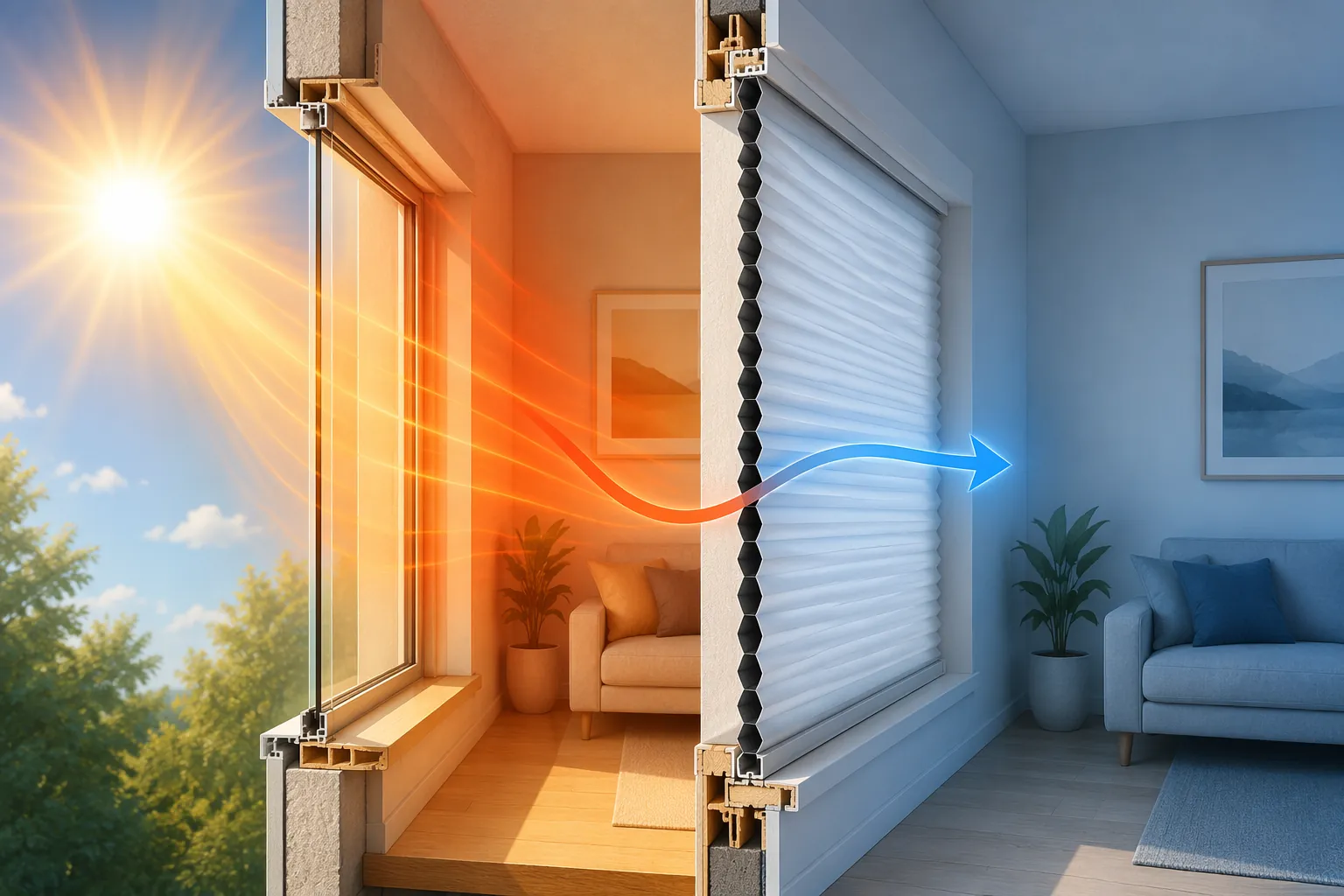
Somfy states that every square meter of window directly exposed to sun can admit 500 watts of power into the home.[7] Consumer Reports says automated honeycomb or cellular blinds can lower unwanted solar heat gain by up to 60%.[8] Somfy also cites simulations with Carbone 4 showing automated roller shutters keeping a home 4°C to 7°C cooler and reducing A/C use by up to 70%, but that larger A/C figure is a simulation result for specific assumptions, not a universal measured outcome.[7]
The reason to automate is not that people dislike shade controls. It is that people do not move them consistently. Modern Shade cites the U.S. Department of Energy for the claim that about 75% of residential window coverings stay in the same position every day.[9] A noon west-window rule is boring, which is exactly why it works.
| Build item | Setting |
|---|---|
| Required devices | Motorized blinds, shades, or shutters; sun/time trigger; optional room temperature sensor |
| Trigger | Sun-facing window enters direct exposure period, or room temperature starts rising before afternoon peak |
| Action | Close or partially close shades on exposed windows |
| Stop condition | Sun leaves the window, outdoor temperature drops, or room needs daylight and temperature remains safe |
| Override | Allow manual open for occupancy, but restore heat-wave position after a delay if the room keeps warming |
Copyable Rule
- On heat-wave days, close east-facing shades in the morning exposure window.
- Close south- and west-facing shades before direct sun reaches the glass.
- If a sun-exposed room rises above the comfort threshold, close that room’s shades even if the normal schedule has not started.
- Reopen after direct exposure ends only if the room temperature is stable or falling.
Platform Notes
Apple Home can handle this with time-of-day automations and blind position scenes. Home Assistant can use sun azimuth, elevation, room temperature, and weather mode for more exact window-by-window control. If you are using a vendor blind app, start with simple schedules for east, south, and west exposures before adding room-temperature overrides.
5. Heat Emergency Alert System
This is the rule to build slowly and test twice. A heat emergency alert is not the same thing as a comfort notification. It should wake up the right person, identify the room or device that triggered it, and avoid depending on a single hallway thermostat if someone vulnerable is elsewhere in the house.
Extreme heat kills roughly 2,000 people in the United States annually, and ABC News reported in 2025 that at least 9,436 heat-related deaths had occurred across the U.S. since 2020, using CDC data. The same reporting notes that heat deaths are likely undercounted because heat is not always listed on death certificates.[10] A smart-home alert will not solve that public-health problem. It can, however, catch the smaller household failure: a bedroom climbing, a thermostat offline, a power loss, or a caregiver who needs to know before the next check-in.
| Build item | Setting |
|---|---|
| Required devices | Smart thermostat; room temperature sensors; notification-capable hub or app; optional power monitoring |
| Trigger | Protected room exceeds indoor threshold, thermostat reports high temperature, power is lost, or NWS alert activates heat mode |
| Action | Notify homeowner, caregiver, or backup contact with room name and current reading |
| Escalation | Repeat or escalate if the temperature continues rising or no one acknowledges |
| Test | Manually simulate the trigger and confirm alerts arrive on cellular data, not only home Wi-Fi |
Do not use the National Weather Service warning threshold as the only indoor trigger. NWS defines an Excessive Heat Warning around a heat index of 105°F or higher for at least 2 days with nighttime temperatures of 75°F or higher.[13] That is outdoor public-warning logic. Indoor danger can develop in a specific room before or after that outdoor threshold, especially if the A/C fails, power drops, blinds stay open, or a room has poor airflow. Use NWS alerts to enable heat-wave mode, then let indoor sensors decide whether the house is becoming unsafe.
Travelers notes that smart thermostats can provide alerts when a home loses power or the temperature rises above a selected threshold.[11] That is the simplest version of the recipe: turn on high-temperature and power-loss notifications in the thermostat app. The stronger version adds independent room sensors and an escalation path.
Home Assistant users can go further by comparing indoor and outdoor temperatures. A June 2026 community blueprint called “Heatwave Windows” uses multi-sensor temperature comparison to notify when to open or close windows.[12] Treat that kind of blueprint as logic you inspect, not as an official safety product. Its accuracy depends on outdoor sensor placement, indoor room selection, and whether the notification goes to someone who can act. NestGrid’s Home Assistant heat advisory automation is a better starting point if you want a structured heat mode tied to weather alerts.
Copyable Rule
- If NWS heat advisory or warning is active, enable Heat Watch Mode and increase sensor polling or notification attention.
- If any protected room exceeds your chosen indoor heat threshold for more than a short confirmation period, send an urgent notification naming the room and temperature.
- If the thermostat reports power loss, loss of HVAC control, or indoor high-temperature status, notify immediately.
- If the temperature keeps rising after the first alert, repeat the notification and escalate to a backup contact.
- If a protected room is occupied by an older adult, child, medically vulnerable person, or pet, route the alert to the person who can actually check on them.
Caregiver and Remote-Home Notes
Caregiver alerts should not be hidden behind the homeowner’s usual phone notifications. Use a separate contact path, a distinct notification sound, and a message that says what action is needed: check the bedroom, call the neighbor, verify A/C operation, or bring a pet indoors. If you are building this for an older relative, start with NestGrid’s heat alerts for elderly caregivers guide before adding clever conditions.
For weather-alert sourcing, separate “the weather service says the region is dangerous” from “this room is too hot.” The smart home heat advisory and warning ladder helps map NWS alert language to automation modes, while severe weather notification setup covers the delivery side.
6. Whole-House Fan Nighttime Ventilation
Night ventilation is tempting because it feels cheap and immediate. It is also one of the easiest automations to get wrong. The fan should run only when outdoor air is cooler than indoor air, when enough windows are open, and when the house can exhaust that air safely through the attic or designed vent path.
| Build item | Setting |
|---|---|
| Required devices | Whole-house fan or large exhaust fan; indoor temperature sensor; outdoor temperature source; open-window sensors or manual confirmation |
| Trigger | Outdoor temperature falls below indoor temperature by your chosen margin |
| Interlock | Required windows open and attic venting adequate |
| Action | Run fan for a timed purge or until indoor temperature approaches outdoor temperature |
| Hard stop | Do not run if combustion/backdrafting risk is present or windows are closed |
DOE guidance treats the safety boundary seriously: whole-house fans require adequate open windows and attic venting, and they can create backdrafting risks with combustion appliances if the pressure path is wrong.[14] That warning belongs in the automation condition, not in small print. If your home has atmospherically vented combustion appliances, get the ventilation setup checked before automating a powerful exhaust fan.
Ceiling fans are a different tool. DOE says ceiling fans can allow a thermostat setpoint about 4°F higher without reducing perceived comfort, but they cool people, not empty rooms.[14] Use them as occupied-room comfort helpers, not as unattended cooling devices.
Copyable Rule
- If outdoor temperature is lower than indoor temperature by your chosen margin, mark Night Ventilation Available.
- If required windows are open and the fan path is safe, allow the whole-house fan to start.
- Run for a fixed purge period, or until indoor temperature stops falling meaningfully.
- Stop the fan if outdoor temperature rises, windows close, smoke or air-quality conditions make ventilation undesirable, or a safety interlock fails.
- Turn off ceiling fans automatically when rooms become unoccupied.
Home Assistant is the cleanest platform for this because it can compare indoor and outdoor sensors, window contacts, and fan state in one automation. Apple Home can do a simpler version with window sensors, temperature conditions, and a smart switch if the fan control is safe and supported. For a smaller room-by-room version, use NestGrid’s cool bedroom without A/C fan automation rather than trying to make a portable fan behave like a whole-house system.
Commission the Heat-Wave Setup
Do not wait for the first 100°F afternoon to discover that a shade scene is reversed or the emergency alert is going to an old phone. Run each automation manually once, then let it fire from its real trigger at least once if the weather gives you a safe test window.
- Trigger each rule manually and confirm the device action is correct.
- Confirm emergency notifications reach the right person on cellular data.
- Review every temperature and humidity sensor for placement errors.
- Check fan relays, smart switches, and motor loads for proper ratings.
- Revisit thresholds before the next heat wave, especially if rooms were warmer or more humid than expected.
- If devices misbehave under heat, use the heat-wave smart home fixes guide before trusting the automation again.
Smart home devices help in extreme heat when they act before the house becomes unsafe: pre-cool early, remove moisture, dump attic heat, block sun, alert the right person, and ventilate only when the air and the fan path make sense.
References
- ENERGY STAR Smart Thermostat FAQs, ENERGY STAR.
- Weather-responsive home automation, Reliant Energy.
- Nest users cooling reduction analysis, ACEEE.
- Smart thermostat installations projected at 38.3 million by 2026, scientific review, 2025.
- Mold Course Chapter 2, U.S. Environmental Protection Agency.
- Alarm.com guide to automating exhaust, attic, and whole-house fans, Surety Home.
- Automated sun protection study, Somfy, 2021.
- Ultimate Heat Survival Guide, Consumer Reports.
- DOE window coverings position attribution, Modern Shade.
- As much of the US braces for extreme heat, statistics show 2,000 die from it annually, ABC News, 2025.
- Smart thermostat alert capabilities for power loss and temperature thresholds, Travelers Insurance.
- Heatwave Windows blueprint, Home Assistant Community, June 2026.
- Excessive Heat Warning threshold, National Weather Service.
- Fans for Cooling, U.S. Department of Energy.