
Two Automation Playbooks for Extreme Heat Watch vs Warning
Learn how to set up distinct smart home automation playbooks for an NWS Extreme Heat Watch (prepare mode) versus an Extreme Heat Warning (take-action mode), covering thermostat pre-cooling, smart blinds scheduling, humidity control, device protection, and alert routing. Includes copyable routines for Home Assistant, Alexa, and Google Home.
For smart-home actions during extreme heat, the useful split is simple: a Watch is the house-prep routine; a Warning is the people-and-equipment protection routine. If those two alerts run the same thermostat scene, the automation is probably too blunt.
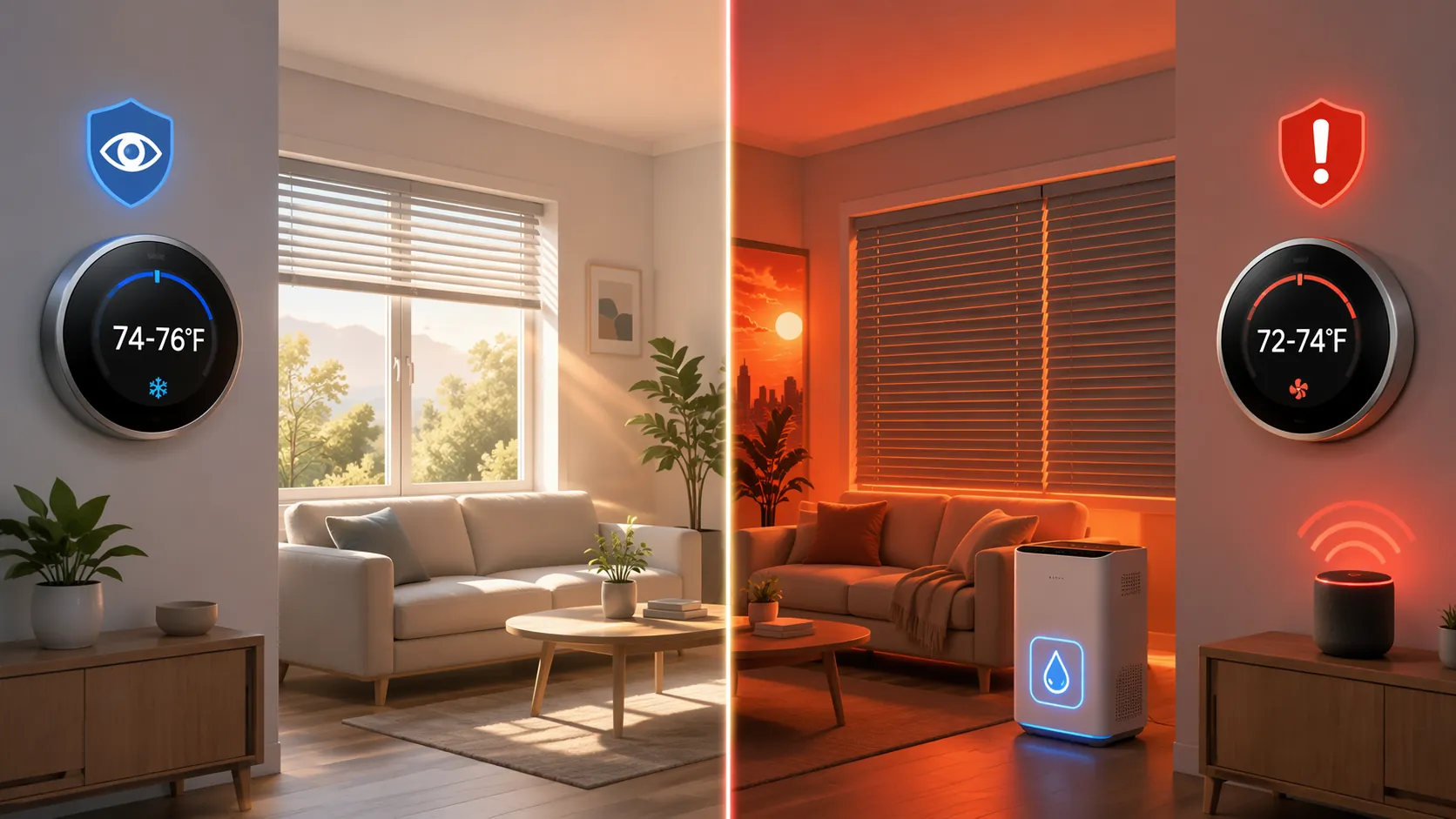
| Automation area | Extreme Heat Watch: prepare mode | Extreme Heat Warning: take-action mode |
|---|---|---|
| Thermostat | Pre-cool overnight or early morning to 74-76°F, then allow a moderate Eco adjustment during peak hours. | Pre-cool harder before peak heat to 72-74°F; avoid aggressive Eco setbacks while people are home. |
| Blinds | Close east and south-facing blinds before direct sun hits; leave other rooms usable if heat gain is low. | Close west and south-facing blinds more aggressively before afternoon sun; prioritize heat blocking over daylight. |
| Humidity | Monitor indoor humidity and stage a dehumidifier if the house already trends damp. | Run a dehumidifier or HVAC dry mode when indoor humidity rises above roughly 55-60%. |
| Device protection | Check hub, router, bridge, and camera ventilation; avoid sealed cabinets. | Reduce non-essential device load, especially gear in hot garages, attics, window areas, or media cabinets. |
| Alerts | Notify the maintainer: prep routine started, blinds scheduled, thermostat target set. | Announce inside the home: Warning active, cooling mode changed, check vulnerable people and pets. |
| Fallback | If automation fails, the home should still be manually ready before the hottest day. | If automation fails, people need to know immediately and take manual control. |
The National Weather Service treats those alerts differently for a reason. An Extreme Heat Watch means conditions are possible and preparation should begin; an Extreme Heat Warning means dangerous heat is expected or occurring and protective action is needed. The NWS also changed the public product names from “Excessive Heat Watch” and “Excessive Heat Warning” to “Extreme Heat Watch” and “Extreme Heat Warning” effective March 4, 2025, so older integrations, copied blueprints, and voice routines may still expose the old wording.[1][2]
That naming change matters in a dashboard. I would not trust a copied automation that only checks for one exact phrase until I had seen what my own platform receives during a real or test alert. Some systems may show the new “Extreme” language, some older community automations may still be looking for “Excessive,” and some weather triggers may not expose the NWS alert title cleanly at all.
Playbook 1: Extreme Heat Watch as house-prep mode
The Watch routine should usually start before anyone feels uncomfortable. That is the point. By the time the upstairs hallway is already warm, the automation is no longer preparing the structure; it is asking the HVAC system to catch up under worse conditions.
A practical Watch routine pre-cools the house overnight or early in the morning to about 74-76°F, then relaxes slightly during the afternoon if the home is occupied, shaded, and staying within a safe indoor range. Pre-cooling is not just a comfort trick: research cited by NPR in 2025 reported that shifting cooling into off-peak hours can reduce afternoon cooling load by 30-40%.[3]
The thermostat action should be boring and predictable. Set a temporary cooling target, confirm the HVAC actually enters cooling mode, and send one notification to the person who maintains the home. A thermostat schedule that silently fails because the system was left in Heat/Cool, Eco, or Away mode is worse than no automation because it creates false confidence.
- Trigger: NWS Extreme Heat Watch detected, or a weather routine/manual voice routine labeled “Heat Watch Prep” is started.
- Thermostat: set cooling target to 74-76°F during overnight or early-morning hours.
- Blinds: close east-facing blinds before morning sun and south-facing blinds before midday exposure.
- Peak period: allow a modest Eco adjustment only if indoor temperature stays comfortable and people are not heat-sensitive.
- Device check: notify someone to verify that the router, hub, bridge, and smart speaker are not trapped in a hot cabinet.
- Notification: send a mobile alert saying the Watch routine ran and listing the thermostat and blinds states.
For blinds, the Watch routine should be directional rather than theatrical. East windows matter early. South windows matter through much of the day. West windows may not need to close until later unless the room is already a heat trap. Somfy has cited French Building Federation data saying automated blinds can reduce indoor temperature by 4-7°C during heat waves, but that figure comes through Somfy’s own marketing material rather than an independently reviewed smart-home study.[4]
I still automate the blinds early because the failure mode is easy to see: the floor, sofa, or desk bakes for hours and then the thermostat spends the afternoon fighting stored heat. The Watch routine is where shading earns its keep without making the house feel sealed off all day.
Humidity should be watched, not overdramatized, at this level. If your home already runs damp in summer, add a condition that starts a dehumidifier or HVAC dry mode when indoor humidity crosses your chosen threshold. If your home is usually dry, logging humidity and showing it on the dashboard may be enough during a Watch.
Playbook 2: Extreme Heat Warning as take-action mode
A Warning routine should stop optimizing around small energy savings and start protecting indoor conditions. It can still be efficient, but the priority changes. This is where a thermostat setback that looked clever during normal summer weather can become the wrong default.
For an Extreme Heat Warning, set the thermostat to pre-cool earlier and lower, usually around 72-74°F before the local peak heat window. The goal is not to make the house cold forever; it is to enter the most punishing part of the day with walls, floors, and air already buffered. ENERGY STAR savings figures often cited for properly programmed smart thermostats fall in the 8-15% cooling-energy range, but that kind of savings depends on correct programming and should not be treated as permission to use an aggressive setback during a heat emergency.[5]
The blinds routine should also get less polite. Close south and west-facing blinds before afternoon solar gain. If you have rooms that overheat even with the thermostat satisfied, such as a nursery, office, upstairs bedroom, or west-facing living room, give those blinds their own rule instead of assuming the whole house behaves like the hallway thermostat.
- Trigger: NWS Extreme Heat Warning detected, or a manual/voice routine labeled “Heat Warning Protection” is started.
- Thermostat: pre-cool to 72-74°F before peak heat; suspend aggressive Eco setbacks while occupied.
- Blinds: close west and south-facing blinds before direct afternoon exposure.
- Humidity: run dehumidifier or HVAC dry mode above roughly 55-60% indoor humidity.
- Speakers: announce the Warning in occupied areas and tell people which actions have run.
- Device load: pause non-essential plugs, displays, chargers, or cabinet gear that add heat or risk shutdown.
The speaker announcement is not decoration. It is the difference between a dashboard state and a household knowing the mode changed. A phone notification may reach the person who built the routine; a speaker announcement reaches the person sitting in the room who never opens Home Assistant, Alexa, or Google Home.
For humidity, use an indoor sensor rather than the outdoor forecast. A house at 74°F with high indoor humidity can still feel heavy, and some people will respond by lowering the thermostat further. Letting a dehumidifier or dry mode handle moisture first can reduce that pressure on the cooling target. The 55-60% band is a practical automation threshold, not an NWS alert criterion.
Device protection belongs in the Warning playbook because smart-home equipment is often installed in the worst possible thermal locations: a network closet, media cabinet, garage shelf, or sunny window. Consumer smart-home gear is commonly happiest around normal indoor room temperatures, while phones, hubs, and similar electronics can start throttling or shutting down at high temperatures; one practical warning line cited across consumer-device guidance is around 95°F.[6]
Do not turn off the devices that deliver the alert. Do consider pausing LED strips, cabinet amplifiers, always-on displays, extra chargers, or non-critical smart plugs that add heat near the hub. If a camera in a garage or porch enclosure goes offline every heat wave, the automation should mark it as vulnerable instead of pretending it is a reliable sensor.
Home Assistant implementation
Home Assistant is the cleanest place to build this because it can combine weather-alert text, thermostat services, cover positions, humidity sensors, plugs, and TTS. The catch is important: the commonly used NWS Alerts path is a custom HACS integration from finity69x2, not a core Home Assistant integration, and a 2025 This Smart House walkthrough documents setting it up through HACS and using its alert data in dashboards and automations.[7]
Before relying on severity logic, inspect the actual attributes your integration receives during your local alerts. Mapping a Watch to a lower severity and a Warning to a higher severity is a reasonable automation design, but the heat-specific severity values should be verified against the NWS API output your Home Assistant instance actually sees. I prefer checking the alert event title first, then using severity as a secondary guard once it has been observed.
alias: Heat Watch - Prepare House
mode: single
trigger:
  - platform: state
    entity_id: sensor.nws_alerts
condition:
  - condition: template
    value_template: >
      {{ 'Extreme Heat Watch' in state_attr('sensor.nws_alerts', 'title')
         or 'Excessive Heat Watch' in state_attr('sensor.nws_alerts', 'title') }}
action:
  - service: climate.set_temperature
    target:
      entity_id: climate.main_floor
    data:
      temperature: 75
      hvac_mode: cool
  - service: cover.set_cover_position
    target:
      entity_id:
        - cover.east_blinds
        - cover.south_blinds
    data:
      position: 25
  - service: notify.mobile_app_owner_phone
    data:
      title: Heat Watch prep started
      message: Thermostat set to 75°F; east and south blinds moved for pre-cooling. Check hub and router ventilation.
That Watch automation deliberately includes both “Extreme” and “Excessive” wording. Once your local setup proves it only emits one form, you can simplify it. Until then, the extra condition is cheaper than wondering why nothing ran because a community blueprint used last year’s phrase.
alias: Heat Warning - Protect People and Gear
mode: single
trigger:
  - platform: state
    entity_id: sensor.nws_alerts
condition:
  - condition: template
    value_template: >
      {{ 'Extreme Heat Warning' in state_attr('sensor.nws_alerts', 'title')
         or 'Excessive Heat Warning' in state_attr('sensor.nws_alerts', 'title') }}
action:
  - service: climate.set_temperature
    target:
      entity_id: climate.main_floor
    data:
      temperature: 73
      hvac_mode: cool
  - service: cover.close_cover
    target:
      entity_id:
        - cover.west_blinds
        - cover.south_blinds
  - if:
      - condition: numeric_state
        entity_id: sensor.indoor_humidity
        above: 58
    then:
      - service: switch.turn_on
        target:
          entity_id: switch.dehumidifier
  - service: switch.turn_off
    target:
      entity_id:
        - switch.media_cabinet_accent_lights
        - switch.extra_charger_strip
  - service: tts.speak
    target:
      entity_id: tts.living_room_speaker
    data:
      media_player_entity_id: media_player.living_room_speaker
      message: Extreme Heat Warning is active. Cooling has been lowered, blinds are closing, and humidity control is enabled.
  - service: notify.mobile_app_owner_phone
    data:
      title: Heat Warning protection started
      message: Thermostat set to 73°F, west and south blinds closed, humidity checked, non-essential heat load reduced.
The timing trigger can be more refined than a raw state change. In a real Home Assistant setup, I would add a time condition so Watch pre-cooling runs overnight or early morning, then add a second scheduled automation that closes the correct blinds before sun exposure. The alert detects the mode; local time and window orientation decide the exact device action.
| Entity to verify | Why it matters |
|---|---|
| sensor.nws_alerts title/event field | Confirms whether your setup exposes “Extreme Heat” or legacy “Excessive Heat” text. |
| severity attribute | Useful as a guard, but heat-specific Watch/Warning mapping should be validated before relying on it. |
| climate entity mode | Some thermostats ignore a target if the HVAC mode is not explicitly set to cool. |
| cover position behavior | Some blind integrations use 0 as closed; others make position semantics less obvious in scenes. |
| TTS target | The announcement must play on a speaker people can actually hear. |
Alexa routine version
Alexa is better at simple household routines than exact NWS alert parsing. If your weather skill or local setup exposes heat alerts reliably, use that. If it does not, make two routines that can be started by voice or from the app: “Alexa, start Heat Watch Prep” and “Alexa, start Heat Warning Protection.” Manual start is not elegant, but it is better than a fake automatic routine that misses the actual alert.
| Routine | Trigger | Actions |
|---|---|---|
| Heat Watch Prep | Voice phrase, app tap, or available weather-alert trigger | Set thermostat to 75°F; close east/south blinds or run their morning scene; notify maintainer; optionally remind someone to check hub ventilation. |
| Heat Warning Protection | Voice phrase, app tap, or available weather-alert trigger | Set thermostat to 73°F; close west/south blinds; turn on dehumidifier plug if paired with a humidity condition or separate sensor routine; announce Warning on Echo speakers; turn off non-essential heat-producing plugs. |
The weak point is humidity. Depending on your devices, Alexa may not let one routine cleanly say “if indoor humidity is above 58%, turn on the dehumidifier” across every sensor and plug combination. If that condition is not available, split it: let the Warning routine announce the mode and close the house, then use the sensor manufacturer’s app or a smart plug rule for the humidity threshold.
Google Home routine version
Google Home has the same basic constraint: it is convenient for household actions and announcements, but exact NWS Watch/Warning parsing may not be exposed in the way a Home Assistant user expects. Build the modes anyway, then choose the trigger your setup can actually support.
| Routine | Starter | Actions |
|---|---|---|
| Heat Watch Prep | Voice starter, app starter, scheduled starter, or available weather condition | Set cooling to 75°F; run east/south blind scene; send phone notification if supported; add a reminder to check smart-home gear ventilation. |
| Heat Warning Protection | Voice starter, app starter, scheduled starter, or available weather condition | Set cooling to 73°F; close west/south blind scene; broadcast a household announcement; turn off selected smart plugs; start dehumidifier if your humidity sensor can trigger it. |
For Google Home households, I would name the scenes plainly: “Heat Watch Prep” and “Heat Warning Protection.” Cute scene names are fine until someone else has to start the routine while you are away. The spoken phrase should tell the household exactly which mode they are entering.
Local thresholds and alert wording need a final check
Do not hard-code one heat-index number into the automation and assume it defines a Warning everywhere. Some NWS Weather Forecast Offices cite thresholds such as a 105°F heat index for an Extreme Heat Warning, but those thresholds vary by region and local climate; cooler regions can use lower criteria.[8][9]
That variation is why the alert product is the better trigger than a single temperature value. Temperature can start helper routines; the official local alert should decide whether the house is in Watch prep or Warning protection mode.
Verification checklist
- Confirm your local Weather Forecast Office’s heat Watch and Warning criteria instead of copying another region’s threshold.
- Test whether your platform exposes “Extreme Heat” wording, legacy “Excessive Heat” wording, or only generic weather conditions.
- In Home Assistant, validate the actual NWS alert title, event, and severity attributes before relying on severity mapping.
- Confirm that speaker announcements reach the rooms where people actually are, not just the speaker nearest the router.
- Run thermostat, blinds, humidity, and device-load actions before the hottest part of the day, then check that each device reports the expected state.
References
- Heat Watch vs. Warning, National Weather Service, weather.gov/safety/heat-ww
- NWS Changes “Excessive Heat” to “Extreme Heat”, National Weather Service, March 10, 2025, weather.gov/news/250310-heat-hazard
- Pre-cooling efficiency source cited via NPR, NPR, July 23, 2025, NPR, 2025-07-23
- Somfy blinds data citing a French Building Federation study, Somfy blog, Somfy blog
- ENERGY STAR thermostat savings cited in smart thermostat guidance, Reliant blog, Reliant blog
- Consumer smart-home device temperature guidance, multiple sources, multiple sources
- NWS Alerts integration setup via HACS, This Smart House, September 29, 2025, This Smart House, 2025-09-29
- Heat Warning criteria example, National Weather Service Central Pennsylvania, weather.gov/ctp
- Heat Warning criteria example, National Weather Service Baltimore/Washington, weather.gov/lwx