
Do Smart Home Devices Survive a Storm Power Outage?
Before you buy for storm season, run two checks: does the device run on internal battery, and does it work through a local hub instead of the vendor cloud? This guide applies those tests device by device so you know which locks, cameras, and sensors keep working when the grid and router go dark.
Some smart home devices survive a storm power outage. Many do not. The split is not “smart” versus “dumb,” or premium brand versus cheap brand. Before you buy, ask two plain questions: does the device have its own battery, and can it still be controlled locally when the vendor cloud or internet connection is gone?
A battery-powered camera may still be awake in the dark, but unreachable from your phone if the router is dead. A smart lock may still accept a keypad code, but not a remote unlock command. A plug-in camera may have excellent AI detection and still stop the instant the outlet goes cold. eufy’s own outage guidance shows the distinction clearly: wired and plug-in cameras stop during a power outage, while battery and solar cameras can keep recording to local storage; remote app access still depends on the router being powered and connected [1].
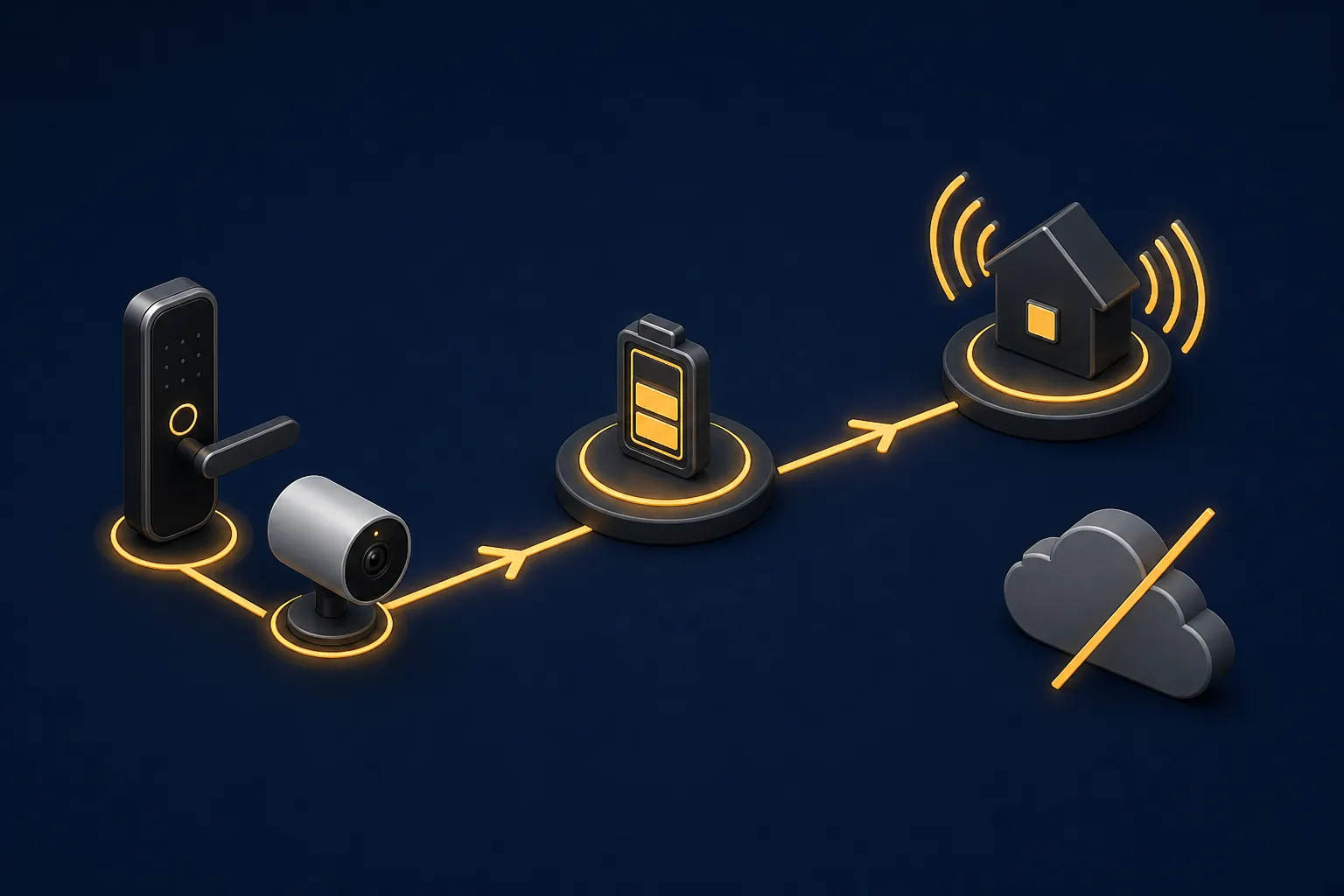
The two checks that matter in a storm outage
The first check is the battery test. If the device is powered only by the wall, the circuit has to stay live or the device is out. That is why bulbs, plugs, plug-in cameras, speakers, many hubs, and most voice assistants are fragile in a blackout.
The second check is the cloud test. If every command has to leave the house, touch a vendor server, and come back, the device may be physically alive while the feature you wanted is unavailable. Local-first systems using Zigbee, Z-Wave, Thread, Matter with a local controller, or a documented local API have a better chance of continuing inside the home when internet service drops; cloud features such as voice commands, geofencing, weather triggers, push notifications, and remote app access should be treated as unavailable during an internet outage unless the vendor proves otherwise [2]. If you are buying Thread or Matter devices for this reason, the important missing piece is the controller layer, not just the logo on the box; NestGrid’s guide to Matter border routers is the better place to go deep on that requirement.
Storm-outage behavior by device type
| Device type | Battery test | Cloud/local test | Practical verdict |
|---|---|---|---|
| Plug-in indoor/outdoor cameras | Usually fail. If the outlet is dead, the camera is dead. | Cloud behavior does not help if the camera has no power. | Do not count on them during a blackout unless the camera and network path are backed up by battery or UPS. eufy says wired and plug-in cameras stop during an outage [1]. |
| Battery or solar security cameras | Often pass. The camera can remain powered from its internal battery or solar-supported battery. | Local recording may continue, but app access depends on the router/network staying alive. | Good storm candidates if they record locally. Bad remote-monitoring candidates if the router and modem are not on backup power [1]. |
| Smart locks | Often pass when the lock is battery-powered. | Keypad, fingerprint, card, or local lock operation may still work; remote unlock and app status depend on the control path. | One of the better outage categories, especially with a manual key or override fallback. EVVR says battery smart locks keep working; WELOCK says its battery locks keep working and retain manual key or override-code fallback [3][4]. |
| Contact, motion, leak, and temperature sensors | Usually pass if they use internal batteries. | They still need a powered hub or bridge to report events. Zigbee, Z-Wave, Thread, or local Matter control is stronger than cloud-only Wi-Fi. | The sensor may detect the event; the question is whether anything hears it. Put the hub on backup power if alerts matter [2][3]. |
| Smart bulbs, plugs, switches, and most mains-powered modules | Usually fail when the circuit is dead. | If power stays on but internet drops, local hubs or local APIs may keep control working; cloud-only Wi-Fi devices may not. | Not storm-resilience devices by themselves. Treat them as conveniences unless the circuit, hub, and control path are powered [3][6][7]. |
| Thermostats | Mixed. Some depend on HVAC/control power; Honeywell says its thermostat backup battery can sustain power during an outage. | App control depends on internet or an alternate communication path. Honeywell also frames cellular communicator support as a backup channel. | Check the exact thermostat and HVAC setup before relying on it. A small thermostat battery is not the same as powering heating or cooling equipment [5]. |
| Hubs, bridges, routers, and modems | Usually fail unless you add a UPS or other backup power. | Local hubs can keep local automations running without internet if the hub and radio path are powered. | This is the control-path layer. A UPS here makes battery locks, cameras, and sensors reachable inside the home; internet-dependent features still require the ISP path to survive [2][3][6][7]. |
| Voice assistants and smart speakers | Usually fail because they are plug-in devices. | Voice processing and cloud routines often depend on internet service. | Do not use voice assistants as the storm-outage control plan. Use physical controls, local automations, and app/local dashboards instead [2][3][6][7]. |
Cameras expose the whole problem
Security cameras are where vague outage advice breaks down fastest. “Wireless” may mean the camera sends video over Wi-Fi while still taking power from an outlet. That camera fails the battery test. A battery camera passes the first test, but it still has to answer the second one: where is the video stored, and how do you reach it when the router is off?
eufy’s outage table is useful because it separates those pieces instead of flattening them into one claim. In its guidance, wired and plug-in cameras stop recording when power is lost. Battery-powered and solar-powered cameras can continue recording to local storage, but remote viewing through the app stops if the router loses power [1]. That is the rule in one device category: power keeps the camera alive; the network path determines whether you can see it from your phone.
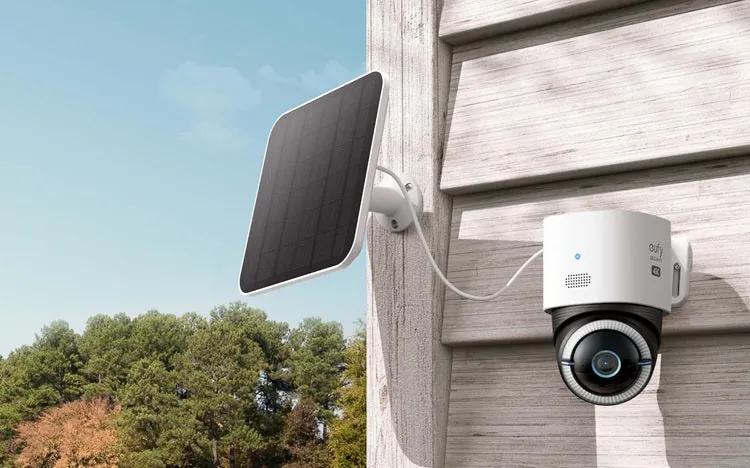
Local storage matters here. If a battery camera records to an internal card, a home base, or another local storage target that still has power, it may preserve footage even while the app is unavailable. If the camera is cloud-recording only, the camera may be awake and still fail the job you bought it for during an internet outage.
For storm season, the better camera question is not “Is it wireless?” It is: “If the power and internet go out at the same time, does this camera keep recording somewhere I can retrieve later?” If live viewing also matters, the router, modem, camera base station, and any storage hub need backup power. If the ISP connection itself is down, a powered router still helps local access, but it cannot make vendor-cloud viewing work by itself.
Locks and sensors are better outage devices, with one catch
Battery-powered smart locks are one of the few categories that can remain genuinely useful in a blackout. EVVR’s outage guide treats battery smart locks as devices that keep working when household power is out, and WELOCK says its battery-powered locks continue operating during a power outage while retaining fallback options such as a manual key or override code [3][4]. That fallback is not decorative. In a storm, the important lock feature is not a slick app screen; it is a door that still opens.
The catch is remote control. A keypad code, fingerprint reader, card, or mechanical key can work at the door without the cloud. A remote unlock request from a phone may need a powered hub, powered router, internet service, and the vendor platform. If any one of those links is missing, the lock may still be fine while the app looks useless.
Protocol choice matters most when you want the lock to participate in local automations. A Zigbee, Z-Wave, Thread, or Matter lock can be the stronger storm choice when it talks to a local controller that also has backup power. For lock-specific protocol behavior, use the Matter smart lock protocol explainer and NestGrid’s notes on Kwikset Matter smart locks before assuming the badge on the box tells the whole story.
Battery sensors follow the same pattern. A contact sensor, leak sensor, or motion sensor may still detect a door opening or water on the floor. But if its hub is unplugged, or if its alert depends on a cloud push notification, the event may never reach you. The sensor surviving is only half the job.
The router and hub decide whether battery devices are reachable
This is the part many buyers miss. A battery lock, battery camera, and battery leak sensor can all be alive at the same time the house feels “offline” because the router, modem, hub, or bridge lost power. The devices did not fail. The path to them failed.
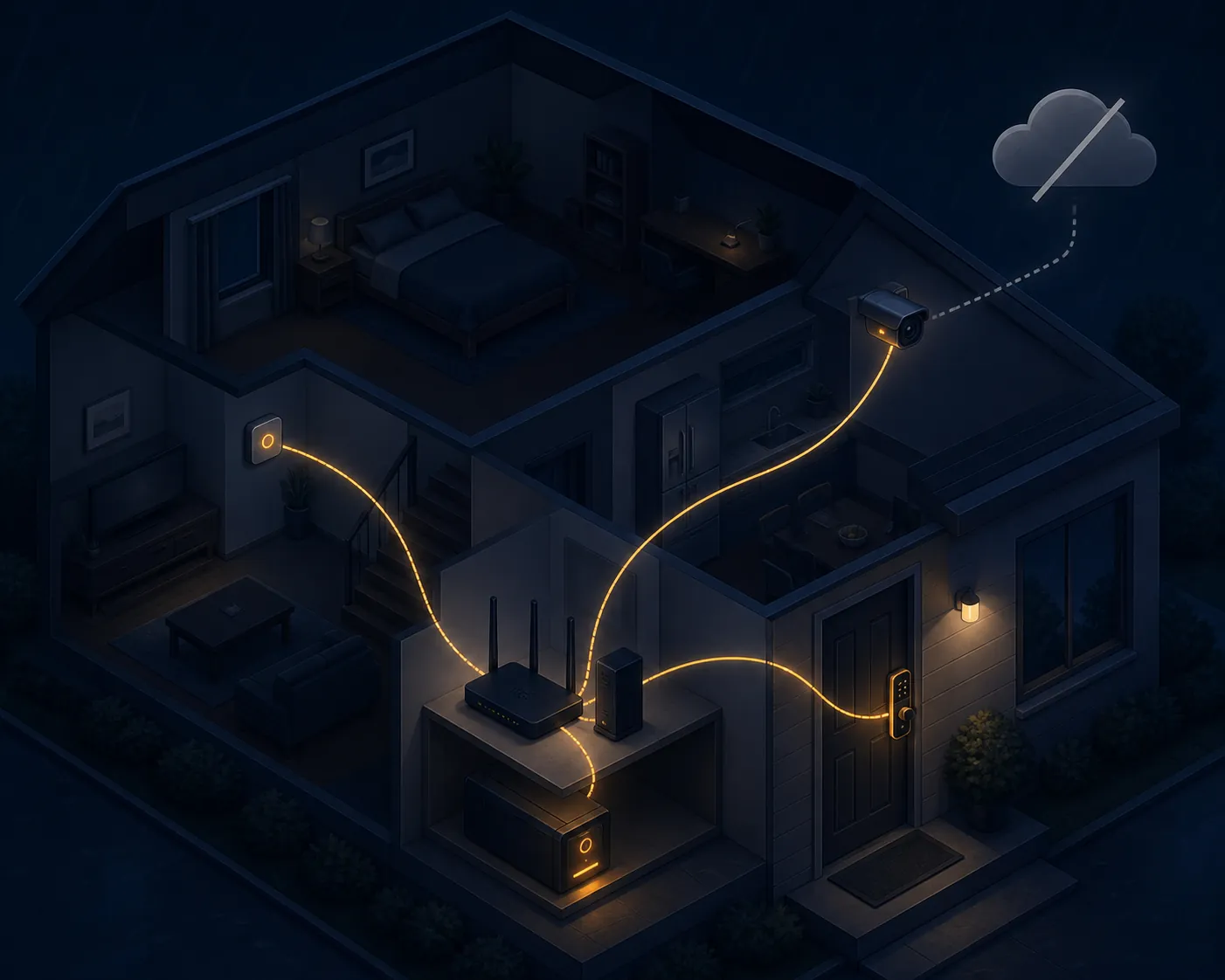
That is why the highest-leverage storm purchase is often not another sensor. It is a UPS on the network layer: modem, router, local hub, and any camera home base or bridge that battery devices depend on. Full Spectrum Technology Group’s local-first analysis is blunt about the architecture: Zigbee, Z-Wave, Thread, and Matter with a local controller can execute commands without internet, while cloud features such as voice, geofencing, weather triggers, push notifications, and remote app access require the cloud [2]. HomeTechHacker’s documented outage testing points the same direction: local-API devices and Zigbee/Z-Wave devices through Home Assistant kept working during an internet outage, while tested Tuya/GoSund Wi-Fi devices and voice control did not [6][7].
A UPS does not magically preserve every feature. If the ISP line is down, remote cloud access can still disappear. If the vendor app refuses local control, a powered router will not fix that design. What the UPS can do is keep the local network alive long enough for local dashboards, hubs, automations, and LAN-capable devices to keep talking. For sizing, runtime, and which boxes to plug in first, use the dedicated guide to protecting a smart home during a power shutoff rather than guessing from a product listing.
If you are mapping a larger outage plan, NestGrid’s smart home blackout backup and extended-outage device survival map take the next step. For this buying decision, the short version is enough: battery devices still need powered infrastructure if you want them to answer.
Bulbs, plugs, thermostats, and voice assistants need colder assumptions
Smart bulbs and smart plugs are easy to overrate for storm season. If the circuit is dead, the bulb cannot light and the plug cannot switch the appliance. If the circuit is still live but internet is down, local control may work for local-hub or local-API devices, while cloud-only Wi-Fi gear may not [3][6][7]. That makes the protocol useful during partial failures, but it does not solve the blackout itself.
Thermostats deserve a narrower claim. Honeywell Home says its thermostat has a backup battery to sustain power during an outage and describes an optional cellular communicator as a backup channel [5]. That does not mean every HVAC system will heat or cool through a utility outage. The thermostat display or communication path is only one piece; the furnace, air handler, boiler, heat pump, or control equipment also has to have usable power.
Cellular backup should also be treated as a channel to verify, not a magic escape hatch. If you are evaluating older communicators, alarm panels, or thermostat modules, check the cellular generation and carrier support. NestGrid’s 2G shutdown impact guide is the place for that compatibility problem. The storm-buying rule stays the same: verify the power source and verify the path the command or alert takes.
Voice assistants are the weakest control surface in this situation. EVVR describes cloud hubs such as Echo and Google Home, along with cloud voice assistants, as stopping when power or internet is unavailable [3]. Full Spectrum and HomeTechHacker likewise put voice control in the cloud-dependent bucket [2][6][7]. If the hallway is dark and the router is rebooting, a wall switch, keypad, local automation, or app talking to a local hub is a better bet than shouting at a speaker.
What to buy or change before storm season
Before storm season, start with the devices that actually need to remain useful while the house is inconvenient: locks, cameras, leak sensors, contact sensors, motion sensors, and the network gear that lets them report.
- Favor internal batteries for locks, cameras, and sensors. A wall-powered security device is only as resilient as the outlet feeding it.
- Favor local control for anything safety- or access-related. Zigbee, Z-Wave, Thread, Matter with a local controller, and documented local APIs are better outage bets than cloud-only Wi-Fi control.
- Put the modem, router, hub, and camera base station on backup power if you want battery devices to remain reachable. Otherwise, they may keep working silently while your phone shows nothing.
- Assume voice commands, remote app access, push notifications, weather triggers, geofencing, and vendor-cloud automations disappear when the internet path disappears.
- Keep a physical fallback for entry. A lock with a manual key, keypad, or override path is easier to trust than one that needs an app at the worst possible time.
If you are building a broader storm routine around those choices, use the hurricane-mode smart home prep guide for the seasonal setup. If a device still drops off after power returns, move to the post-outage reconnect fix instead of rebuilding the whole system from scratch.
References
- Wireless Cameras in Power Outage, eufy
- Smart Home Without Internet, Full Spectrum Technology Group
- What Happens to Your Smart Devices During a Power Outage, EVVR
- Do Smart Locks Work If Power Goes Out?, WELOCK
- What happens if the power or internet go out?, Honeywell Home
- How to Choose the Right UPS for a Smart Home, HomeTechHacker
- Preparing Your Smarthome for Outages, HomeTechHacker