
Nest Smart Thermostat Lineup: Current Models, Features, and Compatibility
A complete reference to the Google Nest thermostat lineup — covering the Nest Thermostat and Nest Learning Thermostat 4th Gen. Compare specs, pricing, protocols, platform compatibility, energy savings, and key differences to decide which model fits your home.
Last updated
For a new Nest smart thermostat purchase in 2026, the practical lineup is smaller than the product history makes it look: the Nest Thermostat at about $130 and the Nest Learning Thermostat 4th Gen at about $280.[1] That matters, because a lot of shopping pages and used listings still blur together older Learning Thermostats with the current model. The 1st, 2nd, and 3rd Gen Nest Learning Thermostats are discontinued, and the 1st and 2nd Gen models reached end-of-support on October 25, 2025, which means connected features are no longer the reason to buy them second-hand.[2]
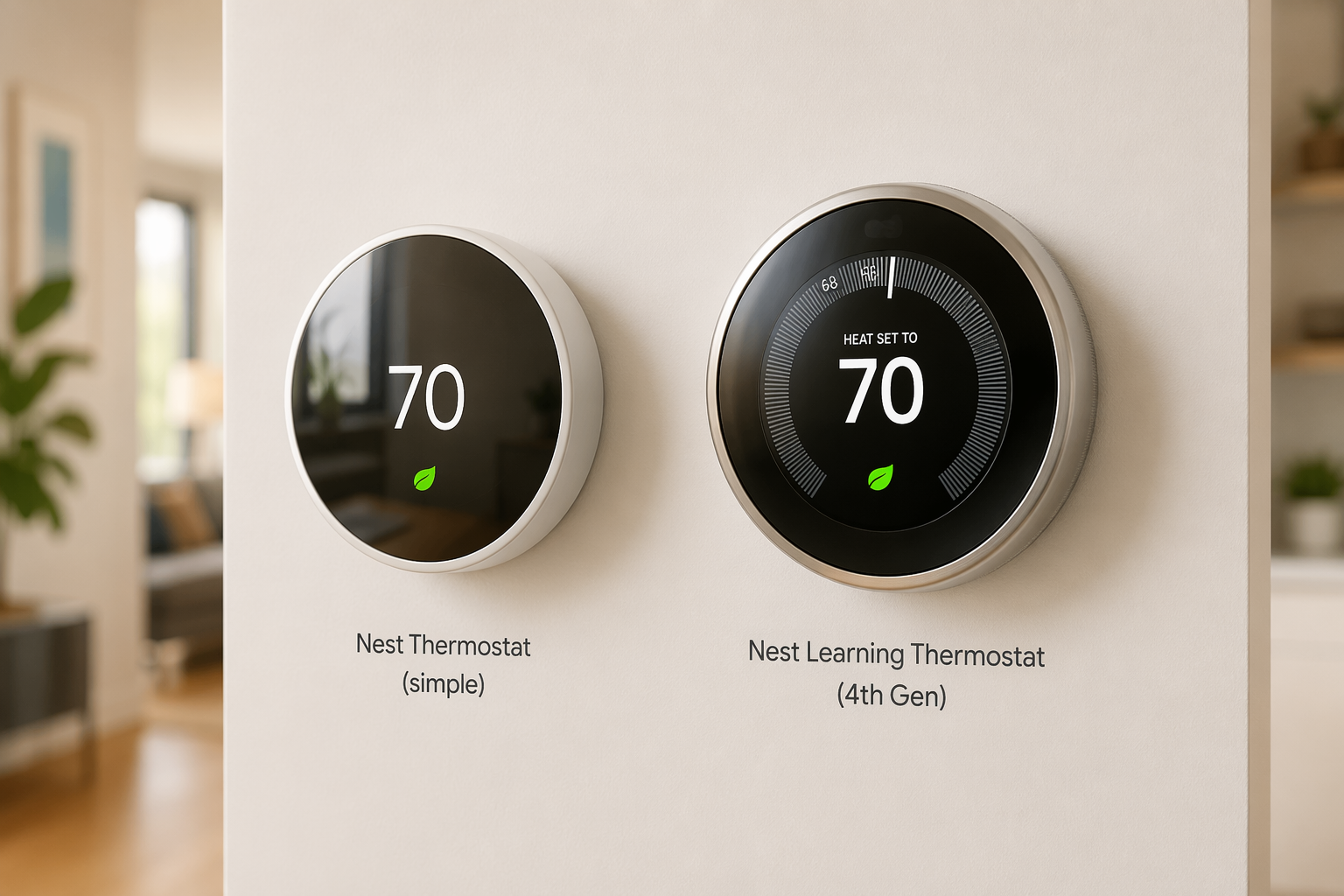
The good news is that Google has not made the basic decision messy. Both current models are Wi-Fi thermostats that set up through the Google Home app, carry ENERGY STAR certification, support Matter, and include core energy features without a subscription.[1] The differences start to matter when the wall plate comes off: display hardware, learning behavior, remote temperature sensing, HVAC stage support, and how forgiving the thermostat is with homes that lack a C-wire.
Current Nest Thermostat Models Compared
| Feature | Nest Thermostat | Nest Learning Thermostat 4th Gen |
|---|---|---|
| Typical price | About $130[1] | About $280[1] |
| Best fit | Lower-cost smart control for relatively straightforward HVAC systems | Premium Nest option for learning schedules, better display hardware, sensors, and broader HVAC support |
| Setup app | Google Home app with guided installation[1] | Google Home app with guided installation[1] |
| Connectivity | Direct Wi-Fi; Matter support[1] | Direct Wi-Fi; Matter support[1] |
| Energy certification | ENERGY STAR certified[1] | ENERGY STAR certified[1] |
| Subscription | No subscription required for core energy-saving features[7] | No subscription required for core energy-saving features[7] |
| Controls | Touch strip on the side | Rotating dial[6] |
| Display | Mirror-style display | Larger domed crystal display with Dynamic Farsight[6] |
| Scheduling | Schedule setup and savings suggestions | Learning schedule behavior, with AI Smart Schedule that can be turned off[1] |
| HVAC compatibility | Google says compatible with about 85% of HVAC systems[1] | Broader support for more complex systems, including up to 3-stage configurations[2] |
| Stage support | Typically 1–2 stage support[2] | Up to 3-stage support[2] |
| C-wire caveat | May need a C-wire or Nest Power Connector in some homes[2] | May need a C-wire or Nest Power Connector in some homes[2] |
| Remote temperature sensing | Limited compared with the 4th Gen | Richer temperature sensor integration |
That table is the clean version. The hallway version is messier: a thermostat can be Matter-certified, ENERGY STAR certified, and beautifully packaged, then still run into trouble if the HVAC system needs more wires, has more stages than the thermostat supports, or uses a heat pump configuration that deserves a careful compatibility check.
What Both Current Nest Models Have in Common
Both current Nest models cover the baseline most buyers expect from a modern smart thermostat. They connect directly over Wi-Fi, use the Google Home app for setup, work in Google’s smart-home ecosystem, support Matter, and do not require a subscription for the main energy features.[1][7] If your main requirement is “I want to adjust the heat from my phone and have the thermostat help me waste less energy,” either current model starts in the right place.
Matter support is useful because it makes Nest less isolated than older Google-only smart-home gear. It does not erase every platform preference, though. If your home is already organized around another thermostat ecosystem, the better comparison may be against the Ecobee smart thermostat lineup or the Honeywell T9, especially if remote sensors or room-by-room comfort are the main reason you are upgrading.
The shared ENERGY STAR status also deserves a narrow reading. It is a sign that these devices qualify as energy-saving smart thermostats; it is not a promise that every house will save the same amount. A home that already follows a disciplined setback schedule has less waste to remove than a home that keeps one temperature all day.
Nest Thermostat: The Lower-Cost Choice for Simpler Systems
The base Nest Thermostat is the model to start with if the price matters and the HVAC system is ordinary. Consumer Reports describes it as compatible with about 85% of HVAC systems, and that figure is helpful precisely because it admits there is a remaining slice of homes where “probably compatible” is not good enough.[1]
Its hardware is deliberately simpler than the Learning model. You get a mirror-style display and side touch control rather than the metal rotating ring. You also give up the richer learning behavior and deeper sensor story of the 4th Gen. For many apartments, condos, and conventional single-family systems, that trade is acceptable: lower upfront cost, modern app control, Matter support, and no subscription for the energy features.
Where I would slow down is any system with multiple heating or cooling stages, a heat pump with auxiliary heat, unusual accessory wiring, or no C-wire. The base model can still be the right thermostat, but this is where the compatibility checker and the actual wire labels need to agree before anyone celebrates the lower price.
Nest Learning Thermostat 4th Gen: The Premium Model Has Real Hardware Advantages
The Nest Learning Thermostat 4th Gen is the one that still feels like Nest’s showpiece. Its domed crystal display is 60% larger than the prior generation’s, Dynamic Farsight uses radar-based distance sensing to change what the display shows as you approach, and the rotating dial remains the most satisfying physical control in the lineup.[6] None of that heats the house better by itself, but it does make the thermostat easier to read and nicer to operate in the room where it is actually mounted.
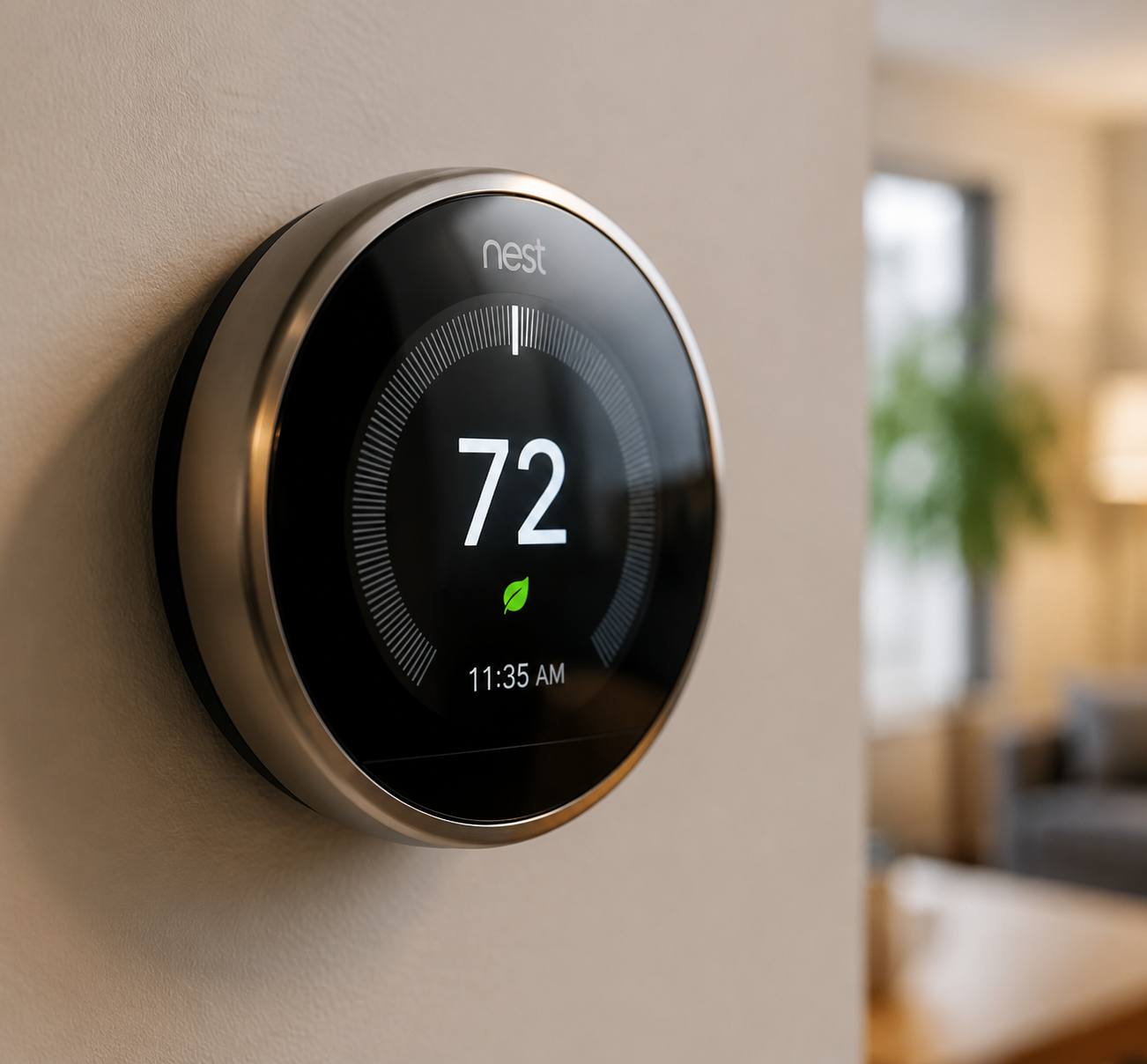
The more important upgrade is not the glass; it is the model’s broader system support. The 4th Gen supports up to 3-stage HVAC configurations, while the base Nest Thermostat is more limited at 1–2 stages.[2] That distinction is easy to miss on a product page and very hard to ignore when a higher-end furnace, air conditioner, or heat pump is not being controlled the way it should be.
Its AI Smart Schedule is useful when the household has a pattern the thermostat can learn from. It can also be turned off entirely, which is not a minor detail for people who prefer fixed schedules or who have already been annoyed by automation changing comfort settings at the wrong time.[1] Wirecutter’s 2026 testing notes that the 4th Gen’s AI can sometimes override user preferences in unexpected ways, so the feature is better treated as optional help than as a reason to stop paying attention.[5]
The 4th Gen is also the stronger Nest choice if remote temperature sensing matters. A hallway thermostat is often measuring the hallway, not the room where someone is working, sleeping, or waiting for the nursery to cool down. If sensors are central to the purchase, compare Nest’s approach with cross-brand options in the remote sensor systems guide before assuming every thermostat handles room comfort the same way.
Compatibility Is Where Nest Buying Gets Practical
Nest thermostats can use Power Sharing in some installations without a dedicated C-wire, but that does not make the C-wire question disappear.[2] Some systems still need a common wire or the Nest Power Connector, which is a $25 accessory intended to help homes without a C-wire provide more reliable power to the thermostat.[2] That is a small part, but it changes the mood of a “simple DIY install” when the old thermostat is already detached.
Before buying either model, check three things in this order:
- The wire labels behind the existing thermostat, not just the furnace brand or the age of the house.
- The HVAC type: conventional furnace and AC, boiler, heat pump, auxiliary heat, dual fuel, or multi-stage equipment.
- Whether the chosen Nest model supports the number of heating and cooling stages actually installed.
Heat pumps deserve extra care because comfort and efficiency can depend on when auxiliary heat is allowed to run. Nest’s Heat Pump Balance uses a minimum lockout temperature of 35°F, according to the technical details summarized in the model history.[2] That does not tell you whether your heat pump setup is ideal for Nest, but it is a reminder that heat pump behavior is not the same as a simple gas furnace turning on and off.
The Google Home app’s guided installation is helpful, and Consumer Reports confirms both current models use it.[1] Still, the app is not a licensed HVAC inspection. If your old thermostat has jumper wires, unfamiliar labels, separate humidifier or dehumidifier controls, emergency heat, or more stages than the base Nest clearly supports, use the compatibility-focused home-type HVAC guide before choosing the cheaper model.
Energy Savings: Useful, Variable, and Easy to Overstate
Google says Nest thermostats saved more than 113 billion kWh from 2011 through 2022, and the core savings features do not require a subscription.[7] That cumulative number is impressive, but it is not the number a household can use to decide whether a $130 or $280 thermostat pays for itself.
For household math, the more useful estimate is the annual savings range. CNET reports estimated savings of about $131 to $145 per year in its Nest Learning Thermostat and Nest Thermostat comparison.[3] Kiplinger also uses the $131 to $145 annual savings estimate in its payback analysis.[9] At that rate, the base Nest Thermostat can make financial sense faster than the 4th Gen, while the premium model has to justify itself partly through comfort features, display quality, learning behavior, and system support.
Independent studies point in the same general direction, but not to one universal savings number. Energy Vanguard summarizes an Energy Trust of Oregon study finding 12% heating savings, two Indiana utility studies finding roughly 13% heating savings and 14–16% cooling savings, and Nest’s own 2015 analysis showing 9.6% heating savings and 17.5% cooling savings.[8] Those are averages and study findings, not a guarantee for a specific house.
Be careful with savings ceilings that use an artificial baseline, such as a thermostat held at 72°F around the clock. The more realistic question is what Nest changes compared with your current behavior: whether it actually sets back temperatures when nobody is home, whether the schedule survives family overrides, whether the HVAC system is wired correctly, and whether comfort complaints cause someone to cancel the savings with manual adjustments. For a deeper look at methodology and payback, use the smart thermostat energy savings guide.
Platform Fit and Everyday Use
PCMag’s 2026 smart thermostat roundup places Nest among the major mainstream choices rather than treating it as a niche device.[4] That is the right frame: Nest is one of the obvious brands to consider, especially for Google Home households, but it is not automatically the best answer for every sensor strategy, every HVAC system, or every budget.
If your home already runs through Google Home, Nest is the cleanest fit. If you are still choosing an ecosystem, compare how Nest, Ecobee, Honeywell, and Sensi handle sensors, voice assistants, automation rules, and HVAC compatibility in the smart thermostat ecosystem guide or the broader best smart thermostats 2026 roundup.
For day-to-day use, the base Nest Thermostat is enough if the schedule is simple and the thermostat location represents the house reasonably well. The 4th Gen earns its premium when the thermostat is a visible object in the room, when remote temperature sensing matters, when the HVAC system is more complex, or when learning schedules are genuinely welcome rather than tolerated.
Which Nest Smart Thermostat Should You Buy?
Choose the Nest Thermostat if you want the lower-cost current model, your HVAC system is relatively straightforward, and you mainly need Google Home setup, Matter support, app control, ENERGY STAR certification, and subscription-free energy features. It is the sensible first stop for many homes, as long as the wiring and stage support check out.
Choose the Nest Learning Thermostat 4th Gen if you want the better display, rotating dial, Dynamic Farsight, learning schedule behavior, richer temperature sensing, and broader support for multi-stage equipment. It is the model I would look at first for more complex systems or for buyers who care about the thermostat as both a control device and a visible piece of hardware.
Be cautious with older used Nest Learning Thermostats. The 1st and 2nd Gen models reached end-of-support in 2025, and the older lineup no longer belongs in the same decision set as the current Nest Thermostat and Nest Learning Thermostat 4th Gen if connected features matter.[2]
If the choice still depends on room sensors, brand ecosystem, or payback math, compare Nest against the Ecobee, Nest, and Honeywell remote sensor comparison, the smart thermostat savings comparison, or the Sensi, Nest, and Ecobee comparison.
References
- Google Nest Thermostat Review, Consumer Reports, September 2025
- Nest Thermostat, Wikipedia
- Nest Learning Thermostat vs. Nest Thermostat, CNET
- The Best Smart Thermostats for 2026, PCMag, 2026
- The Best Smart Thermostat, Wirecutter, 2026
- Nest Thermostat 4th Gen Review: Should You Buy It?, Droid-Life, October 2024
- Nest Thermostat Savings, Google Store
- Does the Nest Learning Thermostat Save Energy?, Energy Vanguard
- Can a Nest Smart Thermostat Save You Money?, Kiplinger
Known issues with this device / protocol
Spec-version history
For active regressions on this protocol, see Update Watch.
No linked Update Watch entries yet.