
Lutron Caséta Smart Hub: Is the Pro Model Worth the Extra $20–30?
Compare the Lutron Caséta Standard and Pro smart hubs side by side. Learn whether the Pro hub's telnet integration for Home Assistant and Hubitat justifies the premium, or if the standard hub covers everything most households need.
Last updated
The Lutron Caséta Smart Hub decision usually comes down to two boxes that look almost identical: the standard hub, often seen around $80–100, and the Pro hub, often around $100–130 as of Q2 2026. The tempting assumption is that “Pro” means better radio range, faster lighting response, or a larger system limit. It does not. For normal Caséta lighting control, the standard and Pro hubs are effectively the same class of hardware.
The extra $20–30 buys one thing that matters a lot to some homes and not at all to others: the Pro model exposes Lutron’s telnet-based Lutron Integration Protocol for local integrations. If you use Home Assistant, Hubitat, Pico remotes as general-purpose scene buttons, cross-hub automations, or Sivoia QS wired shades, buy the Pro. If your plan is the Lutron app plus Alexa, Google Assistant, or Apple Home, the standard hub is not a compromise.
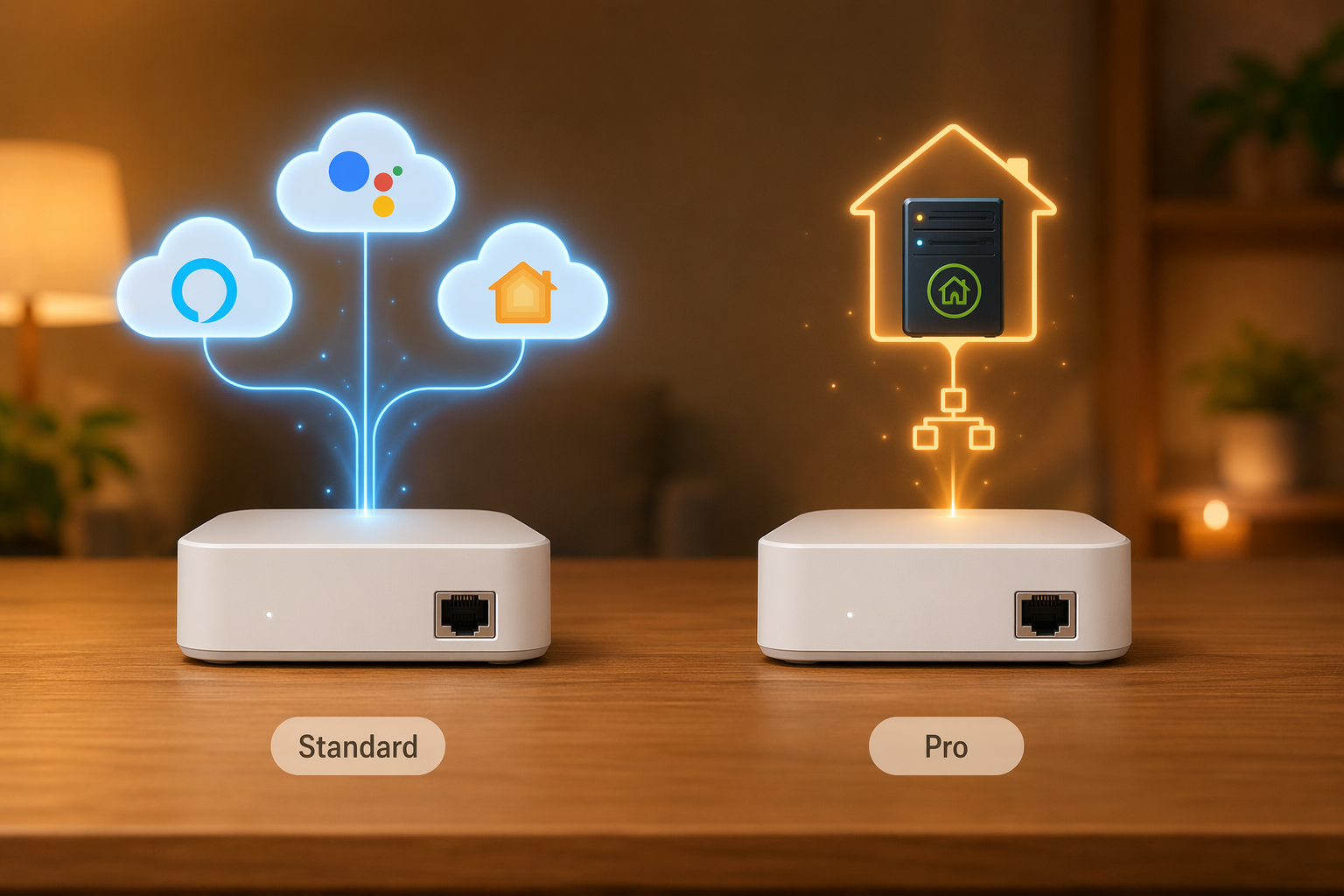
| Question | Standard Lutron Caséta Smart Hub | Lutron Caséta Smart Hub Pro |
|---|---|---|
| Common model number | L-BDG2-WH | L-BDGPRO2-WH |
| Approximate street price as of Q2 2026 | About $80–100 | About $100–130 |
| Core Caséta lighting control | Yes | Yes |
| Radio / basic hub hardware | Clear Connect Type A at 434 MHz; same 75-device system capacity; same approximate 30 ft native range; Ethernet connection required | Clear Connect Type A at 434 MHz; same 75-device system capacity; same approximate 30 ft native range; Ethernet connection required |
| Alexa, Google Assistant, Apple Home support | Yes; the standard hub works with Alexa, Apple HomeKit, and Google Assistant out of the box [1] | Yes; it supports the same mainstream ecosystem path |
| Subscription required for app, voice control, schedules, scenes, or Smart Away | No subscription required | No subscription required |
| Telnet / Lutron Integration Protocol | No | Yes; this is the important Pro-only difference discussed in Home Assistant and Hubitat contexts [2] |
| Home Assistant / Hubitat usefulness | Usable through cloud or limited routes depending on platform, but not the preferred choice for direct local Lutron integration | Preferred when you want local API access, fast local automations, Pico button events, and integration beyond the Lutron app [2] |
| Pico remotes controlling non-Lutron devices | Not the reason to buy this model | A major reason to buy this model when paired with a platform such as Hubitat or Home Assistant [2] |
| Sivoia QS wired shade support | No | Yes, according to community and retailer-sourced Pro-vs-standard differentiation [2] |
| Typical availability | Common in starter kits and mainstream retail bundles | More often bought standalone through pro channels, specialty retailers, marketplaces, or select online listings |
One sourcing note matters here: Lutron’s official Pro-versus-standard differentiation pages could not be directly crawled. The Pro-only integration distinction above is reconstructed from community discussions, Home Assistant and Hubitat usage patterns, and retailer listings rather than quoted from a newly accessed official Lutron spec page. That does not make the distinction unimportant, but it does mean it should be stated as a practical buying finding, not dressed up as a manufacturer quotation.
First, remove the fake differences
The Pro hub is not the stronger hub for basic Caséta lighting. It does not give a normal household a bigger Caséta device limit, a different Clear Connect radio class, or a reason to expect the kitchen dimmer to respond better than it would on the standard hub. Both hubs use Clear Connect Type A at 434 MHz, both are treated as 75-device Caséta hubs, both have an approximate native range of 30 ft before repeaters or system layout come into play, and both need an Ethernet connection.
That matters because the wrong purchase logic is easy to fall into. If someone buys the Pro because they think it is the “better signal” version, they are paying for the wrong benefit. If someone buys the standard hub because it is cheaper and later discovers they needed local telnet integration, they may end up replacing a perfectly functional hub for one missing software door.
For full reference specs, device limits, and range planning, use the Lutron Caséta Smart Hub device profile. If you are still deciding where switches, dimmers, hubs, repeaters, and scenes fit in a larger house plan, the broader whole-home smart lighting installation guide is the better place to spend time than another spec-by-spec hub comparison.
What the Pro hub actually adds
The Pro hub’s real addition is the Lutron Integration Protocol exposed over telnet. In practical terms, that gives an advanced controller a local way to talk to the Lutron system instead of treating Caséta only as an app-and-cloud-controlled lighting island. Hubitat users discussing the standard-versus-Pro choice consistently point to this as the reason the Pro model exists for DIY automation builders, especially when Pico remotes and non-Lutron devices enter the picture [2].
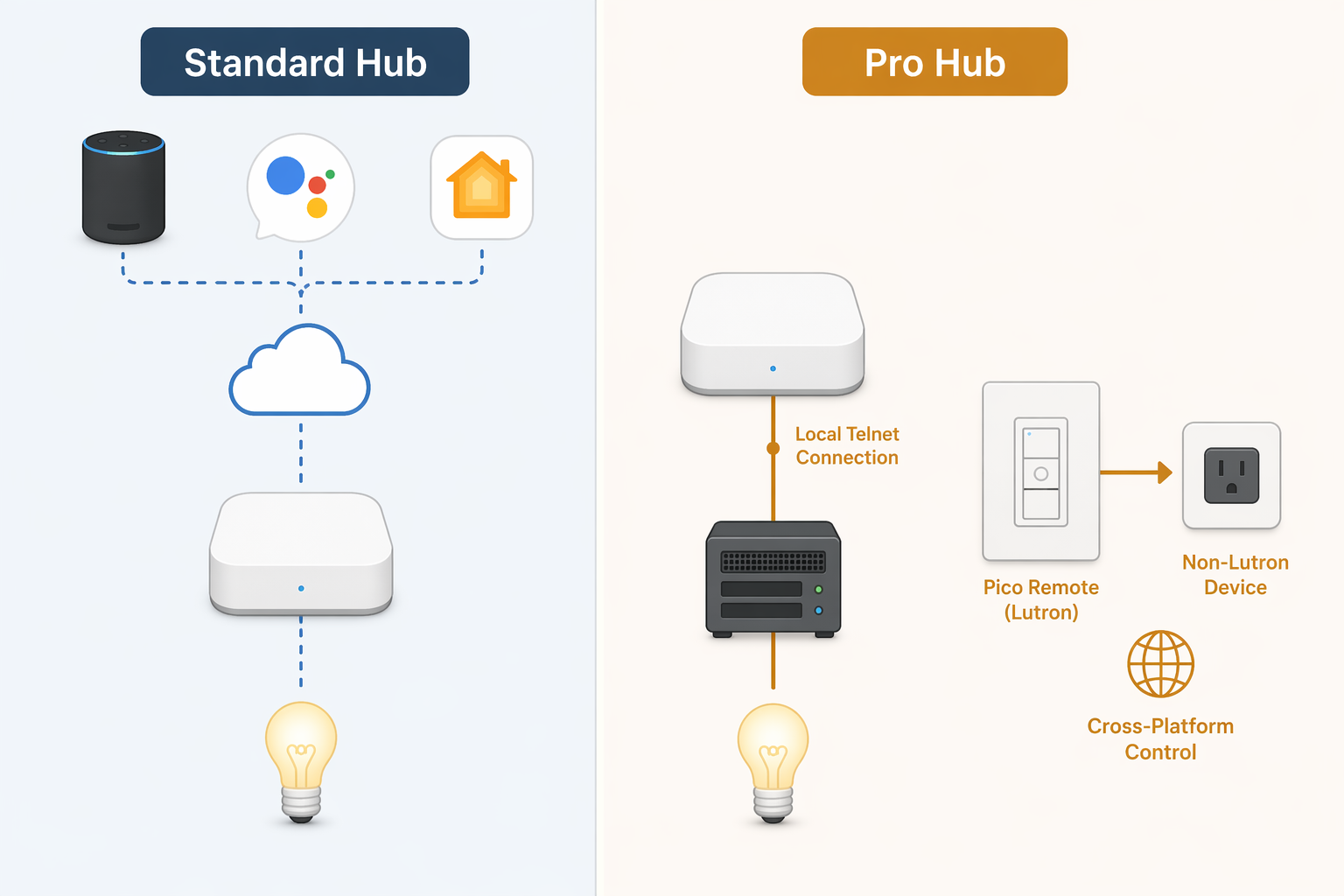
This is not a cosmetic difference in an advanced setup. A Pico remote is a cheap, reliable, battery-powered Lutron button device. Inside the Lutron app, it is mainly a Lutron control surface. With a Pro hub feeding button events into Home Assistant or Hubitat, the same Pico can become a general-purpose remote: one button can trigger non-Lutron lamps, a smart plug, a Sonos scene, a fan, a shade routine, or a mixed automation that Lutron’s own app was never designed to coordinate.
That is why “Pico controls non-Lutron devices” deserves more than a footnote. It changes the shape of the system. Without the Pro hub, Caséta is excellent at being a lighting system. With the Pro hub and a capable automation platform, Caséta can also become one of the most dependable button and lighting layers inside a mixed smart home.
A hypothetical example: a wall-mounted Pico near the bed could send one button press to Hubitat, which then turns off Caséta dimmers, shuts down a non-Lutron smart plug, lowers a compatible shade through another integration, and sets a thermostat mode. The specific devices vary by house and platform, but the point is the event path. The Pro hub lets the Lutron button press leave the Lutron-only lane.
Home Assistant users care for the same reason. The value is not that every household needs a local automation server. Most do not. The value is that, once you have decided to run a heterogeneous smart home, local integration becomes the difference between a system you can compose and a set of branded islands you can merely connect at the edges.
Cross-hub scenes and local control
The Lutron app is good at controlling Lutron devices. That is exactly what many homes need. The trouble starts when a scene is no longer really a Lutron scene. A “movie” scene might involve Caséta dimmers, a non-Lutron LED strip, a projector outlet, a media-room fan, and a voice-assistant routine. A “good night” scene might span lighting, locks, shades, plugs, and sensors. At that point, the hub is not only being asked to control lights. It is being asked to participate in a larger automation fabric.
The Pro hub does not magically design those automations for you. It simply gives platforms such as Home Assistant and Hubitat a cleaner local route into the Lutron side of the house. If you already know you want that kind of control, the $20–30 difference is small compared with the annoyance of rebuilding a Lutron bridge decision later.
The Sivoia QS wired shade edge case
The Pro model is also associated with support for Lutron Sivoia QS wired shades, while the standard hub is not, based on the same community and retailer-sourced Pro differentiation [2]. This will not matter to the average Caséta dimmer buyer. It matters a great deal if your lighting plan is tied to Lutron shade hardware that specifically requires the Pro path.
When the standard Lutron Caséta Smart Hub is the right buy
The standard hub is the right choice for a large share of Caséta homes. If the daily use case is opening the Lutron app, setting schedules, using scenes, enabling Smart Away, and asking Alexa, Google Assistant, or Apple Home to turn lights on and off, the standard hub does the job. Lutron lists compatibility with Alexa, Apple HomeKit, and Google Assistant for Caséta smart-home control [1].
There is no subscription penalty for choosing the standard hub. The normal app, voice-control, schedule, scene, and Smart Away experience does not require a recurring fee. The standard hub is also the model most people will encounter in starter kits, which makes it the simpler path when someone is buying their first dimmer, Pico, and bridge bundle.
Apple Home users do not need to treat the Pro hub as mandatory just because Apple’s ecosystem can be particular about hubs and bridges. If the goal is Caséta lights in Apple Home, the standard hub belongs in that conversation. For the broader Apple-side requirements and current ecosystem context, see the Apple HomeKit platform overview.
This is also where Caséta’s basic appeal should not be overcomplicated. Many people buy it because the switches are reliable, the Pico remotes are useful, and the system avoids some of the wiring pain that comes with other smart switches. If you are still at the wiring stage, especially in older switch boxes, start with the smart light switch installation guide before worrying about telnet integration.
The buyer test: can you name the platform path?
The cleanest way to choose is to name the system you are actually building. Not the system you might admire in a forum thread. Not the one a stranger insists every serious smart home should become. The one you are likely to maintain.
- Buy the standard hub if your Caséta system will live mainly in the Lutron app, Alexa, Google Assistant, or Apple Home.
- Buy the Pro hub if you use Home Assistant or Hubitat now.
- Buy the Pro hub if you credibly expect to use local integrations, not just because “future-proofing” sounds responsible.
- Buy the Pro hub if you want Pico remotes to control non-Lutron devices.
- Buy the Pro hub if cross-hub scenes are part of the plan.
- Buy the Pro hub if Sivoia QS wired shade support matters to the project.
The Pro premium is one of the rare smart-home upsells that can be easy to justify, but only when the feature is real in your house. For a Home Assistant or Hubitat builder, $20–30 is cheap insurance against replacing the bridge later. For a household that wants dependable Caséta lighting with mainstream voice control, the same $20–30 buys nothing they are likely to touch.
So the answer is narrow on purpose: the Pro model is not universally better. It is specifically more open to advanced local integration. If that openness is part of your plan, buy it. If not, the standard Lutron Caséta Smart Hub is the sensible hub, not the lesser one.
References
- Compatible Smart Home Devices - Caséta by Lutron. Caséta Wireless. https://www.casetawireless.com/us/en/works-with
- Lutron Caseta Regular vs Pro. Hubitat Community. https://community.hubitat.com/t/lutron-caseta-regular-vs-pro/96511
Known issues with this device / protocol
Spec-version history
For active regressions on this protocol, see Update Watch.
No linked Update Watch entries yet.