
Google Home and Nest Device Ecosystem: Complete Profile for 2026
This reference page covers every current Google Home and Nest device category — speakers, displays, cameras, doorbells, thermostats — along with the Gemini for Home voice assistant, Matter/Thread hub layer, and Google Home Premium subscription tiers, providing a single source for specs, pricing, and ecosystem compatibility in mid-2026.
Last updated
In mid-2026, the Google Home/Nest ecosystem is easiest to understand as four visible device families plus one less visible platform layer. The visible side is speakers, smart displays, cameras and doorbells, and thermostats. The platform layer is Gemini for Home, Google Home Premium, and the Matter/Thread hub capability that determines whether a purchase can actually coordinate other devices in the house.
That split matters because a Google Home device is no longer only the thing on the counter, wall, porch, or hallway table. A $99.99 speaker may also be a Thread border router. A camera may be useful without a subscription but reserve its more advanced search and summary tools for a paid tier. A display may be a Matter controller even if it is not the newest screen in the lineup. The box rarely explains all of that in one place.
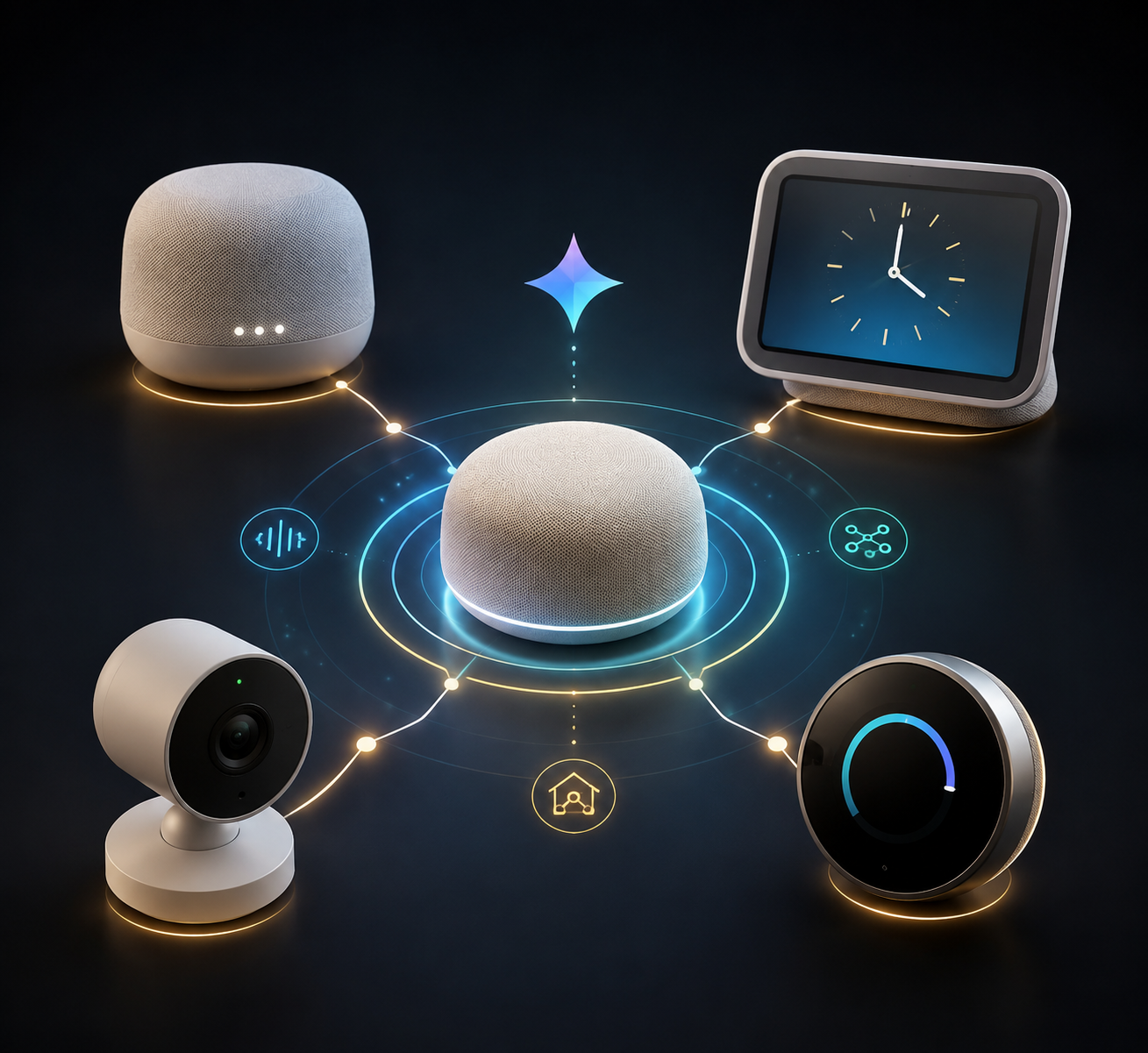
The 2026 Ecosystem Map
Google now uses Google Home as the app, platform, and household-control layer, while Nest remains attached to many of the actual devices: Nest Hub, Nest Cam, Nest Doorbell, and Nest Learning Thermostat. The practical question is not which name appears on the product page. It is what the device can do by itself, what it can coordinate for other devices, and what features move behind a subscription.
| Layer | What it includes in 2026 | What to check before buying |
|---|---|---|
| Speakers | Google Home Speaker, Nest Audio, Nest Mini | Gemini availability, audio needs, Matter/Thread hub role |
| Displays | Nest Hub 2nd gen, Nest Hub Max | Screen size, camera presence, Matter/Thread hub role |
| Cameras and doorbells | Nest Cam indoor/outdoor/battery models, Nest Doorbell battery/wired models | Resolution, power type, free event previews, Premium tier needs |
| Thermostats | Nest Learning Thermostat 4th gen and related Nest thermostat lineup | HVAC compatibility, C-wire expectations, local utility requirements |
| Platform layer | Gemini for Home, Matter, Thread, Google Home Premium | Supported device generation, region, hub placement, monthly cost |
For a recommendation-style walkthrough, see the related Google Home and Nest device lineup guide. This page stays closer to the reference task: lineup, price, platform role, subscription dependency, and caveats.
Speakers: The New Gemini-Native Center
The clearest 2026 signal is the Google Home Speaker. Google describes it as the first speaker built natively for Gemini for Home, priced at $99.99, with Thread 1.3 border-router support, Wi-Fi 6, and Bluetooth 5.4.[1] That does not make every older speaker obsolete, but it does make the new model the cleanest starting point for someone who wants the current assistant layer and the current hub layer in the same object.
| Speaker | Approx. price | Current role | Platform notes |
|---|---|---|---|
| Google Home Speaker | $99.99 | Current Gemini-native speaker flagship | Built for Gemini for Home; Thread 1.3 border router; Wi-Fi 6; Bluetooth 5.4 |
| Nest Audio | Varies by retailer | Current full-size Nest speaker | Useful as a Google Assistant/Gemini-era speaker, but not the 2026 Gemini-native launch device |
| Nest Mini | $49 | Current compact speaker | Lowest-cost entry point in the active speaker family |
| Original Google Home | Discontinued | Legacy speaker | Do not build a new 2026 setup around availability |
| Google Home Max | Discontinued in 2020 | Legacy large speaker | Still may exist in homes, but no longer part of the active sales lineup |
The speaker decision therefore has two separate questions. One is ordinary: size, price, and sound. The other is more important for a mixed smart home: whether the speaker is also serving as a Matter controller or Thread border router. The new Google Home Speaker answers both in the same product; older or smaller speakers may not.
Google’s older smart speaker family includes Nest Audio and Nest Mini, while the original Google Home and Home Max sit in the discontinued category.[2] For anyone inheriting or buying used devices, that distinction is the first compatibility checkpoint, not a footnote.
Displays: Hub Function Before Screen Desire
The current display family is smaller than the camera family, but the two models sit in very different rooms. The Nest Hub 2nd gen is the quieter bedside or kitchen display: $99.99, no camera, and Soli-based sleep tracking. The Nest Hub Max is the larger shared-room display: $229, a 10-inch screen, and a 6.5 MP camera with auto-framing.[3]
| Display | Approx. price | Defining hardware | Best reference caveat |
|---|---|---|---|
| Nest Hub 2nd gen | $99.99 | Compact display, no camera, Soli sleep tracking | No-camera design is a real privacy and placement difference |
| Nest Hub Max | $229 | 10-inch display, 6.5 MP camera, auto-framing | Better for video calling and shared spaces, but the camera changes placement expectations |
For broader display shopping, the smart home display buyer’s guide covers cross-brand tradeoffs. Inside Google Home, the display choice is mostly about camera comfort, screen size, and whether the device will also sit in the house as a platform hub.
Cameras and Doorbells: Hardware Price Is Only the First Line
The 2026 Nest camera and doorbell lineup is where the ecosystem becomes easiest to misread. A camera’s purchase price tells only part of the story. The rest sits in power type, video quality, event-preview rules, and whether Google Home Premium is needed for the feature the buyer has in mind.
| Device | Approx. price | Power / placement | Key 2026 note |
|---|---|---|---|
| Nest Cam Indoor wired 3rd gen | $99.99 | Indoor wired | 2K HDR; part of the newer Gemini-era camera lineup |
| Nest Cam Outdoor wired 2nd gen | $149.99 | Outdoor wired | Current wired outdoor camera option |
| Nest Cam Battery 2nd gen | Varies by retailer | Battery-powered indoor/outdoor placement | Current battery camera option for locations without convenient wiring |
| Nest Doorbell battery | About $120 | Battery-powered doorbell | Flexible installation, but battery management becomes part of ownership |
| Nest Doorbell wired 3rd gen | $179.99 | Wired doorbell | Current wired doorbell option in the newer camera/doorbell family |
Google’s newer camera announcements put the Nest Cam Indoor wired 3rd gen at $99.99 with 2K HDR, the Nest Cam Outdoor wired 2nd gen at $149.99, and the Nest Doorbell wired 3rd gen at $179.99.[4] Prices can move by retailer, but those figures are useful enough for a mid-2026 planning table.
The individual Nest Cam Indoor wired profile is the better place for model-specific camera behavior. At the ecosystem level, the important point is simpler: newer third-generation cameras receive newer free event-preview behavior, while more advanced AI camera features sit behind Google Home Premium Advanced.
Thermostats: The Nest Name Still Carries the Category
Thermostats remain the part of the Google Home/Nest lineup where compatibility checking has the least patience for marketing language. The main 2026 reference point is the Nest Learning Thermostat 4th gen, launched in 2024 with a $279.99 MSRP and described as not requiring a C-wire.[5]
| Thermostat | Approx. price | Current role | Compatibility checkpoint |
|---|---|---|---|
| Nest Learning Thermostat 4th gen | $279.99 MSRP | Current premium Nest thermostat reference model | Verify HVAC compatibility before purchase; C-wire may not be required, but system details still matter |
| Other Nest thermostat models | Varies | Still relevant in installed homes and retailer inventory | Use exact model identity before assuming wiring, sensor, or feature parity |
For the deeper model-by-model view, use the Nest smart thermostat lineup. Thermostats are not like speakers: a return is more annoying, installation touches HVAC wiring, and local utility programs may introduce their own requirements.
Gemini for Home: Assistant Layer, Not Just a Voice
Gemini for Home is the new assistant layer running through the 2026 story. Google describes Gemini for Home as supporting more natural language understanding, multiple commands in one request, mid-sentence correction, and 10 new natural voices, with free access on supported devices.[1] The phrase “supported devices” is doing real work there: availability depends on device generation and region, especially because the rollout began before every household had the same hardware mix.
- Natural-language control is the user-facing change: fewer rigid command phrases and more tolerance for ordinary speech.
- Multi-command handling matters for routines and everyday control, such as changing lights and media without two separate requests.
- Mid-sentence correction matters because people change their minds while speaking, especially when naming rooms, lights, or devices.
- The paid AI camera layer is separate from basic Gemini voice availability and belongs in the subscription calculation.
For practical automation examples, the Google Home automation paths and Google Home automation recipes are better companions than a feature slogan. This ecosystem page marks where Gemini is free, where it is device-dependent, and where the Premium tier begins.
Matter and Thread: Which Google Devices Can Act as Hubs
Matter and Thread are the part of a Google Home setup that often gets discovered only after the smart lock, sensor, or shade arrives. Google lists Google Home Speaker, Nest Hub 2nd gen, Nest Hub Max, Nest Wifi Pro, and Google TV Streamer as devices that can act as both Matter controllers and Thread border routers.[6]
| Google device | Matter controller | Thread border router | Planning note |
|---|---|---|---|
| Google Home Speaker | Yes | Yes | Newest speaker hub option; includes Thread 1.3 in Google’s 2026 speaker announcement |
| Nest Hub 2nd gen | Yes | Yes | Compact display that can also serve the platform layer |
| Nest Hub Max | Yes | Yes | Large display with hub role and camera-equipped shared-room placement |
| Nest Wifi Pro | Yes | Yes | Router-class placement may give better Thread coverage than a single room speaker |
| Google TV Streamer | Yes | Yes | Living-room streaming device that can also participate in the smart-home hub layer |
Google’s Matter documentation describes Matter 1.2 support and notes that IPv6 is required.[6] Matter 1.2 expanded support to additional device categories including appliance types, robot vacuums, smoke and carbon monoxide detectors, fans, air purifiers, and garage door openers.[6] That does not mean every product in those categories will behave identically in Google Home; it means the platform boundary is wider than simple plugs, bulbs, and switches.
Placement is the quiet variable. A Thread border router in a back bedroom may not help a front-door sensor as much as a better-positioned hub. For protocol basics outside Google’s own lineup, see home automation hub protocols and the broader home automation hub guide.
Google Home Premium: The Subscription Now Changes the Device Math
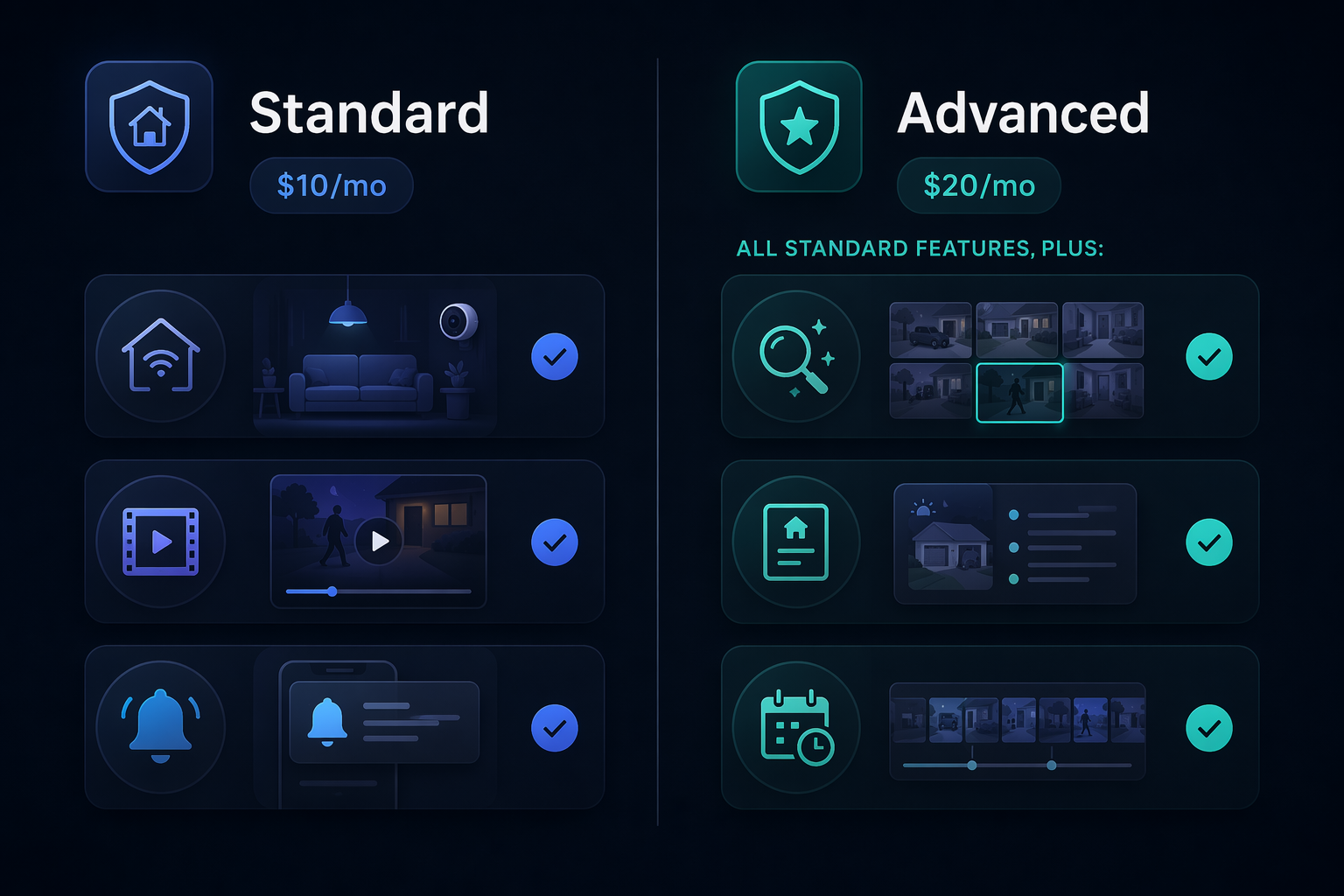
Nest Aware became Google Home Premium in October 2025, and the name change matters because the subscription now sits closer to the whole Home experience rather than feeling like a camera add-on. Google lists two paid tiers: Standard at $10 per month or $100 per year, and Advanced at $20 per month or $200 per year.[7]
| Tier | Price | What it changes | Best planning use |
|---|---|---|---|
| Free tier | $0 | Includes 6-hour event video previews on gen-3 cameras | Works only if short event previews are enough and the camera generation qualifies |
| Google Home Premium Standard | $10/mo or $100/yr | Paid home subscription tier for expanded Google Home camera/home features | Baseline paid tier to include in camera and doorbell total cost |
| Google Home Premium Advanced | $20/mo or $200/yr | Adds AI camera search and Home Briefs | Required if the buyer expects AI-assisted camera search or daily home summaries |
The free 6-hour event video preview is specifically limited to gen-3 cameras.[7] That is a narrow but useful benefit, not a blanket promise for every Nest Cam someone may already own. Older cameras can have different free-tier behavior, so a used or legacy camera should be checked by exact model, not by the Nest Cam name alone.
The Advanced tier is the real dividing line for AI camera expectations. Google places AI camera search and Home Briefs behind Google Home Premium Advanced.[7] A buyer who wants those features should treat $20 per month or $200 per year as part of the device system, not as an optional afterthought.
For cross-platform tracking of recurring fees, use the smart home subscription costs tracker. The short version for this ecosystem is that a camera purchase and a Premium tier decision now belong in the same spreadsheet.
Privacy Checkpoints That Affect Placement
The privacy story is not one uniform label across every Google Home and Nest device. Speakers and displays commonly make the microphone control visible; Nest camera products use encrypted video handling and a green LED indicator; and the Nest Hub 2nd gen is notable because it has no camera by design.[8] Those details are not decorative. They determine whether a device belongs on a bedside table, in a child’s room, at an entryway, or in a shared living area.
- For bedrooms: the Nest Hub 2nd gen’s no-camera design is the main placement distinction.
- For shared rooms: the Nest Hub Max camera can be useful, but it changes expectations for guests and household members.
- For cameras and doorbells: look for visible recording indicators and subscription settings before assuming how footage is handled.
- For speakers: a physical or clearly accessible microphone control is the first thing to locate after setup.
Discontinued Devices Not to Build a 2026 Plan Around
Discontinued products still appear in homes, search results, secondhand listings, and family hand-me-down boxes. They can matter for support, migration, and replacement planning, but they should not be treated as active anchors for a new 2026 Google Home setup.
| Device / category | Status | 2026 planning meaning |
|---|---|---|
| Nest Protect | Discontinued in 2025 | Do not plan a new Google-owned smoke/CO detector setup around it; Google partnered with First Alert instead |
| Nest Secure | Discontinued in 2022 | Do not treat it as the security-system center of a current Nest plan |
| Google Home Max | Discontinued in 2020 | Legacy audio product, not part of the active speaker lineup |
| Original Google Home | Discontinued legacy speaker | May still function in homes, but should not define a new Matter/Gemini-era plan |
Nest Protect’s 2025 discontinuation, Nest Secure’s 2022 discontinuation, and Home Max’s 2020 discontinuation are useful boundary markers because they stop an old product page from becoming a new purchase plan.[2][9]
How to Use This Page
Use the device tables first for current lineup and approximate pricing. Use the Matter/Thread section before buying locks, sensors, shades, or other accessories that depend on a controller or Thread border router. Use the Google Home Premium section before buying cameras or doorbells, because the subscription tier can change the real cost and the available AI features.
The compact way to read Google Home and Nest in 2026 is this: the device category tells you what you are buying, Gemini tells you how control is changing, Matter and Thread tell you what else the device can coordinate, and Google Home Premium tells you which camera and AI features are included after the box is open.
References
- Meet the new Google Home Speaker, built for Gemini, Google Blog
- Google Nest (smart speakers), Wikipedia
- Google Nest and Home device specifications, Google Help
- Our newest Google Home devices are built for Gemini, Google Blog
- Nest Learning Thermostat, Wikipedia
- Prepare your smart home for Matter, Google Help
- Learn what you get with a Google Home Premium subscription, Google Help
- Google Nest Hub (2nd Gen) Review, PCMag
- Google Nest, Wikipedia
Known issues with this device / protocol
Spec-version history
For active regressions on this protocol, see Update Watch.
No linked Update Watch entries yet.