
Smart Home Display Buyer's Guide: What You Need to Know in 2026
Learn how to choose a smart display by matching your existing ecosystem, room placement, and privacy tolerance. This decision-first checklist helps you narrow options without getting lost in specs.
Last updated
Start a smart home display purchase by naming the system already doing work in your house. If your lights, doorbell, speakers, and routines already live in Alexa, an Echo screen will usually be the least annoying fit. If your thermostat, cameras, and speakers live in Google Home, a Nest display is still the cleaner path if you can find the model you want. If your home is mostly Apple/HomeKit, there is no current Apple smart display to buy as of June 2026, so the real choice is an iPad-on-a-stand workaround or waiting for rumored Apple hardware rather than pretending an Echo Show or Nest Hub will feel native.
- Mostly Alexa home: shop Echo Show models first, then decide whether you need a regular display or the camera-free Echo Hub.
- Mostly Google Home home: consider Nest Hub or Nest Hub Max, but check current stock and support expectations before buying.
- Mostly Apple/HomeKit home: use an iPad if you need a screen now, or wait if a purpose-built Apple hub matters more than buying immediately.
- Mixed-platform home: buy for the platform that owns your routines, doorbell feed, and shared speakers, not the one with the prettiest screen.
- Any bedroom, kid space, or guest room: decide on camera tolerance before comparing display size or speaker quality.
That is why this belongs in buyer-guides, not in a spec shootout. A smart home display becomes part calendar, part intercom, part recipe stand, part camera viewer, and part remote control. The wrong one does not fail dramatically; it just sits on the counter showing the weather while everyone keeps using the old app.
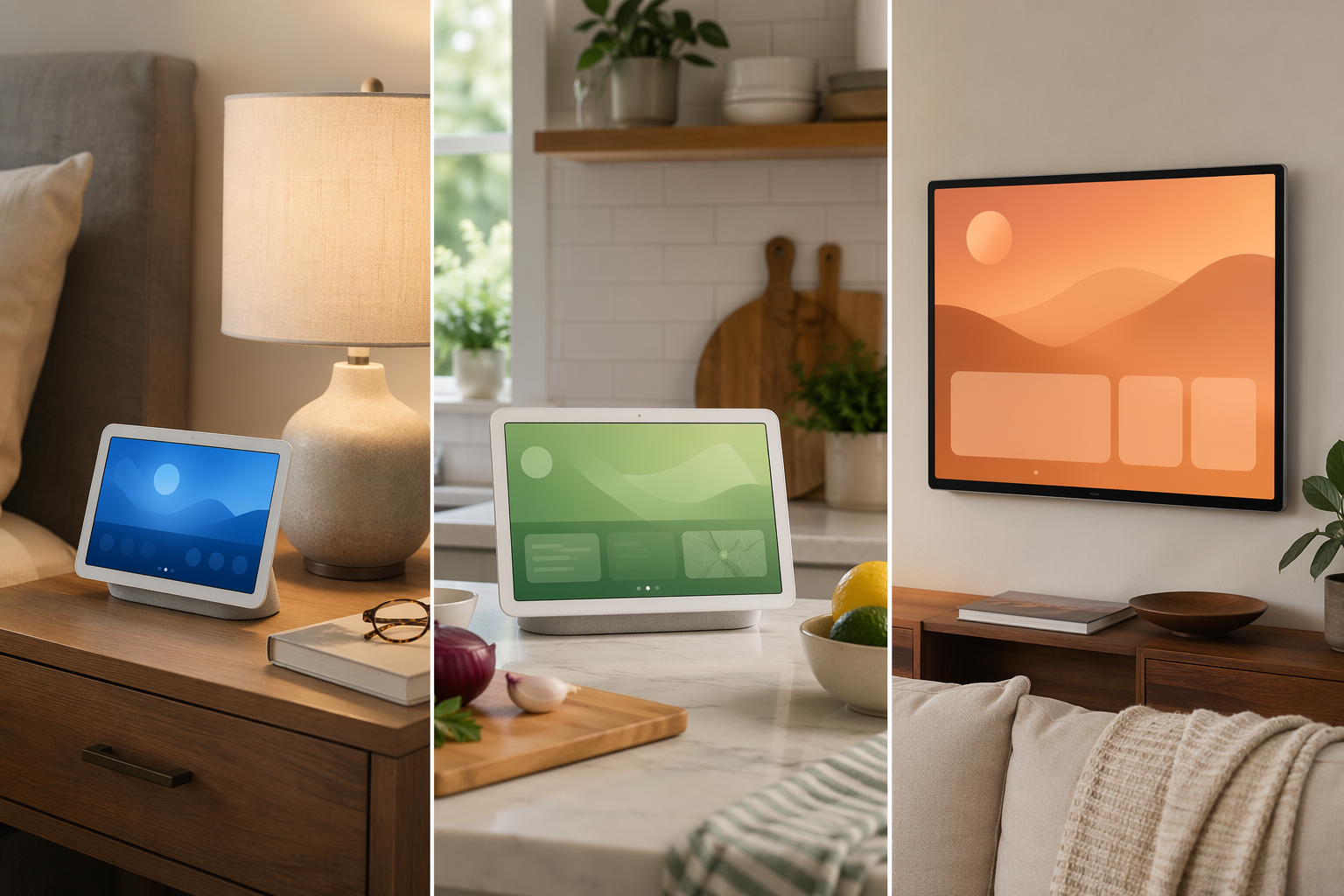
Ecosystem Fit Narrows the Field Fast
Amazon has the widest 2026 hardware range: Echo Show 5, 8, 11, 15, and 21, plus the Echo Hub. The Echo Show 8 4th Gen and Echo Show 11 are also the first Echo displays with Alexa+ pre-installed, and they support Matter, Thread, and Zigbee as built-in hubs.[1][2] That does not automatically make them best for everyone. It means Alexa households get the most size choices, from a small bedside screen to a large wall display that can act more like a shared family board.
Google buyers have a narrower and more awkward decision. Google sells the Nest Hub 2nd gen and Nest Hub Max, but WIRED reports that Google has stopped making its own smart displays and is shifting toward third-party partners, leaving existing stock as the practical first-party lineup for now.[3] That makes a Nest Hub a reasonable fit for a Google Home household, especially if you want a camera-free bedside or kitchen controller, but it is not the same kind of expanding hardware family Amazon is offering.
Apple is the easiest to misunderstand. Rumors point to a Home Hub, code-named J490, with a roughly 6- to 7-inch display, Siri AI features, and an expected Fall 2026 launch around $350, but that is still unreleased hardware as of June 25, 2026.[4][5] An iPad on a stand can show Home controls, recipes, cameras, and calendars, but it lacks the purpose-built far-field microphone behavior and always-on voice pickup people expect from a smart display. If the house is Apple-first and the purchase is not urgent, waiting is a valid constraint, not indecision.
Matter and Thread help with basic device control, but they do not make every ecosystem feel interchangeable. Routines, doorbell feeds, multi-room audio, assistant behavior, and family permissions still tend to stay inside platform boundaries.[2][3] If buying a display forces the household into a second app for the things people use every day, the cheaper device can become the more expensive one in time and patience.
Choose the Room Before the Screen
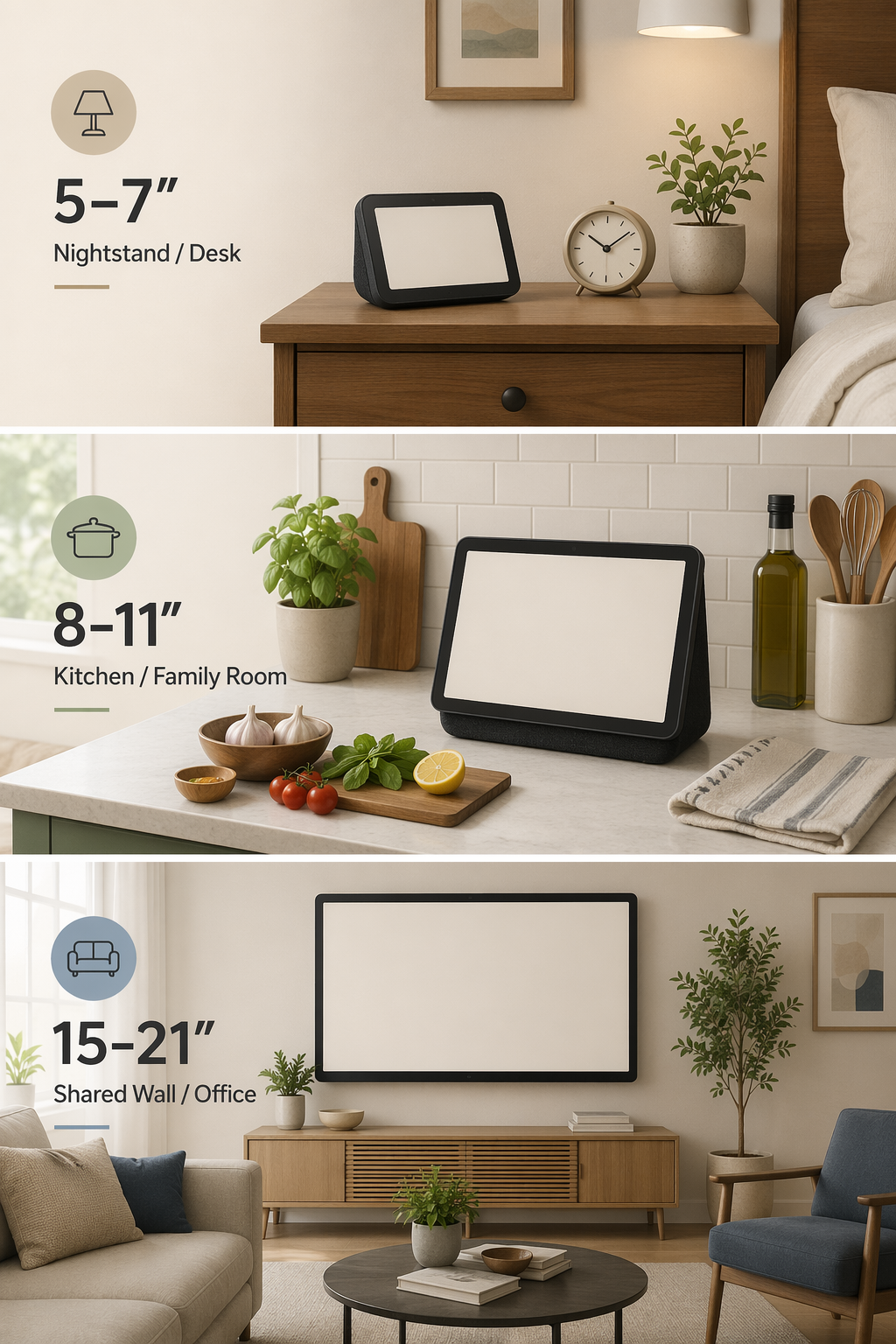
Once the ecosystem is settled, placement does more useful sorting than processor claims or speaker adjectives. A display that works beautifully on a kitchen counter can feel nosy on a nightstand. A large wall screen that makes sense for a shared calendar can be ridiculous in a rental kitchen with no clean mounting spot.
| Screen size | Best placement | What it is good at | Watch for |
|---|---|---|---|
| 5 to 7 inches | Nightstands, desks, tight counters | Alarms, quick controls, small calendar checks | Limited video comfort and smaller touch targets |
| 8 to 11 inches | Kitchen counters, side tables, family rooms | Recipes, video calls, camera feeds, everyday controls | Camera placement and counter clutter |
| 15 to 21 inches | Shared walls, home offices, open living areas | Visible calendars, streaming, photo frames, family dashboards | Mounting, price, and whether anyone really needs a screen that large |
This size split matches how current smart displays are being reviewed across major 2026 buyer coverage: compact displays for nightstands and desks, mid-size models as the everyday kitchen and family-room range, and 15- to 21-inch models for wall-mounted or distance-viewing use.[6][7][8] The larger Echo Shows are the one place entertainment value deserves more credit. A 21-inch screen in an office or kitchen is not just a bigger Echo Show 8; it can be a visible TV, photo frame, and household board in a way an 8-inch counter display cannot.
Where the Echo Hub Fits
The Echo Hub is easy to mis-shop because it has an 8-inch touchscreen and Alexa, but it is not an Echo Show 8 replacement. It is a $180 wall-mountable smart home control panel with no camera, weak speakers, and no video streaming focus.[2][6] That makes it a good answer for someone who wants lights, locks, thermostats, and routines visible in a hallway or kitchen without adding another camera. It is a poor answer for someone expecting a recipe screen with decent audio, casual streaming, or video calls.
Make the Camera Decision Early
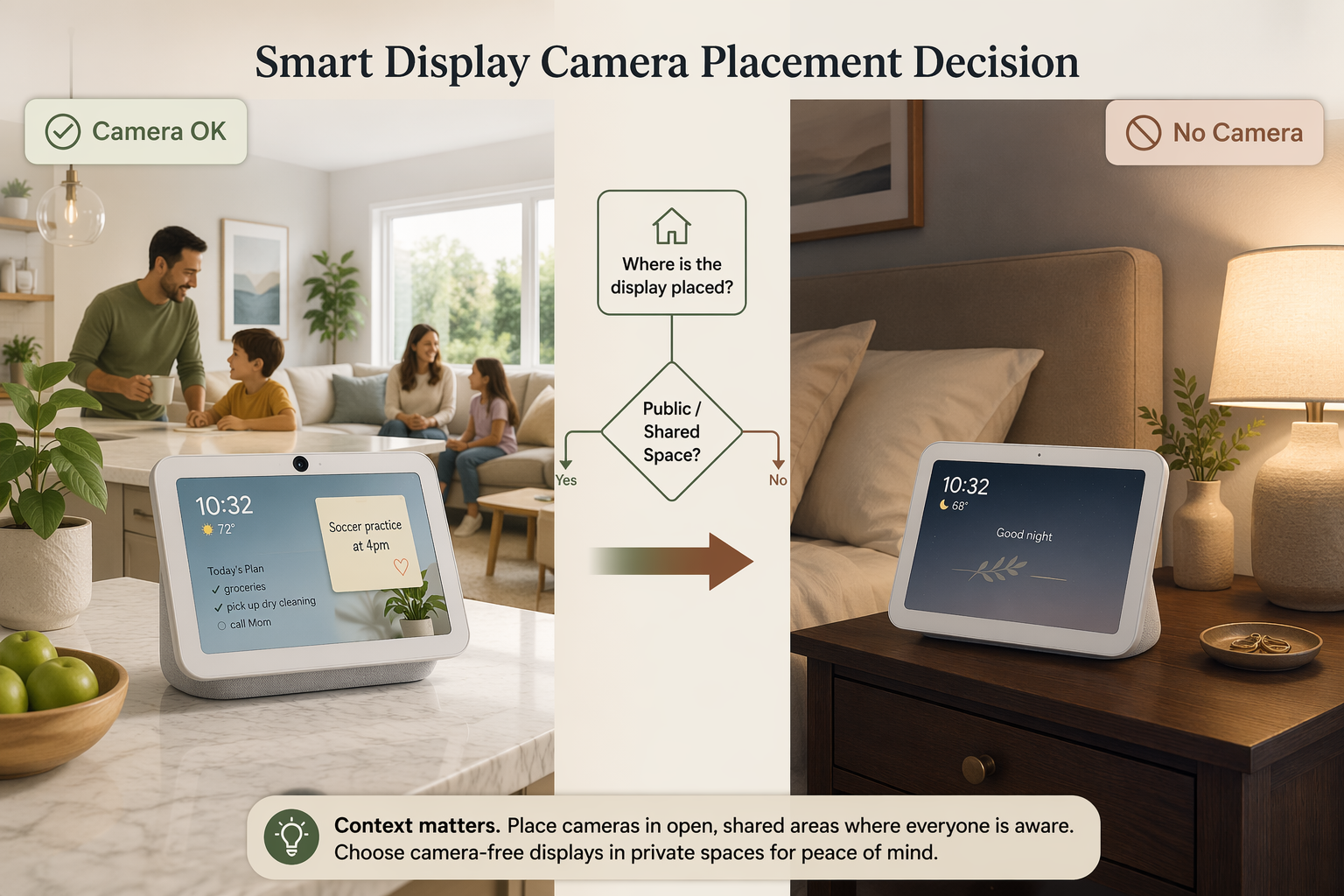
Camera placement is not a minor preference. Echo Show 5, 8, 11, 15, and 21 include cameras, and so does the Nest Hub Max; the Nest Hub 2nd gen and Echo Hub do not.[2][6] Privacy shutters and software controls help, but they do not change the social fact of a lens in a bedroom, kid’s room, guest room, or shared family space. If someone in the house will keep turning the screen away, buy the no-camera model or put the display somewhere else.
For Alexa buyers, there is also a voice-recording change to understand before purchase. In March 2025, Amazon removed the “Do Not Send Voice Recordings” option for Echo devices; Alexa commands now route through the cloud with no opt-out for that setting.[1][3] That does not mean every household should avoid Echo displays. It does mean a privacy-sensitive buyer should not assume an Echo screen can be configured the way older Alexa privacy settings once allowed.
- Use a camera display where video calls, drop-ins, or face-to-face family communication matter.
- Use a no-camera display for bedrooms, guest rooms, kids’ spaces, or anywhere the lens will become a daily argument.
- Use a wall control panel when the screen’s job is routines and device control, not entertainment.
- Use an existing tablet only when you can live without purpose-built smart-speaker behavior.
Built-In Hubs Matter Only If You Need One
Hub support is useful, but it should not send a normal buyer into a protocol spiral. Echo Show 8 4th Gen and Echo Show 11 support Matter, Thread, and Zigbee as built-in smart home hubs, while Nest Hub 2nd gen and Nest Hub Max support Matter and Thread.[2] If you already own an Aeotec hub, SmartThings Station, Hubitat C-8 Pro, HomePod mini, or another working controller, a display with built-in hub features may not simplify much. In that case, spend attention on placement, platform fit, and camera comfort instead.
If you do not own a hub and are starting to add sensors, buttons, locks, or blinds, built-in Matter, Thread, or Zigbee support can reduce the number of boxes you need plugged in. It still will not make an Alexa display behave like a Google display or make a Nest Hub act like an Apple product. For a deeper platform-level choice, compare the ecosystems before treating hub radios as the deciding spec.
Helpful next reads: Matter in 2026: An Honest Status Review for protocol limits, Hub or No Hub for whether you need separate hardware, and Alexa vs. Google Home vs. Apple HomeKit if the whole household platform is still unsettled.
Correct the Price Before You Buy
The shelf price is not always the ownership price. Alexa+ is free for Prime members, with Prime listed at $139 per year, and Amazon has described standalone Alexa+ pricing at $20 per month, though pricing may change.[1][3] For a non-Prime household, that can turn an approximately $180 Echo Show 8 into about $420 in first-year device-plus-Alexa+ cost if they choose the standalone plan.[1][3] That calculation matters more than a small sale discount.
Google has its own add-ons. Gemini for Home has a free base level, while Google Home Premium is listed at $10 to $20 per month for advanced features.[3] Camera households may also add Nest Aware or Ring plans, with reported ranges of $3 to $20 per month each for video history and smarter alerts.[3] A display bought mainly to show a doorbell feed or security camera should be priced with the camera subscription, not as a standalone screen.
The Short Version
Stay in your ecosystem unless you have a strong reason to add a second one. Buy 5 to 7 inches for tight spaces, 8 to 11 inches for the everyday kitchen or side-table job, and 15 to 21 inches only when the room benefits from a screen people can see at a distance. Avoid cameras where they will bother the people living with them. Treat subscriptions, cloud behavior, stock availability, and unreleased Apple hardware as part of the purchase decision before you bring the box home.
References
- 50 Alexa+ features to try out, Amazon News
- Best Smart Displays, PCMag
- Smart Home Ecosystem Guide 2026, WIRED
- Apple Home Hub coverage citing Bloomberg and Mark Gurman, Forbes
- Apple Home Hub coverage citing Bloomberg and Mark Gurman, MacRumors
- Best Smart Displays 2026, CNET
- 9 Best Smart Displays, Reviewed
- Best Smart Displays, CNN Underscored
Known issues with this device / protocol
Spec-version history
For active regressions on this protocol, see Update Watch.
No linked Update Watch entries yet.