
Best Home Automation Hub 2026: Choose the Right Hub for Your Ecosystem
This guide helps you pick the best home automation hub for your setup by starting with the ecosystem you already use — Alexa, Google, Apple, or SmartThings — rather than comparing spec sheets. You'll find recommended hubs for each platform and key considerations like Z-Wave support, Thread border router capability, and local processing.
Last updated
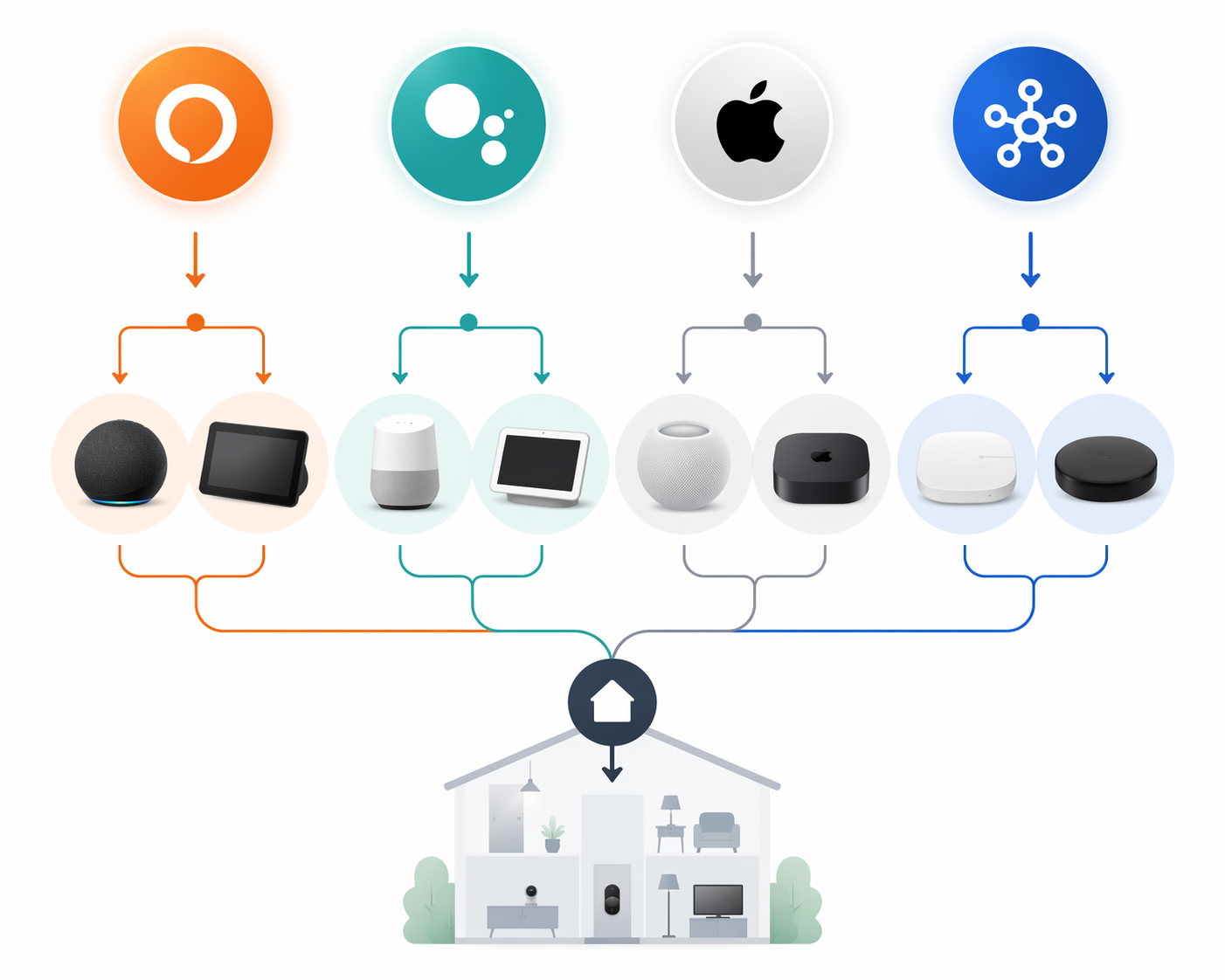
The best home automation hub in 2026 is the one that fits the ecosystem already running your home. If your phones, voice assistant, doorbell cameras, speakers, and routines already lean toward Alexa, Google Home, Apple Home, or SmartThings, start there. Matter has made basic device compatibility less punishing than it used to be, so the hub decision now turns on a smaller set of practical differences: whether you need Z-Wave, whether you need a Thread border router, whether automations keep running locally, and whether the hub ties you more tightly to one platform.
That is also why flat spec tables are easy to overvalue. A hub can support more radios and still be the wrong purchase if it puts your main controls in an app nobody in the household uses. For a broader platform-level view, start with how to choose a smart home ecosystem; this guide assumes you are ready to turn that ecosystem choice into a hub decision.
Start With the Platform People Actually Use
A smart home hub is not just a radio box. It decides where automations are built, which app becomes the default control surface, which voice assistant handles exceptions, and how painful it will be to add devices later. A household that already uses iPhones and Apple TVs should not begin by hunting for the longest protocol list. A household with Ring cameras should not pretend camera integration is a minor detail. A household with existing Z-Wave switches has a different problem from one buying only new Matter-over-Wi-Fi bulbs.
Matter 1.5, released in November 2025, added camera support, but Matter-certified camera products are only beginning to reach the market in the first half of 2026.[1] That matters because it narrows some compatibility gaps without erasing ecosystem differences. Basic lights, plugs, locks, and sensors are becoming easier to mix. Cameras, advanced automations, legacy Z-Wave gear, and local reliability still separate hubs in ways that matter in daily use.
| If you already use | Best current hub direction | Main reason to choose it | Main caveat |
|---|---|---|---|
| Apple Home / iPhone | HomePod mini or Apple TV 4K | Required Apple Home hub role, Thread support on HomePod mini | iPads no longer work as Home Hubs after Apple’s 2026 architecture deadline |
| Alexa with Ring | Amazon Echo Hub | Wall-mounted Alexa control panel with direct Ring camera feed integration | Most valuable when Ring devices are already central |
| Alexa without Ring | Echo 4th Gen or Echo Show 8 | Alexa voice control plus built-in Zigbee hub | No Z-Wave |
| Google Home | Google Nest Hub 2nd Gen | Matter support, Thread radio, smart display controls | New Google Home Speaker expected in 2026 could change the recommendation |
| SmartThings / mixed devices | Aeotec SmartThings v3 if available | Mainstream Matter, Zigbee, Thread, and Z-Wave support | Going out of production; stock and price are unstable |
| Local-first power user setup | Home Assistant Green or Homey Pro 2026 | More control, broader integrations, or stronger local automation model | Requires more setup judgment than mainstream hubs |
Apple Home: Buy a Real Home Hub, Not an iPad Workaround
For an Apple household, the first decision is now unusually clear: use a HomePod mini or Apple TV 4K as the Apple Home hub. Since Apple’s February 10, 2026 architecture deadline, iPads no longer work as Home Hubs for remote access and automations, so the old “use the tablet we already own” workaround is no longer a dependable plan.[2]
The HomePod mini is the lowest-cost Apple route at $99 and also functions as a Thread border router, which makes it the cleanest choice for many apartments, condos, and smaller homes using Apple Home.[2][3][4] An Apple TV 4K can be the better fit when the home’s main Apple device is already in the living room and always powered, but the purchase logic is similar: the hub should strengthen the Apple Home setup you already use, not create a second center of control.
The main reason to step outside Apple hardware is not to escape Apple Home, but to bridge ecosystems deliberately. Aqara’s Hub M3 costs $159.99 and can act as a Matter controller and Thread border router across Apple Home, Google Home, Alexa, and SmartThings at the same time.[2][5] That makes it a stronger candidate for homes that like Apple’s app and privacy posture but also have family members using Alexa or Google displays.
Apple users should be careful about buying for Z-Wave nostalgia. Apple Home does not make Z-Wave a native strength, and a separate bridge or different platform may be needed if the home already has a meaningful number of Z-Wave switches, locks, or sensors. If the device inventory is mostly new Matter and Thread products, that problem is smaller.
Alexa: Ring Changes the Answer
For Alexa homes, the most important split is whether Ring is already central. If the household has three or more Ring devices, the Amazon Echo Hub is the best fit because it is a $179 wall-mountable control panel that integrates Ring camera feeds directly.[2][6] That is not a minor interface preference. Cameras are checked when someone is at the door, when a package arrives, when a child is outside, or when an alarm notification appears. Reducing the number of taps matters more than another protocol logo on the box.
If the home uses Alexa but not Ring, the Echo 4th Gen and Echo Show 8 are more balanced hub choices because they include built-in Zigbee hubs.[4][7] That makes them useful for common Zigbee lights, sensors, plugs, and buttons while keeping Alexa as the household’s voice layer. They are not Z-Wave hubs, so they are poor choices for replacing a mature Z-Wave setup.
The Echo Dot 5th Gen is a different kind of answer. At $49.99, it supports Matter but does not include Zigbee or Z-Wave radios.[3][7] That can be enough for a small setup with fewer than 10 Wi-Fi-only devices, especially if the real goal is voice control rather than resilient automation. It is not the right foundation for a growing home with sensors, switches, locks, and routines that should survive beyond cloud app handoffs.
Google Home: Good Enough Now, With One 2026 Watch Item
For Google Home users, the current practical recommendation is the Google Nest Hub 2nd Gen. It costs $99.99, includes a Thread radio, supports Matter, and works as both a smart display and a basic hub.[3][4] For homes already using Google Assistant, Nest displays, Android phones, or Chromecast devices, that combination keeps control in the place users already expect to find it.
The caution is timing. Google has announced a new Home Speaker expected in 2026, and that could shift the Google ecosystem recommendation once hardware details and real-world hub behavior are clear.[4] The Nest Hub 2nd Gen is still the current choice, but buyers who are not in a hurry should watch that launch before building a whole Google-centered setup around older hardware.
Google’s weakness is not basic Matter support. The narrower issue is whether the home needs a deep device-radio hub or a display-first control point. A household buying new Matter devices can do well here. A household with legacy Z-Wave devices should not treat the Nest Hub as a replacement for SmartThings, Hubitat, Homey, or another Z-Wave-capable system.
SmartThings: Still the Mainstream Z-Wave Answer, While Stock Lasts
If the home has Z-Wave devices, the hub choice changes quickly. The Aeotec SmartThings v3 remains the last mainstream hub that supports Z-Wave alongside Matter, Zigbee, and Thread.[2][3] That makes it unusually valuable for homes with older smart switches, locks, or sensors that still work and do not need to be replaced just because the platform market has moved on.
The problem is availability. The Aeotec SmartThings v3 is going out of production, and as of June 2026 remaining stock is finite, with prices around $170–220 depending on retailer and tariff effects.[2][3] That turns a strong recommendation into a conditional one: buy it only after checking current stock, warranty status, and whether the seller is reputable.
The newer SmartThings Hub 2 dropped Z-Wave entirely, which makes it a poor replacement for anyone with legacy Z-Wave gear.[2][8] SmartThings still has breadth: the app supports more than 5,000 compatible devices according to SafeWise and Asurion.[3][9] But app compatibility and radio compatibility are not the same thing. If the devices in the walls speak Z-Wave, the hub must too.
Readers comparing the old and new SmartThings hardware should look closely at Aeotec Smart Home Hub V3 vs V4 before buying. The wrong version can turn a simple hub replacement into a device migration project.
When Home Assistant or Homey Makes More Sense
Some buyers are not trying to stay inside a voice-assistant ecosystem. They want local control, deeper automation logic, and fewer cloud dependencies. Home Assistant Green is the current entry point for that group at $159 after Home Assistant Yellow production ended in October 2025.[2] It is the better path when the user is willing to manage integrations and wants the home to keep behaving sensibly even when an internet service is down.
Homey Pro 2026 is the broader single-box hardware option. It supports Zigbee, Z-Wave, Thread, Matter, 433MHz, and Infrared natively, more protocols than any other single hub in the research set.[10] That breadth is useful when the home already contains devices from several eras: old RF remotes, Z-Wave sensors, Zigbee bulbs, Matter gear, and IR-controlled appliances.
The tradeoff is not simply difficulty. It is responsibility. A mainstream Apple, Alexa, or Google hub pushes more decisions into a consumer app. Home Assistant and Homey give the owner more control over automations, integrations, and fallback behavior. That is valuable if someone in the home wants to maintain it. It is less attractive if everyone expects the system to behave like a set-and-forget appliance.
The Protocols That Still Change the Decision
Matter reduces the need to buy every device from one brand, but it does not remove the need to check how devices communicate. Thread matters for newer low-power sensors, locks, and small devices. A Thread border router connects those devices to the rest of the home network, which is why HomePod mini, Nest Hub 2nd Gen, Aqara Hub M3, and some other current hubs deserve attention beyond their app interfaces.
Z-Wave matters most when it already exists in the home. Z-Wave LR supports much larger networks and longer range than classic Z-Wave, but new hub hardware adopting it remains limited.[11] For most shoppers, the immediate question is simpler: do you already have Z-Wave switches, locks, sensors, or valves? If yes, avoid hubs that dropped Z-Wave unless you are ready to replace those devices.
Local processing matters when the automation is supposed to run without waiting on a cloud service. Multiple sources identify local processing as the feature that keeps automations working during internet outages.[2][6][11] A hallway motion light, a leak shutoff routine, or a nighttime security automation should not depend entirely on whether a remote server is reachable.
If the protocol terms are still blurring together, use this guide to Matter, Thread, Zigbee, and Z-Wave before buying hardware. The important point is not to memorize every radio. It is to match the hub to the devices that actually need it.
A Practical Buying Path
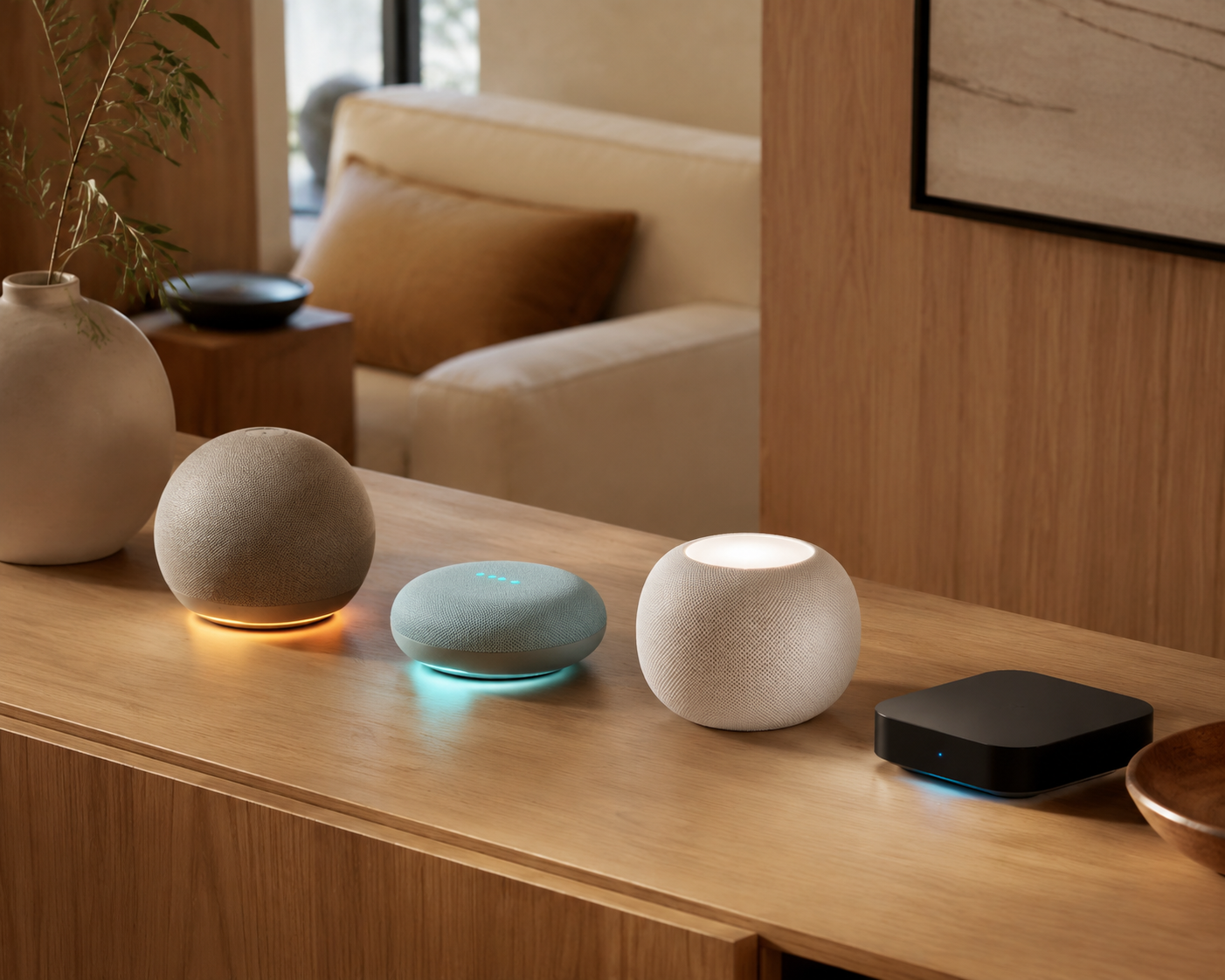
Choose the hub from the devices and people already in the house. Start with the phone OS and voice assistant used daily. Then check the device inventory for Ring cameras, Z-Wave gear, Thread devices, and automations that should run locally. Only after that does a broad spec comparison help.
- Choose HomePod mini or Apple TV 4K if Apple Home is already the household control layer.
- Choose Echo Hub if Alexa and Ring are central, especially with three or more Ring devices.
- Choose Echo 4th Gen or Echo Show 8 if Alexa is central but Ring cameras are not.
- Choose Nest Hub 2nd Gen for a current Google Home setup, unless waiting for Google’s 2026 speaker is realistic.
- Choose Aeotec SmartThings v3 only after confirming available stock if Z-Wave support is required.
- Choose Home Assistant Green or Homey Pro 2026 when local control and mixed-protocol breadth matter more than simplicity.
Readers who are still deciding whether a hub is necessary at all should compare the device count, automation needs, and protocol mix in Hub or No Hub: When You Actually Need a Smart Home Hub. A small Wi-Fi-only setup may not need a dedicated hub yet. A home with locks, sensors, switches, cameras, and routines that affect safety usually benefits from one.
The most defensible 2026 answer is ecosystem first, protocol second. Matter has made the first device purchase less risky, but it has not made hubs interchangeable. The hub still decides where automations live, which devices keep working when the internet fails, and how much legacy hardware can stay in service.
References
- Matter 1.5: Kameras, Sensoren und Energiemanagement, matter-smarthome.de, November 2025, https://matter-smarthome.de/
- Best Smart Home Hubs for 2026, The Gadgeteer, 2026, https://the-gadgeteer.com/
- Best Smart Home Hubs, SafeWise, 2026, https://www.safewise.com/
- Best Smart Home Hubs, NBC News, 2026, https://www.nbcnews.com/
- Aqara Hub M3 Product Page, Aqara, 2026, https://www.aqara.com/
- Amazon Echo Hub Review, PCWorld, 2026, https://www.pcworld.com/
- Best Smart Home Hubs, Tom’s Guide, 2026, https://www.tomsguide.com/
- SmartThings Hub 2 Z-Wave Discussion, SmartThings Community, 2026, https://community.smartthings.com/
- Smart Home Devices and SmartThings Compatibility, Asurion, 2026, https://www.asurion.com/
- Homey Pro Review, The Ambient, 2026, https://www.the-ambient.com/
- Z-Wave Long Range Explained, Reviews.com, 2026, https://www.reviews.com/
Known issues with this device / protocol
Spec-version history
For active regressions on this protocol, see Update Watch.
No linked Update Watch entries yet.