
HomePod Mini vs Apple TV 4K: Which Apple Device Makes the Best HomeKit Hub?
Choosing a HomeKit hub means deciding between a HomePod mini, an Apple TV 4K Wi-Fi, or the Wi‑Fi+Ethernet model. This comparison explains how each handles Thread, Matter, and network reliability so you can pick the right one for your home.
Last updated
If you are buying an Apple HomeKit hub in 2026, the awkward answer is that the model name matters more than Apple’s tidy product lineup suggests. A HomePod mini, an Apple TV 4K Wi‑Fi, and an Apple TV 4K Wi‑Fi+Ethernet can all act as Apple Home hubs, but they are not equal smart-home purchases.
| Device | Mid-2026 price | Thread border router | Matter/HomeKit hub role | Ethernet | Best fit |
|---|---|---|---|---|---|
| HomePod mini | $99 | Yes | Yes | No | Cheapest full-featured Apple Home hub |
| Apple TV 4K Wi‑Fi | $129 | No | Yes | No | Streaming box first; weakest smart-home buy |
| Apple TV 4K Wi‑Fi+Ethernet | $149 | Yes | Yes | Yes | Most stable hub when hardwired, plus streaming |
The practical verdict is simple. If you only need a hub and want Thread support at the lowest price, buy the HomePod mini. If you also need a streaming box and can plug it into Ethernet, buy the Apple TV 4K Wi‑Fi+Ethernet. If your main goal is smart-home infrastructure, skip the $129 Wi‑Fi-only Apple TV 4K, because saving $20 over the Ethernet model gives up Thread border router support and a hardwired network path.[1][2]
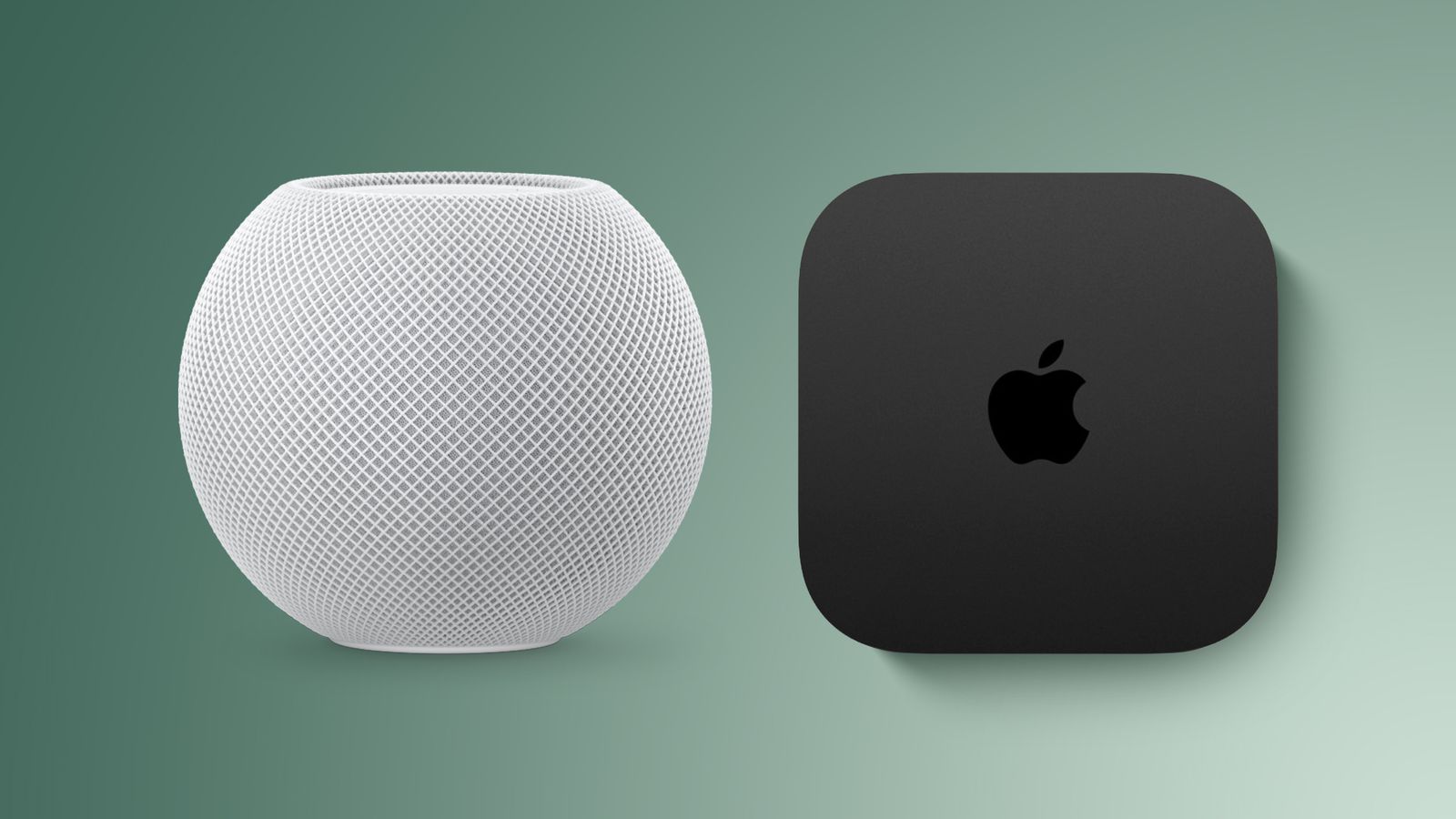
The $129 Apple TV 4K Is the Trap
The Wi‑Fi-only Apple TV 4K looks like the obvious compromise: cheaper than the $149 model, still fast, still an Apple TV, still able to serve as a home hub. For streaming, that may be fine. For an Apple Home setup that is expected to grow into Matter-over-Thread devices, it is the wrong place to economize.
Apple’s own home-hub setup guidance recognizes HomePod, HomePod mini, and Apple TV as home hubs, while current model comparisons distinguish the Apple TV 4K Wi‑Fi+Ethernet as the Apple TV model with Thread border router support. The Wi‑Fi-only Apple TV 4K does not provide that Thread border router role.[2][3]
That is not a small checkbox if you are buying for the next several years. A Thread border router is the piece that lets Thread devices communicate with the rest of the home network. Without one, a Matter-over-Thread bulb, plug, or sensor still needs some other Thread border router in the house. If you already have a HomePod mini or another supported Thread border router, the Wi‑Fi Apple TV can ride alongside it. If this Apple TV is supposed to be the smart-home foundation, it leaves a gap.
This is where Apple’s naming does buyers no favors. The $129 model is not simply the $149 Apple TV without a cable port. It is also the one that removes the Thread path a growing HomeKit setup is likely to care about.[1][2]
HomePod mini Is the Clean Low-Cost Default
For someone who just wants automations to run when they are away, remote access to work, and Matter/HomeKit devices to have a proper Apple hub, the HomePod mini is the neatest answer. At $99, it is the lowest-cost current Apple device in this comparison, and it includes Thread border router support, Matter controller capability, and Siri voice control.[1][4]
It also disappears into the house in a useful way. A HomePod mini on a kitchen counter or hallway table can sit closer to door sensors, plugs, and bulbs than a television cabinet would. That does not make it magically immune to Wi‑Fi problems, and it does not give you Ethernet, but it does mean the cheapest option is not a stripped-down option.
The speaker part is almost secondary for this decision. If you want Siri in the room, music in a small space, or a voice target for scenes, those are nice extras. The buying reason is that HomePod mini gives you the Apple Home hub role and Thread support without asking you to buy a streaming box you may not need.
Why Ethernet Makes the $149 Apple TV Different
The Apple TV 4K Wi‑Fi+Ethernet earns its keep when there is an Ethernet jack or a switch near the television. A hub that is wired into the network is not competing with video calls, thick walls, mesh handoffs, or a weak corner of the 5 GHz band. For smart-home work, that stability matters more than another benchmark about how quickly a streaming app opens.
At $149, the Wi‑Fi+Ethernet Apple TV 4K costs $50 more than a HomePod mini and $20 more than the Wi‑Fi-only Apple TV 4K. The extra $20 over the Wi‑Fi model buys the two things I would not want to give up in a serious Apple Home setup: Ethernet and Thread border router support.[1][2]
This is the model to buy if the living room already needs an Apple TV for streaming and the router, modem, or a wired access point is nearby. It turns one box into a media player, a HomeKit hub, a Matter controller, and a Thread border router. More importantly, it can sit on a steadier network connection than a speaker in a busy Wi‑Fi area.
If you cannot hardwire it, the calculation changes. The Wi‑Fi+Ethernet model still has Thread, so it remains the better Apple TV for smart-home use, but its reliability advantage over a HomePod mini is less dramatic when both are depending on Wi‑Fi. In that case, the reason to spend more is streaming plus Thread, not hub stability alone.
What the Hub Actually Does
An Apple Home hub is the always-on Apple device that keeps the home reachable and automations running when your iPhone is not there. Apple’s current setup guidance covers HomePod, HomePod mini, and Apple TV as supported home hubs, while iPads are no longer supported as hubs after the newer Home architecture introduced in 2023.[3]
That last point is worth clearing out quickly because old advice still lingers. An iPad sitting on a counter is not the fallback plan anymore. If you are building or repairing an Apple Home setup now, plan around HomePod, HomePod mini, or Apple TV, not an old tablet.
A manufacturer bridge is a different thing. A Hue Bridge, Aqara hub, or IKEA Dirigera can translate devices from that manufacturer’s ecosystem into Apple Home, but it does not replace the Apple home hub that provides Apple’s remote access, automation handling, and hub role.[4][6]
So if your setup includes a manufacturer bridge, the question is not whether that bridge or an Apple hub wins. You may need both: the bridge for that device family, and the Apple hub for the Apple Home layer.
Multiple Hubs Are Normal, Not Wasteful
Apple Home does not require you to crown one device forever and unplug the rest. Multiple HomePods and Apple TVs can live in the same home, with one acting as the active hub and others available as standby hubs. In practical terms, that gives the home more resilience if a device restarts, updates, or temporarily drops off the network.[5][2]
Standby devices can still matter physically. A HomePod mini closer to the back door may help with nearby Bluetooth accessories or Thread reach, while a hardwired Apple TV near the router may be the steadier brain for the home. This is why the best setup is often not one heroic hub in the wrong place, but a few Apple devices placed where the network and accessories actually live.[5][2]
The 2025 preferred hub selection makes that more useful, because users can manually keep a chosen hub in charge instead of always leaving selection to automatic behavior. That matters most when one candidate is a hardwired Apple TV 4K Wi‑Fi+Ethernet and another is a Wi‑Fi speaker in a more variable spot.[2][5]
The purchase logic changes once you already own one of these devices. If you already have a HomePod mini, you already have a Thread-capable Apple Home hub; buying the Wi‑Fi-only Apple TV for streaming is less damaging because the missing Thread role is covered elsewhere. If you own only the Wi‑Fi Apple TV, adding a HomePod mini is the cheaper way to add Thread than replacing the Apple TV outright.
Pick by Topology, Not by Product Category
The cleanest way to choose is to start with the house, not with the product shelf.
- Buy HomePod mini if you want the lowest-cost Apple Home hub with Thread and do not need another streaming box.
- Buy Apple TV 4K Wi‑Fi+Ethernet if you need streaming, have Ethernet near the TV, and want the most stable Apple hub option.
- Buy Apple TV 4K Wi‑Fi+Ethernet even without Ethernet if you specifically want an Apple TV and plan to add Thread devices.
- Avoid Apple TV 4K Wi‑Fi as your main smart-home purchase if you do not already have a Thread border router.
- Keep existing HomePods and Apple TVs online when possible; multiple hubs can improve resilience and coverage.
For broader ecosystem shopping, a general best home automation hub comparison can make sense. For this decision, though, the answer is narrower. You are choosing among current Apple devices that already fit Apple Home, so the deciding factors are Thread, Ethernet, price, and whether you need the television features.
If a Matter-over-Thread plug or sensor is on the shopping list, do not buy the one Apple TV model that cannot be its Thread border router. If the TV cabinet has Ethernet and you want streaming anyway, the $149 Apple TV 4K Wi‑Fi+Ethernet is the most dependable choice. If you just need the Apple Home hub job done for the least money, the $99 HomePod mini is the sensible default.[1][2][4]
References
- HomePod mini vs. Apple TV 4K: Which is the better HomeKit hub? — Digital Trends
- HomePod vs Apple TV for Matter & Thread (2026) — Data Wire Solutions
- Set up your HomePod, HomePod mini, or Apple TV as a home hub — Apple Support
- What are Apple Home hubs — AppleHome Authority
- HomeKit Helper - Hubs — HomeKit Helper
- The Best Apple Homekit Hub 2025 — Aqara
Known issues with this device / protocol
Spec-version history
For active regressions on this protocol, see Update Watch.
No linked Update Watch entries yet.