
Keep Smart Home Devices On With a UPS or Power Station
Which backup keeps your smart home hub, router, and modem online through a power outage comes down to outage duration, not brand: a UPS with a few-millisecond switchover covers flickers and short blackouts, while a portable power station buys multi-hour runtime and portability. The sizing tool that works for both is runtime math — usable watt-hours divided by your load, with a modem and router pair around 20 W.
If the goal is to keep smart home devices on during a power outage, start with the boring stack: modem, router, and hub. Not the lamps. Not the speaker in the kitchen. The devices that keep automations reachable, alerts moving, and remote access alive are usually drawing a modest amount of power: HomeTechHacker estimates smart home hubs at about 3–6 W, modems at 8–12 W, and routers at 10–15 W, which makes a modem-plus-router pair roughly a 20 W planning load for many homes.[1]
That small load is why this decision is not simply “buy the biggest battery.” For flickers and short blackouts, a UPS is usually the cleaner answer because it switches fast enough that the network stack may never notice the outage. For multi-hour outages, a portable power station buys more runtime and can be useful away from the network shelf. If both continuity and long runtime matter, put a small UPS between the sensitive gear and the power station.
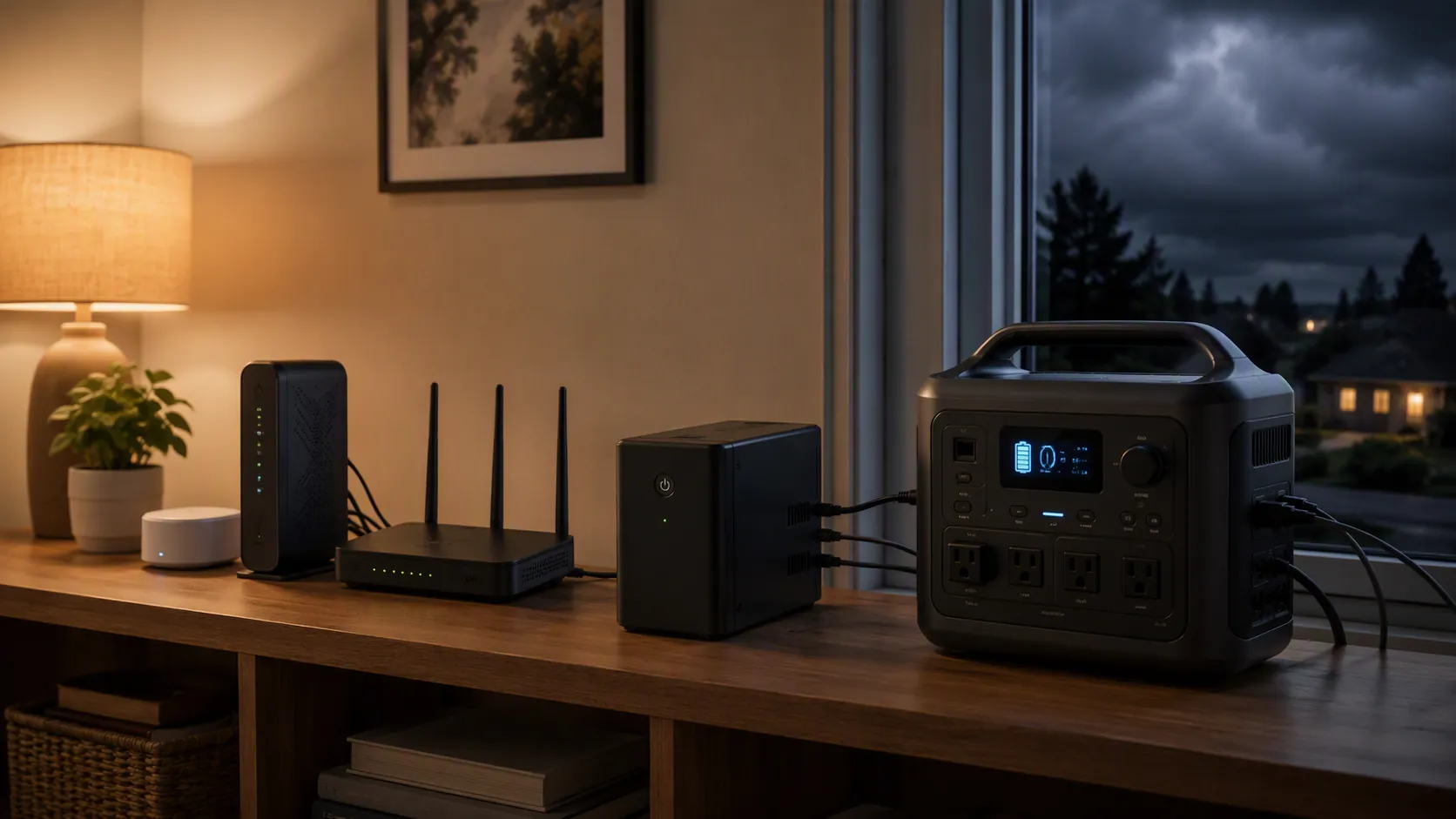
The fast decision rule
| Outage pattern | Better fit | Why |
|---|---|---|
| Brief flickers, breaker trips, short neighborhood outages | UPS | Fast transfer, simple always-connected setup, enough runtime for a low-watt network stack |
| Multi-hour outages | Portable power station | Larger battery capacity, portable use, and potential solar recharge |
| Sensitive modem/router/hub plus a desire for longer runtime | Small UPS in front of a power station | The UPS handles the transfer gap while the power station extends battery time |
A UPS is the appliance-like option: plug the modem, router, and hub into it, leave it charged, and let it catch the outage. A portable power station is the longer-horizon option: more battery, usually more outlets, and usefulness beyond the smart home shelf. CNET places typical UPS prices around $50–$250, while portable power stations start at several hundred dollars and can run into the thousands.[2]
That price difference matters because the modem and router are not a refrigerator. If the outage you actually experience is a 10-minute blink during summer storms, paying power-station money only to run a 20 W network stack may be overkill. If your neighborhood loses power for half a day and you also want battery power for camping, phones, or solar recharge, the same power station starts to make more sense.
Runtime math works the same for both
The sizing equation is simple enough to keep on a sticky note:
runtime in hours = usable watt-hours ÷ load watts
Router battery-backup guides commonly explain runtime with the same watt-hours divided by watts method, though vendor examples should be treated as sizing mechanics rather than guaranteed outcomes.[3] The two numbers you need are the battery capacity you can actually use and the watts your devices actually draw.
For a hypothetical setup drawing 25 W total — modem, router, hub, and a small Ethernet switch — 200 usable Wh would pencil out to about 8 hours. If the same battery is asked to carry 100 W of extra devices, the estimate drops to 2 hours. Nothing dramatic happened to the battery; the load changed.
This is where measured UPS testing is more useful than capacity labels. Wirecutter’s 2026 UPS tests used a 20 W modem-and-router load and measured about 1.5 hours from the Amazon Basics 800VA, 3 hours from the CyberPower LE1000DG, and 4.5 hours from the CyberPower CP1350AVRLCD3.[4] Those results are not universal promises, but the test load resembles the job many smart-home owners are actually trying to do.
The same Wirecutter testing shows why you should not quietly add “just one more thing” to the UPS. At a 300 W load, the tested UPS units lasted only about 6–21 minutes.[4] A UPS that looks generous for a modem and router can become a short countdown timer when it is also feeding a desktop PC, monitor, NAS, or entertainment gear.
Use a short device list, not a wish list
For smart-home continuity, the first pass should be ruthless:
- Modem or fiber ONT
- Router or mesh primary node
- Smart home hub or controller
- Any required Ethernet switch between those devices
Secondary mesh nodes, speakers, decorative lighting, displays, and nonessential chargers can wait. They may be useful during an outage, but they belong in the second round of sizing. The first job is keeping the path from internet service to router to hub alive.
Switchover is where UPS units earn their keep
Runtime is only half the story. The other half is the gap between utility power disappearing and battery power arriving.
UPS units are built for this job. CNET describes UPS transfer times in the roughly 4–8 ms range, while portable power stations can switch more slowly; its examples include about 20 ms for the EcoFlow River 3 and about 10 ms for the River 3 Plus.[2] That does not mean every power station will reboot every router. It means the gap is large enough that sensitive gear becomes a real question instead of an afterthought.
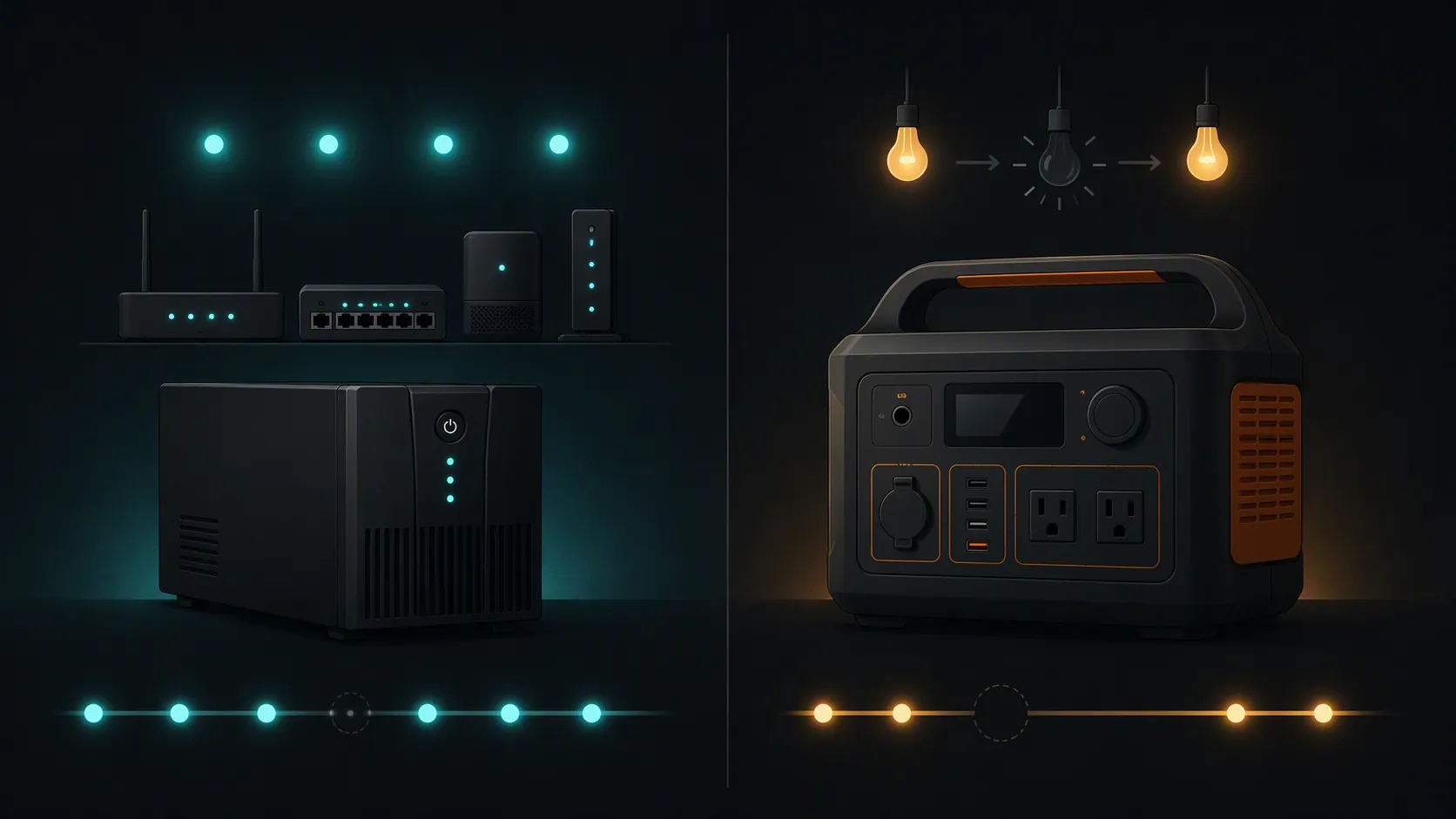
A few milliseconds is the difference between “the lights flickered” and “the router is now taking three minutes to boot, the hub is reconnecting, and half the automations are late.” For a laptop charger, a 20 ms gap may be meaningless. For a modem, router, hub, or small switch, it depends on the device’s power supply and tolerance. That uncertainty is the reason a UPS remains the safer default for short interruptions.
Where a portable power station makes sense
A power station starts making sense when the outage is measured in hours, not minutes, or when the battery has to serve more than one role. It can sit near the network shelf during storm season, then move to a patio, car, campsite, or room where someone needs to charge devices. CNET also points to solar recharge as a distinguishing power-station feature rather than a normal UPS feature.[2]
The tradeoff is that it usually asks more from the owner. You may need to keep it charged, decide whether it should stay connected continuously, understand its AC output behavior, and verify whether your router and hub tolerate its switchover. It is also a larger purchase. That is not a flaw if you need portable energy; it is just a mismatch if the only problem is a two-minute outage that makes the hub angry.
Serviceability is another quiet difference. CNET notes that UPS batteries are usually user-replaceable, while many portable power-station batteries are not.[2] For a device that sits under a network shelf for years, the ability to replace an aging battery instead of replacing the whole unit is not glamorous, but it affects lifetime cost.
The hybrid setup is not a hack
If you want power-station runtime but UPS-style continuity, the practical answer is to put a small UPS in front of the devices that care. The power chain is:
- Portable power station
- Small UPS
- Modem, router, hub, and any required small switch
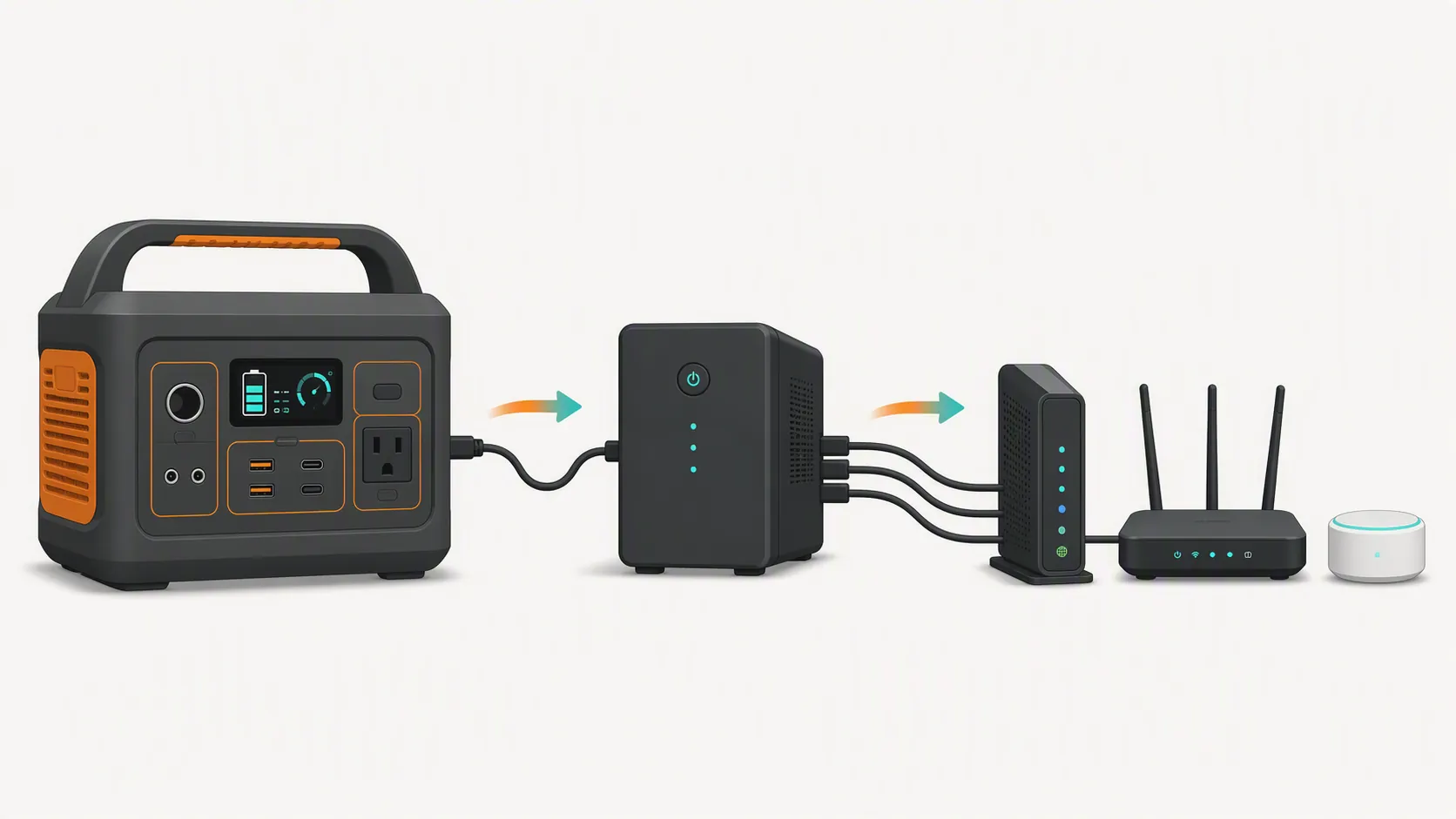
In normal use, the UPS protects the network stack from flickers. During a longer outage, the power station can feed the UPS and stretch the runtime. If the power station has a slower transfer, the UPS absorbs that gap. If the power station runs down or gets swapped, the UPS gives you a short buffer instead of an instant router reboot.
There are still details to check: total wattage, outlet layout, whether the UPS behaves properly when powered by the station, and whether either unit complains about the other’s output. But as a design pattern, this is a reasonable answer to a real problem: the power station gives runtime, while the UPS protects continuity.
What not to size from
Do not size from the VA number alone. UPS product names often lead with VA, but your devices consume watts, and runtime depends on usable energy at that load. Do not size from a best-case marketing runtime without checking the load behind it. A battery that lasts a long time at 20 W will not do the same at 300 W.
Also avoid averaging unrelated runtime claims into one pretend rule. Wirecutter’s 20 W and 300 W tests are measured under specific loads.[4] HomeTechHacker’s device-watt figures are planning estimates.[1] CNET’s examples include category comparisons, price bands, and specific switchover figures.[2] Battery age, temperature, inverter efficiency, and your actual device mix can move the result.
A clean way to choose
Choose a UPS if your main problem is flickers, brief outages, or the router rebooting before the hub recovers. It is the simpler and usually cheaper way to keep the core smart-home stack awake.
Choose a portable power station if your outages run long enough that a desktop UPS is only buying time, or if you also want portable power and solar-recharge options. Size it with the same watt-hour math, then verify its switchover behavior with the devices you plan to run.
Combine them if the modem, router, and hub must not blink, but you still want multi-hour runtime. The UPS does not need to be huge in that setup; it needs to be fast and properly sized for the network stack.
Once the hardware category is clear, the next work is planning the rest of the outage behavior. A tiered setup is covered in smart home battery backup tiers and three-tier smart home power backup. If you want the system to send alerts or shut devices down gracefully, see power outage smart home automation. For outage-day behavior and recovery, use grid emergency smart home prep, which smart home devices survive a storm outage, and the post-outage reboot order.
For the buying decision itself, stay with the stack and the equation: list the devices that must stay on, estimate their watts, divide usable watt-hours by that load, and match the result to the outage length your household actually sees.