
How to Automate Smart Home Backup During a Power Outage
Learn how to set up UPS-based power outage detection in Home Assistant using NUT, with copyable YAML automations for outage alerts, restoration notifications, and graceful shutdown before the battery dies.
Home Assistant can automate a power outage only if the part of the house that detects the outage is still alive. That means the Home Assistant server, the network path it uses to send notifications, and the UPS reporting layer must stay powered after the rest of the house goes dark.
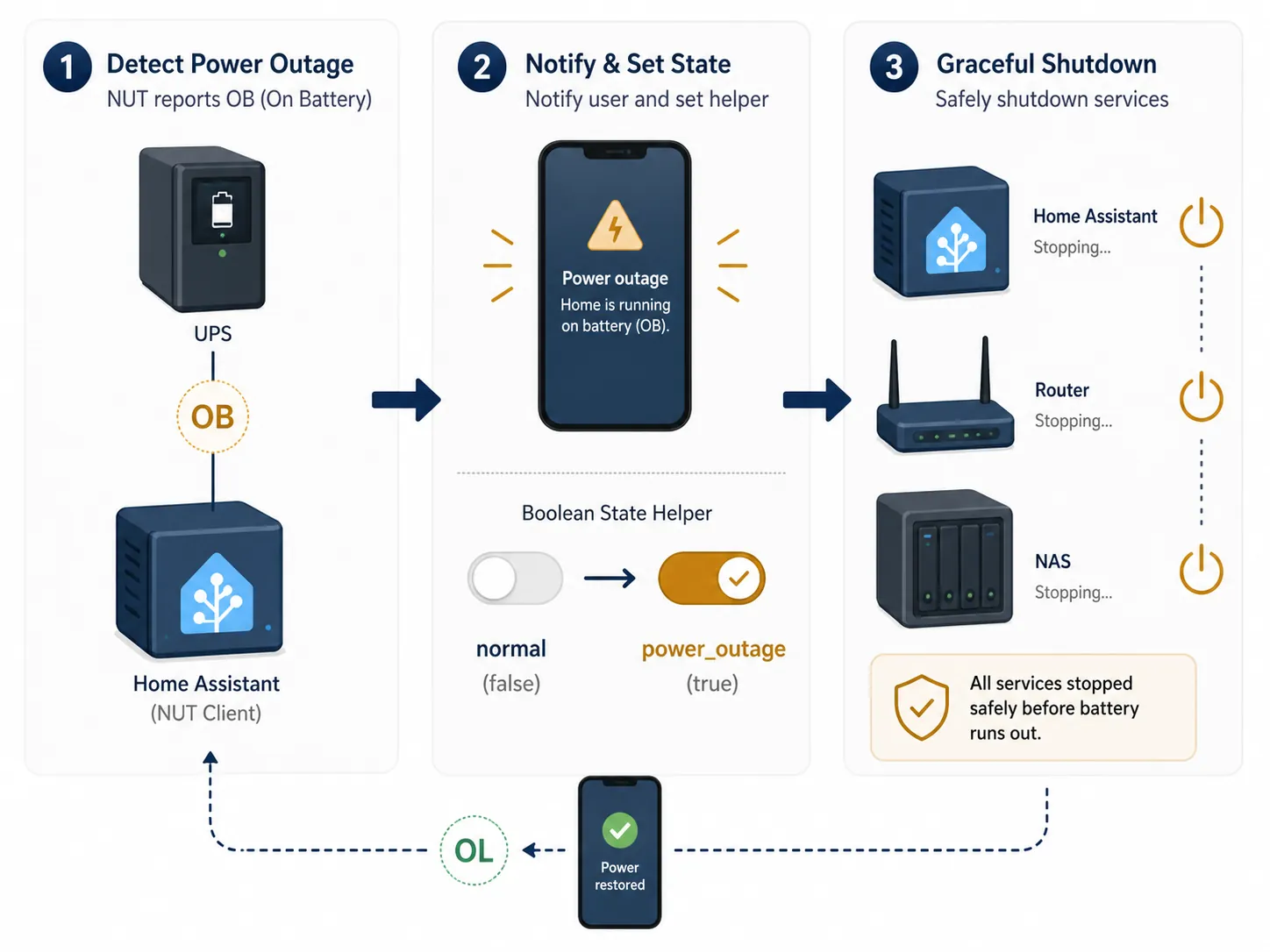
For this recipe, the minimum viable stack is simple: a UPS powers Home Assistant plus the router or network path, Network UPS Tools reports UPS status into Home Assistant, and three automations respond when the UPS changes state. The useful states are usually OB for on battery and OL for online utility power, as used in NUT-based Home Assistant outage automation patterns.[2]
Start With The Load That Must Survive
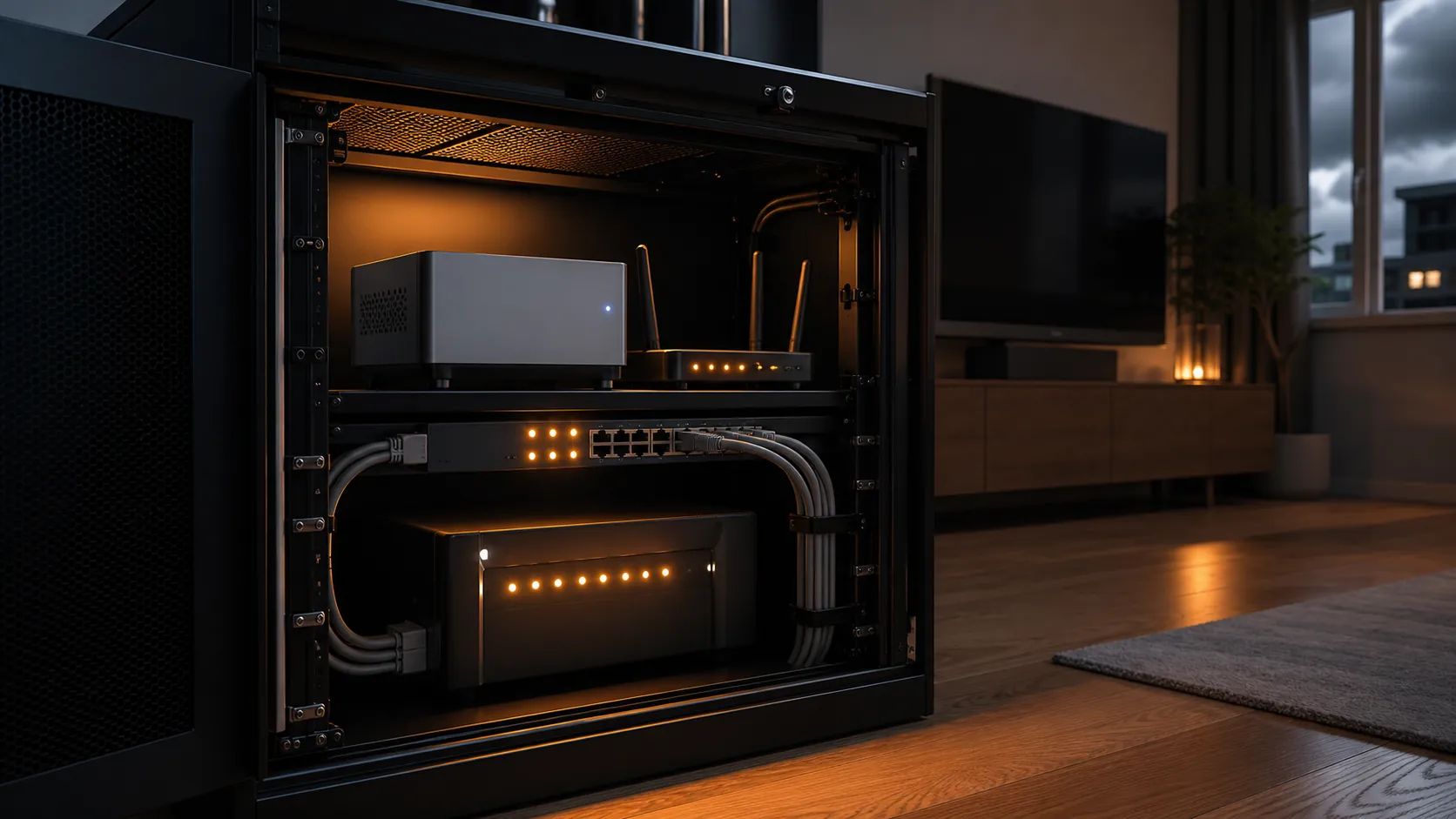
Do not size the UPS around every smart device you own. Size it around the control plane: Home Assistant, modem, router, switch, and any hub that Home Assistant needs in order to know what is happening and reach you. Cameras, accent lights, and scene controllers can wait.
Representative smart-home loads are modest one by one: a modem often draws about 8–12W, a router about 10–15W, a hub about 3–6W, a network switch about 10–25W, and a NAS about 20–60W.[1] Those numbers are sizing guidance, not a runtime promise. UPS model, actual load, power factor, battery condition, and battery age all change the result.
| Core device | Typical draw to budget |
|---|---|
| Modem | 8–12W |
| Router | 10–15W |
| Smart-home hub | 3–6W |
| Network switch | 10–25W |
| NAS | 20–60W |
As a practical starting point, a 650–850VA UPS can cover a modem and router for roughly 40–90 minutes, while a 1000–1500VA UPS can cover a fuller stack such as modem, router, switch, hub, and NAS for roughly 45–120 minutes depending on load.[1] Treat those as shopping bands. If your Home Assistant host is a power-hungry mini PC or your switch is powering PoE devices, measure the load instead of trusting the label.
The automation is not a substitute for battery capacity. If the UPS has enough runtime to keep the control stack up for only a few minutes, Home Assistant may still detect the outage, but it may not stay online long enough to notify you, wait for a sane threshold, and shut down cleanly.
What NUT Needs To Report
Network UPS Tools is the bridge between the UPS and Home Assistant. It is commonly used with UPS hardware from APC, CyberPower, Eaton, and Tripp Lite, but the brand is less important than whether your exact model can expose status and battery data to NUT. The cross-brand pattern works because the automations listen to NUT entities, not to a vendor-specific app.[2]
Before writing automations, confirm that Home Assistant has entities for UPS status and battery charge. The examples below assume these names:
- sensor.ups_status
- sensor.ups_battery_charge
- input_boolean.power_outage_active
- notify.mobile_app_phone
You should expect to rename those. Your status entity might be called sensor.cyberpower_status, your battery sensor might be sensor.apc_battery_charge, and your notification service will depend on the mobile app devices configured in your Home Assistant instance.
Also check the actual status text your NUT integration reports. Some systems expose a clean OB or OL. Others include combined states such as on-battery plus discharging. The automations below use template triggers so they still work when the status string contains OB or OL as part of a longer value, a pattern consistent with Home Assistant community examples for outage and restoration detection.[3][4][5]
Create One Helper To Remember The Outage
The boolean helper is not strictly required, but it makes the flow cleaner. NUT tells Home Assistant what the UPS is doing right now. The helper lets other automations respond to the house-level meaning: an outage is active.
input_boolean:
  power_outage_active:
    name: Power Outage Active
    icon: mdi:transmission-tower-off
You can create the same helper from the Home Assistant UI under Settings, Devices & services, Helpers. If you do that, keep the entity ID aligned with the YAML examples or adjust the automations.
Automation 1: Detect Utility Power Loss
The first automation watches the NUT status entity. When the UPS reports that it is on battery, Home Assistant turns on the outage helper and sends the first alert. A short for delay avoids firing on a one-second transfer or status blip.
alias: Power Outage - UPS On Battery
id: power_outage_ups_on_battery
mode: single
trigger:
  - platform: template
    value_template: "{{ 'OB' in states('sensor.ups_status') }}"
    for:
      seconds: 30
condition:
  - condition: state
    entity_id: input_boolean.power_outage_active
    state: "off"
action:
  - service: input_boolean.turn_on
    target:
      entity_id: input_boolean.power_outage_active
  - service: notify.mobile_app_phone
    data:
      title: "Power outage detected"
      message: >-
        UPS is on battery. Battery is at {{ states('sensor.ups_battery_charge') }}%.
        Home Assistant and network gear are running from backup power.
This is the point where the UPS sizing work pays off. If the router or access point is not on the UPS, the notification may be generated locally and still fail to leave the house.
Automation 2: Announce Power Restored
The restoration automation listens for utility power returning. It clears the helper and sends a recovery message only if an outage was previously active, so normal UPS status updates do not become noise.
alias: Power Outage - Utility Power Restored
id: power_outage_utility_power_restored
mode: single
trigger:
  - platform: template
    value_template: "{{ 'OL' in states('sensor.ups_status') }}"
    for:
      seconds: 30
condition:
  - condition: state
    entity_id: input_boolean.power_outage_active
    state: "on"
action:
  - service: input_boolean.turn_off
    target:
      entity_id: input_boolean.power_outage_active
  - service: notify.mobile_app_phone
    data:
      title: "Power restored"
      message: >-
        UPS is back on utility power. Battery is at {{ states('sensor.ups_battery_charge') }}%.
This message is useful even when nothing else happens. It tells you whether the outage was a quick utility drop or a longer event that drained the UPS enough to deserve attention.
Automation 3: Run Outage Actions From The Helper
The third automation is where you put outage behavior that should happen whenever the house enters backup mode. Keeping this tied to the helper, rather than directly to the raw NUT status, gives you one clean state that other recipes can reuse.
alias: Power Outage - Enter Backup Mode
id: power_outage_enter_backup_mode
mode: single
trigger:
  - platform: state
    entity_id: input_boolean.power_outage_active
    from: "off"
    to: "on"
action:
  - service: notify.mobile_app_phone
    data:
      title: "Backup mode active"
      message: >-
        Nonessential automations can now be paused. Keep the UPS load limited to Home Assistant,
        networking, and required hubs.
  # Optional examples: turn off nonessential smart plugs, stop camera recording jobs,
  # or disable high-chatter automations that are not useful during an outage.
Leave the optional actions out until the detection flow is proven. It is better to have a boring alert that works than a clever outage mode that turns off the wrong device because one entity name was copied from someone else's house.
Add Graceful Shutdown Before The Battery Is Gone
Shutdown is the highest-consequence part of the recipe. The goal is not to use every last watt-hour in the UPS. The goal is to stop Home Assistant cleanly before the UPS cuts power and leaves the system to recover from an abrupt loss.
A battery-critical shutdown pattern is used in other home automation platforms as well: once backup power is active and the UPS battery reaches a chosen low threshold, the hub or controller shuts itself down instead of waiting for the UPS to die.[6] In Home Assistant, the same logic can be built from the outage helper plus the NUT battery sensor.
alias: Power Outage - Graceful Home Assistant Shutdown
id: power_outage_graceful_home_assistant_shutdown
mode: single
trigger:
  - platform: numeric_state
    entity_id: sensor.ups_battery_charge
    below: 25
condition:
  - condition: state
    entity_id: input_boolean.power_outage_active
    state: "on"
  - condition: template
    value_template: "{{ 'OB' in states('sensor.ups_status') }}"
action:
  - service: notify.mobile_app_phone
    data:
      title: "Home Assistant shutting down"
      message: >-
        UPS battery is at {{ states('sensor.ups_battery_charge') }}% while on battery.
        Home Assistant will shut down to avoid an abrupt power loss.
  - delay:
      seconds: 20
  - service: hassio.host_shutdown
The 25 percent threshold is a conservative starting point, not a universal rule. If your UPS carries only a small router and a low-power Home Assistant box, you may have more time. If it carries a NAS, PoE switch, or several hubs, the last quarter of battery may disappear faster than expected.
The shutdown service is also installation-specific. hassio.host_shutdown is appropriate for Home Assistant OS or supervised installations that expose that service. If your system runs Home Assistant Container, Core, or a custom host setup, replace that final action with the shutdown method that is safe for your host.
The Complete Flow In One Place
Once the pieces are installed, the logic should be boring:
- Utility power fails, the UPS transfers to battery, and NUT reports a status containing OB.
- Home Assistant turns on input_boolean.power_outage_active and sends an outage notification.
- Any backup-mode actions tied to the helper run once.
- If utility power returns, NUT reports OL, the helper turns off, and Home Assistant sends a restoration notification.
- If utility power does not return and the UPS battery falls below the chosen threshold, Home Assistant sends a final warning and shuts down cleanly.
That structure comes from the same NUT-based Home Assistant pattern used in open automation examples and Home Assistant community discussions: separate the raw UPS state from the house-level outage state, then let other automations react to that helper.[2][3][4][5]
Test It By Pulling Utility Power
Do not wait for a storm to test this. Plug the core stack into the UPS, confirm Home Assistant is reachable from a phone, and then unplug the UPS from the wall while leaving the devices plugged into the UPS. You are testing utility failure, not device power loss.
- Confirm the NUT status entity changes to a value containing OB.
- Confirm the outage notification arrives while the house is on UPS power.
- Confirm input_boolean.power_outage_active turns on.
- Plug the UPS back into the wall and confirm the status changes to a value containing OL.
- Confirm the restoration notification arrives and the helper turns off.
Test the shutdown path more carefully. You can temporarily raise the shutdown threshold above the current battery charge, watch the automation reach the notification step, and then disable it before the final shutdown action if you are only validating the trigger. When you are ready for a full test, make sure no one is relying on Home Assistant and let the shutdown automation complete.
Caveats Worth Keeping In The File
UPS batteries age. A three-year-old UPS may deliver only about 50–70% of its original runtime, so a setup that tested well when new can become marginal later.[1] Put a recurring reminder on the calendar to run an outage test and check battery health.
Keep the network path honest. If Home Assistant is wired to a switch on the UPS but the modem or router is not, local automations may run while outside notifications fail. If your mobile notification depends on the internet, the modem and router belong in the survival load.
Keep the YAML local. Rename every entity, notification target, and shutdown service before enabling the automations. The pattern is portable across NUT-compatible UPS setups; the entity names and host shutdown method are not.
A heat-wave blackout load-shedding recipe is a related advanced use case. Build it on top of the same outage helper, not as a replacement for UPS sizing, NUT reporting, and graceful shutdown.
References
- How to Choose the Right UPS for a Smart Home, HomeTechHacker, 2026.
- Home-Assistant-Power-Outage-Automation, GitHub.
- How can I send a notification after a power outage?, Home Assistant Community.
- Detecting power outages, Home Assistant Community.
- Simple way to recognize a power outage, Home Assistant Community.
- How To: Hubitat Battery Backup Solution Plus Automatic Shutdown After a Power Failure, Hubitat Community.