
The Three-Tier Approach to Smart Home Power Backup
A practical plan for keeping your smart home running during outages, organized into three tiers: a core-network UPS, per-device battery backups, and whole-home systems. Includes tested runtime data, product recommendations, and a recovery checklist.
A smart home outage usually starts as a small, boring failure: the modem loses power, the router follows, the hub drops, and suddenly the lock, cameras, sensors, and automations all look like separate problems. They are not separate problems. They are stacked uptime problems.
That is why smart home devices for power outage backup should not be planned around one heroic battery box. The first job is to keep the core network alive. The second is to protect the device clusters that actually matter during an outage. The third, only when the outage duration or stakes justify it, is whole-home backup.
| Core device | Typical draw | Why it matters during an outage |
|---|---|---|
| Modem or ONT | 8–12W | Keeps the internet handoff alive if the provider side is still up |
| Router or Wi-Fi gateway | 10–15W | Keeps phones, hubs, cameras, and local dashboards reachable |
| Smart home hub | 3–6W | Keeps Zigbee, Z-Wave, Thread, or automation logic running |
| Small network switch | 10–25W | Keeps wired hubs, bridges, PoE injectors, or access points connected |
Those numbers are the reason the first purchase can be smaller than many people expect. HomeTechHacker’s smart-home UPS sizing guide puts a modem at 8–12W, a router at 10–15W, a hub at 3–6W, and a switch at 10–25W, for a core stack that can land under 60W before any cameras, displays, or PCs are added.[1]
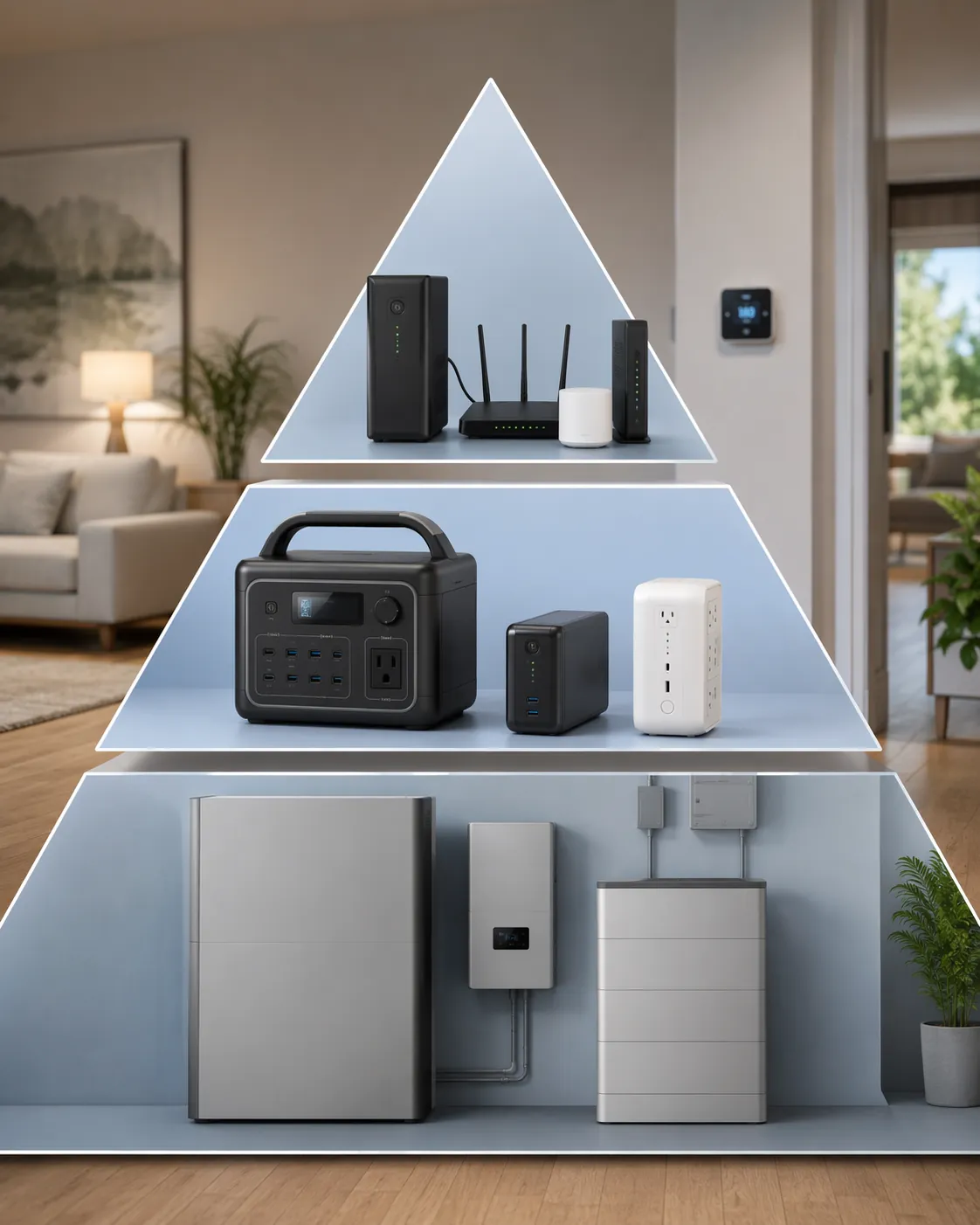
Tier 1: Put the Modem, Router, Hub, and Switch on a UPS
Start here even if you eventually buy something larger. A whole-home battery can run the network too, but a small UPS solves the most common smart-home failure with the least wiring, least permitting, and least waiting. It also gives the network a clean handoff during short blinks, which is when many smart homes become needlessly annoying.
The target load is narrow: modem or fiber ONT, router, primary smart-home hub, and any small switch required to connect them. Do not plug in the desktop monitor, printer, NAS, speaker amp, spare access point, or decorative LED controller just because there is an open outlet. Every extra watt shortens the runtime of the devices that actually coordinate the house.
Wirecutter’s 2026 UPS testing gives useful real-world boundaries. The CyberPower LE1000DG, listed at $140, ran for 3 hours at a 20W load. The CyberPower CP1350AVRLCD3, listed at $196, ran for 4.5 hours at a 20W load. The APC BE650G1, listed at $70, ran for roughly 40–60 minutes at a 30W load.[2] Those are not universal promises for every home, but they are enough to separate a short-blink UPS from a longer-runtime network UPS.
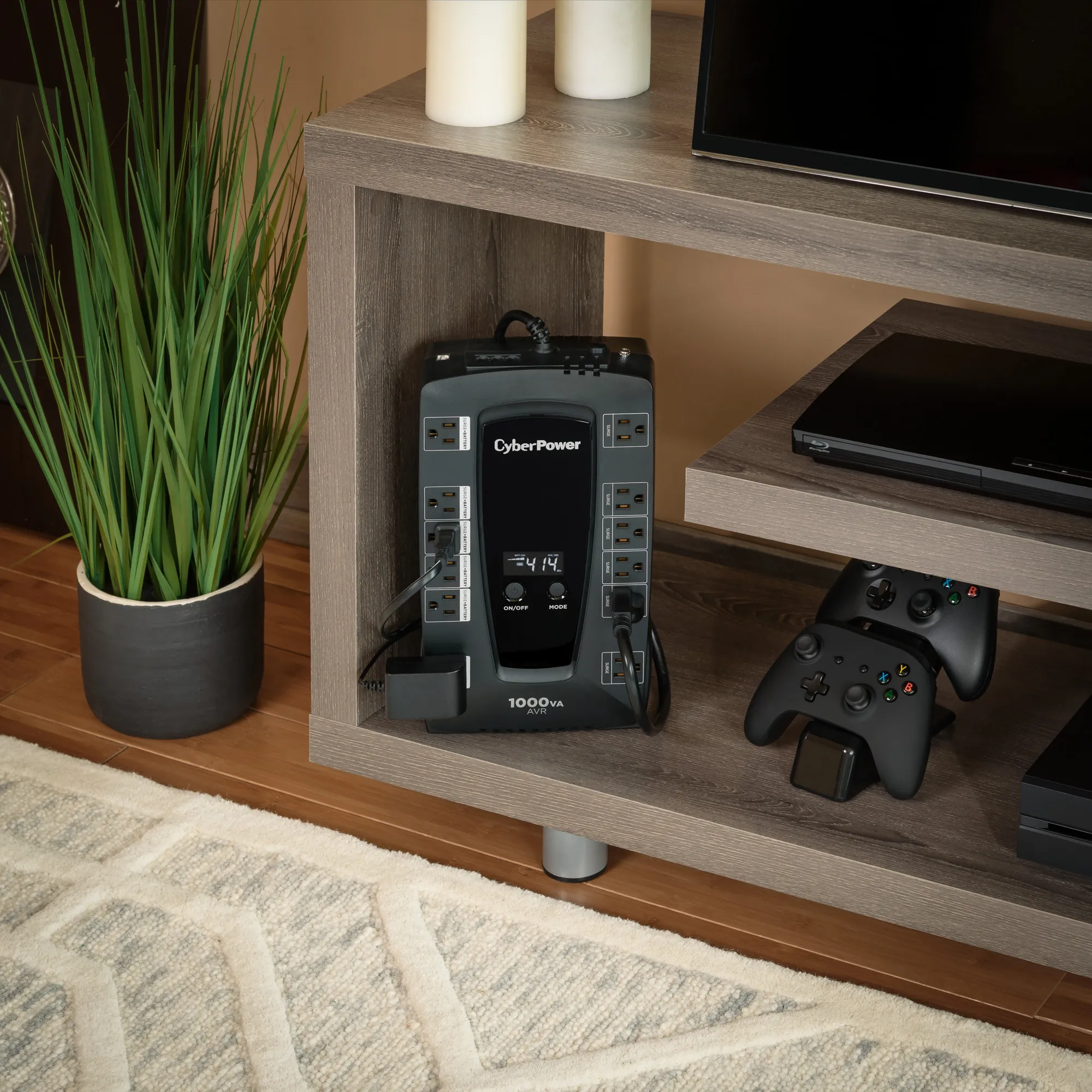
For a compact stack drawing around 20–30W, a 600–1000VA UPS is often the right first tier. The cheaper unit buys enough time for brief interruptions and graceful recovery. The larger unit buys margin for a fiber ONT, a switch, a slightly hungrier router, or batteries that have aged. If your core stack is closer to 50–60W, size up or shorten your expectations; the same VA number will not mean the same runtime at twice the load.
The setup is simple, but the outlet discipline matters. Use the UPS battery-backed outlets for the modem or ONT, router, hub, and required switch. Use surge-only outlets, if the UPS has them, for nonessential gear. Label each plug at both ends. When the power is out and someone asks whether the hub is alive, tracing an unmarked black cable behind a shelf is not troubleshooting; it is punishment.
- Measure or estimate the core load before shopping: modem or ONT, router, hub, and switch only.
- Choose a lower-cost UPS when you mainly need protection from short outages and reboot loops.
- Choose a longer-runtime UPS when your internet handoff, hub, and switch all need to stay live for hours.
- Leave high-draw devices off the UPS unless they are part of the actual core network.
- Write the battery replacement month on the UPS label when you install it.
Battery age is not a footnote. Lead-acid UPS batteries commonly need replacement every 2–5 years, while HomeTechHacker notes that lithium-ion UPS units can last up to 10 years.[1] That does not automatically make lithium the better buy for every shelf, but it changes the ownership math. A cheap UPS with a tired battery is just a heavy power strip with a confident beep.
If you want a deeper device-by-device planning pass before plugging things in, NestGrid’s Build a Smart Home That Survives Power Outages walks through UPS placement, smart plug behavior, and recovery order. The important point for this tier is narrower: keep the brain and network alive first.
Tier 2: Back Up the Clusters That Still Matter When Wi-Fi Survives
Once the core network has its own UPS, the next mistakes become easier to see. The alarm panel is on the other side of the house. The camera recorder is in a closet. A Raspberry Pi hub is powered by a little USB-C adapter on a shelf. A Z-Wave repeater near the lock goes dark, and the lock technically has batteries but loses its best route back to the hub.
Tier 2 is for those middle-layer devices: not the whole house, not every lamp, but the clusters whose failure turns an outage into manual cleanup. This is where mini-UPS units, device-specific battery packs, portable power stations, and power-loss sensors earn their keep.
| Tier 2 target | Backup type to consider | Good reason to back it up |
|---|---|---|
| Alarm panel or retrofit alarm board | Mini-UPS or vendor battery module | Keeps security logic and reporting available during short outages |
| Raspberry Pi, Home Assistant box, or bridge cluster | Mini-UPS or small portable power station | Prevents automation logic from crashing while the router stays online |
| Camera NVR or PoE camera group | Portable power station or UPS sized for the recorder and PoE load | Preserves local recording when the outage itself is the event you care about |
| Remote mesh point or Z-Wave repeater | Battery-backed repeater or mains-loss sensor | Keeps routes healthier and reports where power failed |
A useful Tier 2 device does not have to be large. The Zooz ZAC38 is a good example because it has two jobs: it acts as a Z-Wave range extender and can report mains-power-disconnected and mains-power-restored events. Zooz lists it at roughly $40–50, with 24–96 hours of battery life depending on use.[3] That runtime range comes from vendor documentation, not an independent lab test, so it should be treated as a planning range rather than a guarantee.
That kind of device is especially useful near the edges of the mesh. A battery-powered lock may still unlock locally during an outage, but if the repeater between the lock and hub loses power, remote status and automations can still fail. Backing up or replacing one repeater in the right spot can be more valuable than buying a large battery for a device that already has its own cells.
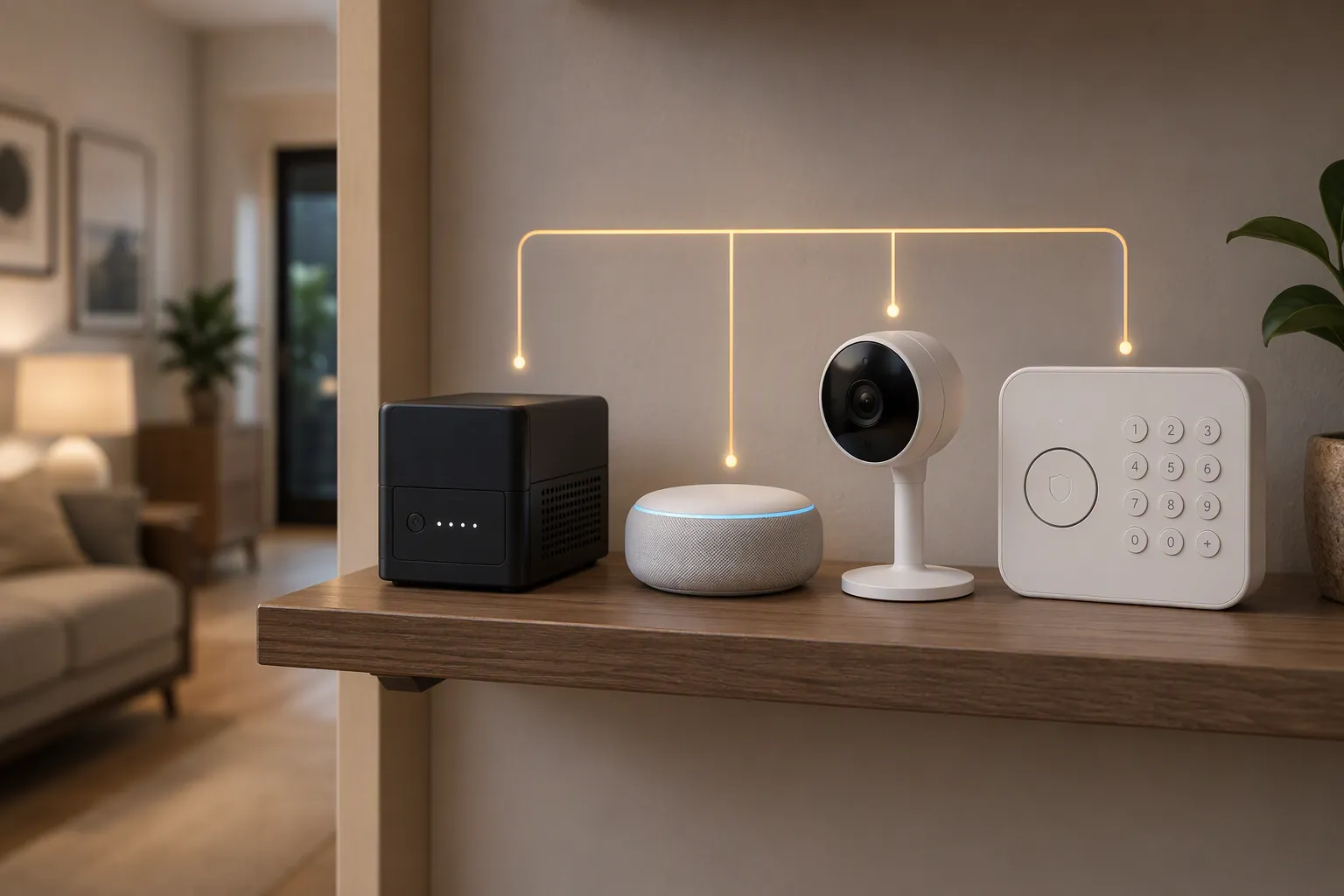
Mini-UPS units also fit the places where a full AC UPS is clumsy: wall-mounted alarm boards, USB-powered hubs, small bridges, and low-voltage device clusters. Konnected, for example, sells backup battery products for smart-home security setups, which puts the battery close to the alarm equipment instead of forcing everything back to the network shelf.[4]
Portable power stations belong in this tier when the load is too large or too scattered for a mini-UPS but still not a whole-home problem. A camera recorder, PoE switch, and a few cameras can draw far more than a modem and router. So can a small server running Home Assistant, storage, and radios. In that case, the buying question is not VA rating alone; it is watt-hours, AC inverter overhead, whether the station can stay plugged in safely for standby use, and how it behaves when grid power returns.
Do not back up every smart device just because it has a plug. Smart bulbs can wait. Voice assistants can wait. Decorative sensors can wait. The better Tier 2 question is: if this device dies while the network stays up, will someone have to walk around the house fixing the result?
- Back up an alarm or security cluster if outage reporting and local arming still matter.
- Back up the recorder or PoE switch if cameras are supposed to document the outage period.
- Back up a Raspberry Pi or automation box if it is the actual controller, not just a dashboard.
- Add a mains-loss sensor where knowing which circuit failed is useful even when the grid is up.
- Skip devices that already fail gracefully and do not affect security, access, or recovery.
Tier 3: Use Whole-Home Backup Only When the Outage Is No Longer a Small-Battery Problem
Whole-home batteries and standby generators are the right answer for some homes. They are just not the automatic next step after a router UPS. If the requirement is multi-day continuity, medical-device support, refrigerator and HVAC coverage, well pumps, sump pumps, or regional outages that outlast small batteries, Tier 3 is no longer luxury gear. It is the correct class of solution.
Wirecutter’s home backup power guide separates short-duration battery options from larger home backup systems and generators, which is the distinction that matters here.[5] A portable UPS can keep packets moving. A whole-home system can keep circuits energized. Those are different jobs, and pretending they are the same is how people either overspend or discover too late that the battery they bought cannot run the loads they assumed.
This tier includes installed home batteries such as Tesla Powerwall-style systems, expandable power systems such as EcoFlow Delta Pro Ultra or Jackery Explorer 5000 Plus-class setups, and standby generators with automatic transfer switches. The category is broad on purpose: installed pricing depends heavily on capacity, panel work, transfer equipment, local labor, permits, incentives, fuel, and which circuits need backup. Treat $1,500 and up as the beginning of the category, not a quote.
Tier 3 should still include Tier 1 thinking. Even with a large battery or generator, the network shelf deserves labels, surge protection, and a known reboot order. If the transfer switch hesitates, the router should not hard-crash before the generator starts. If the home battery depletes overnight, you still want to know which smaller devices can ride through the gap.
A Copyable Setup Plan
The cleanest plan is to build from the smallest dependable island outward. Do not start with the device you like most. Start with the device everyone else depends on.
- List the core network devices: modem or ONT, router, primary hub, and required switch.
- Estimate the total wattage using the device labels, a plug-in meter, or the typical ranges in the core-load table.
- Buy a 600–1000VA UPS for the core stack, choosing longer runtime if your load is above 30W or your outages usually last hours.
- Plug only the core stack into battery-backed outlets, then label every cable and power brick.
- Identify Tier 2 clusters that still matter if Wi-Fi is alive: alarm panel, camera recorder, automation box, remote mesh point, or power-loss sensor.
- Use mini-UPS units, vendor battery modules, battery-backed repeaters, or portable power stations only where those clusters justify the cost.
- Move to Tier 3 only when outage duration, medical reliance, heating, cooling, pumps, refrigeration, or whole-home continuity exceed what small batteries can honestly cover.
This is also where expectations should stay attached to test conditions. A UPS that ran 3 hours at 20W in testing may not run 3 hours at 45W in a warm closet after three summers. A vendor-listed mini-UPS runtime may assume low traffic and a healthy battery. A portable power station may have enough watt-hours on paper but lose some of that capacity to inverter overhead. None of that makes the gear useless; it just means the label on the shelf should include the load it is actually serving.
The Recovery Checklist Matters as Much as the Battery
Power restoration is not the end of a smart home outage. It is the beginning of the recovery sequence. Some devices return immediately. Some wait for Wi-Fi. Some rebuild mesh routes slowly. Some come back just long enough to look healthy and then fall offline.
SmartThings Community reports include Zigbee and Z-Wave devices going offline shortly after power was restored from a planned outage, with users discussing reboot order, hub behavior, and mesh recovery timing.[6] A community thread is not a frequency study, but it is a useful warning: a house can have power again and still have an unhealthy mesh.
- Confirm utility power is stable before repeatedly rebooting devices.
- Check the UPS first: battery state, overload warning, and which outlets are actually energized.
- Bring up the modem or ONT, then the router, then switches and access points, then the smart-home hub.
- Wait before forcing mesh repairs; Zigbee and Z-Wave routes may need time to settle after powered repeaters return.
- Verify locks, leak sensors, alarm devices, and cameras before checking convenience devices.
- Replace or recharge any Tier 2 batteries that discharged during the outage.
- Write down what failed, what stayed online, and which runtime estimate was wrong.
For a longer restoration sequence, use NestGrid’s How to Restore Your Smart Home After a Storm Power Outage. If the power is fine but the internet path is broken, the recovery ladder in Recover Your Smart Home After a Spectrum Fiber Line Cut is the closer match. For a device-by-device behavior map, see What Your Smart Home Devices Do When the Power Goes Out.
The practical boundary is simple: start with a core-network UPS, add targeted backup only where an offline device creates real work or risk, and reserve whole-home systems for outages whose duration or consequences are bigger than a shelf battery can cover.
References
- How to Choose the Right UPS for a Smart Home, HomeTechHacker, link
- The 3 Best Uninterruptible Power Supplies (UPS), Wirecutter, link
- How Can I Monitor for Power Outages?, Zooz Support, link
- Power Up Your Smart Home with Backup Battery, Konnected, link
- How to Choose Backup Home Power Options for Any Outage, Wirecutter, link
- All Zigbee and Z-Wave devices offline after power restored, SmartThings Community, link