
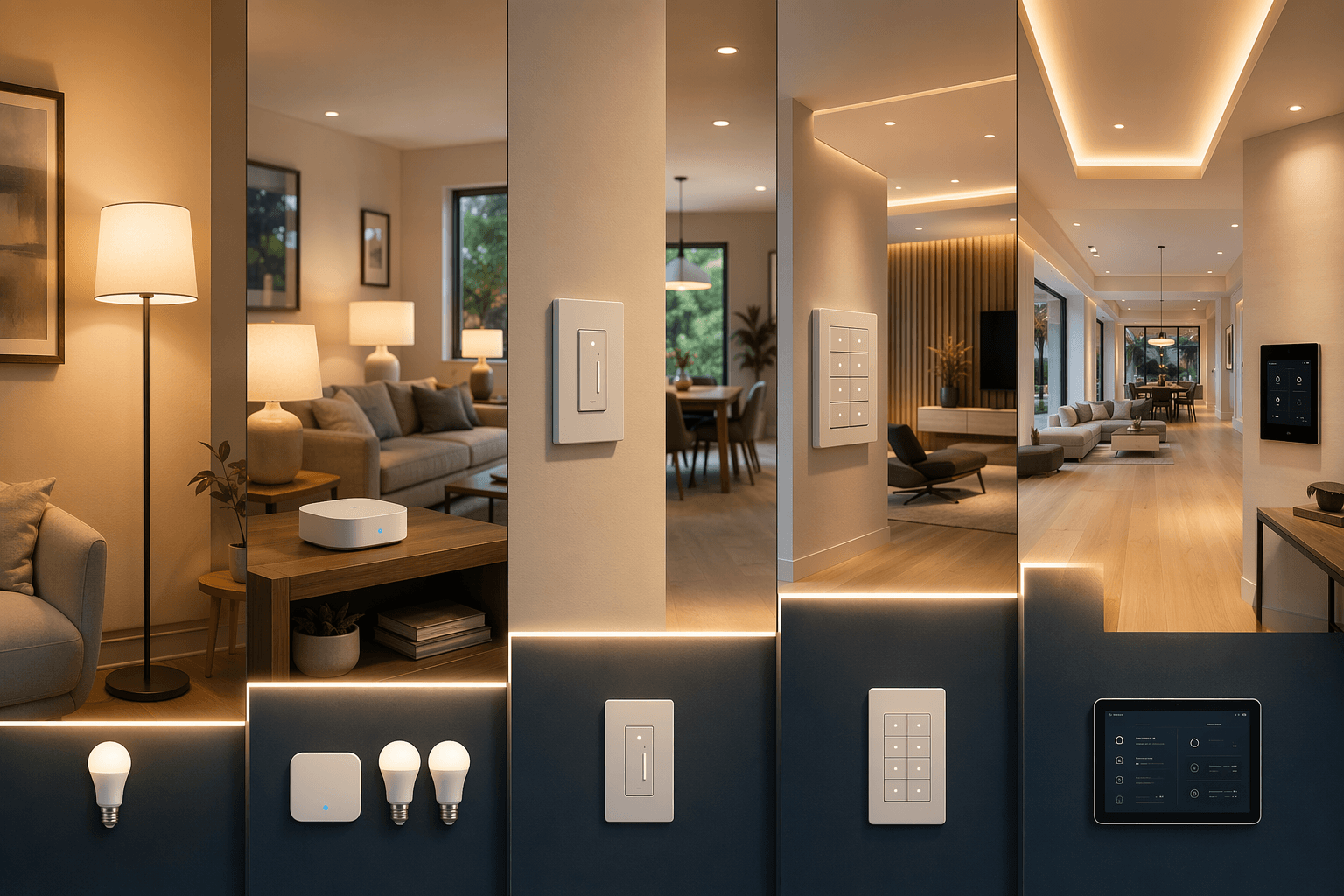
The expensive mistake with a smart home lighting control system is not buying a bad bulb, switch, or hub. It is buying the wrong tier for the house. A $15 Wi-Fi bulb can be exactly right for a rented bedroom lamp. Stretch that same idea across 35 ceiling fixtures, three family members, and a busy router, and the system starts behaving like a science project. At the other end, a professionally commissioned lighting system can be completely justified in a large custom home, but it is overbuilt for many ordinary retrofits.
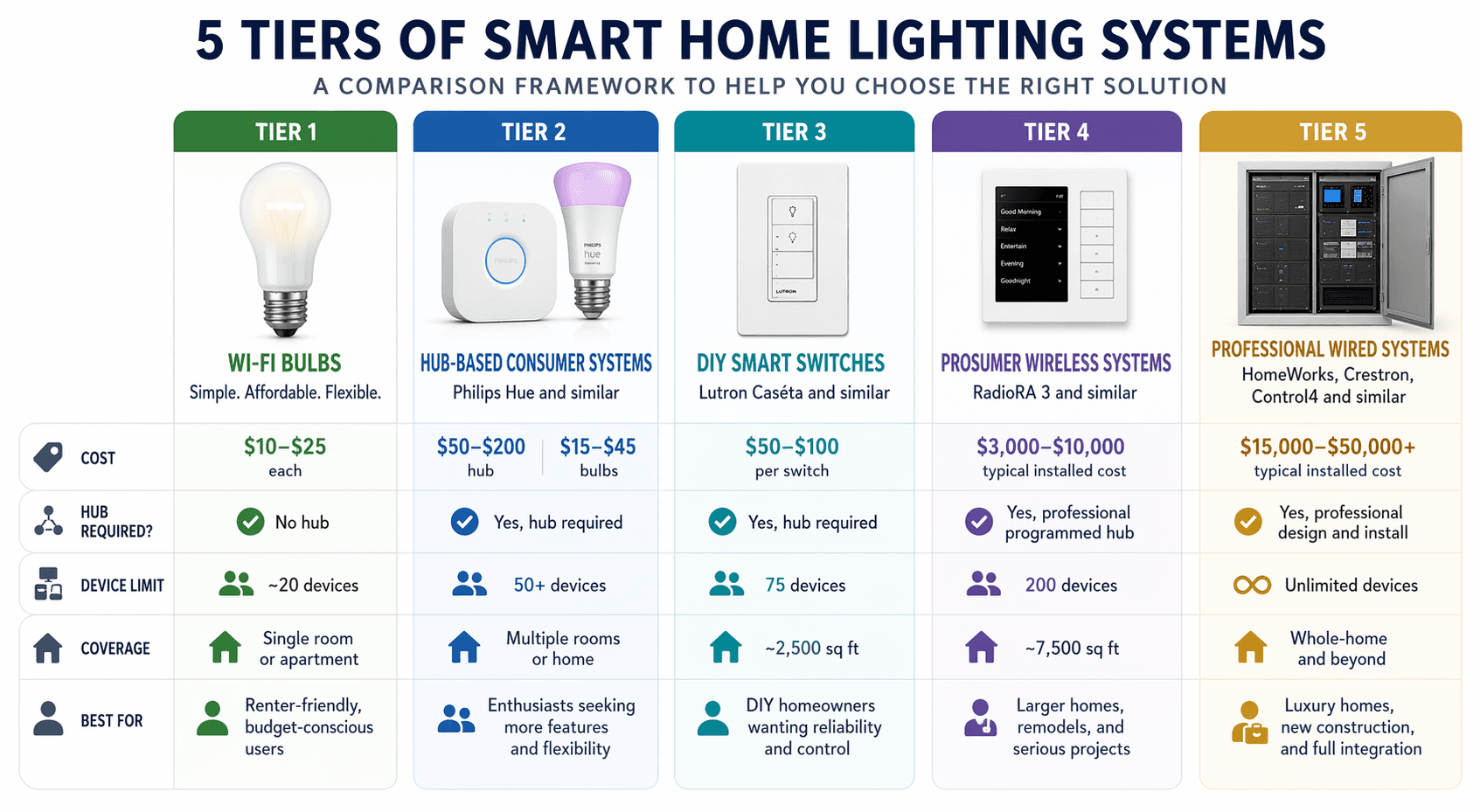
So the first decision is not Alexa versus Apple Home, or Zigbee versus Matter. It is tier. Wi-Fi bulbs commonly sit around $10–$25 each and are best kept to small scopes; KEO’s 2026 lighting-control comparison places them in the entry category and notes they work well below roughly 20 devices.[1] Consumer bulb guides such as CNET’s can help choose good individual products, but product quality does not erase the ceiling of the architecture.[2] Other buying guidance warns that once Wi-Fi lighting grows toward 30–40 devices, “Not Responding” behavior and network congestion become more likely.[3]
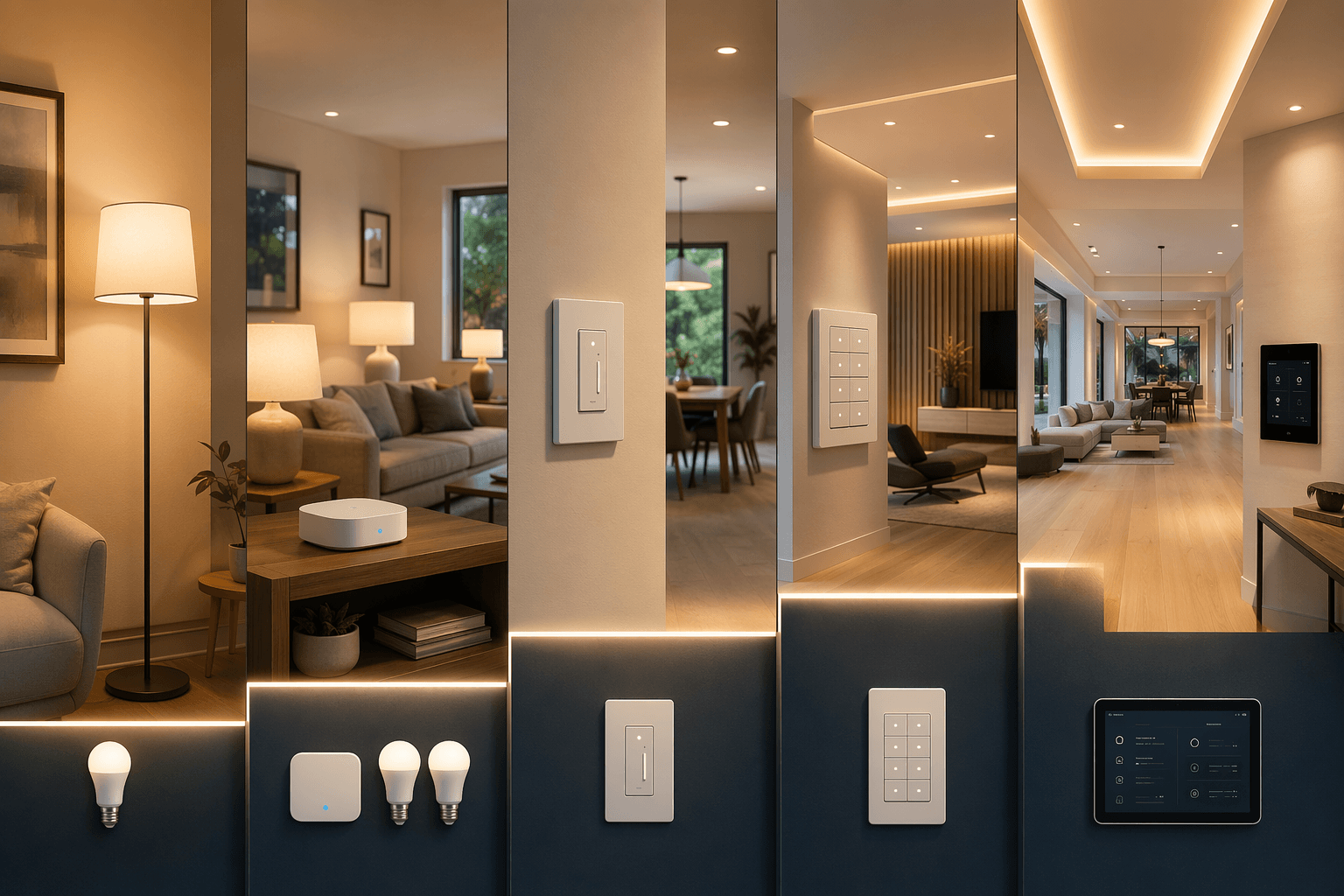
The five practical tiers
| Tier | Typical hardware / installed cost | What it controls | Best fit | Device / coverage ceiling | Installation reality |
|---|---|---|---|---|---|
| Tier 1: Wi-Fi smart bulbs | $10–$25 per bulb | Individual bulbs | Renters, lamps, small rooms, first experiments | Best kept under roughly 20 devices; 30–40 Wi-Fi lighting devices can become unstable depending on the network.[1][3] | Screw in bulb, connect app, no wiring |
| Tier 2: Hub-based consumer bulbs | $50–$200 hub + $15–$45 per bulb | Individual bulbs through a bridge or mesh | Rooms, apartments, renters who want more reliability than Wi-Fi bulbs | Philips Hue-style bridge systems commonly support 50+ devices per bridge.[1][3] | No electrical work, but hub placement and ecosystem choice matter |
| Tier 3: DIY smart switches | $55–$75 per switch | Whole lighting circuits | Retrofit homes, kitchens, hallways, exterior lights, normal wall-switch behavior | Lutron Caséta supports up to 75 devices and homes up to about 2,500 sq ft.[4] | Usually a homeowner or electrician switch replacement; many Caséta models do not require a neutral wire.[4] |
| Tier 4: Prosumer wireless | Benchmark install range £8,000–£20,000, roughly $10,000–$25,000 before regional variation | Circuits, keypads, shades, scenes, larger lighting layouts | Large retrofit homes and high-end renovations needing reliable wireless control | Lutron RadioRA 3 supports up to 200 devices and about 7,500 sq ft.[4][5] | Certified installer, design planning, keypad and load scheduling |
| Tier 5: Professional wired / integrated | Projects from about £25,000, roughly $32,000+ before regional variation | Whole-home lighting, shades, keypads, architectural fixtures, automation logic | Large custom homes, major remodels, estates, design-led projects | HomeWorks-class systems can serve very large homes; Daisy describes HomeWorks as suitable up to 50,000 sq ft.[4][5] | Integrator-led design, panelized or hybrid wiring, commissioning, documentation |
Those price bands are not quotes. The RadioRA 3 and HomeWorks figures above come from UK-market installer benchmarks, and US projects can move substantially with region, labor rates, keypad finishes, number of zones, fixture schedules, shade integration, and how much programming the owner wants.[5] Still, the bands are useful because they show where the market stops being a shopping-cart decision and becomes a construction decision.
Tier 1: Wi-Fi bulbs are honest when the scope stays small
A Wi-Fi bulb is a good answer when the question is small: a rented apartment, a bedside lamp, a color bulb in a kid’s room, or a first smart-home setup where no one is allowed to open a switch box. The appeal is real. No hub. No electrician. No commitment. If the lease ends, the bulb leaves with you.
The trouble starts when bulbs are treated as if they are switches. A bulb must remain powered to be smart. If someone flips the normal wall switch off, the app, voice assistant, schedule, and automation lose contact with the bulb. In a lamp, that is tolerable. In a kitchen ceiling with guests, kids, and muscle memory, it gets old quickly.
There is also the network question. Every Wi-Fi bulb is another client on the home network. A few bulbs rarely matter. Dozens of bulbs, phones, laptops, TVs, cameras, thermostats, speakers, and game consoles can expose the difference between a fun gadget and dependable lighting. This is why the entry tier should be treated as a room-by-room or lamp-by-lamp solution, not the cheapest path to whole-home control.
Tier 2: Hub-based bulbs are better for rooms, not always for circuits
Hub-based systems such as Philips Hue and Ikea Dirigera move much of the lighting traffic away from the Wi-Fi router. Instead of every bulb trying to behave like a full Wi-Fi device, the bulbs communicate through a bridge or mesh, and the bridge talks to the network. That is why this tier often feels much more stable than scattered Wi-Fi bulbs, especially once a room has several lamps or fixtures.
Hue is the familiar example because its ecosystem is mature, widely supported, and strong on color, scenes, accessories, and cross-platform compatibility. The practical checkpoint is the bridge. Hue-style systems can support 50+ devices per bridge, which is plenty for many apartments and room-focused installations but not a blank check for a large house full of individual smart bulbs.[1][3] If you are already close to that kind of count, read a bridge-specific comparison such as Philips Hue Bridge Pro vs. Bridge before buying another dozen bulbs.
The decision point is not whether hub-based bulbs are good. Many are. The decision point is whether you actually need bulb-level control. If the goal is to make three table lamps in a living room dim together, Tier 2 is a clean fit. If the goal is to make every recessed kitchen light turn on instantly from the wall, the system is now fighting the wrong battle.
Bulb control and circuit control are different jobs
A smart bulb controls the light source. A smart switch controls the electrical circuit. That sounds like a technical distinction until a homeowner buys ten smart bulbs for a room with one wall switch and then discovers the old switch can still kill the whole system.
Bulb-level control makes sense when color, tunable white, lamp placement, or renter flexibility matters. Circuit-level control makes sense when the household expects the wall to behave like a wall: tap once, lights respond immediately, no one has to remember which switch must stay on, and guests do not need an orientation session before using the bathroom.
This is the fork where many buyers overspend in the wrong direction. Replacing eight bulbs can look cheaper than replacing one switch until the room expands, the bulbs get reset, a firmware update fails, or someone wants the same behavior in every hallway and exterior fixture.
Tier 3: DIY smart switches are the usual answer for whole-room reliability
Tier 3 is where smart lighting starts to behave like lighting instead of electronics. Lutron Caséta and Leviton Decora-style switches replace the control point at the wall. One smart dimmer can handle a circuit of ordinary dimmable bulbs. Schedules, scenes, voice commands, and app control remain available, but the physical switch still works for anyone walking into the room.
Caséta is the reference point in this tier because it was built for retrofits. Daisy’s comparison lists Caséta at up to 75 devices and homes up to about 2,500 sq ft, with many installations not requiring a neutral wire.[4] That neutral-wire detail matters in older homes. A beautiful app is not much help if every switch box needs unexpected electrical work before the first dimmer can be installed.
For a typical retrofit, Tier 3 is often the sensible middle: kitchen, dining, primary bedroom, exterior lights, entry, stair, and a few high-use rooms. You do not have to automate every closet. You do want the circuits people touch every day to respond cleanly.
- Choose Tier 3 when most of the lights are ceiling fixtures, recessed cans, pendants, exterior fixtures, or multi-bulb circuits.
- Stay with Tier 2 when most of the smart lighting is in plug-in lamps or you need color-changing bulbs in only a few rooms.
- Do not mix the two casually on the same circuit unless you understand how the smart bulbs will receive constant power and how the wall control will be handled.
Lutron’s reliability comes from a proprietary approach. Caséta uses Lutron’s Clear Connect wireless technology rather than joining a generic Zigbee, Thread, or Wi-Fi mesh. That separation is one reason Lutron systems have a reputation for dependable wall-switch behavior. It is also lock-in. You are buying into Lutron’s control world, not a universal radio layer where every device can freely mesh with every other brand.
That trade-off is not a flaw if the scope is right. Most homeowners do not need their light switches to be ideologically open; they need them to work. But the decision should be conscious. If you are heading toward Caséta, the hub choice matters too, especially if you plan future integrations. The next practical read is Lutron Caséta Smart Hub Pro vs. Standard, and if you are doing the work yourself, use a switch-installation guide before opening the wall.
For wiring basics, see how to install a smart light switch. If there is any uncertainty about line, load, traveler, ground, neutral, box fill, or multi-way wiring, hire an electrician.
The 2,500-square-foot question
A 2,500-square-foot retrofit home is where Tier 3 has to be looked at carefully rather than automatically. The published Caséta fit of up to about 2,500 sq ft and 75 devices is not a guarantee that every layout will be perfect; it is a design boundary.[4] A compact two-story house, a long ranch, masonry walls, detached garages, outdoor loads, and metal electrical boxes do not behave the same way.
Count devices before you buy. Switches, dimmers, plug-in modules, remotes, motion sensors, and shades can all consume capacity depending on the system. A homeowner who starts with ten dimmers, later adds exterior lighting, then adds shade control, then adds remotes beside beds can approach a ceiling faster than expected.
If the house is under the limit, the loads are ordinary, and the owner wants dependable wall control without a full design package, Tier 3 is usually the cleanest answer. If the house is already near the device cap, has many keypads or shades in the plan, or needs a polished scene-control layout across large areas, it is time to price Tier 4 before buying half of Tier 3 and replacing it later.
Tier 4: Prosumer wireless is where the system becomes designed
Lutron RadioRA 3 sits in the gap between DIY smart switches and full custom-home lighting. It is still wireless, which makes it attractive for larger retrofits and renovations where opening every wall is unrealistic. But it is no longer a casual weekend shopping decision. RadioRA 3 is installer-facing, supports up to 200 devices, and is described for homes up to about 7,500 sq ft.[4][5]
This tier earns its keep when wall controls, keypads, shades, scenes, and large coverage areas need to feel intentional. A keypad at the garage entry can trigger an arrival scene. A bedside keypad can shut down common areas. A kitchen can have task, cooking, cleanup, and evening scenes without lining the wall with a bank of mismatched switches.
Custom Controls’ 2026 comparison places typical RadioRA 3 installs around £8,000–£20,000, roughly $10,000–$25,000 using approximate conversion.[5] Treat that as a planning range, not a US quote. A small keypad-heavy project can price differently from a large dimmer-heavy one, and finish selections matter more than homeowners expect.
This is also where construction timing starts to matter. In a finished house, wireless prosumer control can avoid invasive rewiring. In a major renovation, it gives the owner more design control before drywall closes. In a new custom home still on paper, it may be worth comparing RadioRA 3 with Tier 5 instead of assuming wireless is automatically cheaper once the electrical design is still flexible.
Tier 5: Professional systems are a different construction category
HomeWorks QSX, Crestron, and Control4 are not just bigger versions of smart bulbs. They are professionally designed control systems. They can coordinate lighting, shading, occupancy, architectural fixtures, touch panels, keypads, security events, HVAC, AV, and broader home automation. The work is not merely installation; it is design, documentation, programming, commissioning, and service.
The capabilities are real. Custom Controls describes HomeWorks QSX as the preferred lighting and shading layer in high-end projects, with Crestron often acting as the central automation brain in hybrid designs.[5] Daisy’s comparison places HomeWorks at the top of Lutron’s residential line and describes it as suitable for homes up to 50,000 sq ft.[4] Control4’s ecosystem is also broad; Custom Controls states that it integrates with more than 12,000 third-party products.[5]
The price reflects that structural difference. Custom Controls lists HomeWorks projects from about £25,000, roughly $32,000+ using approximate conversion.[5] That can be sensible in a large custom home with many zones, architectural lighting, shades, and an owner who wants one professionally supported control layer. It is hard to justify for a modest retrofit whose real problem is that the family wants the kitchen and exterior lights on a schedule.
Tier 5 should enter early in the design process. If the home is pre-drywall or still in electrical planning, the lighting designer, electrician, builder, AV integrator, and interior designer need to coordinate switch locations, keypad engraving, panel locations, shade pockets, fixture loads, and network requirements. If that conversation starts after finishes are chosen, the system becomes more expensive and less elegant.
Where Matter, Alexa, Apple Home, Google Home, and SmartThings fit
Platform choice matters, but it should not come before the lighting layer. Matter, Alexa, Apple Home, Google Home, and SmartThings can make daily control easier, especially in Tiers 1–3. They do not change whether a bulb loses power at the wall switch, whether a bridge has a device ceiling, whether a switch box has a neutral wire, or whether a 7,000-square-foot home needs a designed control plan.
Matter is most relevant in consumer hardware decisions. It can improve cross-platform setup and reduce some app fragmentation, but it does not unify the whole lighting-control market from apartment bulbs to HomeWorks, Crestron, and Control4. Professional systems operate through their own controllers, programming environments, and integrator channels.
Once the tier is chosen, then compare platforms. A renter choosing bulbs has a different platform question than a homeowner choosing Caséta hubs, and both are different from a custom-home owner choosing an automation integrator. For that later decision, use a platform guide such as smart home platforms compared.
Choose by budget, house size, construction type, and lock-in tolerance
A useful tier choice usually falls out of four questions.
- What is the real budget? Under a few hundred dollars points toward Wi-Fi bulbs or a small hub-based setup. A few hundred to a few thousand dollars opens the smart-switch tier. Five figures moves the discussion to RadioRA 3 or professional design.
- How large is the home and how many devices will the system actually include? Count switches, dimmers, bulbs, remotes, sensors, plug-in modules, shades, and keypads. The device count matters as much as square footage.
- Are the walls finished? Renters and finished homes favor bulbs, hubs, smart switches, and wireless prosumer systems. New builds and major renovations can justify panelized or hybrid professional systems because wiring decisions are still available.
- How much lock-in is acceptable? Open consumer ecosystems give flexibility but may be less predictable at scale. Proprietary systems such as Lutron trade openness for reliability and a more controlled experience. Professional systems add service dependency but can deliver a level of coordination consumer gear cannot.
If the goal is ROI, do not try to make every tier pay for itself in the same way. The energy math belongs in a separate calculation because savings depend on existing bulbs, schedules, dimming behavior, occupancy patterns, utility rates, and how much of the project cost is lighting control versus design convenience. For payback estimates, use Smart Lighting Energy Savings: LED Bulb and Smart Switch ROI rather than forcing a single savings claim onto every home.
A practical next step for each tier
| If this is your tier | Do next | Do not do yet |
|---|---|---|
| Tier 1: Wi-Fi bulbs | Start with one room or a few lamps and use a first-setup guide. | Do not buy 30 bulbs before proving the router and household habits can handle them. |
| Tier 2: Hub-based bulbs | Choose the bridge and bulb ecosystem before expanding room by room. | Do not assume bulb count and bridge limits will never matter. |
| Tier 3: DIY smart switches | Audit switch boxes, neutral wires, multi-way circuits, and hub requirements. | Do not replace switches blindly without understanding the load and wiring. |
| Tier 4: Prosumer wireless | Talk to a certified installer and map keypads, shades, scenes, and device count. | Do not build a near-limit DIY system if the plan already looks like RadioRA 3. |
| Tier 5: Professional wired / integrated | Bring the integrator into the design process before electrical and lighting plans are finalized. | Do not treat this as a late-stage gadget package after drywall and finishes are locked. |
First-time buyers in Tiers 1 and 2 can move to a first smart home setup. Tier 3 buyers should plan switch installation and hub choice. Tier 4 and Tier 5 buyers should treat the next step as consultation and design, not checkout. For a broader installation path after the tier decision, use the whole-home smart lighting installation guide.
The right smart home lighting control system is the lowest tier that reliably covers the home’s size, wiring reality, daily wall-switch behavior, and expansion plan without forcing a rebuild later.
References
- Smart Home Lighting Control Systems 2026, KEO Lighting
- Best Smart Lights, CNET
- Best Smart Lighting Buying Guide 2026, FlyAchilles
- What’s the Difference? Lutron’s Caséta, RadioRA 3 & HomeWorks Control Systems, Daisy Co.
- Crestron vs Lutron vs Control4: Which is Best?, Custom Controls
Updates & Corrections
Protocol specifications and platform features change rapidly — especially with Matter version evolution. Report version changes, certification count updates, or platform policy changes that have occurred since the last editorial review.
Comments
Join the discussion with an anonymous comment.