
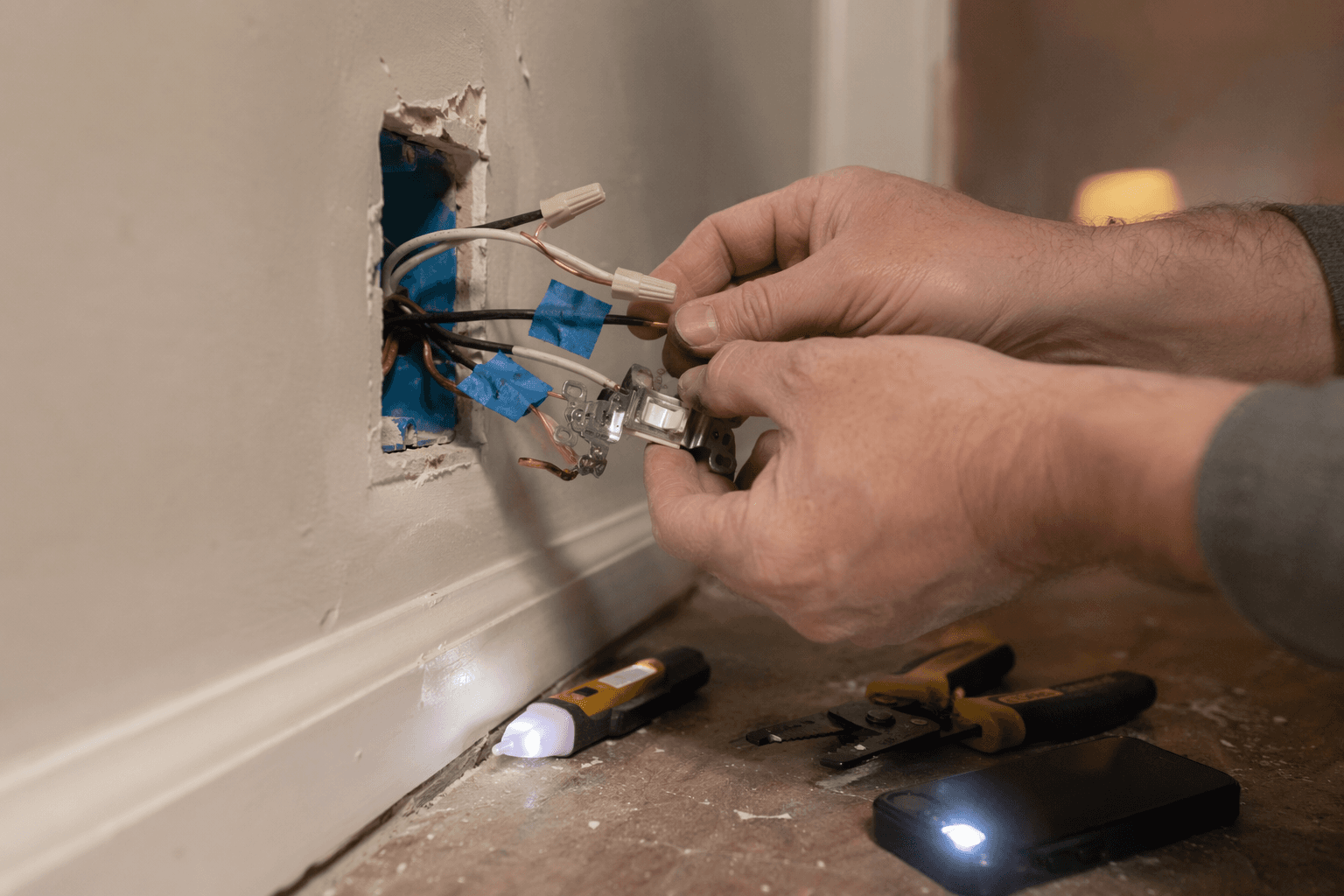
A whole-home smart home lighting control system does not begin with an app. It begins at the switch box, after the breaker is off, with the cover plate removed and the wires labeled before anything gets disconnected. The first expensive mistake is buying a cart full of smart dimmers, then discovering half the house has no neutral wire in the wall boxes.
That is especially common in older homes. In many homes built before the 1980s, the neutral was typically routed to the light fixture rather than to the switch box, and most Wi-Fi smart switches need a neutral to power their own radio and electronics while the light is off.[1] The exact cutoff varies by house and local code history, so the useful rule is not “my house is new enough.” The useful rule is “open the box safely and verify.”
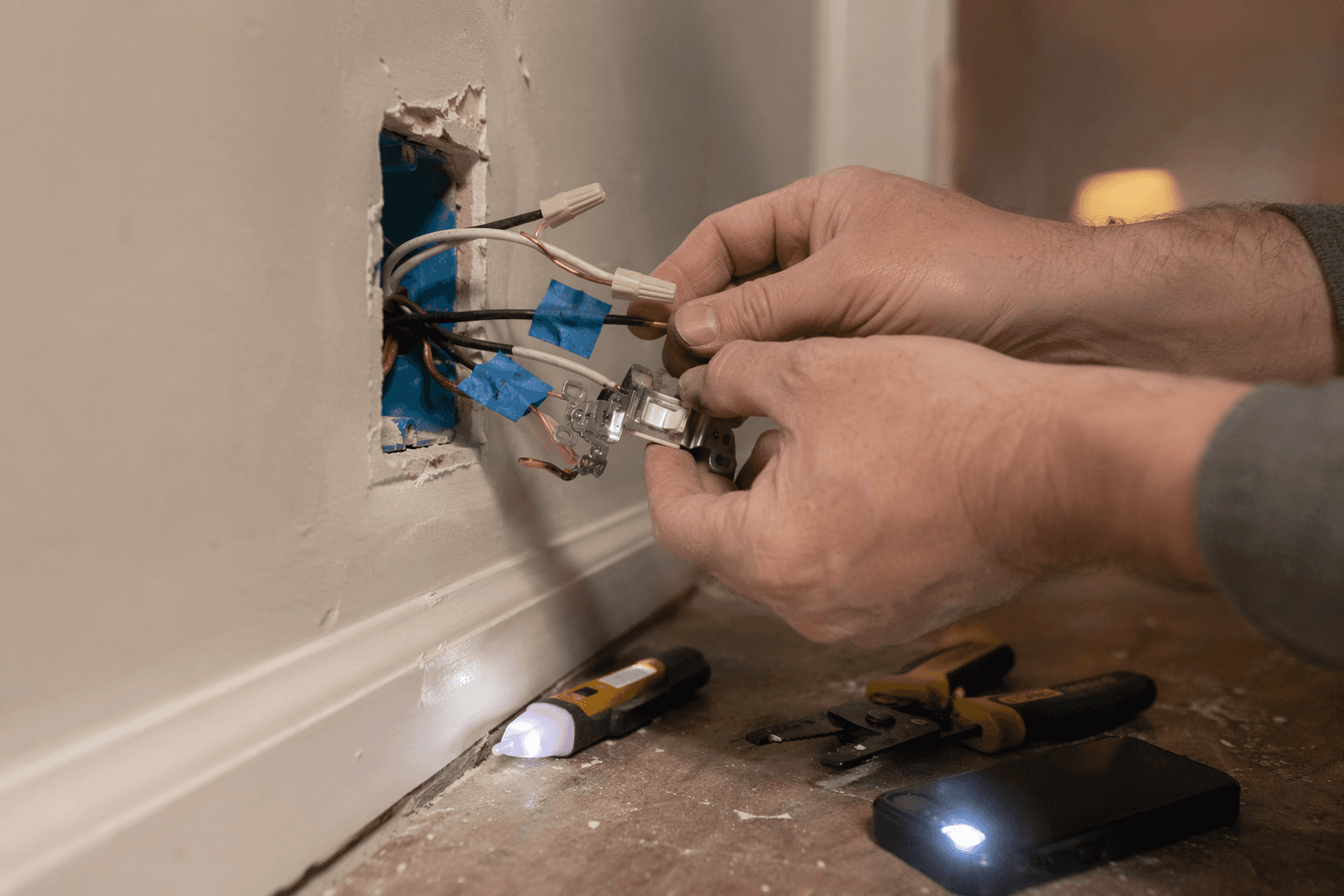
Three decisions should be settled before buying devices for multiple rooms: whether your switch boxes have neutrals, whether lighting traffic will run through a hub instead of piling onto Wi-Fi, and which protocol path you want to live with for the next few years. Once those are settled, the rest of the job becomes a sequence: map circuits, choose switches or bulbs, install in small batches, commission the hub, pair devices, name rooms cleanly, then build scenes and automations.
The installation sequence, before the boxes are opened
For an existing house, the cleanest sequence is this:
| Stage | What to decide or do | Why it matters later |
|---|---|---|
| 1. Map rooms and circuits | Identify which switches control which fixtures, including three-way and multi-way locations. | Prevents buying the wrong device type and keeps room names consistent. |
| 2. Check wiring conditions | Turn off power, verify dead, open representative boxes, confirm neutral, ground, line/load, and traveler wiring. | Determines whether standard smart switches, no-neutral switches, bulbs, modules, or an electrician are needed. |
| 3. Choose architecture | Use switches, bulbs, modules, or a hybrid by room and fixture type. | Controls cost, wall-switch behavior, color capability, and household usability. |
| 4. Choose hub and protocol | Pick Matter over Thread, Zigbee, Lutron, Z-Wave, or a mixed platform deliberately. | Controls reliability, response time, router load, and cross-platform compatibility. |
| 5. Install hardware in batches | Start with one room, then repeat after confirming wiring and pairing behavior. | Catches mistakes before the whole first floor is apart. |
| 6. Commission hub and pair devices | Add devices close to the hub if required, assign rooms, and update firmware. | Creates the stable device inventory that scenes and automations depend on. |
| 7. Program scenes and automations | Build manual scenes first, then schedules, motion, occupancy, and voice control. | Keeps automation useful without making the house annoying. |
| 8. Verify failure paths | Confirm every light works manually, after internet loss where possible, and after power restoration. | A smart lighting system still has to behave like lighting. |
Do not treat those stages as equal. The early electrical and architecture choices carry more weight than the scene programming at the end. A bad scene can be edited in thirty seconds. A wrong switch choice can mean reopening boxes, returning hardware, or hiring someone to run cable.
Map the house like a lighting system, not like a shopping list
Walk the house with painter’s tape and a notebook before touching a screwdriver. For each room, write down the fixture type, the switch locations, whether dimming is wanted, whether color matters, and whether the light is controlled from one place or several. A kitchen with six recessed cans on one dimmer is a switch job. A floor lamp in a reading corner is usually a bulb or plug-in module job. A child’s room where color scenes are the point may justify smart bulbs even if the wall switch stays conventional.
Switches are usually the better backbone for built-in ceiling lighting because one smart switch can control several fixtures on the same circuit. That makes switch-based systems more economical at scale than replacing every bulb individually.[2] Switches also preserve the normal wall habit: someone walks into the room, presses the control, and the light responds. No one has to know which app owns the lamp.
Bulbs still have a place. They are useful where color temperature, RGB color, lamps, rental-like constraints, or fixture-level control matter more than wall-switch discipline. A hybrid house is normal: smart dimmers for the recessed lighting, smart bulbs in a few lamps, perhaps a smart module where the fixture or switch style makes a wall device awkward. If your plan leans heavily toward bulbs, the Philips Hue Smart Lighting Setup Guide is the better companion for that branch.
Mark single-pole, three-way, and multi-way locations early
A single-pole switch controls a light from one location. A three-way circuit controls the same light from two locations. Larger stair halls and long rooms may have multi-way switching from three or more locations. Smart switches handle these differently, and some systems require companion switches, remote controls, or specific wiring arrangements.
This is where labels matter. Before removing any old switch, photograph the box, label the wire on the common screw, and mark travelers. If there are two or more switches in the same box, do not assume all black wires belong to the same circuit. If the box contains more than one circuit, shared neutrals, unfamiliar splices, or wiring that does not match the device diagram, stop and use a licensed electrician.
The neutral-wire check decides more than the switch model
With power off at the breaker and verified with a non-contact tester or meter, remove the switch plate and gently pull the switch forward without disconnecting it. A neutral bundle is usually a group of white wires tied together in the back of the box, not attached to the existing dumb switch. That bundle is what many smart switches need. A white wire connected to the switch is not automatically a neutral; in older switch loops it may be reidentified or used differently.
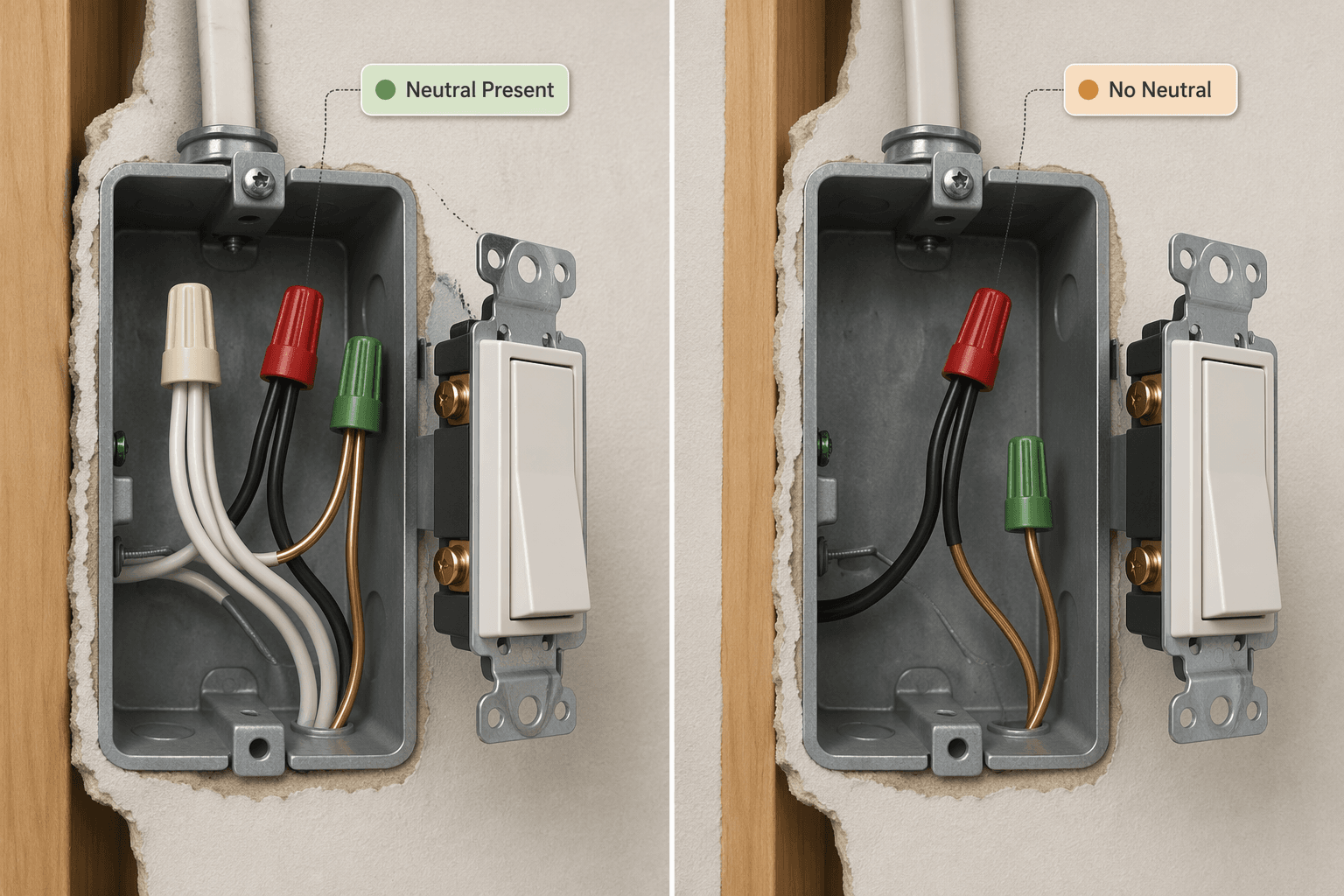
If neutrals are present in the boxes you plan to upgrade, the market opens up: Wi-Fi, Zigbee, Z-Wave, Thread, and many Matter devices become possible depending on the rest of your platform. If neutrals are missing, do not start fishing for workarounds with random devices. Your practical choices narrow to no-neutral smart switches, smart bulbs, fixture modules, or new wiring.
Lutron Caséta is the major smart-switch exception repeatedly worth calling out because it does not require a neutral in many common dimmer installations and uses its own ClearConnect RF system rather than ordinary Wi-Fi. AJ Long Electric describes Lutron Caséta as the only major smart-switch system that does not require a neutral, and notes a Deluxe kit priced at $189.90 with two dimmers, two Pico remotes, and a Smart Bridge.[1] For the hub details, device limits, and ClearConnect notes, see the Lutron Caséta Smart Hub profile.
The stop signs are simple. Call an electrician if adding a neutral requires running new cable, if you find aluminum branch-circuit wiring, if the box is overcrowded, if a three-way circuit does not match the manufacturer’s diagrams, or if you cannot confidently identify line, load, neutral, ground, and travelers. A whole-home project is not improved by guessing inside a live-voltage system.
For a full switch-level wiring walkthrough, use How to Install a Smart Light Switch. If the house is an older no-neutral case, start with How to Install Smart Light Switches in Older Homes Without a Neutral Wire before buying anything.
Choose the architecture room by room
There is no prize for making every light use the same device type. The system should be consistent where consistency helps the people using the house, and flexible where the wiring or fixture type demands it.
- Use smart switches or dimmers for built-in ceiling fixtures, kitchens, hallways, exterior sconces, and rooms where multiple bulbs are controlled together.
- Use smart bulbs where color, tunable white, lamp placement, or fixture-level control matters.
- Use no-neutral switches where the wall control must remain smart but the box lacks a neutral and rewiring is not worth it.
- Use modules only when you understand the box space, load rating, heat, and wiring diagram; hidden modules are not a shortcut around electrical planning.
- Keep critical paths boring: entry, stairs, hallway, kitchen, and bathroom lighting should work immediately from the wall.
The common bulb mistake is leaving the old wall switch in full control. If someone turns that switch off, the smart bulb loses power and disappears from the system. That can be acceptable for a lamp. It is irritating for a ceiling fixture. If you use smart bulbs in switched fixtures, plan for a smart button, switch guard, or compatible wall control so the household has a normal control point.
Use a hub when the system grows past a few devices
A few Wi-Fi bulbs are fine. A whole-home lighting system made from dozens of hubless Wi-Fi devices is where reliability starts to feel like luck. Hub-based systems such as Zigbee, Z-Wave, Hue Bridge, SmartThings, and Lutron Bridge move lighting traffic off the main Wi-Fi network and can maintain more consistent response as installations grow beyond 10 devices; hubless Wi-Fi bulbs add load to the router as each device connects directly.[2][3]
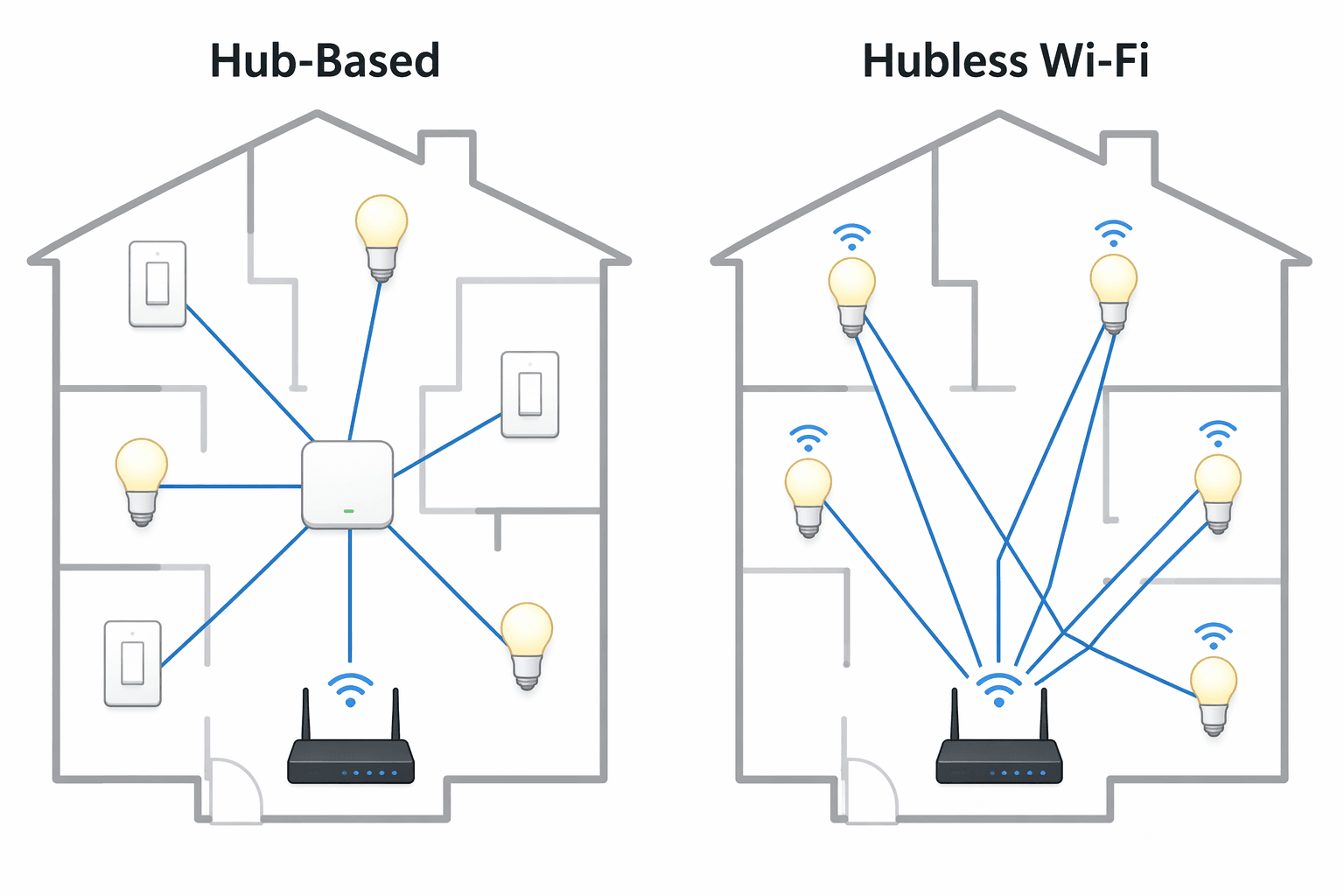
The hub is not glamorous, but it is the part that makes the wall control feel instant instead of negotiated. Put it where the radio network can grow: centrally located if possible, not buried behind a metal rack, and connected by Ethernet when the system allows it. Add repeaters or powered mesh devices as the installation expands rather than expecting a corner router to carry the whole house.
If you are still choosing the broader ecosystem, compare platforms before buying switches. The smart home system selection guide is better for that higher-level decision. For the mechanical hub commissioning steps, use How to Set Up a Home Automation Controller once the lighting architecture is chosen.
Matter over Thread or Zigbee: pick the path on purpose
For a new 2026 installation, Matter over Thread is the forward-looking path when the house already has, or will get, the right Thread border router support. Matter is aimed at cross-ecosystem compatibility, while Thread provides local mesh routing for low-power devices; common Thread border-router examples include devices such as HomePod mini, Apple TV 4K, and Nest Hub Max.[4][3] Before leaning on it, confirm that your chosen controller, border router, switch or bulb model, and app platform actually support the features you need today. Matter support on a box is not the same as every advanced lighting feature working identically in every app.
Zigbee deserves respect because it is mature, widely used in lighting, and has a deep device catalog. It is often the stable choice for a homeowner who wants proven lighting hardware now rather than waiting for every Matter edge case to smooth out. A Zigbee lighting network can be excellent when the hub is solid, powered devices are placed to support the mesh, and Wi-Fi channel planning is not ignored.
Z-Wave Long Range is more targeted. Its sub-GHz operation can help in large multi-floor homes, detached areas, or outdoor zones where 2.4 GHz congestion and distance are real problems.[3] That does not make it the default for every light in a normal house; it makes it a good answer for the places where range is the problem you are actually solving.
For a closer look at Matter’s mid-2026 lighting reality, use Matter in Mid-2026: What Works, What Doesn't, and What to Buy before committing a whole floor to one product line.
Install hardware in small, verified batches
Start with one representative room, not the entire house. A good first room has a neutral, a simple single-pole switch, a normal load, and a nearby hub or router. Save three-way stairs, packed multi-gang boxes, and mystery wiring for after the first device is installed, paired, named, and tested.
The physical rhythm should be boring:
- Turn off the breaker and label it so no one turns it back on.
- Verify the switch box is de-energized with an appropriate tester before touching conductors.
- Photograph the old wiring before removing anything.
- Label line, load, travelers, neutral bundle, and ground where identifiable.
- Connect ground first where the device provides a ground lead or terminal.
- Connect neutral only to the confirmed neutral bundle, not to an assumed white wire.
- Connect line and load according to the device diagram; some smart switches care which is which.
- Cap unused wires individually with listed connectors, and do not leave bare copper exposed except grounding conductors where appropriate.
- Fold wires carefully into the box without crushing the device, then mount the switch.
- Restore power, test manual operation, then pair the device.
Do not install ten devices and then pair them later. Pair and name each one while you are still standing in the room. “Kitchen cans,” “Kitchen island,” and “Kitchen sink” are useful names. “Switch 7” is a future troubleshooting tax.
Commission the hub before building scenes
Once the first batch works manually, build the system inventory. Update the hub or bridge firmware, add devices one at a time, assign each to the correct room, and check signal strength or mesh health if the platform exposes it. For Zigbee and Thread networks, powered devices often help build the mesh; battery buttons and sensors should not be expected to carry traffic for other devices.
Keep names consistent across the hub, voice assistant, and phone app. If the hub calls a room “Family Room” and the voice assistant calls it “Den,” someone will eventually ask for the wrong light and blame the system. Use room names people already say out loud.
Voice platforms should be added after the hub is stable, not before. Use Smart Home Platforms Compared if you are deciding between Alexa, Google Home, Apple Home, and SmartThings. The lighting system can expose rooms, groups, and scenes to a voice assistant, but the hub should remain the source of truth where possible.
Scenes first, then schedules and sensors
Scenes are manual controls with better memory. Start there. A useful first set might include “Kitchen bright,” “Kitchen evening,” “All downstairs off,” and “Exterior on.” These should work from wall controls, app tiles, and voice if you use voice. If a scene does not work reliably when triggered manually, do not build an automation on top of it yet.
Then add schedules where time is genuinely predictable: porch lights at sunset, pathway lights at night, a gentle morning level in the kitchen. After that, add motion or occupancy logic in places where automatic control helps rather than irritates: laundry rooms, closets, mudrooms, garages, and hallways. Bathrooms and bedrooms need more restraint because a sensor that feels clever at noon can be obnoxious at 2 a.m.
Energy savings can be real, but they are not all measured the same way. One cited study found auto-dimming reduced lighting energy use by 75.65%, while Signify has claimed up to 80% savings for IoT-enabled lighting in its own context.[2] Treat those as evidence that controls can reduce waste, not as a guaranteed savings number for every house. The stronger everyday reason for good automation is simpler: lights turn off when rooms are empty, exterior lights do not run all day, and dimmed rooms use less light than full-bright rooms.
For broader automation structure beyond lighting, use How to Set Up a Home Automation System. Keep lighting automations explainable enough that another adult in the house can disable or adjust them without needing a weekend tutorial.
Budget with ranges, not promises
For rough planning, Teague Electric lists smart lighting control costs of $200–$500 per room for basic systems, $500–$2,000 per room for advanced dimming and scenes, and $3,000–$10,000 or more for whole-house installations.[5] That is a useful expectation-setter, not a national price sheet. Labor rates, wall construction, local electrical conditions, device brand, neutral availability, and whether you hire the work out will move the number.
The cheapest system is not always the one with the cheapest device price. A bargain Wi-Fi switch that needs a neutral you do not have is not cheap. A no-neutral system that avoids opening walls may be the better buy. A hub that prevents a dozen flaky direct Wi-Fi connections earns its keep quietly.
Final commissioning checklist
Before calling the installation finished, walk the house like a guest and like the person who will troubleshoot it later.
- Every switch works manually from the wall.
- Every three-way or multi-way location works from each control point.
- Rooms, devices, groups, and scenes use consistent names across the hub and voice platforms.
- The hub or bridge is updated, centrally placed, and backed by a known login.
- Scenes have been tested from wall controls, app controls, and voice where applicable.
- Schedules and motion automations have been tested at the actual time or condition that triggers them.
- Critical lights still have an understandable manual fallback.
- Breaker labels and device notes are updated so the next repair does not start from scratch.
If bulbs will not pair or keep dropping, start with the smart light bulb troubleshooting guide. If devices disappear in groups, the hub goes offline, or the mesh looks weak, use Smart Home Hub Troubleshooting. A whole-home smart lighting project is manageable for a careful DIY homeowner, but it works best when the first question is wiring reality, not which app screen looks prettiest.
References
- Smart Switch Installation Guide — AJ Long Electric
- A Complete Guide to Installing Smart Home Lighting: From Wiring to Automation — Vesternet
- Comparison of Smart Home Protocols: Matter vs Zigbee vs Thread and More — Super Bright LEDs
- 11 Best Smart Home Lighting Control Systems (2026) — KEOULED
- The Average Cost of Installing Smart Lighting Control Systems — Teague Electric
Community Tips
Share platform-specific variations, steps that have changed after app updates, or tips that helped your installation succeed.
Comments
Join the discussion with an anonymous comment.