
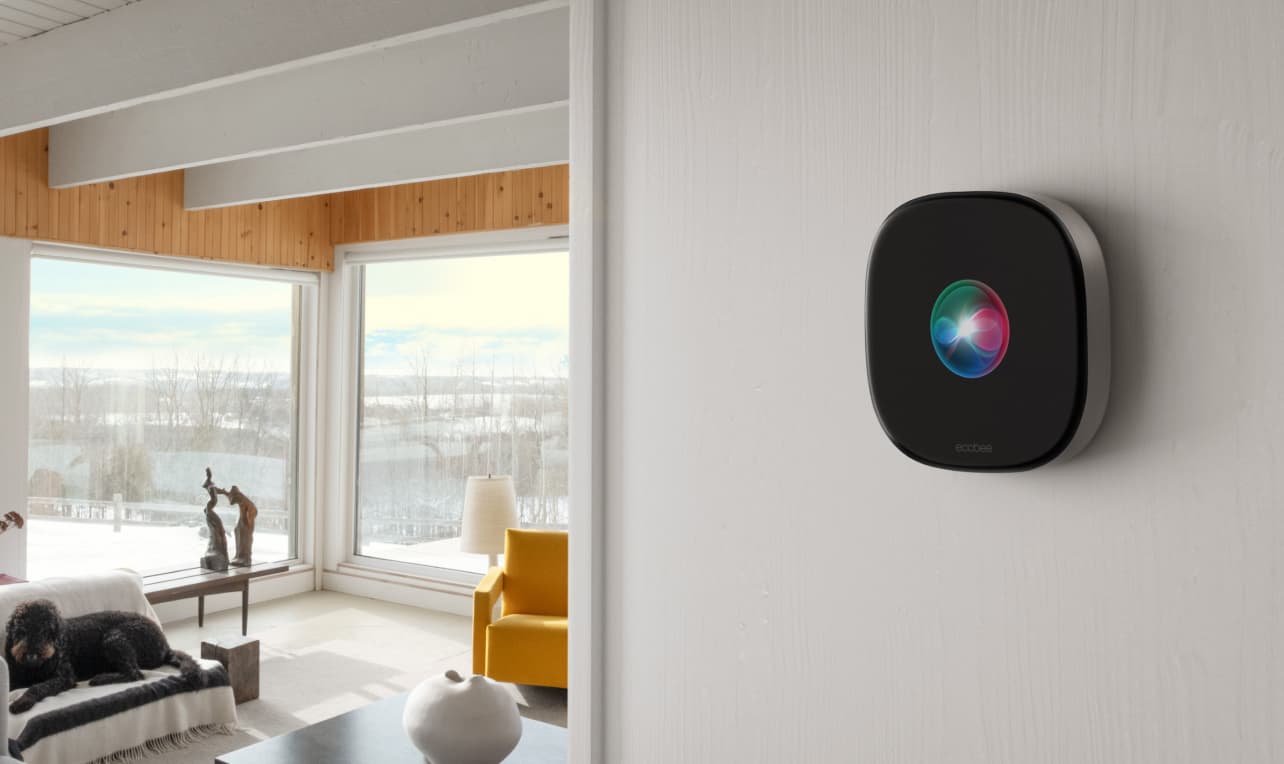
Stop Treating Your Ecobee Like a Dumb Thermostat
You mounted it, connected Wi‑Fi, admired the glass. Then you walked away. That’s where most people stop — and miss nearly everything that makes an ecobee smart thermostat worth buying.
A Wirecutter editor put it bluntly: "The Eco+ setting is the most valuable feature and also the most underused." I see it all the time: hardware installed, software ignored. The screen shows a temperature, the fan runs, the house is comfortable. But the features that save money — eco+ adjustments, remote sensors, scheduling that adapts when you’re home — are either disabled or running default settings that don’t match your life.
This guide assumes the thermostat is already on your wall and connected. If you still need to pull wire or install the Power Extender Kit, pause and finish that first. Then come back. The real work starts now.
Finish the App Onboarding – It Matters
Open the ecobee app, create or sign in, follow the guided setup to connect to Wi‑Fi. Let firmware updates finish — a few minutes now saves headaches later. Grant location services for geofencing and notifications for alerts. Do that now. The thermostat will be alive and communicating, but it’s still running a default schedule that doesn’t know when you wake up or leave.
Set Comfort Profiles That Actually Match Your Life
ecobee comes with three profiles: Home, Away, Sleep. Default temperatures are generic. Here’s what you need to do:
In the app, tap Settings → Comfort Settings. Adjust Home heat and cool to what you actually find comfortable (I use 70°F heat, 74°F cool). Set Sleep cooler (68°F heat works for most). Set Away to a wider setback — 62°F heat, 80°F cool — so the house isn’t conditioned when empty. Then assign which sensors participate in each profile. By default all sensors are included, which is fine for Home and Sleep, but for Away you probably want only the thermostat or sensors in rooms that shouldn’t freeze. Tap the profile, then Sensors, and deselect the ones you don’t want.
If you have an Essential model, the thermostat lacks a built‑in occupancy sensor. Smart Home/Away requires at least one paired SmartSensor. More on that below.
Eco+: The Feature Most Owners Ignore
Eco+ is a bundle of energy‑saving algorithms that runs on top of your schedule. It’s enabled by default on current models, but many owners turn it off because they don’t understand what each piece does. Don’t turn it off — tune it.
Open Settings → Eco+. You’ll see five sub‑features. Only one matters for most people:
Smart Home & Away uses occupancy detection (radar on Premium/Enhanced, SmartSensor on Essential) to switch to Away mode automatically. This alone delivers most of the quoted savings. Enable it. Leave the rest alone: Adjust for Humidity is subtle but helpful, Time of Use only helps if you have time‑of‑use pricing (otherwise leave off), Community Energy Savings lets your utility adjust during grid stress (you can override, and some utilities pay up to $125/year), and Schedule Assistant has never suggested anything useful. If you do nothing else after reading this, enable Smart Home & Away. ecobee claims up to 26% savings — that’s a ceiling, not a guarantee. Your real savings depend on your climate, home size, and how aggressively you set your Away temperatures. But Smart Home & Away is the biggest lever, and it works without you thinking about it.
Place Your SmartSensors Right
The SmartSensor is a small white puck that detects temperature and occupancy. Premium includes one; Enhanced and Essential require a separate purchase (2‑pack ~$80–$100). Pairing is simple — pull the battery tab, wait for detection, confirm in the app. The real work is placement.
- Put sensors in rooms you actually occupy during each profile — living room during Home, bedroom during Sleep.
- Avoid hallways, direct sun, drafty windows. The sensor needs the temperature of the occupied space.
- Place on a flat surface about 5 feet off the ground, or use the wall mount. Not behind a door.
Each sensor operates in one of two modes per comfort profile:
| Mode | How it works | Best for |
|---|---|---|
| Follow‑me | The thermostat uses only the sensor that detects occupancy (plus the thermostat itself). | Homes where people move between rooms; avoids conditioning empty spaces. |
| Average | All selected sensors are averaged together. | Open floor plans or houses where you want consistent temperature everywhere. |
If you have one sensor, use Follow‑me and assign it to your most occupied room. If you have two, put one in the living area and one in the bedroom, and switch which sensor leads during Home and Sleep profiles. The difference in comfort and efficiency is noticeable. And if you have an Essential model without a built‑in occupancy sensor, a SmartSensor is mandatory for Smart Home & Away — don’t skip it.
Now, the Other Stuff
Smart home integrations, premium extras (Alexa speaker, air quality monitor, Siri), and seasonal reminders are nice, but they don’t change the savings story. If you want voice control, set it up in the app under Settings → Smart Home — each platform (Apple HomeKit, Alexa, Google, SmartThings) has its own link. The HomeKit guide covers that in detail. Premium model owners: enable the microphone for voice, set up air quality alerts, and consider Smart Security if you want arming schedules. Do this when you have spare time — it won’t save you as much as eco+ and sensors.
Twice a year, revisit your comfort profile temperatures. Summer may need a cooler Sleep profile; winter a warmer Away setback. Set a filter change reminder in the app (Settings → Reminders → Change Filter, every 90 days). Keep firmware updated — it does it automatically, but check under Settings → About → Software Version.
Check Your Energy Reports – And Your Bill
ecobee sends a monthly email (Home IQ in the app) showing HVAC runtime compared to last month and similar homes. Open the app → tap the thermostat → Home IQ. If runtime drops after enabling eco+ and pairing sensors, you’re set. If not, check whether Smart Home & Away is actually engaging (look for the eco+ icon) and whether sensors report occupancy. The savings estimates in the report are based on ecobee’s internal model, not your actual utility bill. Cross‑check against your real bill to measure ROI. The 26% figure is a best‑case ceiling — your real savings will be lower but still worthwhile if you did your part.
The hardware install got you into the game. These settings make you win. If you only do two things: enable eco+ and place your SmartSensors in occupied rooms. The app handles the rest, and your monthly report will confirm it worked.
Community Tips
Share platform-specific variations, steps that have changed after app updates, or tips that helped your installation succeed.
Comments
Join the discussion with an anonymous comment.