
The Architecture Decision That Most Buyers Overlook
When people start building a smart home, they usually fixate on the visible things: which thermostat has the best screen, which lock has the sleekest design, which camera has the highest resolution. Those decisions matter, but they are downstream of a far more fundamental choice that most buyers never consciously make: where does the automation logic actually run?
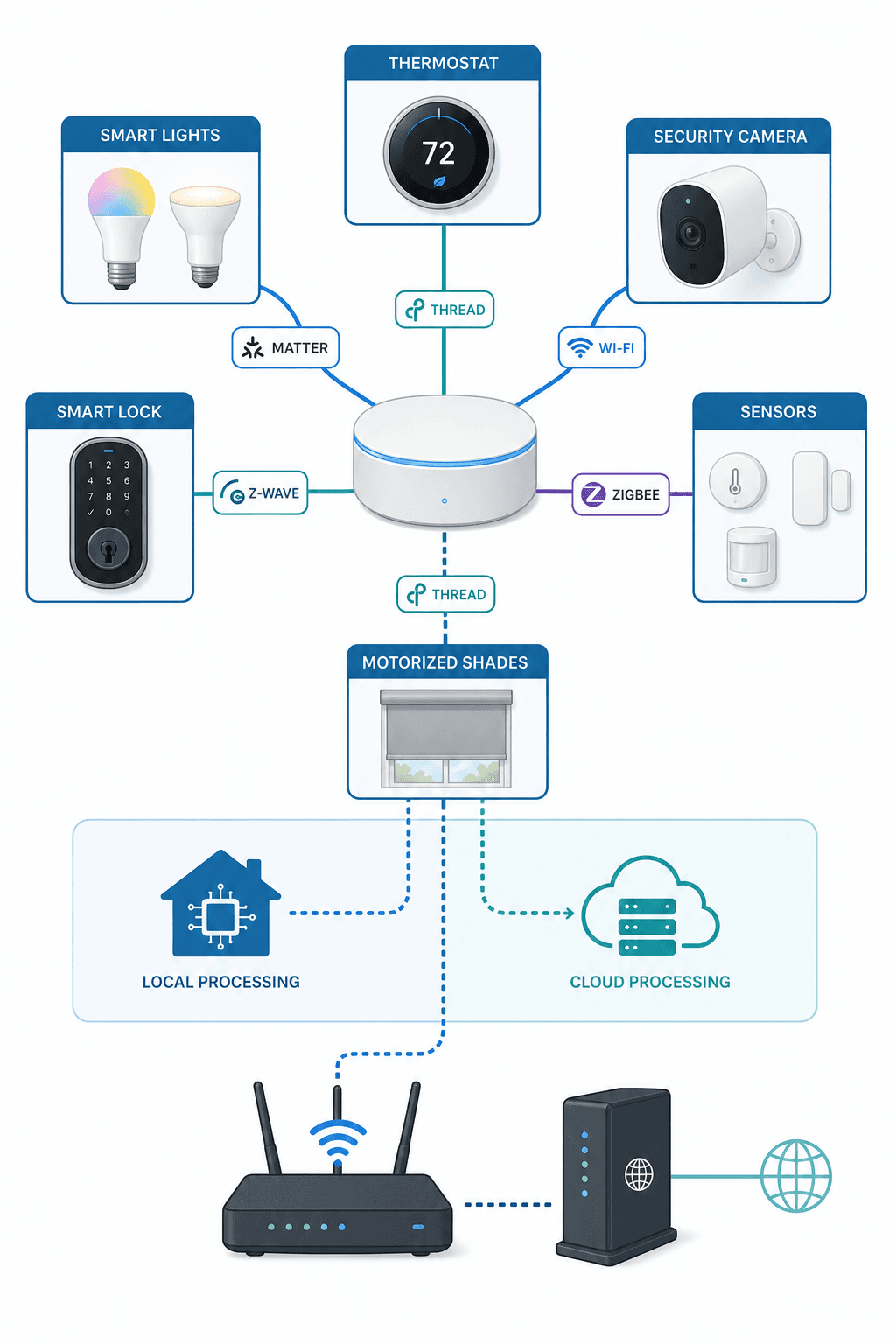
Every time you say "Alexa, turn off the lights" or set a routine that locks the doors at 10 PM, that instruction has to be processed somewhere. In some systems, that processing happens on a device in your home — a hub that executes the command locally. In others, your command travels to a remote server, gets interpreted, and the result travels back. That architectural difference — local versus cloud — determines how your system behaves when the internet goes down, what data leaves your home, and how much you pay over time.
This article is not a broad survey of every platform on the market. If you need a general framework for choosing a controller, the How to Choose a Home Automation Controller in 2026 guide covers that ground. Here, we are drilling into a single dimension — local versus cloud — because it is the single most consequential architectural choice you will make, and it is the one most buyers never think about until something breaks.
How Cloud-Based Automation Works (And What the Cloud Knows About You)
In a cloud-dependent system, your smart home devices communicate with a hub or bridge that relays commands to a remote server. That server processes the logic — "if motion detected at 9 PM, turn on the porch light" — and sends the instruction back down. Your voice commands follow the same path: the audio clip is sent to the cloud, transcribed, interpreted, and the resulting action is returned.
This architecture has real advantages. Cloud servers have virtually unlimited processing power, so complex routines and natural-language voice processing work smoothly. Device compatibility is broad because the cloud can bridge protocols that would not otherwise talk to each other. And remote access is built in — you can check your camera feed from a hotel room because the feed is already going through the cloud.
But the trade-off is privacy. Every time a cloud system processes a command, data about that command — what device, what time, what action — is stored on a server you do not control. Voice recordings, sensor triggers, and routine schedules accumulate into a detailed profile of your daily life. The privacy implications are not theoretical. According to the FBI's latest data cited by Security.org, personal cybercrime rose 33% over 2024 with losses totaling $16 billion. Whenever a device connects to the cloud, it becomes a potential entry point.
- Voice recordings from Amazon Alexa and Google Home are processed and stored on remote servers. Even if you delete them manually, the default retention period varies by platform and region.
- Routine schedules and automation logic live in the cloud. If the cloud service goes down, your automations do not run — even the simple ones.
- Third-party integrations often share data across platforms. A cloud-to-cloud connection between your thermostat and your weather service means two companies have records of your temperature adjustments.
- Subscription fees are common. Cloud storage for camera footage, advanced automation features, and remote access are frequently gated behind monthly or annual payments.
For many users, these trade-offs are acceptable. The convenience of cloud systems is real, and the privacy risks may feel abstract — until a service outage or a data breach makes them concrete. The key is to understand what you are accepting before you buy, not after.
How Local Automation Works (And Why It Stays Running When the Internet Goes Down)
Local automation systems flip the architecture. Instead of sending commands to a remote server, all processing happens on a hub physically located in your home. The hub communicates directly with your devices over protocols like Zigbee, Z-Wave, Thread, or Wi-Fi. When you trigger a routine — "lock the doors at sunset" — the hub evaluates the condition and executes the action without ever touching the internet.
The most prominent example is Home Assistant, an open-source platform that runs locally with minimal reliance on the cloud. According to ZDNet's 2026 review, Home Assistant works with over a thousand integrations and can keep your smart home devices connected even if your internet connection fails. The official Home Assistant Green hardware costs $159 and includes everything needed to get started. Hubitat Elevation is another fully local option, often available for under $120, with an optional cloud backup plan at $29.95 per year.
- Automations run without internet. Lights, locks, thermostats, and sensors continue to work exactly as programmed, even if your ISP is down for hours or days.
- No data leaves your network. Your routines, schedules, and sensor data stay on the hub. No third-party server has a record of when you leave for work or what temperature you prefer at night.
- No subscription fees for core functionality. Local systems do not require monthly payments for automation logic, remote access (if self-hosted), or basic device control.
- Faster response times. Because commands do not travel to a remote server and back, local execution is typically faster — often sub-100-millisecond for Zigbee or Z-Wave commands.
The trade-off is setup complexity. Local systems require more technical comfort to configure initially. Home Assistant, for example, involves installing the software, configuring integrations, and writing or selecting automations. Hubitat is more appliance-like out of the box but still requires more hands-on configuration than plugging in an Amazon Echo. For users who are comfortable with that learning curve, the payoff in privacy, reliability, and long-term cost is substantial.
Local vs. Cloud: A Side-by-Side Comparison
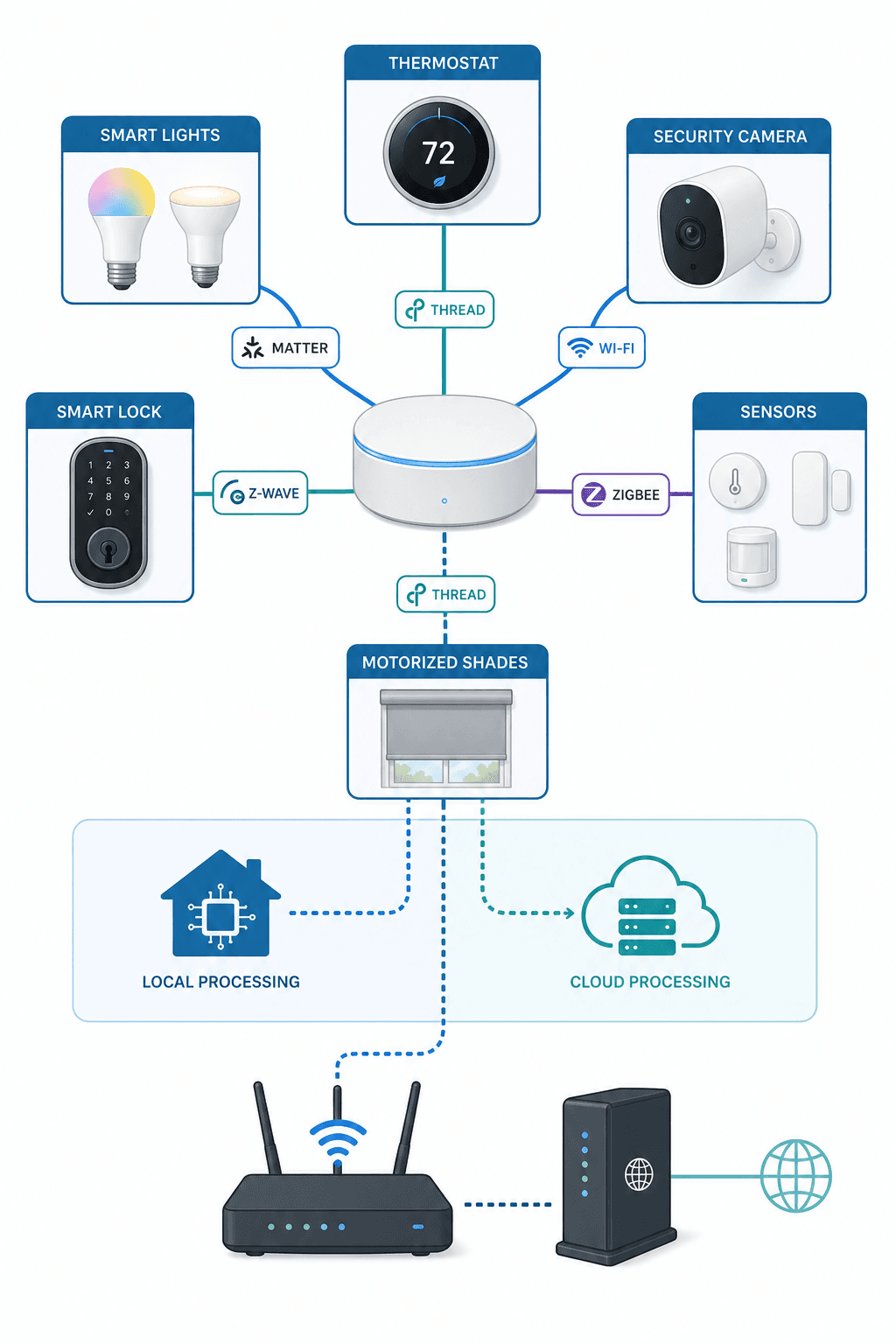
The table below summarizes the key differences across the dimensions that matter most to privacy-conscious buyers. These are general characteristics — individual platforms vary within each category, and the next section breaks down specific platforms.
| Dimension | Local Systems (Home Assistant, Hubitat) | Cloud-Dependent Systems (Alexa, Google Home) |
|---|---|---|
| Privacy | Data stays on your network. No third-party server has your routines or sensor data. | Voice recordings, schedules, and device states are stored on remote servers. Data may be shared with third parties. |
| Reliability during outage | All automations continue working. Local control unaffected by internet loss. | Most automations stop. Voice control fails. Some local Zigbee devices may still respond to basic commands on certain Echo models. |
| Setup effort | Moderate to high. Requires configuring hub software, integrations, and automations. | Low. Plug in the hub, install the app, add devices. Most setup is guided. |
| Remote access | Available via self-hosted VPN, Nabu Casa ($65/year), or cloud backup add-ons. | Built in. Access your devices from anywhere through the platform's app. |
| Subscription costs | None for core functionality. Optional cloud backup or remote access services available. | Common. Camera storage, advanced routines, and some features require monthly subscriptions. |
| Device compatibility | Very broad for open-source platforms (1,000+ integrations for Home Assistant). Hardware-specific for appliance hubs. | Broad for major brands. Limited or no support for niche or older devices without cloud bridges. |
| Voice assistant | Optional. Can integrate with local voice assistants or use cloud-based ones selectively. | Integrated. Voice processing is cloud-dependent by default. |
Platform Breakdown by Architecture
Not every platform fits neatly into the local or cloud bucket. Some have shifted their architecture over time, and others offer hybrid approaches. Here is how the major platforms stack up in mid-2026.
Home Assistant — Fully Local, Optional Cloud
Home Assistant is the gold standard for local control. The entire system runs on a device in your home — a Raspberry Pi, a dedicated Home Assistant Green ($159), or any always-on computer. Automations execute locally, data never leaves your network unless you explicitly enable cloud features, and the platform supports over a thousand integrations covering virtually every consumer smart home protocol. The optional Nabu Casa subscription ($65/year) provides cloud-based remote access and voice assistant integration, but core functionality remains free and local.
Hubitat Elevation — Fully Local, Cloud Is Optional
Hubitat is a purpose-built local hub that ships as a complete appliance. It supports Zigbee and Z-Wave out of the box, and all automation logic runs on the hub itself. There is no cloud dependency for core functionality. Hubitat offers an optional Backup and Hub Protection plan for $29.95 per year, but the system works fully without it. The hub is often available for under $120, making it one of the most affordable local-only options.
Apple HomeKit — Hybrid, Privacy-Focused
HomeKit occupies a middle ground. Automation logic runs locally on an Apple TV, HomePod, or iPad acting as a home hub. Commands to HomeKit-compatible devices execute without cloud involvement, and Apple's privacy posture is stronger than most — device data is encrypted end-to-end. However, remote access requires an Apple device on your network and an iCloud account, and the ecosystem is limited to HomeKit-certified devices. It is local for core automation but cloud-dependent for remote access and certain advanced features.
Samsung SmartThings — Transitioning to Local Edge
SmartThings has historically been cloud-dependent: the hub communicated with devices locally, but the automation logic ran on Samsung's servers. Since 2022, Samsung has pushed more processing to the local hub. Simple automations — "turn on light when motion detected" — can now run locally on newer SmartThings hubs. Complex rules and remote access still require the cloud. The transition is ongoing, and not all devices or automations support local execution yet. SmartThings remains a hybrid system, but it is moving in the local direction.
Amazon Alexa — Cloud-First, Limited Local Zigbee
Amazon Alexa is fundamentally a cloud service. Voice processing, routine execution, and skill integrations all happen on Amazon's servers. Some Echo models (4th Gen and later) include a Zigbee radio, which allows direct communication with Zigbee devices, but the automation logic still runs in the cloud. If your internet goes down, voice control stops working, and most routines will not execute. Alexa's strength is its massive device ecosystem and the most accurate voice assistant on the market, but privacy-focused users are often deterred by its always-listening functionality and data usage.
Google Home — Cloud-First, No Local Protocol Support
Google Home is similarly cloud-dependent. Unlike Amazon, Google's smart speakers and displays do not include local protocol radios like Zigbee or Z-Wave. All device communication goes through the cloud. Google Home is one of the easiest systems to set up and navigate, but it offers the least local resilience. During an internet outage, Google Home devices become largely unresponsive. Google's privacy posture has improved with local processing for some voice commands on Pixel devices, but the home automation platform remains cloud-first.
What Matter and Thread Mean for Local Control
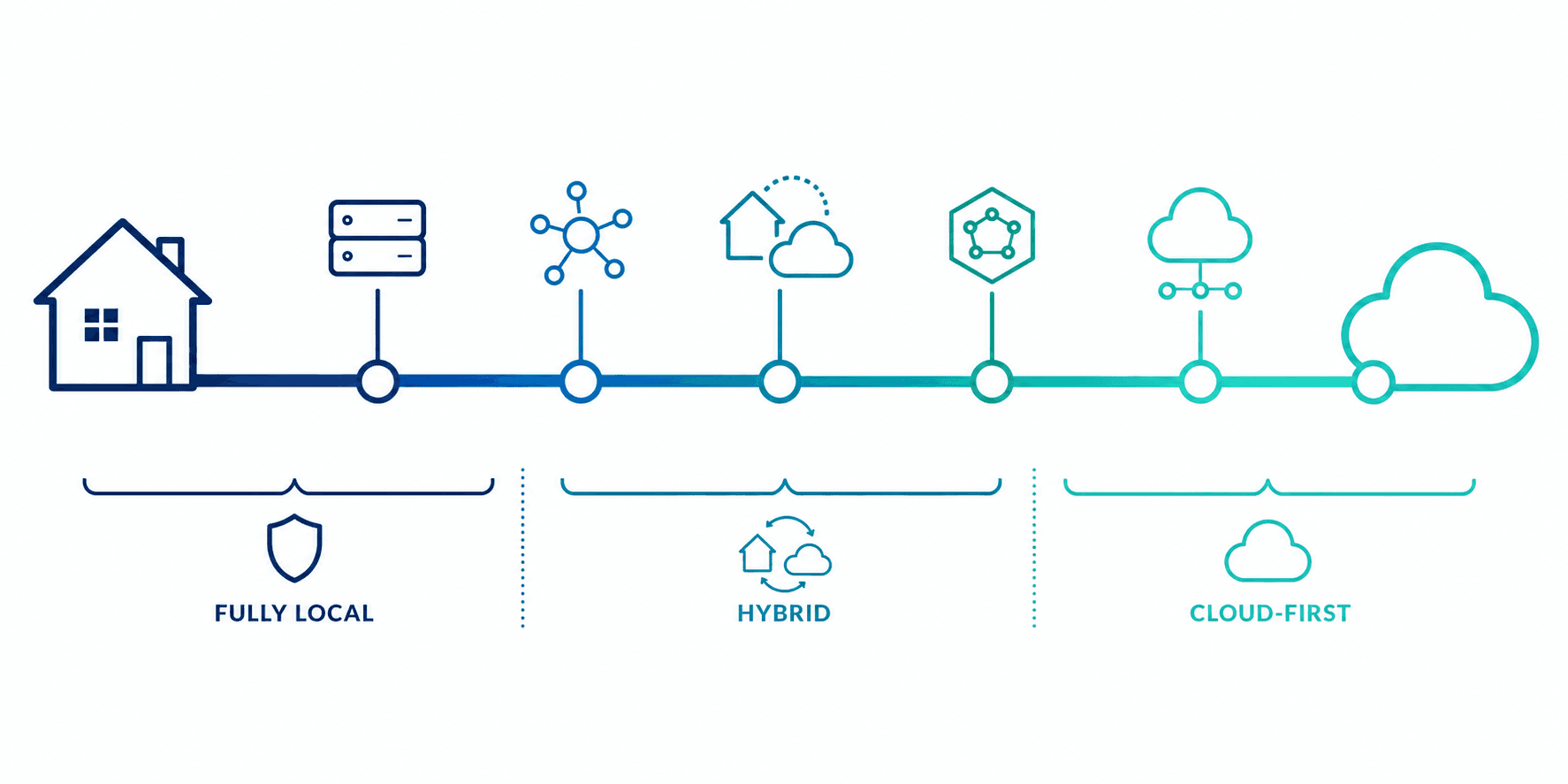
Matter and Thread are shifting the industry's default toward local control. Matter is an application-layer standard that defines how smart home devices communicate, regardless of the underlying protocol. Thread is a low-power mesh networking protocol designed for local communication. Together, they enable a scenario where a Matter-certified light bulb and a Matter-certified switch can talk to each other over your local Thread network without any cloud intermediary.
This is significant because it reduces the architectural advantage that cloud-dependent platforms once held. Previously, if you wanted a light switch to control a bulb from a different manufacturer, you often needed a cloud bridge or a platform-specific hub. Matter eliminates that requirement by standardizing the communication layer. A Matter device can be controlled locally by any Matter-compatible controller — whether that controller is a cloud platform like Alexa or a local platform like Home Assistant.
However, Matter does not guarantee local control. A Matter device can still be cloud-dependent if the controller or the app routes commands through the cloud. The protocol enables local control, but the platform you choose determines whether that local path is actually used. For a deeper look at Matter's current state, limitations, and what to buy now, see the Matter in 2026: An Honest Status Review.
Real-World Scenarios: What Happens When Your Internet Goes Down
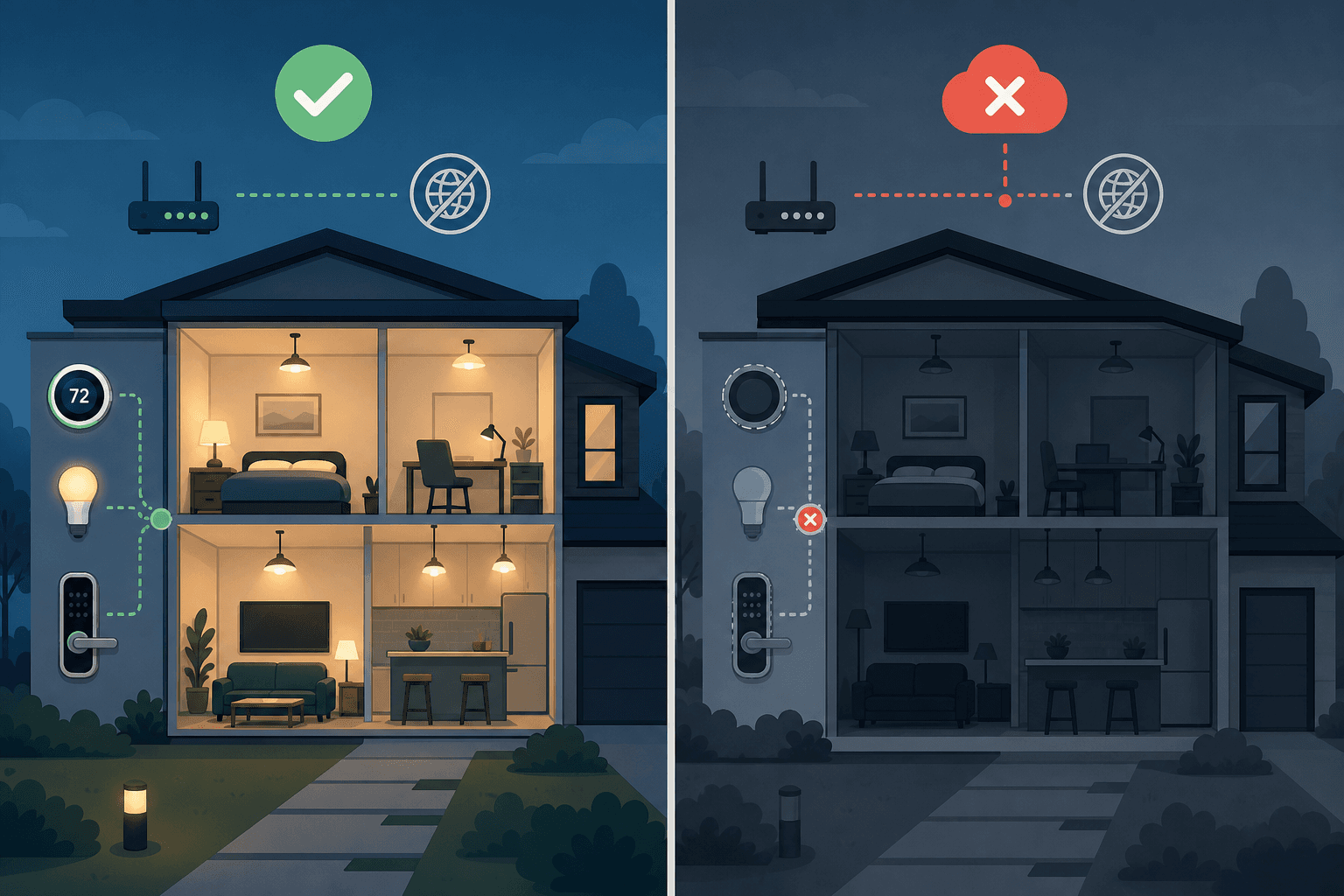
The difference between local and cloud architecture becomes concrete the moment your internet connection drops. Here is what each platform type looks like in that scenario.
- Local system (Home Assistant, Hubitat): Your lights still turn on at sunset. Your door locks still engage at 10 PM. Your thermostat still follows the schedule. Motion sensors still trigger the hallway light. Everything works exactly as programmed because the hub never needed the internet to begin with.
- Apple HomeKit: Automations that were set up locally continue to run. Remote access stops working — you cannot check your camera feed or adjust the thermostat from outside your home. But the core automations on your home hub remain functional.
- SmartThings (newer hubs): Simple automations that have been migrated to local edge processing may still run. Complex routines, remote access, and any automation that depends on a cloud service will fail. The experience depends on which automations you have and whether they have been updated for local execution.
- Amazon Alexa: Voice control stops working entirely. Most routines will not execute. If you have an Echo with Zigbee, you may still be able to control Zigbee bulbs and plugs through the physical button on the device, but automated routines and voice commands are dead.
- Google Home: Virtually everything stops. No voice control, no routines, no remote access. Google Home devices have no local protocol fallback, so even basic device control is unavailable until the internet comes back.
These are not hypothetical edge cases. Internet outages happen — from ISP maintenance, weather events, or infrastructure failures. For a cloud-dependent system, an hour-long outage means an hour of non-functional automation. For a local system, the outage is invisible.
How to Evaluate Your Own Privacy and Reliability Needs
There is no universally correct answer to the local-versus-cloud question. The right choice depends on your specific priorities, constraints, and tolerance for complexity. Here is a framework to help you decide.
- How reliable is your internet? If you experience frequent outages or live in an area with unstable connectivity, local control is not optional — it is the only way to ensure your automations actually run when you need them.
- How concerned are you about data privacy? If the idea of your voice recordings, sensor data, and daily routines being stored on corporate servers bothers you, a local system eliminates that exposure entirely. No data leaves your network unless you explicitly allow it.
- How much setup effort are you willing to invest? Local systems require more upfront configuration. If you want a plug-and-play experience and are comfortable with the privacy trade-offs, a cloud-dependent platform may be the better fit.
- What is your budget for ongoing costs? Cloud platforms often require subscriptions for camera storage, advanced automations, or remote access. Local systems have no mandatory subscriptions. Over 3–5 years, the cost difference can be hundreds of dollars.
- Do you need remote access? Both architectures can provide it, but the implementation differs. Cloud platforms include it by default. Local systems require a self-hosted VPN or a paid cloud relay service like Nabu Casa ($65/year) or Hubitat's backup plan ($29.95/year).
If you are still unsure, start with the How to Choose a Home Automation Controller in 2026 guide, which provides a broader decision framework. But keep this article's core argument in mind: the local-versus-cloud decision is not a footnote. It is the foundation. Everything else — device selection, protocol choice, automation complexity — sits on top of it.
Updates & Corrections
Protocol specifications and platform features change rapidly — especially with Matter version evolution. Report version changes, certification count updates, or platform policy changes that have occurred since the last editorial review.
Comments
Join the discussion with an anonymous comment.