
Alexa Light Bulbs: How to Choose Based on Connectivity, Brightness, and Ecosystem Fit
A reference for evaluating Alexa-compatible smart bulbs, covering connectivity paths (Wi-Fi, hub, Matter), brightness and color specs, and brand comparisons to help you pick the right bulbs for your setup and budget.
Last updated
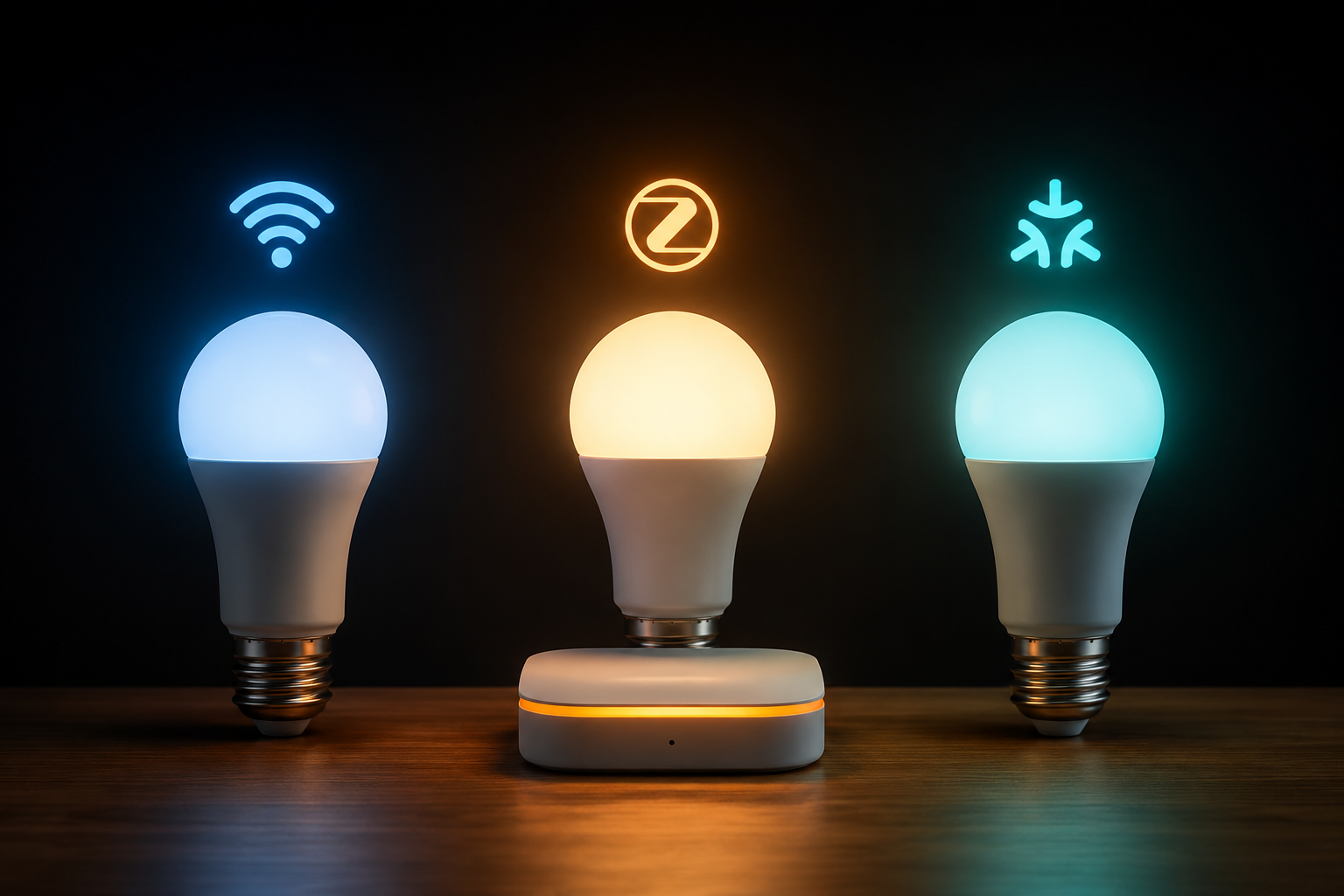
The first choice with Alexa light bulbs is not the brand, the color palette, or whether the box says “no hub required.” It is how the bulb will talk to Alexa in your home. A bulb can work with Alexa through direct Wi-Fi, through a hub or bridge, or through Matter. Those paths can all end with the same voice command — “Alexa, turn on the kitchen lights” — but they do not create the same setup, the same network load, or the same upgrade path.
That matters because a good Alexa bulb is only good after it is in the socket. If your router hides the 2.4 GHz network, if the app needs a firmware update before Matter pairing works, or if the bulb is dimmer than the lamp it replaced, the feature list will not help much. Start with the connection path, then check brightness and color, then decide whether the brand still makes sense once you own more than one bulb.
Choose the connection path before the bulb
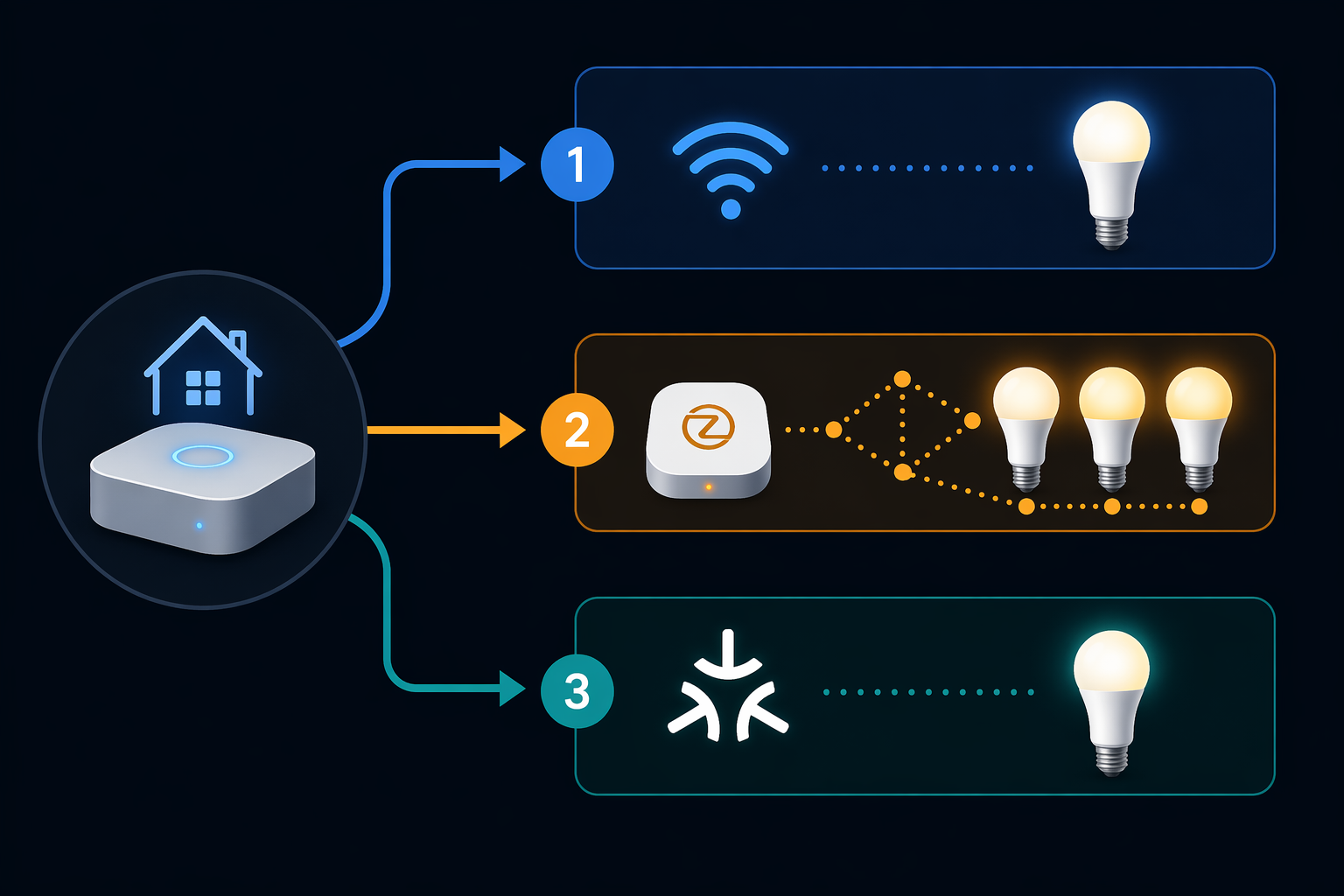
Most Alexa-compatible bulbs fall into three practical paths. The right one depends less on technical taste and more on how many bulbs you expect to install, how much setup friction you will tolerate, and whether Alexa is your only smart-home platform.
| Connection path | Best fit | Main trade-off |
|---|---|---|
| Wi-Fi direct | One room, renters, first smart bulbs, low upfront cost | Each bulb joins Wi-Fi, usually on 2.4 GHz |
| Hub-based Zigbee or Thread-style system | Several rooms, households that want reliability at scale | Higher upfront cost and one more device to place |
| Matter | Mixed-platform homes and buyers who want more future flexibility | Support is growing, but setup can still depend on firmware and hub hardware |
Wi-Fi direct is the cleanest first purchase
For a bedroom lamp, a rental living room, or a few kitchen bulbs, Wi-Fi direct is usually the least annoying place to start. You screw in the bulb, put it into pairing mode, connect it in the maker’s app or Alexa, and then assign it to a room. That is why budget bulbs from WiZ, TP-Link Tapo, Govee, GE Cync, and Amazon Basics are so visible in Alexa searches.
The catch is the Wi-Fi band. No-hub smart bulbs commonly need a stable 2.4 GHz network, and many do not support 5 GHz. If your phone is on a combined network name, setup may still work, but the bulb itself usually has to land on 2.4 GHz. When pairing fails, the fix is often less glamorous than the product page: move closer to the router, confirm 2.4 GHz access, reset the bulb, and try again.
The common reset pattern for no-hub bulbs is to power-cycle the bulb five times until it blinks. Amazon’s own smart bulb setup guidance also centers the process in the Alexa app for compatible devices, which is why Amazon Basics can feel unusually simple when it works as intended.[4]
Hub systems cost more because they are built for more lights
A hub-based system adds a bridge between your bulbs and the rest of the smart home. Philips Hue is the clearest example for Alexa buyers: it can run some bulbs over Bluetooth without the bridge, but the bridge is what unlocks the fuller system, including remote access and broader control. Hue’s Alexa integration is mature enough that Philips maintains its own Alexa command guidance for Hue lights.[5]
The price difference is real. Current pricing commonly puts the Hue bridge around $50–$60 and color bulbs around $45–$55 each, far above the budget Wi-Fi tier. That sounds excessive if you need one lamp. It makes more sense when you are building out several rooms and want fewer individual Wi-Fi devices, steadier automations, and a lighting ecosystem with years of accessories around it.
If you are unsure whether a hub is worth it, pause before buying the bulbs, not after. A broader hub decision framework can help: do you need a smart home hub is the bigger question when your plan grows from “one lamp by the sofa” to “all the main rooms.”
Matter is useful, but not magic
Matter is the connection path that sounds most future-proof on the box. In principle, it lets devices work across major smart-home platforms more consistently. In practice, Matter support is still uneven: some bulbs need firmware updates, some require specific hub hardware, and “Matter-compatible” does not always mean the fastest setup you have ever had.
That does not make Matter a gimmick. It makes it a buying signal that needs context. WiZ and TP-Link Tapo both use Matter as part of their value story, and that can be attractive if you may not stay Alexa-only forever. Just do not buy a Matter bulb assuming it erases the ordinary chores of checking your network, updating firmware, and confirming which controller or speaker is doing the pairing. For a deeper protocol comparison, use Matter vs. Zigbee vs. Z-Wave; for the current state of Matter specifically, see the Matter smart home status report.
Brightness is where many cheap bulbs disappoint
Once the connection path is sensible, check whether the bulb will actually light the room. For standard A19 smart bulbs, 800 lumens is the familiar “60W equivalent” class. It is fine for a bedside lamp, many shaded lamps, and accent lighting. It may feel thin in a kitchen ceiling fixture, a work area, or a room where the old bulb was already barely enough.
This is where the TP-Link Tapo L535E earns attention. PCMag names it an Editors’ Choice in the bright-bulb segment, with 1,100 lumens, Matter certification, and rich color for under $15.[3] That extra output is not a small spec-sheet flourish. In a single-bulb ceiling fixture or a table lamp that has to carry more of the room, the jump from 800 to 1,100 lumens can be the difference between “smart” and “still too dim.”
The safer way to buy is to match the replacement, not the fantasy. If the old bulb was a standard 60W incandescent replacement, an 800-lumen smart bulb is the normal starting point. If the old setup used a brighter LED, several bulbs in one fixture, or task lighting over counters and desks, look for 1,100 lumens or more before getting excited about colors.
Color temperature matters more often than party colors
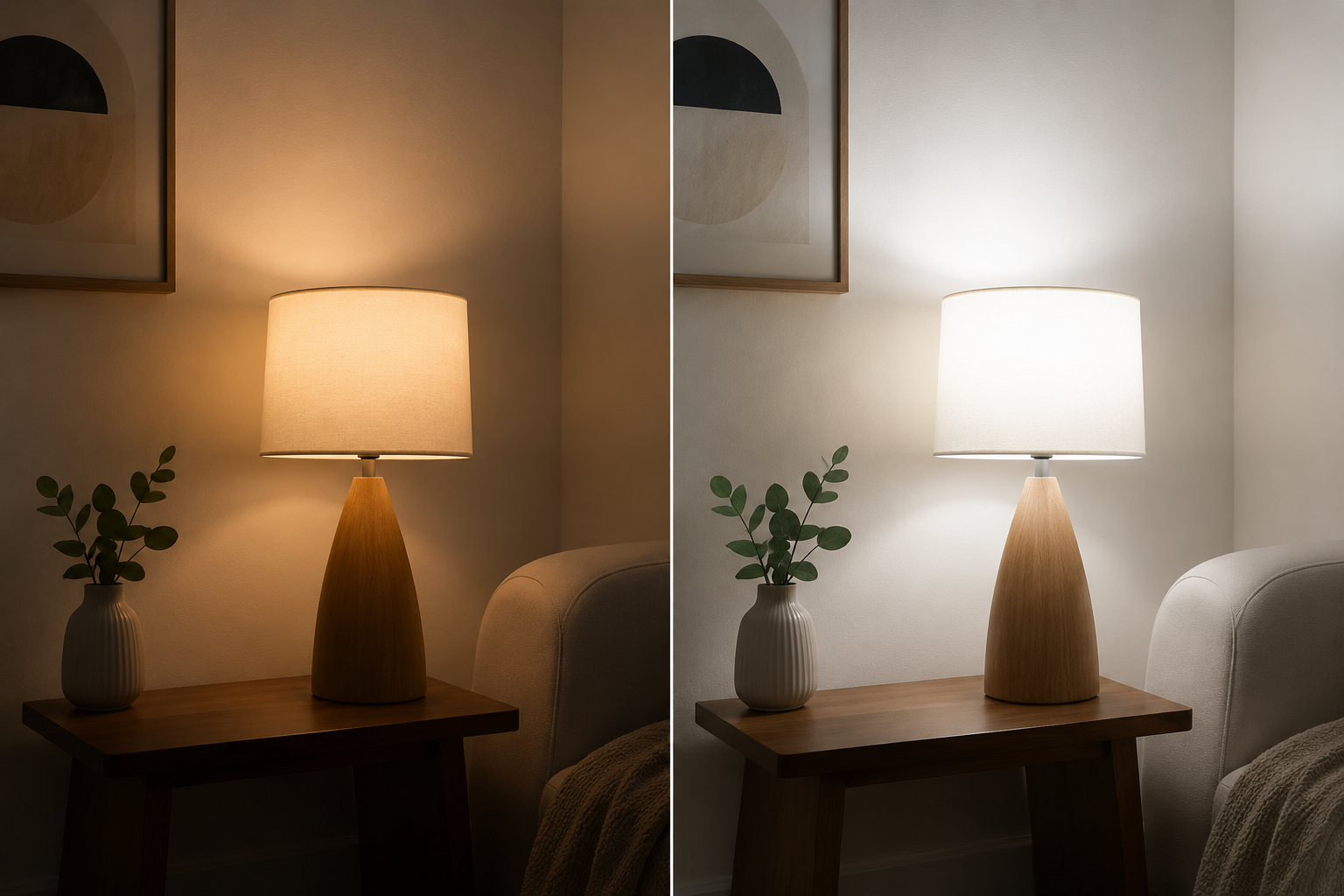
Many Alexa light bulbs advertise a white range around 2,700K–6,500K. The warm end is closer to a traditional soft-white lamp; the cool end is closer to crisp daylight. That range is genuinely useful. Warm light in the evening, cooler light while cleaning or working, and a dimmed scene for a movie are everyday benefits, not novelty tricks.
“16 million colors” is also useful, but it should not outrank white-light quality unless the bulb is for effects. A saturated purple behind a TV, a red holiday scene, or a blue gaming corner can be fun. A dining room that makes skin tones look odd every night gets old quickly. If the bulb’s main job is normal room lighting, prioritize brightness, dimming behavior, and whites before color stunts.
Amazon Basics is the cautionary example here. Its Smart A19 bulbs are attractive because they can pair directly in the Alexa app without a separate third-party app, but Wirecutter measured noticeably poorer light quality, including dimmer lux results, compared with similarly priced competitors.[1] That does not make them useless. It does mean “easiest to pair with Alexa” and “best light in the room” are separate claims.
Where the main brands fit
After connectivity and specs, brand choice becomes much less chaotic. The best brand is not the one with the longest feature list. It is the one whose trade-offs match the way you plan to use the bulbs.
WiZ: the budget default with real Matter value
WiZ is the easiest budget recommendation for many Alexa buyers because it lands in the right part of the market: low price, direct Wi-Fi setup, Alexa compatibility, color, and Matter support. The WiZ 60W A19 Color LED is a consensus top pick across Wirecutter, CNET, and PCMag at roughly $10–$12, with 800 lumens and 16 million colors.[1][2][3]
There is one naming trap worth clearing up. WiZ is owned by Signify, the same parent company as Philips Hue, but WiZ and Hue are not the same system. WiZ is the Wi-Fi-based value line with its own app ecosystem. Hue is the premium lighting ecosystem built around the Hue bridge. If you buy WiZ bulbs, do it because they fit the Wi-Fi/Matter value case, not because you assume you are buying cheaper Hue bulbs.
TP-Link Tapo: brightness for the money
Tapo is especially interesting when an 800-lumen bulb is not enough. The L535E’s 1,100-lumen output, Matter certification, and under-$15 pricing put it in a practical spot: brighter than the usual budget A19 color bulb without jumping into premium Hue pricing.[3] For kitchens, work lamps, laundry rooms, and single-socket fixtures, that is a more important advantage than another scene preset.
Philips Hue: the reliability choice when scale matters
Hue is not the bargain pick. It is the system pick. The bridge and premium bulb prices raise the entry cost, but the payoff is a mature ecosystem, broad accessory support, and dependable behavior across larger lighting setups. That is why Hue still makes sense for households that have already learned the painful lesson that six cheap bulbs can become six separate little maintenance jobs.
If you choose Hue, choose it deliberately. Compare bridge options before buying hardware in the Philips Hue Bridge comparison, then use the Philips Hue setup guide once the decision is made. Hue is worth planning as a system, not tossing into a cart as a single impulse bulb.
Amazon Basics: easiest Alexa setup, narrowest ecosystem
Amazon Basics is the cleanest fit for the buyer who wants the shortest path from socket to Alexa voice control. Frustration-Free Setup can keep the pairing inside the Alexa app for compatible bulbs, avoiding the usual “download another app, make another account, link another skill” routine.[4]
The limitation is not subtle: Amazon Basics smart bulbs work with Alexa only, not Google Home or HomeKit. If your household is all-in on Echo speakers and you want a cheap bulb for a lamp, that may be fine. If you might move platforms, share control with a Google-based household, or build a broader smart home later, that simplicity can turn into a dead end.
Govee and GE Cync: narrower, useful roles
Govee belongs in the conversation when color, effects, and entertainment lighting are the point. It is a better mental fit for gaming rooms, TV backlighting setups, and playful accent scenes than for someone trying to standardize every ceiling fixture in a house.
GE Cync is easier to place around task lighting and familiar household use. GE Lighting’s Alexa setup guidance reflects the standard smart-bulb pattern: connect the bulb through the product app, then link it to the voice assistant.[6] That is normal, but it is worth remembering if you are comparing it with Amazon Basics, where the selling point is skipping that extra app handoff.
A practical buying flow
Use the room and the future plan to narrow the list before comparing sale prices. A cheap bulb is still cheap after it creates a setup you do not want to maintain.
- For one to five bulbs in a small Alexa-first setup, start with Wi-Fi direct bulbs and confirm your 2.4 GHz network is easy to access.
- For a larger multi-room lighting plan, price a hub-based system before filling the house with individual Wi-Fi bulbs.
- For mixed-platform homes, treat Matter as a plus, then verify the setup requirements for the exact bulb and controller.
- For normal lamps, 800 lumens is the standard baseline; for task areas and single-socket fixtures, look closely at 1,100-lumen options.
- For everyday rooms, judge whites and dimming before color effects; for entertainment areas, color performance can legitimately move up the list.
If you are still sorting out bulb shapes, bases, and fixture compatibility, use the broader smart light bulb buyer’s guide. If the question has grown beyond bulbs into switches, plugs, and whole-home control, the better next read is smart lighting control approaches.
The sensible short list
There is no single best Alexa light bulb for everyone. There is a best path for the home in front of you.
- Choose WiZ for most budget Alexa setups where Wi-Fi direct and Matter value are the right fit.
- Choose TP-Link Tapo L535E when brightness matters and you still want to stay near the low-cost tier.
- Choose Philips Hue when reliability, scale, accessories, and long-term system depth matter more than upfront price.
- Choose Amazon Basics only when Alexa-only simplicity is the priority and platform flexibility is not.
- Choose Govee or GE Cync when the use case is specifically color effects, entertainment, or task lighting rather than a whole-home standard.
References
- The 4 Best Smart LED Light Bulbs of 2026 | Reviews by Wirecutter — Wirecutter
- Best Smart Lights for 2026: Major Upgrades for Any Home — CNET
- The Best Smart LED Light Bulbs We've Tested for 2026 — PCMag
- Connect and Set Up Smart Light Bulbs to Alexa — Amazon Customer Service
- Alexa commands for Philips Hue — Philips Hue
- How to Connect Light Bulbs to Amazon Alexa and Google Home — GE Lighting
Known issues with this device / protocol
Spec-version history
For active regressions on this protocol, see Update Watch.
No linked Update Watch entries yet.