
A tornado warning at 2:17 a.m. is not a notification problem. It is a handoff problem. The warning has to reach the house, break through sleep, survive whatever settings are on the phone, and turn into something the household can do without debate: wake up, move to the shelter spot, close what should be closed, and stop waiting for the next app to confirm what the first one already said.
Wireless Emergency Alerts are the right baseline for a smart home tornado warning plan because they are free, public, and fast. The National Weather Service says tornado warnings are typically delivered by WEA within 10 to 30 seconds of issuance, which is exactly the kind of speed you want when a storm is already close.[1] But WEA is still a phone-centered layer. Do Not Disturb, Focus modes, device settings, cell-tower targeting, and the phone’s WEA version can all affect whether the alert becomes the loud, unmistakable signal you expected.[1]
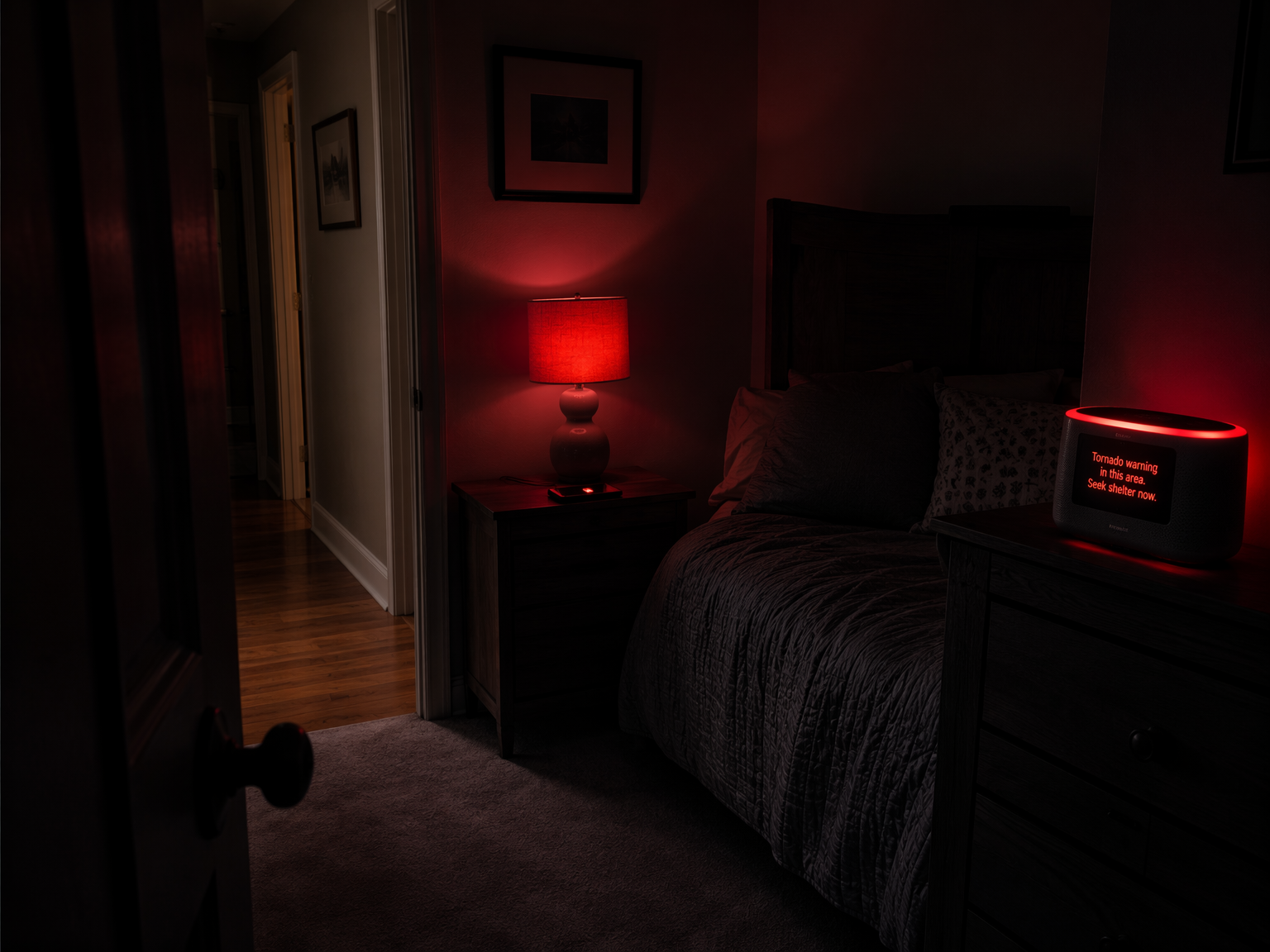
That is why the system should not start with a shopping list of gadgets. It should start with four independent layers that fail differently: WEA on phones, a SAME-capable NOAA weather radio, a smart weather station for local context, and home automations that convert the alert into action.
The Four Layers That Matter
| Layer | What It Does | Main Failure Mode | What To Build Around It |
|---|---|---|---|
| Wireless Emergency Alerts | Delivers official NWS tornado warnings to compatible phones | Phone settings, tower targeting, muted device, sleeping household | Keep enabled, test alert settings, do not make it the only night alarm |
| SAME-capable NOAA weather radio | Receives NOAA Weather Radio alerts without relying on cellular or home internet | Wrong county/SAME setup, dead batteries, poor placement | Program local SAME codes, keep fresh batteries, place where it wakes people |
| Smart weather station | Adds hyper-local wind, rain, pressure, and lightning context | Sensor siting, cloud dependency, local accuracy limits | Use it for context and local triggers, not as a replacement for NWS warnings |
| Smart home automation | Announces, flashes lights, closes devices, and creates a single household response | Power, Wi-Fi, hub, speaker, or platform limitations | Automate only the actions you have tested on the actual devices in the house |
WEA is the public-alert layer, not the whole system. It is strongest when the phone is on, charged, compatible, in coverage, and allowed to make noise. It is weakest in the exact domestic situations that matter most: one person sleeps through vibration, another has Focus mode enabled, and a third left the phone charging in the kitchen.
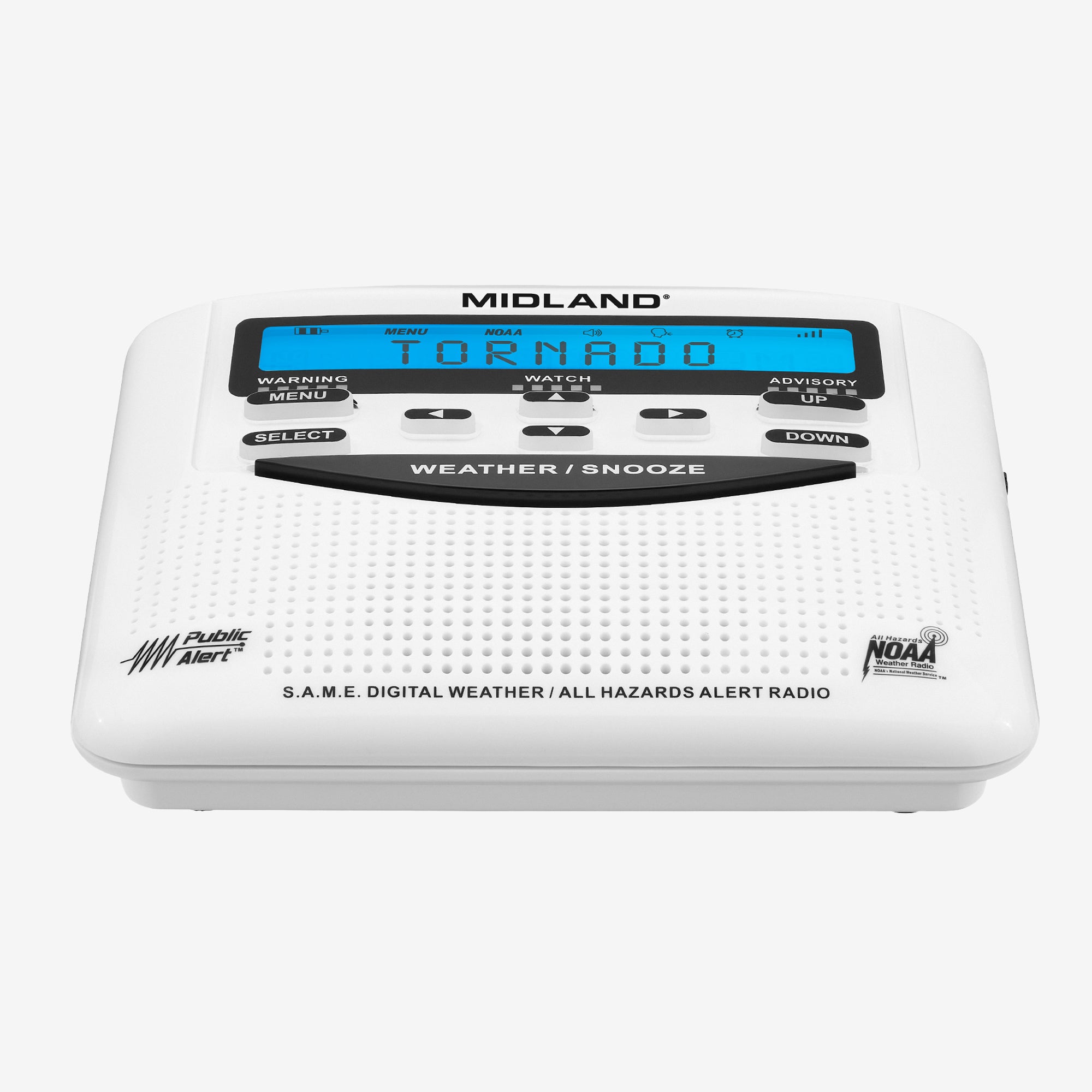
A NOAA weather radio fills a different role. A SAME-capable model can be programmed for your local alert area and is commonly available in the $35 to $65 range, making it one of the least glamorous and most defensible parts of the whole setup.[2] It does not need your router, your smart speaker account, or a cell tower. If the house has only one severe-weather device that is meant to wake sleeping people, this is the one that earns its outlet.
The smart weather station is not there to outguess the National Weather Service. It is there to add local context that official warning polygons and phone alerts cannot provide inside your yard. In Wirecutter’s 2026 testing, the WeatherFlow Tempest stood out because it can broadcast local UDP data, including lightning detection up to 25 miles away, even without internet access.[3] That is worth noticing in storm country because cloud dashboards are often least reassuring when the sky is doing the most interesting things.
Accuracy still matters. Wirecutter found the Ambient Weather WS-2000 averaged 0.87°F temperature deviation and 4.81 percentage points humidity deviation in its comparison against an NWS COOP site.[3] Those are useful measurements, but they came from one Vermont test location, so they should not be treated as a universal verdict for high-heat, high-humidity, or hail-prone yards in Dixie Alley or the southern Plains.[3]
The fourth layer is where a smart home earns its keep. A warning that appears on a phone is information. A warning that turns on bedroom lights, announces “tornado warning, go to the shelter area,” closes the garage door, unlocks an interior smart lock if needed, and repeats on every speaker is a household procedure.
Configure The Phone Layer Without Pretending It Is Enough
Start with every phone in the household because WEA is still the fastest official alert most people already carry. Confirm that emergency alerts are enabled, that severe weather alerts are allowed to make sound, and that bedtime modes do not silence the category you are relying on. On iPhones, that means checking Emergency Alerts and any Focus schedules. On Android, check Wireless Emergency Alerts, emergency alert history, and Do Not Disturb exceptions.
Do not stop after one phone. The practical question is which device will wake the heaviest sleeper and which adult will act first. If one person keeps a phone in another room, that phone is not a night alert. If one teenager’s phone stays in silent mode forever, that phone is not part of the system. It may still receive WEA, but it should not be assigned a job.
Also include severe thunderstorm warnings in your thinking. The National Weather Service added a “Destructive” severe thunderstorm warning category that triggers WEA for storms with especially dangerous wind or hail threats.[4] Your tornado routine does not need to respond identically to every severe thunderstorm alert, but the automation logic should not assume tornado warnings are the only phone alerts that can justify waking the house.
Add A NOAA Radio As The Independent Alarm
A SAME-capable NOAA weather radio is the backup that does not care whether the smart home is behaving. Program it for the counties or SAME codes that match your actual risk, not every county in broadcast range. Too broad, and the household starts ignoring it. Too narrow, and you may miss alerts for a nearby warning area that still affects your commute, school route, or family member’s location.
- Place it where the alarm will wake a sleeping adult, not where it looks tidy.
- Use battery backup and replace the batteries before storm season.
- Run the weekly or periodic test tone when available so you know the volume, reception, and alert mode work.
- Label it with the household action: “Tornado warning: wake everyone, shoes on, go to interior room.”
That label sounds basic until the alarm goes off at night. Under stress, the best interface is a sentence nobody has to interpret.
Use A Weather Station For Local Context, Not Official Permission
A home weather station should not decide whether a tornado warning is real. The NWS warning does that. The station’s job is to give the house a local picture: wind trend, pressure drop, rainfall rate, lightning proximity, and whether the station itself still has a local path into your automation platform.
That makes WeatherFlow Tempest interesting for a tornado-warning system even if another station wins on a particular accuracy metric. Its local UDP broadcast means Home Assistant and other local systems may be able to receive station data without waiting on a cloud service, and its lightning detection reaches up to 25 miles according to Wirecutter’s review.[3] Local data does not make the station a siren, but it can help trigger “storm approaching” pre-actions before the official warning arrives.
A reasonable pre-action could be simple: turn on exterior lights, charge portable battery packs, close a smart garage door if it is open, and announce that severe weather is nearby. That is different from a tornado-warning action. The tornado-warning action should be louder, shorter, and harder to dismiss.
Turn Alerts Into Household Actions
The automation layer is where most smart home tornado warning systems become either useful or decorative. A decorative version sends another push notification. A useful version does things a sleeping household can perceive and things a rushed household might forget.
- Speakers: announce the warning on bedroom, hallway, and main-floor speakers at a volume that has been tested while doors are closed.
- Lights: flash or switch key lights to a known warning color, especially along the path to the shelter area.
- Locks: unlock or avoid auto-locking doors that could block access to the shelter area, depending on the home layout.
- Garage door: close it when high wind is approaching, if your opener and safety sensors are reliable and you can do so without trapping a person or pet outside.
- Siren-like output: use a smart plug, siren, or dedicated alarm device only if it is loud enough, powered, and not easy to confuse with a smoke or CO alarm.
For garage-door automations, compatibility and safety matter more than cleverness. If your opener depends on a bridge, cloud service, or a Matter controller, test the exact path before assigning it an emergency role. A separate compatibility check such as garage door Matter compatibility is worth doing before you write a tornado routine around that device.
Alexa Is The Straightest Speaker Path
If the house already has Echo devices, Alexa is the easiest mainstream speaker route because severe weather announcements can be enabled natively. Asurion’s setup guidance points users to Alexa app Settings, Notifications, and Weather, where Alexa can announce National Weather Service warnings on Echo devices.[5] That does not make Alexa a full emergency platform, but it removes one fragile step: you do not have to build a third-party warning-to-speaker bridge just to get a voice alert.
The practical setup is plain: enable weather alerts, confirm the location attached to the Alexa account, select the Echo devices that should announce, then test audibility from bedrooms and the shelter route. If one Echo is in a room with a white-noise machine, it may need to be louder than feels polite during the day.
Alexa routines can add the action layer around the announcement. For example, a separate severe-weather routine can turn on selected lights, set a warning color on compatible bulbs, or power a plug-in lamp or siren. If you use smart plugs for emergency lighting or noise, keep the routine simple and test it with the devices in their real outlets. A recipe collection such as Alexa smart plug automation recipes can help with the mechanics, but the emergency version should be stripped down to the few actions that matter.
Google Home Needs A More Honest Plan
Google Home is weaker for this specific job because it lacks a native severe-weather alert toggle comparable to Alexa’s Echo announcements. Asurion’s guidance points Google users toward third-party options such as AccuWeather rather than a built-in Google Home severe-weather announcement setting.[5] That distinction matters. A warning system is not the place to pretend a workaround is the same as a native control.
If your home is built around Google speakers, you have three realistic paths. The lightest path is to keep WEA and NOAA radio as the true alert layers and use Google mainly for manual follow-up. The middle path is a third-party weather action or app, accepting that you have another dependency to monitor. The most controlled path is to let Home Assistant receive the alert and push announcements or media to Google speakers where your setup supports it.
A May 2025 Michigan anecdote reported families being awakened by voice-activated weather alerts from smart speakers during severe weather, including Google Home and Alexa examples.[6] It is useful as proof that speaker announcements can matter in a sleeping house. It is not proof that any one platform is broadly reliable, and the source is a personal blog with a commercial interest, so it should stay in the “possible and worth testing” column rather than the “proven emergency infrastructure” column.[6]
Home Assistant Is The Flexible Route
Home Assistant is the deepest option because it can connect the alert, the local station, and the household actions in one place. The community-maintained NWS Alerts integration, commonly installed through HACS, polls the National Weather Service API and creates binary sensors that can trigger automations.[7] That is the kind of structure you want if the rule is more specific than “notify my phone.”
A Home Assistant tornado routine can watch for an active NWS alert sensor, check the event type, and then run a script that announces the warning, turns on lights, closes devices, and repeats the message. The weakness is that this is not a certified public-warning receiver. It depends on the NWS API, the integration polling interval, your internet path unless you are using local station data for pre-actions, your Home Assistant host, and the devices you ask it to control.
alias: Tornado warning household action
mode: single
trigger:
  - platform: state
    entity_id: binary_sensor.nws_alerts_tornado_warning
    to: "on"
action:
  - service: light.turn_on
    target:
      entity_id:
        - light.bedroom_lamps
        - light.hallway
    data:
      brightness_pct: 100
      color_name: red
  - service: media_player.volume_set
    target:
      entity_id:
        - media_player.bedroom_speaker
        - media_player.hallway_speaker
    data:
      volume_level: 0.9
  - service: tts.speak
    target:
      entity_id: tts.home_voice
    data:
      media_player_entity_id: media_player.all_alert_speakers
      message: "Tornado warning. Wake up and move to the shelter area now."
  - service: cover.close_cover
    target:
      entity_id: cover.garage_door
Treat that YAML as a pattern, not a drop-in safety system. The actual entity names, text-to-speech service, speaker grouping, garage-door entity, and alert sensor depend on your home. More importantly, the garage-door action may be wrong for some homes. If someone could be outside, if the door sensor is unreliable, or if high winds are already affecting the door, closing it automatically may introduce a different risk.
A better Home Assistant build separates “warning received” from “storm conditions nearby.” The NWS alert should trigger the full household warning. Local weather-station values can trigger preparation actions: exterior lights on, phones charging, battery station checked, garage status announced, and the shelter route lit. That separation keeps local sensors useful without letting them overrule official warnings.
There is a measurement gap here. Public sources do not provide a clean benchmark for end-to-end smart home automation latency from NWS polygon issuance to completed speaker, light, lock, or garage-door action. So the honest way to build is to assume each added dependency adds delay or failure risk, then test your actual system instead of trusting the platform diagram.
Power Is Part Of The Warning System
A smart home tornado warning system that only works with perfect utility power is unfinished. Tornado-producing storms often bring outages, flickers, and broadband instability before the highest-risk moment. The NOAA radio should have batteries. Phones should be charged before the line of storms arrives. The router, modem or gateway, smart home hub, and any essential bridge should have backup power where practical.
The order matters. First back up the independent alert device. Then back up the network pieces that let automations run. Then worry about comfort devices. A UPS on the router and hub may keep Home Assistant, speakers, and local automations alive long enough to matter. If you need a broader plan for what belongs on backup power, power your smart home through a blackout is the relevant problem, not a side project.
Local control deserves extra weight in this use case. A cloud-only bulb routine may be acceptable for evening ambiance. It is less reassuring as the only path between “NWS alert exists” and “bedroom lights flash.” If your hub, lights, or station can operate locally, configure the emergency pieces that way first.
Test The Handoff, Not Just The Alert
A test that ends with “my phone got an alert” is not enough. The system has to be tested through the point where the household knows what to do. Use a calm evening, warn everyone first, and run the actual automations at the volumes, brightness levels, and device locations you expect to use at night.
- Can the bedroom speaker wake the person who sleeps deepest?
- Do lights guide people toward the shelter area instead of just creating chaos?
- Does the NOAA radio alarm sound different enough from other household beeps?
- Does the automation repeat the instruction, or does it speak once and disappear?
- Do locks, doors, and garage devices move only when that movement is safe?
- Does the system still do the most important work if home internet is degraded?
This is also where household roles become part of the system. One adult checks the warning source. One wakes children or older family members. One confirms pets, shoes, medication, or the go-bag if time allows. The automation should reduce the number of decisions, not create a new dashboard to manage during the warning.
If you want a narrower walkthrough for phone, speaker, and radio configuration, set up smart home alerts for local tornado warnings pairs well with this architecture. If you are still choosing hardware, tornado alert devices and apps is the better place to compare purchase options before you automate around them.
A Practical Readiness Standard Before Storm Season
Before storm season, the system should meet a simple standard: every alert layer is enabled, powered, and assigned a job. WEA is turned on for every household phone that can contribute. The NOAA weather radio is programmed with the right SAME codes and has fresh batteries. Smart weather station data is flowing locally where your setup supports it. Smart automations have been verified on the actual speakers, lights, locks, garage door, and plugs in the house.
Do the maintenance in boring weather. Replace batteries. Confirm Wi-Fi and hub backups. Check that speaker groups still exist after platform updates. Make sure a changed phone, new router, moved smart speaker, or renamed light did not quietly break the routine. Disaster automations age badly when nobody owns them.
Reports in 2026 noted that tornado fatalities were significantly lower so far in the season compared with recent years, including the fewest spring-season deaths since 2021.[8] That is encouraging, but it should not be turned into a claim that any one technology caused the improvement. Better warnings, better behavior, storm timing, population exposure, and luck can all matter. For one household, the safer lesson is narrower and more useful: layered alerts give a warning more chances to become action.
A smart home tornado warning system is not one clever automation. It is a set of independent channels with known failure modes: the phone, the NOAA radio, the local station, and the house itself. Build it so any one layer can fail without leaving everyone asleep.
References
- Wireless Emergency Alerts, National Weather Service, https://www.weather.gov/wrn/wea
- NOAA Weather Radio, National Weather Service, https://www.weather.gov/nwr
- The Best Home Weather Stations, Wirecutter, 2026, https://www.nytimes.com/wirecutter/reviews/best-home-weather-stations/
- Emergency Alerts for Severe Thunderstorms Now Available on Your Phone, National Weather Service, July 22, 2021, https://www.weather.gov/news/072221-svr-wea
- How to set up severe weather alerts on your phone, Asurion, https://www.asurion.com/connect/tech-tips/how-to-set-up-severe-weather-alerts-on-your-phone/
- Google Home, Alexa & Tornado Safety in Michigan, Warren Schuitema, https://warrenschuitema.com/post/google-home-alexa-tornado-safety-michigan
- NWS Alerts integration discussion, Reddit r/homeassistant, https://www.reddit.com/r/homeassistant/comments/1jq7sor/
- Tornado deaths significantly lower so far in 2026, FOX Weather, https://www.foxweather.com/weather-news/tornado-deaths-significantly-lower-so-far-2026
Policy Updates & Reader Notes
Privacy policies, monitoring plan prices, and security disclosures change frequently. Report new data retention terms, updated plan pricing, or new vulnerability disclosures below. For formal editorial corrections, use the contact page.
Comments
Join the discussion with an anonymous comment.