
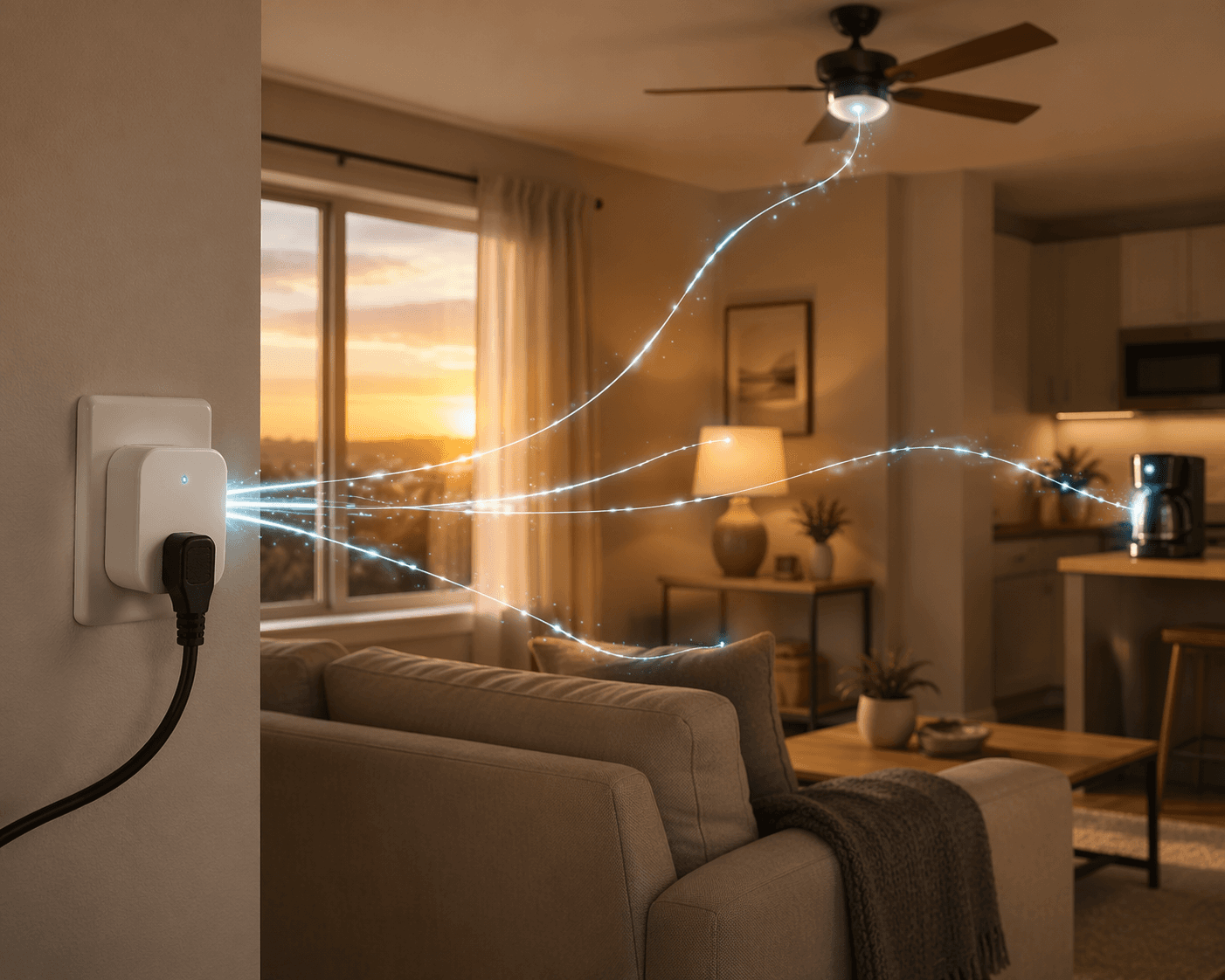
An alexa smart plug becomes useful when it stops being a voice-controlled outlet and starts removing tiny daily annoyances: the lamp behind the couch, the fan someone always leaves running, the coffee maker with awful buttons, the holiday lights buried behind a shrub. In the Alexa app, a Routine can use triggers such as a specific time, sunrise or sunset, a voice phrase, phone location, an alarm being dismissed, or a compatible device changing status, then turn a plug on or off as the action.[1]
That is the whole trick. A cheap plug does not make a dumb appliance intelligent. It gives that appliance one reliable bit of logic: power now, power later, power when I say this, power when I leave, power when the sun goes down.
Before you build any Alexa smart plug routine
Most basic lamp, fan, and coffee routines work with almost any Alexa-compatible plug. The exceptions matter: energy tracking needs an energy-monitoring plug, outdoor lights need outdoor-rated hardware, and multi-platform homes may want Matter support instead of an Alexa-only plug. Wirecutter says it tested 29 smart plugs and switches over more than 100 hours for its 2026 guide, and its top picks are not simply Amazon’s first-party plug.[2] CNET, PCMag, and Engadget also separate basic on/off plugs from models with features like energy monitoring, outdoor weather resistance, and broader ecosystem compatibility.[3][4][5]
- Name the plug by room and appliance: Living Room Lamp, Bedroom Fan, Office Monitor Strip. Do not leave it as Plug 1 unless you enjoy guessing later.
- Check your Wi-Fi band before blaming Alexa. Most Alexa-compatible smart plugs use 2.4 GHz Wi-Fi; if your phone is on a combined or 5 GHz-only setup during pairing, setup can fail or behave strangely.
- Only use appliances that safely resume when power is restored. A lamp with a physical switch is fine. A space heater, iron, electric blanket, hot plate, or anything that creates heat should not be automated through a plug.
- Test the plug manually in the Alexa app before building the routine. If the device tile cannot turn it on and off reliably, the routine will not fix that.
- If you still need to buy hardware, start with a current comparison like Best Smart Plugs for Alexa: Buyer’s Guide and Comparison instead of assuming the Amazon Smart Plug is the right fit for every recipe.
For each recipe below, open the Alexa app, go to Routines, create a new routine, choose the trigger under “When,” then choose the smart plug action under “Alexa Will.” Amazon’s own routine help page is the safest reference for current trigger language because the app changes more often than old screenshots do.[1]
The 10 Alexa smart plug recipe map
| Room or use | Plug name | Trigger | Action | Special plug requirement |
|---|---|---|---|---|
| Kitchen coffee | Kitchen Coffee | Alarm dismissed or scheduled time | Turn on | Appliance must resume safely when power returns |
| Living room lamp | Living Room Lamp | Sunset | Turn on | Basic Alexa-compatible plug |
| Bedroom shutdown | Bedroom Lamp / Bedroom Fan | Voice phrase or scheduled bedtime | Turn off | Basic Alexa-compatible plug |
| Home office | Office Monitor Strip | Scheduled workday start/end | Turn on/off | Use a rated smart plug or smart power strip |
| Kitchen small appliance control | Kitchen Accent / Pantry Light | Voice phrase or schedule | Turn on/off | Avoid heat-producing appliances |
| Fan comfort | Bedroom Fan | Time, voice, or sensor-based routine | Turn on/off | Fan must have a physical on/off state |
| Pet care | Pet Fountain | Schedule | Turn on/off | Only for non-critical comfort devices |
| Outdoor and holiday lights | Porch Lights / Holiday Lights | Sunset or schedule | Turn on/off | Outdoor-rated plug |
| Vacation lighting | Away Lamps | Away or evening schedule | Randomize or vary lighting | May require Alexa Guard/Away settings |
| Energy and vampire-load check | TV Stand / Office Strip | Schedule or manual review | Turn off and monitor usage | Energy-monitoring plug |
Kitchen: coffee that starts without button archaeology
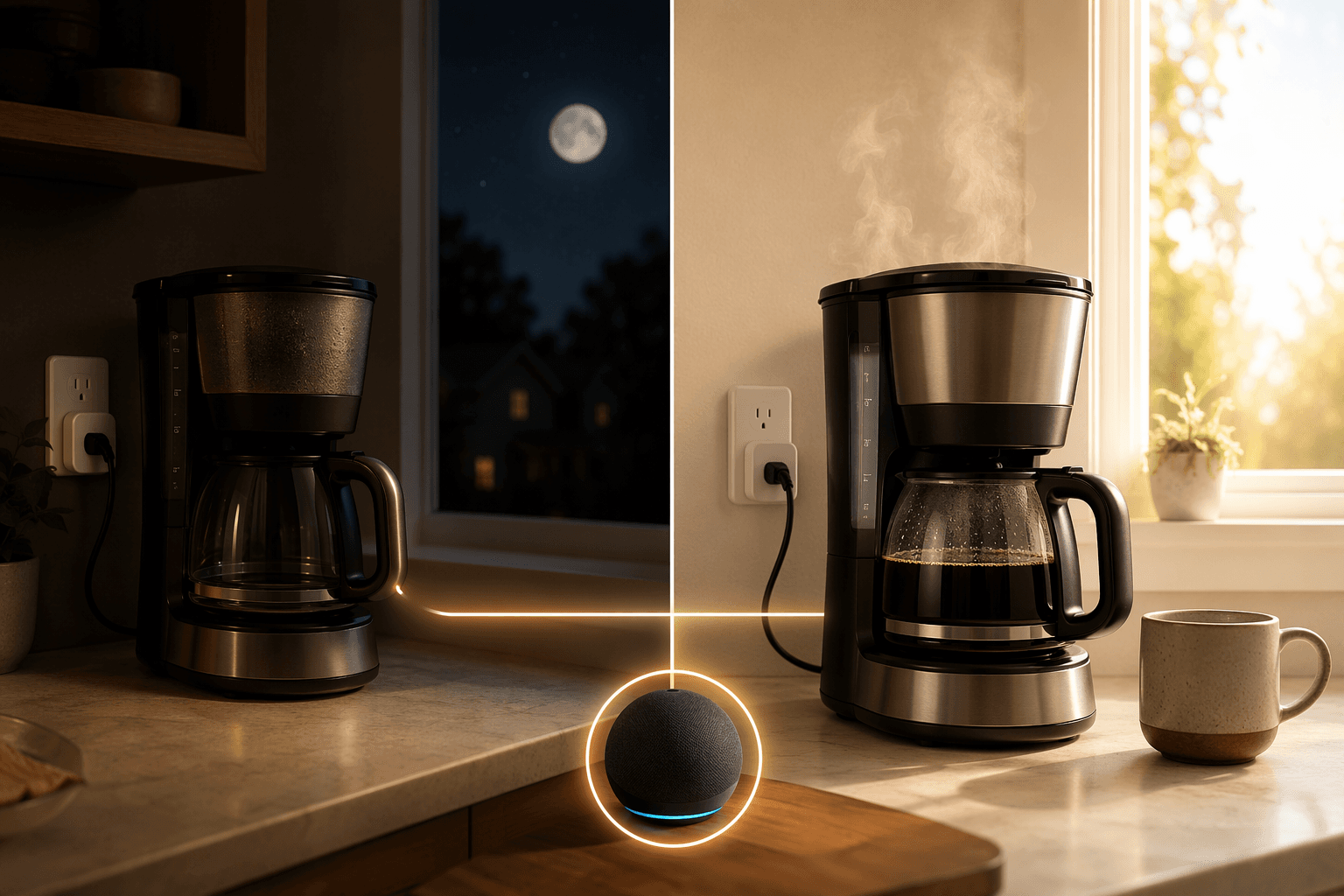
This is the routine that converts the skeptic fastest, provided the coffee maker is the right kind. The machine must have a physical on/off switch or a brew switch that can be left in the “on” position after you fill it with water and grounds. If the coffee maker requires a fresh button press after power returns, the plug can supply electricity, but it cannot press the button.
| Setting | Use this |
|---|---|
| Plug name | Kitchen Coffee |
| Trigger | Alarm dismissed, or a fixed weekday time |
| Action | Kitchen Coffee: On |
| Optional follow-up | Wait 30–45 minutes, then Kitchen Coffee: Off |
| Best appliance fit | Basic drip coffee maker with a physical switch |
| Avoid | Espresso machines, kettles, hot plates, or anything you would not leave powered unattended |
The alarm-dismissal trigger is more forgiving than a rigid 6:30 a.m. schedule if weekends, sick days, or late nights exist in your house. Alexa supports routines triggered when an alarm is dismissed, so the plug can start the coffee only after someone has actually woken up.[1]
A fixed-time version is still useful for households with a very predictable morning. Set the coffee up the night before, leave the coffee maker’s own switch on, and let the smart plug provide power at the routine time. Then add the automatic off step if your machine does not already shut itself down.
Living room: sunset lighting that does not care when dinner runs late
The best first lamp routine is not a voice command. Voice control is nice, but “Alexa, turn on the living room lamp” still requires you to notice the room got dim. A sunset routine fixes the lamp behind the couch without making anyone crawl over an end table.
| Setting | Use this |
|---|---|
| Plug name | Living Room Lamp |
| Trigger | Sunset |
| Action | Living Room Lamp: On |
| Optional follow-up | At 11:00 p.m., Living Room Lamp: Off |
| Best appliance fit | Table lamp, floor lamp, cabinet light, seasonal indoor light |
| Plug type | Any reliable Alexa-compatible on/off plug |
Use the sunset trigger instead of choosing a clock time you will resent by October. Alexa supports sunrise and sunset as routine triggers, which makes this routine adjust with the season without you editing it every few weeks.[1]
If the room has two lamps, do not name the plugs “Lamp 1” and “Lamp 2.” Use “Sofa Lamp” and “Window Lamp,” then optionally put both in an Alexa room or group called “Living Room.” That keeps voice commands natural: “Alexa, turn off the living room” is much easier than remembering which anonymous plug is wedged behind the loveseat.
Bedroom: one phrase for the bedtime shutdown
A bedroom smart plug routine should be boring. That is a compliment. It should turn off the lamp you already forgot, cut the fan if you do not want it running all night, and avoid anything that could wake someone up with a cheerful confirmation.
| Setting | Use this |
|---|---|
| Plug names | Bedroom Lamp, Bedroom Fan |
| Trigger | Voice phrase: “Alexa, good night” |
| Actions | Bedroom Lamp: Off; Bedroom Fan: Off, if desired |
| Optional action | Set volume lower on the bedroom Echo before sleep routines |
| Best appliance fit | Bedside lamp, box fan, white-noise device that tolerates power loss |
| Avoid | Medical devices, heaters, humidifiers that should not be power-cycled blindly |
This routine works especially well in a mixed household because it does not require everyone to use the app. One person can build the routine; everyone else just needs the phrase. If “good night” already triggers other Alexa actions, add the plug actions to the existing routine rather than creating a competing one.
Home office: kill the monitor glow after work
A smart plug is not the right place to power-cycle a desktop computer without care. It is very good at cutting the accessories that keep glowing after the workday is over: monitors, speakers, a desk lamp, a charger strip, or a printer that does not need to sit awake all evening.
| Setting | Use this |
|---|---|
| Plug name | Office Monitor Strip |
| Trigger | Weekdays at work start time |
| Morning action | Office Monitor Strip: On |
| End-of-day trigger | Weekdays at work end time, or voice phrase: “Alexa, shut down the office” |
| End-of-day action | Office Monitor Strip: Off |
| Plug type | A plug or smart power strip rated for the total load |
If your office schedule changes constantly, skip the automatic off time and use the voice phrase. This is one of those places where automation should remove a repeated chore, not create a new fight with your calendar.
Kitchen and pantry: automate light, not heat
The safe kitchen smart plug jobs are usually lights: under-cabinet accent lighting, a pantry lamp, a breakfast nook lamp, or a decorative window light. The risky jobs are the ones people keep trying to make clever: electric kettles, toaster ovens, hot plates, slow cookers without their own safety logic, and anything that can generate heat while no one is paying attention.
| Setting | Use this |
|---|---|
| Plug name | Pantry Light or Kitchen Accent |
| Trigger | Voice phrase: “Alexa, kitchen lights” or scheduled evening time |
| Action | Plug: On |
| Follow-up | Wait 15–30 minutes, then Plug: Off |
| Best appliance fit | Low-power lamps and decorative lighting |
| Avoid | Heat-producing cooking appliances |
The wait-and-off follow-up is the useful part here. It lets a pantry or cabinet light behave like a temporary task light instead of another thing that stays on until someone notices it at midnight.
Fan comfort: move air on a schedule, not forever
Fans are excellent smart plug candidates when they use a mechanical switch or dial. If the fan forgets its state after losing power, the plug can turn on but the fan may stay off. Test that before building the routine: unplug the fan while it is running, plug it back in, and see what happens.
| Setting | Use this |
|---|---|
| Plug name | Bedroom Fan or Nursery Fan |
| Trigger | Scheduled time, voice phrase, or bedtime routine |
| Action | Fan: On |
| Follow-up | Wait 2–4 hours, then Fan: Off |
| Best appliance fit | Box fan, pedestal fan, simple air circulator |
| Avoid | Fans that require a soft-touch electronic button after power is restored |
A timed shutoff is often better than a temperature-based workaround unless you already have a compatible temperature sensor in Alexa. Without a real sensor, Alexa does not know the room is warm; it only knows the schedule or phrase you gave it.
Pet corner: automate comfort, not responsibility
Pet routines are where smart plugs need humility. A plug can run a fountain on a schedule, turn on a lamp near a crate before sunset, or power a small non-critical accessory. It should not be the only thing standing between a pet and food, water, heat, or safety.
| Setting | Use this |
|---|---|
| Plug name | Pet Fountain or Pet Lamp |
| Trigger | Daily schedule |
| Action | Plug: On |
| Follow-up | Optional off schedule if the device does not need to run continuously |
| Best appliance fit | Pet fountain, small lamp, non-critical accessory |
| Avoid | Any device where a missed routine would endanger the animal |
Outdoor and holiday lights: use the right plug before you use the clever trigger
Outdoor routines are where the hardware choice stops being a footnote. Do not put an indoor smart plug in a damp outlet box and call it festive. Engadget highlights the TP-Link Tapo TP25 as an outdoor option with an IP65 rating and an operating range from -4°F to 122°F, which is the kind of specification that matters for landscape lights, porch décor, and holiday strings.[4]
| Setting | Use this |
|---|---|
| Plug name | Porch Lights or Holiday Lights |
| Trigger | Sunset |
| Action | Outdoor plug: On |
| Follow-up | At bedtime or a fixed late-evening time, Outdoor plug: Off |
| Best appliance fit | Holiday lights, string lights, landscape transformers within rating |
| Plug type | Outdoor-rated smart plug with weather protection appropriate to the outlet location |
This is also where a sunset trigger beats a timer by a mile. In December, the lights come on early. In June, they wait. Nobody has to crawl behind wet shrubs to unplug anything.
Vacation lighting: make the house look lived in without building a fake movie set
Vacation lighting should be subtle. A lamp in the front room, one upstairs light, and a porch light are more convincing than every lamp in the house snapping on at exactly 7:00 p.m. for a week.
| Setting | Use this |
|---|---|
| Plug names | Front Lamp, Upstairs Lamp, Porch Lights |
| Trigger | Away-related setting, evening schedule, or Alexa Guard/Away behavior where available |
| Action | Turn selected lights on and off at varied evening windows |
| Best appliance fit | Lamps visible from outside, porch or entry lighting |
| Plug type | Basic plugs for indoor lamps; outdoor-rated plug for exterior lights |
| Avoid | Predictable all-house lighting patterns |
Amazon’s Alexa routine documentation includes phone location as a routine trigger, and Alexa also supports device and schedule-based triggers, so there are a few ways to approximate away behavior depending on your settings and devices.[1] If your Alexa app exposes Guard or Away lighting options, use those instead of hand-building ten rigid schedules. If it does not, create two or three evening routines with slightly different times and different lamps.
This is a good place to be honest about what a smart plug is not. It is not a security system. It can make a house look less empty, and it can keep the porch from sitting dark, but it should sit beside locks, cameras, neighbors, and common sense rather than replacing them.
Energy check: use monitoring plugs where the numbers matter
The easiest energy mistake is expecting a basic Alexa plug to tell you what something costs to run. Many inexpensive plugs only switch power. They do not measure it. For vampire-load hunting, use an energy-monitoring plug such as the TP-Link Tapo P110M or another current model that your chosen reviewer confirms supports energy data. CNET and PCMag both distinguish smart plugs with energy-monitoring features from simple on/off models in their 2026 smart plug coverage.[3][5]
| Setting | Use this |
|---|---|
| Plug name | TV Stand, Game Console, Office Strip |
| Trigger | Manual review first; then schedule if the device is safe to shut off |
| Action | Turn off during known idle hours |
| Best appliance fit | Entertainment centers, chargers, speakers, printers, monitor accessories |
| Plug type | Energy-monitoring smart plug |
| Avoid | Routers, network gear, DVRs, medical devices, or anything that must remain continuously powered |
CNET reports expert estimates that standby power from idle electronics can add about $100 to $200 per year to a home electric bill, but that should not be read as a guaranteed savings figure for every household.[3] The useful move is narrower: measure the devices that look suspicious, then automate only the ones that are both wasteful and safe to cut overnight.
The Amazon Smart Plug is fine for a lamp routine, but it is not the right tool for this job if you need energy data. Check the limitations before buying, especially if you are comparing the first-party option with monitoring-capable plugs in an Amazon Smart Plug device profile.
Which recipes work with a basic plug, and which do not
| Recipe | Basic Alexa-compatible plug | Better plug choice |
|---|---|---|
| Sunset indoor lamp | Yes | No special feature needed |
| Coffee maker | Yes, if appliance safely resumes | No special feature needed; appliance behavior matters more |
| Bedroom shutdown | Yes | No special feature needed |
| Fan timer | Yes, if fan has physical controls | No special feature needed |
| Home office accessory shutdown | Usually | Smart power strip if controlling multiple accessories |
| Outdoor holiday lights | No | Outdoor-rated plug |
| Vacation lighting | Usually | Check Alexa Away/Guard support and outdoor rating where needed |
| Energy monitoring | No | Energy-monitoring plug |
| Cross-platform smart home | Maybe | Matter-capable plug if you also use other ecosystems |
Reviewer roundups are useful here only when they change the routine you can actually run. Wirecutter, CNET, PCMag, and Engadget all evaluate current smart plugs by more than Alexa voice compatibility, including reliability, energy features, outdoor use, and ecosystem support.[2][3][4][5] If all you want is a sunset lamp, do not over-shop. If you want power data, outdoor weather resistance, or Matter, do.
A simple deployment order that avoids smart plug clutter
Start with one low-risk routine: a living room lamp at sunset or a coffee maker that you have already tested after power loss. Give the plug a room-based name, pair it on the correct Wi-Fi band, turn it on and off from the Alexa app, then run the routine manually before trusting the schedule.
After that, add only the recipes that remove a repeated irritation. If the bedroom fan gets left on, automate the fan. If the porch lights are annoying, buy the outdoor-rated plug. If the entertainment center is suspected of wasting power, use an energy-monitoring model before making claims about savings. For broader ideas that go beyond plug-in devices, a beginner smart home automation cookbook is a better next stop than buying five more plugs at once.
The value of an Alexa smart plug is not that the plug is impressive. It is that an ordinary appliance gets just enough routine logic to disappear into the day.
References
- Create an Alexa Routine in the Alexa App — Amazon Customer Service.
- The 5 Best Smart Plugs of 2026 — Wirecutter, The New York Times.
- 11 Ways CNET Editors Use Smart Plugs to Make Life Easier at Home — CNET.
- The best smart plugs in 2026 — Engadget.
- The Best Smart Plugs and Power Strips for 2026 — PCMag.
Implementation Notes
Share platform-specific tips, report that a recipe no longer works after a platform update, or contribute variations for different device combinations.
Comments
Join the discussion with an anonymous comment.