
I Bought a Pi 4 Three Times. Don't.
You order a Pi 4 for $60, flash Home Assistant onto an SD card, and within an hour you have a working hub. Six months later the dashboard stops loading. The SD card is corrupted. You rebuild, restore from backup, and twelve months later it happens again. I've been through this cycle three times. It's not bad luck. It's a known failure pattern: SD cards in continuous write applications like a smart home hub last 6 to 18 months on average. The Pi 4's strength—its low entry price—becomes a trap when you scale beyond a handful of sensors. According to EG3's testing, a Pi 4 4GB handles 10 to 20 devices sustainably before the write load starts killing SD cards. If your plan stops at three smart plugs and a thermometer, the Pi 4 works. If you plan to eventually control lights, locks, sensors, and a thermostat, that 10–20 device ceiling will force a painful upgrade.
What the Pi 5 Actually Fixes
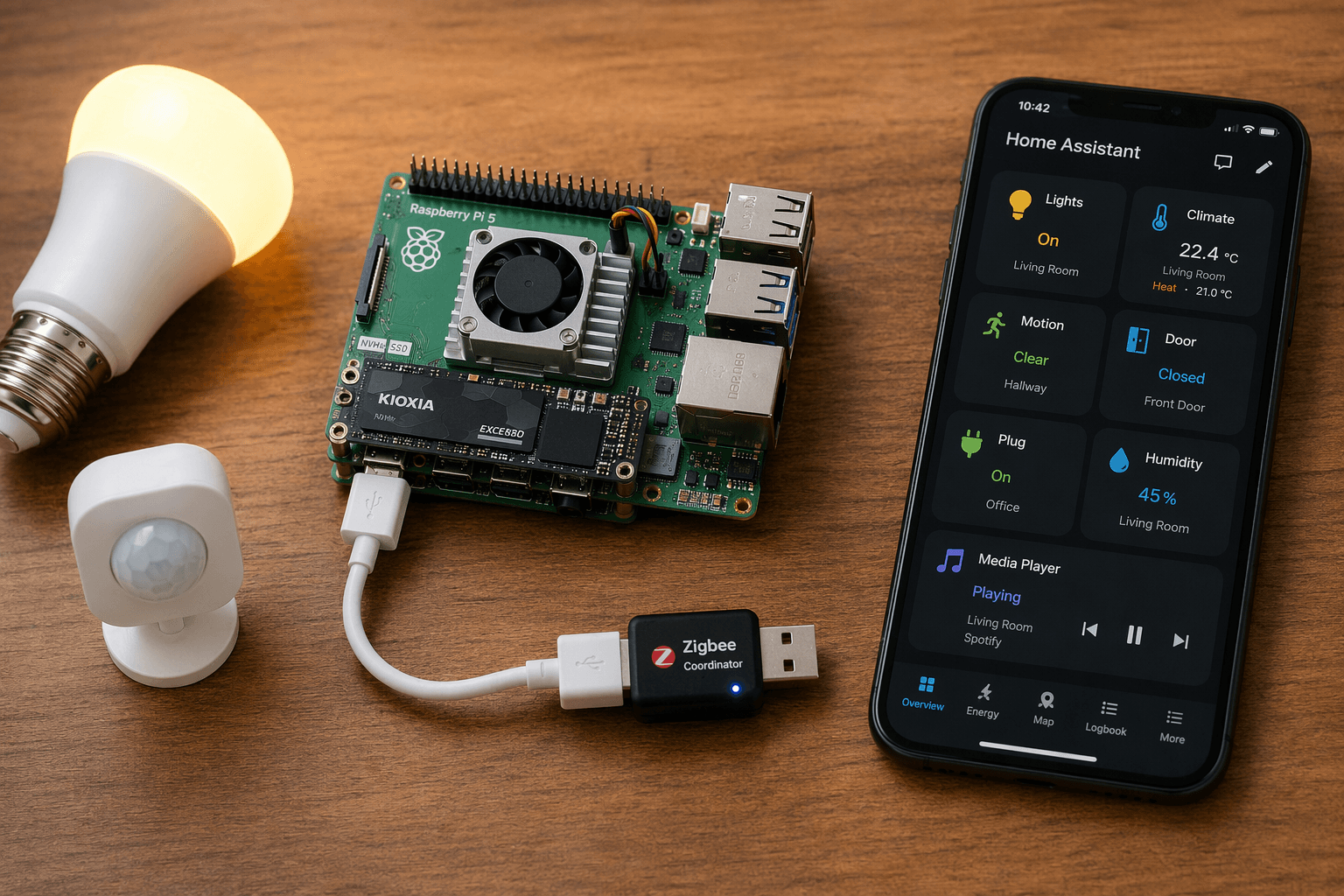
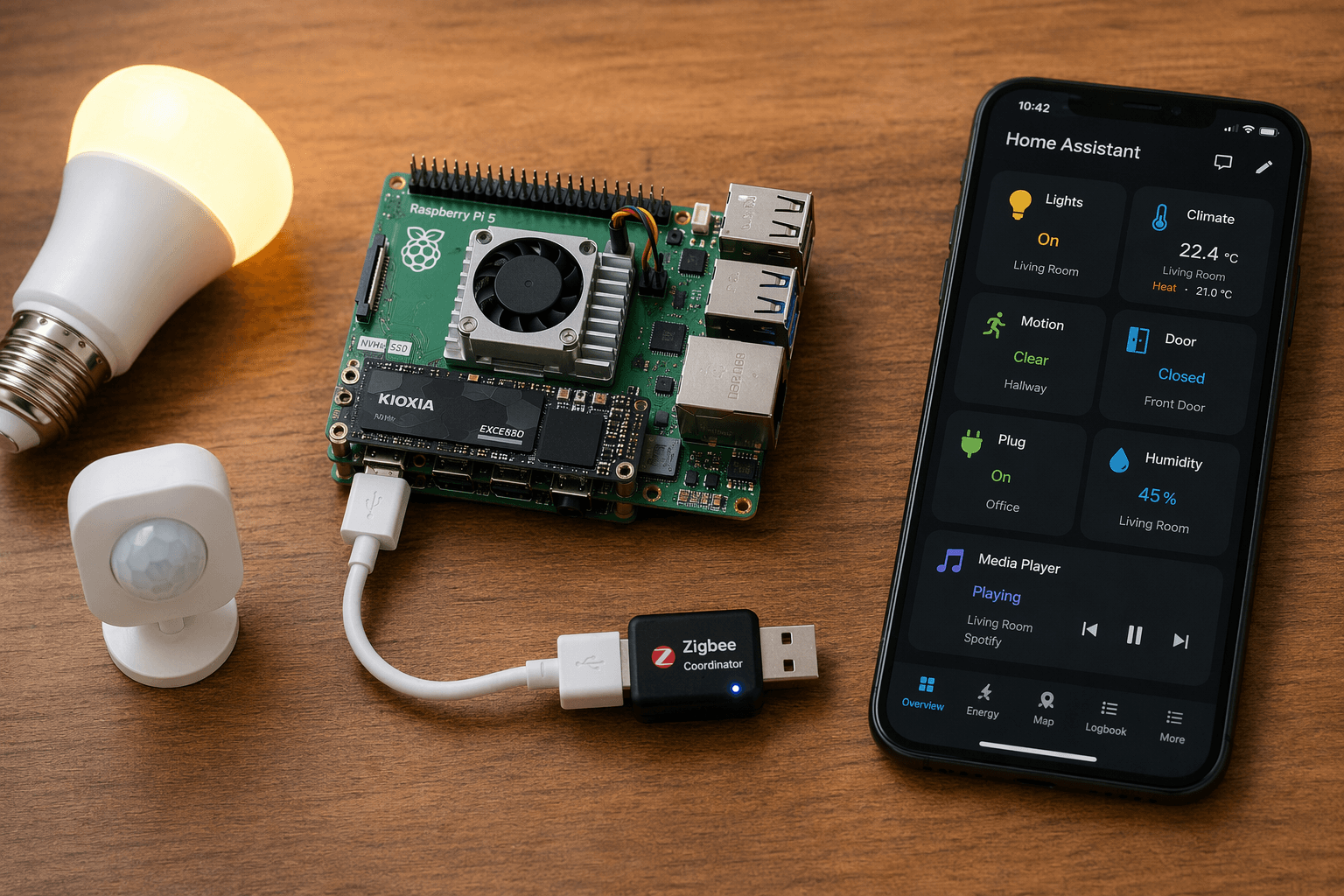
The Pi 5 fixes the two biggest weaknesses of its predecessor: storage reliability and device capacity. With an NVMe SSD (add a $15–25 HAT and a $40–80 drive) you eliminate the SD card failure window entirely. Boot time drops from 60–90 seconds on a Pi 4 to under 30 seconds—measured by Peyanski in late 2023—expect a similar advantage today, maybe slightly better with current software. The device capacity gap is even wider. EG3 reports that a Pi 5 8GB can sustain 75 to 300 devices, while a Pi 4 4GB tops out at 10 to 20. That's not just a spec sheet number; it's the difference between a hobby project and a whole-house automation backbone.
| Feature | Pi 4 4GB | Pi 5 8GB |
|---|---|---|
| Sustainable device count | 10–20 | 75–300 |
| Boot to dashboard (SD vs NVMe) | 60–90 sec | <30 sec |
| Storage lifespan | 6–18 months (SD) | 5+ years (NVMe) |
| RAM headroom for add-ons | Tight above 2 GB | Comfortable with 3+ GB |
| Local AI support | Not practical | Whisper, Frigate (with fan) |
| Idle power draw | ~3 W | 5.5 W (with NVMe) |
| All-in cost | $200–$350 | $300–$500 |
The extra RAM is not just for more devices. Home Assistant core sits at 300–500 MB, but when you add Zigbee2MQTT, Z-Wave JS, Mosquitto, and a Matter server, the total can hit 2–3 GB under load. The 8GB Pi 5 gives you headroom for local voice (Whisper) or AI-powered person detection (Frigate). That local AI capability is real, but it requires active cooling. Without a fan, the Pi 5's CPU throttles above 85°C under combined radio and ML workloads. The official active cooler keeps it below 65°C at 9–12 W sustained, and that's a couple of dollars well spent.
The Zigbee Trap on Pi 5 (and How to Fix It)
Here's the detail most Raspberry Pi reviews ignore. The Pi 5's RP1 chip generates electromagnetic noise that interferes with Zigbee radios when the coordinator is plugged directly into the USB port. EG3 measured 5–15% packet loss in that configuration. That's not a minor glitch; it means devices that rely on Zigbee mesh (many smart bulbs, sensors, and locks) will randomly miss commands and state updates. The fix is trivial: move the coordinator off the Pi's USB ports with a shielded USB 2.0 extension cable. Cost: $5–10. Installation: plug one end into the Pi, the other into the coordinator, and set the dongle a few inches away from the case. Without this cable, a Pi 5 hub can actually be less reliable than a Pi 4 for Zigbee-heavy homes. Don't skip it.
The Real Price of 'Cheap': Three-Year Costs
Upfront the Pi 4 looks like a savings: $200–$350 for a complete setup versus $300–$500 for a Pi 5 with NVMe. But the Pi 4's hidden costs add up. Replace the SD card twice in three years: $30–$60 in hardware plus hours of downtime and restore work. If you attach multiple radios (Zigbee, Z-Wave, Thread), you may need a powered USB hub to avoid power drops, another $20. The Pi 5 with NVMe, active cooler, and a shielded USB cable avoids all that. True three-year total cost of ownership favors the Pi 5 for any setup over 15 devices.
The energy savings from the automation itself—connected thermostats can reduce heating and cooling by 10–23% per Department of Energy data, as covered in our smart thermostat payback analysis—apply regardless of which Pi you choose. Those benefits are tied to your devices, not your hub. But the reliability of the hub determines whether those savings persist. A corrupted SD card and a dead hub means the thermostat goes back to manual. The Pi 5's NVMe setup keeps your automations running.
When the Pi 4 Is Fine
If you are building a pure sensor-only system with fewer than 10 devices, no plan to expand, and no interest in local AI or voice control, the Pi 4 4GB is a perfectly adequate choice. You'll likely replace the SD card once or twice, but the total cost will still be under $300. For that narrow use case, the Pi 5 is overkill. Don't let anyone pressure you into spending more than you need.
Pick the Board That Matches Your Device Count
- Fewer than 10 devices, sensor-only, no AI: Pi 4 4GB is sufficient.
- 10–20 devices or any Zigbee/Thread: Start with Pi 5 4GB, add NVMe, and buy the shielded USB cable.
- 20–75 devices, multi-protocol, local automations: Pi 5 8GB with NVMe and active cooler.
- 75+ devices or local AI: Pi 5 8GB with NVMe, active cooler, and a powered USB hub for extra radios.
The decision is not about which board is "better." It's about matching the tool to the job. A Pi 5 is overkill for a three-sensor apartment. A Pi 4 is a false economy for a whole-house system. Measure your device count, read the benchmarks, and make the call that saves you the rebuild. I've done this three times; you don't have to.
Implementation Notes
Share platform-specific tips, report that a recipe no longer works after a platform update, or contribute variations for different device combinations.
Comments
Join the discussion with an anonymous comment.