
The wrong way to shop for smart home tornado alert devices and apps is to ask which single thing will warn you. Tornado nights are specifically good at breaking single things: the phone is muted, the router loses power, the cell tower is overloaded or down, the smart speaker cannot reach the cloud, or the weather radio was never programmed for the right county.
The better buying rule is less glamorous: build independent alert layers. A tornado warning has to reach a sleeping household, a person who may not hear a phone, a rural home with weak cell service, and whoever is trying to make decisions in the dark at 2 a.m. A useful system does not depend on one company, one network, one outlet, or one notification setting.
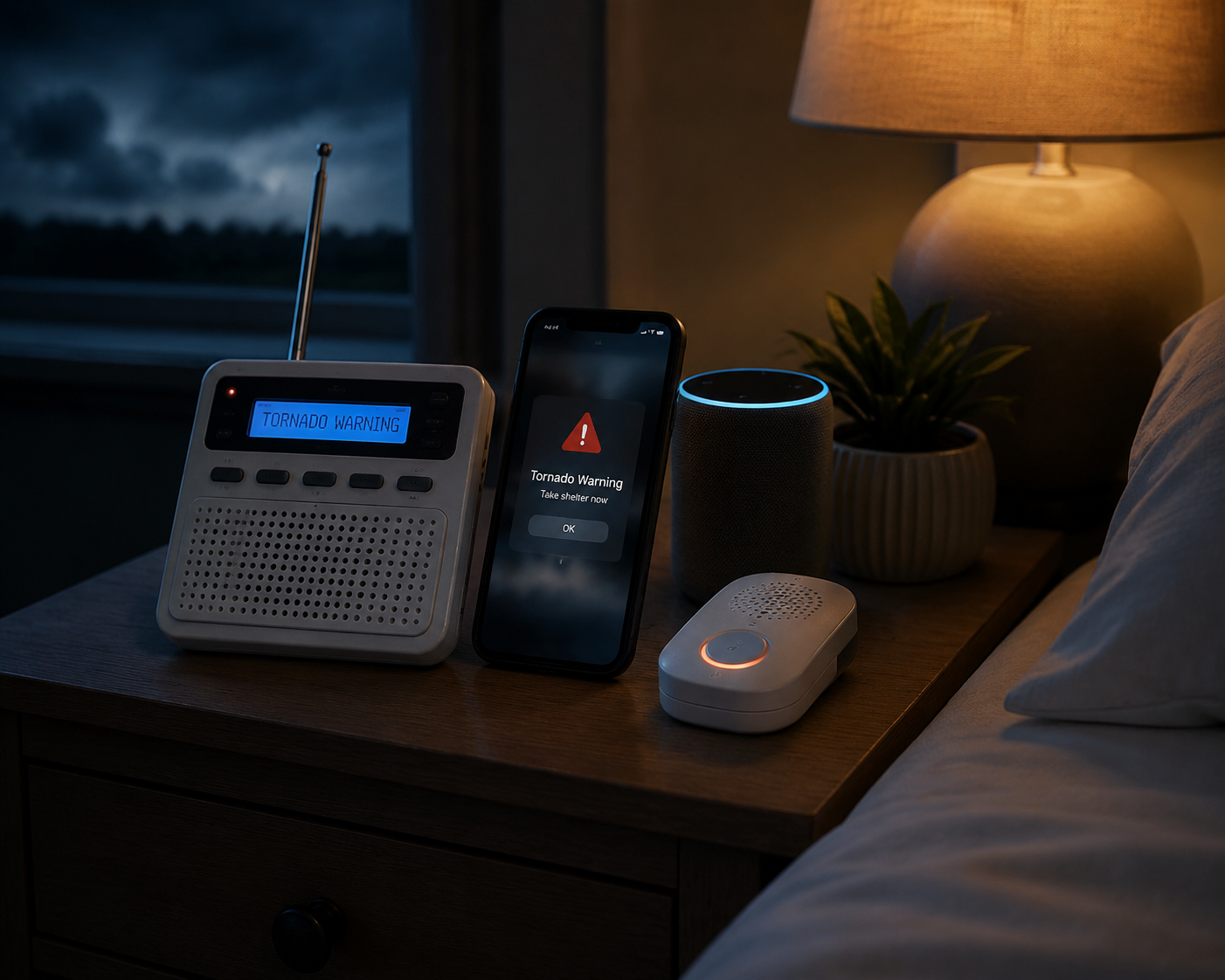
The Four Alert Layers Worth Building
For a home in tornado country, the strongest setup uses four layers: a standalone detector where a viable product is actually available, a SAME-programmable NOAA weather radio, built-in and app-based smartphone alerts, and smart home devices that amplify the warning with voice, lights, and routines. The layers overlap on purpose. Redundancy is not clutter when the failure modes are different.
| Alert layer | What it is good at | Main failure point to respect |
|---|---|---|
| Standalone atmospheric detector | Can work independently of internet, cell towers, and radio broadcasts if the device is available and functioning | Current purchase availability is uncertain for TornadoAlert, so it should not be the only plan |
| SAME NOAA weather radio | Runs on a dedicated 24/7 broadcast network with county-specific alerting and loud alarms | Must be correctly programmed for the right county or counties |
| Phone alerts and weather apps | Reach the device most people already keep nearby and can use location-based warnings | Can fail through poor cell service, muted settings, disabled permissions, battery drain, or app configuration errors |
| Smart speakers and automations | Can wake people with voice announcements, flash lights, trigger routines, and spread warnings through the house | Usually depend on home power, Wi-Fi, cloud services, and correct automation setup |
That table is also the buying checklist. If a device only duplicates what your phone already does, it may still be useful, but it is not a new safety layer. If it can still alert you when another layer is gone, it deserves attention.
Start With a NOAA Weather Radio, Not a Smart Speaker
The least fashionable device in the system is the one I would buy first. NOAA Weather Radio All Hazards uses more than 1,000 transmitters across all 50 states and broadcasts weather and hazard information 24/7; the SAME system lets a radio alert for specific counties instead of every warning in broadcast range.[1]
That matters because a tornado warning is not just information. It is an interruption. A good weather radio sits there doing one boring job until it needs to be loud enough to cut through sleep, a fan, a closed bedroom door, or a household that has put every phone on Do Not Disturb.
Wirecutter’s 2026 emergency weather radio testing named the Midland ER310PRO as its top pick, citing a 10,000 mAh battery, USB-C charging, a hand crank, a solar panel, and survival in 7-foot drop tests.[2] That mix is more important than the usual feature-list shopping. Battery capacity, charging options, and physical durability are not extras when storm power can be unreliable.
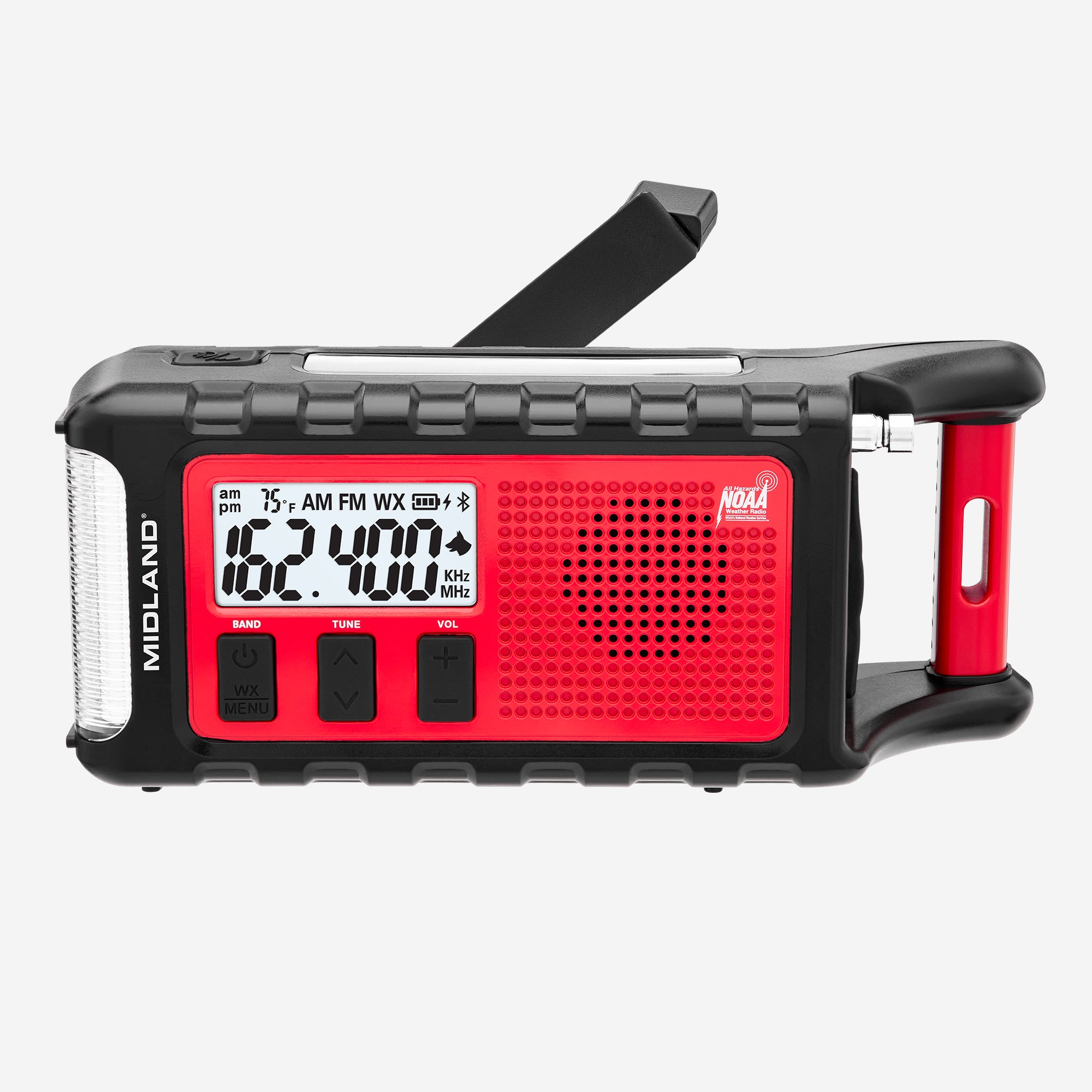
For a bedside or kitchen counter setup, the Midland WR400 is the more traditional desktop choice. Midland lists an 85 dB siren, 25-county programming, and accessory outputs that can support devices such as a pillow shaker or strobe.[3] The National Weather Service also points users with hearing loss toward special-needs alerting setups that can connect weather radios to strobe lights, bed shakers, pillow vibrators, or other external alerting devices.[4]
That accessibility piece should not be treated as a niche concern. A phone buzzing on a nightstand is a weak alert for many sleeping people, and it is an even weaker one for someone who cannot reliably hear it. A radio with an external alert output can turn a warning into light, vibration, or both.
The Setup Step That Can Ruin a Good Radio
SAME programming is the part to slow down for. The National Weather Service explains that SAME lets receivers identify alerts for programmed areas, but the user has to enter the right location codes and choose the alerts they want to receive.[5] A radio still sitting in all-county mode may scream too often; a radio programmed for the wrong county may stay quiet when it matters.
For most households, the practical setup is simple: program your home county, then add nearby counties if storms often approach from that direction or if you routinely sleep, work, or drive near a county line. After programming, use the radio’s weekly test behavior and local forecast broadcast to confirm reception where the radio will actually live. Do not test it in the kitchen and then move it to a basement shelf with poor reception.
Standalone Tornado Detectors Are Interesting, With a Big Availability Caveat
A standalone tornado detector is conceptually valuable because it is not waiting for a phone network, home internet, or a radio broadcast. TornadoAlert, sold by Scientific Sales, is described as detecting tornado-forming atmospheric electrical activity within a 30-mile radius, with a claimed 95% accuracy rate and up to 30 minutes of warning time based on NASA-validated methodology and 40 years of research.[6]
That is exactly the kind of independence a layered alert system wants. It is also where the recommendation has to slow down: multiple retailers have listed TornadoAlert as discontinued or uncertain in availability. So the right conclusion is not “everyone should buy this today.” It is: if a verified, supportable standalone detector is available to you, it can be a meaningful extra layer; do not build your whole plan around a product you may not be able to purchase, replace, or support.
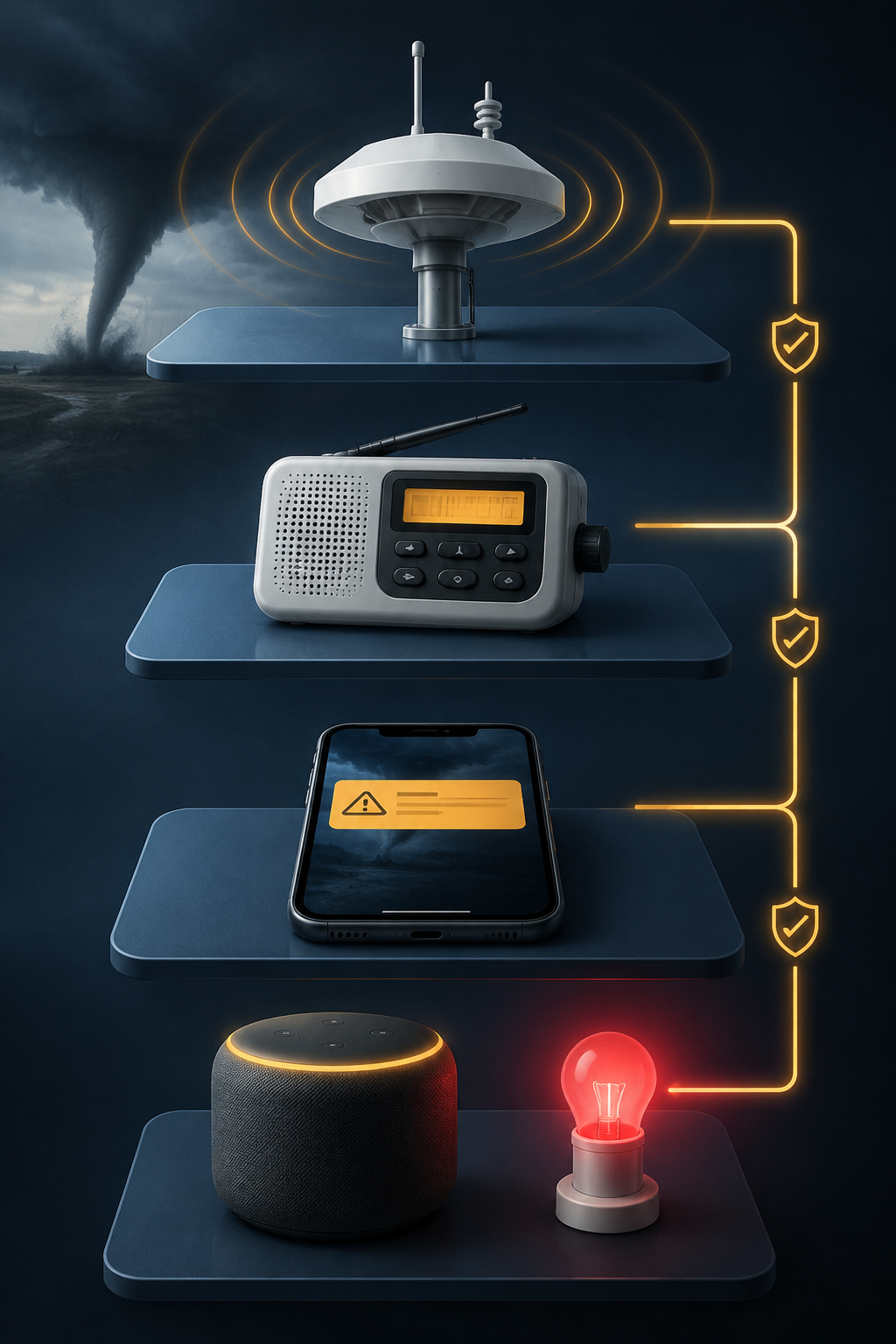
Use Phone Alerts, Then Make Them Harder to Miss
Wireless Emergency Alerts belong near the top of the phone layer because they are built into compatible phones and do not require installing a separate weather app. After that, add one or two weather-alert apps as secondary phone paths, not five apps that all get ignored. The National Weather Service’s enterprise alert app directory includes options such as FEMA, the American Red Cross Emergency app, Storm Shield, WeatherBug, MyRadar, Clime, and CodeRED.[7]
The app choice matters less than the permissions and alert behavior. Confirm that location access is enabled, critical or emergency-style alerts are allowed where the app supports them, notification sounds are not silently grouped with casual weather updates, and the app is allowed to run in the background. If you use a sleep mode, check whether the app or emergency alerts can break through it.
Storm Shield is worth considering when you specifically want voice-style alerts similar to the way a weather radio announces a warning. WeatherBug is worth a look for households that want smart home device integration. FEMA and Red Cross are sensible baseline emergency apps, especially if you want broader disaster guidance alongside weather warnings. None of them replaces the NOAA radio; they add another path to the person most likely to have a screen nearby.
Smart Speakers Are Wake-Up Tools, Not the Foundation
Smart speakers are tempting because they feel household-wide. A warning can become a spoken announcement in the bedroom, a flashing light in the hallway, and a routine that turns on lamps near the stairs. That is useful. It is also fragile. Most smart speakers need mains power, Wi-Fi, and a working cloud service unless you have deliberately designed around those limits.
Alexa has the most straightforward consumer setup here. Amazon Echo devices can announce severe weather alerts when weather notifications are enabled, including through Settings > Notifications > Weather or by asking, “Alexa, tell me when there’s a severe weather alert.” Reviewed also notes that Alexa cannot directly call 911, though it can be configured to call a designated emergency contact.[8]
Google Home is less direct for severe-weather push alerts. The practical routes are workarounds: use an AccuWeather action where available, mirror phone notifications to speakers through another service, or let a broader automation platform handle the alert and use Google speakers only for text-to-speech output. That extra complexity is not a reason to avoid Google Home; it is a reason to test it instead of assuming it behaves like a NOAA radio.
Home Assistant is the strongest option for households willing to build their own alert logic. Its National Weather Service integration is free, cloud-polling, and has been available since version 0.99; it can expose weather alerts that automations can use.[9] From there, a tornado warning can trigger critical push notifications, text-to-speech on supported speakers, red or white flashing smart lights, and other household actions.
Some actions sound dramatic until you picture the actual night. Turning on lights between bedrooms and the safe room is not decoration. Closing a smart garage door can reduce one more opening someone might forget in a rush; Vivint describes tornado-warning automations that include garage-door and camera-related actions.[10] The point is not to make the home look busy. The point is to remove decisions from the first minute after the warning.
A Sensible Tornado Automation
- Trigger only on tornado warning or equivalent high-severity alert for your actual county or coordinates.
- Turn on bedroom, hallway, stair, and safe-room lights at full brightness.
- Broadcast a short spoken message: “Tornado warning. Go to shelter now.”
- Send push notifications to all household phones, including tablets kept in bedrooms if they are reliable.
- Close the garage door if it is open, unless doing so would create a known safety issue for your household.
- Repeat the voice announcement a few times, but avoid a routine so long that it delays or drowns out new instructions.
SmartThings users have weather-alert options too, including SmartWeather and Severe Weather Alert SmartApp-style setups. Treat them the same way: useful if they can amplify an official warning, questionable if they become the only thing expected to wake the house.
The Nighttime Test Is the Real Test
A firsthand account from the May 2025 Michigan tornado outbreak described voice-activated alerts from Google Home and Alexa waking sleeping households in time to seek shelter.[11] That is exactly the kind of job a smart speaker can do well: make an alert harder to sleep through.
It is not proof that a smart speaker should stand alone. It is proof that a voice layer can earn its place when it is connected to a real alert source and backed up by devices that do not depend on the same fragile chain. If Wi-Fi, power, or cloud access drops, the speaker may become a silent cylinder on the nightstand.
Wirecutter’s emergency-radio reporting makes the same point from another angle. National Weather Service meteorologist Ted Buehner and National Association of Broadcasters CEO Curtis LeGeyt emphasized the need for more than one way to receive warnings; the article cites Hurricane Helene in 2024 in Asheville, where there was “literally no cell phone coverage.”[2] That example is about a hurricane, not a tornado, but the failure mode is the one tornado households should care about: the network you expected to carry the warning may not be there.
What to Buy and Set Up Before Storm Season
If you are starting from nothing, buy the NOAA weather radio first. Choose a portable model like the Midland ER310PRO if battery life, USB-C charging, hand-crank backup, solar charging, and grab-and-go use matter most. Choose a desktop model like the Midland WR400 if you want a louder fixed alert station, multi-county programming, and accessory outputs for a pillow shaker or strobe.
Then set up the phone layer. Confirm Wireless Emergency Alerts are enabled. Add one or two reputable alert apps, give them location and notification permissions, and make sure their sounds can break through whatever focus or sleep settings your household actually uses.
After that, add smart home amplification. Enable Alexa severe-weather announcements if you use Echo devices. For Google Home, plan on a workaround rather than native severe-weather push behavior. For Home Assistant or SmartThings, build a warning routine that turns on lights, speaks plainly, notifies phones, and handles a few useful house actions without becoming so complicated that nobody understands it.
Consider a standalone detector only if you can verify that the product is currently available, supported, and appropriate for your location. TornadoAlert’s independence is attractive; uncertain availability keeps it from being the base recommendation.
Before storm season, test the whole chain in the rooms where people sleep. Check the radio reception and SAME codes. Put fresh batteries where batteries are required. Confirm the phone alerts are audible. Unplug the router mentally, if not literally, and ask what still works. Then ask the same question with the phone muted, the speaker offline, and the power out. The devices that still have an answer are the ones doing safety work.
References
- NOAA Weather Radio All Hazards — National Weather Service
- The 4 Best Emergency Weather Radios of 2026 — Wirecutter / The New York Times
- WR400 Deluxe NOAA Weather Alert Radio — Midland
- NWR Special Needs — National Weather Service
- Using NWR SAME — National Weather Service
- TornadoAlert Severe Weather Detector & Alarm — Scientific Sales
- ALERTS - APP — National Weather Service
- 9 Ways Amazon Echo Can Help in Severe Weather — Reviewed.com
- National Weather Service (NWS) Integration — Home Assistant
- Stay Safe With a Tornado Warning — Vivint
- Using Google Home and Alexa for Tornado Safety in Michigan — Warren Schuitema
Policy Updates & Reader Notes
Privacy policies, monitoring plan prices, and security disclosures change frequently. Report new data retention terms, updated plan pricing, or new vulnerability disclosures below. For formal editorial corrections, use the contact page.
Comments
Join the discussion with an anonymous comment.