
The point of using Home Assistant for tornado warnings is not to make the house look dramatic when the weather turns ugly. It is to answer a very practical question: will the alert fire for this exact address, in a way the people in this house will actually notice, without waiting on a consumer cloud routine?
For U.S. users, the strongest setup starts with the official Home Assistant NWS integration as the baseline weather source, then adds the community NWS Alerts integration through HACS so automations can react to alert-specific fields such as count, severity, headline, and description. The built-in NWS integration uses the official National Weather Service API through the pynws library, is added from Settings > Devices & Services, and is classified by Home Assistant as Cloud Polling; it has been available since Home Assistant Core 0.99.[1]
That still does not make Home Assistant a replacement for Wireless Emergency Alerts, local sirens, weather radio, or any official alerting channel. WEA exists specifically to send emergency messages to compatible mobile phones in affected areas, and emergency-preparedness guidance still points households toward multiple alert sources.[2][3] Home Assistant is best treated as the household layer: the thing that turns an official warning into red lights in the bedroom, a voice announcement upstairs, a phone notification outside, and a dashboard state you can inspect later.
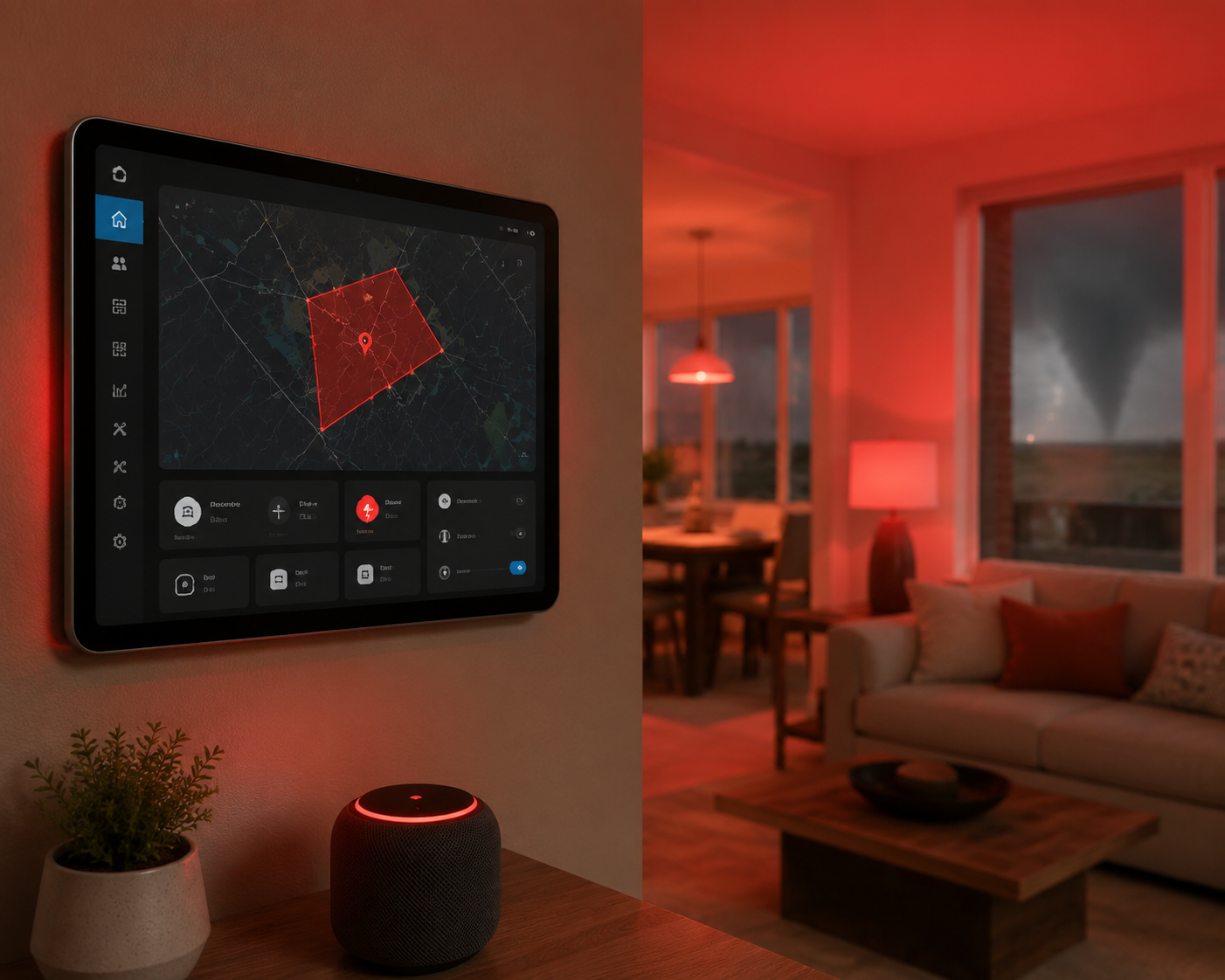
Start With The Alerting Model
A useful tornado warning automation has three parts: a trusted source, a location match, and actions that reach different people in different conditions. The trusted source is the NWS alert data. The location match is the important improvement over broad county-level noise: the NWS API can be queried for alerts relevant to a specific latitude and longitude, so the automation can respond when an active warning polygon covers the configured home location rather than every time a warning exists somewhere in the county.
The actions are where Home Assistant earns its keep. A phone notification helps the adult mowing the yard. A light group flashing red helps the person who sleeps through audio. A text-to-speech announcement helps the child upstairs who will not read a dashboard at 2 a.m. A persistent dashboard card helps you diagnose whether the alert sensor changed state, whether an automation ran, and whether the house cleared itself after the warning expired.
That model is different from asking a smart speaker for the weather or building a one-off novelty routine. Community Home Assistant users have shared automations that flash Philips Hue or LIFX lights red, announce warnings through Sonos or Google Cast speakers, show color-coded dashboard cards, and send push notifications when NWS alert sensors change.[4] Those are useful examples, but the safety value comes from filtering the right alert and testing the household response, not from copying someone else’s YAML.
Before You Add Anything, Verify Home Assistant Knows Where Home Is
Open Settings > System > General and confirm the Home Assistant location. Do not skip this because the map pin looks close. Tornado warnings are polygon-based products; a few miles can be the difference between a warning that includes your house and one that passes south of you. Check the latitude, longitude, elevation, time zone, and unit system before building any automation on top of weather entities.
If you run multiple Home Assistant instances, vacation homes, farm outbuildings, or a remote cabin, decide which location the alert is protecting. A dashboard card on your main house tablet does not help much if the NWS sensor is watching the wrong coordinates. For a life-safety alert, boring setup details matter.
| Check | Why It Matters |
|---|---|
| Latitude and longitude | Used for the local NWS point or alert query |
| Home zone | Affects automations that target people at home or away |
| Mobile app notification devices | Determines which phones can receive Home Assistant alerts |
| Speaker and light entity names | Prevents the automation from calling the wrong room during a warning |
| UPS and network runtime | Determines whether the system survives a power flicker long enough to alert |
Add The Official NWS Integration First
In Home Assistant, go to Settings > Devices & Services > Add Integration and search for National Weather Service. The official NWS integration provides weather entities and forecast data using the National Weather Service API, and Home Assistant documents it as a built-in integration for U.S. locations.[1]
This is the clean baseline because it uses the official NWS data path rather than a third-party weather brand’s interpretation. It is not, by itself, the most convenient trigger source for every severe-weather automation. For tornado warning behavior, you want alert-specific sensors that expose whether there are active alerts and what those alerts say. That is where the HACS integration becomes useful.
After adding the integration, give Home Assistant time to populate entities, then open Developer Tools > States and search for your NWS weather entity. Confirm that it updates and that the entity is tied to the intended location. If the official integration is not working, do not keep building automations on top of assumptions. Fix the source first.
Add NWS Alerts Through HACS For Automation-Friendly Sensors
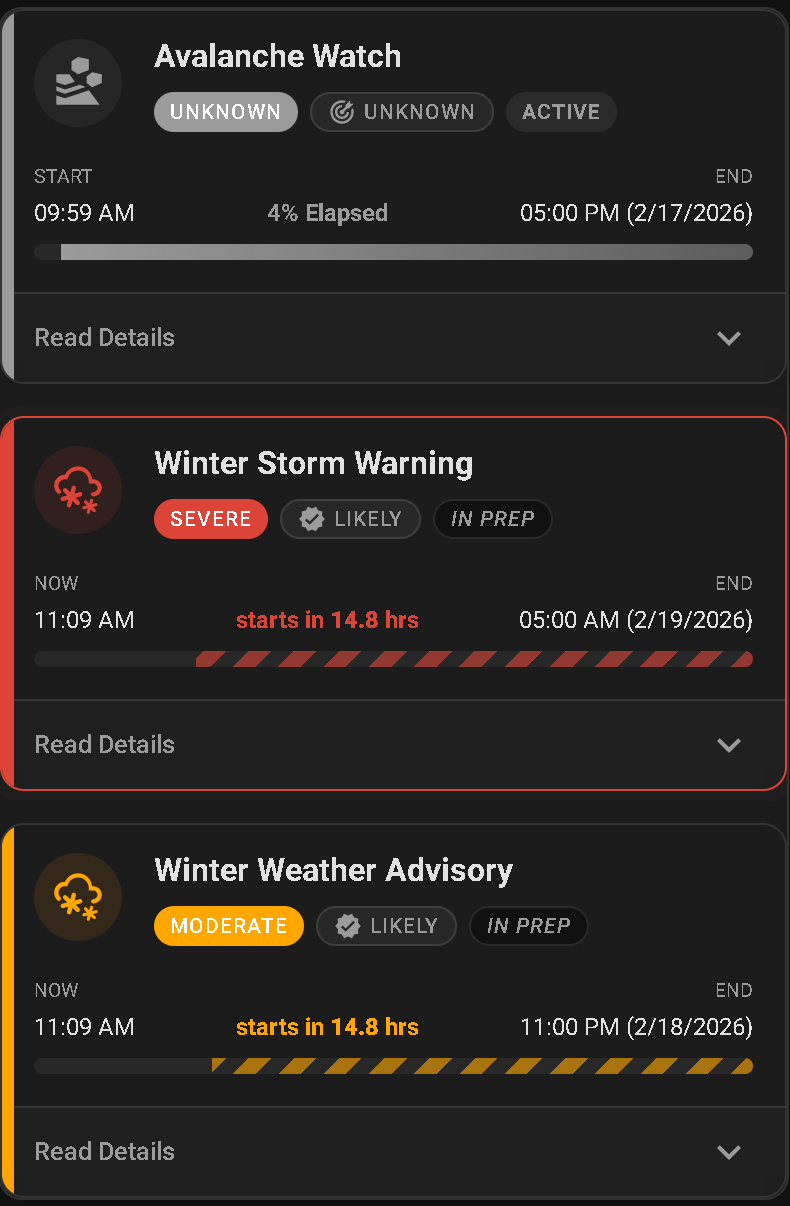
The community NWS Alerts integration is the piece most readers actually want for automations. Once installed through HACS and configured for your location, it creates dedicated alert entities that are easier to use in conditions and templates than a generic forecast entity. The important fields are the alert count, severity, headline, and description.
Install it the same way you would install other HACS integrations: open HACS, search for the NWS Alerts integration, install it, restart Home Assistant if prompted, then add or configure the integration from Devices & Services. Entity names vary by installation, so do not paste an automation until you have inspected your actual entities in Developer Tools.
The common failure is using a broad sensor state as the whole trigger. An active alert count greater than zero may include a severe thunderstorm warning, flood advisory, winter weather product, or tornado watch. For tornado warning behavior, the automation should check the actual event or headline text and distinguish a warning from a watch. A watch means conditions are favorable. A warning means the warned area needs immediate attention.
Use Developer Tools > States and look for entities from the NWS Alerts integration. You are looking for attributes that answer these questions:
- Is there at least one active alert for this location?
- Does the headline or event contain Tornado Warning?
- What severity is attached to the alert?
- What description or instruction should be read aloud?
- When does the alert expire or clear?
Write down the exact entity IDs before you touch the automation editor. In examples below, entity IDs are placeholders. Replace them with the entities from your own system.
Build One Tornado Warning Trigger, Then Fan Out To Household Actions
A clean design uses one trigger for the NWS alert change and then fans out to lights, speakers, notifications, and dashboard helpers. That makes testing easier. If the warning action did not happen, you can check the alert sensor first, then the automation trace, then the individual devices.
The exact YAML depends on your entity names and the attributes exposed by your NWS Alerts integration. The pattern below watches an alert sensor, filters for Tornado Warning in the headline, then runs several actions. Treat it as a pattern to adapt, not a finished life-safety system.
alias: Tornado warning - household alert
mode: restart
trigger:
  - platform: state
    entity_id: sensor.nws_alerts
condition:
  - condition: template
    value_template: >
      {{ 'Tornado Warning' in (state_attr('sensor.nws_alerts', 'headline') | default('', true)) }}
action:
  - service: light.turn_on
    target:
      entity_id:
        - light.bedroom_lamps
        - light.basement_lights
        - light.upstairs_hall
    data:
      rgb_color: [255, 0, 0]
      brightness_pct: 100
      flash: long

  - service: tts.speak
    target:
      entity_id: tts.home_assistant_cloud
    data:
      media_player_entity_id:
        - media_player.upstairs_speaker
        - media_player.kitchen_speaker
      message: >
        Tornado warning for this location. Move to your shelter area now.
        {{ state_attr('sensor.nws_alerts', 'headline') | default('', true) }}

  - service: notify.mobile_app_primary_phone
    data:
      title: Tornado warning
      message: >
        {{ state_attr('sensor.nws_alerts', 'headline') | default('Tornado warning for home location', true) }}
      data:
        push:
          interruption-level: critical

  - service: persistent_notification.create
    data:
      title: Tornado warning active
      message: >
        {{ state_attr('sensor.nws_alerts', 'description') | default('Check NWS alert details.', true) }}
The condition is the part to inspect most closely. If your integration exposes an event attribute, use that instead of parsing the headline. If it exposes multiple alerts as a list, the template needs to search the list. If it only exposes a count and a text blob, keep the headline filter but test it with real attribute values from Developer Tools.
If you are still learning Home Assistant automation patterns, build the notification first, then add lights and audio after the trigger is proven. The same habit used in ordinary energy or lighting routines applies here: isolate the trigger, confirm the action, then combine. Our guides to Home Assistant smart plug automation recipes and practical smart home routines are useful references for that build-and-test rhythm.
Make The Light Alert Hard To Miss
For tornado warnings, do not rely on one decorative bulb in the living room. Pick lights that reach the places people actually are when they are least attentive: bedrooms, hallways, basement stairs, the room with noise-canceling headphones, and the path to shelter. NWS safety material for people who are deaf or hard of hearing specifically emphasizes having multiple ways to receive warnings, including visual alerting methods.[5]
A red flash is useful because it is immediately different from normal household lighting. If your lights do not support color, use full brightness and a repeated on/off pattern. Do not make the pattern so complex that it depends on fragile timing. The goal is recognition, not theater.
Use Voice, But Do Not Trust Voice Alone
A voice announcement should say the event name and the action. “Tornado warning for this location. Move to your shelter area now.” is better than reading a long bulletin while people are trying to wake up. The headline can follow if the speaker system is reliable.
There are real household stories where smart speaker voice alerts mattered at night, including a May 2025 Michigan tornado outbreak account published on a personal blog, but that kind of anecdote should stay in its lane: it is a reminder that audible alerts can wake people, not proof that smart speakers are sufficient emergency equipment.
Send Push Notifications That Do Not Depend On Someone Opening An App
Use the Home Assistant mobile app notification service for the phones that need to receive the alert. If your household uses iOS or Android Do Not Disturb settings, test whether your chosen notification category, channel, or critical-alert configuration actually breaks through. A notification that arrives silently under a stack of routine app alerts is not a warning system.
Send the alert to more than one device when possible. The adult outside may have the phone. The person asleep may not. The person in the basement may have weak Wi-Fi. Home Assistant lets you branch actions by person, device, room, and time of day, but the first version should be simple enough that you can prove it works.
Put The Alert State On A Dashboard
A dashboard card is not the primary warning method. Nobody should have to open a tablet to find out whether to shelter. It is still useful because it shows whether the sensor is active, what Home Assistant thinks the headline is, and whether the alert cleared. Community examples often use dashboard cards with severity coloring for exactly this kind of quick status check.[4]
Put the NWS alert count, severity, headline, and last-updated time on the same view. If you use wall tablets, make the tornado warning state visually distinct from ordinary weather. If you use Lovelace conditional cards, show the large alert card only while an alert is active.
Handle Repeats, Expiration, And Clearing
The first version of many weather automations fires once. That is not always enough. If a warning is issued while someone is in the shower, in the garage, or asleep under a fan, one light flash and one speaker announcement can be missed. Add a repeat that continues while the tornado warning condition remains true, with a reasonable delay between cycles.
alias: Tornado warning - repeat reminder
mode: restart
trigger:
  - platform: state
    entity_id: sensor.nws_alerts
condition:
  - condition: template
    value_template: >
      {{ 'Tornado Warning' in (state_attr('sensor.nws_alerts', 'headline') | default('', true)) }}
action:
  - repeat:
      while:
        - condition: template
          value_template: >
            {{ 'Tornado Warning' in (state_attr('sensor.nws_alerts', 'headline') | default('', true)) }}
      sequence:
        - service: script.tornado_warning_actions
        - delay: '00:03:00'
A repeat loop should be paired with a clear behavior. When the warning expires or the sensor no longer reports a tornado warning, stop the flashing pattern, return lights to a safe default, and dismiss or update the persistent notification. Do not turn every light off automatically if people may be moving through the house after sheltering; returning to a dim safe scene is usually better than dropping the house into darkness.
alias: Tornado warning - clear state
mode: single
trigger:
  - platform: state
    entity_id: sensor.nws_alerts
condition:
  - condition: template
    value_template: >
      {{ 'Tornado Warning' not in (state_attr('sensor.nws_alerts', 'headline') | default('', true)) }}
action:
  - service: light.turn_on
    target:
      entity_id:
        - light.bedroom_lamps
        - light.basement_lights
    data:
      brightness_pct: 40
      color_temp_kelvin: 3000

  - service: persistent_notification.create
    data:
      title: Tornado warning status changed
      message: The Home Assistant NWS alert sensor no longer reports a tornado warning for this location. Check official sources before leaving shelter.
Avoid The Common Mistakes That Make The Alert Too Noisy Or Too Quiet
The dangerous mistakes are not exotic. They are ordinary automation mistakes pointed at an emergency use case.
- Triggering on any active alert instead of filtering for Tornado Warning.
- Treating a tornado watch like a tornado warning.
- Using the wrong location or leaving Home Assistant’s home coordinates imprecise.
- Sending only a phone notification when the phone may be muted, charging elsewhere, or outside Wi-Fi coverage.
- Using only a smart speaker when someone in the house may be hard of hearing, asleep without hearing aids, or behind a closed door.
- Never testing the automation after a Home Assistant update, router change, speaker replacement, or light group rename.
Old SmartThings weather automations and consumer-platform routines are useful historical context, but their current behavior and maintenance status should be checked before anyone relies on them. For this job, a directly configured Home Assistant workflow is easier to inspect: you can see the source entity, the condition, the trace, and the exact action that ran.
Smart lights as weather indicators are not a new idea; consumer smart-home coverage has been pointing out that lights can communicate weather alerts for years.[6] The difference here is the standard you apply. A tornado warning automation should be judged less like a clever lighting scene and more like a smoke alarm path: can the right people perceive it, and is there another alert if this one fails?
Test It Without Waiting For A Tornado Warning
You cannot safely wait for the first real warning to find out whether the bedroom lamps, upstairs speaker, and phone notification work. Create a test helper or script that runs the same actions without depending on the NWS condition. That lets you test volume, light coverage, mobile notifications, and household recognition on a calm day.
alias: Test tornado warning actions
sequence:
  - service: light.turn_on
    target:
      entity_id:
        - light.bedroom_lamps
        - light.basement_lights
    data:
      rgb_color: [255, 0, 0]
      brightness_pct: 100
      flash: long

  - service: tts.speak
    target:
      entity_id: tts.home_assistant_cloud
    data:
      media_player_entity_id: media_player.upstairs_speaker
      message: This is a test of the Home Assistant tornado warning alert.

  - service: notify.mobile_app_primary_phone
    data:
      title: Test tornado warning
      message: This is only a test of the Home Assistant alert automation.
Run the test from the Home Assistant UI, then from the mobile app. Run it with phones locked. Run it with Do Not Disturb enabled if you intend the alert to break through. Run it from the bedroom with the door closed and from the basement with the washer running. This is where many “working” automations become visibly inadequate.
After the test, inspect Settings > Automations & Scenes > Traces for the automation. Confirm the trigger, condition result, and each service call. If a speaker missed the announcement or a light group did not flash, fix the entity or service call before adding more complexity.
Plan For Power, Internet, And Official Fallbacks
Home Assistant can keep automations local after the alert data is in your system, but the NWS integrations still depend on internet access to retrieve current alert data. Your speakers, Wi-Fi access points, switches, bulbs, and Home Assistant host also need power. A UPS for the modem, router, and Home Assistant box buys time during brief outages, but it does not turn a smart home into public safety infrastructure.
Keep Wireless Emergency Alerts enabled on household phones. Keep a battery-backed NOAA Weather Radio in service. Ready.gov’s emergency alert guidance points people toward multiple alert channels, and that is the right posture for tornado weather.[3] Home Assistant should add coverage inside the house, especially for accessibility and room-by-room awareness, not subtract official channels because the automation looks polished.
If you need compatible lights, speakers, or other devices before building the warning actions, start with hardware that works reliably in Home Assistant and still behaves sensibly when the internet is degraded. A general smart home device guide can help with shopping, but the device list is secondary. The alert path is the thing to design first.
A Readiness Check Worth Doing
A good Home Assistant tornado warning setup is not finished when the YAML saves. It is finished when the NWS alert sensor updates for the right location, the automation filters for Tornado Warning rather than every weather product, the lights and speakers reach the rooms that matter, the push notifications arrive without someone opening the app, and the system clears into a safe state after the warning is no longer active.
The last check is the least glamorous one: make sure the household still has WEA enabled and a battery-backed NOAA Weather Radio ready if the internet, power, router, Home Assistant host, or integration fails. Home Assistant is a strong tornado warning layer because it can turn an official NWS polygon alert into household-specific actions. It is still a layer.
References
- National Weather Service (NWS), Home Assistant
- Wireless Emergency Alerts, National Weather Service
- Emergency Alerts, Ready.gov
- Easy (and reliable) Tornado Watch/Warning Integration?, Reddit r/homeassistant
- Weather Safety for Deaf and Hard of Hearing, National Weather Service
- Weather alerts are the smartest use for your smart lights, Digital Trends
Policy Updates & Reader Notes
Privacy policies, monitoring plan prices, and security disclosures change frequently. Report new data retention terms, updated plan pricing, or new vulnerability disclosures below. For formal editorial corrections, use the contact page.
Comments
Join the discussion with an anonymous comment.