
If you saw Apple’s Home Upgrade prompt and treated it like one of those “later” buttons that usually means “actually later,” the answer in 2026 is less forgiving: the old HomeKit architecture is over. The legacy framework that dated back to iOS 8 stopped being supported on February 10, 2026, according to matter-smarthome.de’s reporting of Apple support material, and continued Apple Home access now depends on the new architecture.[1]
That makes this an Apple HomeKit Matter migration in the practical household sense, not just a Matter branding change. Devices that cannot run iOS or iPadOS 16.2, macOS 13.1, or tvOS 16.2 are outside the new Apple Home architecture. An old iPhone in a drawer is one thing. An old iPad mounted in the kitchen as the family’s light switch is another.
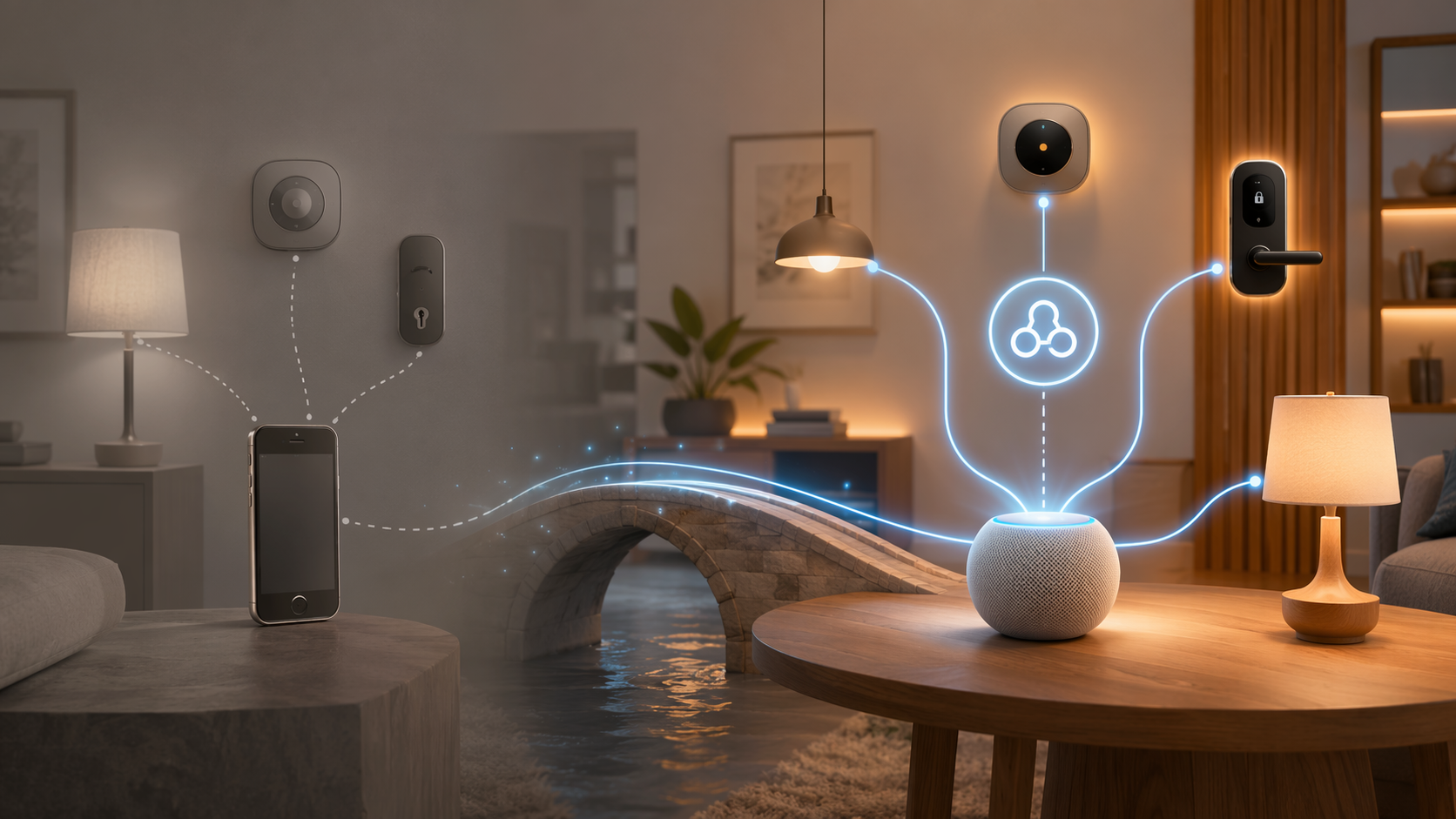
The Upgrade Is No Longer Optional
Before February 2026, Apple’s Home upgrade could feel like a feature choice: accept the new architecture now, or keep the older setup until the household was ready. That window has closed. The old architecture is no longer the supported path, and Apple Home users who want the home to keep working across current devices need to be on the new architecture.[1]
The important check is not whether your lights, plugs, locks, sensors, and thermostats once worked with HomeKit. The important check is whether every person and every controller that still needs Home access is on a supported operating system. Apple’s Matter guidance also assumes a current Apple Home setup and a home hub for Matter accessories, which is where the architecture shift starts to matter in daily use.[2]
| If this is still in your home | What to check before assuming it still works |
|---|---|
| Old iPhone used by a family member | It needs iOS 16.2 or later to keep Apple Home access. |
| Old iPad used as a wall controller | It needs iPadOS 16.2 or later; iOS/iPadOS 15.x is a hard stop. |
| Mac used to manage the home | It needs macOS 13.1 or later. |
| Apple TV expected to participate in the home | It needs tvOS 16.2 or later. |
| HomePod or Apple TV acting as the home hub | Make sure it is updated and visible in Home settings before blaming accessories. |
If the automatic prompt never appeared, or someone dismissed it months ago, the manual path is short: open the Home app, go to Home Settings, then Software Update, and look for Home Upgrade or the equivalent upgrade prompt. Apple’s exact wording can vary by software version, but the checkpoint lives inside the Home app’s home-level settings rather than inside the settings page for a single accessory.[1]
What Actually Changed Under the Hood
The old HomeKit architecture put too much of the home’s behavior in the orbit of individual iPhones and iPads. In a small apartment with one person, that could be tolerable. In a household where one person travels, another uses an older phone, and a shared iPad sits in the kitchen, it could turn into the familiar “why does it work for you but not for me?” routine.
The new architecture moves smart-home processing toward dedicated home hubs such as HomePod and Apple TV. That is the change behind the calmer behavior Apple is aiming for: the hub becomes the steady point in the home instead of every iPhone and iPad acting like its own little version of the truth.[1]
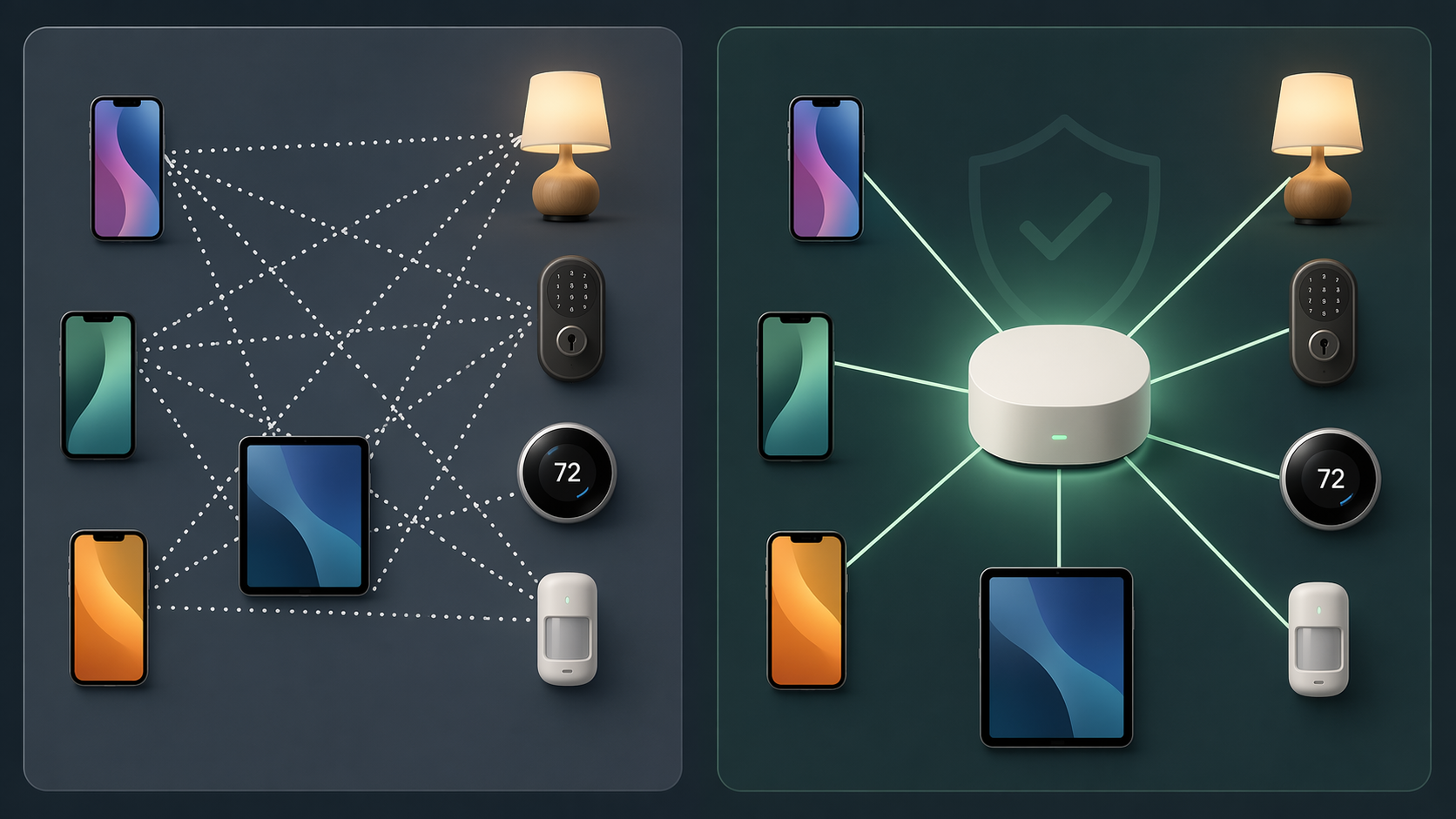
That hub-centered model is why several features arrive together rather than as unrelated perks. Shared real-time device state means household members should see the same door, light, and sensor status instead of waiting for one device to catch up. Guest access can be time-limited, which matters when someone needs to unlock a door for a cleaner, dog walker, or relative without becoming a permanent member of the home. Activity history can show who opened a door and when. Robot vacuum integration also belongs to this newer architecture rather than the old HomeKit baseline.[1]
Those are not abstract platform wins. They reduce the number of conversations where the household maintainer has to say, “Open my phone instead,” “Wait for the tile to refresh,” or “I can’t tell who unlocked it from there.” The point of the architecture change is not that the Home app looks dramatically different. It is that the home has a more consistent place to run from.
Who Gets Left Behind
The uncomfortable part is the device cutoff. iPhones and iPads stuck on iOS or iPadOS 15.x or earlier cannot connect to the new architecture. Macs stuck on macOS 12.x or earlier are out. Apple TVs stuck on tvOS 15.x or earlier are out.[1]
This mainly hits the devices people kept because they were useful after their main job was done. A retired iPad makes a nice wall panel until the Home app needs an operating system it cannot install. An older iPhone can still play music, run messages, or sit on a nightstand, but that does not mean it remains a Home controller. A Mac that still handles email may no longer be a reliable place to manage the house.
The cutoff can also change who in the household has control. If one family member is on a current iPhone and another is holding onto an older model, the migration does not affect them equally. The home may be healthier afterward, but the person with the unsupported device loses Apple Home access rather than getting a slower or reduced version of it.
- Check every device used to open the Home app, not just the device owned by the person doing the upgrade.
- Check shared controllers in kitchens, hallways, guest rooms, and offices.
- Check Apple TVs before assuming they can still serve as part of the home setup.
- Warn household members with older devices before migration so the loss of access is not discovered at the front door.
This is where Apple’s cleaner architecture and Apple’s upgrade messaging can pull in opposite directions. The new setup is the right direction for a modern Matter-aware home, but the prompt does not feel optional anymore if declining it eventually leaves the home on a dead branch.
What Matter Adds to Apple Home
Matter is central here because the new Apple Home architecture is built for it instead of treating it like a side entrance. Apple’s support documentation for Matter accessories explains pairing Matter devices into Apple Home and managing them from Apple’s ecosystem, with a compatible home hub as part of the setup.[2]
The biggest practical payoff is multi-admin. A Matter accessory can be controlled from more than one major smart-home platform at the same time, so a device can live in Apple Home while also being available through Google Home, Alexa, or SmartThings when the device and platforms support that arrangement.[1][2]
That is a meaningful break from the old HomeKit world, where Apple compatibility often depended on the Made for iPhone/iPad/iPod certification path. Macworld frames Matter as Apple’s way out of that bottleneck: accessory makers can target the shared Matter standard instead of treating HomeKit as a separate Apple-only certification lane.[3]
For buyers, the result is not “ignore compatibility forever.” It is more modest and more useful: Matter support is a stronger signal than old platform badges were, especially for common categories such as lights, plugs, switches, sensors, locks, thermostats, and similar mainstream accessories. If you are deciding what to buy after migrating, a category-by-category guide such as What Actually Works with Matter in 2026 is more useful than assuming the logo answers every question.
Matter-Native Does Not Mean Every Matter Feature Is in Apple Home
This is the part that gets blurred too often. Apple moving Home to a Matter-native architecture is not the same as Apple implementing every Matter device category and every advanced feature on day one.
Cameras are the cleanest example. Matter camera support was ratified in Matter 1.5 in November 2025, but Matter Alpha’s WWDC 2026 analysis described Apple Home camera support as still missing while noting SmartThings as the first platform to support Matter cameras.[4] That means a Matter camera can be real in the standard before it is useful inside Apple Home.
Energy monitoring and some advanced device behaviors remain uneven as well. Matter Alpha identifies energy monitoring and camera support as areas Apple Home still needed to improve around WWDC 2026, and broader Matter criticism in 2026 still points to rough edges across setup, feature exposure, and platform differences.[4][5]
So the buying rule after migration is simple but not lazy: Matter is a good sign, Apple Home support is still the final check. Look at the device category, the manufacturer’s Apple Home notes, and whether the feature you care about is exposed in Apple’s app, not just in the vendor’s own app.
Thread adds one more layer. Some Matter accessories use Wi-Fi; others use Thread and need a Thread border router somewhere in the home. Apple TVs and HomePods can fill important hub and border-router roles depending on the model, but the label on the accessory box does not tell you the whole network story. If you are rebuilding the accessory list after migration, it is worth separating the platform question from the radio question with a guide like Should Your Matter Accessories Use Thread or Wi-Fi in 2026? or checking whether you already have the right infrastructure with What Is a Matter Border Router and Do You Already Have One?.
A Sensible Migration Order
Do the boring inventory before the upgrade. It is faster than fixing a surprise later, and it keeps the decision away from the moment someone is standing outside trying to unlock the door.
- Identify the home hub: confirm which HomePod or Apple TV is expected to anchor the home.
- Update current Apple devices: bring iPhone, iPad, Mac, Apple TV, and HomePod software current before judging accessory behavior.
- List every household controller: include wall-mounted iPads, old phones, shared Macs, and devices used by invited family members.
- Remove assumptions about old hardware: if it cannot reach iOS/iPadOS 16.2, macOS 13.1, or tvOS 16.2, it should not be counted on for Apple Home.
- Run the Home Upgrade from Home Settings: use the Home app’s Software Update area if the original prompt is gone.
- After migration, test the shared moments: door lock status, guest access, activity history, automations, and any Matter accessories that are shared with another platform.
If Matter devices misbehave afterward, do not immediately assume the Apple migration failed. Multi-admin sharing, Thread routing, vendor firmware, and platform-specific feature gaps can all produce problems that look similar from the Home app. A troubleshooting guide such as Three Hidden Problems With Matter Devices in 2026 is the better next stop once the Apple-side architecture and OS requirements are settled.
The Practical Bottom Line
If you want Apple Home to keep working in 2026, migrate to the new architecture and verify every household controller meets the OS floor. The gain is real: a hub-centered home, better shared state, guest access, activity history, robot vacuum integration, and Matter multi-admin support. The cost is also real: devices stuck on iOS or iPadOS 15.x, macOS 12.x, or tvOS 15.x are no longer part of the Apple Home control surface.
After that, treat Matter as a strong buying signal, not a guarantee. Check that Apple Home supports the accessory category and the specific feature you care about before assuming the logo on the box has solved the whole problem.
References
- Apple Finally Switches Home Architecture for Matter — matter-smarthome.de
- Pair and manage your Matter accessories — Apple Support
- How Matter has finally given Apple a path out of the HomeKit mess — Macworld
- What Apple Home needs next: A WWDC 2026 smart home wish list — Matter Alpha
- Why Matter Still Sucks in 2026 — Terry White's Tech Blog
Updates & Corrections
Protocol specifications and platform features change rapidly — especially with Matter version evolution. Report version changes, certification count updates, or platform policy changes that have occurred since the last editorial review.
Comments
Join the discussion with an anonymous comment.