
You probably do not need to buy a separate “Matter Border Router.” You do need to know which job your existing gear is already doing.
That wording is where many setup failures start. A Thread device may say it needs a border router. A Matter app may say it needs a controller. A product box may say “Matter-ready.” Those are related ideas, but they are not the same job. If you treat them as one generic hub requirement, you can end up buying the wrong box, returning a perfectly good sensor, or staring at a pairing screen while a useful device is already sitting under your TV.
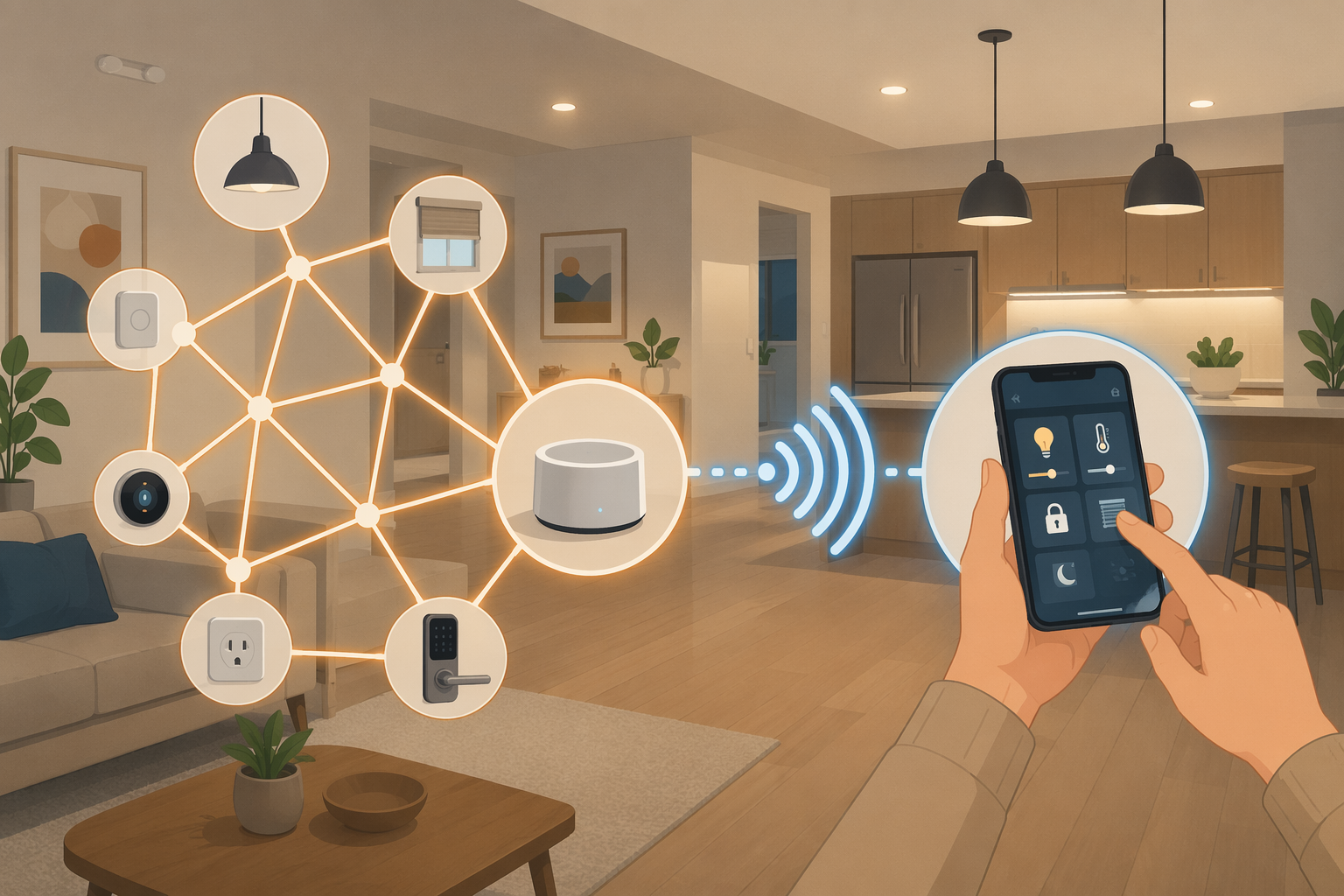
For Matter-over-Thread devices, the plain version is this: the Thread Border Router connects the low-power Thread mesh to your home network, while the Matter Controller commissions the device, stores its credentials, and sends commands through your smart home app or platform.[1]
The two jobs hiding inside the phrase “Matter Border Router”
A Thread Border Router, often shortened to TBR, is a network bridge. Thread devices use a low-power mesh network. Your phone, router, and most apps live on Wi-Fi or Ethernet. The border router sits between those worlds so a Thread lock, plug, bulb, sensor, or button can be reached from the rest of the home network.[1]
A Matter Controller is the app-level authority. It commissions the device, keeps the Matter credentials, and sends commands from a platform such as Apple Home, Google Home, Alexa, SmartThings, or Home Assistant. The controller is the reason a device appears in an app and responds when you tap a tile or run an automation.[1]
| Role | What it does | What it does not prove |
|---|---|---|
| Thread Border Router | Bridges Thread devices to Wi-Fi or Ethernet | Does not automatically mean your Matter app can commission or control the device |
| Matter Controller | Adds, stores, and commands Matter devices through a platform | Does not automatically mean it contains a Thread radio or can bridge Thread traffic |
Some products do both jobs in one box. A HomePod mini or compatible Apple TV can act as a Thread Border Router and also participate as the home hub for Apple Home. That is why Apple homes often feel simpler once the right Apple hardware is present. The mistake is assuming every familiar smart-home box works the same way.
Eero is the clean counterexample. Eero mesh routers can provide Thread Border Router capability, but the Eero itself is not the Matter Controller. In an Alexa home, an Echo or the Alexa app handles the controller side while Eero provides the Thread bridge.[1] If you only remember one warning, make it that one: having the bridge is not the same as having the brain.
How to check what you already own
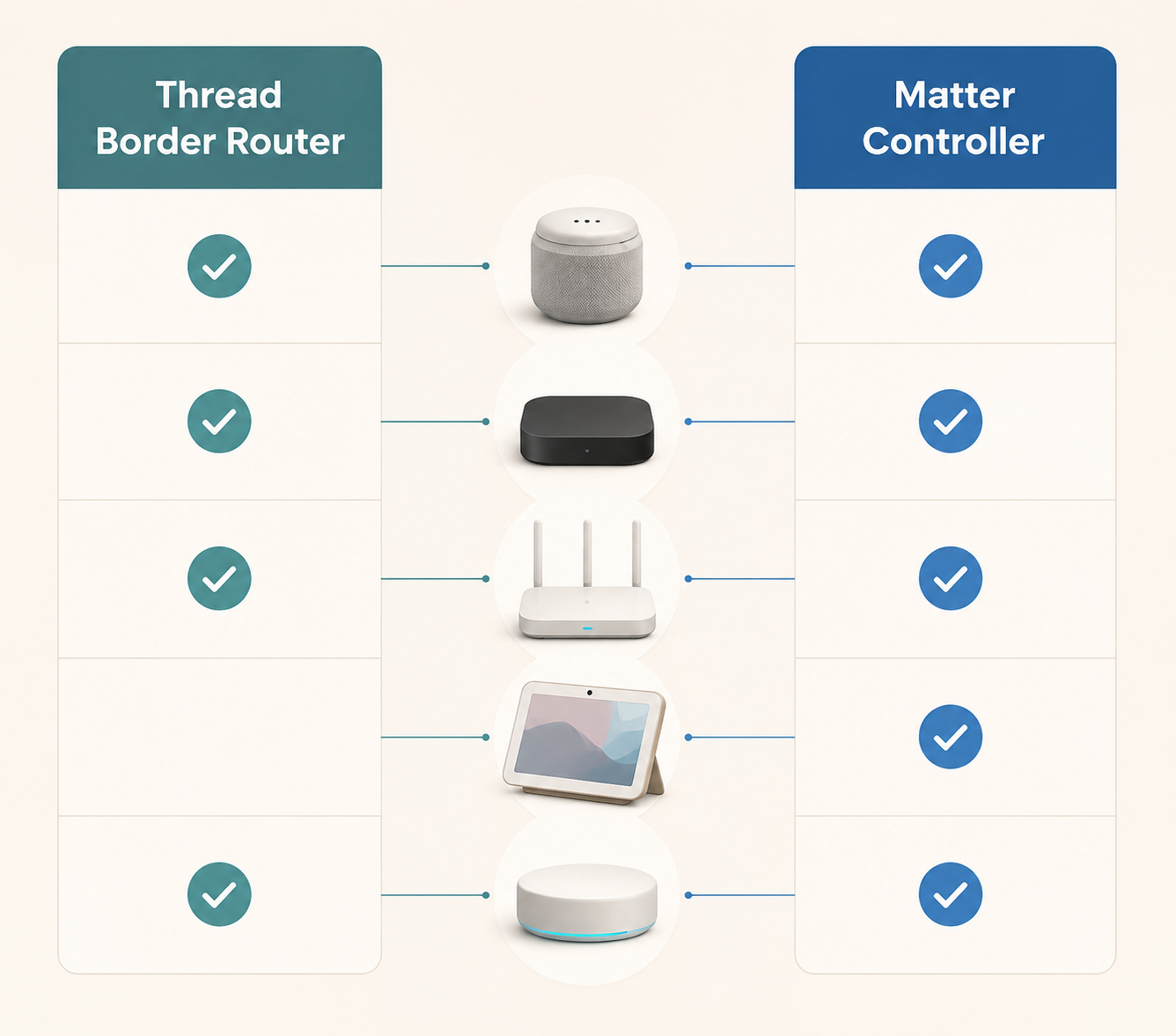
Start with the device you already paid for, not the one an error message has made you panic-search at 10 p.m. Current Thread Border Router lists include many ordinary-looking smart speakers, streaming boxes, displays, hubs, mesh routers, and Home Assistant radios, including HomePod mini, Apple TV 4K, Nest Hub 2nd Gen, Nest Wifi Pro, Google TV Streamer, Echo 4th Gen, Echo Hub, Eero mesh routers, Aeotec Smart Home Hub 2, SmartThings Station, and Home Assistant dongles such as ZBT-2, Sonoff MG24, and SLZB-07MG24.[2][3]
That list is useful for recognition, not for shopping by reflex. The better question is: does one thing in your home provide the Thread bridge, and does one thing in your home provide the Matter controller? They can be the same device. They do not have to be.
| If your main platform is... | Look first for... | What to verify |
|---|---|---|
| Apple Home | HomePod mini or compatible Apple TV 4K | That it is set up as part of the Apple Home you are using to add the device |
| Google Home | Nest Hub 2nd Gen, Nest Wifi Pro, or Google TV Streamer | That the Google Home app is the controller you intend to use |
| Alexa | Echo 4th Gen, Echo Hub, or Eero for the Thread bridge | Whether the controller role is being handled by Alexa rather than by the router itself |
| SmartThings | SmartThings Station or Aeotec Smart Home Hub 2 | That the hub is on the same SmartThings home where you are commissioning devices |
| Home Assistant | A supported Thread radio or dongle such as ZBT-2, Sonoff MG24, or SLZB-07MG24 | That Home Assistant is configured for both Thread routing and Matter control where needed |
If you are choosing hardware from scratch, use a platform-specific guide rather than buying the first product with “Thread” in the name. A deeper buyer’s guide such as Best Thread Border Router for Your Smart Home Platform in 2026 is the right place for model-by-model selection. Here, the important move is simply to separate the missing role from the product category.
Apple homes
In an Apple Home setup, a HomePod mini or eligible Apple TV is often the least dramatic answer. It can provide Thread Border Router capability and serve the Apple Home role that lets Matter devices be added and controlled from the Home app. If the Apple TV is already under the television, the useful purchase may have happened years before the Thread sensor arrived.
The detail to check is model and configuration. The Apple TV line is not one single hardware capability forever, and the device must be part of the home you are actually using. If you want platform-specific setup steps, follow How to Set Up Your Apple TV as a Thread 1.4 Smart Home Hub rather than guessing from the product name alone.
Google homes
Google homes may already have a Thread Border Router in a Nest Hub 2nd Gen, Nest Wifi Pro, or Google TV Streamer.[2][3] The practical question is whether you are adding the device through Google Home and expecting Google to own the commissioning flow. If so, the controller side and the network side need to line up inside that ecosystem.
Alexa and Eero homes
Alexa homes are where the “which role?” question saves the most time. An Echo 4th Gen or Echo Hub may be part of the Matter control story, while Eero mesh routers may provide Thread Border Router capability.[2][3] But an Eero router should not be treated as the whole Matter setup by itself. If the pairing flow expects a Matter Controller, the router’s Thread radio does not magically become one.
SmartThings and Home Assistant homes
SmartThings Station and Aeotec Smart Home Hub 2 appear in current Thread Border Router lists, and they belong to a platform that many people already use as the main smart-home controller.[2][3] That makes the setup story cleaner when all devices are being added through the same SmartThings home.
Home Assistant is more flexible and less forgiving of assumptions. Supported radios and dongles can give you the Thread side, while Home Assistant’s Matter setup handles the controller side when configured that way. If that is your route, use How to Set Up a Thread Border Router in Home Assistant rather than treating any USB Thread stick as a finished smart-home hub.
Why “I have a border router” still may not fix pairing
A working Thread Border Router is necessary for Matter-over-Thread devices, but it is not always sufficient. The Thread device, the border router, and the controller doing the commissioning need to be participating in a usable setup path. When homes mix Apple, Google, Amazon, SmartThings, IKEA, Home Assistant, and other systems, the weak point is often not the radio. It is which Thread network credentials each platform knows and shares.
As of July 2026, Thread 1.4 credential sharing is still uneven across major platforms. Apple’s tvOS 26 supports credential sharing through iOS Keychain. SmartThings and IKEA offer bidirectional sharing. Google can share Thread credentials out but cannot join another platform’s existing Thread network. Amazon remains mostly on Thread 1.3.[4][5][6]
That is how a home ends up with parallel Thread networks. One border router builds one Thread network. Another platform builds a second one. A device added through one app may not be reachable the way you expect from another app, even though the house technically contains more than one Thread Border Router.
Thread 1.4 certification became mandatory for new Thread Border Router certifications on January 1, 2026, but store shelves and existing homes do not update on the same day. Older inventory and delayed firmware can still leave a setup behaving like an older, less cooperative system.[4][5][6]
There is a separate Matter idea called Joint Fabric, and it is easy to confuse the two. Thread credential sharing is about whether platforms can share or join the same Thread network. Matter fabric sharing is about how a Matter device is shared across controllers. If you want the long version, compare Thread 1.4 Credential Sharing Compared by Platform with How Matter 1.6 Joint Fabric Changes Multi-Ecosystem Setups. For this article, the useful takeaway is smaller: do not assume every platform in the house is looking at the same Thread mesh.
A quick pairing check before you buy anything
When a Thread device will not pair, resist the first instinct to buy another hub. Run the roles check first.
- Confirm the device is actually Matter-over-Thread, not Matter-over-Wi-Fi or a non-Matter Thread product.
- Identify the Thread Border Router you expect to use: Apple TV, HomePod mini, Nest Hub, Nest Wifi Pro, Echo, Eero, SmartThings hub, Home Assistant radio, or another supported device.
- Identify the Matter Controller you are using to commission it: Apple Home, Google Home, Alexa, SmartThings, Home Assistant, or another Matter-capable controller.
- Check whether the controller and border router belong to the same platform path or share Thread credentials properly.
- If there are multiple border routers from different ecosystems, look for signs of parallel Thread networks before adding more hardware.
Matter-smarthome.de’s Thread stability guidance calls fragmented parallel Thread networks one of the common causes of pairing and reachability trouble.[7] If that sounds like your setup, move to a focused troubleshooting guide such as Fix Unstable Thread Mesh with Multiple Border Routers instead of trying random resets.
After changes to a Thread mesh, some community troubleshooting advice allows up to 60 minutes for the mesh to recover and settle.[7] Treat that as practical field experience, not a lab guarantee. If the wrong controller is commissioning the device onto the wrong network, waiting an hour will not fix the basic mismatch.
So, do you already have a Matter Border Router?
You already have the border-router side if one of your current devices can bridge Thread to your home network. You already have the controller side if your chosen smart-home platform can add and command the Matter device. A smooth setup needs both roles, and in mixed homes it also needs them to participate in the same usable Thread network.
If one device covers both jobs, use it. If you have a Thread Border Router but no Matter Controller, add or configure the controller role. If you have a Matter Controller but no Thread Border Router, add the Thread bridge that fits your platform. If you have both and pairing still fails, stop shopping and investigate credential sharing or parallel Thread networks.
The phrase “Matter Border Router” sounds like a product category. In most homes, it is better treated as a role to verify. The setup win is not owning the fanciest hub. It is knowing which box bridges Thread, which controller is adding the device, and whether they are working from the same network map.
References
- What is a Thread Border Router? — matter-smarthome.de
- A complete list of Thread Border Routers on the market today — Matter Alpha
- Thread Border Routers: The complete list of what you can buy today — Matter Alpha
- Thread 1.4 credential-sharing coverage — The Verge
- Thread 1.4 credential-sharing coverage — Fixory
- Thread 1.4 credential-sharing coverage — Matter Alpha
- 10 Tips for a Stable Thread Network — matter-smarthome.de
Updates & Corrections
Protocol specifications and platform features change rapidly — especially with Matter version evolution. Report version changes, certification count updates, or platform policy changes that have occurred since the last editorial review.
Comments
Join the discussion with an anonymous comment.