
A Wi-Fi 7 router for smart home devices should not be judged by the speed number printed on the box. Most of the devices that make a smart home annoying when they fail — plugs, bulbs, locks, doorbells, leak sensors, thermostats — are not waiting for 6 GHz Wi-Fi 7 speed. They are waiting for a stable 2.4 GHz network, enough airtime, a password scheme they can actually join, and a router that does not make isolation feel like a weekend networking certification.
For 2026, the best choice depends less on whether a router wins a lab throughput chart and more on what kind of smart home you run: a mostly Matter-and-Thread home, a camera-heavy house, a tinkered VLAN setup, or a coverage problem disguised as a router problem.
| Router | Best smart-home fit | IoT handling | Thread / Matter | Segmentation | Main caution |
|---|---|---|---|---|---|
| eero Pro 7 | Best overall for smart homes that want fewer hubs | Excellent for mainstream 10-40 device homes | Built-in Thread border router, Matter controller, and Zigbee hub | Simple consumer isolation, not full VLAN-style control | Less appealing if you want deep network administration |
| Ubiquiti UniFi Dream Router 7 | Best for serious IoT segmentation | Strong if you are willing to configure it | Not the reason to buy it | Proper VLAN-oriented control | More network project than most households want |
| TP-Link Archer BE550 | Best value Wi-Fi 7 router | Good household-capacity pick when hubs already exist | No built-in smart-home hub advantage in the cited material | Not a standout for proper IoT VLAN isolation | Speed value is stronger than smart-home platform value |
| TP-Link Deco BE63 / BE85 | Best when coverage is the smart-home problem | Good mesh direction for spread-out homes | Not the primary reason to buy it here | More guest-network-style separation than rigorous isolation | Coverage can improve stability, but does not replace segmentation |
| Netgear Nighthawk RS700S | Best for high-performance homes that also have IoT needs | Capable, but not the cleanest smart-home-first choice | Not the primary reason to buy it here | Less compelling than UniFi for serious isolation | Performance can outrun the actual smart-home requirement |
| eero 7 | Lower-cost eero option for simpler smart homes | Good fit for smaller mainstream homes | Built-in Thread border router, Matter controller, and Zigbee hub | Simple consumer isolation, not full VLAN-style control | Less headroom than eero Pro 7 for busier homes |
The Short Ranking
If I were replacing a router in a house with a few dozen mixed smart devices, I would start with eero Pro 7, then immediately ask whether the home needs real VLAN segmentation. That second question is what separates a pleasant consumer smart-home router from a more deliberate network design.
- eero Pro 7 — best overall smart-home-first pick because it combines Wi-Fi 7 with built-in Thread border router, Matter controller, and Zigbee hub support.
- Ubiquiti UniFi Dream Router 7 — best pick when proper IoT segmentation matters more than consumer simplicity.
- TP-Link Archer BE550 — best value pick when you want strong Wi-Fi 7 performance at a lower price and already have your smart-home hubs handled.
- TP-Link Deco BE63 / BE85 — best mesh direction when cameras, locks, or sensors are failing because the house has weak coverage zones.
- Netgear Nighthawk RS700S — best fit only when high-end wireless performance is a real household need, not just an attractive spec.
- eero 7 — best lower-cost eero choice for smaller or less congested smart homes that still benefit from built-in Thread, Matter, and Zigbee.
Why eero Pro 7 Is the Cleanest Smart-Home Pick
The eero Pro 7 is the router I would recommend first to the person who does not want their new Wi-Fi upgrade to create three new hub decisions. HomeKit News reported the eero Pro 7 at $299.99 and the eero 7 at $169.99 as mainstream Wi-Fi 7 routers with a built-in Thread border router, Matter controller, and Zigbee hub, which is the rare router feature list that directly touches smart-home cleanup rather than just wireless bragging rights.[1]
That matters because Thread and Matter are not just labels for a box. A Thread border router gives low-power Thread devices a path into the home network, while a Matter controller helps manage Matter devices across supported ecosystems. Data Wire Solutions also frames Thread and Matter in 2026 as part of the practical platform layer that lets devices from different brands work with less dependence on single-vendor hubs.[2]
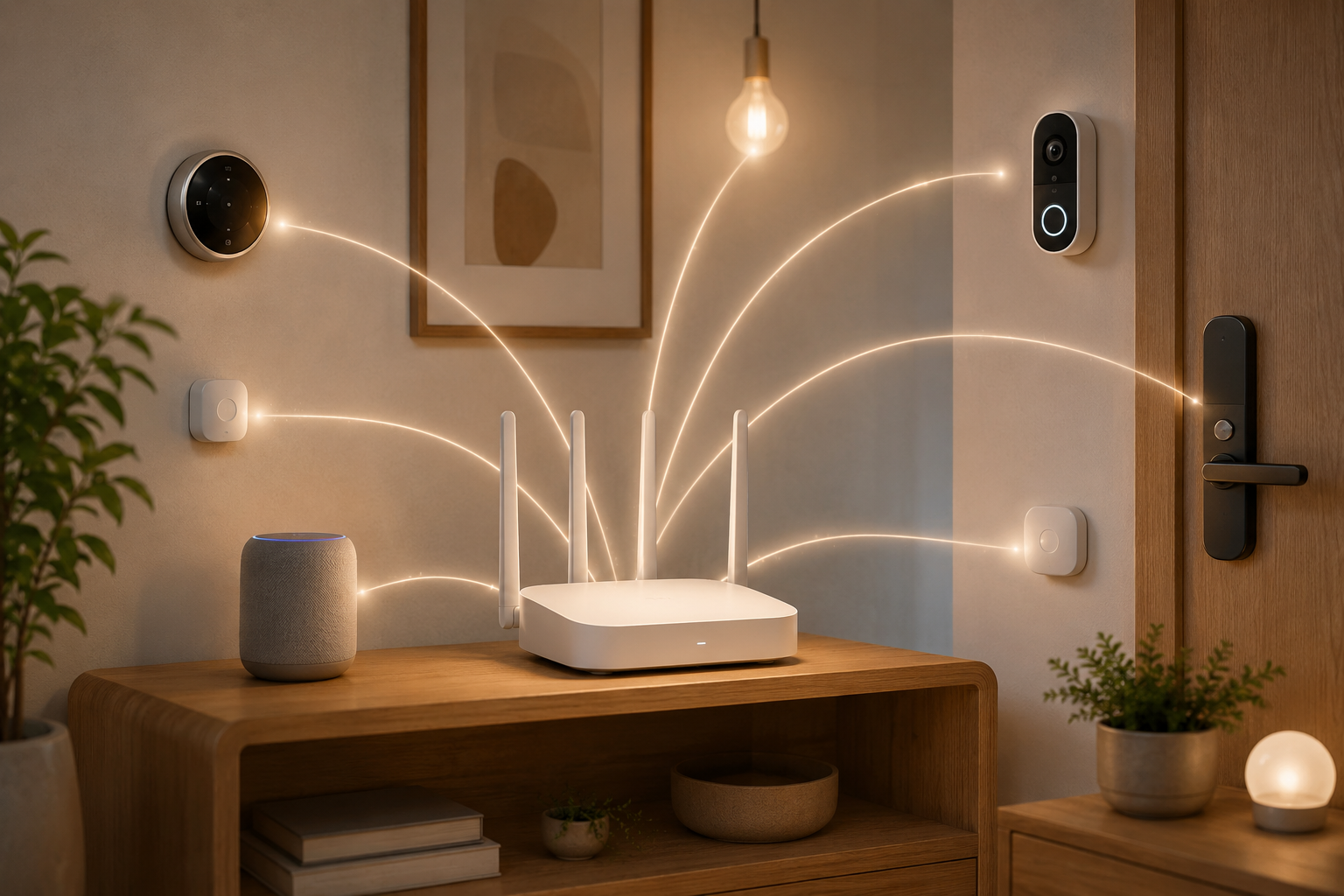
In an apartment or average-size home with smart bulbs, locks, sensors, speakers, a thermostat, and a couple of cameras, eero Pro 7’s advantage is not that every device suddenly becomes a Wi-Fi 7 client. It is that the router becomes less of a dumb pipe and more of the place where the wireless network and smart-home fabric meet. That can mean one fewer puck, bridge, or vendor hub sitting behind the TV, and fewer obscure failure points when something stops responding.
The tradeoff is control. eero’s appeal is that it keeps the owner out of the weeds. That is also why it is not the cleanest answer for someone who wants to put cameras, speakers, locks, and guest devices into deliberately separated network zones. For many homes, convenience is the safer recommendation. For homes where isolation is a requirement, convenience is not a substitute for segmentation.
If your smart-home plan is already centered on Apple, Google, or a broader Matter buildout, compare eero’s built-in hub role against the hubs you already own. The practical question is whether eero removes a device from the chain or merely duplicates one. These internal guides on Thread border routers, Apple Matter hubs, Google Nest Matter controllers, and the Matter device buyer’s guide are worth checking before you pay for hub functions twice.
The Best Router for Segmentation Is Not Always the Friendliest Router
A smart home with cameras, door locks, speakers, and cheap plugs should not treat every device like a trusted laptop. Segmentation is how you reduce the blast radius when an IoT device is abandoned by its manufacturer, misbehaves on the network, or simply does not deserve the same access as your phone and work computer.
This is where Ubiquiti UniFi Dream Router 7 earns its place. Botmonster’s June 2026 comparison notes that most Wi-Fi 7 routers under $200 lack VLAN features for proper IoT segmentation, while Ubiquiti UniFi and higher-end ASUS systems offer real isolation; it also distinguishes that TP-Link Deco and Netgear Orbi lean more on guest-network isolation.[3]
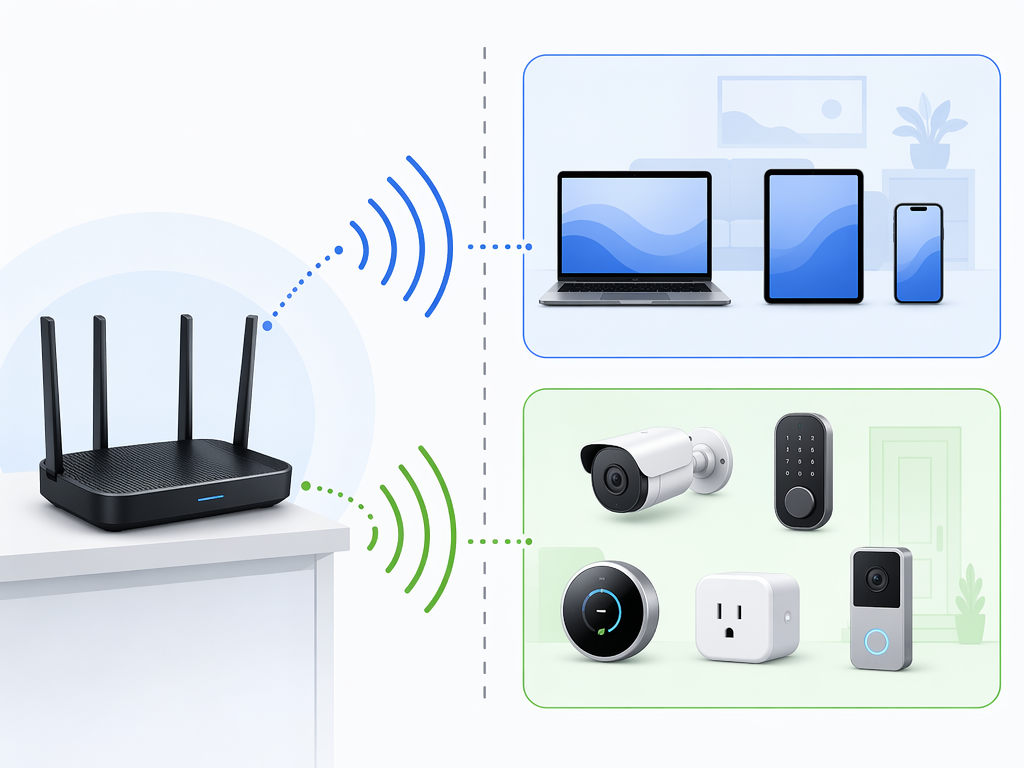
A guest network is better than dumping everything onto the main SSID, but it is a blunt tool. Proper VLAN control lets you make more exact decisions: cameras can reach the internet but not your file shares; a voice assistant can be reachable where needed; a phone can manage smart devices without giving every plug a path back into the main network. That is the difference between a workaround and a policy.
The cost is attention. UniFi rewards the person who is willing to name networks carefully, think through device groups, and maintain a small network plan. If the household operator is already tired of re-pairing devices after every router change, this can feel like too much. If the operator has cameras, rental units, home-office equipment, or a long list of no-name IoT gear, it can be exactly the right kind of too much.
TP-Link Archer BE550: The Value Pick, with a Smart-Home Asterisk
The TP-Link Archer BE550 deserves credit because price still matters. CNET’s May 2026 lab testing listed the Archer BE550 at $177 and found that it delivered the second-highest throughput scores of any Wi-Fi 7 router it tested while being the most affordable tri-band option in that group.[4]
That is a useful result for a normal household. A smart home is rarely only a smart home; the same router is carrying laptops, phones, streaming boxes, game downloads, cloud backups, and work calls. A low-cost router that performs well independently is not a toy.
The asterisk is that the BE550’s value case is stronger as a Wi-Fi router than as a smart-home platform. If you already have Apple TV, HomePod, Nest Hub, SmartThings, Home Assistant, or another hub layer handling Matter, Thread, Zigbee, or automations, that may be fine. If your goal is to reduce hub clutter and simplify smart-home control at the router level, eero Pro 7 has the more directly relevant feature mix based on the cited materials.
Deco Mesh Belongs Where Coverage Is the Failure
Some smart-home problems are not protocol problems. They are a weak signal through brick, a garage camera hanging onto one bar, a backyard plug at the edge of the house, or a doorbell that sees every delivery except the one you needed recorded. In that kind of home, TP-Link Deco BE63 or BE85 can make more sense than a single powerful router because mesh placement solves the actual problem.
The limitation is the same one that follows many consumer mesh systems: better coverage does not automatically mean better isolation. Botmonster’s comparison treats TP-Link Deco as more of a guest-network isolation option than a proper VLAN choice.[3] That does not disqualify it for most homes, but it should stop anyone from describing it as equivalent to a UniFi-style segmented network.
Netgear Nighthawk RS700S: Buy Performance Only If You Need Performance
The Netgear Nighthawk RS700S sits in the category of routers that make sense when the home has broader high-performance demands: fast internet service, heavy local traffic, demanding wireless clients, and people who will actually notice the extra headroom. That can coexist with a smart home, but it is not the same as being the best router for smart home devices.
For a house where the painful devices are a porch camera, a 2.4 GHz plug, and a lock that refuses to rejoin after a router swap, a premium performance router can be solving the wrong part of the problem. It still needs an IoT-friendly SSID plan, compatibility settings for older clients, and a believable isolation story.
Why Wi-Fi 7 Helps Even When Your Sensors Do Not Use Wi-Fi 7
The awkward truth is that many smart-home devices will never behave like modern Wi-Fi 7 clients. They connect on 2.4 GHz because range and low cost matter more than speed. A smart plug does not need multi-gigabit throughput to turn on a lamp.
Wi-Fi 7 can still help by changing what else happens around those devices. TP-Link says Wi-Fi 7 can handle more than 20 devices without degradation and describes Multi-Link Operation as a way to keep always-on devices such as cameras and doorbells connected across bands when the network is busy.[5] Those are vendor claims, so they should be read as directional rather than neutral lab proof, but the mechanism is relevant to congested homes.
The cleaner argument is airtime. Botmonster’s June 2026 smart-home router coverage points out that moving fast devices onto 6 GHz frees 2.4 GHz airtime for legacy IoT sensors, and says that clearing fast devices off that band does more for sensor reliability than any spec-sheet number.[3] That matches what shows up in real houses: the old plug behind the couch does not need a faster lane; it needs fewer impatient devices crowding the lane it already uses.
| Wi-Fi 7 feature | What it means for smart homes | What it does not mean |
|---|---|---|
| 6 GHz band | Moves newer phones, laptops, and streaming devices away from crowded 2.4 GHz and 5 GHz bands | Does not make older 2.4 GHz plugs or sensors become Wi-Fi 7 devices |
| Multi-Link Operation | Can help busy networks keep traffic moving across bands, especially for always-on clients | Does not fix weak placement, bad firmware, or a device that only supports old security modes |
| Higher device capacity | Gives a 30-device household more room before everything contends for airtime | Does not replace good SSID design or segmentation |
| Modern router CPU and radios | Can make mixed household traffic less fragile | Does not guarantee smart-home stability if IoT features are ignored |
The WPA3 Problem That Makes New Routers Look Broken
One of the most common router-upgrade failures is not dramatic. The new network appears. Phones join. Laptops fly. Then three smart plugs, a bulb, and a bargain sensor vanish as if the router personally offended them.
A major reason is security compatibility. ASUS explains that 6 GHz Wi-Fi requires WPA3, while older client devices may only support WPA2; Botmonster’s 2026 smart-home router coverage also flags that WPA3 enforcement on 6 GHz can silently break older WPA2-only smart plugs.[6][3]
The practical fix is not to avoid Wi-Fi 7. It is to stop making every device share the same assumptions. Keep the main network modern for phones, laptops, tablets, and newer devices. Then create a dedicated IoT SSID for older smart-home gear with WPA2/WPA3 mixed mode where the router supports it. Use a simple SSID name, avoid fancy band steering requirements for fragile devices, and keep 2.4 GHz available for the devices that need it.
- Use the same old IoT SSID and password if you want existing devices to rejoin with the least manual repair.
- Keep WPA3-only behavior away from legacy plugs, bulbs, and sensors that only understand WPA2.
- Put cameras and doorbells where signal is boringly strong, not merely visible in the app.
- Change one network variable at a time when troubleshooting: SSID, password, band, security mode, or placement.
If you already changed routers and devices are stuck offline, use the smart-home device not responding after Wi-Fi change guide before factory-resetting half the house.
Firmware Maturity Matters More Than the Launch Spec Sheet
Early Wi-Fi 7 hardware had a rough period. XDA Developers reported in November 2025 that early Wi-Fi 7 routers suffered firmware bugs including mDNS floods and IoT dropouts, and by mid-2026 most of those issues appear to have been resolved.[7]
That history should change how you buy. A router that is spectacular on launch day but sloppy with updates is a bad bargain for smart homes, because the devices most likely to expose firmware problems are the least fun to repair: cameras mounted outside, plugs behind furniture, sensors stuck to doors, and locks that need to work when someone is standing on the porch.
There is also an emerging support concern around regulation. CNET’s May 2026 router coverage notes that a potential FCC ban on foreign-made routers could affect long-term firmware support for certain manufacturers.[4] That is not a reason to panic-buy one brand or blacklist another, but it is a reason to value vendors with clear update policies and a visible support record.
Which One Should You Buy?
Buy eero Pro 7 if you want the cleanest smart-home-first Wi-Fi 7 router and you value built-in Thread, Matter, and Zigbee enough to reduce hub clutter. It is the easiest recommendation for a mainstream smart home where the owner wants devices to stay online without turning the router into a side hobby.
Buy Ubiquiti UniFi Dream Router 7 if your priority is real IoT segmentation. It is the better answer for homes where cameras, locks, speakers, work devices, and guest devices should not all live in the same trust zone. It is also the choice most likely to punish careless setup, so buy it because you want that control.
Buy TP-Link Archer BE550 if the budget is tight and you want strong Wi-Fi 7 value more than router-level smart-home hub functions. Its independent throughput showing is impressive for the price, but it should not be mistaken for the most complete smart-home platform pick.[4]
Buy TP-Link Deco BE63 or BE85 if the house needs coverage more than deep isolation. A mesh node placed well can do more for a garage camera or far-side lock than a faster single router sitting in the wrong room.
Buy Netgear Nighthawk RS700S if you have a high-performance network first and a smart home second. It can be a strong router in the right house, but raw performance should not outrank IoT SSID control, security compatibility, firmware stability, and the basic question of whether the doorbell still records when everyone gets home.
References
- New WiFi 7 Routers from eero w/Matter and Thread — HomeKit News, Feb. 2025.
- Matter Thread Explained 2026 — Data Wire Solutions, June 2026.
- WiFi 7 Mesh Routers: Best Options for Smart Home 2026 — Botmonster, June 2026.
- Best Wi-Fi 7 Routers — CNET, May 2026.
- Wi-Fi 7 for Smart Home: Why It Matters for Your IoT Devices — TP-Link, June 2026.
- ASUS Support FAQ 1053365 — ASUS, May 2026.
- Wi-Fi 7 routers promised the future but delivered a nightmare — XDA Developers, Nov. 2025.
Updates & Corrections
Protocol specifications and platform features change rapidly — especially with Matter version evolution. Report version changes, certification count updates, or platform policy changes that have occurred since the last editorial review.
Comments
Join the discussion with an anonymous comment.