
The easiest way to buy the wrong Matter smart home accessories in 2026 is to stop reading at the Matter logo. Matter tells you the accessory can speak a common smart-home language. It does not tell you whether the device uses Thread or Wi-Fi underneath, whether your hub can bridge Thread into your home network, or whether your preferred platform supports that exact device type.
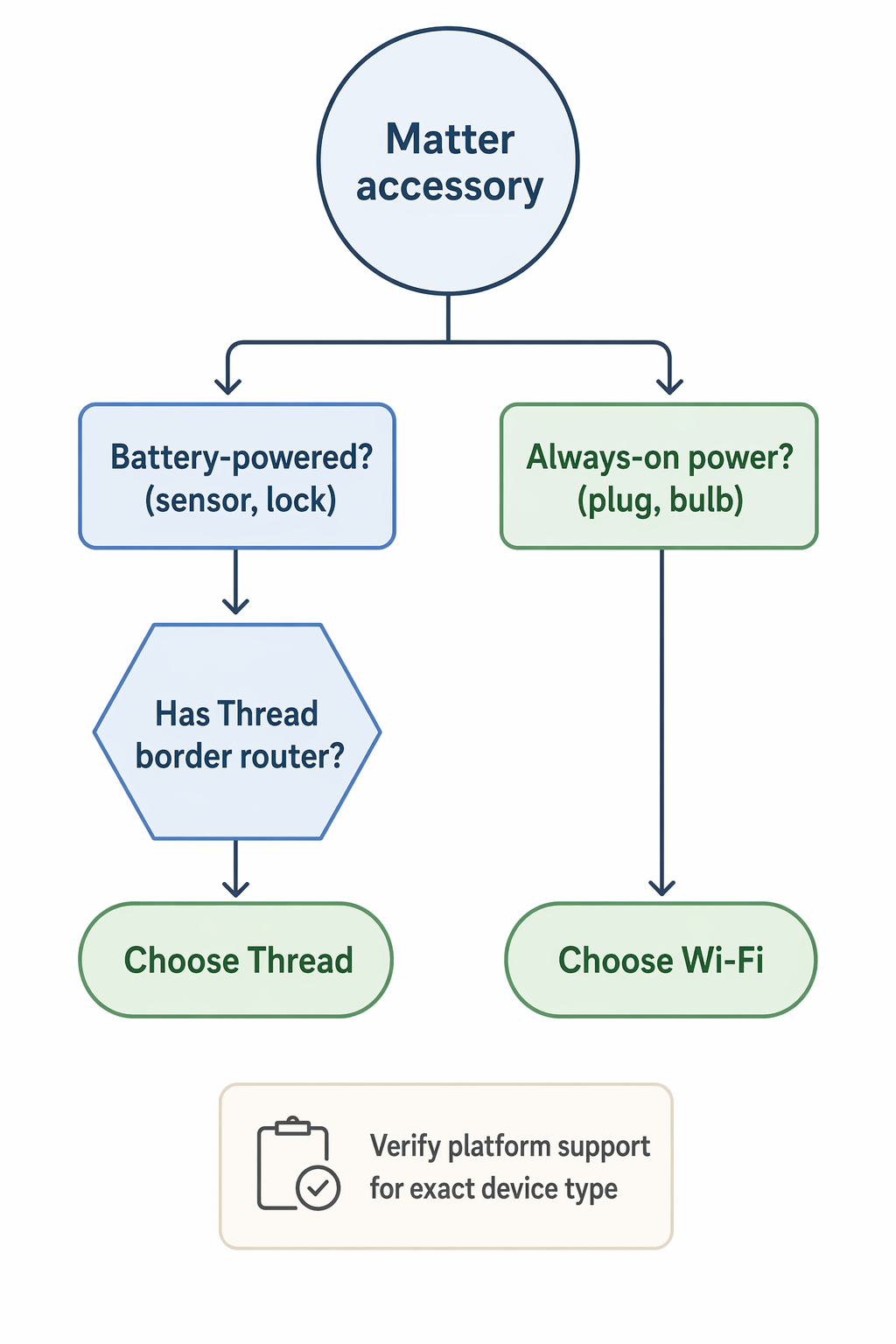
Start with power. If the accessory runs on a coin cell or small batteries — contact sensor, motion sensor, door lock, button — Thread is usually the better choice. If it is plugged into the wall all day — smart plug, bulb, light strip, in-wall switch — Wi-Fi is often the cleaner buy because it is cheaper, familiar, and does not require a Thread border router.
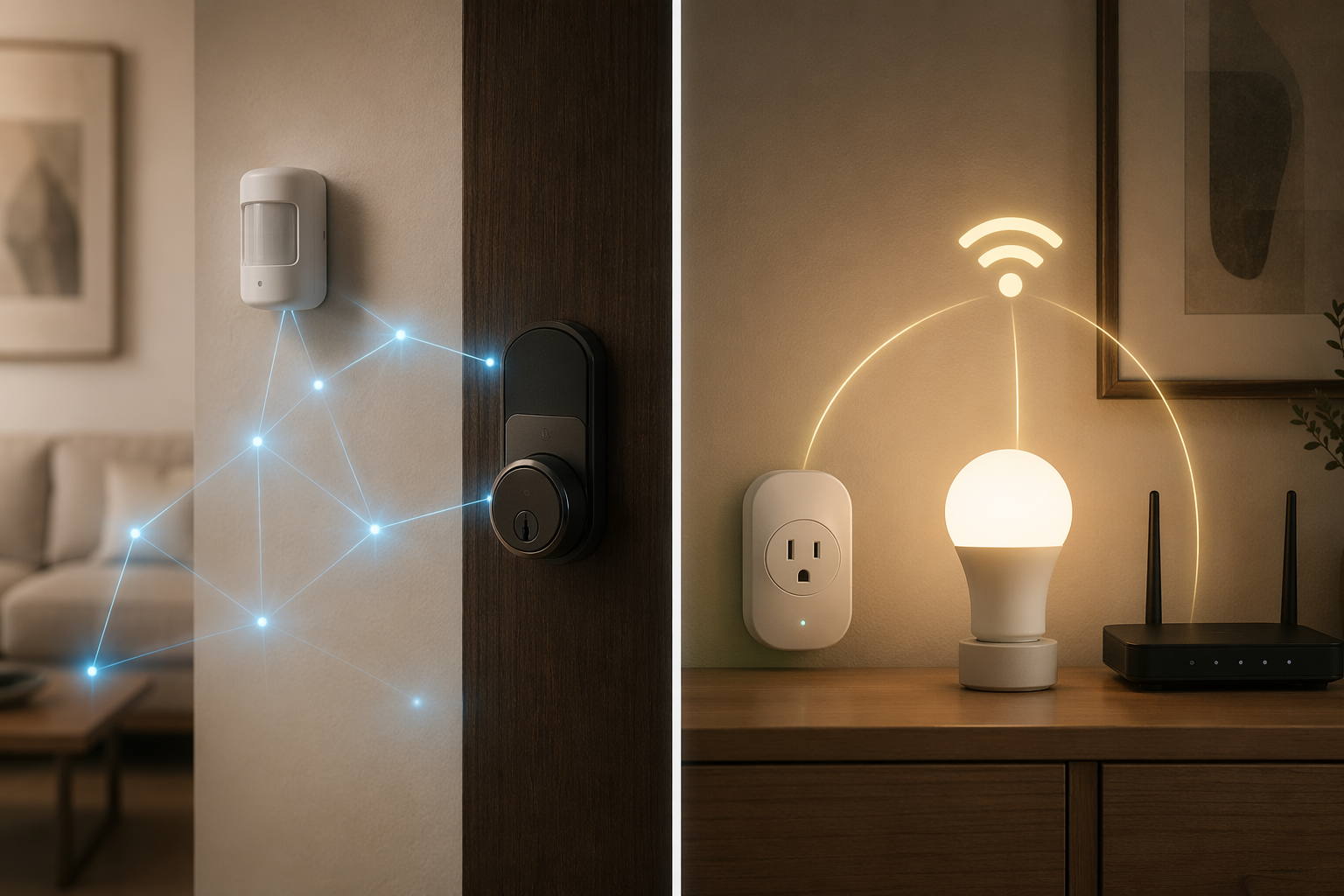
The Decision Starts With the Power Source
Thread and Wi-Fi are both ways for a Matter device to reach your smart-home controller. That shared Matter layer is useful, but the transport still changes the ownership experience. A battery sensor has to sip power, stay reachable, and wake up quickly. A smart plug behind a sofa just needs to stay online while it is already plugged into mains power.
| Accessory type | Better default in 2026 | Why |
|---|---|---|
| Motion sensors, contact sensors, leak sensors, buttons | Thread | Low power use matters more than raw bandwidth. |
| Smart locks | Thread, if you already have the right border router | Battery life and mesh reach matter, but setup prerequisites are not optional. |
| Smart plugs and outlets | Wi-Fi | They are always powered, often cheaper, and usually do not benefit much from Thread. |
| Bulbs and light strips | Wi-Fi for most buyers; Thread only when mesh design or ecosystem fit justifies it | Always-powered lighting can help a Thread mesh, but price and platform behavior still matter. |
That table is only a starting point. Before buying, confirm three things: the device’s power source, whether your home already has a Thread border router, and whether Apple Home, Google Home, Alexa, SmartThings, or Home Assistant supports the Matter device type you are buying. If you are still sorting out controllers, border routers, and commissioning, start with Build Your First Matter Smart Home in 2026 before comparing individual accessories.
Where Thread Earns Its Keep
Battery-powered accessories are the strongest argument for Thread. The difference is not a tiny optimization buried in a spec sheet. Thread motion and contact sensors such as Aqara’s P2 and Eve Motion are listed with roughly 12 to 24 months of battery life on a coin cell, while comparable Wi-Fi sensors are commonly described as needing battery attention every 4 to 8 weeks in 2026 buying guides and listings [1][2].
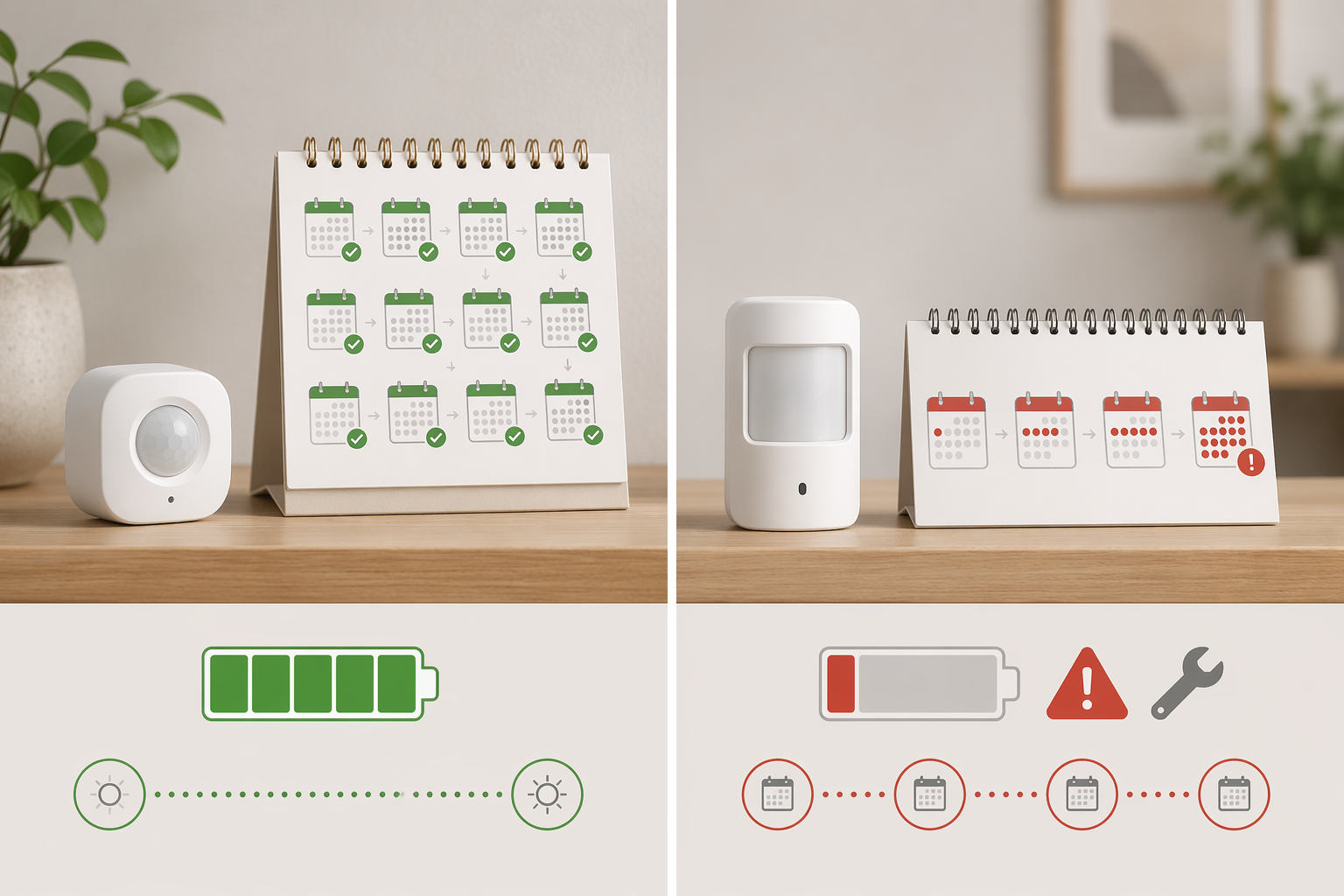
That is the kind of difference that changes whether a smart home feels helpful or needy. A contact sensor on a basement door is not useful if it quietly dies between trash nights. A motion sensor in a hallway is not charming when it turns into another calendar reminder. Thread was designed for low-power mesh networking, so the device can avoid the heavier power demands of maintaining a normal Wi-Fi connection.
The mesh part matters too. The right Thread devices can relay traffic for one another, so the network can become more resilient as you add always-powered Thread devices. A sensor at the far side of the house does not have to reach the router directly if the Thread mesh has a better path. That is very different from a weak Wi-Fi sensor trying to hang onto a distant access point.
Locks sit in the same practical category, even though they deserve more caution than sensors. A smart lock is battery-powered, mounted in a fixed and sometimes radio-unfriendly place, and consequential when it drops offline. Thread can be a sensible fit because it combines low power use with mesh reach, but only if your home already has a reliable Thread border router. For lock-specific caveats beyond the protocol choice, see Matter Smart Locks Work Everywhere — Here's the Catch.
The Border Router Is Not a Footnote
A Thread accessory does not join your normal Wi-Fi network by itself. It needs a Thread border router to connect the Thread mesh to the rest of your home network and to your Matter controller. Common examples include HomePod mini, Nest Hub 2nd Gen, and Echo 4th Gen class devices, with hub comparisons listing these around the $99 to $100 range [3]. One border router can serve a home, and additional Thread devices can extend the mesh [1][3].
This is where a lot of bad purchases happen. A box can say Matter and Thread, and the device can still be the wrong buy for a home that only has a Wi-Fi router and a phone app. If the platform app asks for a Thread-capable hub you do not own, the accessory is not being picky; the buyer skipped infrastructure.
Older complaints about Thread reliability also need a 2026 filter. Thread 1.4 made network harmonization a bigger priority, and new Thread border routers have been required to support Thread 1.4 from January 2026, addressing the older problem where multiple border routers could create parallel Thread networks instead of cooperating cleanly [1]. That does not magically fix every old hub, regional firmware difference, or awkward device placement, but it changes how much weight to give forum posts from earlier Thread rollouts.
If your home already has several border routers and Thread devices still vanish or split across networks, the problem is probably not solved by buying another sensor. Work through the mesh itself. The troubleshooting path in Fix Unstable Thread Mesh with Multiple Border Routers is the better place to spend time before adding more hardware.
Where Wi-Fi Is Still the Smarter Buy
A smart plug three feet from a strong router is not begging for Thread. It is plugged into the wall, it has constant power, and it usually sends tiny amounts of data. Paying extra for Thread in that spot can be tidy in theory and pointless in practice.
The price gap is real enough to check before buying, even if it should not be treated as permanent. Late-2025 through mid-2026 buying guides listed Wi-Fi Matter accessories such as the Tapo P125M smart plug around $12 and Sengled Matter bulbs around $13, while Thread alternatives such as Eve Energy and Nanoleaf Essentials were listed around $40 and $20 respectively [2][4]. Based on those specific comparisons, Wi-Fi accessories could cost about 30% to 60% less than Thread equivalents, though prices can shift quickly with sales, tariffs, and new models [2][4].
There is also no border-router tax. A Wi-Fi Matter plug joins the home’s existing Wi-Fi network and talks Matter over IP. That simplicity is valuable if you are outfitting a few lamps, a coffee maker, holiday lights, or a fan and do not want another hub decision attached to every small purchase. If plugs are your main category, a focused Wi-Fi Smart Plug Buying Guide will be more useful than a protocol debate.
Bulbs are less absolute. Always-powered Thread bulbs can help extend a Thread mesh, which is useful if they are placed between a border router and battery sensors. But bulbs also get switched off at the wall, moved between rooms, or bought in multiples where a few dollars per bulb becomes meaningful. For most homes, buy the bulb that fits the platform, brightness, color quality, and price you actually need. Thread is a bonus when it supports the network plan, not a badge that makes a mediocre bulb better.
Energy monitoring is another place to be precise. Matter support does not automatically mean every platform will expose every energy feature in the way you expect. If that is the reason you are buying a plug, check Which Matter Smart Plugs Actually Show Energy Data? before assuming the cheaper plug and the prettier app will agree.
Matter Compatibility Still Has Platform Edges
Matter certification reduces the chaos of buying across ecosystems, but it does not flatten every platform into the same product. Device-type support still varies. Compatibility matrices and 2026 device listings noted gaps such as Google Home not supporting leak sensors over Matter and Alexa lacking generic switches on some Matter versions [2][5]. Those details may change with firmware updates, but they are exactly the kind of details that matter before a sensor is taped under a sink.
This distinction is easy to miss because the packaging language sounds broad. Matter can certify the device’s common application layer while the underlying transport remains Thread or Wi-Fi, and your chosen ecosystem still decides how much of that device category it exposes. For a more careful explanation of what the logo does and does not promise, read What the Matter Certification Logo Actually Guarantees.
Platform support should be checked at the device-type level, not just the brand level. A company can sell a Matter plug that behaves well in one ecosystem and a Matter sensor whose most important feature is missing in another. If you use Apple Home, Google Home, Alexa, SmartThings, or Home Assistant as your daily dashboard, verify support there first, then decide whether the Thread or Wi-Fi version is the better hardware choice.
A Quick Note on Device Counts and Price Claims
Large Matter device-count numbers are less useful than they look. One 2026 status review tracked more than 750 Matter products while excluding color and size variants, while another guide cited more than 4,200 certified devices when variants were included [1][2]. The smaller number is usually closer to what a buyer means by “how many different things can I actually choose from?”
Prices deserve the same caution. A $12 plug, a $40 plug, or a $99 hub is a snapshot, not a law of the market. Use the pattern, not the exact number: Wi-Fi accessories often win on upfront cost and no extra infrastructure; Thread earns its premium when low power and mesh behavior solve a real problem.
The Buying Rule
For battery-powered Matter accessories, prefer Thread once you have confirmed a compatible Thread border router is already in the home or included in the purchase plan. That applies most strongly to motion sensors, contact sensors, buttons, and locks. The battery-life difference is too large to ignore, and the mesh can help in the exact places where small sensors tend to live: doors, corners, hallways, basements, and garages.
For always-powered Matter accessories, start with Wi-Fi unless you have a specific Thread mesh reason. Smart plugs, bulbs, and many lighting accessories already have constant power and often sit within easy reach of a router or access point. In those cases, the cheaper device that works cleanly in your platform is usually the better device.
Before checkout, make the last pass boring: confirm the accessory’s protocol, confirm your Thread border router if it is a Thread device, confirm your platform supports that exact Matter device type, and verify current pricing. If the device is a lock, also use a lock-specific checklist such as Smart Lock Buyer's Guide: 7 Factors. For broader category choices beyond Thread versus Wi-Fi, use Which Matter Devices Are Worth Buying in 2026?.
References
- The Matter Standard in 2026 – A Status Review — matter-smarthome.de
- Matter Devices List 2026: Complete Guide — yourmatterhome.com
- 5 Best Smart Home Hubs in 2026: Matter and Thread Compared — The Gadgeteer
- The best Matter smart home devices — The Ambient
- Every smart home device that works with Matter — The Verge, Dec 2024
Updates & Corrections
Protocol specifications and platform features change rapidly — especially with Matter version evolution. Report version changes, certification count updates, or platform policy changes that have occurred since the last editorial review.
Comments
Join the discussion with an anonymous comment.